Seamless Equipment Rental Landing Page Template
Provision is a split-screen landing page template designed for white-label rental marketplace platforms. It combines a live interactive dashboard demo with a Stats-First layout to show visitors exactly what they get before they sign up. Property owners, equipment hire companies, and SaaS founders can explore the page and understand the product instantly, with no code required to customize or launch.
by Rocket studio
Quick summary
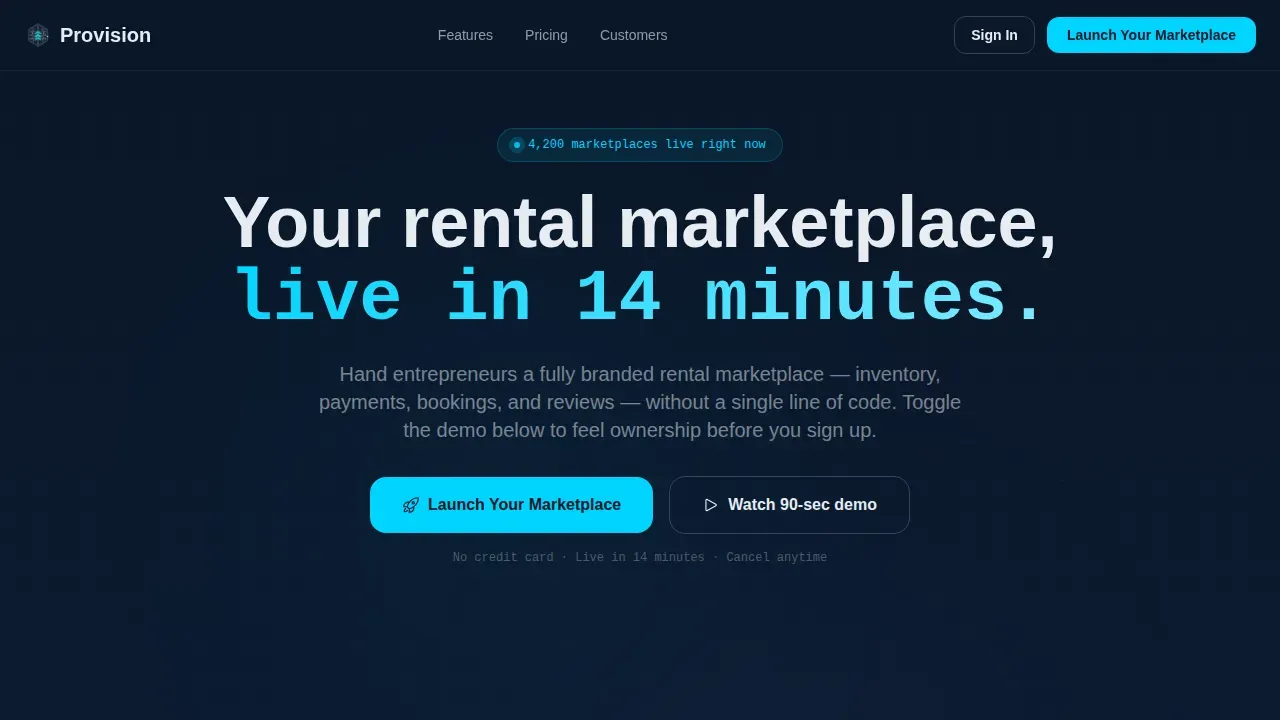
Provision is a high-impact landing page template built for white-label rental marketplace platforms. The page opens with an interactive split-screen dashboard, then walks visitors through bold metrics, feature details, and social proof. Every section is designed to move users from curiosity to confident action, fast.
Who this template is for
This template is built for entrepreneurs who want to launch a rental marketplace without writing a single line of code. It speaks directly to people building serious, revenue-generating platforms.
- Property owners and property managers scaling vacation rental listings across multiple locations
- Equipment hire companies replacing phone-tag scheduling with a sleek, self-serve booking application
- SaaS founders who want to develop and launch a peer-to-peer rent platform by next quarter
What problem this template solves
Most rental platform landing pages give visitors a wall of text and a vague description of features. That approach loses users before they ever reach the pricing section. Provision solves this by letting visitors interact with the product first.
- No clear demonstration of value means users leave before they understand what the platform does
- Generic booking page designs fail to communicate the white-label promise or the depth of included functionalities
- Founders waste weeks building landing pages from scratch when a well-designed template is ready to deploy
What you get with this template
Provision gives you a complete, single-page landing architecture designed around proof and conversion. Every section has a clear role, and all the details are set from day one.
- An interactive hero section with a functioning dashboard mockup designed to display the storefront and admin views simultaneously
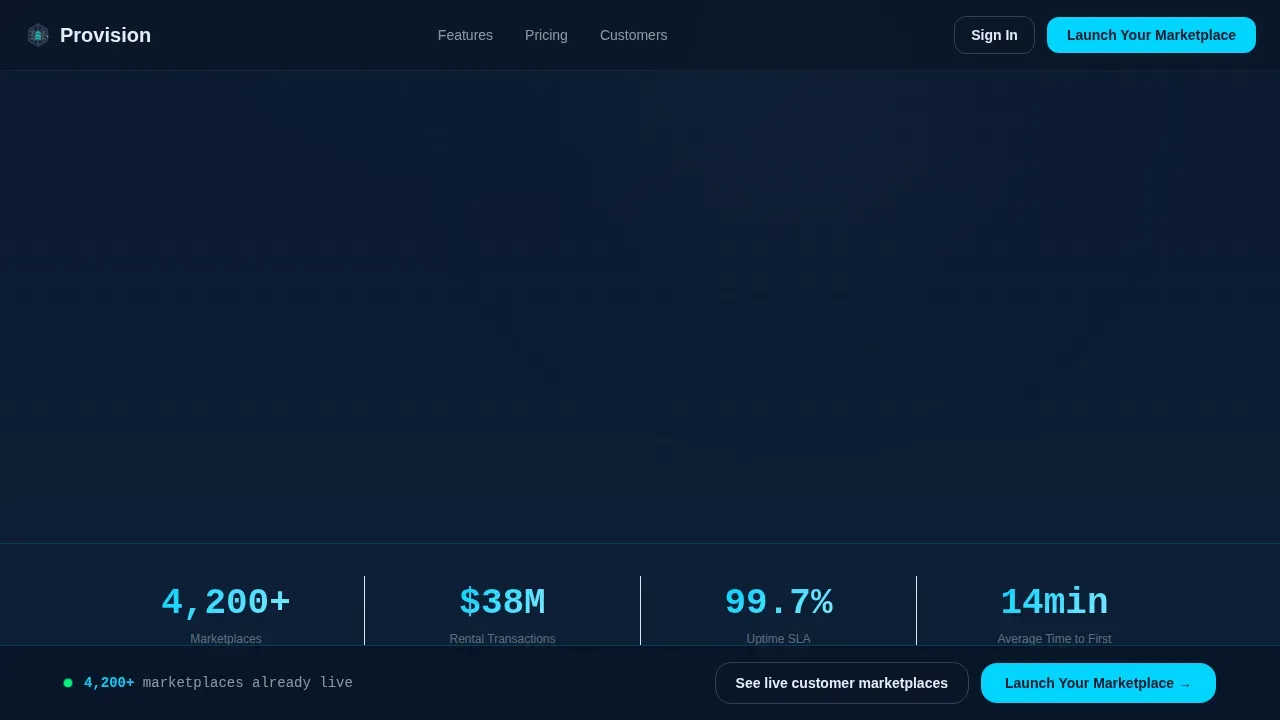
- A stats bar and alternating features layout that provide metric-first descriptions designed to build trust fast
- A sticky call-to-action bar, persona-matched comments, and a live marketplace carousel to enhance credibility
Feature list
This landing page template includes six core sections and a set of interactive components that work together to prove the platform's value before a visitor ever clicks the sign-up button.
Interactive Split-Screen Hero
The hero section is designed as a 50/50 split-screen dashboard mockup. The left panel shows a branded storefront with rental listings, live availability dots, and a price-per-day display. The right panel shows the admin view with a booking timeline, revenue graph, and incrementing notifications. Users can toggle the brand name and open a color picker to watch the dashboard skin change instantly.
Stats-First Alternating Layout
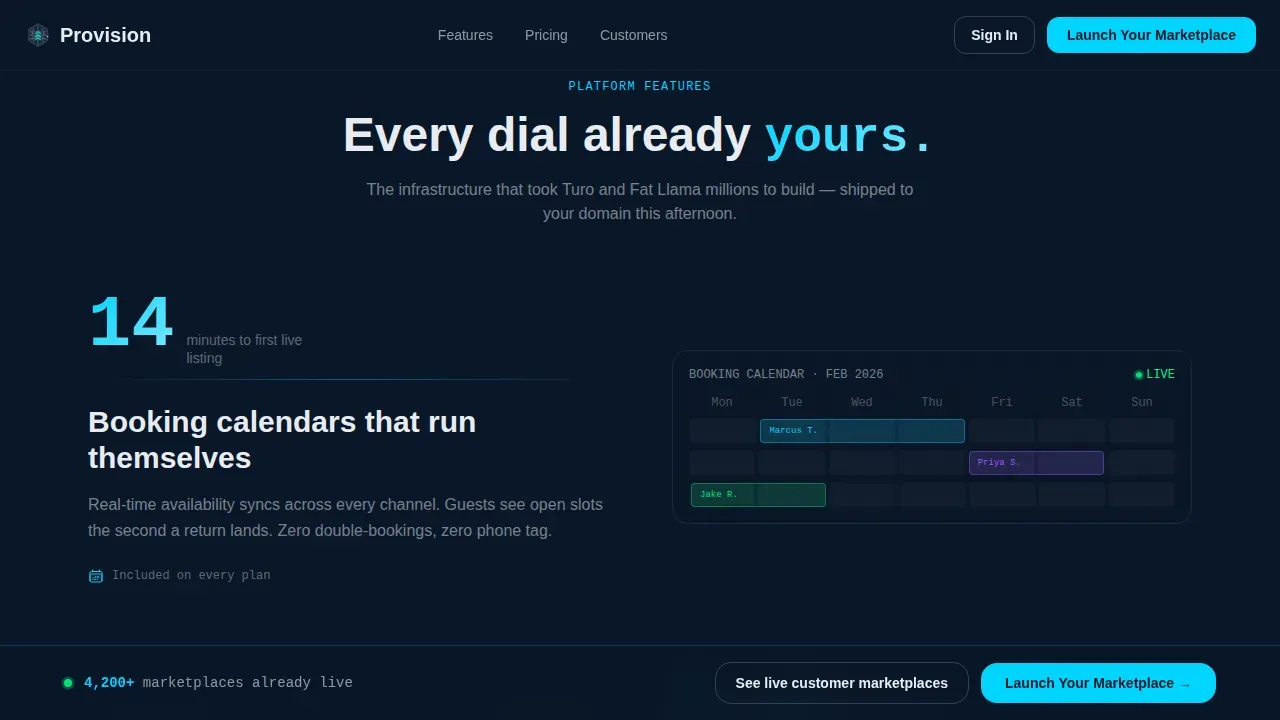
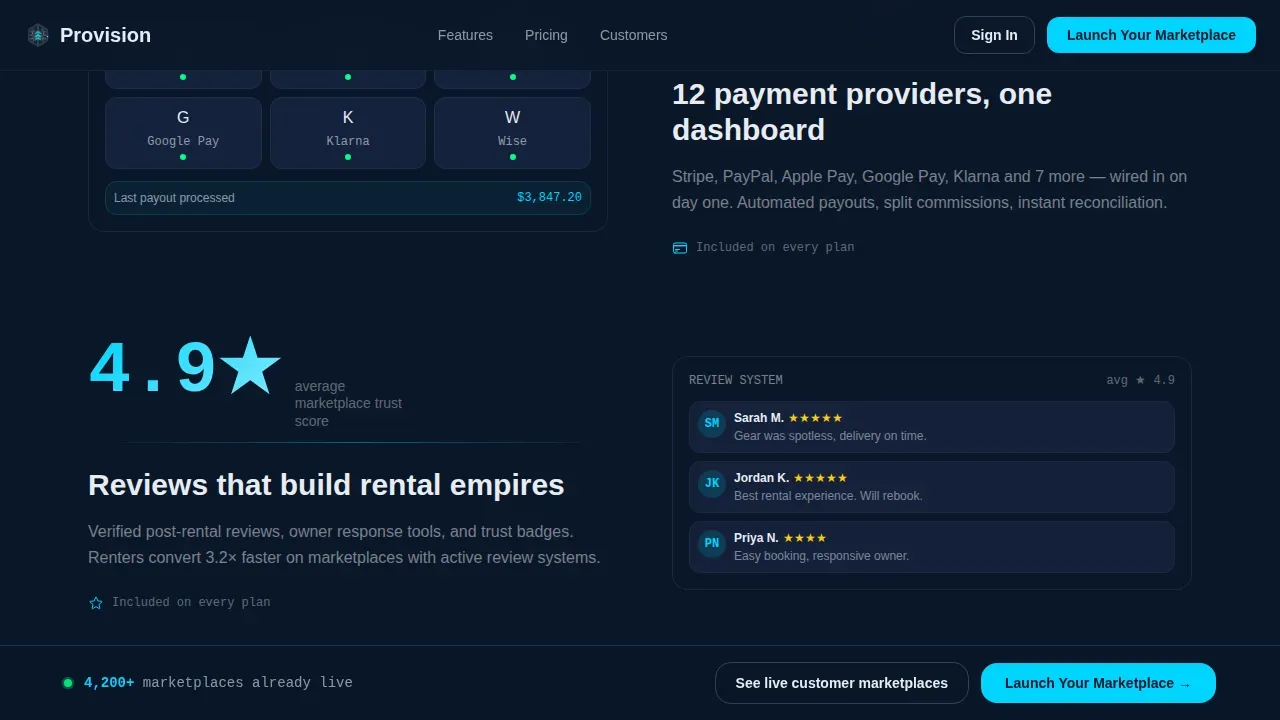
Each features section leads with a bold metric on the left and a corresponding user interface screenshot or micro-animation on the right. Example details include average launch time, conversion lift, and integrated payment provider count. This rhythm helps users quickly learn what separates this application from generic booking forms.
Sticky Call-to-Action Bar
The primary "Launch Your Marketplace" button appears first inside the interactive header, then anchors a sticky bottom bar after the second scroll. This design keeps the key action in reach at all times without interrupting the reading experience.
Persona-Matched Testimonials
The testimonials section features comments from three matched user types: a property manager, an equipment hire operator, and a SaaS founder. Each quote is designed to enhance trust for visitors who see themselves in the same role.
Live Marketplace Carousel
A secondary link below the main call-to-action opens a carousel of real branded storefronts. This lets users explore working examples before committing, building confidence through sharing actual platform outcomes rather than promises.
Stats Bar Section
A bold metric bar sits just below the hero and drops in three platform-level numbers: marketplaces launched, total rental transactions processed, and uptime percentage. These figures set the stage for everything that follows, proving scale at a glance.
Page sections overview
| Section | Purpose |
|---|---|
| Interactive Hero | Split-screen dashboard demo with live brand picker |
| Bold Stats Bar | Display platform scale with three key metrics |
| Features Layout | Alternating metric-and-screenshot descriptions |
| Testimonials Block | Persona-matched user comments for trust |
| Pricing and Call to Action | Launch tier details with sticky bottom bar |
| Footer | Linear single-row store links and navigation |
Design & branding system
The visual system follows a Data Command theme. Every design choice is built to feel operational, authoritative, and sleek, like a mission control desk at full capacity.
- Color set: deep terminal navy (#0A1628) for backgrounds, tactical slate (#1B2A4A) for card surfaces, cold signal white (#E8ECF1) for typography and data labels, and electric cyan (#00D4FF) for calls to action and chart accents
- Typography set: DM Sans for headings, JetBrains Mono for data labels and metrics, Manrope for body copy
- Animation details: pulsing availability dots, animated revenue graphs, scroll reveals, counter increments, and a live color picker update
Mobile & speed optimization
This landing page is designed desktop-first to match the mission control aesthetic, with a responsive mobile fallback so users on any device can still explore and act.
- Desktop layout prioritizes the full split-screen experience, with both dashboard panels open side by side
- Interactive components use client-side rendering for the demo section; static sections are designed for fast server delivery
- The sticky call-to-action bar adapts across screen sizes so the primary button stays accessible on mobile
How this template helps you convert
Provision is a landing page built around one idea: let visitors experience ownership before they commit. The conversion architecture is intentional at every step.
- The interactive header demo lets users customize the storefront in real time, proving the white-label promise before they read a single line of copy
- The Stats-First layout delivers a number before every explanation, building trust through data rather than through description alone
- The sticky call-to-action bar and live marketplace carousel remove the final points of hesitation, connecting curiosity directly to the sign-up action
Other information about this template
The Provision Data Command Rental Marketplace Landing Page Template is built specifically for the white-label rental marketplace niche, where founders need to prove depth quickly and convert fast. Here are additional details worth knowing before you start.
- The template is designed to help you save time by skipping the blank-page stage entirely; all sections, copy structure, and interaction patterns are included from the beginning
- You can modify brand colors, update listing descriptions, and add new ones without touching any code
- The page architecture follows best practices for application landing pages, making it easier to develop and test your messaging before your platform goes live
- The template is ready for English-language markets using USD pricing and US date format by default
- Ultimately, this template gives founders a fast path from project idea to a live, credible landing page that users trust on arrival
Theme
Data Command
Creative direction
Stats-First Impact
Color system
Midnight Blue
Direction
Click-Through
Page Sections
Interactive Split-screen Dashboard Hero
Stats-first Alternating Features Layout
Sticky Call-to-action Bar
Persona-matched Testimonials Section
Live Marketplace Carousel
Bold Platform Stats Bar
Related questions
Do I need to write any code to use this template?
Can I update the pricing section to match my platform's plans?
Is this template designed for desktop or mobile users?
How does the interactive hero section work for visitors?
Can I add my own listings and customer comments to the template?



