E-Commerce Store FAQ & Quick Answer Website Template
Terminal is a dashboard-style frequently asked question landing page template built for ecommerce store owners who need answers fast. It opens with a live code snippet animation, flows into a filterable frequently asked question explorer grid, and closes with animated metrics and a friction-light signup form. The design runs on a carbon fiber color palette: deep black, status green, and electric silver.
by Rocket studio
Quick summary
Terminal is a single-page frequently asked question landing page template designed for ecommerce support tools. It combines a terminal-aesthetic header, a filterable data card grid, an animated metrics dashboard, and a sticky call to action bar. The page is built to help users find answers quickly and to convert visitors into free trial signups with minimal friction.
Who this template is for
This landing page template is made for builders and operators who run ecommerce support products. It speaks directly to the people debugging live issues at midnight, not to passive browsers.
- Shopify store owners troubleshooting abandoned cart flows and payment gateway errors
- Dropshippers and direct-to-consumer brand managers who need a fast, reliable frequently asked question page for their support stack
- Product teams and ecommerce SaaS founders who want a high performing landing page that converts on the first visit
What problem this template solves
Most ecommerce frequently asked question pages are slow, flat, and buried. They force users to scroll through unorganized articles without a search bar, and they do nothing to reduce support tickets. Visitors leave before they find anything useful, which drives up bounce rates and refund requests.
- Store owners need concise answers to common questions about shipping, returns, and payments, without opening a ticket
- Support teams need a landing page that can organize questions into logical categories and surface relevant answers instantly
- Ecommerce operators need social proof and data-backed metrics on the same page to address objections before they form
What you get with this template
You get a complete, ready-to-customize frequently asked question landing page with every section pre-built and wired for conversion. The template removes the guesswork from layout and lets you start building immediately.
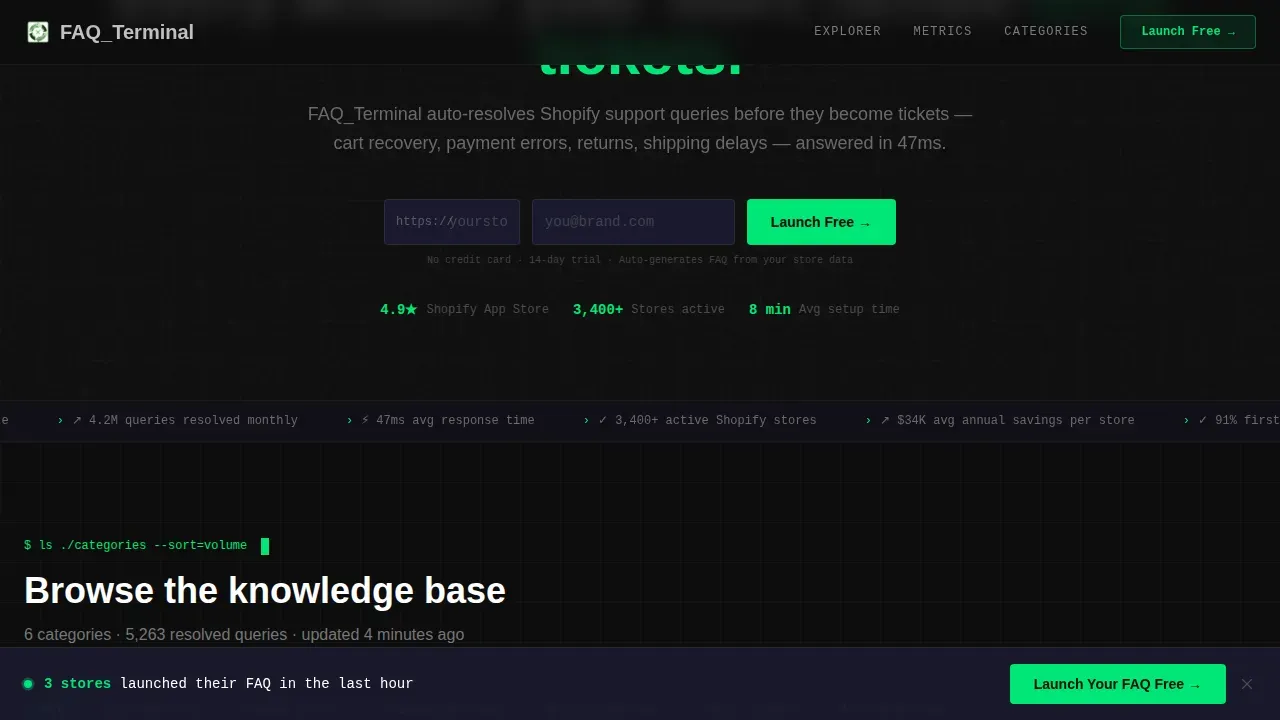
- A hero section with a live-rendered code snippet animation, a headline, and a two-field signup form
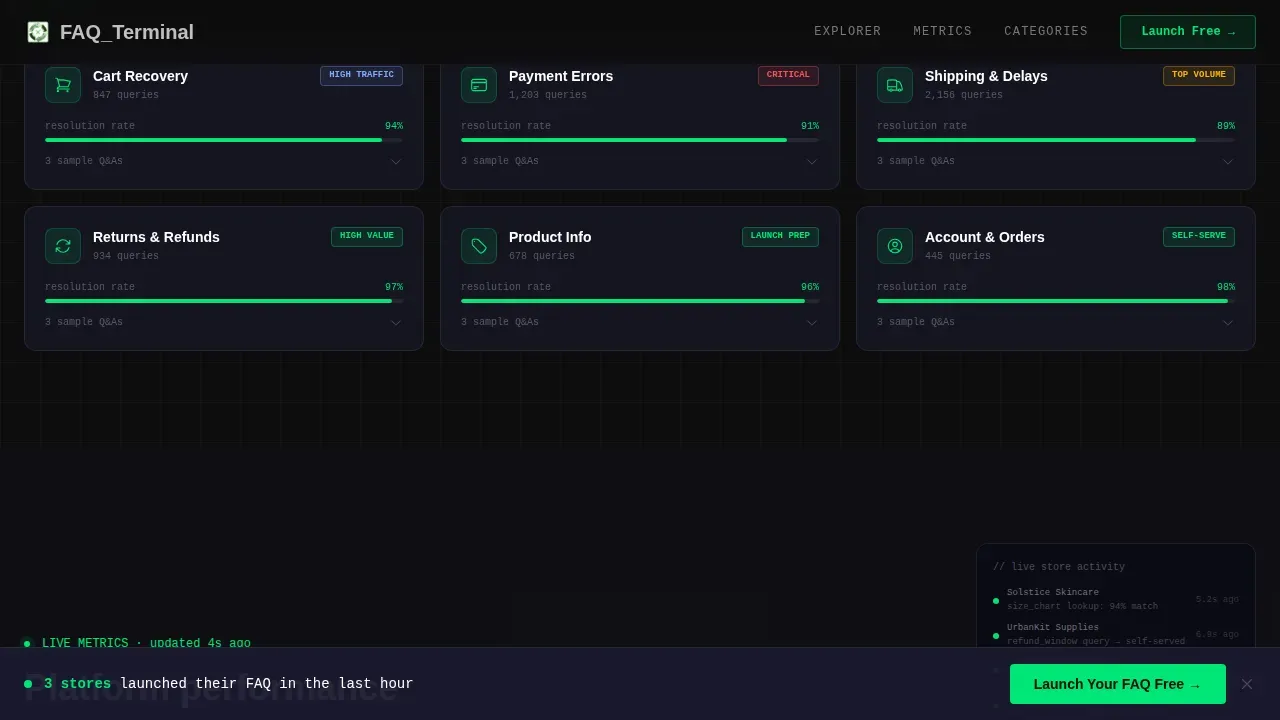
- A filterable frequently asked question explorer grid with expandable data cards, an animated metrics panel, and a sticky call to action bar
- A footer in the linear single-row pattern and a secondary call to action linking to a live demo storefront
Feature list
This landing page template ships with six core features. Each one is grounded in the source brief and designed to serve ecommerce frequently asked question use cases directly.
Live Code Snippet Hero Animation
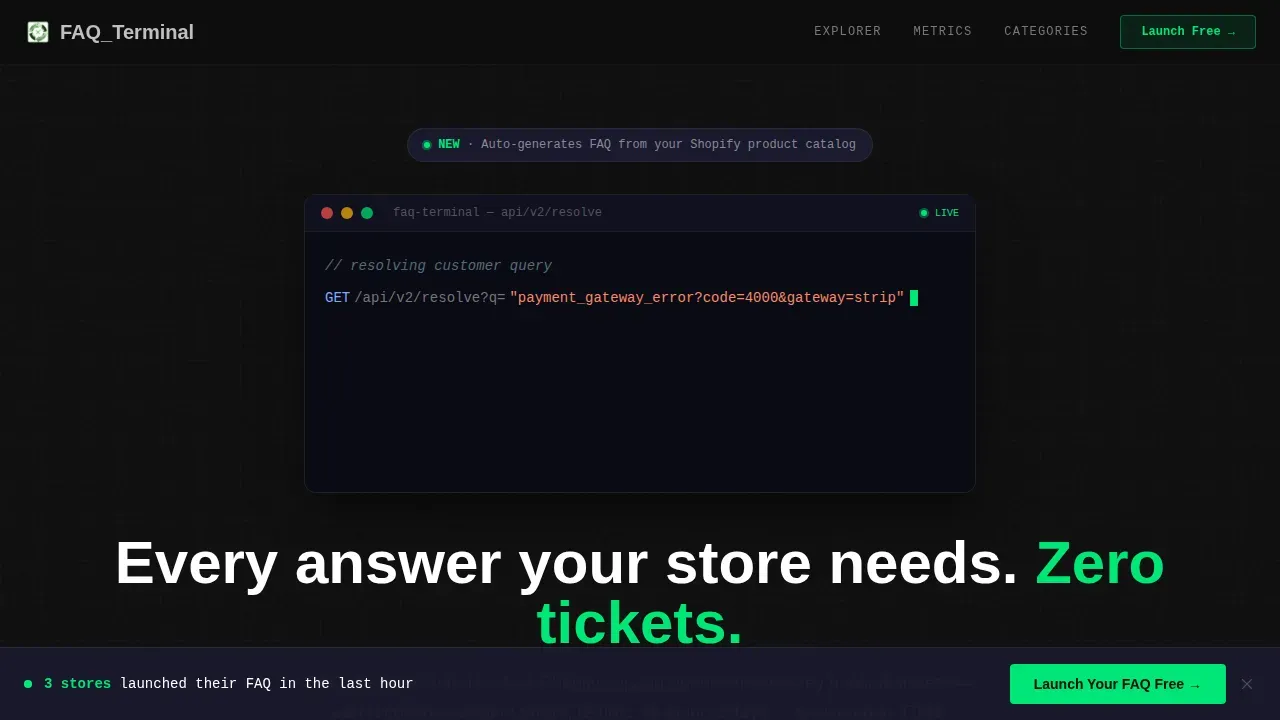
The header opens with a syntax-highlighted code block that auto-types a customer question as a query string. The response object populates in real time, status 200 glows green, and a latency counter reads 47ms. The animation loops seamlessly, cycling through different ecommerce questions on each pass.
Filterable frequently asked question Explorer Grid
Below the hero, a full grid of frequently asked question categories appears as clickable data cards. Each card pulses on hover and expands inline to preview sample questions and answers without a page reload. Users can filter by category, giving them a direct path to the answers they need.
Animated Metrics Dashboard Panel
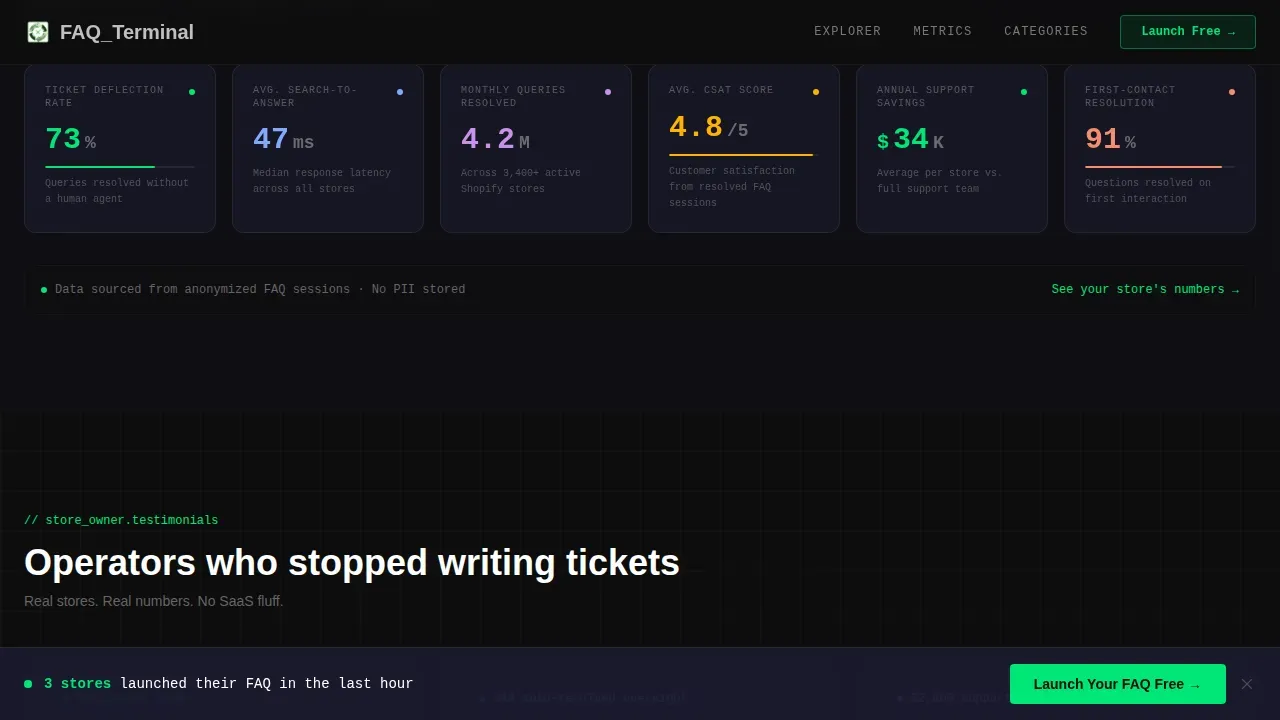
A dedicated metrics panel shows resolution rates, average search-to-answer time, and ticket deflection percentages. Numbers animate in with counting transitions as the user scrolls into view. This section uses real data points to provide clear evidence of the product's impact and to support conversion.
Sticky Bottom Call to Action Bar
After the second scroll fold, a sticky bar appears at the bottom of the page with the primary call to action. The bar stays visible as users scroll deeper, keeping the signup prompt accessible without interrupting the reading experience.
Two-Field Freemium Signup Form
The signup form asks for store URL first, then email. Store URL is listed first because it signals commitment and allows the system to auto-generate a preview frequently asked question for the new user. No credit card required at signup, reducing friction to the lowest possible point.
Social Proof and Testimonial Section
A dedicated section surfaces store owner quotes and specific resolution metrics. Social proof appears before the sticky call to action bar, giving skeptical visitors the evidence they need before committing. A secondary link offers a live demo storefront so users can experience the frequently asked question widget in context.
Page sections overview
| Section | Purpose |
|---|---|
| Hero Code Snippet | Animate a live frequently asked question API call with typewriter loop and status indicators |
| frequently asked question Explorer Grid | Filterable data cards with inline Q&A expansion by category |
| Metrics Dashboard Panel | Animated counters showing resolution rate and ticket deflection data |
| Category Deep Dive | Terminal-style answer preview for individual frequently asked question entries |
| Social Proof Block | Store owner testimonials and specific performance metrics |
| Sticky call to action Bar | Persistent bottom bar with primary signup call to action |
| Footer Row | Linear single-row footer with secondary links |
Design & branding system
The visual identity follows a Dynamic Motion theme built on a Carbon Fiber color palette. Every surface reads like the inside of a developer tools panel: dark, dense, and purposeful. The color palette signals status and hierarchy without visual clutter.
- Deep carbon black (#0D0D0D) covers all background surfaces; woven graphite (#1A1A2E) separates cards and content blocks
- Status green (#00E676) pulses on interactive elements, live indicators, and resolved states; electric silver (#C0C0C0) handles typography and grid divider lines
- JetBrains Mono is used for all code and terminal text; DM Sans handles interface labels and body copy to support different learning styles across the page
Mobile & speed optimization
The template is built desktop-first for power users on laptops, but the layout is fully responsive across all screen sizes. Fast load times matter for any landing page competing for attention after midnight.
- Client components handle high-animation sections like the typewriter loop, pulse effects, and counting number transitions; server rendering covers static structure for fast load times
- The frequently asked question explorer grid and sticky call to action bar reflow cleanly on mobile devices, keeping the page usable on smaller viewports
- Accordion menus and expandable card interactions are touch-friendly, ensuring a seamless experience for users on tablets and phones
How this template helps you convert
This landing page is engineered around a single conversion goal: free trial signups via store URL and email. Every section moves visitors one step closer to that action.
- The hero code snippet creates immediate credibility by demonstrating the product in motion. Visitors see a real frequently asked question API call resolve in 47ms before they read a single marketing line, which helps convert visitors who would otherwise bounce.
- The metrics dashboard and social proof section use real data to guide users toward signup. Animated counters and store owner quotes address objections and reinforce the value of the frequently asked question page before the sticky call to action bar appears.
- The two-field form and "no credit card required" copy remove the final barrier. The secondary demo link gives hesitant visitors a low-commitment path, improving overall conversion rates without diluting the primary call to action.
Other information about this template
This section covers additional practical details for teams evaluating the template for their ecommerce stack.
- The landing page supports structured data markup for frequently asked question schema, which helps frequently asked question content appear in rich results on search engines and improves organic visibility
- SEO-conscious teams can use the template's clean design and structured data output to improve how their frequently asked question page ranks across search engines in competitive ecommerce categories
- The page layout includes comparison tables as an optional content pattern for product pages that need to show plan differences or feature tiers side by side
- Customer feedback collected through the frequently asked question explorer can help teams identify which common questions need updating, keeping the frequently asked question section relevant over time
- Google Analytics and other tracking tools can connect to the page to track performance, monitor bounce rates, and measure how well the frequently asked question landing page converts across digital marketing campaigns
- Teams can customize the color palette, swap in their own frequently asked question data, and adjust call to action buttons to match their brand without rewriting the page structure from scratch
- Articles, tutorials, and help center links can be embedded inside individual frequently asked question card answers, giving users access to detailed information and relevant content without leaving the landing page
- The template follows the same Interactive Explorer creative direction seen in high performing examples like accordion-based frequently asked question pages from Sage Intacct, ChainGPT, and Codelita, where organizing questions into logical categories reduces visual clutter and helps users navigate efficiently
- Ecommerce operators using this template alongside digital marketing campaigns can tailor each landing page variant to a specific ad or campaign, improving relevance and overall e commerce conversion rates
- Using this frequently asked question landing page template can reduce support tickets by 25 to 40 percent, consistent with industry benchmarks for well-organized self-service frequently asked question pages
Theme
Dynamic Motion
Creative direction
Interactive Explorer
Color system
Carbon Fiber
Style
Dashboard/Data Grid
Direction
Freemium/Trial
Page Sections
Live Code Snippet Hero Animation
Filterable Frequently Asked Question Explorer Grid
Animated Metrics Dashboard
Sticky Conversion Bar
Two-field Freemium Signup Form
Social Proof and Demo Path
Related questions
Do I need a credit card to get started with this template?
Can I customize the colors and content in this frequently asked question landing page template?
Does this frequently asked question landing page work on mobile devices?
How does the filterable frequently asked question explorer grid work?
Can I connect this landing page to analytics and tracking tools?



