Franchise Digital Presence Professional Website Template
FranchiseHub is a dark-mode, data-terminal landing page template built for franchise discovery platforms. It gives visitors a live-filtering data grid, territory heat maps, a side-by-side comparison tray, and verified owner sentiment scores, all before asking for an email. Built for desktop-first use with full responsive support at 768px.
by Rocket studio
Quick summary
FranchiseHub is a Bloomberg-terminal-style franchise discovery landing page. It lets prospective buyers filter, compare, and research franchise opportunities through a live data grid, territory heat maps, and community sentiment scores. The layout rewards curiosity, visitors explore real data first and commit their email only when they're ready to save a shortlist.
Who this template is for
This template is built for founders, developers, and product teams launching a franchise discovery or community platform. It fits anyone who needs to present a large directory of opportunities in a data-driven, trustworthy format.
- Franchise marketplace builders who need a filterable, data-rich directory interface
- Community platform creators targeting first-time and multi-unit franchise buyers
- Digital agencies building franchise lead-generation tools for operator networks
What problem this template solves
Most franchise directories feel like static brochure pages. They bury the numbers, skip the comparisons, and ask for contact details before delivering any real value. Serious buyers bounce before converting.
- Visitors have no way to filter hundreds of listings by investment level, territory, or owner satisfaction
- There is no side-by-side comparison tool, so buyers leave to build their own spreadsheets
- The page asks for an email too early, before the visitor has built any conviction
What you get with this template
You get a fully structured, single-page franchise discovery dashboard with every major section pre-built and ready to customize. The layout is designed to move a visitor from casual browser to motivated shortlist builder in a single scroll.
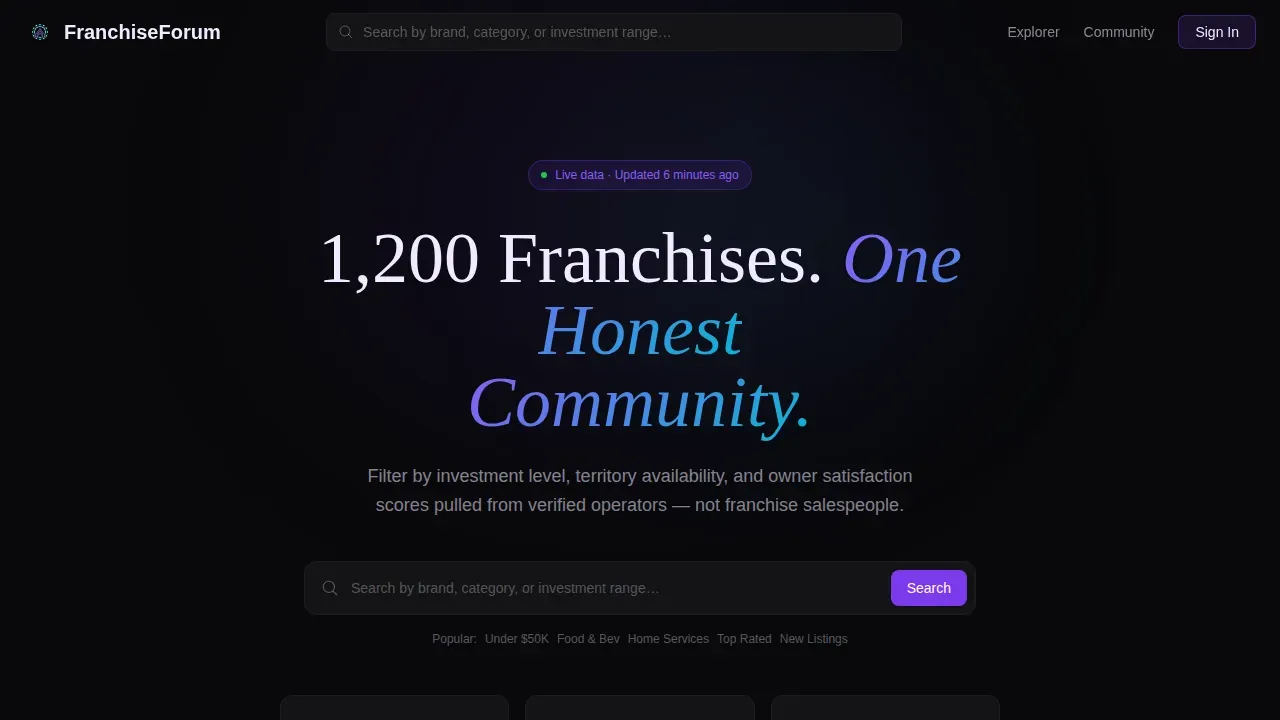
- A hero section with a horizontally scrolling logo ribbon, headline, and search bar
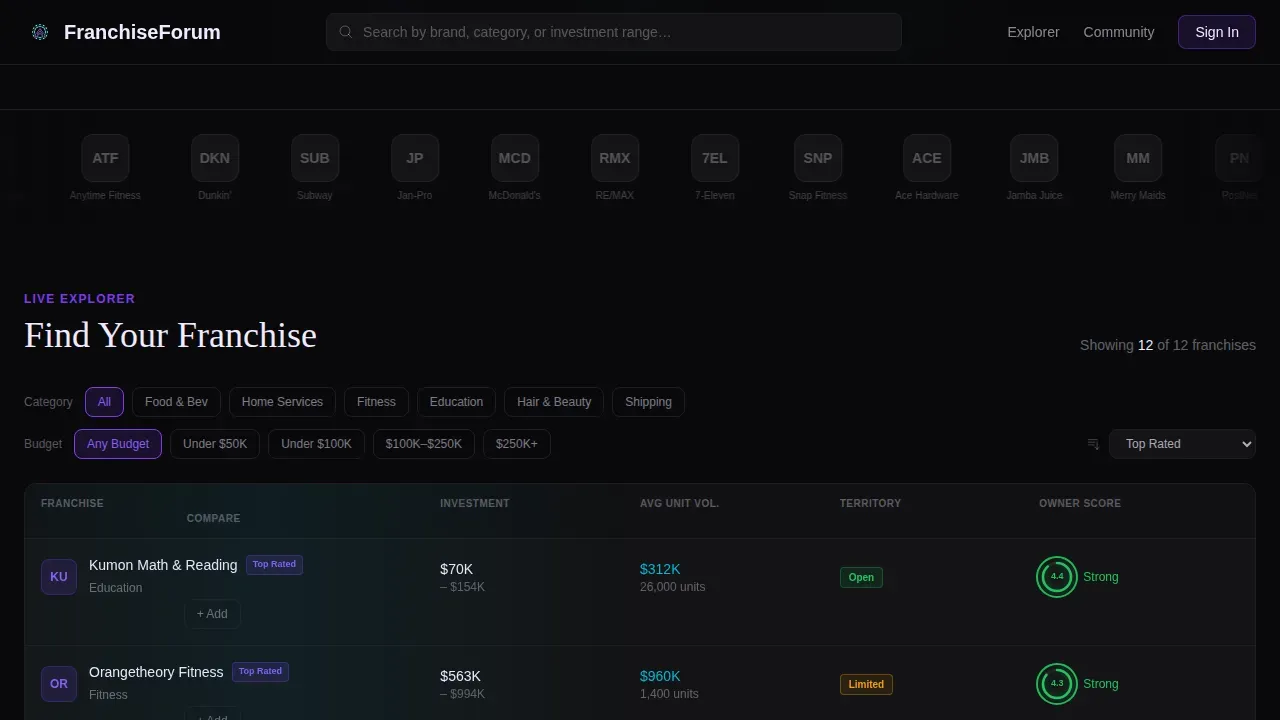
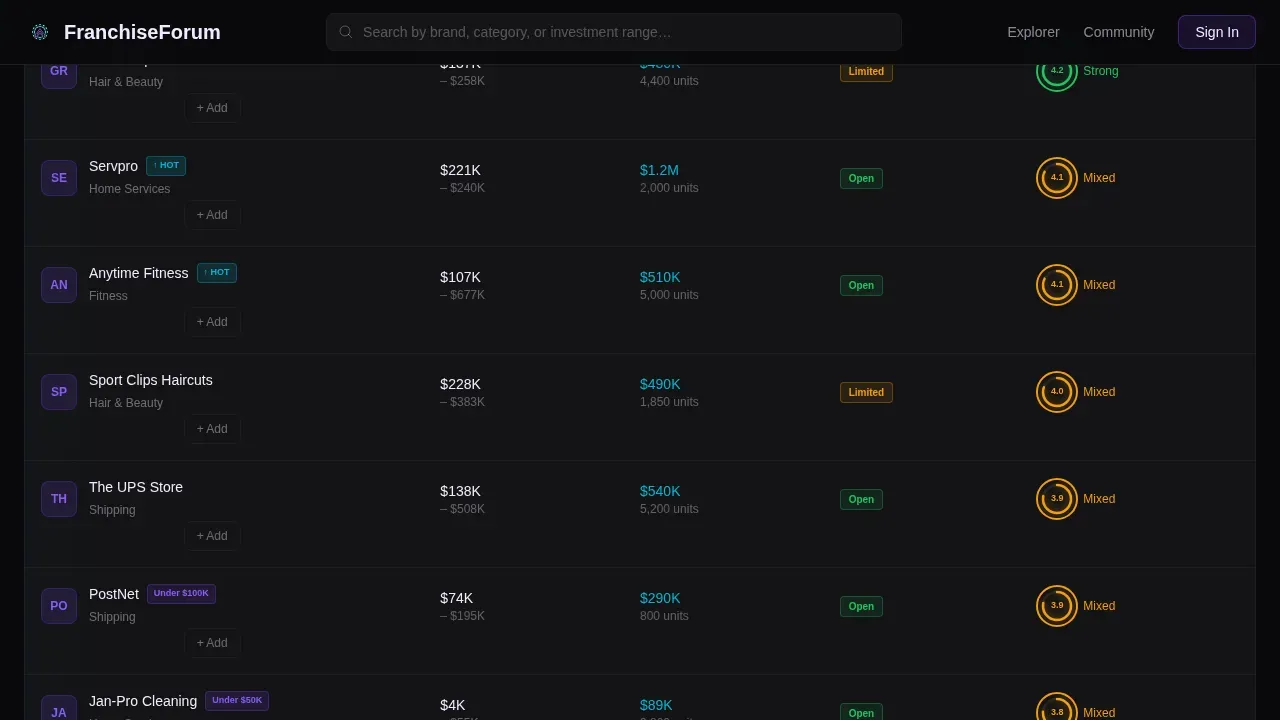
- A live-filtering data grid with franchise cards, sentiment rings, and sortable columns
- A comparison tray, territory heat map section, and a verified owner community thread section
Feature list
This template includes the following built-in features, each designed to carry a specific role in the discovery and decision journey.
Scrolling Logo Ribbon Hero
The header opens with a horizontally scrolling ribbon of 40 or more franchise logos rendered in monochrome against a void-black background. Hovering over any logo triggers a full-color bloom with an iridescent glow. Above the ribbon sits the headline "1,200 Franchises. One Honest Community." and a ghost-text search bar.
Live-Filtering Franchise Data Grid
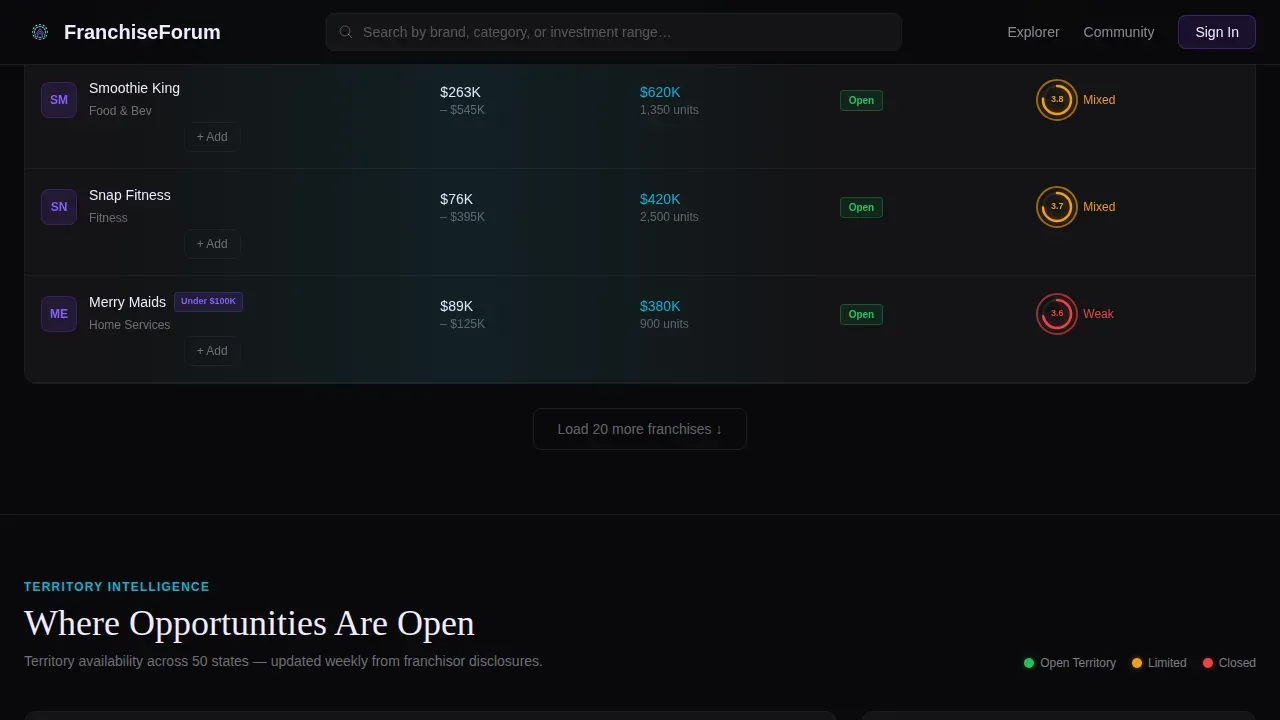
The core section is a sortable data grid of franchise cards. Each card displays brand name, category, investment range, average unit volume, and a community sentiment score shown as a glowing ring in green, amber, or red. Filter chips for categories like Food & Bev, Home Services, Under $50K, and Top Rated reshuffle the grid with a fluid card animation.
Territory Heat Map Section
A visual territory availability map overlays franchise data by US state, letting visitors identify open territories at a glance. This section gives location-aware buyers a spatial lens on availability rather than a plain text list.
Side-by-Side Comparison Tray
Once a visitor adds two or more franchise brands to their tray, a sticky bottom bar appears with the primary call to action: "Compare These Franchises." The tray stacks selected brands like browser tabs for a clean, focused comparison experience.
Verified Owner Community Threads
The Ask an Owner section surfaces community threads from verified franchise operators. Each contributor carries a verified badge, grounding the sentiment scores and discussion in real operator experience rather than anonymous reviews.
Franchise Match Quiz Modal
A secondary conversion path triggers a five-question quiz covering liquid capital, lifestyle preference, hands-on versus semi-absentee preference, target territory state, and buying timeline. The quiz outputs a personalized franchise shortlist delivered to the visitor's inbox.
Page sections overview
| Section | Purpose |
|---|---|
| Hero Logo Ribbon | Scrolling franchise logos with headline and search bar |
| Live Data Grid | Filterable, sortable franchise cards with sentiment rings |
| Territory Heat Map | Visual map of US territory availability by franchise |
| Comparison Tray | Sticky side-by-side franchise comparison bar |
| Ask an Owner | Verified operator community threads and badges |
| Franchise Match Quiz | Five-question modal that outputs a personalized shortlist |
| Footer | Horizontal flow footer with platform navigation links |
Design & branding system
The visual identity follows a Directory and Discovery theme built around the AI Iridescent color system. The palette feels like a dark-mode financial terminal refracting light through a prism, precise enough to earn trust with high-stakes decisions, vivid enough to make browsing feel like discovery.
- Void black (#09090B) as the primary background, soft pearl (#F0EAFF) for card surfaces, holographic violet (#7C3AED) for active states and ranking badges
- Shifting cyan (#06B6D4) on hover interactions and comparison highlights, with a three-stop iridescent gradient border (violet to cyan to pink) tracing selected franchise cards
- DM Sans for data and interface text, Fraunces for display headlines, a pairing that balances clinical readability with editorial presence
Mobile & speed optimization
The template is designed desktop-first, reflecting the Bloomberg terminal aesthetic intended for serious research sessions. It scales responsively down to 768px for tablet and mobile access.
- Interactive grid components are built as client components to support live filtering, hover states, and card animations
- Static content sections use server components to keep initial load lean and predictable
- High-animation elements, the scrolling ribbon, sentiment ring glows, and iridescent border scanner effect, are contained to specific sections so they do not block page rendering elsewhere
How this template helps you convert
The conversion strategy is built on a principle of earned trust. Visitors interact with real data before they are ever asked for contact details.
- The live data grid and filter chips let visitors self-qualify by investment range and category, building a shortlist that belongs to them before any form appears.
- Once two brands are in the comparison tray, the sticky "Compare These Franchises" call to action appears naturally, the visitor has already created the need to save their work.
- The Franchise Match quiz offers a personalized shortlist delivered by email, which converts intent into a captured lead only after the visitor has experienced the platform's value.
Other information about this template
This template is part of a broader franchise digital presence category within a technology-focused template system. It is localized for the United States market, using USD currency, US state names for territory data, and MM/DD/YYYY date formatting.
- The template style is Dashboard and Data Grid, making it suitable for any directory or discovery platform that needs sortable, filterable content at scale
- Animation intensity is set to high across the scrolling ribbon, card shuffle transitions, sentiment ring glows, and cursor-reactive logo color effects
- The footer follows a horizontal flow layout pattern, keeping the page exit clean and navigation-friendly
Theme
Directory & Discovery
Creative direction
Interactive Explorer
Color system
AI Iridescent
Style
Dashboard/Data Grid
Direction
Comparison/Versus
Page Sections
Live-filtering Franchise Data Grid
Scrolling Logo Ribbon with Hover Bloom
Territory Heat Map
Sticky Comparison Tray
Verified Owner Community Threads
Franchise Match Quiz Modal
Related questions
What type of buyer is this template designed for?
Can I customize the filter chips and data grid columns?
Does the comparison tray appear automatically?
Is the Franchise Match quiz included in the template?
What screen sizes does this template support?



