Nexus — Verified Next.js Plugin Library Landing Page Template
A dark-mode, scroll-reveal landing page built for Next.js plugin directories. The template leads with animated stat counters, a live trending leaderboard, hover-expanding category cards, and a side-by-side plugin comparison section. Every section is designed to build trust fast and push developers into the browse-and-compare flow without a signup gate.
by Rocket studio
Quick summary
This is a single-page, scroll-reveal landing page template purpose-built for a Next.js plugin and extension directory. It opens with a massive animated counter, layers in data-rich sections on each scroll tick, and closes with a sticky call-to-action bar. No email wall, no fluff, just evidence that earns the click.
Who this template is for
This template is built for developers and teams who need to ship a credible plugin directory fast. It is opinionated, data-forward, and designed to speak directly to technical audiences.
- Senior frontend engineers who need trust signals instantly and have zero patience for vague claims
- Agency leads scoping tech stacks and comparing packages before committing to a build
- Indie hackers shipping minimum viable products who want one reliable tool, not forty options
What problem this template solves
Finding reliable Next.js plugins is painful. npm search returns thousands of results with no context on health, bundle size, or real usage. Developers waste hours ago and days ago on packages abandoned years ago, only to hit an error mid-production. This template gives that problem a visible, credible answer.
- It replaces guesswork with ranked, real-metric data: weekly npm pulls, GitHub stars, and bundle size
- It builds confidence section by section, from "is this legit" to "how did I ship without this"
- It removes friction by letting visitors browse and compare without requiring them to cancel and sign up first
What you get with this template
You get a complete, ready-to-deploy landing page with high interactivity and a clear conversion path. Every section is production-ready and wired for scroll-reveal animation from the moment you copy the files into your project.
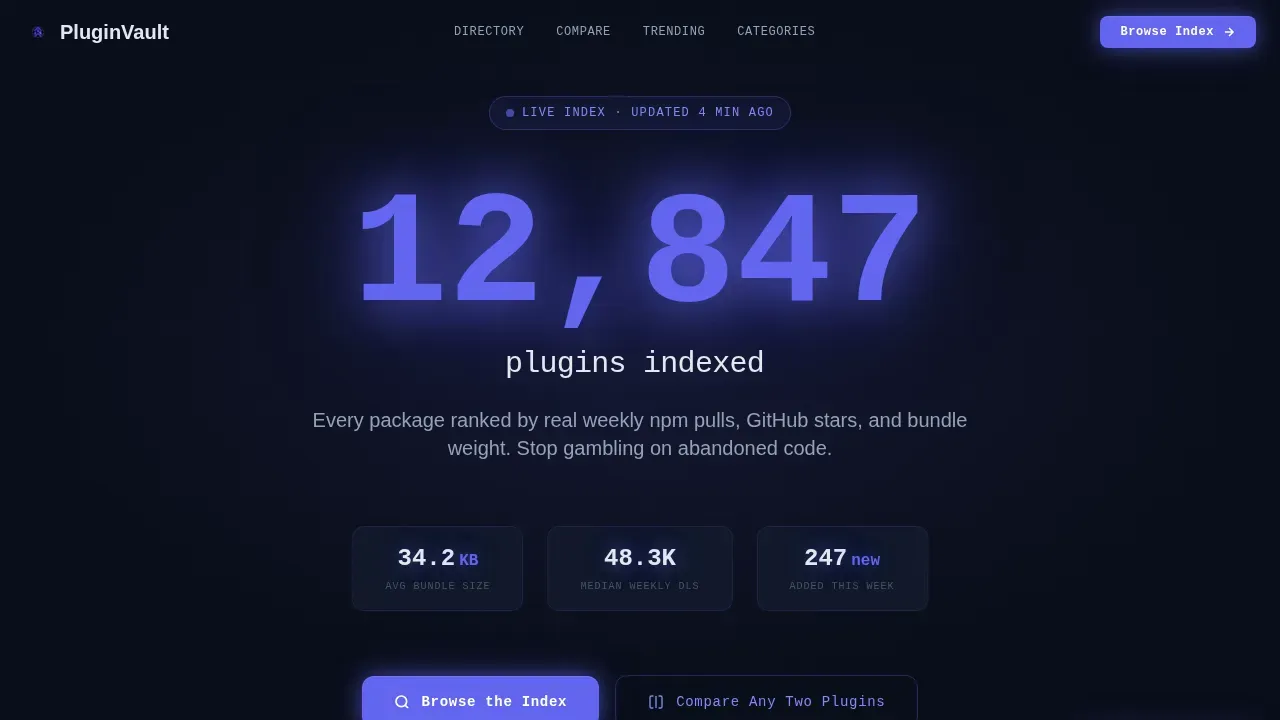
- An animated hero with a monospaced stat counter, three sequentially fading sub-stats, and a glowing indigo call-to-action button
- A live leaderboard section, hover-expanding category cards, a side-by-side plugin comparison block, and a sticky bottom bar
- A single-row footer, full responsive layout, and JetBrains Mono plus DM Sans typography pre-configured
Feature list
This landing page template ships with six tightly scoped, prompt-backed features built for developer-tool directories.
Animated Stats Hero
The hero section opens on a void-black full-bleed background. A monospaced counter animates upward to display the total plugin count in electric indigo. Three smaller sub-stats fade in sequentially beneath it, each with a subtle glow pulse. There is no hero image, just data.
Live Trending Leaderboard
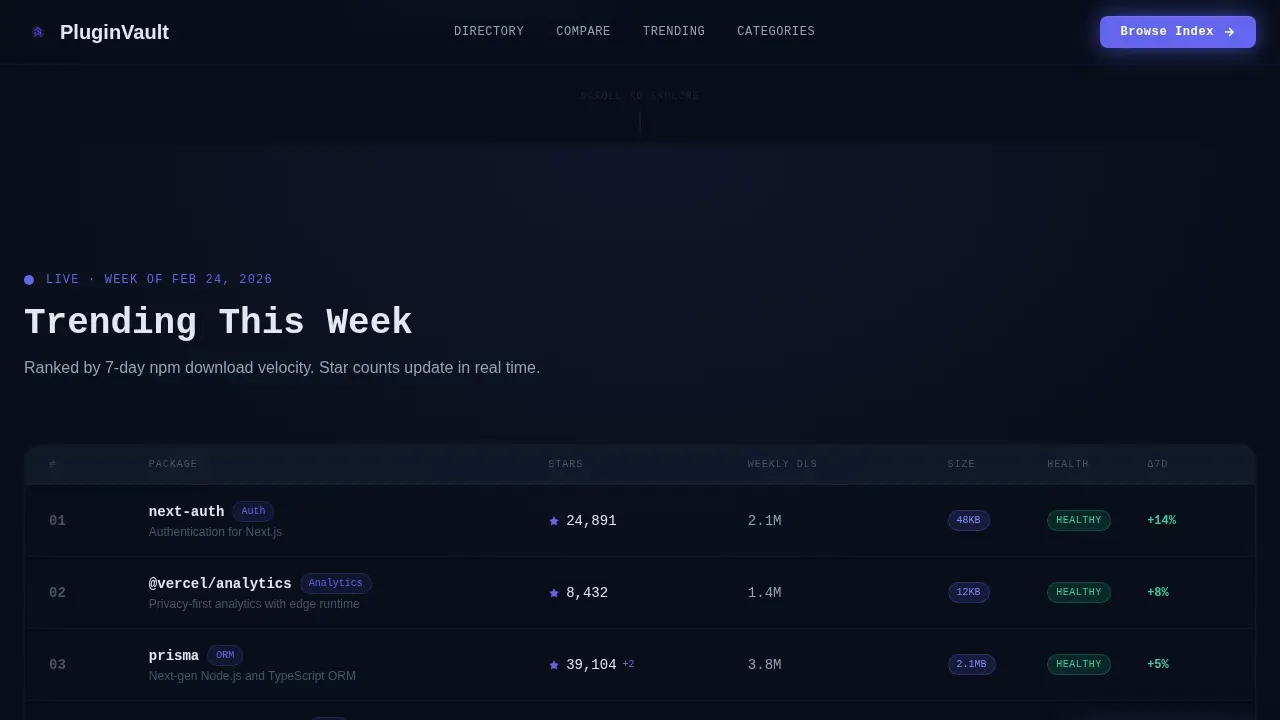
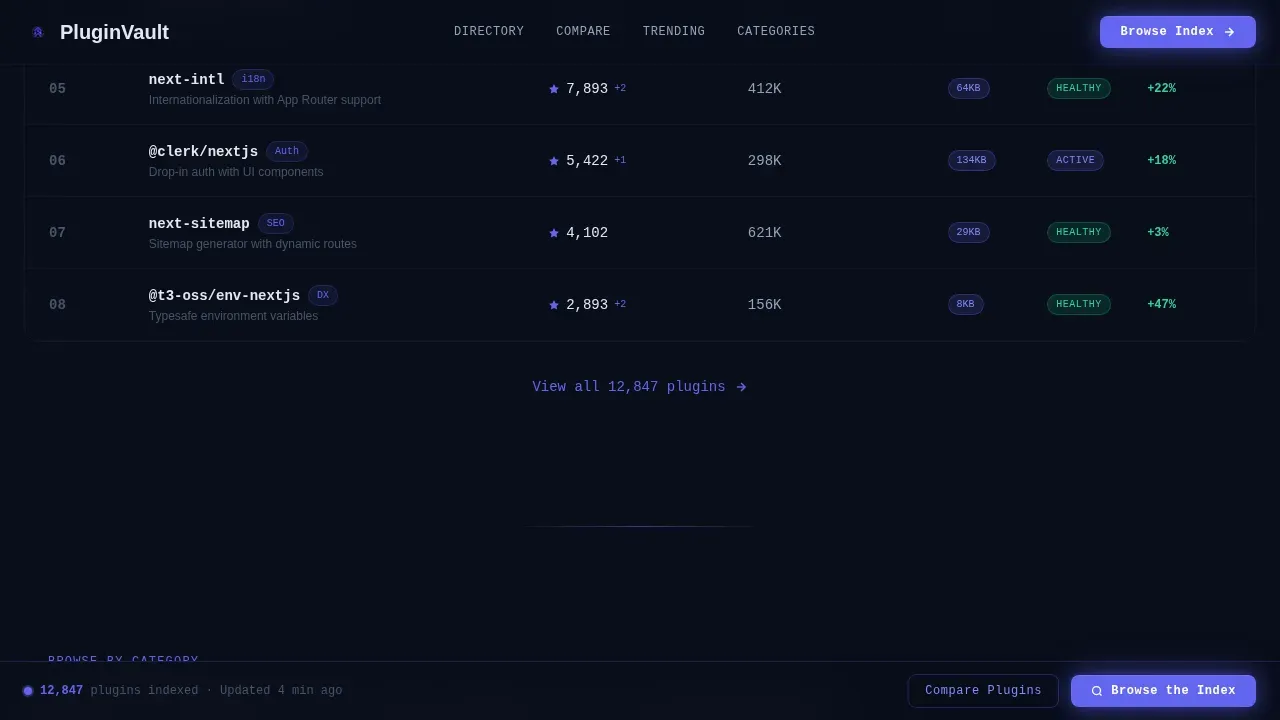
A scroll-reveal leaderboard section surfaces trending plugins for the current week. Star counts tick upward in real time to reinforce freshness. This section directly addresses the "is this directory active?" question before a visitor has to ask it.
Hover-Expanding Category Cards
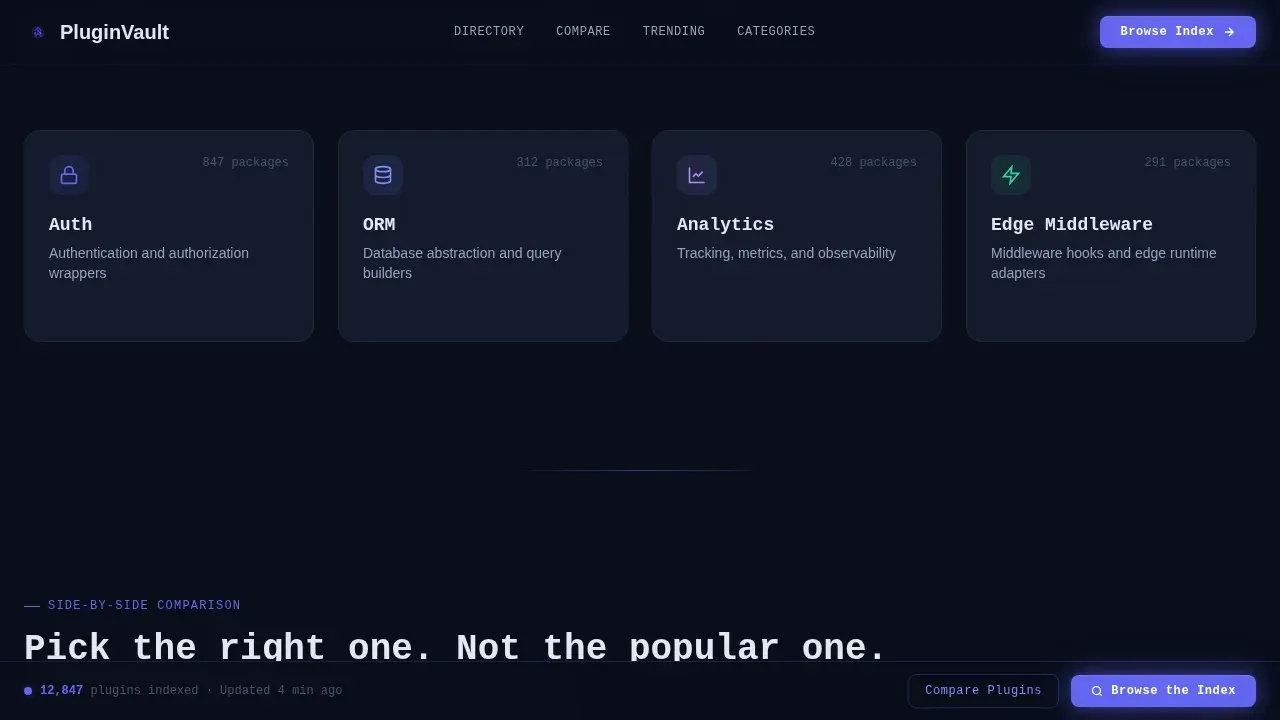
Category cards for Auth, ORM, Analytics, and Edge Middleware sit in a grid. Each card expands on hover to reveal the top three packages in that category, complete with bundle size and compatibility badges. The config for card content lives in one place, making updates straightforward.
Side-by-Side Plugin Comparison
Two plugins sit in a comparison layout with bundle size visualized as glowing blocks. This tool lets visitors evaluate packages without leaving the page. It is the most direct answer to an agency lead's core question: "which one should we build on?"
Sticky Call-to-Action Bar
After the second scroll reveal, a sticky bottom bar locks into view. It carries the primary "Browse the Index" button and a secondary "Compare Any Two Plugins" link. The bar stays visible as the visitor reads, keeping the conversion point always one tap away.
Scroll-Reveal Progressive Layout
Every section enters the viewport through Intersection Observer-driven animations. Stagger reveals, glow pulses, and counter animations build momentum as the visitor scrolls. The CSS animation config is clean and easy to adjust inside the src directory.
Page sections overview
| Section | Purpose |
|---|---|
| Hero Stats Counter | Animate plugin count, fade in three sub-stats, display primary call to action |
| Live Leaderboard | Show trending plugins with ticking star counts for freshness |
| Category Cards Grid | Expand on hover to reveal top packages with size badges |
| Plugin Comparison Block | Side-by-side view with bundle size visualized as glowing blocks |
| Sticky call to action Bar | Anchor browse and compare actions after second scroll reveal |
| Single-Row Footer | Provide minimal closing links and project address |
Design & branding system
The visual theme channels Startup Velocity through a Midnight Blue color system. Every color choice reinforces the IDE dark-mode aesthetic, the page feels like a terminal on a new machine, fast and uncluttered.
- Core palette: void-black
#0A0E1Abackground, command-line navy#141B2Dcard surfaces, electric indigo#6366F1for hover states and active links, cold phosphor white#E2E8F0for body text - Typography: JetBrains Mono for all stats and code-style labels; DM Sans for body copy and category card descriptions
- Glow effects are handled through CSS, with radial gradients and pulse keyframes that reinforce the "screen as the only light source" idea
Mobile & speed optimization
The template is desktop-first by design, reflecting the senior-engineer workstation audience. It is still fully responsive for mobile viewports. Animation performance is managed through Intersection Observer so scroll-reveal triggers do not fire until elements are in view.
- Static assets, image files, and CSS files are structured inside the src directory for clean project organization
- Next.js generates minified HTML and CSS files during production builds, and unused CSS is removed automatically through Tailwind CSS
- The next.config.js config file supports webpack customization, letting you install additional plugins or adjust build settings without rewriting core files
How this template helps you convert
The page is structured as a progressive confidence loop. Each section removes one more objection before the visitor has to voice it.
- The hero stat counter establishes scale and credibility in the first three seconds, then the primary call to action button appears immediately below it
- The leaderboard and category cards build evidence of depth and freshness, while the comparison block answers the "which one?" question directly
- The sticky bar keeps the "Browse the Index" action visible at every scroll depth, so the visitor never has to hunt for where to go next
Other information about this template
The pluginvault battle tested next.js plugin directory landing page template is a specialized solution for developers and creators building plugin directories, extension marketplaces, or add-on libraries. It integrates high-conversion design patterns with robust technical foundations backed by the Next.js App Router and server components.
- PluginVault is compatible with the Next.js App Router, using server components for fast initial loads and SEO-friendly indexing
- Pre-configured metadata management and structured data support are included to improve SEO without extra config work
- The template supports TypeScript out of the box; the tsconfig and json settings files are ready to go from the first dev run
- Next.js can be deployed with any hosting service after creating an optimized production build; the template is tested and ready for Vercel or Netlify in production mode
- You can contribute new category configs or package entries by editing the data files in the src directory and pushing via git
- The footer follows a Linear Single-Row pattern; update the link list and address details in one config file to match your project
- Reuse React components across multiple landing pages by copying individual src blocks into other Next.js projects in your build pipeline
- Mentioned in the template docs: a copy link utility and show transcript option are available for onboarding video walkthroughs added to the repository
Theme
Startup Velocity
Creative direction
Stats-First Impact
Color system
Midnight Blue
Style
Scroll Reveal (Progressive)
Direction
Click-Through
Page Sections
Animated Full-bleed Stats Hero
Live Trending Leaderboard
Hover-expanding Category Cards
Side-by-side Plugin Comparison
Sticky Conversion Bar
Intersection Observer Scroll Reveals
Related questions
Does this template require a backend or database to work?
Can I customize the color theme and typography?
Is this landing page compatible with TypeScript?
How do I add new category cards or update the leaderboard data?
Can this template be deployed on Vercel or Netlify?



