Notioneer - Powerful Developer Landing Page Template
Notioneer is a bento grid landing page for a developer-focused Notion blog. It opens with a live dashboard preview, leads with an interactive formula builder tool, and unfolds into a dense asymmetric grid of tutorials, templates, and API references. The design follows a Bold Brutalist theme in void black and phosphor violet, built to convert technically minded readers into toolkit installers.
by Rocket studio
Quick summary
Notioneer is a single-page bento grid landing page built for a Notion developer blog. It opens with a rendered database header, hooks visitors with a working formula builder, then delivers content through dense asymmetric grid cells covering tutorials, downloadable templates, and API documentation. The primary call to action drives app and toolkit installation.
Who this template is for
This template is built for builders who live inside Notion and want a home base for sharing what they know. It fits a specific kind of creator: technical, practical, and allergic to decoration for its own sake.
- Indie hackers building personal knowledge systems and second-brain setups in Notion
- Operations managers using rollups, relations, and formulas to hold startup workflows together
- Solo developers who treat Notion as a development environment and want to publish their findings
What problem this template solves
Most developer blog templates are either too editorial or too generic. They do not speak the language of someone who debugs formula syntax at midnight or ships open-source database templates as a hobby. This template closes that gap.
- Visitors arrive expecting utility, and a generic hero section immediately kills credibility
- There is no standard layout that combines a live tool, a code-snippet feed, and a template gallery in one coherent page
- The brutalist visual identity and monospaced typography communicate technical authority before a single word is read
What you get with this template
You get a fully structured bento grid landing page that leads with a working formula builder widget and expands into a rich content grid. Every section earns its place.
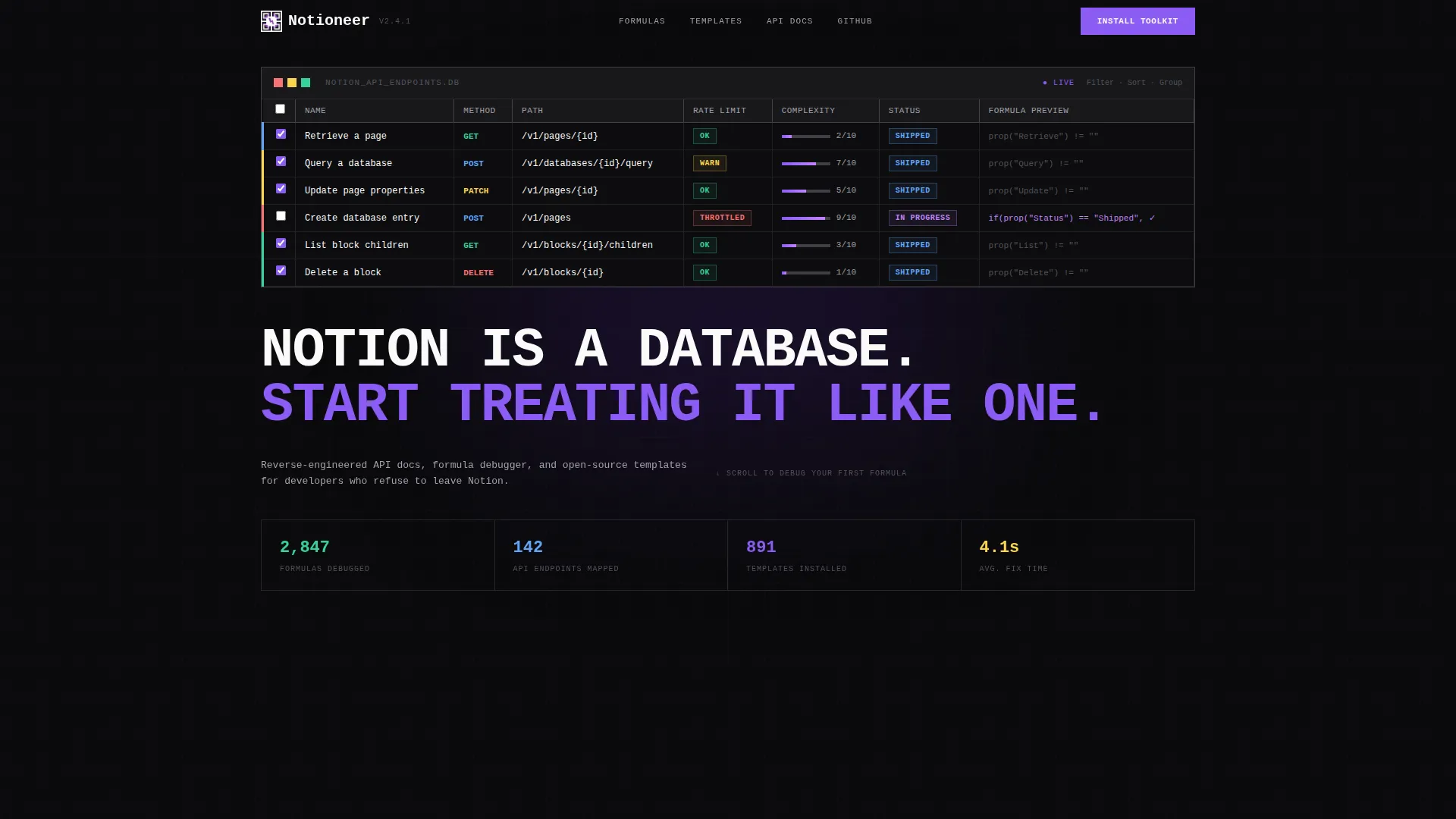
- A live dashboard preview header showing a relational database of API endpoints with method type, rate limit status, and complexity score columns
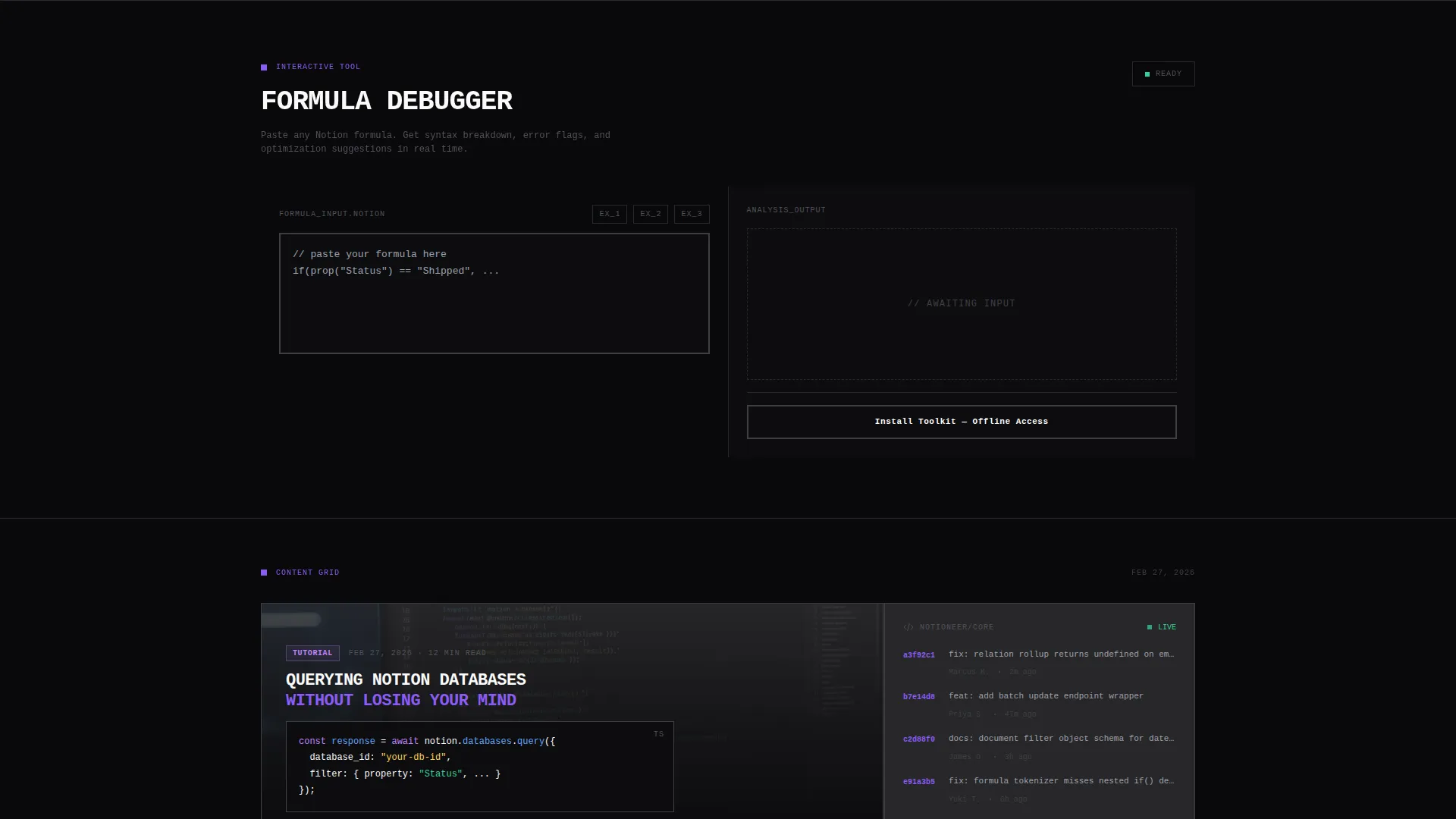
- An interactive formula builder widget where visitors paste a formula and receive syntax breakdown, error flags, and optimization suggestions
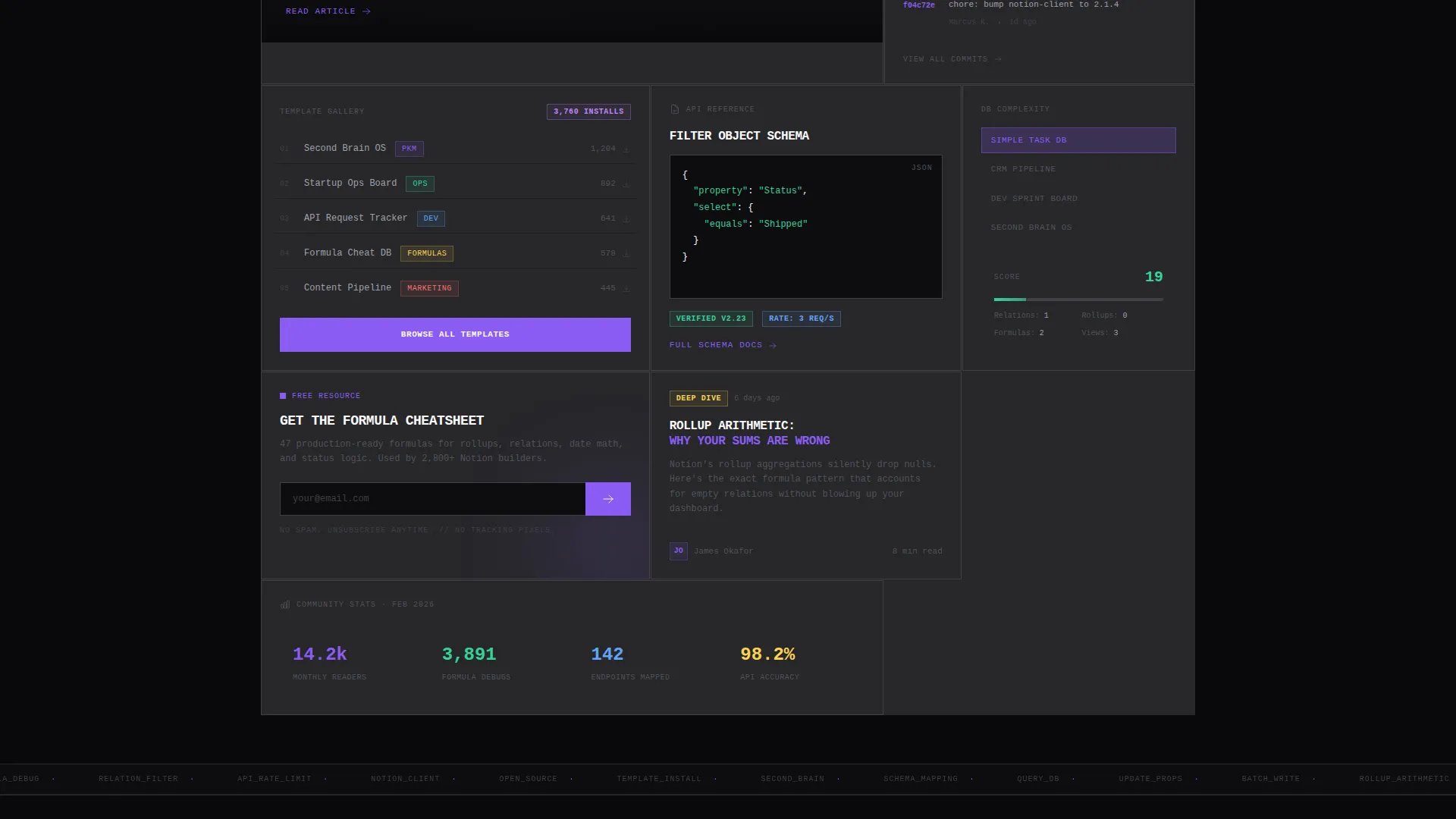
- A bento grid of content cells including a latest API tutorial with code snippet preview, a downloadable template gallery with install counts, a live GitHub commits feed, and a complexity calculator for database architecture
Feature list
This section details the functional components built into the template.
Live Dashboard Header
The header occupies the top sixty percent of the viewport and renders a Notion-style relational database view. Rows are color-coded by difficulty. One cell shows a formula mid-edit with a blinking cursor and a partially visible formula string, making the page feel alive from the first second.
Interactive Formula Builder
Positioned immediately below the header, this calculator-style widget lets visitors paste a Notion formula and receive a real-time syntax breakdown, error flags, and optimization suggestions. It is the core trust-building mechanism of the page. After a successful debug, the primary call-to-action copy shifts to reflect the result.
Asymmetric Bento Grid
The content grid is dense, deliberately heavy, and asymmetric. Cells range from single squares to wide rectangles. Each cell serves a distinct content function: API tutorial with code preview, template gallery with install counts, GitHub commits feed, and a database complexity calculator. Hovering any cell reveals a thick two-pixel violet border.
Primary Call-to-Action Slab
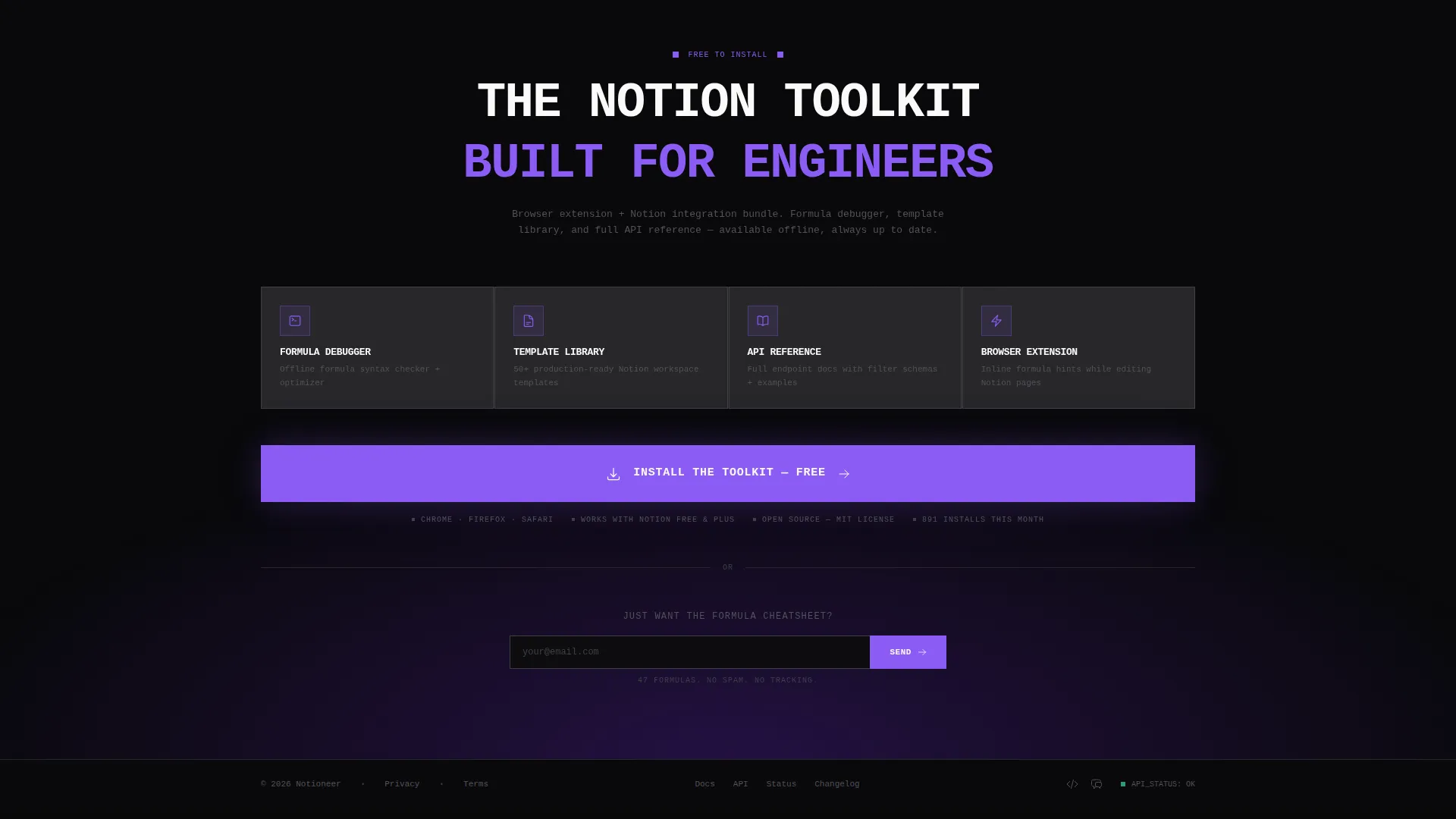
The "Install the Toolkit" button is a full-width brutalist slab rendered in phosphor violet. It appears pinned below the formula builder and is repeated inside the bento grid. The button unlocks a browser extension and Notion integration bundle covering the formula builder, template library, and offline API reference.
Email Capture Module
A secondary conversion path sits alongside the primary call to action. It uses a single email input field with placeholder text only and a zinc-colored submit arrow. No label, no friction. The prompt is "Get the Formula Cheatsheet."
Dynamic call to action Copy Shift
After a visitor successfully debugs a formula using the builder widget, the call-to-action copy updates to: "That fix took 4 seconds. Imagine having this everywhere." This behavior is defined in the template design and ties tool usage directly to conversion intent.
Page sections overview
| Section | Purpose |
|---|---|
| Dashboard Preview Header | Opens with a rendered Notion relational database showing API endpoints, difficulty rows, and a live formula edit state |
| Brutalist Headline | Delivers the core message in 72px monospace below the database view |
| Formula Builder Widget | Interactive tool for pasting and debugging Notion formulas with real-time feedback |
| Primary call to action Slab | Full-width "Install the Toolkit" button in phosphor violet, pinned below the formula tool |
| API Tutorial Cell | Bento grid cell showing the latest API tutorial with a code snippet preview |
| Template Gallery Cell | Bento grid cell displaying downloadable templates with install counts |
| GitHub Commits Feed | Live feed cell showing recent open-source repository activity |
| Complexity Calculator Cell | Tool cell for estimating database architecture complexity |
| Secondary Email Capture | Minimal email field with placeholder text and zinc submit arrow |
| Repeated call to action Block | Second instance of the "Install the Toolkit" button inside the bento grid |
Design & branding system
The visual identity is Bold Brutalist with a Void and Violet color system. Every design decision reinforces technical credibility and zero tolerance for decorative padding.
- Colors: absolute void black (#09090B) as the base, phosphor violet (#8B5CF6) for interactive and hover states, deep ultraviolet (#4C1D95) as a supporting accent, terminal zinc (#27272A) as cell separator and border tone, and raw white (#FAFAFA) for all body and monospaced text
- Typography: monospaced font throughout, with the main headline set at 72 pixels; white text against black creates maximum contrast, styled like chalk on a blackboard
- Layout and borders: zero border-radius on all elements, every component snapped hard to the grid, zinc seams separating bento cells like welded steel, two-pixel violet borders appearing on cell hover
Mobile & speed optimization
The template is structured for a fast, clean experience across screen sizes. The brutalist grid adapts without losing its density or visual character.
- Bento grid cells reflow for smaller screens while preserving the asymmetric hierarchy and thick border treatment
- Monospaced typography and high-contrast color ratios remain sharp and legible at mobile viewport widths
- The formula builder widget and call-to-action slabs are designed to stack vertically on narrow screens without losing prominence
How this template helps you convert
The conversion strategy is tool-first. Visitors earn trust through utility before they ever see a pitch. Every layout decision supports that sequence.
- The formula builder delivers immediate value before any marketing copy appears, so visitors arrive at the call to action already trusting the product
- The dynamic call to action copy shift ties a real user action to a personal benefit statement, making the "Install the Toolkit" prompt feel earned rather than pushed
- The full-width phosphor violet button and the secondary email capture give visitors two commitment levels, reducing friction for those not ready to install
Other information about this template
This template is purpose-built for the Notion developer blog niche, where technical trust matters more than visual polish. A few additional details worth noting.
- The template category sits within Documentation and Support, specifically Notion Documentation, making it well-suited for structured knowledge publishing alongside tool delivery
- The bento grid layout supports a high content density without feeling cluttered, because each cell type is visually distinct and functionally labeled
- The page direction targets app download as the primary conversion goal, with the browser extension and Notion integration bundle as the specific product being promoted
- The template is designed as a single landing page with a tool-first creative direction, not a multi-page site
Theme
Bold Brutalist
Creative direction
Calculator/Tool First
Color system
Void & Violet
Style
Bento Grid
Direction
App Download
Page Sections
Live Notion-style Dashboard Header
Interactive Formula Builder Widget
Dense Asymmetric Bento Grid
Dynamic Post-action Call to Action Copy
Dual Conversion Path Layout
Bold Brutalist Visual System
Related questions
What is the primary call to action on this landing page?
Who is this landing page template designed for?
Does this template include the actual formula builder logic?
What design style and color system does this template use?
Is there a secondary way for visitors to convert besides installing the toolkit?



