Daycare Training Platform Landing Page Template
The Nurture Dynamic Daycare Training Platform Landing Page Template is a bold, dashboard-style landing page built for early childhood education platforms. It presents a structured feature comparison grid, pricing tiers, and state-approval badges in a striking Void and Violet design system, helping daycare providers, center directors, and career-changers understand exactly why this training platform fits their compliance journey.
by Rocket studio
Quick summary
This template gives a childcare training platform a high-impact landing page with a tilted dashboard screenshot hero, a three-column feature comparison grid, pricing tiers, state-approval badges, and social proof. The design runs on a void black and electric violet palette with chartreuse accents, making every call-to-action feel urgent, clear, and easy to act on.
Who this template is for
This landing page is built for teams launching or growing a state-approved childcare training program online. It works especially well when you need to capture leads from multiple audience segments at once.
- Home daycare providers studying for their Child Development Associate (CDA) credential or completing pre-service hours
- Center directors onboarding school staff for CPR, mandated reporter, and state licensing sessions
- EdTech founders who serve preschool educators, teachers, and career-changers in early childhood care
What problem this template solves
Prospective families and childcare professionals visiting a generic training website often struggle to find the proof they need to enroll. An effective landing page must bridge the gap between educational content and professional development. This template gives visitors that proof fast.
- No clear side-by-side comparison showing why this program beats in-person workshops
- No visible state-approval credentials or compliance tracker to reassure a school director
- No focused, distraction-free path that moves a visitor from interest to enrollment without sending them to other pages on the site
What you get with this template
You get a single, focused landing page structured from hero to footer as a conversion engine for a daycare training platform. The first screen a visitor sees is critical, and this template is built around that reality.
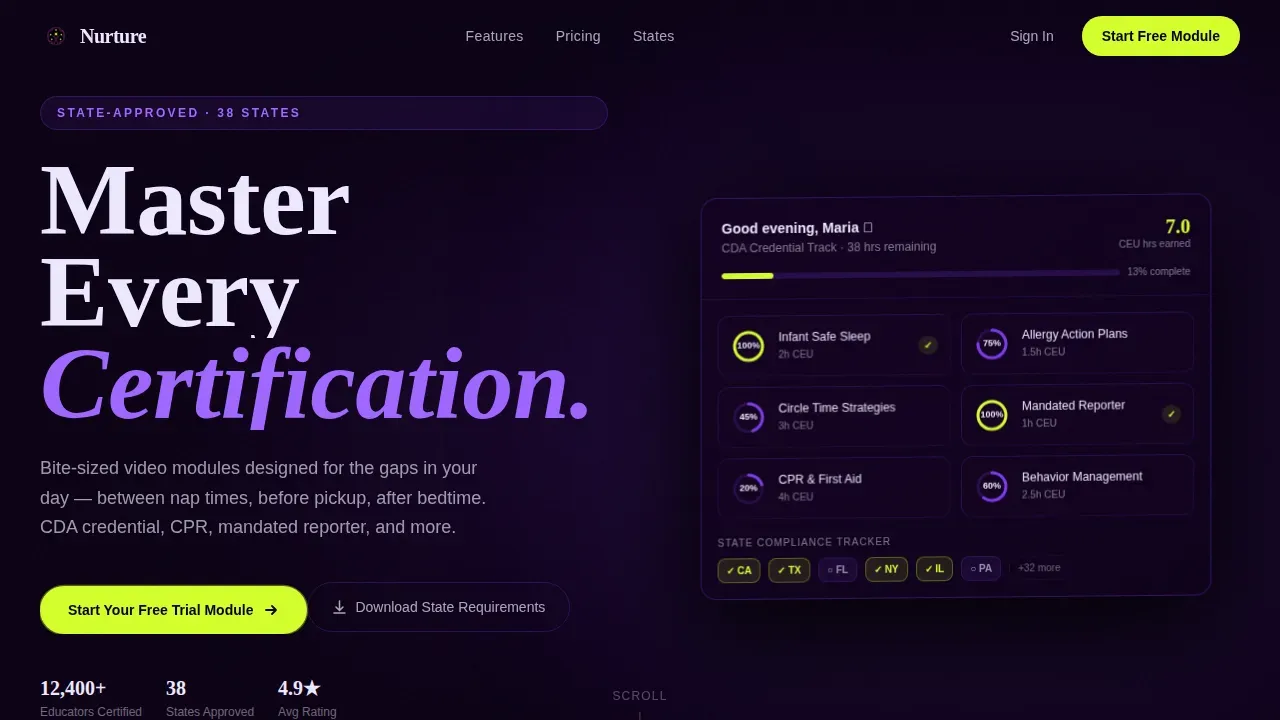
- A full-width, Z-axis-tilted dashboard screenshot hero with staggered display typography and a chartreuse call-to-action
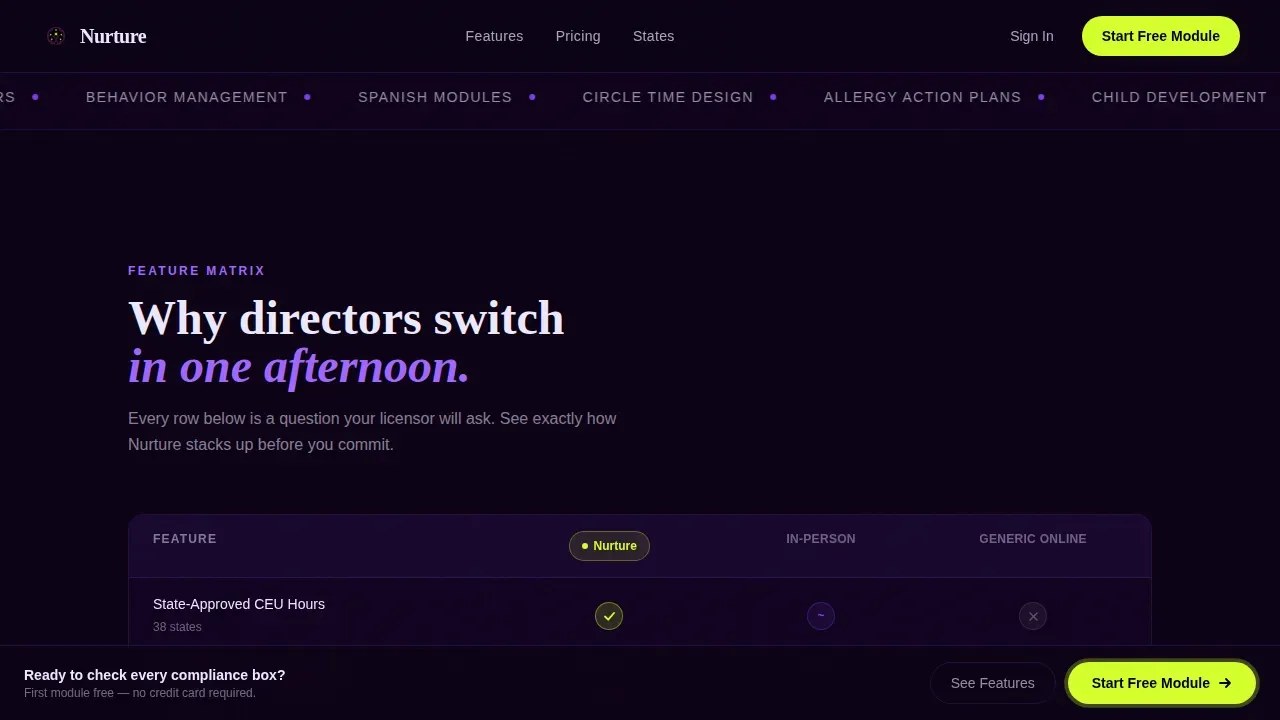
- A three-column feature matrix comparing the platform against in-person workshops and generic online courses
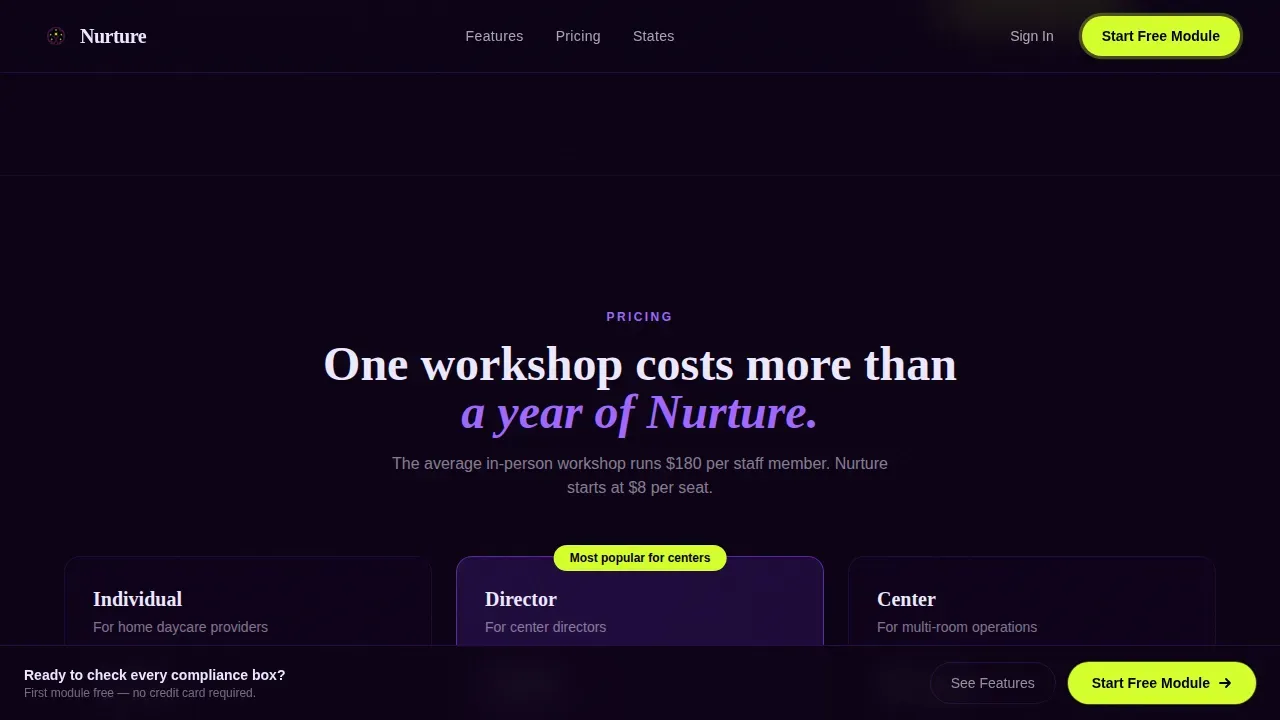
- Pricing tiers for Individual, Director, and Center plans, a state-by-state badge grid, and a testimonials and completion-statistics bento panel
Feature list
This template ships with purpose-built sections and design details drawn directly from its source brief. Here are the key features that make it work.
Tilted Dashboard Hero with Progress Indicators
The hero shows a pixel-perfect learner dashboard screenshot rotated on the Z-axis with a violet glow behind it. Course tiles for modules like "Infant Safe Sleep" and "Circle Time Strategies" display completion rings in violet and chartreuse, a CEU hour clock, and a state-compliance tracker with checkmarks.
Three-Column Feature Comparison Grid
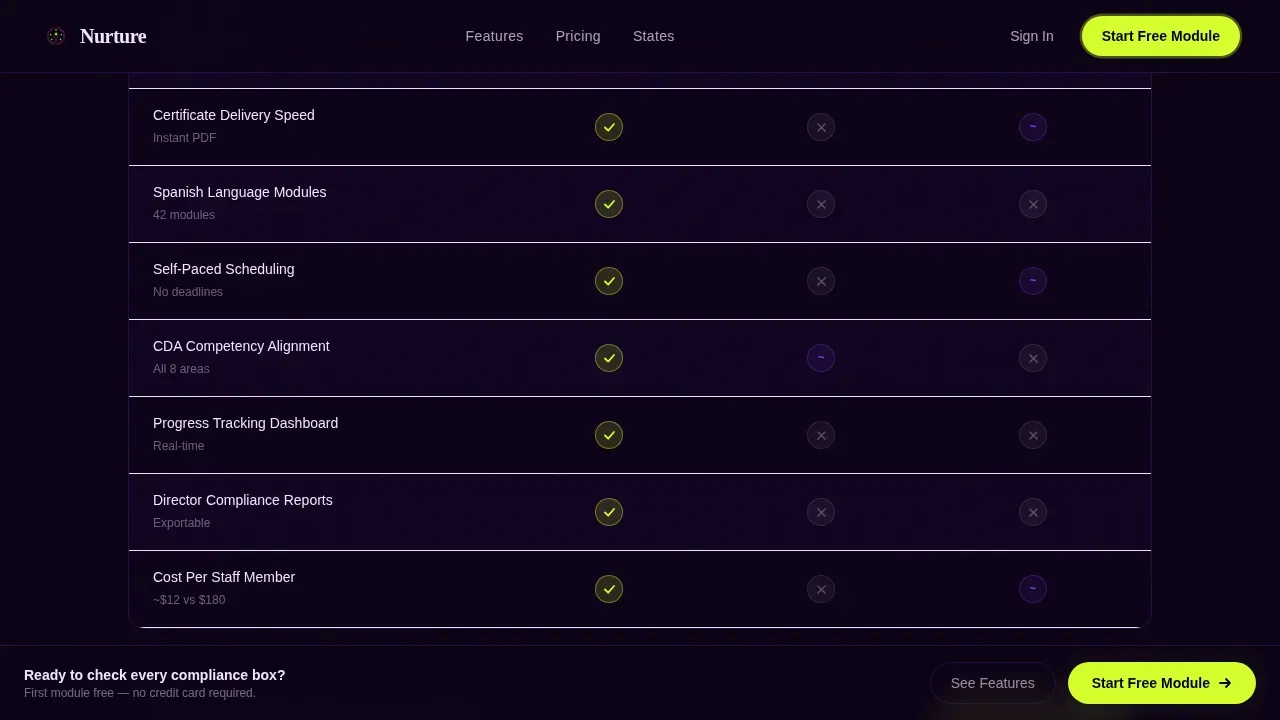
The feature matrix puts this platform side by side with in-person workshops and generic online courses. Rows cover state-approved hours, mobile access during breaks, bulk staff pricing, certificate delivery speed, and Spanish-language modules. Check icons pulse with micro-animations as they enter the viewport, making the platform's advantages easy to understand at a glance.
Tiered Pricing with Cost-Per-Staff Breakdown
Three pricing cards cover Individual, Director, and Center plans. Each card presents a per-staff cost breakdown so a center director can justify the program to an owner or licensor without leaving the landing page.
State-by-State Approval Badge Grid
A dedicated section displays state-compliance badges and a compliance tracker. This gives school teams and solo providers the reassurance they need before they enroll. Displaying approval credentials directly on the landing page reduces hesitation and helps convert visitors who are still researching.
Email-Gated Secondary Conversion Form
A secondary path offers a downloadable State Requirements Checklist behind a simple form. Forms with five fields or fewer often result in the highest conversion rates, and this gate is designed to stay simple. It captures new leads from visitors who are not ready to start a free trial today.
Social Proof Bento Panel
Named testimonials from providers and directors sit alongside completion statistics in a bento-style layout. Social proof reduces the perceived risk of signing up, and placing it after the pricing section gives hesitant visitors the final push they need.
Page sections overview
| Section | Purpose |
|---|---|
| Hero Dashboard | Introduce platform with tilted screenshot and primary call to action |
| Feature Comparison Grid | Compare platform against workshop and generic course options |
| Pricing Tier Cards | Present Individual, Director, Center plans with cost breakdown |
| State Approval Badges | Display state-by-state compliance credentials and tracker |
| Social Proof Bento | Show testimonials and completion statistics |
| Email Gate Form | Capture leads via checklist download offer |
| Footer Row | Provide contact links and simple linear navigation |
Design & branding system
The design follows a Dynamic Motion theme built on the Void and Violet color system. The visual feel is a planetarium show for toddlers: vast dark space punctuated by luminous, playful bursts that guide the eye without overwhelming it.
- Colors: void black (#0B0014) for backgrounds, electric violet (#7C3AED) for headings and navigation, soft lavender mist (#EDE9FE) for content cards, and sharp chartreuse (#D4FF2B) reserved for progress indicators and call-to-action pulses
- Typography: Fraunces display serif for headings, DM Sans for body text; fonts are chosen to feel authoritative and calm inside a high-energy layout
- Animation: reveal-inner stagger, viewport intersection observers, comparison row pulse animations, marquee ticker, and a floating dashboard screenshot that creates the sense the page is alive
Mobile & speed optimization
The template is built mobile-first because over sixty percent of childcare training traffic comes from phones. Providers study on their devices during nap time, between pickup, and at midnight, so the layout must be touch-friendly and fast at every scroll point.
- Large, tappable call-to-action buttons appear pinned after each major section so a user never has to scroll far to take action
- Server Components handle static sections for faster initial render, while Client Components power animations only where interaction is needed
- The comparison grid, pricing toggle, and email gate modal are all designed to be simple and usable on small screens without horizontal scrolling
How this template helps you convert
Landing pages are a vital part of marketing your childcare center or training platform. This template is designed as a focused, distraction-free page with a singular goal: enrollment. It keeps visitors on task by removing external navigation and escalating proof with every scroll.
- The hero leads with a benefit-driven visual and a primary call-to-action reading "Start Your Free Trial Module," so the first screen a visitor sees is already asking for a clear, low-risk commitment.
- The feature comparison grid makes the platform's advantages undeniable in the visitor's own evaluation framework, covering hours, cost-per-staff-member, and approval status before the pricing section ever appears.
- The email gate form captures new leads from visitors still researching, turning passive interest into a contact record while offering real value through the State Requirements Checklist.
Other information about this template
This template is a strong example of a colorful template done right: the chartreuse and violet palette feels fun and engaging without sacrificing the professional clarity that school administrators and licensing bodies expect. It is perfect for any childcare training site that needs to present services, program offerings, and values with confidence.
- The landing page design reflects the love and care of a true daycare environment, creating a nurturing online space that parents and providers trust from the first scroll
- The template supports engaging visual storytelling through dynamic images, clear calls-to-action, contact forms, and well-organized content blocks across all its pages
- Because it is built as a single-page flow, it is easy to customize: swap colors, update fonts, add your own course thumbnail images, and choose which pricing tiers to present without rebuilding the whole site
- The template provides a strong foundation for launching a trusted childcare website and generating more leads from interested families who find the page through Google or social ads
- Landing pages are most commonly used for capturing interested families from digital advertising platforms, and this template is designed to make every visit count by keeping the visitor focused and moving toward enrollment
- Families visiting a well-designed landing page love a welcoming and engaging experience, and this template delivers that through calm structure, luminous visual design, and a clear schedule of proof from hero to footer
- The template is a ready-to-use builder starting point: no coding experience required to get started today with your training platform launch
Theme
Dynamic Motion
Creative direction
Feature Matrix
Color system
Void & Violet
Style
Dashboard/Data Grid
Direction
Comparison/Versus
Page Sections
Z-axis Tilted Dashboard Hero
Three-column Feature Comparison Grid
Tiered Pricing with Per-staff Cost Breakdown
State Approval Badge Grid
Email-gated Lead Capture Form
Social Proof Bento Panel
Related questions
Can I customize the colors and fonts in this template?
Is this template suitable for a preschool or school training program?
How does the email gate form capture new leads?
Is this landing page template mobile responsive?
Can I add or remove sections from this landing page?



