Special Education & Learning Center Booking Website Template
Nurture is a hub and spoke landing page template built for special education schools. It follows a Problem to Solution arc, guiding worried parents from recognizing their child's unmet needs to booking a campus visit. The Electric Indigo color system, sticky anchor navigation, and a lead-capture form make this template both visually reassuring and practically effective.
by Rocket studio
Quick summary
Nurture is a single-page, anchor-navigated landing page template designed for special education schools. It opens with a bold, centered headline that speaks directly to parents of children with autism, ADHD, dyslexia, or developmental delays. The Problem to Solution arc builds trust section by section, ending with a clear call to action: book a campus visit.
Who this template is for
This template is built for specialist schools and learning centers that serve children who need more than a standard classroom. It is the right fit for teams that want to communicate their integrated, child-centered approach to families who are tired of fragmented care.
- Directors and admissions staff at special education schools looking to generate qualified leads
- Occupational therapy, speech therapy, and specialist educator teams working under one roof
- School marketers who need a structured, emotionally resonant page that moves parents to act
What problem this template solves
Parents of children with learning differences often encounter a frustrating cycle: long waitlists, assessments that go unread, and schools that accommodate on paper but not in practice. This template gives a special education school a focused page to cut through that noise.
- Fragmented therapy schedules and disconnected service providers leave families exhausted and without a clear plan
- Generic school websites fail to name specific diagnoses or speak to the real emotional weight parents carry
- No clear next step means interested families leave without booking a visit or making contact
What you get with this template
The template delivers a complete, section-led landing page built around a sticky anchor navigation system. Every spoke in the navigation corresponds to a content section that advances the parent's trust from problem recognition to confident action.
- A sticky side navigation with spoke labels guiding visitors through "The Gap," "Our Approach," "Therapies Under One Roof," "Your Child's Team," and "Family Stories"
- A primary lead-capture form collecting the parent's name, child's age, primary diagnosis or concern, and preferred visit date
- A secondary opt-in path offering a downloadable parent guide for families not yet ready to book a visit
Feature list
This section covers the core capabilities built into the Nurture template as described in the source brief.
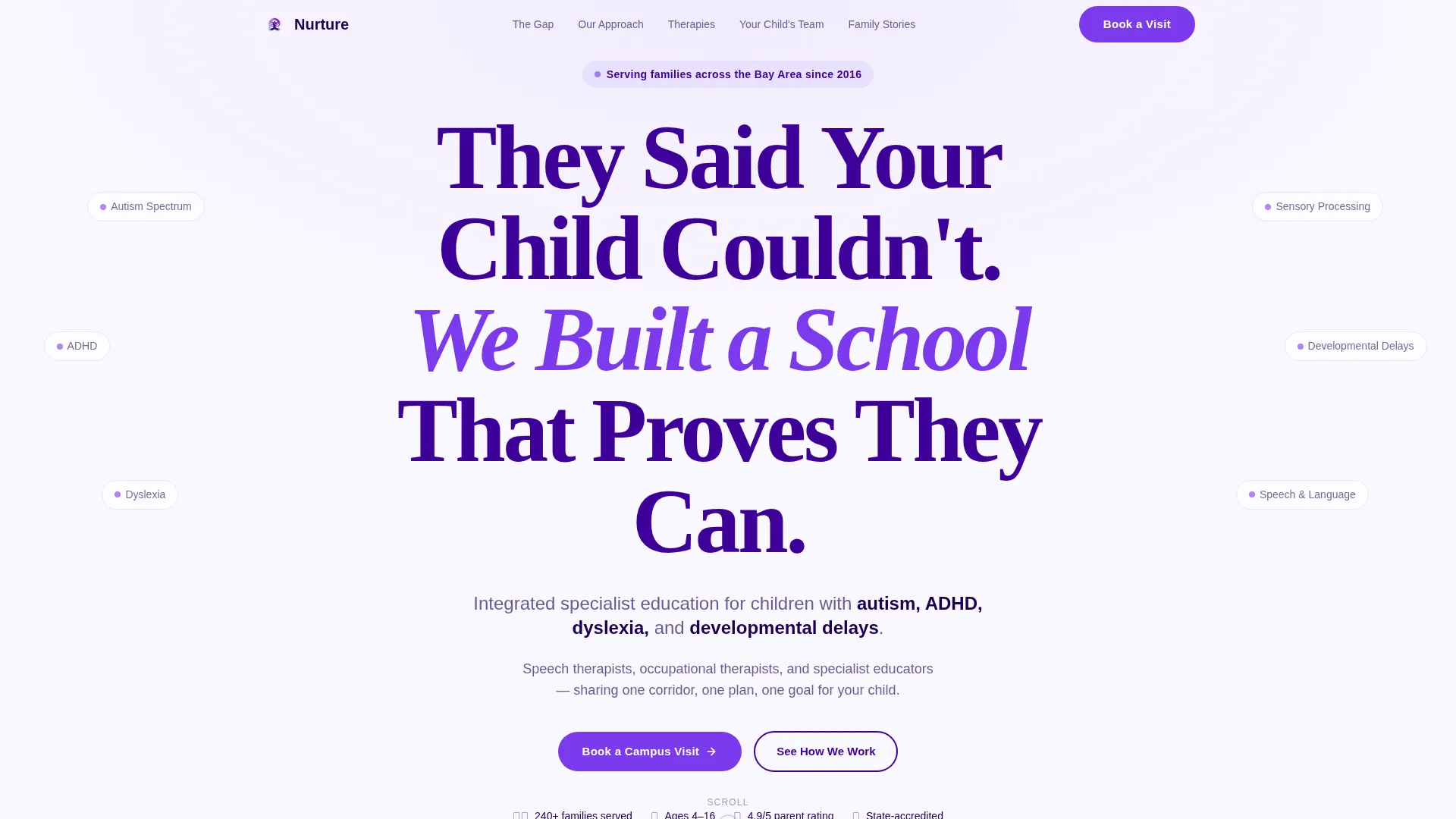
Giant Headline Hero Section
The header opens with an oversized, bold, rounded sans-serif headline centered on a warm white field. No image competes with the words. The typography fills the viewport on mobile and sets a direct, unhurried tone that speaks to parents the moment they arrive.
Sticky Anchor Navigation
A sticky side navigation keeps five spoke labels visible as the visitor scrolls. Each label is a named section of the page, letting parents jump directly to the content most relevant to them without losing their place in the overall story.
Problem to Solution Content Arc
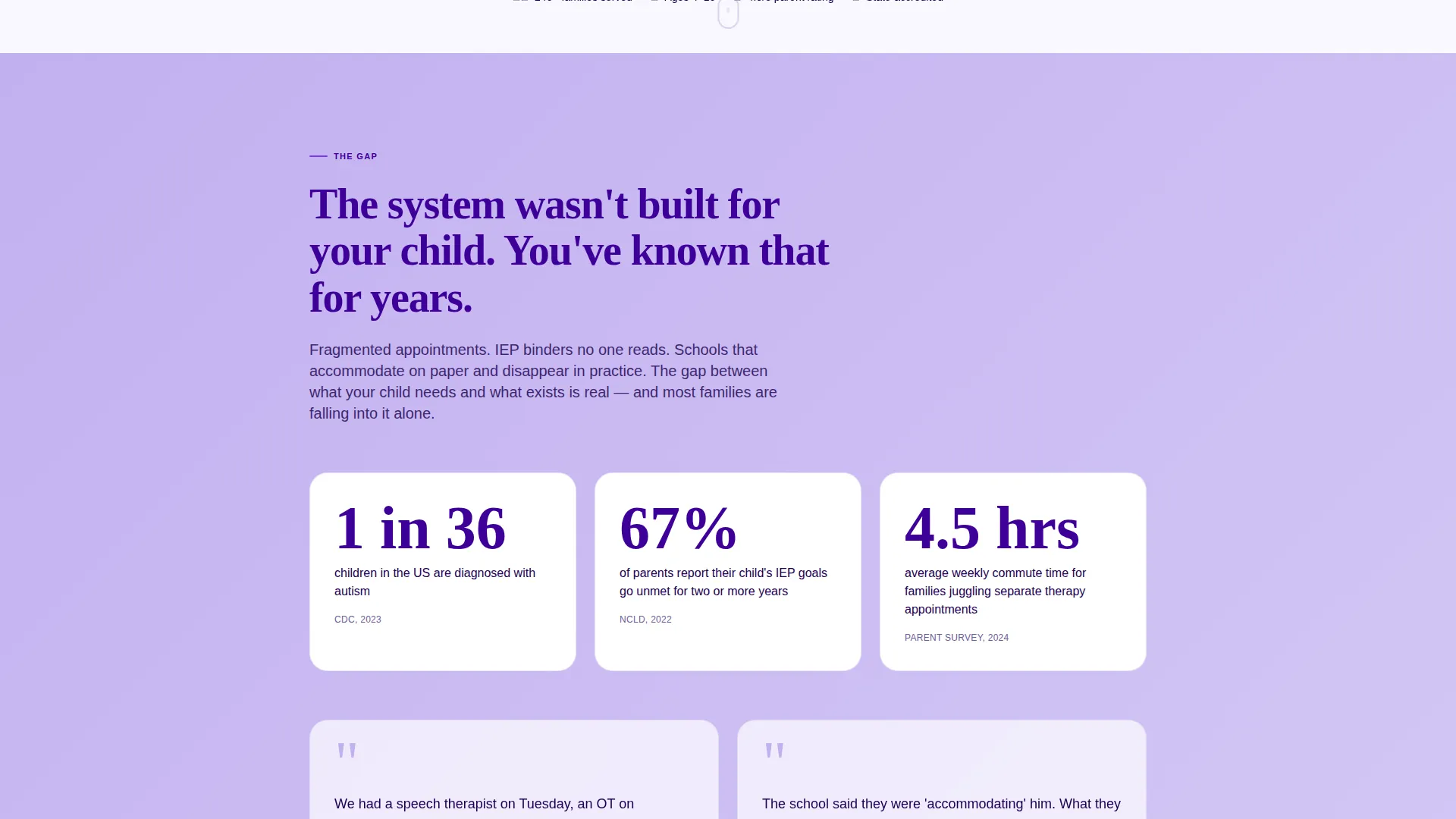
The page is structured as a deliberate arc from frustration to relief. Early sections name the specific problems families face, using real statistics and parent-voice quotes. Later sections present concrete solutions, building trust progressively before the call to action appears.
Integrated Therapy Messaging Sections
Dedicated content sections highlight speech therapy, occupational therapy, and specialist education delivered under one roof. Each section reinforces the school's integrated model rather than listing services in isolation.
Dual Lead Capture System
A primary "Book a Campus Visit" form and a secondary "Download Our Parent Guide" opt-in work together to capture leads at two levels of readiness. On mobile the primary form appears as a fixed bottom bar; on desktop it is embedded in the final content spoke.
Parent Testimonial Section
A dedicated "Family Stories" spoke presents parent-voice quotes and social proof. This section is positioned near the end of the arc, where evidence is most persuasive and the call to action feels like a natural conclusion.
Page sections overview
| Section | Purpose |
|---|---|
| Hero headline | Opens with bold, centered typography and a one-line diagnosis summary |
| The Gap | Names fragmented services, waitlists, and unmet IEP promises |
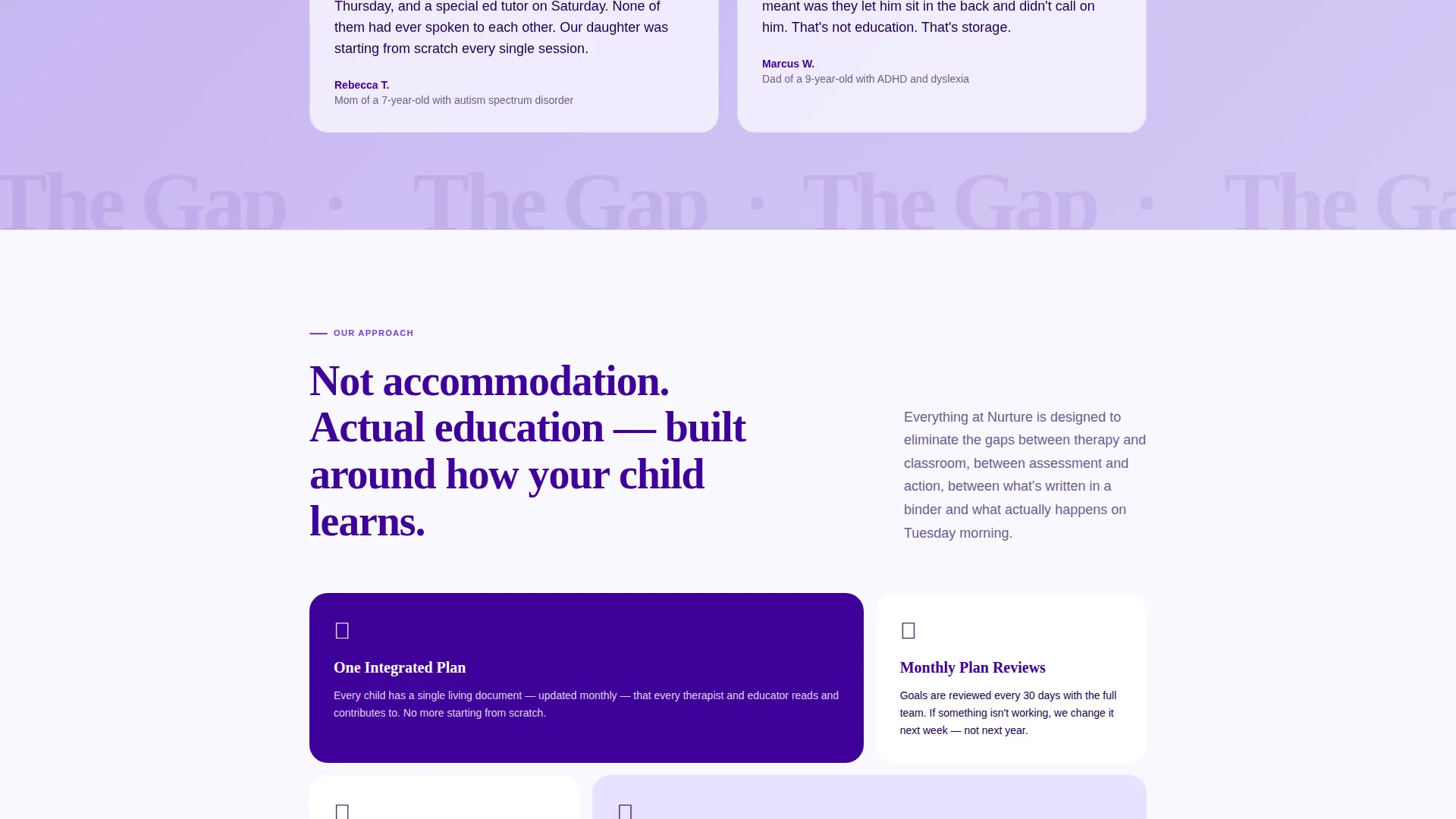
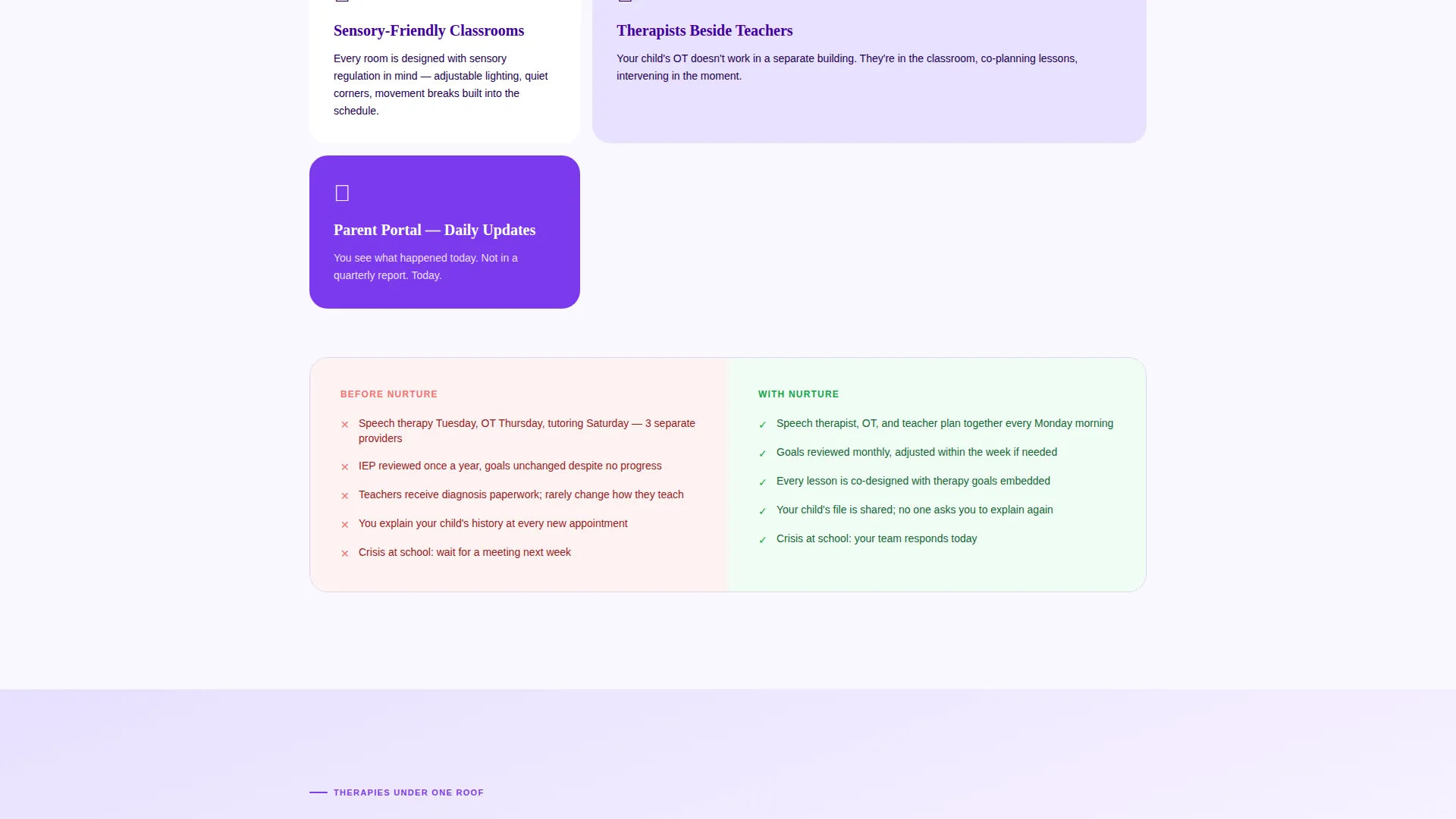
| Our Approach | Introduces the school's integrated, child-centered model |
| Therapies Under One Roof | Details speech, occupational, and specialist educator collaboration |
| Your Child's Team | Profiles the staff and their shared planning approach |
| Family Stories | Presents parent quotes and social proof to build final trust |
| Book a Campus Visit | Hosts the primary lead-capture form and secondary guide opt-in |
Design & branding system
The Electric Indigo color system gives Nurture a palette that feels energetic and warm rather than clinical. Deep indigo grounds every headline with authority, while softer tones create a calm, welcoming rhythm across sections.
- Deep indigo (#3D0099) for primary headings and navigation anchors; soft periwinkle (#C2B0F0) washing across alternating section backgrounds; warm white (#FAF8FF) providing breathing room between content blocks
- Electric violet (#7C3AED) reserved exclusively for buttons and interactive highlights, ensuring calls to action stand out clearly
- Bold, rounded sans-serif typography at oversized scale in the hero, scaling down to readable body sizes in content sections
Mobile & speed optimization
The template is structured to work clearly on small screens without losing the emotional impact of the oversized headline or the utility of the lead-capture form.
- The primary "Book a Campus Visit" form converts to a fixed bottom bar on mobile, keeping the call to action accessible without interrupting content reading
- The sticky anchor navigation adapts to a scrollable or collapsed state on smaller viewports so visitors can still jump between spokes easily
- Section backgrounds alternate between periwinkle and warm white, creating visual rhythm that guides the eye without relying on heavy images or media
How this template helps you convert
The Nurture template is built to move parents from recognition to action through a deliberate content strategy and a two-path lead capture system.
- The Problem to Solution arc earns trust before asking for anything. By naming the parent's specific frustrations early and presenting concrete solutions section by section, the page reduces hesitation so that booking a visit feels like a relief, not a risk.
- The dual lead capture system meets families at two levels of readiness. Parents ready to visit complete the short form; parents still researching download the guide and enter the school's follow-up pipeline.
Other information about this template
This template is part of a broader set of themed landing page designs built for education and training providers. A few additional details worth noting:
- The template style is Hub and Spoke with anchor navigation, meaning all content lives on one scrollable page organized around a central sticky nav
- The Educational Guide theme informs the overall tone and visual language, balancing authority with warmth
- The template is categorized under Special Education and Learning Center within the Education and Training category
- The creative direction and color system were matched at the intersection level, meaning the Electric Indigo palette and Problem to Solution arc were selected specifically for this niche and lead-generation goal
- This template is suitable for schools serving children with autism, ADHD (Attention Deficit Hyperactivity Disorder), dyslexia, and developmental delays, and the copy framework reflects that specific audience
Theme
Educational Guide
Creative direction
Problem→Solution Arc
Color system
Electric Indigo
Style
Hub & Spoke (Anchor Nav)
Direction
Lead Generation
Page Sections
Giant Headline Hero Section
Sticky Anchor Navigation
Problem to Solution Content Arc
Dual Lead Capture System
Integrated Therapy Messaging Sections
Parent Testimonial Spoke
Related questions
Can I change the spoke labels in the anchor navigation?
Is the lead capture form connected to any system out of the box?
Can I use this template if my school only offers one type of therapy?
Does the secondary opt-in work as a standalone section?
Can I add more parent testimonials than the default layout includes?



