Omnichannel Ticket Restaurant ERP Landing Page Template
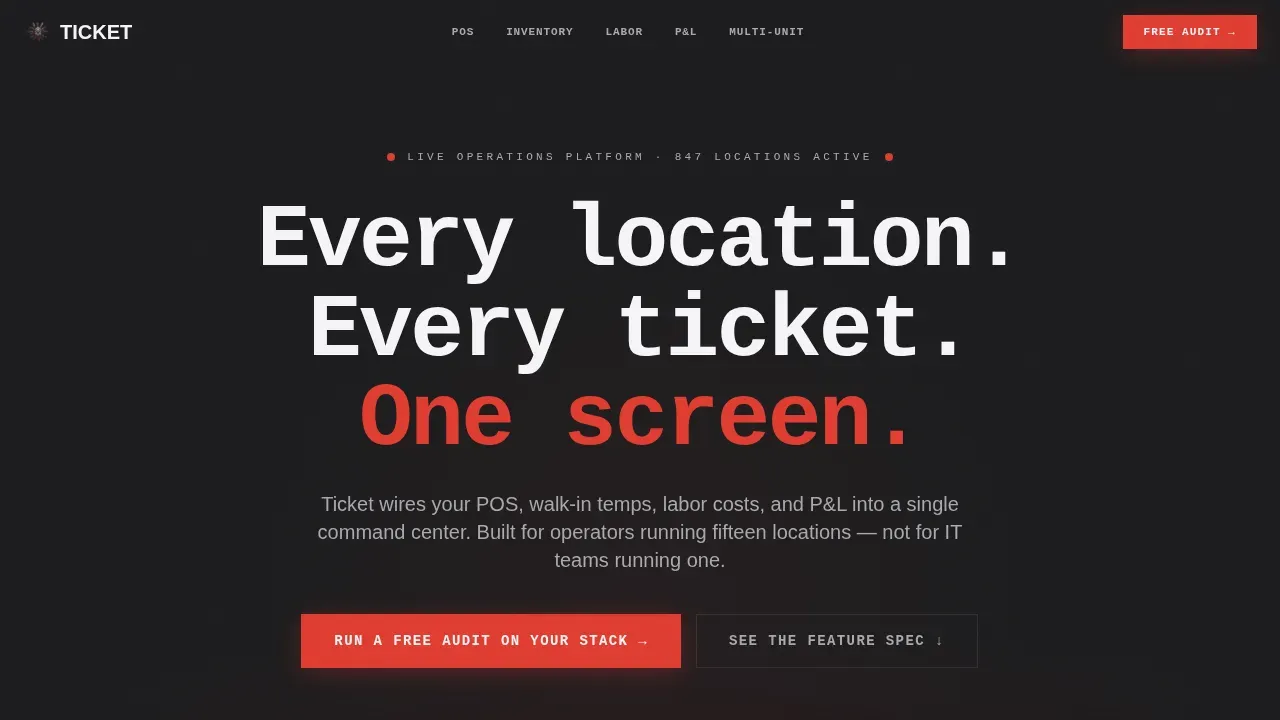
The Ticket restaurant ERP landing page is a bold, brutalist-styled hub-and-spoke page built for multi-unit restaurant operators who need every location's performance visible on one screen. It pairs an isometric dashboard hero with a sticky anchor nav, dense module spec sections, a 12-criteria comparison table, and a three-field audit form that turns visitors into booked calls.
by Rocket studio
Quick summary
The Ticket template is a high-converting restaurant landing page built for operators managing multiple locations. It leads with a live dashboard preview, locks a spoke navigation bar after scroll, and walks every user through POS, inventory, labor, reporting, and multi-unit ops in grid-based detail. The call to action drives free stack audit bookings.
Who this template is for
This landing page is designed for operators who read every row before they book a call. It speaks directly to the people running real restaurant businesses at scale, not single-unit restaurant owners testing their first website.
- Multi-unit operators managing fifteen or more restaurant locations across a metro market
- Franchise directors who need one screen showing which location is losing money before the month closes
- Executive chefs overseeing food cost and menu items across three or more concepts
What problem this template solves
Most restaurant landing page templates are built for cafes, bars, and new restaurant openings. They highlight signature dishes, push reservations, and offer a menu section with popular menu items. That format does not work for a B2B ERP platform selling to operators who already have a system and need proof that a better one exists.
- Operators cannot find detailed information about ERP features without sitting through a demo
- Generic landing page templates fail to display the evidence-based comparison that skeptical buyers need
- No ready-made templates in the restaurant space combine module specs, a comparison table, and an audit inquiry form in one flow
What you get with this template
This template offers a complete, single-page hub-and-spoke layout structured to capture serious buyers. Every section is built to provide visitors with enough operational detail to take the desired action without a phone call first.
- A full-width isometric dashboard hero with a brutalist headline and anchor nav trigger
- Five spoke sections pairing module screenshots with specification tables covering POS, inventory, labor, reporting, and multi-unit ops
- A sticky 12-criteria comparison table, a three-field audit inquiry form, and a secondary PDF download path
Feature list
This landing page template is built around features that serve operators, not casual guests. Each module section is designed to highlight the platform's depth and build trust before the call to action fires.
Isometric Dashboard Hero
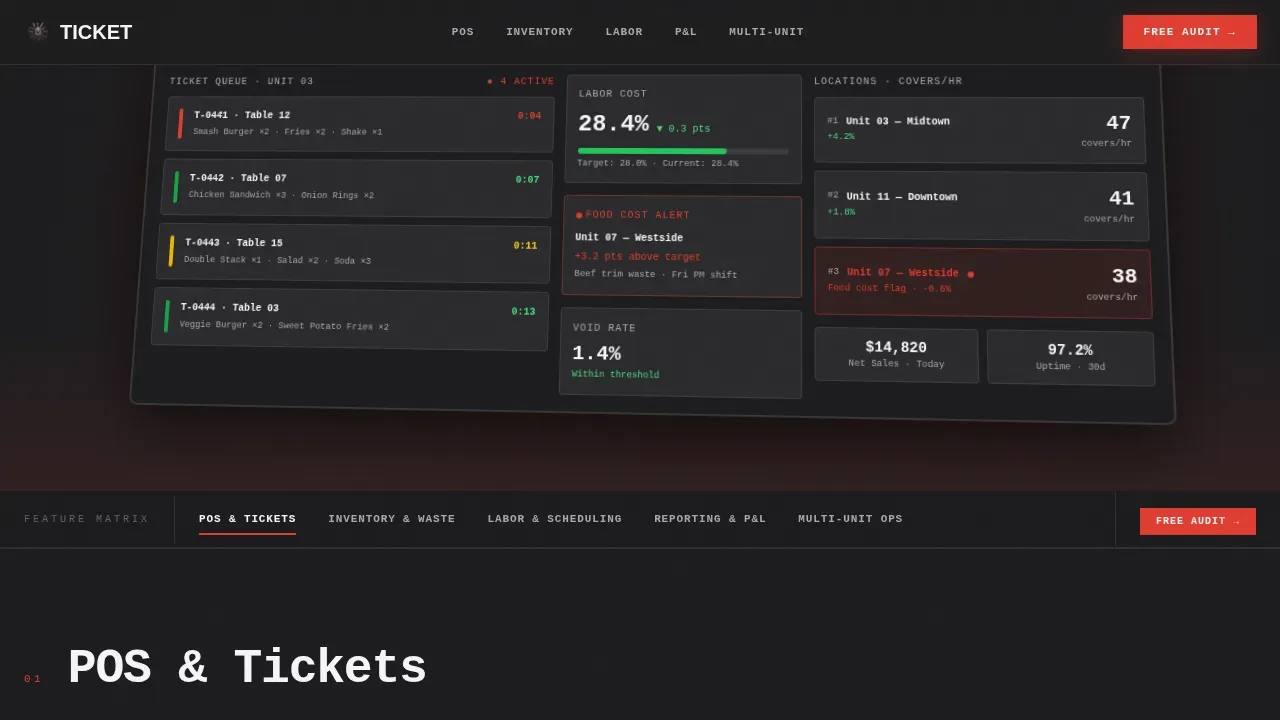
The hero displays a pixel-accurate ERP dashboard on an isometric tilt against a dark background. It shows a live ticket queue, a labor-cost gauge at 28.4%, three location cards ranked by covers per hour, and a red flag on Unit 07's food cost. Social proof lives in the data itself.
Sticky Anchor Navigation
After the user scrolls past the hero, the anchor nav locks to the top of the page. Each spoke label links directly to its module section. This keeps visitors oriented across a long, dense page and eliminates the need to scroll back.
Module Spec Sections
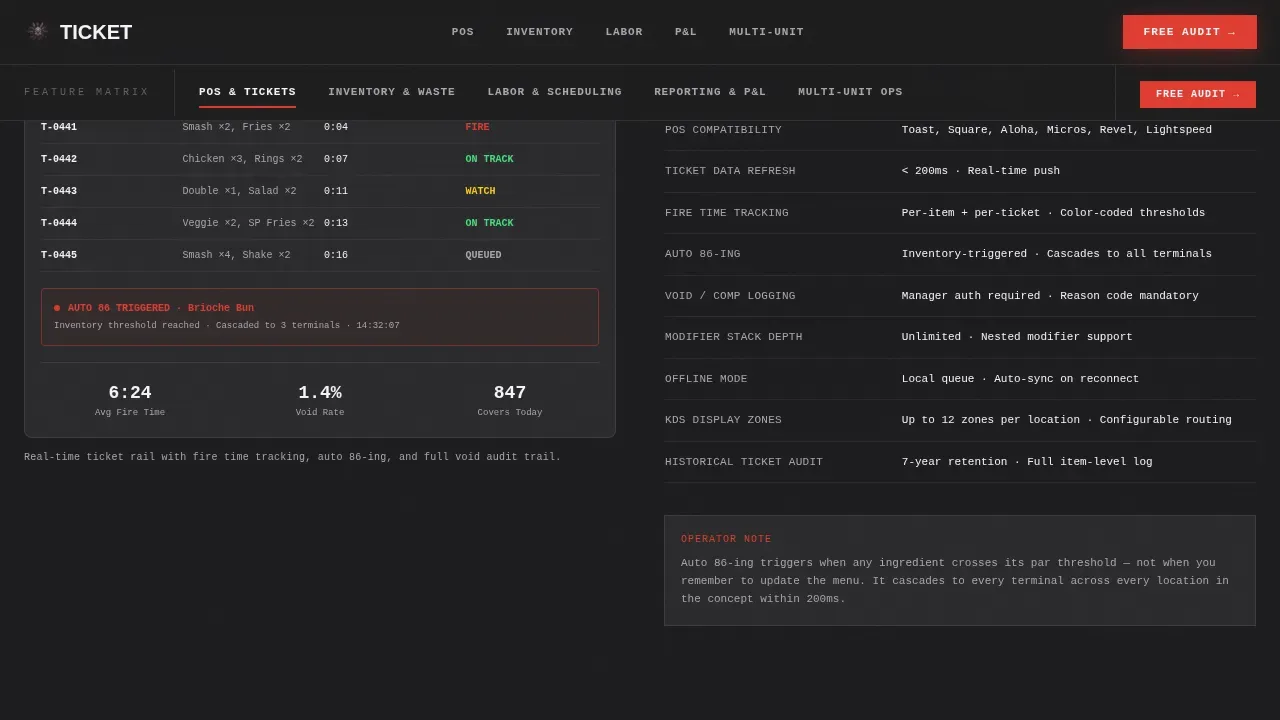
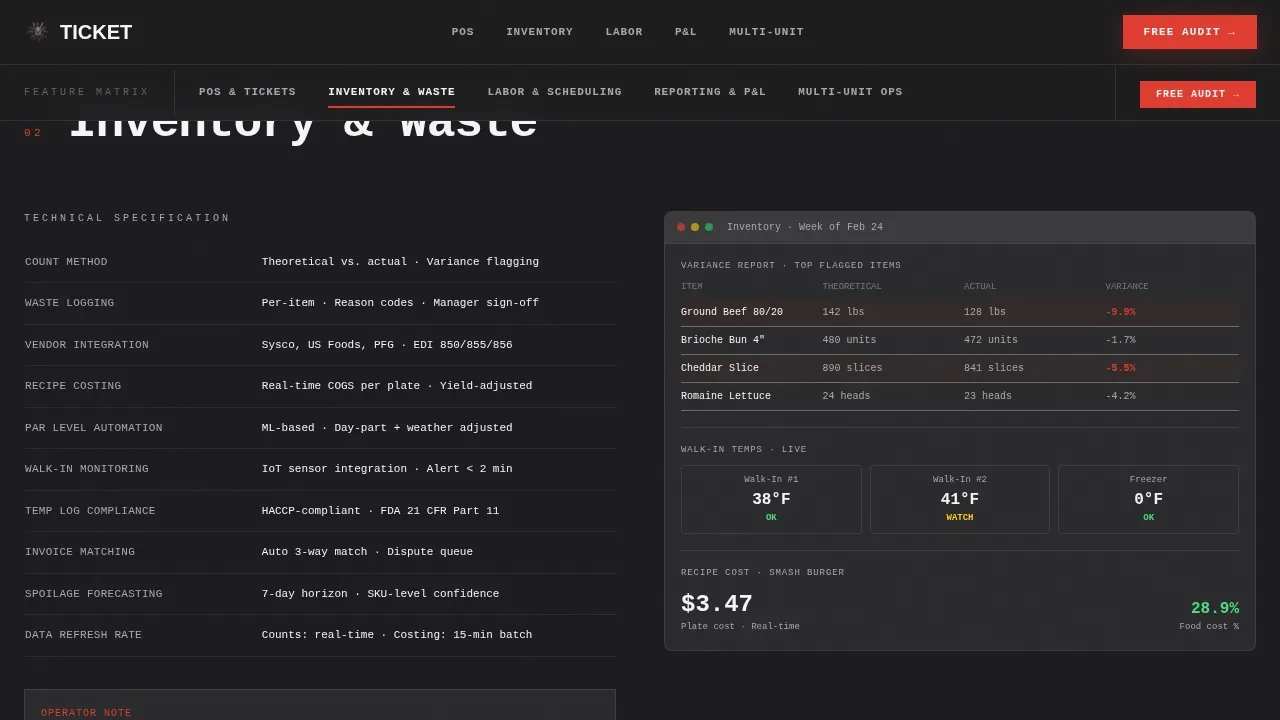
Five grid-based sections display module screenshots alongside specification tables. Each table lists field names, integration protocols, and data refresh rates. This format gives potential customers the detailed information they need to evaluate the platform without waiting for a sales deck.
Comparison Table
A sticky comparison table runs twelve operational criteria against "Legacy POS plus Spreadsheets" and "Generic ERP." Criteria include real-time food cost tracking, automatic 86-ing, multi-location labor law compliance, and integration depth. This is the clearest call to action structure on the page: let the table do the persuading.
Audit Inquiry Form
The primary conversion point is a three-field inquiry form asking for number of locations, current point-of-sale system via dropdown, and biggest operational headache via open text. Clear calls to a specific action keep the form focused. A secondary path offers a gated PDF feature spec download.
Role-Based Access Design
The page is structured so that a franchise director sees the multi-unit ops spoke as their entry point, while a chef lands on inventory and menu integration first. Each user segment finds their relevant section without friction, which improves the chance that visitors take the desired action.
Page sections overview
| Section | Purpose |
|---|---|
| Hero Dashboard Preview | Display live ERP data, headline, anchor nav trigger |
| Sticky Anchor Nav | Link to five spoke sections after scroll |
| POS and Tickets | Module screenshot plus spec table for ticket management |
| Inventory and Waste | Real-time inventory tracking specs and integration details |
| Labor and Scheduling | Labor cost module screenshot and scheduling spec table |
| Reporting and P&L | Financial metrics display and automated reporting spec |
| Multi-Unit Ops | Centralized control and location comparison tools |
| Comparison Table | Twelve-criteria table versus legacy and generic systems |
| Audit call to action Form | Three-field inquiry form and PDF download path |
| Footer | Single-row developer minimal footer pattern |
Design & branding system
The visual identity follows a Bold Brutalist theme. Every surface is functional, hard, and built to take a beating. The palette mirrors a commercial kitchen prep table under fluorescent light.
- Colors: slab charcoal (#1C1C1E) as the primary background, kitchen white (#F5F5F7) for foreground text, brushed aluminum (#A8A9AD) for mid-tone elements, and emergency ticket red (#E03C31) reserved for call to action buttons and live-data accents
- Typography: JetBrains Mono for headlines in oversized mono weight; DM Sans for body copy to keep readability high across dense spec tables
- Animations: GSAP ScrollTrigger section reveals, isometric CSS tilt on the hero dashboard, and a sticky nav transition after the first scroll breakpoint
Mobile & speed optimization
This template is desktop-first by design. Operators use desktop dashboards, and the dense spec tables and comparison layout are built for large screens. A mobile-responsive fallback ensures the page still works on mobile devices without breaking the layout.
- The sticky anchor nav collapses cleanly on smaller screens so the user can still navigate to each spoke section
- Spec tables reflow to a scrollable format on narrow viewports, keeping essential information readable on any device
- Server Components handle static sections; Client Components manage the sticky nav, comparison table toggle, and audit form to keep interactivity smooth
How this template helps you convert
A high-converting restaurant landing page for a B2B ERP platform needs more than attractive food images and a reservations button. This template earns the click by proving it already understands the operator's problems.
- The hero's live data metrics act as social proof before a single marketing claim appears, building credibility with skeptical buyers who have seen too many generic landing pages
- The five-spoke module sections let potential customers self-qualify by reading the spec that matches their biggest pain point, which means the inquiry form captures better-fit leads
- The comparison table and audit form work together to prompt visitors toward a specific action: book the free audit call, not just browse and leave
Other information about this template
This template works for any operator who needs an effective restaurant landing page for a complex B2B offer. It is not designed for cafes advertising signature dishes or bars promoting private events and reservations. However, the layout principles apply broadly across the restaurant space.
- Restaurant owners at the multi-unit stage often struggle to connect operational data across locations; this template's structure communicates how integration solves that gap
- The landing page template can support social sharing buttons and social media platforms links in the footer without altering the core layout
- You can customize fonts, colors, and layouts to match your branding in just a few clicks using a drag-and-drop website builder; the template provides the basic steps and framework so you can focus on content
- Ready-made templates like this one save time versus building from scratch; using a free restaurant landing page starting point with this structure lets new restaurant operators or SaaS teams launch faster
- The inquiry form and PDF download path make this an effective restaurant landing page for operators who want to order online access to feature specs before committing to a demo call
- Including social proof through live data in the hero and customer feedback options in the form mirrors best practices from successful restaurant landing pages that build trust through evidence rather than copy alone
- The template offers a menu section equivalent in the module spokes, where each feature acts like a popular menu item that guests can inspect before deciding
- Well-designed landing page templates for restaurant technology should display cuisine-level specificity; this template does that through field names and data refresh rates, not generic marketing language
Theme
Bold Brutalist
Creative direction
Feature Matrix
Color system
Monochrome Steel
Style
Hub & Spoke (Anchor Nav)
Direction
Comparison/Versus
Page Sections
Isometric Dashboard Hero with Live Data
Sticky Spoke Anchor Navigation
Module Screenshot and Spec Table Sections
Twelve-criteria Comparison Table
Three-field Audit Inquiry Form
Role-based Section Entry Points
Related questions
Who is this landing page template built for?
Can I customize the colors, fonts, and section content?
What is the primary call to action on this page?
Does this template include the comparison table section?
Is this template suitable for a single-location restaurant?



