Optometry Digital Menu Landing Page Template
Optic is a hub-and-spoke anchor-nav landing page template built for optometry digital menu platforms. It replaces static frame boards with a sleek, interactive digital display concept, showcasing lens options, coatings, and add-ons with real-time pricing. The Tech Glass visual identity and Feature Matrix layout guide visitors from curiosity to demo request with precision.
by Rocket studio
Quick summary
Optic is a single-page, anchor-nav landing page template designed for optometry digital menu platforms. It presents every lens, coating, and add-on choice in a clean digital format, with pricing that updates as selections change. The Feature Matrix layout isolates each capability into its own focused module, building the case from operational ease all the way to measurable revenue impact.
Who this template is for
This template is built for the people managing the patient experience at every stage of the optical retail workflow. Whether you run one exam room or forty, Optic speaks to your daily friction points.
- Independent optometrists who are tired of reprinting paper menus every time coating tier prices change
- Optical chain managers who need a standardized upsell flow working consistently across multiple locations
- Front-desk staff who want patients to understand progressive versus single-vision lenses before they reach the chair
What problem this template solves
Optical practices lose time and revenue every time a price menu goes out of date. Paper boards cannot respond to live pricing changes, and patients arrive at the chair confused about their options. Optic addresses this gap directly.
- Static acrylic frame boards and printed menus cannot reflect real-time pricing or coating tier updates
- Patients struggle to compare lens types and coatings without a clear, visual side-by-side format
- Multi-location practices have no consistent way to present upsell options across every front desk
What you get with this template
You get a fully structured landing page that functions as both a product showcase and a conversion engine for an optometry digital menu platform. Every section is purpose-built to move a skeptical practice owner toward booking a live demo.
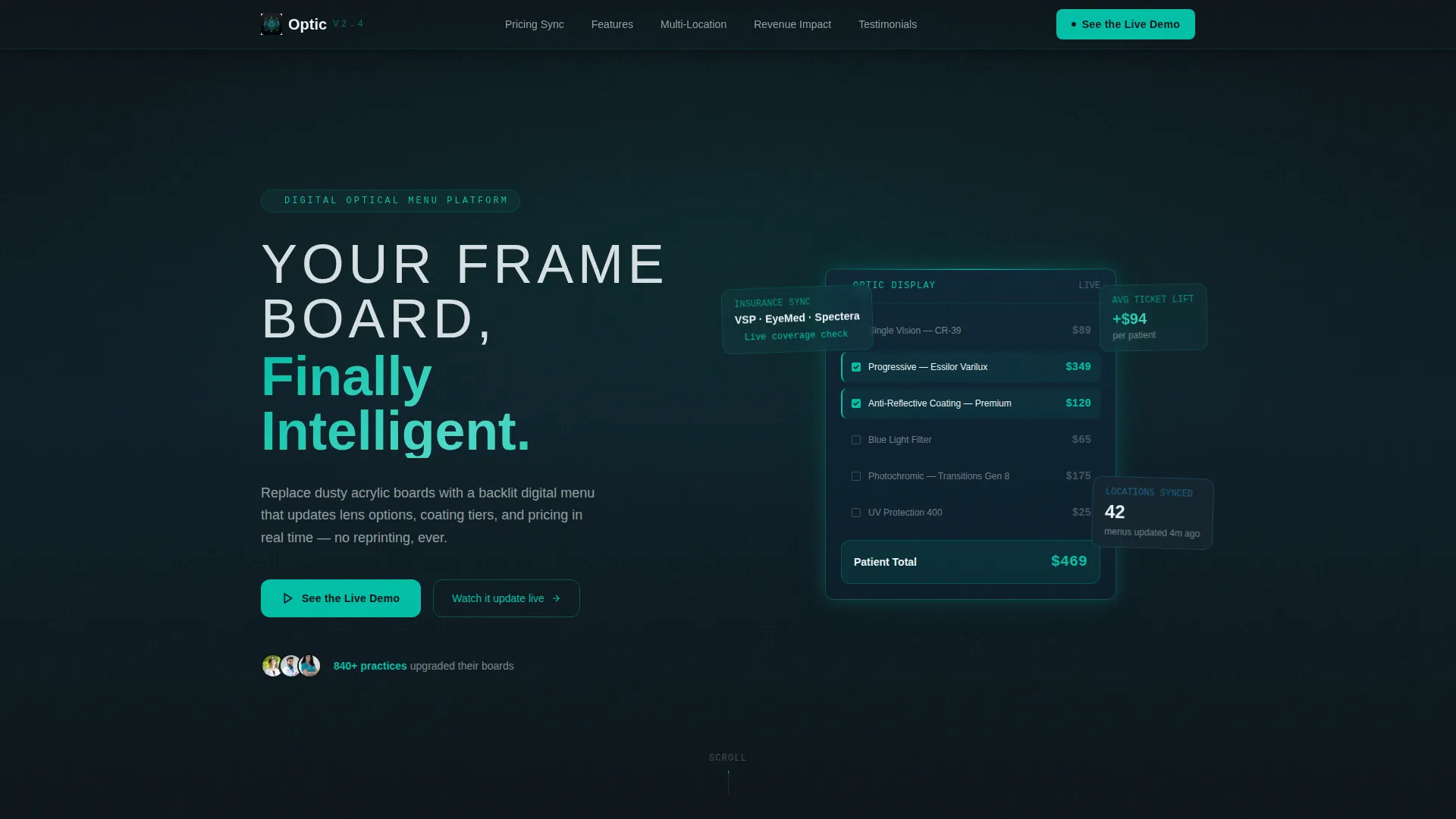
- A dark, full-bleed hero section with a glowing teal digital display visual and a bold headline
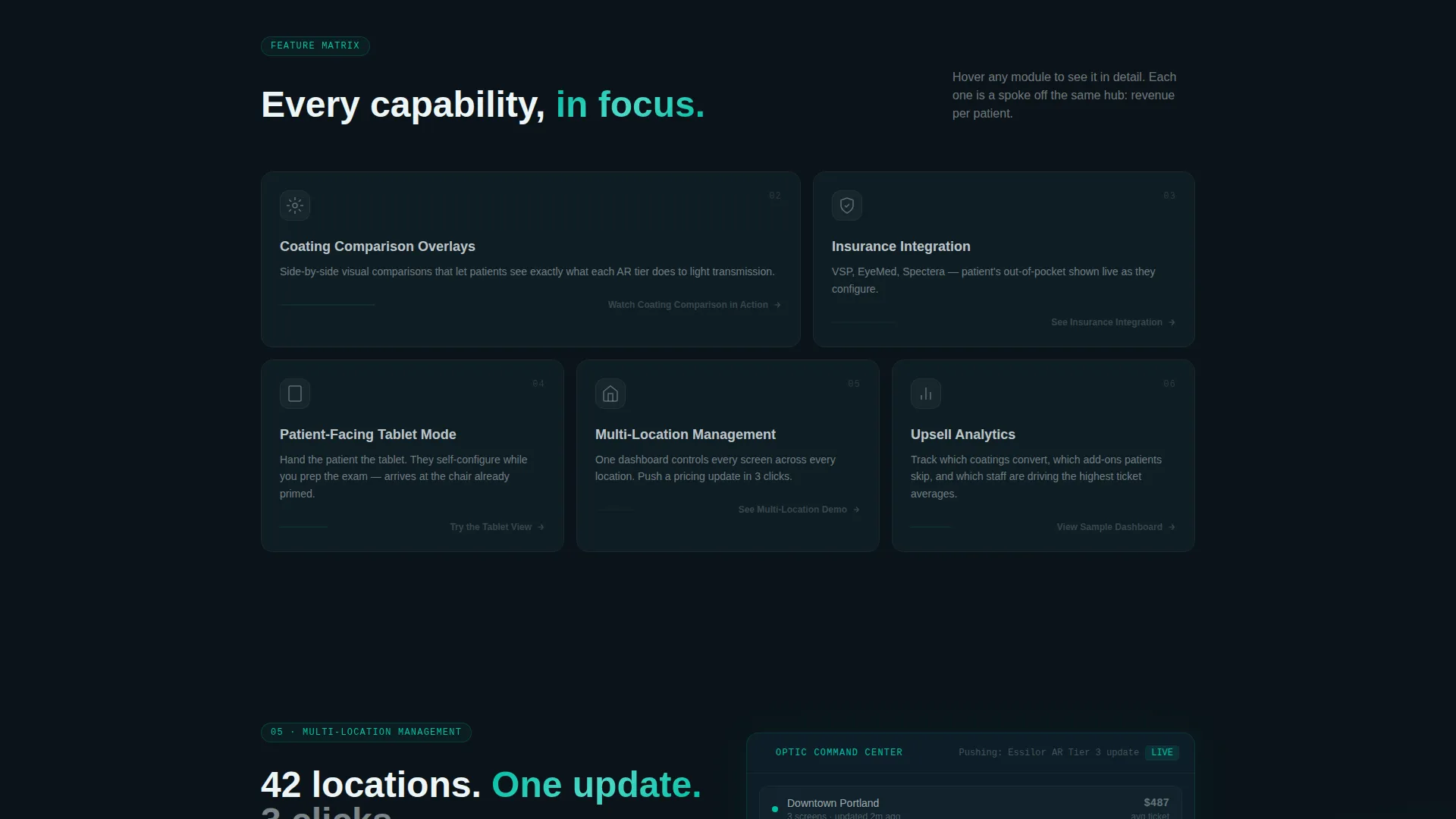
- Five hub-and-spoke feature modules covering real-time pricing, coating comparisons, insurance integration, multi-location management, and patient-facing tablet mode
- A sticky anchor navigation bar with a persistent primary call-to-action and contextual micro-calls-to-action closing each spoke section
Feature list
Each feature module in the Optic template is structured as a focused spoke off the central anchor navigation. Together they build a complete picture of what the platform delivers.
Real-Time Pricing Sync Module
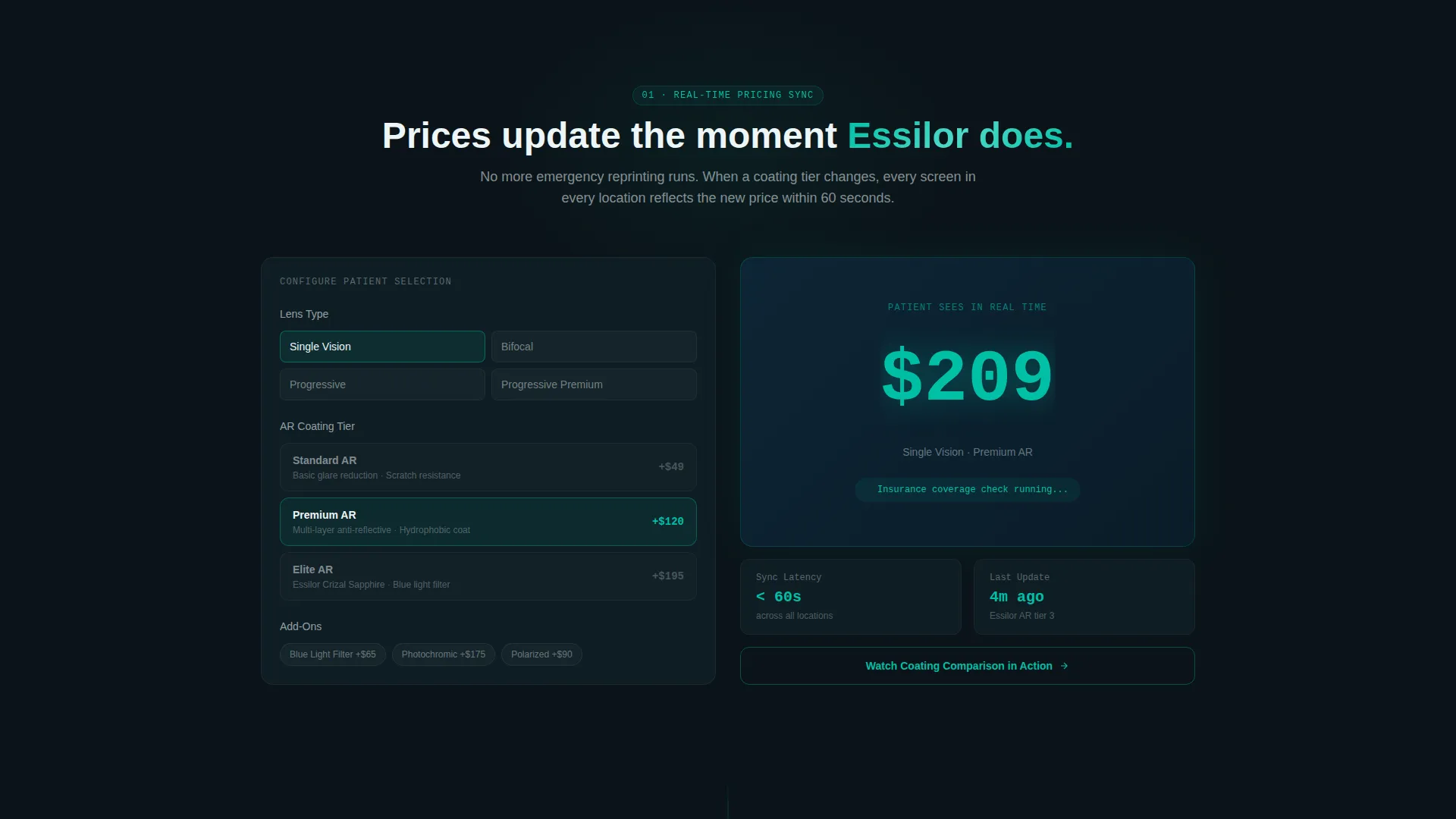
This spoke isolates the live pricing capability. It shows how lens options, coatings, and add-ons update in real time as a simulated patient makes selections, removing the need for manual menu reprints.
Coating Comparison Overlay Section
A dedicated module presents coating options side by side. A short animation or interactive micro-demo lets visitors see the comparison in action before committing to the full demo environment.
Insurance Integration Spoke
This section addresses the billing reality of optical retail. It shows how the platform can surface insurance-relevant information during the patient selection flow, reducing confusion at checkout.
Multi-Location Management Module
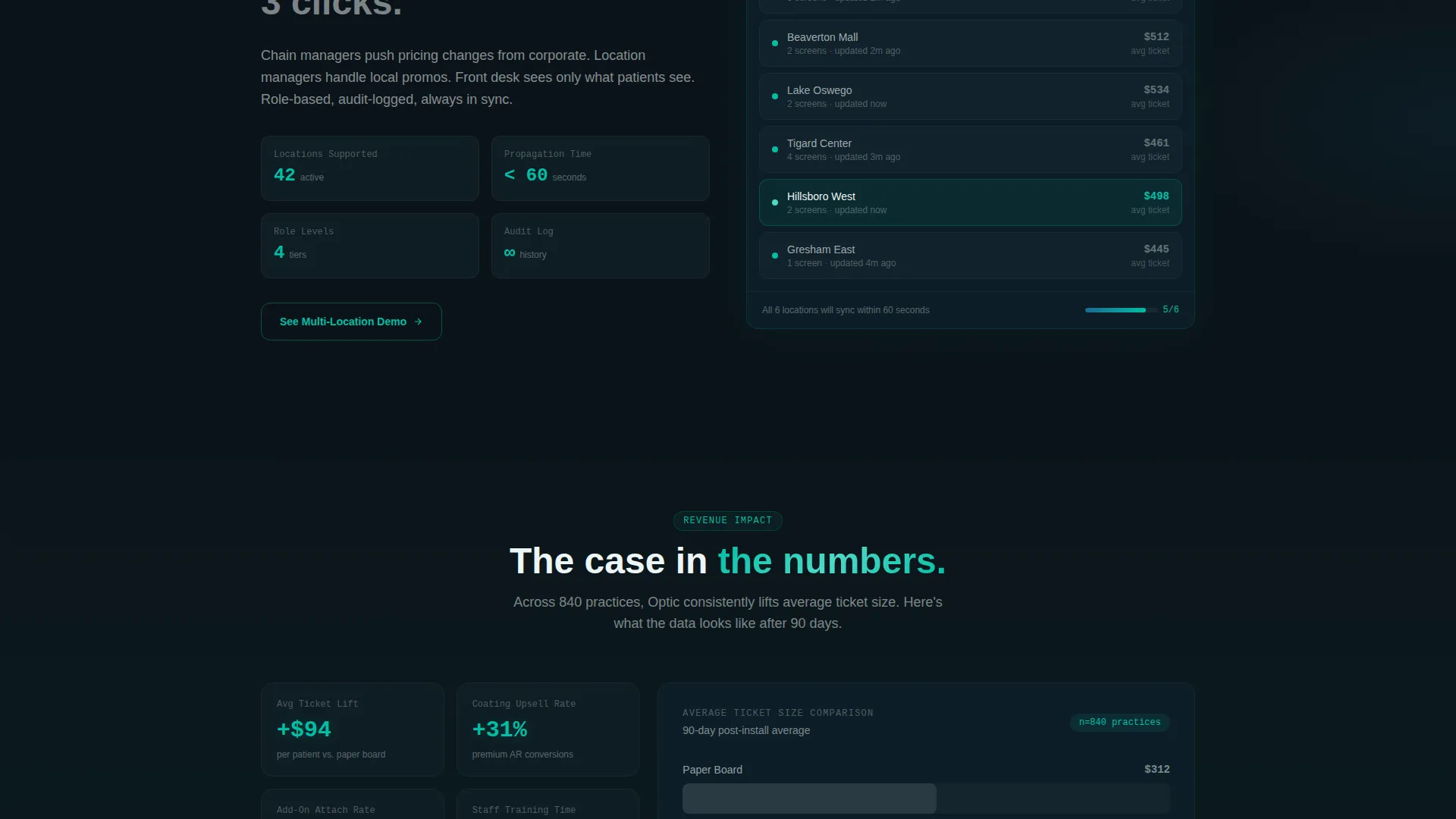
Built for optical chain managers, this spoke demonstrates how a single platform can standardize the upsell and display flow across dozens of locations simultaneously.
Patient-Facing Tablet Mode Section
A dedicated module previews the tablet-optimized patient interface. Visitors can interact with a stripped-down inline preview that gives just enough of a taste to make the full demo feel like the obvious next step.
Revenue Impact Data Panel
The final spoke closes the stakes arc with a data panel showing average ticket-size lift. It reframes the product from an operational convenience into a measurable revenue tool.
Page sections overview
| Section | Purpose |
|---|---|
| Hero Header Scene | Introduces the platform with a full-bleed dark display visual and primary headline |
| Anchor Navigation Bar | Keeps the primary call-to-action sticky and links to every feature spoke |
| Real-Time Pricing | Demonstrates live price updating as lens and coating selections change |
| Coating Comparison Overlay | Shows side-by-side coating options with an inline interactive preview |
| Insurance Integration | Explains how the platform surfaces insurance context during patient selection |
| Multi-Location Management | Addresses chain-level standardization of upsell flows across locations |
| Tablet Mode Preview | Presents the patient-facing interface with an inline stripped-down demo |
| Revenue Impact Panel | Closes with ticket-size lift data to connect features to financial outcomes |
Design & branding system
The Optic template uses a Tech Glass visual identity built on the Teal Catalyst color system. The overall feeling is a darkened exam room viewed through a precision optical instrument, every element reduced to signal and clarity.
- Deep optical black (#0B1419) as the dominant background, clinical teal (#00BFA6) for primary actions and glowing accents, cool lens-coat blue (#1B6B93) for secondary surfaces, and bright exam-chart white (#EDF5F7) for typography and cards
- Thin, wide-tracked sans-serif headline typography that feels precise and modern without clinical coldness
- Soft teal luminescence effects on the hero display and the sticky navigation bar, reinforcing the "display screen as the only light source" visual concept
Mobile & speed optimization
The Optic template is structured to translate its immersive dark visual identity cleanly across screen sizes. The anchor navigation and sticky call-to-action bar are designed to remain functional and visible on smaller viewports.
- The hub-and-spoke layout keeps each feature module self-contained, making it straightforward to reflow sections for tablet and mobile views
- Inline micro-demo components are built to provide a lightweight interactive preview without requiring a full-page navigation event
How this template helps you convert
Every structural decision in Optic is oriented toward one outcome: getting the right visitor to request a live demo. The page earns that click rather than demanding it.
- The sticky anchor navigation keeps the primary "See the Live Demo" call-to-action visible at every scroll depth, so the path to conversion is never out of reach
- Inline feature previews let visitors interact with real capabilities before committing, making the full demo feel like a natural next step rather than a cold ask
- Each spoke section closes with a contextual micro-call-to-action that funnels to the same demo gate, reinforcing the conversion goal without repeating identical copy
Other information about this template
Optic is a template designed for a specific and growing niche: the digital transformation of the optical retail front desk. A few additional details worth knowing before you build.
- The template style is Hub and Spoke with Anchor Navigation, meaning visitors can jump directly to any feature module from the top of the page
- The header concept is Dark Full-Bleed with Glow, a deliberate visual metaphor for the precision and clarity that the platform promises to deliver to practices
- The creative direction follows a Feature Matrix structure, where each spoke builds stakes progressively from operational convenience toward a revenue outcome
- The landing page direction is Click-Through, designed to route all engagement toward a single demo gate requiring only an email address
- This template lives in the Technology category under the Optometry Digital Presence subcategory, making it relevant to any digital menu or patient-education display platform in the optical space
Theme
Tech Glass
Creative direction
Feature Matrix
Color system
Teal Catalyst
Style
Hub & Spoke (Anchor Nav)
Direction
Click-Through
Page Sections
Real-time Pricing Sync
Coating Comparison Overlay
Patient-facing Tablet Mode
Multi-location Management Spoke
Insurance Integration Section
Revenue Impact Data Panel
Related questions
Who is this landing page template designed for?
What is the primary conversion goal of this template?
Does the template include a real-time pricing feature?
Can this template support a multi-location optical practice?
What visual style does the Optic template use?



