Advanced Tech & AI Platforms Advanced Professional Website Template
Optimize is a split-screen landing page template built for machine learning-powered A/B testing platforms. It pairs a dark, data-dense visual identity with a Problem-to-Solution Arc layout that walks growth leads through every friction point in their current workflow and resolves each one with a crisp platform answer. The result feels like mission control at the moment a winning variant crosses significance.
by Rocket studio
Quick summary
Optimize is a single-page, split-screen landing page template designed for ML-powered A/B testing platforms. It uses a Midnight Blue color system, live-animated variant cards in the header, and a Problem-to-Solution Arc structure. Every section is built to speak directly to growth professionals who run high-velocity experimentation programs and need fast, confident decisions.
Who this template is for
This template is built for growth-focused teams who treat experimentation as a core workflow. It targets people who already understand statistical significance and want a platform that moves as fast as their testing cadence.
- Growth leads running multiple experiments each week across checkout flows, SaaS onboarding sequences, and media paywalls
- Product and marketing teams evaluating ML-powered testing tools against established alternatives
- Founders and operators who need a landing page that converts technically sophisticated visitors
What problem this template solves
Most A/B testing landing pages bury the value proposition under generic feature lists. This template takes a different approach. It surfaces the exact frustrations your audience already feels and resolves them visually before a single word of body copy is read.
- Manual test setup, spreadsheet exports, and week-long experiments that end without a clear winner
- Slow, inconclusive results caused by fixed traffic splits and frequentist statistical models
- Visitors who need detailed platform comparisons before they will commit to a free trial
What you get with this template
You get a fully structured, single-page layout that carries a visitor from pain to proof without losing momentum. Every visual and structural decision is made to serve a technically sophisticated audience.
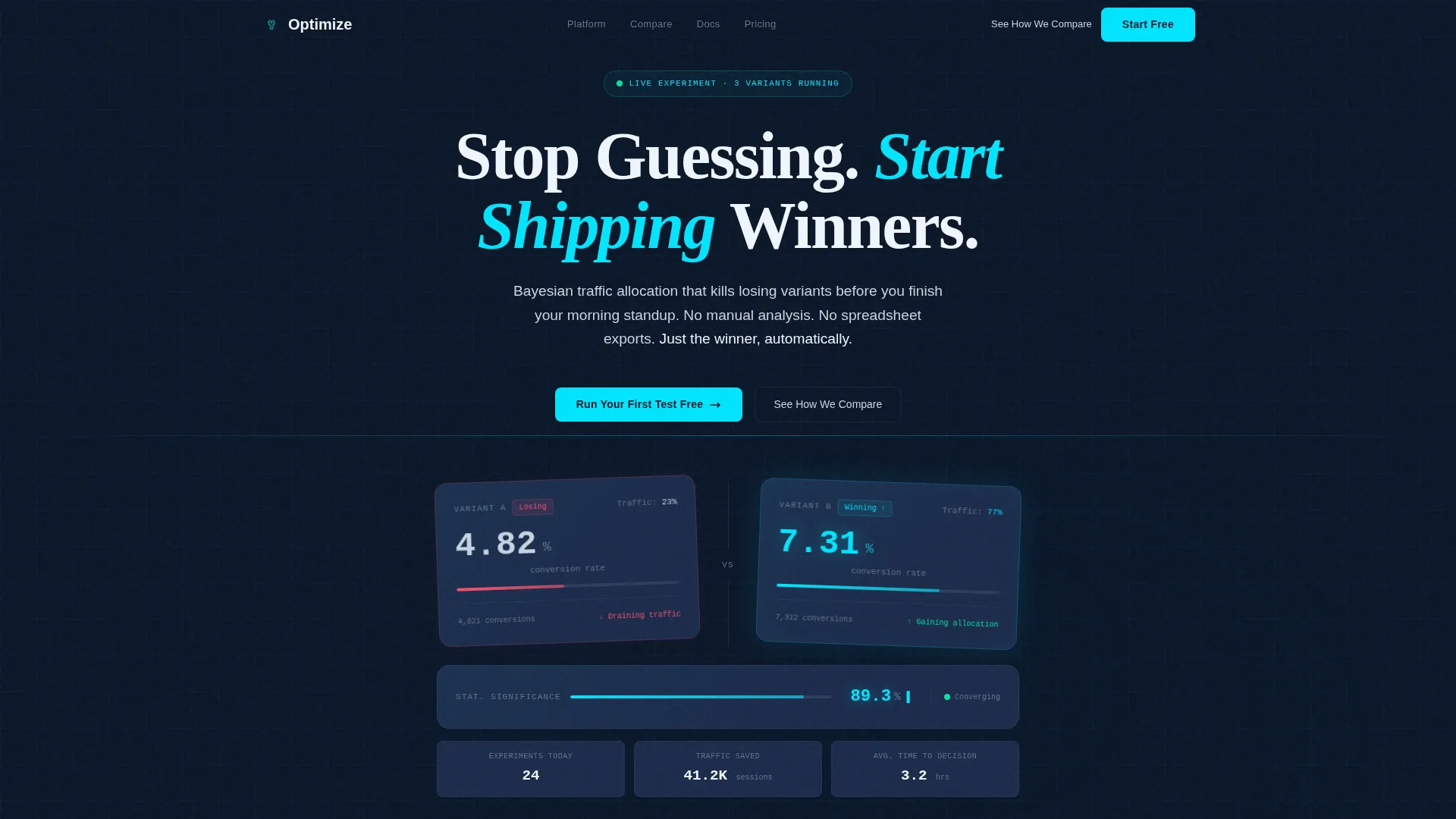
- A dark full-bleed header with two animated variant cards showing live-ticking conversion percentages and a glowing cyan signal effect
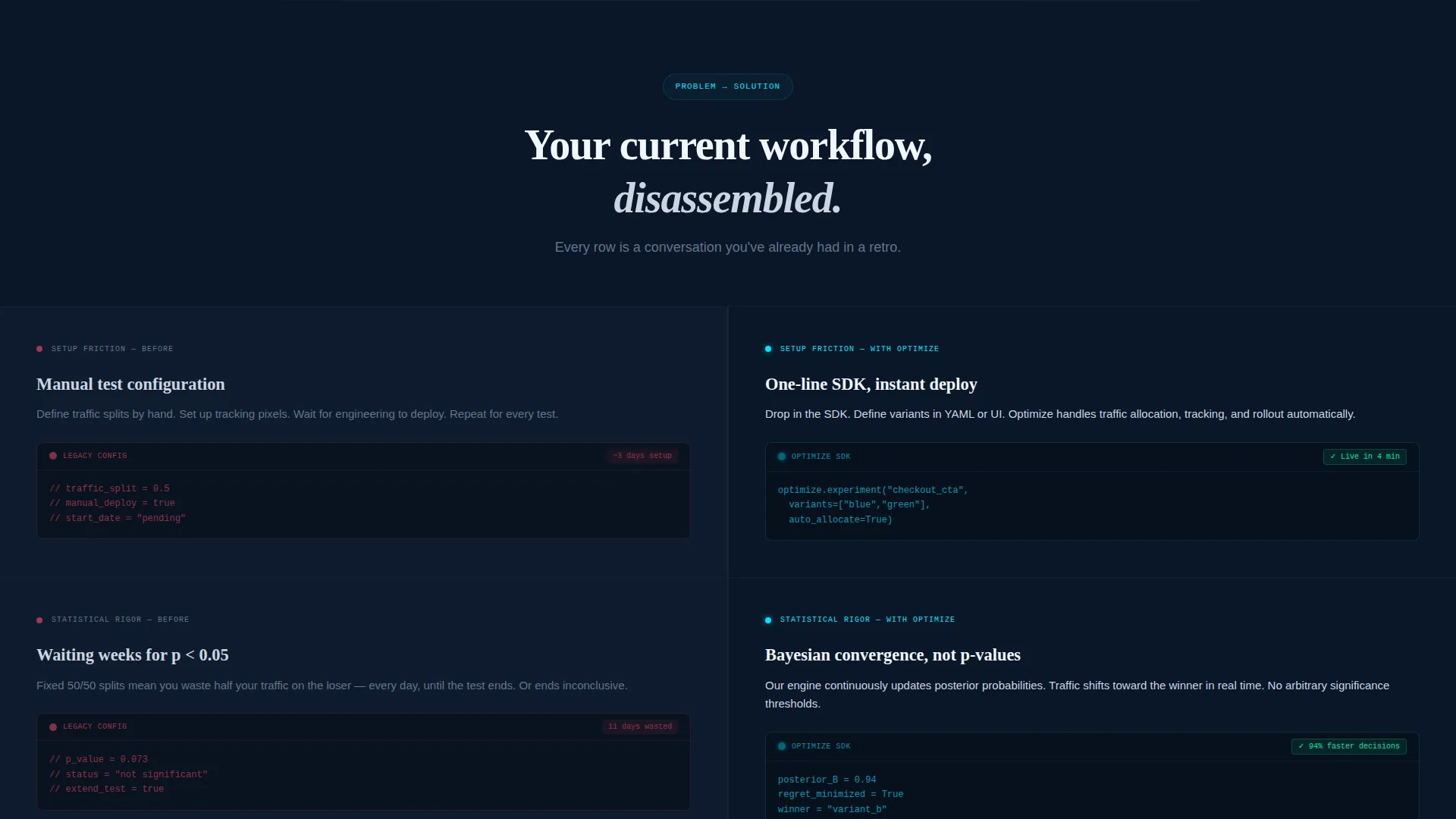
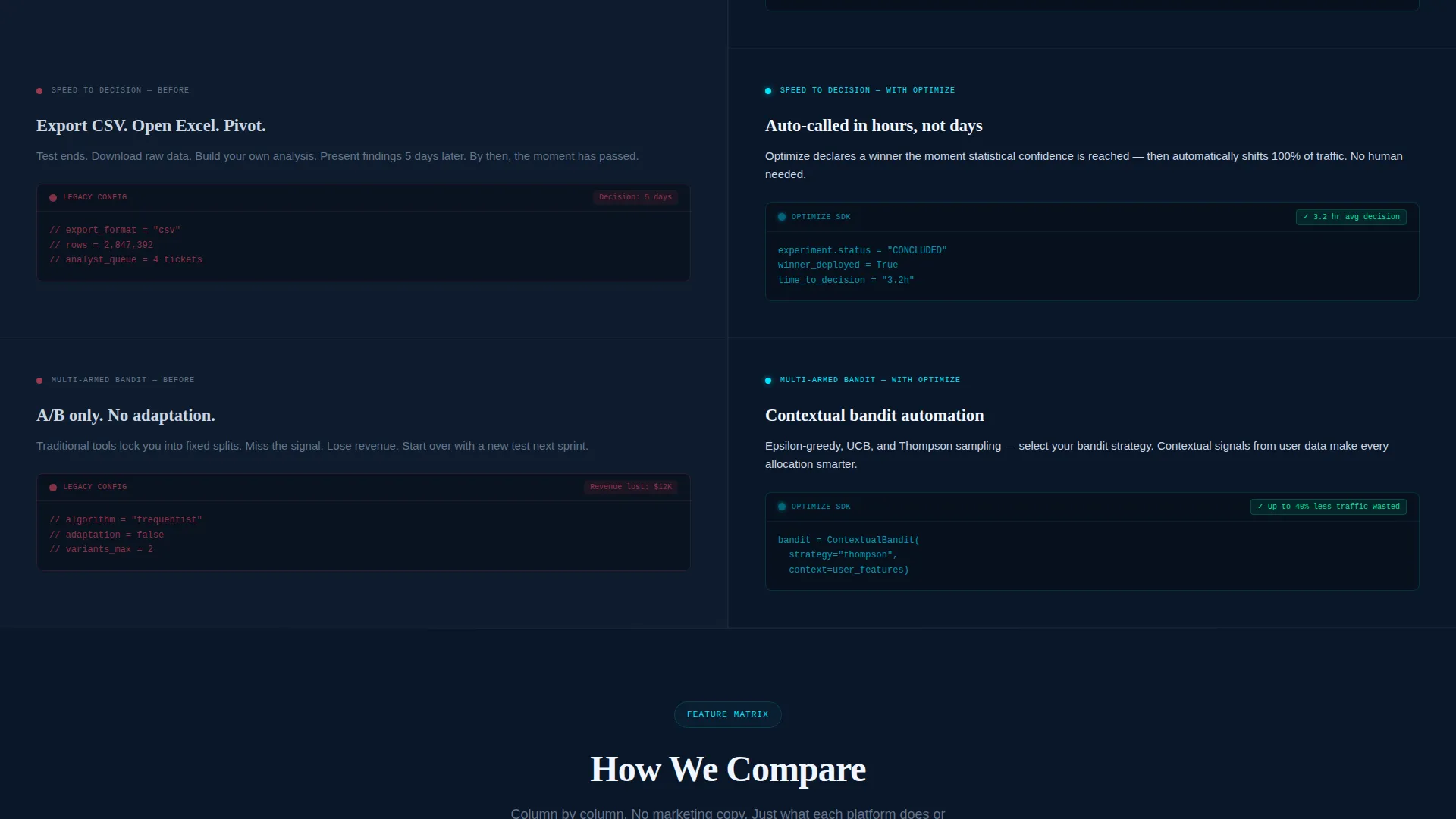
- A 50/50 split-screen problem-versus-solution scroll flow covering setup friction, statistical rigor, speed-to-decision, and multi-armed bandit automation
- A sticky bottom bar with a primary call-to-action and a secondary path to an interactive feature comparison matrix
Feature list
This template delivers a precise set of structural and visual components drawn directly from the source brief.
Animated Variant Card Header
Two side-by-side variant cards sit above a soft cyan glow effect in the full-bleed header. Conversion percentages tick upward at different speeds, making the product's core value visible before any copy is read.
Split-Screen Problem-to-Solution Layout
Each scroll row places the old workflow on the left in muted slate with redlined annotations. The platform's answer mirrors it on the right in silver on navy with cyan data sparks. The layout escalates through four pain points: setup friction, statistical rigor, speed-to-decision, and multi-armed bandit automation.
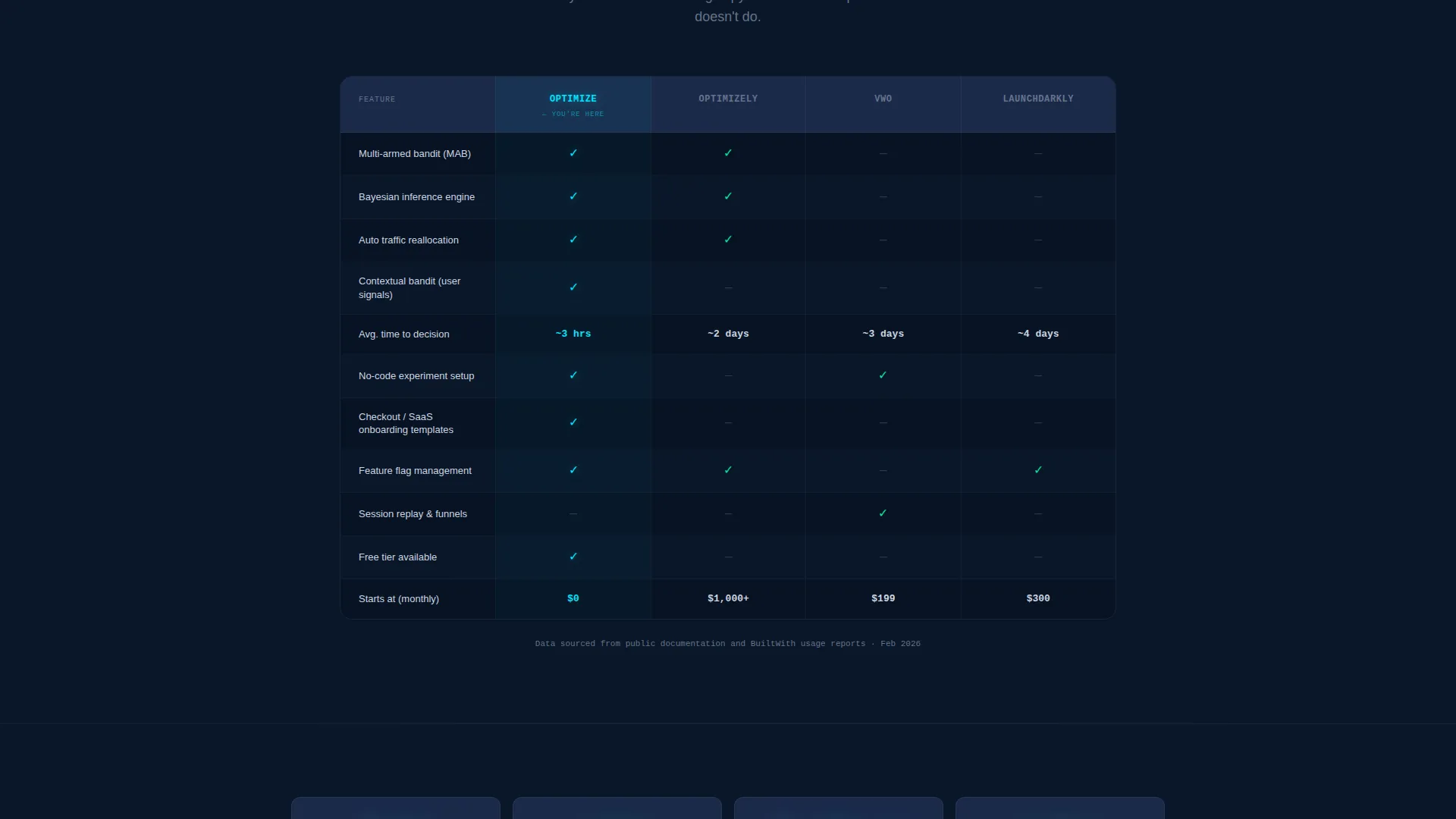
Interactive Feature Comparison Matrix
A structured comparison table benchmarks the platform column by column against established testing tools. Cyan checkmarks and slate dashes make the platform's advantages scannable at a glance.
Sticky Primary Call-to-Action Bar
A "Run Your First Test Free" bar pins to the bottom of the viewport and activates after the visitor passes the second scroll section. It stays present without interrupting the reading flow.
Bayesian Convergence Proof Section
The layout includes a dedicated section visualizing how the platform's Bayesian engine calls experiments in hours rather than weeks. Auto-allocated traffic and early stopping are shown as direct answers to the slow-test problem.
Data-Only Visual Language
No stock photography, no illustrations. Every visual element is a data object: ticking numbers, glowing highlights, annotated flow comparisons. The design signals credibility to an audience that distrusts decoration.
Page sections overview
| Section | Purpose |
|---|---|
| Full-bleed header | Introduce platform with animated variant cards and glowing headline |
| Problem split row | Show manual test setup frustrations with redlined slate annotations |
| Statistical rigor row | Contrast frequentist delays with Bayesian engine convergence |
| Speed-to-decision row | Demonstrate experiment call time reduction with cyan data sparks |
| Bandit automation row | Present multi-armed bandit traffic allocation as the final escalation |
| Comparison matrix | Benchmark platform features against competing tools column by column |
| Sticky call to action bar | Keep "Run Your First Test Free" visible from second scroll onward |
Design & branding system
The visual identity follows a Directory and Discovery theme built entirely on the Midnight Blue color system. The palette is information-dense and deliberately precise, designed to feel familiar to users who live inside data dashboards.
- Deep terminal navy (#0A1628) as the primary background, desaturated slate (#1B2A4A) for card surfaces and section dividers, and cool silver (#CBD5E1) for body text
- Reactive neon cyan (#00E5FF) reserved for interactive states, data highlights, and the glow effects that define the header and data spark moments
- No stock imagery or decorative illustration; every visual element is a functional data object or typographic element
Mobile & speed optimization
The template is structured with a mobile reading context in mind. The split-screen layout and sticky bar are designed to remain usable and legible across viewport sizes.
- The 50/50 split-screen columns are intended to stack vertically on narrower viewports so the problem-solution sequence reads in order
- The sticky call-to-action bar is positioned to remain accessible without obscuring content on smaller screens
How this template helps you convert
The conversion architecture is built around reducing risk and accelerating the decision to start. Every structural choice serves one of two conversion paths.
- The Problem-to-Solution Arc dismantles the visitor's current workflow section by section, building the case that the platform is the logical next step before the primary call-to-action appears.
- The comparison matrix and free-tier call-to-action work together: the table removes doubt about competitive positioning, and the zero-risk free trial removes the final barrier to signing up.
Other information about this template
This template sits within the Advanced Tech and Artificial Intelligence Platforms subcategory under the Technology category. It is purpose-built for the machine learning-powered A/B testing platform niche and reflects a high intersection match between the template style, creative direction, and audience intent.
- The creative direction follows a Problem-to-Solution Arc, a structure that performs well for technically sophisticated buyers who evaluate tools before committing
- The template style is Split Screen (50/50), a layout pattern well suited to comparison-driven conversion flows in the experimentation and growth tooling space
- Teams evaluating tools such as Optimizely, VWO, or LaunchDarkly will find the built-in comparison matrix directly relevant to their evaluation process
Theme
Directory & Discovery
Creative direction
Problem→Solution Arc
Color system
Midnight Blue
Style
Split Screen (50/50)
Direction
Comparison/Versus
Page Sections
Animated Variant Card Header
Split-screen Problem-solution Scroll
Interactive Comparison Matrix
Sticky Free-trial Call to Action Bar
Bayesian Convergence Proof Section
Data-only Visual Language
Related questions
Who is this landing page template designed for?
What makes the header design different from a typical SaaS landing page?
Does the template include a way to compare the platform against competitors?
How does the sticky call-to-action bar work?
Can I adapt the color scheme to match my own brand?



