Dental AI Fee Optimization Landing Page Template
Optimize is a bento grid landing page template built for a dental AI fee optimization platform. It combines a Feature Tab Switcher header, live data cells, and a progressive freemium form flow to show practice owners exactly where their fee schedule is losing revenue. The layout is surgical, the copy is specific, and every section earns the next click.
by Rocket studio
Quick summary
Optimize is a single-page bento grid landing page template designed for a dental AI price optimization platform. It opens with a tab-switching product header showing real CDT code deltas, then builds momentum through discrete capability cells before converting visitors through a progressive, value-first freemium form. No stock photography, no fluff, just back-office precision.
Who this template is for
This template is built for teams launching or marketing a dental fee intelligence tool. The target buyer needs a page that speaks directly to practice-side decision-makers without wasting their time.
- Practice owners running two to five operatories who suspect their fee schedule is underpriced
- Associate dentists negotiating production-based compensation and needing market-rate data
- DSO regional managers who need to standardize fees across dozens of locations quickly
What problem this template solves
Most dental software landing pages look like patient portals. This template solves the opposite problem: it presents a back-office data tool in a way that feels immediately credible to operators, not patients.
- Practice owners have no fast way to see how their CDT code fees compare to local competitors and insurance reimbursement tables
- Fee schedule reviews are manual, slow, and rarely tied to real regional pricing data
- A generic landing page cannot communicate the quiet urgency of seeing underpriced line items, this layout is designed to create exactly that feeling
What you get with this template
You get a fully structured bento grid landing page that covers every stage of the buyer journey for a dental price optimization product. The layout moves from product demonstration to social proof to conversion without a single redundant section.
- A Feature Tab Switcher header with three interactive tabs: Fee Analysis, Competitor Map, and Revenue Impact
- A progressive two-step freemium form that returns a zip-code teaser before asking for an email
- Varied bento cells covering fee ingestion animation, before/after comparisons, testimonial quotes with specific dollar figures, and a live CDT code counter
Feature list
This section walks through the discrete capabilities built into the Optimize template layout.
Three-Tab Product Header
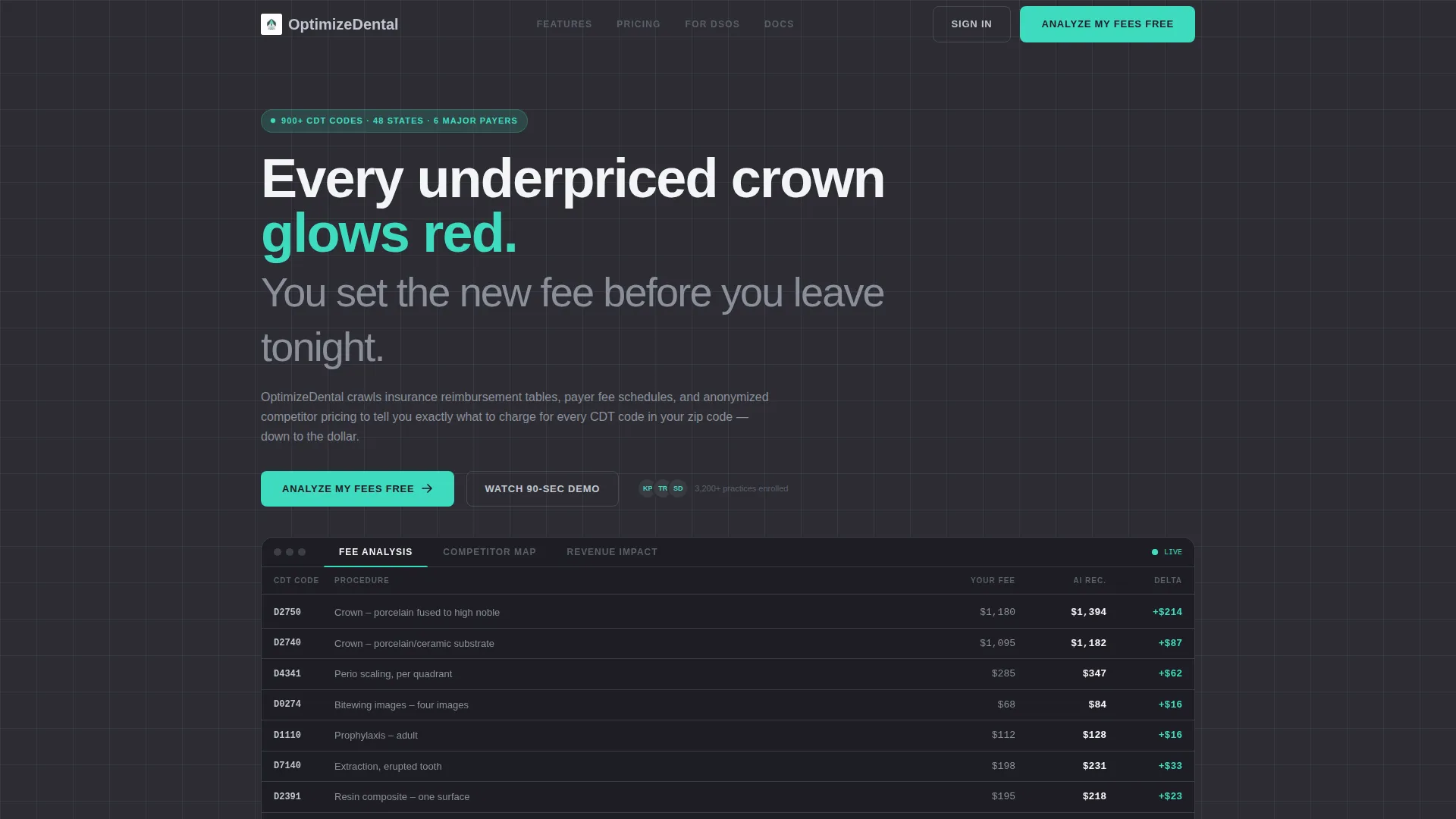
The header uses a Feature Tab Switcher with three labeled tabs: Fee Analysis, Competitor Map, and Revenue Impact. Each tab swaps in a different bento-style product screenshot. The default Fee Analysis view displays a fee schedule table with CDT codes D2750, D0274, and D4341 showing current fee, AI-recommended fee, and the delta highlighted in clinical mint.
Competitor Pricing Heatmap Cell
The Competitor Map tab reveals an anonymized heatmap of competitor pricing by zip code radius. This cell gives prospective users an immediate visual sense of regional pricing gaps without exposing individual practice data.
Animated Revenue Impact Counter
The Revenue Impact tab features an animated counter that climbs past six figures, showing projected annual revenue lift. This single interaction communicates scale and stakes faster than any paragraph of copy could.
Progressive Freemium Conversion Form
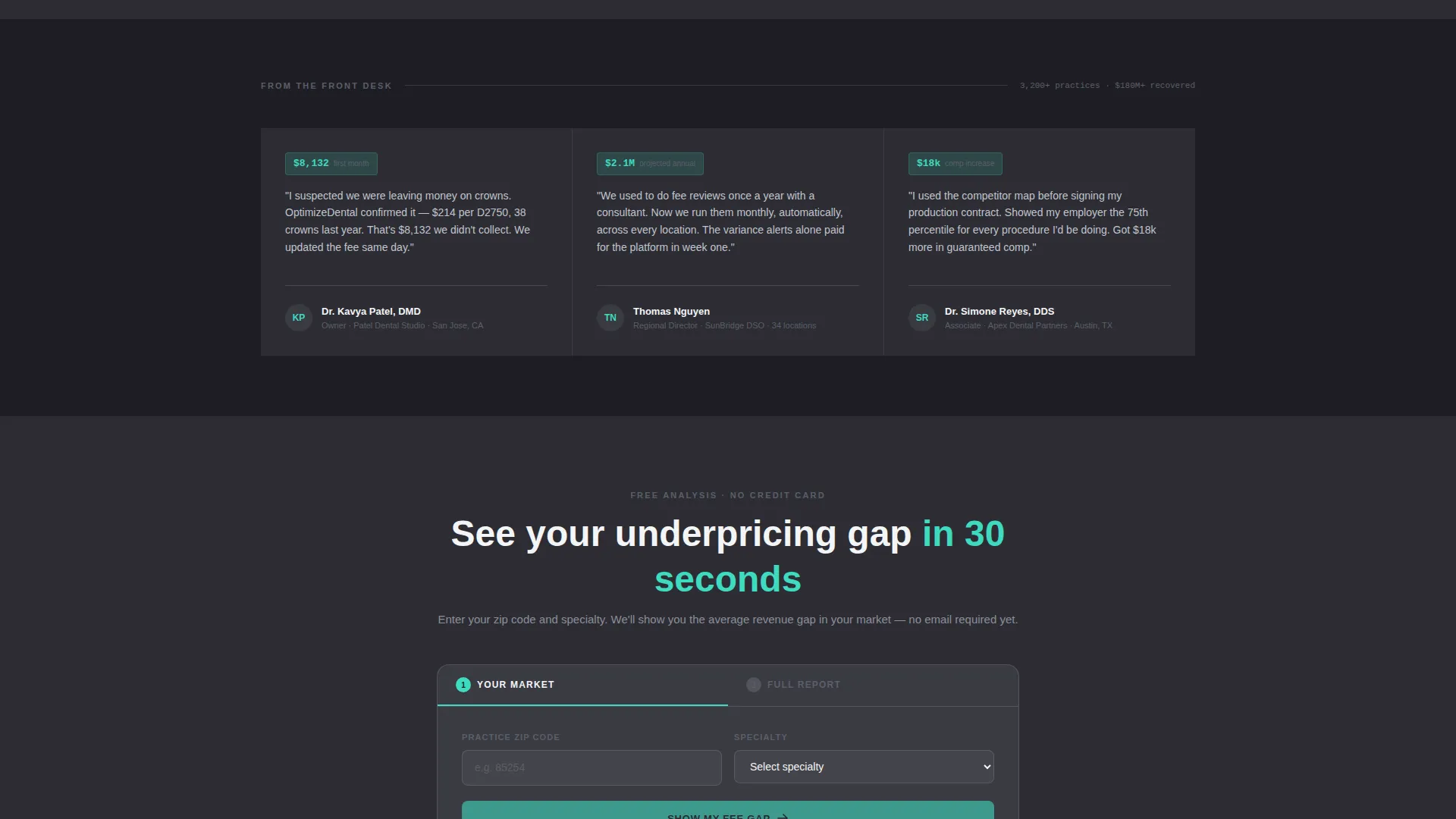
The conversion form runs in two steps. Step one asks only for zip code and dental specialty, returning an instant teaser of the average underpricing gap in that area with no email required. Step two unlocks the full analysis behind an email and practice name gate.
Bento Grid Capability Cells
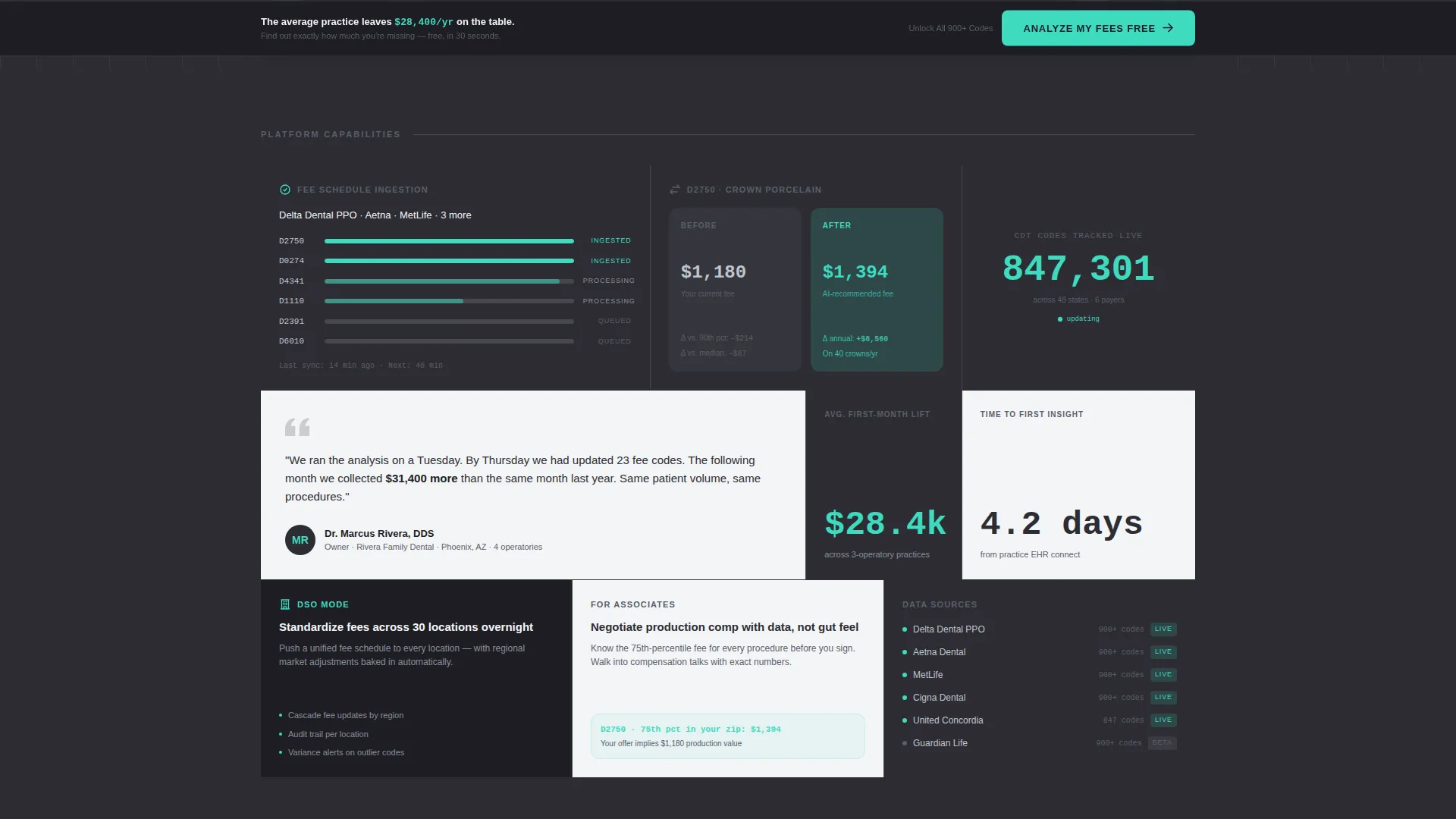
Below the header, individual bento cells each reveal one discrete platform capability. Cell sizes vary intentionally: large hero cells for product screenshots, small squares for single stats, and wide rectangles for social proof quotes with specific recovered-revenue figures.
Sticky Bottom Call-to-Action Bar
After a visitor scrolls past forty percent of the page, a sticky bottom bar appears carrying the primary call to action: "Analyze My Fees Free." This ensures the conversion prompt stays visible through the most persuasive mid-page content.
Page sections overview
| Section | Purpose |
|---|---|
| Tab Switcher Header | Showcases Fee Analysis, Competitor Map, and Revenue Impact tabs with swappable product screenshots |
| Fee Schedule Table | Displays CDT codes with current fee, recommended fee, and clinical-mint delta figures |
| Competitor Heatmap Cell | Visualizes anonymized regional pricing by zip code radius |
| Revenue Impact Counter | Animated counter showing projected annual revenue lift |
| Fee Ingestion Animation | Mini-animation cell showing an insurance fee schedule being ingested by the platform |
| Before/After Comparison | Single-procedure fee comparison cell illustrating the pricing gap |
| Testimonial Quote Cell | Practice manager quote with a specific dollar figure recovered |
| CDT Code Counter | Live-style stat cell showing the number of CDT codes currently tracked |
| Freemium Entry Form | Two-step progressive form starting with zip code and specialty |
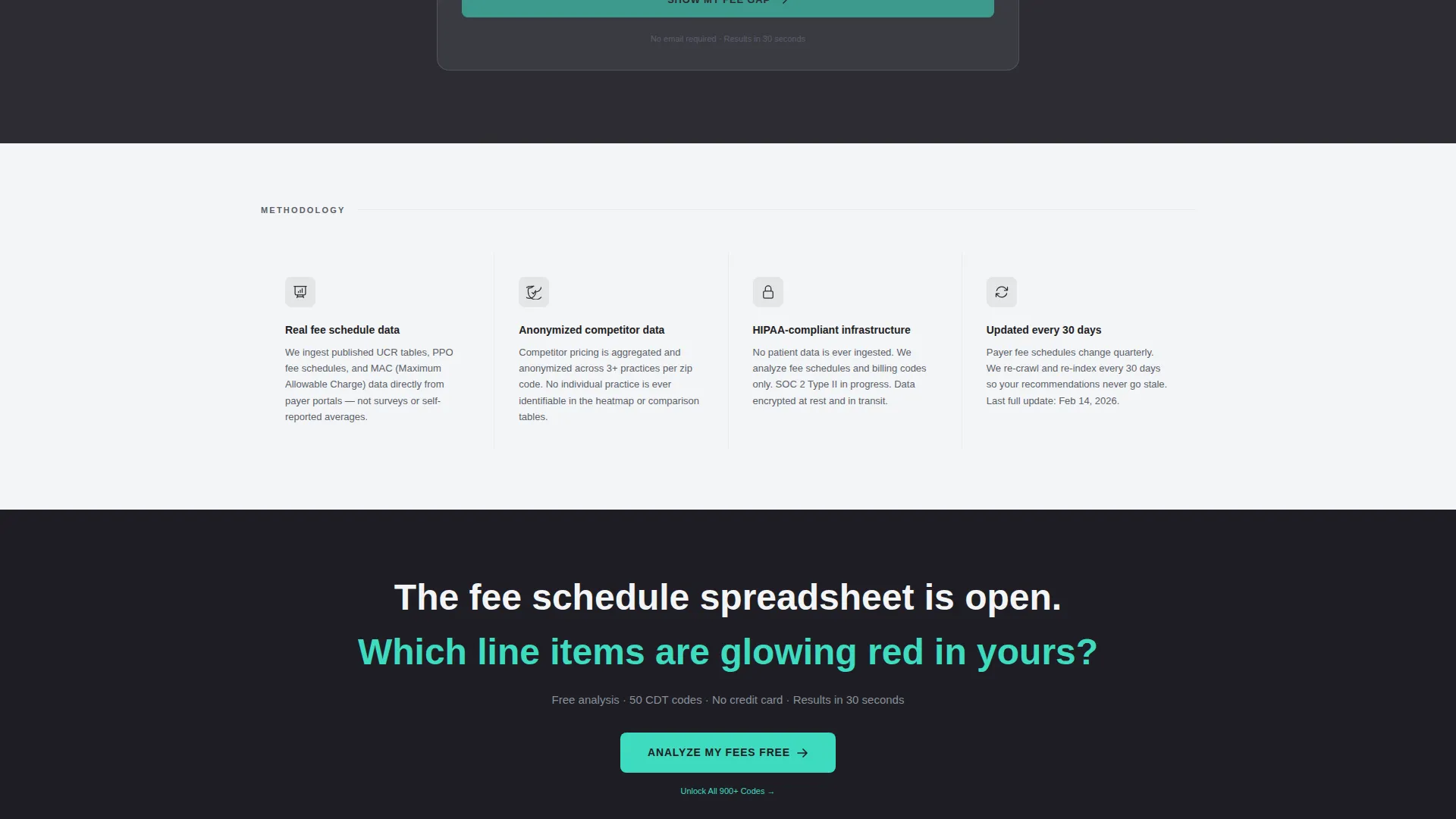
| Upgrade Path Link | Quiet "Unlock All 900+ Codes" prompt beneath truncated free-tier tables |
| Sticky call to action Bar | Persistent bottom bar with primary call to action appearing after 40% scroll |
Design & branding system
The visual identity follows a Directory and Discovery theme expressed through a Monochrome Steel color system. Every color choice serves a functional purpose, much like the instruments in a freshly autoclaved cassette.
- Core palette: surgical instrument silver (#C0C5CE), operatory charcoal (#2D2D34), sterilization-tray white (#F4F5F7), with clinical mint (#3EDBC0) reserved exclusively for positive delta numbers and primary calls to action
- Backgrounds alternate between operatory charcoal and sterilization-tray white across bento cells to create depth; text uses silver on dark backgrounds and charcoal on light backgrounds
- Borders between grid tiles are hairline silver, barely visible, giving the layout the clean seam quality of a stainless steel instrument tray
Mobile & speed optimization
The bento grid layout is structured to translate naturally from desktop to mobile without losing the visual hierarchy of the data cells. Varied cell sizes restack predictably on smaller screens.
- Large hero cells and wide social-proof rectangles collapse into full-width stacks on mobile, keeping product screenshots prominent
- Small stat cells and single-number counters remain compact and readable at any screen width
- The sticky bottom call-to-action bar is designed to function on both desktop and mobile scroll behaviors
How this template helps you convert
The Optimize template is built around a clear conversion philosophy: give genuine value before asking for anything. Every layout decision supports that sequence.
- The zip-code teaser in step one of the form returns real area-specific data with no email required, letting the product sell itself before any commitment is asked
- The escalating specificity of the bento cells, from fee table to heatmap to revenue counter to testimonial dollar figures, builds cumulative urgency so that inaction feels costly by the time the visitor reaches the form
- The quiet "Unlock All 900+ Codes" upgrade link beneath truncated free-tier tables creates a visible but low-pressure path to paid, keeping the freemium model honest without feeling pushy
Other information about this template
The Optimize template is part of a broader set of AI for dental and dental technology landing page templates built for niche professional software products. It is designed specifically for the dental AI price optimization space, where the audience is analytically minded and skeptical of generic marketing visuals.
- The template style is Bento Grid, and the creative direction is Launch Energy, meaning the scroll is designed to feel like a progressive unveiling of capabilities
- The header concept is a Feature Tab Switcher, which is particularly well-suited to platforms with multiple distinct data views that benefit from side-by-side comparison
- The freemium and trial landing page direction makes this layout appropriate for any dental intelligence product where getting a user to experience value before signup is the core growth mechanic
- CDT codes referenced in the default template view include D2750, D0274, and D4341, giving the demo table immediate clinical specificity that resonates with practice managers
- The free tier shown in the template covers fifty CDT codes, with the full platform covering 900 or more codes across all specialties including general dentistry, orthodontics, periodontics, and oral surgery
Theme
Directory & Discovery
Creative direction
Launch Energy
Color system
Monochrome Steel
Style
Bento Grid
Direction
Freemium/Trial
Page Sections
Feature Tab Switcher Header
CDT Code Fee Schedule Table
Anonymized Competitor Heatmap
Progressive Two-step Form
Escalating Bento Capability Cells
Sticky Conversion Bar
Related questions
Who is this landing page template designed for?
How does the two-step freemium form work in this template?
What CDT codes are shown in the default template view?
What does the bento grid layout offer over a standard single-column page?
Is the upgrade path prominent or disruptive in this template?



