Serverless Logistics Platform Landing Page Template
Dispatch is a serverless warehouse management landing page template built for 3PL operators, fulfillment directors, and DTC brands that have outgrown spreadsheets. It pairs a bold KPI hero wall with a spec-sheet scroll structure, covering the full warehouse workflow from receiving through shipping, and converts visitors with a frictionless freemium signup form.
by Rocket studio
Quick summary
Dispatch is a split-screen landing page template designed to market a serverless warehouse management system. The template leads with hard performance numbers, walks visitors through a complete warehouse workflow in spec-sheet format, and closes with a two-field freemium signup form that provisions a sandbox environment instantly. No stock photos. No vague promises. Just the product proving itself.
Who this template is for
This template is purpose-built for founders, operators, and technical evaluators who manage real warehouse operations and need a landing page that speaks their language. If your audience has been burned by legacy warehouse management system platforms that cost six figures and still crash during peak season, this template earns their trust by speaking in verifiable specifications rather than marketing language.
The template is the right fit for:
- Third-party logistics (3PL) operators managing multiple accounts from a single facility who need a warehouse management system landing page that can handle the complexity of their pitch
- Direct-to-consumer (DTC) brand founders and fulfillment directors who outgrew spreadsheets and need a management system that deploys without an IT team
- Technical leads and API evaluators who want to inspect specifications before they commit, and who respond to hard data over polished testimonials
What problem this template solves
Most warehouse management system landing pages look like they were built by the same agency that does enterprise software brochures: vague benefit language, stock photography of smiling warehouse workers, and a "contact sales" button that leads to a six-week sales cycle. That approach fails technical buyers immediately.
Dispatch solves that mismatch directly:
- It replaces generic copy with verifiable specification numbers, such as 99.97% pick accuracy, 38ms API latency, and a 14-minute deployment time, so visitors can make informed decisions without scheduling a demo
- It structures the scroll as a logical warehouse workflow, moving through receiving, putaway, inventory, picking, packing, and shipping, so every operations manager mentally walks their own facility through the system before they sign up
- It removes the friction that makes freemium signup time consuming, asking only for a work email and estimated monthly order volume before provisioning a live sandbox with sample inventory data preloaded
What you get with this template
The template ships as a fully structured, single-page landing layout with every section and component already placed and styled. You customize the copy, swap in your own dashboard screenshots, and publish. The design system handles the visual weight so your performance numbers do the talking.
Included in the template:
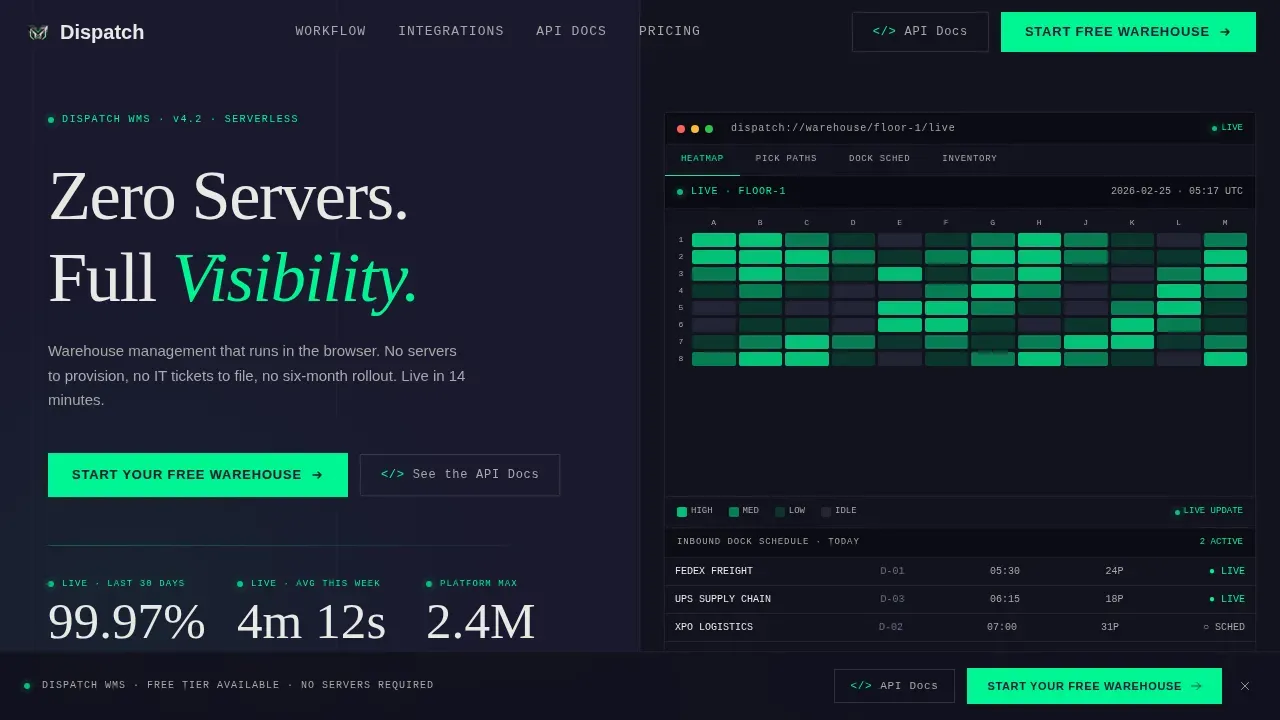
- A 50/50 split-screen hero with a KPI wall on the left and a dark-mode warehouse dashboard mockup panel on the right, including formatted live metrics in signal white and status-green micro-labels
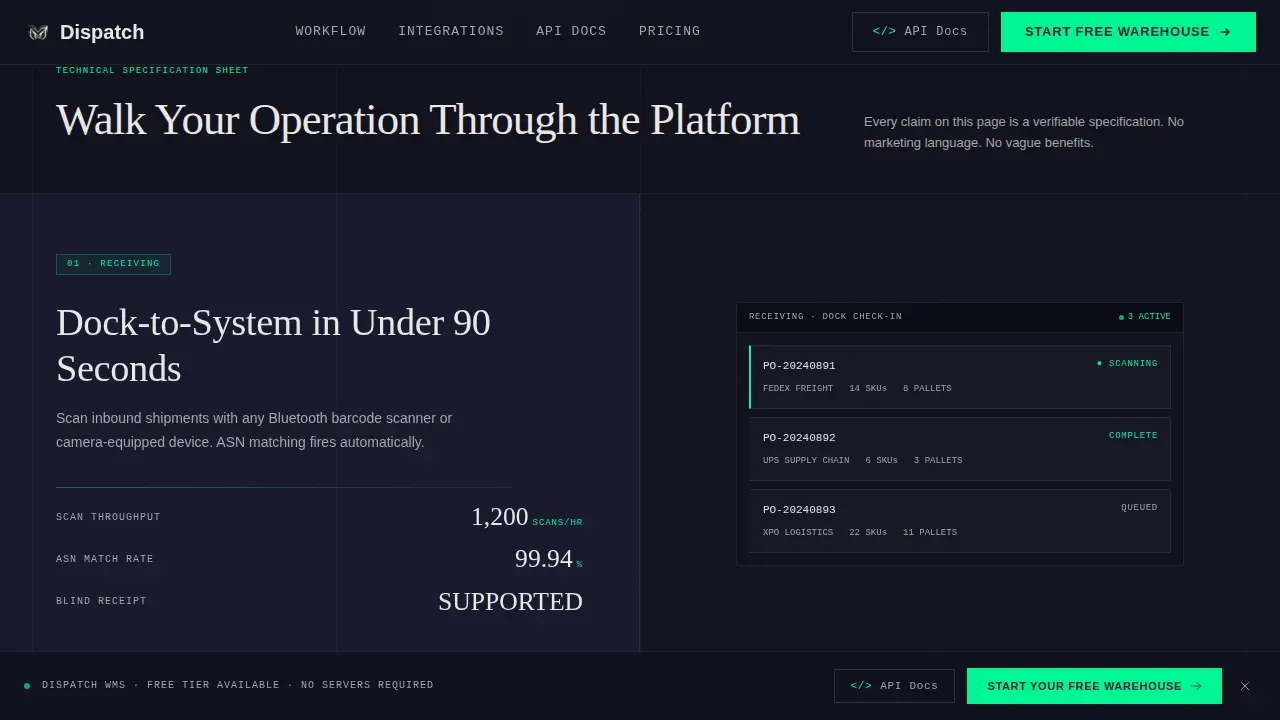
- A spec-sheet scroll section that walks through the six core warehouse workflow stages, each stage presenting a capability name, a two-line explanation, a hard specification number, and a corresponding user interface panel on the right
- A freemium signup form section with a two-field input (work email plus order volume dropdown) and a sticky bottom call-to-action bar that activates after the third section scroll
Feature list
This section covers the key features built into the Dispatch template. Each component is drawn directly from the template brief and reflects what you receive on purchase.
Live KPI Hero Wall
The hero section leads with three oversized performance metrics: 99.97% pick accuracy, 4-minute 12-second order cycle time, and 2.4 million concurrent SKU capacity. Each number is rendered in signal white with a status-green micro-label. This approach to warehouse management marketing lets visitors see proof of efficiency before they read a single line of body copy. Real-time tracking of live data points is communicated through the visual hierarchy of the layout itself, helping visitors make data driven decisions faster.
Spec-Sheet Workflow Scroll
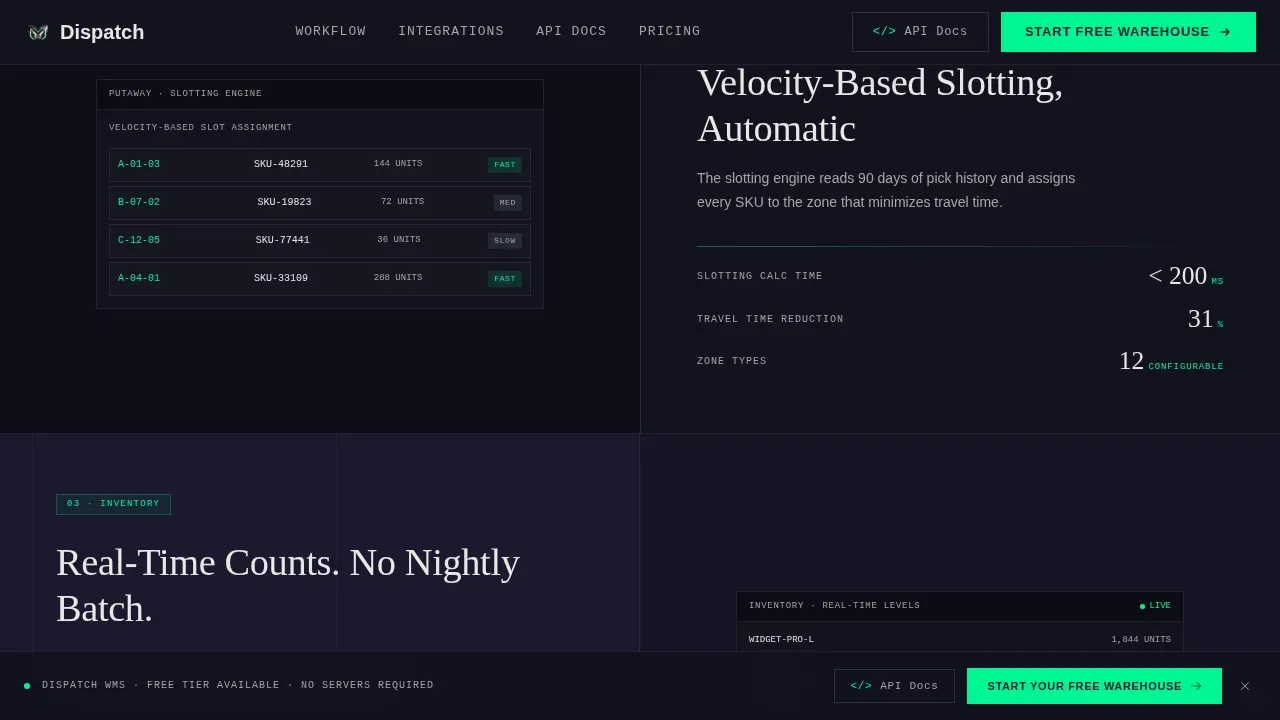
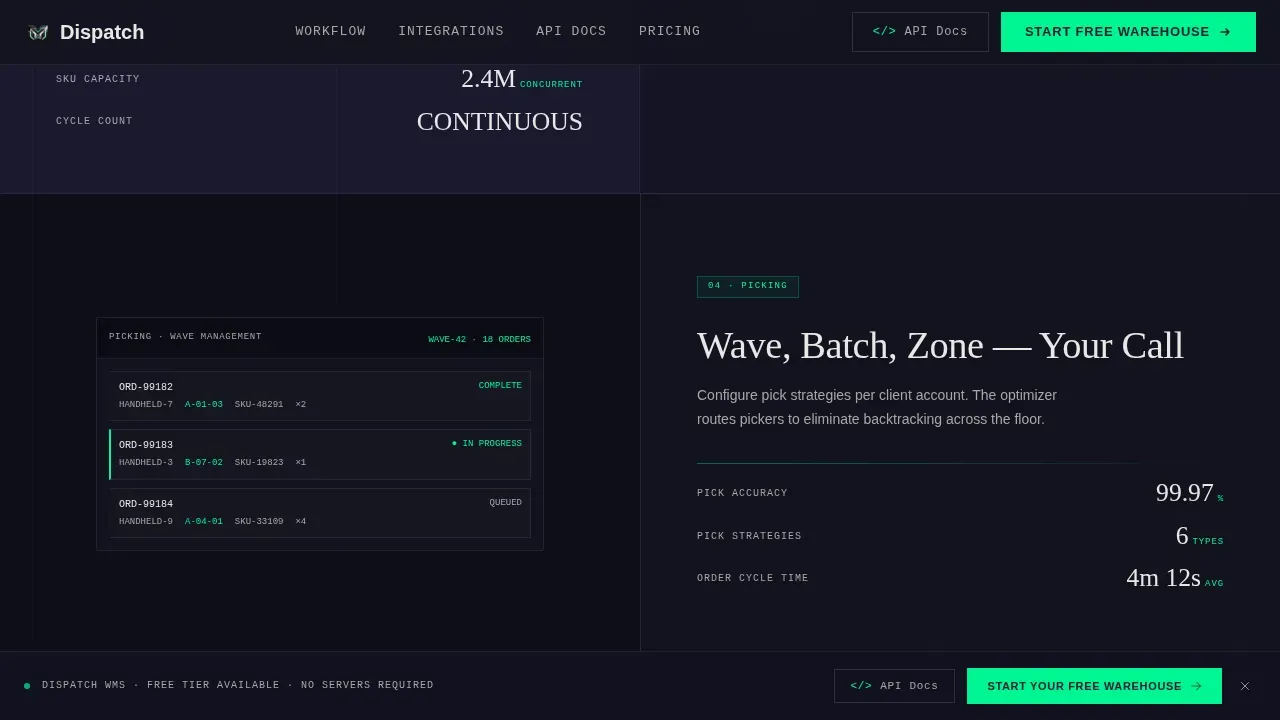
Each scroll section pairs a warehouse workflow stage with a hard specification on the left and a user interface screenshot on the right. The stages follow the natural order of warehouse operations: receiving, putaway, inventory management, picking, packing, and shipping. Every slide demonstrates information at specification level, covering details such as API latency at 38ms, uptime at 99.99%, and deployment time at 14 minutes. This structure lets technical evaluators inspect the system stage by stage and monitor orders, outgoing inventory, and shipment tracking capabilities in context.
Freemium Signup and Sandbox Provisioning
The conversion section asks for only two inputs: work email and estimated monthly order volume. On submission, the template is structured to immediately provision a sandbox warehouse environment with sample inventory data preloaded. This frictionless path reduces signup abandonment and lets prospects experience inventory tracking, order management, and real-time warehouse data before any sales conversation begins.
Sticky Bottom Call-to-Action Bar
A sticky bottom bar activates after the visitor scrolls past the third section. It carries the primary call to action, "Start Your Free Warehouse," keeping the conversion opportunity visible throughout the entire spec-sheet scroll. A secondary call to action, "See the API Docs," catches technical evaluators who want to inspect integration details before committing. Both paths are always accessible without interrupting the reading flow.
Warehouse Heatmap Dashboard Panel
The right panel of the hero section displays a dark-mode warehouse heatmap, with zones color-coded by activity density, a pick-path overlay, and an inbound dock schedule showing carrier names. This is a CSS-rendered visualization, not a stock image. It communicates real-time inventory visibility and warehouse layout at a glance, giving the management system landing page immediate credibility with operations professionals who recognize what a real warehouse dashboard looks like.
Integration Directory Section
A dedicated section presents the API specification pathway alongside an integration diagram panel. This section targets technical leads who evaluate logistics software by its integration surface area before they consider the sales pitch. It reinforces the supply chain transparency theme of the entire page and provides a public link to spec documentation, enabling technical teams to validate the system independently.
Page sections overview
| Section | Purpose |
|---|---|
| Hero KPI Wall | Open with pick accuracy, cycle time, and SKU capacity metrics beside a live warehouse dashboard panel |
| Spec Sheet Receiving | Present inbound shipment tracking specs and receiving workflow with a paired user interface screen |
| Spec Sheet Putaway | Show putaway logic, warehouse layout optimization detail, and storage zone assignment |
| Spec Sheet Inventory | Display inventory control, real-time stock levels, and outgoing inventory visibility |
| Spec Sheet Picking | Cover advanced picking methods, order details, and pick-path efficiency data |
| Spec Sheet Packing | Walk through packing automation, order processing specs, and error reduction metrics |
| Spec Sheet Shipping | Show outbound shipments, carrier selection, and delivery dispatch confirmation |
| Integration Directory | Present API specs, integration diagram, and secondary evaluator call to action |
| Freemium Signup Form | Collect work email and order volume, then provision sandbox warehouse instantly |
| Sticky call to action Bar | Keep primary and secondary calls to action visible after third section scroll |
| Footer Linear Row | Single-row footer with navigation links and legal text |
Design & branding system
The Dispatch template uses a Carbon Fiber color system that communicates technical authority without decoration. The palette is deliberately minimal: every color serves a function, and the status-green appears only when something is live, active, or interactive, making it feel like a real system heartbeat rather than a brand accent.
Design details include:
- Color palette: deep carbon black (#1A1A2E) for backgrounds, titanium mid-gray (#4A4E69) for alternating sections, signal white (#E8E8E4) for all body text and headings, and status-green (#00F593) reserved exclusively for live data points, interactive elements, and call-to-action labels
- Typography: DM Sans for body text and user interface labels, Fraunces for display headings and the hero headline, and JetBrains Mono for all specification numbers and data fields, creating a clear visual hierarchy between narrative copy and hard data
- Animation and interactivity: scroll-triggered section reveals, counter animations on KPI numbers, sticky call-to-action bar activation after the third scroll, a warehouse heatmap CSS visualization in the hero panel, and a frequently asked questions accordion component in the footer area
Mobile & speed optimization
The template is built desktop-first, which reflects the reality that operations managers and fulfillment directors typically work on workstations during business hours. The spec-sheet layout is designed to read on a wide screen, where the 50/50 split panels display at full resolution. A mobile-responsive fallback is included so the landing page remains readable on tablets and phones without breaking the visual hierarchy.
Performance considerations include:
- Server Components are used for all static sections, including the hero, spec-sheet scroll, and footer, so the initial page load is fast without unnecessary JavaScript
- Client Components are scoped to interactive elements only: the scroll-triggered animations, the sticky bottom bar activation logic, and the heatmap visualization panel
- The single-page landing structure keeps the total asset footprint low, which supports fast load times on standard business connections
How this template helps you convert
High-converting landing pages for specialized logistics software need more than a clean design. They need interactive dashboards and verifiable proof of efficiency metrics that technical buyers can trust on sight. Dispatch is structured to move a skeptical operations manager from first impression to signup without a sales call in between.
- The hero section delivers three verifiable KPIs in the first viewport, so visitors immediately see performance data rather than marketing language, which helps them reach informed decisions faster and reduces the bounce rate among the high-intent traffic this type of warehouse management system landing page typically attracts
- The spec-sheet scroll structure guides the visitor through every stage of the warehouse workflow in logical order, which means each scroll increment either confirms the system can handle their specific operation or surfaces the integration question that the secondary "See the API Docs" call to action is positioned to answer
Other information about this template
The Dispatch template sits inside the Serverless Enterprise Software subcategory and is designed specifically for the serverless WMS niche. It is built on a Directory and Discovery theme, meaning the page functions less like a traditional marketing site and more like a technical product directory where each section is responsible for presenting one verifiable capability.
Implementing a warehouse management system landing page in this format draws from proven strategies in supply chain software marketing. Templates for warehouse management and inventory management system presentation benefit from clear information architecture, and Dispatch follows that principle by making every scroll step count.
Additional context worth noting:
- The template supports customizable copy and branding, so teams can customize the color values, swap typography weights, and update specification numbers to match their actual product data without restructuring the layout
- Warehouse layout visualization, inventory tracking data panels, and shipment tracking screens are all placeholder-ready, meaning your team can drop in real product screenshots without adjusting the surrounding grid
- The frequently asked question accordion included in the template helps operations managers and fulfillment teams get answers to common questions about the system without leaving the landing page, which reduces outbound link drop-off
- Tools such as Unbounce, Leadpages, or OptimizePress offer customizable templates for warehouse management landing pages in the broader market, but Dispatch is built as a production-ready coded template with the Carbon Fiber design system and spec-sheet creative direction already implemented
- The template includes vehicles for capturing both freemium signups and technical evaluator intent in the same page flow, covering the two most common buyer paths for a serverless WMS product
- Implementing a WMS presentation in this format supports data driven decisions for both the buyer evaluating the product and the team responsible for optimizing the landing page over time through analytics review
Theme
Directory & Discovery
Creative direction
Spec Sheet
Color system
Carbon Fiber
Style
Split Screen (50/50)
Direction
Freemium/Trial
Page Sections
Live KPI Hero with Metrics Wall
Spec-sheet Workflow Scroll
Freemium Signup with Sandbox Provisioning
Sticky Bottom Call-to-action Bar
CSS Warehouse Heatmap Dashboard
Integration Directory and API Pathway
Related questions
Who is the Dispatch template designed for?
Can I customize the colors and specification numbers in this template?
Does the template include the freemium signup form and sticky call-to-action bar?
How does the spec-sheet scroll section present warehouse workflow stages?
Is this landing page template suitable for mobile visitors?



