Optometry Software Professional Website Template
A bold, brutalist-styled landing page built for optometry asset management platforms. It uses a split-screen layout with a live JSON code view on one side and a clean dashboard card on the other, showing real data before asking for anything. Designed for practice managers, independent optometrists, and DSO operations directors ready to replace their spreadsheets with a proper asset ledger.
by Rocket studio
Quick summary
This landing page template is purpose-built for an optometry asset management platform. It opens with a split-screen code-and-card header, walks visitors through a brutalist feature matrix, and ends with a low-friction freemium signup form. The design speaks directly to practice managers and operations directors who need order, not aesthetics.
Who this template is for
This template fits businesses and professionals in the optometry equipment space who need to communicate a data-first product clearly and confidently.
- Practice managers overseeing assets across multiple clinic locations
- Independent optometrists tracking leased equipment and depreciation schedules
- DSO operations directors reconciling asset inventories after acquisitions
What problem this template solves
Most optometry practices still track equipment in spreadsheets. That approach breaks down fast when depreciation schedules, lease terms, warranty dates, and multi-location inventories all need to stay in sync.
- Spreadsheets offer no structured view of depreciation, lease status, or asset lifecycle
- Managing assets across several locations creates reconciliation errors and audit risks
- Staff cannot quickly surface serial numbers, service dates, or book values on demand
What you get with this template
You get a fully structured single-page layout that moves visitors from curiosity to conviction. The template does not ask for trust, it demonstrates value using real data structures before a single form field appears.
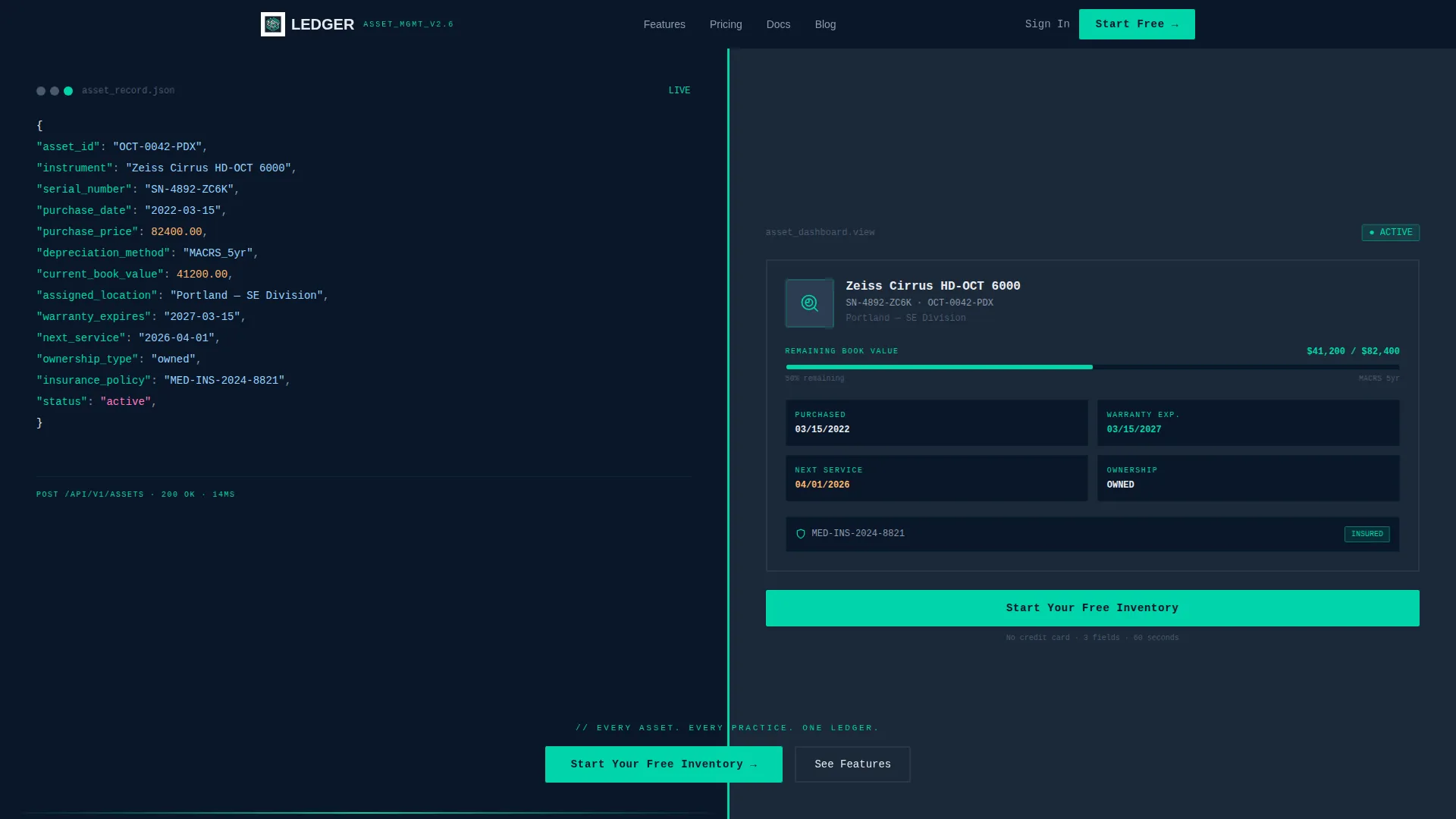
- A full-viewport split-screen header with a live-formatted JSON asset record on the left and a matching dashboard card on the right
- A scrollable feature matrix with brutalist section cards, each pairing a capability category with an animated micro-interaction
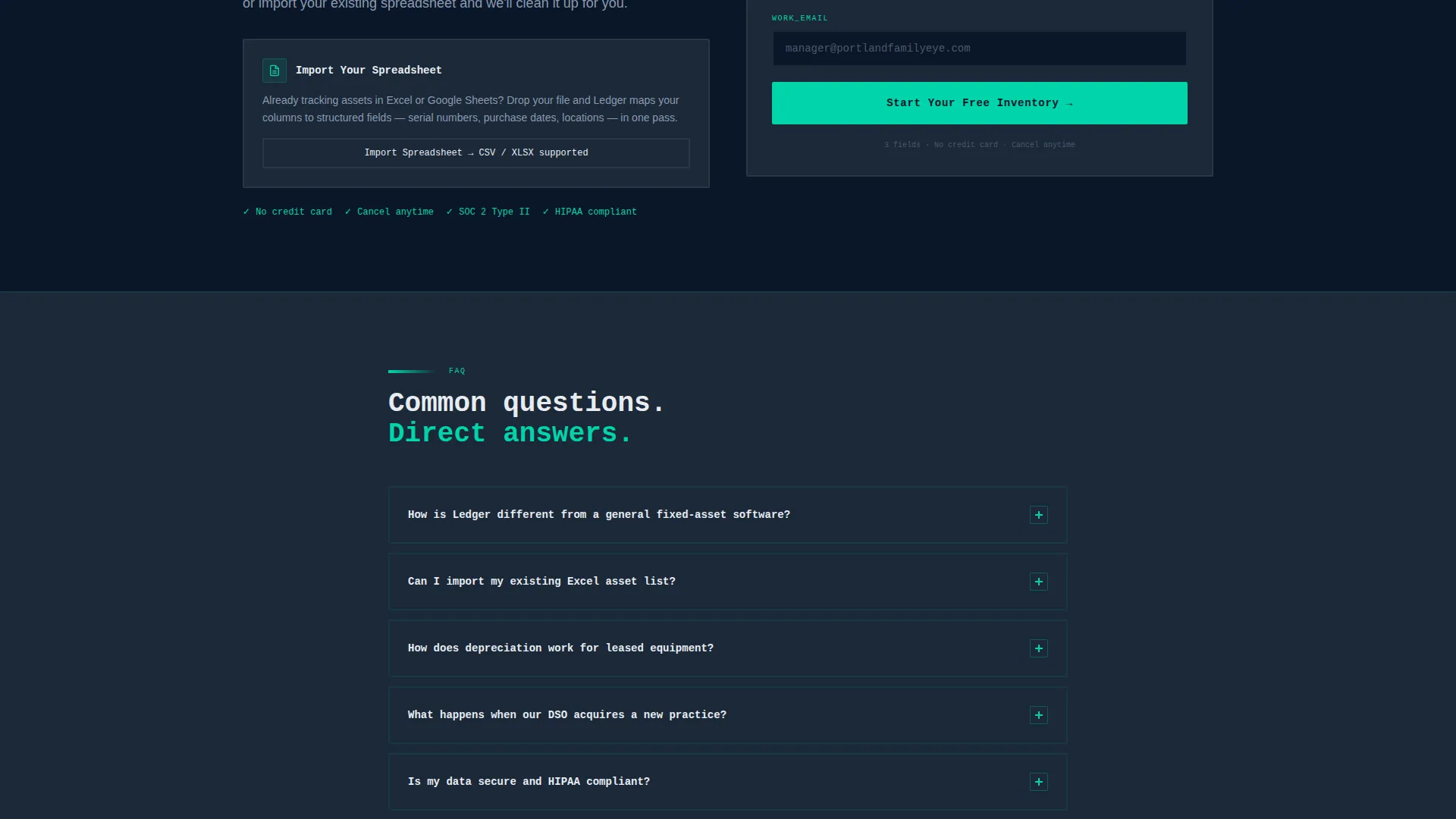
- A three-field freemium conversion form and a secondary "Import Your Spreadsheet" path that reduces signup friction
Feature list
This template contains carefully designed sections and interactions that work together to build product confidence.
Split-Screen Code and Card Header
The header divides the full viewport into two equal halves. The left side displays a formatted JSON payload, serial number, purchase date, depreciation method, assigned location, and warranty expiration, rendered in monospaced type with teal and white syntax highlighting. The right side shows the same record as a polished dashboard card with a status badge, remaining book value progress bar, and next-service date. The headline fades in across the split: "Every asset. Every practice. One ledger."
Anchored Feature Matrix
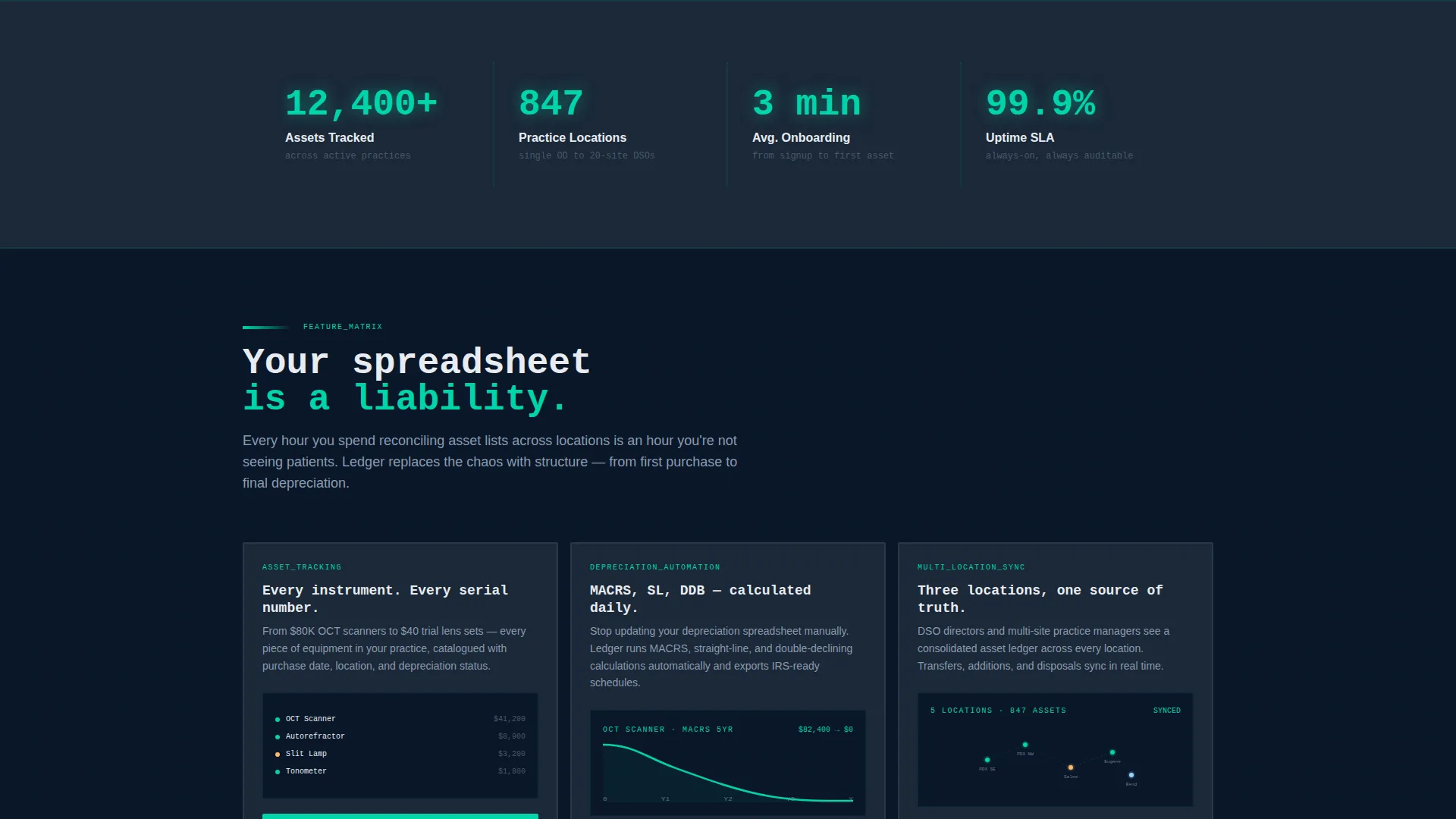
Scrolling past the header reveals a structured grid. The left column stays anchored with six feature categories: Asset Tracking, Depreciation Automation, Multi-Location Sync, Lease versus Own Classification, Insurance and Warranty Vault, and Audit Export. The right side reveals each feature as a brutalist card with its own micro-interaction.
Animated Micro-Interactions Per Feature
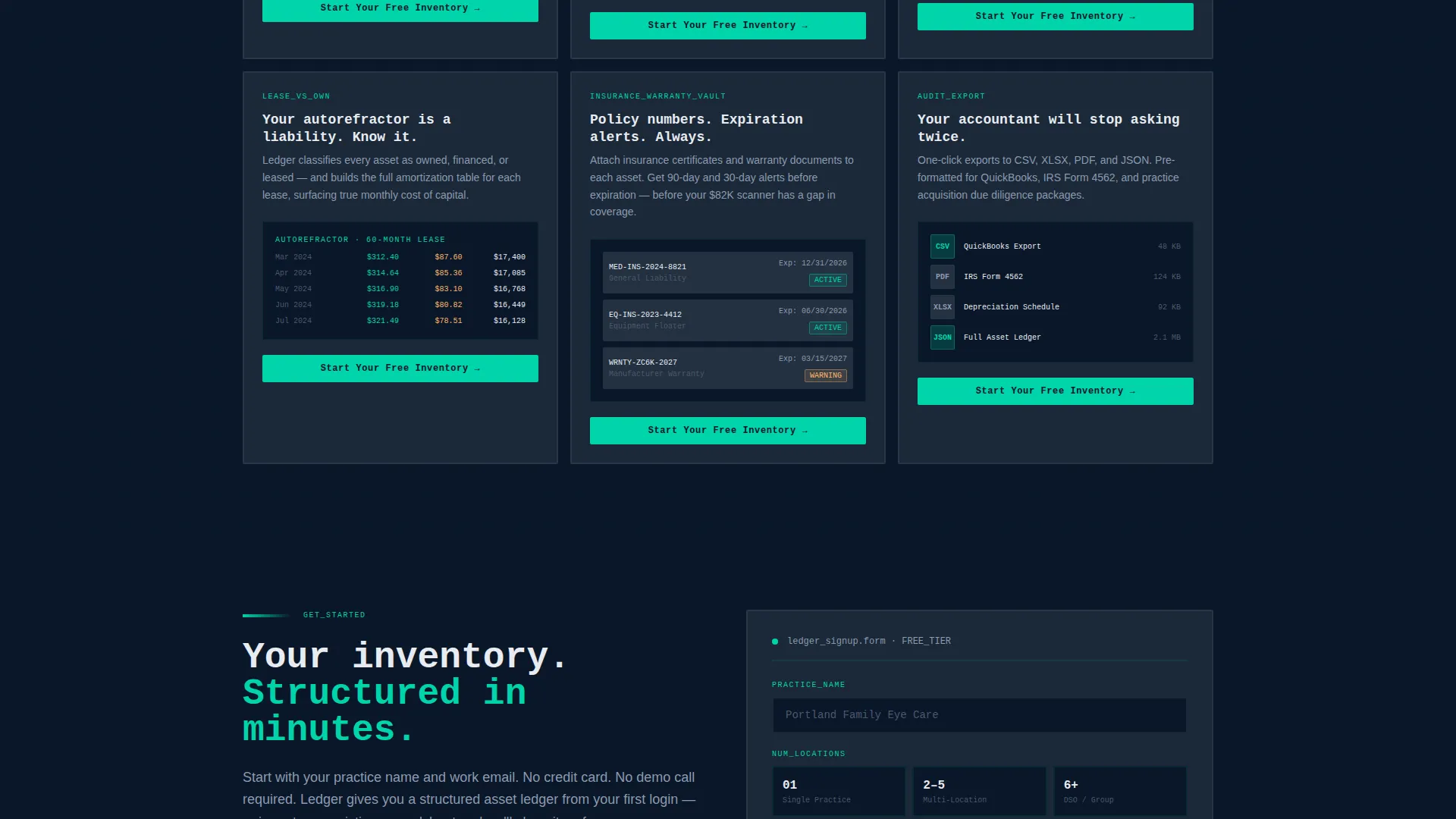
Each feature card includes a distinct animation tied to its data type. A depreciation curve animates on scroll, a location map populates pins for multi-location sync, and a lease amortization table fills row by row. These interactions make the product feel real before any signup occurs.
Low-Friction Freemium Form
The primary conversion form asks for three fields only: practice name, number of locations, and work email. No credit card is required. The form appears first in the header and then anchors to the bottom of every feature card, keeping the call to action always within reach.
Spreadsheet Import Secondary Path
Below the feature matrix, a secondary conversion path invites visitors to import their existing spreadsheet. This meets practice managers where they already are and lowers the perceived cost of switching from a manual tracking process.
Bold Brutalist Visual System
Thick borders, oversized monospaced type, and heavy near-black slabs of color separate every section like concrete walls. Teal fires on hover states and active data points. The visual system signals precision and infrastructure, not marketing gloss.
Page sections overview
| Section | Purpose |
|---|---|
| Split-Screen Header | Show JSON record and dashboard card side by side |
| Headline Fade-In | Deliver the core product promise across the split |
| Feature Matrix Grid | Anchor feature categories and reveal brutalist detail cards |
| Asset Tracking Card | Demonstrate structured inventory with micro-interaction |
| Depreciation Automation Card | Animate a depreciation curve on scroll |
| Multi-Location Sync Card | Populate a location map with pins |
| Lease versus. Own Card | Fill a lease amortization table row by row |
| Insurance and Warranty Card | Surface warranty vault capability |
| Audit Export Card | Show export readiness for compliance workflows |
| Primary call to action Form | Collect practice name, location count, and work email |
| Spreadsheet Import Path | Offer a low-barrier entry for manual trackers |
Design & branding system
The visual identity is Bold Brutalist using a Midnight Blue color system. Every design decision reinforces the feeling of a precision diagnostic environment where data is always the focal point.
- Background uses abyssal navy (#0A1628) as the primary field; card surfaces use cold steel (#1B2838); clinical white (#E8ECF1) handles all body and heading typography
- Sharp teal (#00D4AA) activates on hover states, active data points, and syntax highlighting, functioning like the targeting light of a slit lamp against a dark background
- Borders are thick and unapologetic; type is oversized and monospaced wherever data appears; brutalist color blocks divide sections the way concrete walls divide rooms
Mobile & speed optimization
The template is structured with a responsive layout in mind. The 50/50 split-screen collapses gracefully so that the JSON code view and dashboard card stack vertically on smaller screens.
- The feature matrix transitions from a side-anchored layout to a full-width stacked card view on mobile
- Monospaced data typography and brutalist block sections remain readable and visually coherent at every screen width
- Micro-interactions are scoped to individual card sections, keeping scroll behavior contained and predictable
How this template helps you convert
Every structural choice in this template is designed to reduce hesitation and move a practice manager toward starting their free inventory.
- The split-screen header shows a real asset record in both raw JSON and dashboard form before asking for anything, so visitors arrive at the form already convinced the product understands their data.
- The anchored call-to-action form, three fields, no credit card, appears at the header and repeats at the bottom of every feature card, so the decision to sign up can happen at any point in the scroll.
- The "Import Your Spreadsheet" secondary path gives manual trackers a familiar on-ramp, removing the fear of starting from zero.
Other information about this template
This template was built at the intersection of optometry software and technology-category design. It is best suited for platforms operating in the optometry asset management niche where the audience is operationally sophisticated and skeptical of generic SaaS marketing.
- The template style is Split Screen (50/50), the theme is Bold Brutalist, the header concept is Code Snippet, and the creative direction is Feature Matrix
- The landing page direction is Freemium/Trial, meaning every design choice supports a low-commitment first action
- The color system is Midnight Blue, chosen to evoke a darkened diagnostic room where instruments glow and data leads every interaction
- This template suits platforms serving multi-location optometry groups, independent OD practices, and DSO acquisition teams managing post-merger asset reconciliation
Theme
Bold Brutalist
Creative direction
Feature Matrix
Color system
Midnight Blue
Style
Split Screen (50/50)
Direction
Freemium/Trial
Page Sections
Split-screen Code and Card Header
Anchored Feature Matrix Layout
Animated Data Micro-interactions
Low-friction Freemium Conversion Form
Spreadsheet Import Secondary Path
Bold Brutalist Visual System
Related questions
Who is this landing page template designed for?
Can I customize the JSON data shown in the header?
Does this template support multiple conversion paths?
How does the feature matrix section work?
Is this a single-page layout or a multi-page site?



