Orbit - Precision Satellite Landing Page Template
Orbit is a scroll-reveal landing page template built for satellite analytics platforms. It pairs a full-viewport dashboard screenshot header with animated spec counters, use-case vignettes, and a progressive call-to-action system. The Void and Violet color scheme, dynamic motion theme, and spec-sheet creative direction give the page the focused intensity of a live operations room.
by Rocket studio
Quick summary
Orbit is a single-page, scroll-reveal landing page template designed for satellite analytics dashboards. It opens with a perspective-tilted product screenshot, then walks visitors through key platform specs using large animated counters and paired use-case copy. The result feels less like a marketing page and more like a technical briefing that earns every click.
Who this template is for
This template is built for teams selling high-stakes, data-heavy satellite intelligence products. It speaks directly to technically literate buyers who need proof before they commit.
- Defense and intelligence analysts who evaluate platforms inside secure facilities and need technical depth upfront
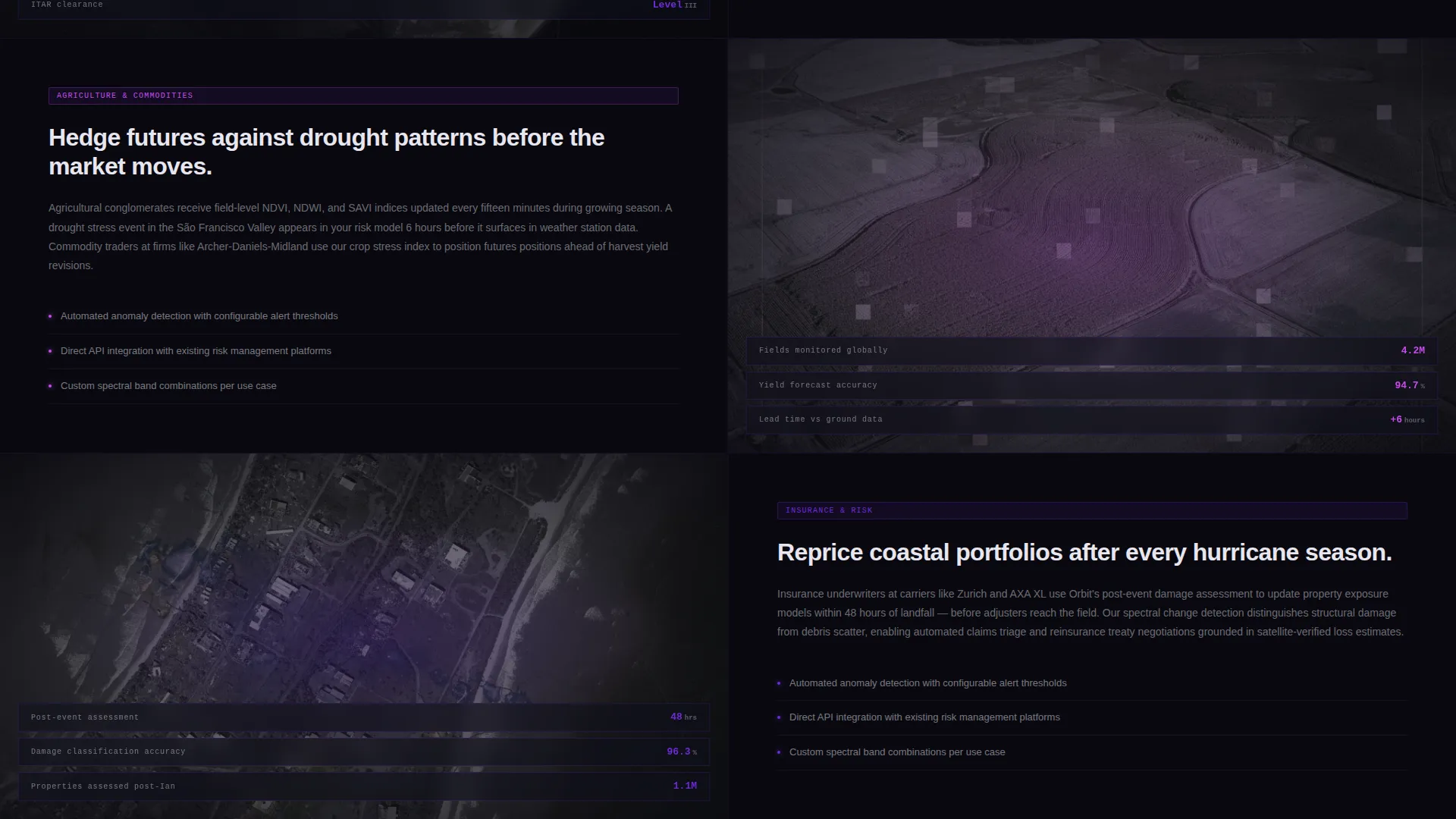
- Agricultural and commodity trading operations that rely on satellite-derived crop stress and weather data
- Insurance underwriters and risk teams repricing coastal or climate-exposed portfolios using orbital imagery
What problem this template solves
Most software landing pages describe features in abstract terms. For a satellite analytics platform, that approach fails. Buyers need numbers, not adjectives.
- Visitors leave before trusting the product because the page never proves precision or data depth
- Complex capabilities like spectral band analysis or revisit frequency get buried in generic feature blocks
- The call to action appears too early, before the visitor has seen enough evidence to click with confidence
What you get with this template
Orbit delivers a fully structured, single-page layout with a clear visual and content hierarchy. Every section is designed to build proof progressively as the visitor scrolls.
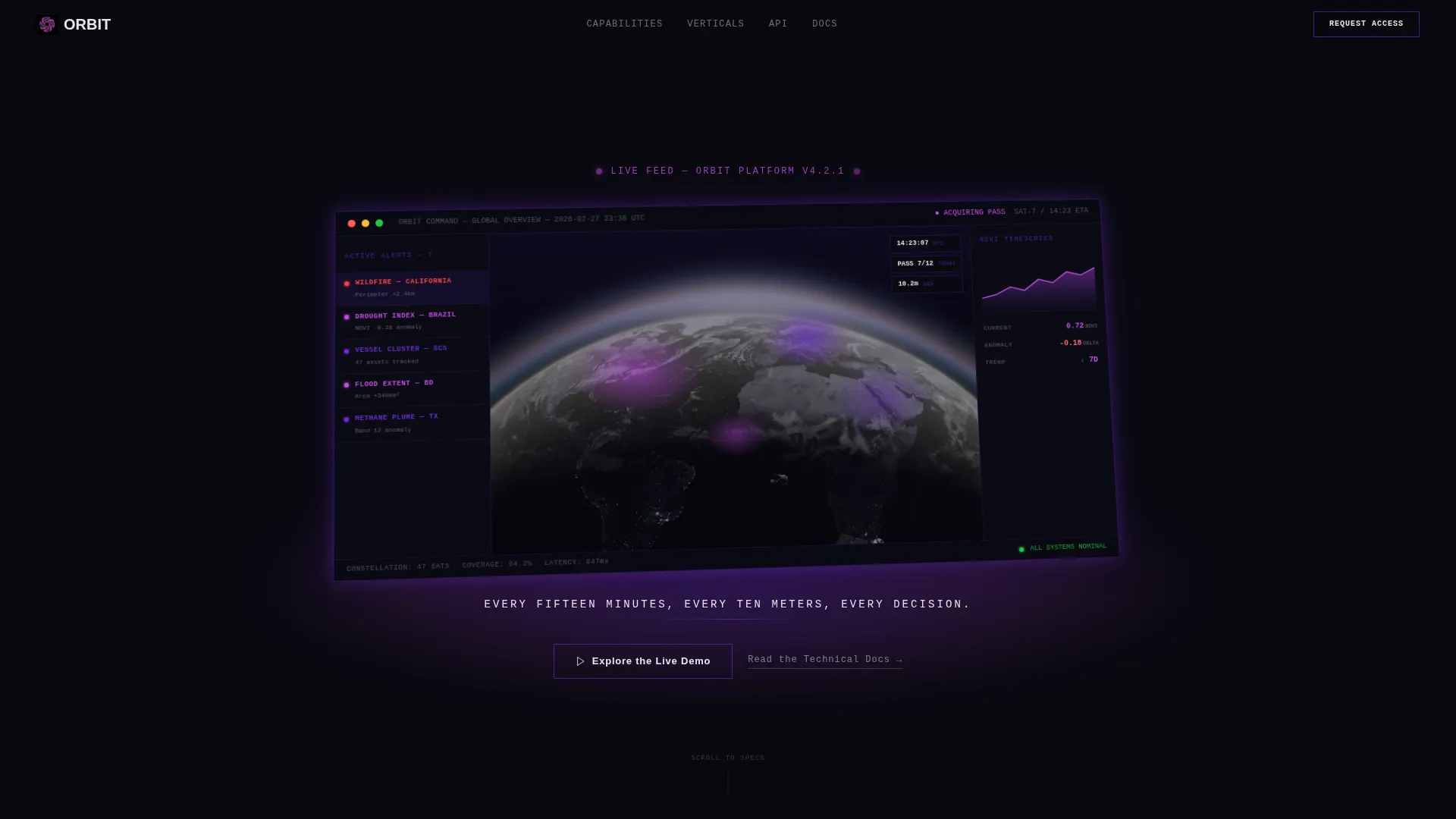
- A full-viewport product screenshot header with perspective tilt, a violet glow effect, and a single telemetry-white tagline beneath it
- Animated spec counter sections that spin to their final value on viewport entry, each paired with a focused use-case vignette
- A dual call-to-action system: a ghost-outlined button beneath the header that solidifies into a filled violet sticky bar after the third scroll section
Feature list
This template is built around a set of deliberate design and layout decisions drawn directly from the Orbit brief.
Perspective-Tilted Dashboard Header
The header presents a full-viewport product screenshot rotated on a Z-axis with a soft perspective tilt. A diffused violet glow sits beneath the image against the void-black background. One line of telemetry-white text anchors the visual without competing with it.
Animated Spec Counter Sections
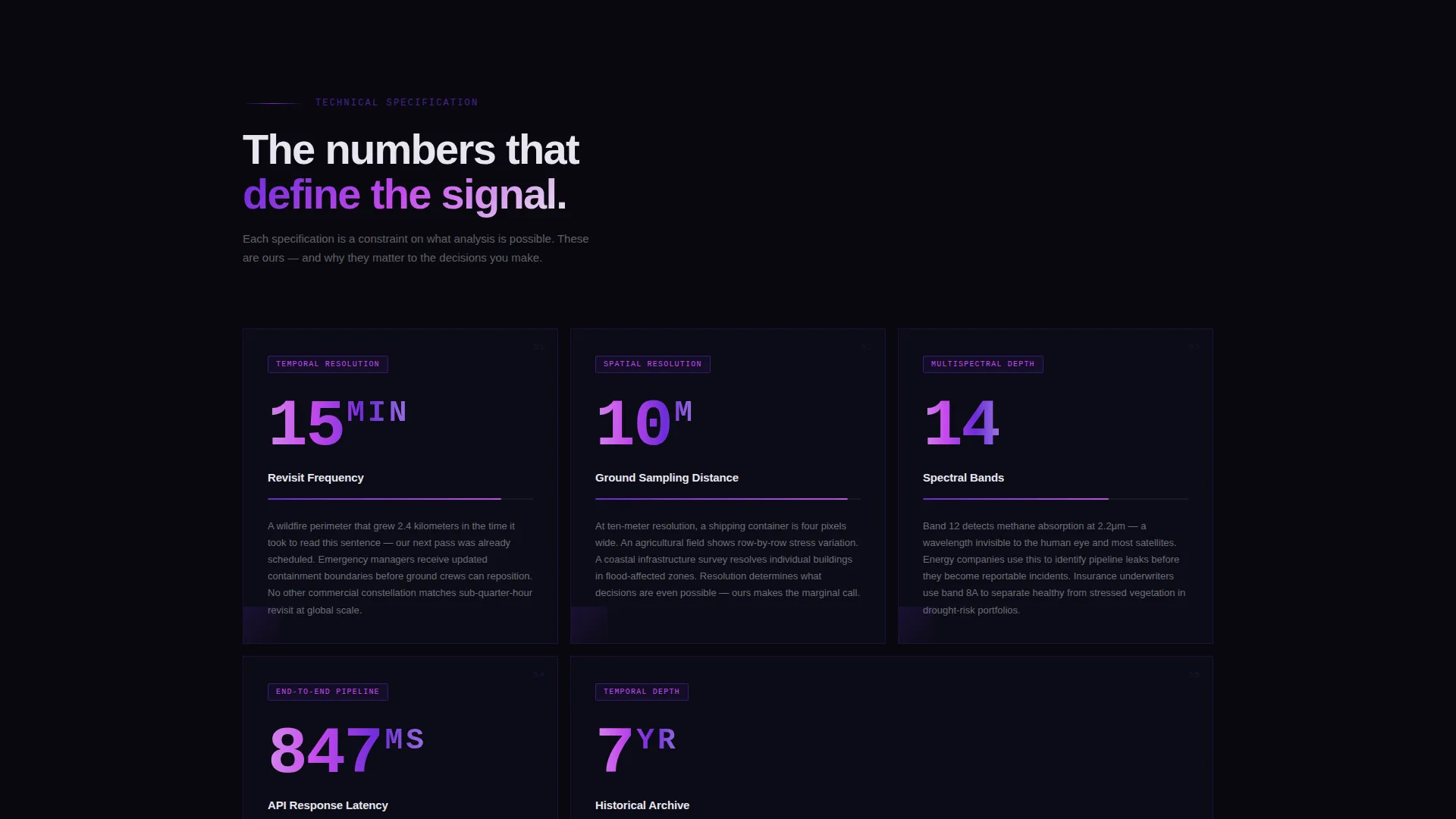
As each spec section enters the viewport, a large numerical counter animates from zero to its final value. Each counter is paired with a short use-case paragraph that explains what the number means in practice, such as how a specific spectral band detects methane plumes invisible to the naked eye.
Progressive Scroll-Reveal Layout
The page uses a scroll-reveal structure that accelerates in density. Early sections communicate broad capability. Later sections deliver granular technical proof. By the final section, the visitor has consumed the equivalent of a condensed technical whitepaper.
Sticky Progressive Call-to-Action Bar
The primary call-to-action begins as a ghost-outlined button and solidifies into a filled violet sticky bar after the visitor scrolls past the third section. A secondary text link for technical documentation sits beside it, giving engineers a lower-friction entry point.
Void and Violet Color System
The palette uses absolute space black as the dominant background. Deep orbital violet and sensor-pulse magenta appear only where data lives: chart lines, heatmap gradients, active buttons, and loading spinners. Telemetry white is reserved exclusively for typography and axis labels, keeping every text element thin and precise.
Dashboard Disassembly Scroll Sequence
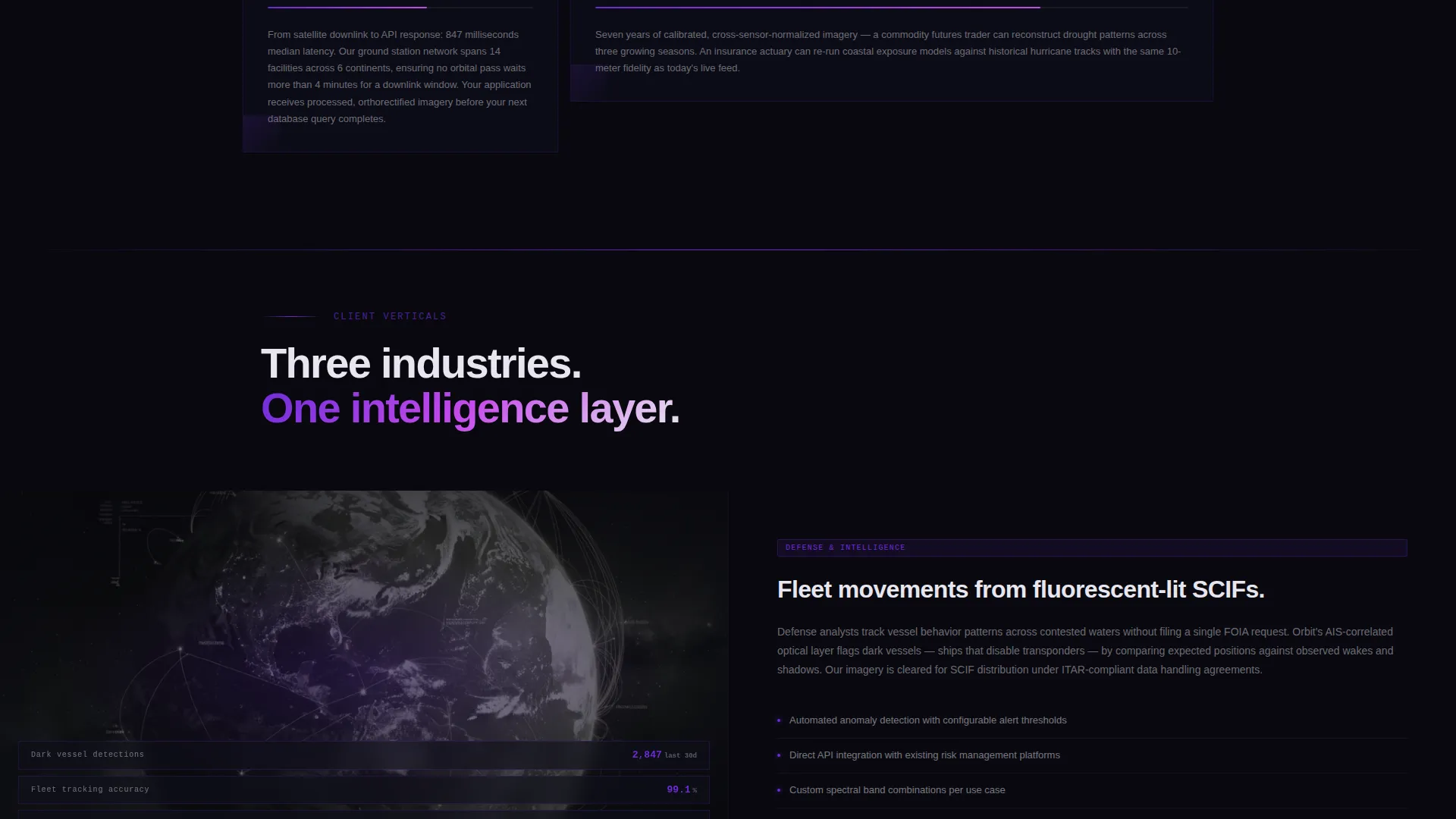
As the visitor scrolls, the dashboard screenshot appears to disassemble. Each subsequent section isolates one platform capability: revisit frequency, spectral band count, resolution ceiling, and archive depth. The sequence turns a product tour into a focused capability briefing.
Page sections overview
| Section | Purpose |
|---|---|
| Viewport header screenshot | Anchors the page with a tilted dashboard visual and tagline |
| Ghost call to action button | Invites early clicks without pressure |
| Revisit frequency spec | Demonstrates update cadence with animated counter |
| Spectral band spec | Explains detection capability via band-level detail |
| Resolution ceiling spec | Proves imagery precision at ten-meter granularity |
| API latency spec | Signals platform responsiveness to technical buyers |
| Historical archive spec | Shows data depth for longitudinal analysis use cases |
| Sticky call to action bar | Solidifies the primary action after proof has been established |
Design & branding system
The visual identity follows a Dynamic Motion theme built around the Void and Violet color system. Every design decision reinforces the feeling of a live operations room where the only visible light is data.
- Background: absolute space black (#09090F) dominates every section; violet (#6C2BD9) and magenta (#C74BED) appear only on data-bearing elements like chart lines, heatmap gradients, active buttons, and spinners
- Typography: telemetry white (#E8E6F0) is used exclusively for body text, axis labels, and spec values; all type is kept thin and precise to match the operational aesthetic
- Motion: the Dynamic Motion theme drives counter animations, scroll-reveal transitions, and the screenshot disassembly sequence throughout the page
Mobile & speed optimization
The template is structured with a scroll-reveal progressive layout that loads section content as it enters the viewport rather than all at once. This approach supports a focused, linear reading experience on any screen size.
- Counter animations and scroll-reveal effects are tied to viewport entry, keeping each section clean and uncluttered on smaller screens
- The sticky call-to-action bar is designed to remain accessible at the bottom of the viewport across device sizes, ensuring the primary action is always reachable
How this template helps you convert
Orbit is engineered around a single conversion goal: earning the click to the live demo sandbox. Every layout decision serves that objective.
- The page withholds the filled call-to-action button until after the third section scroll, ensuring visitors have absorbed meaningful technical proof before they see a hard ask
- The spec-sheet structure builds trust incrementally, so by the time the sticky bar appears, the visitor has already read the equivalent of a condensed platform whitepaper
Other information about this template
Orbit is suited to any satellite vertical SaaS product that needs to communicate platform depth to a skeptical, technical audience. It is equally effective for defense intelligence tools, precision agriculture platforms, and climate or catastrophe risk products.
- The template style is Scroll Reveal (Progressive), meaning content layers in as the visitor moves down the page rather than loading all at once
- The creative direction is Spec Sheet, which prioritizes numbers, technical details, and use-case vignettes over abstract marketing language
- The header concept is a Product Screenshot, not an illustrated graphic or abstract hero, making it immediately credible to analysts and engineers
- The landing page direction is Click-Through, routing visitors to a demo sandbox rather than a form, which reduces friction for high-intent technical buyers
Theme
Dynamic Motion
Creative direction
Spec Sheet
Color system
Void & Violet
Style
Scroll Reveal (Progressive)
Direction
Click-Through
Page Sections
Perspective-tilted Dashboard Header
Animated Spec Counter Sections
Progressive Scroll-reveal Structure
Sticky Progressive Call-to-action Bar
Void and Violet Color System
Dashboard Disassembly Scroll Sequence
Related questions
What kind of product is this template designed for?
Does this template include any forms or lead capture fields?
How does the call-to-action system work?
What is included in the scroll-reveal sequence?
Can this template work for a SaaS product outside satellite data?



