AI-Powered Enterprise Software Professional Website Template
Allocate is a scroll-reveal landing page template built for AI-powered warehouse management systems. It opens with an interactive Feature Tab Switcher showing isometric warehouse visualizations for inbound, storage, and outbound operations. Spec cards stack with hard metrics, animated charts, and an integration matrix. A two-step free-trial form drives conversion without requiring a credit card.
by Rocket studio
Quick summary
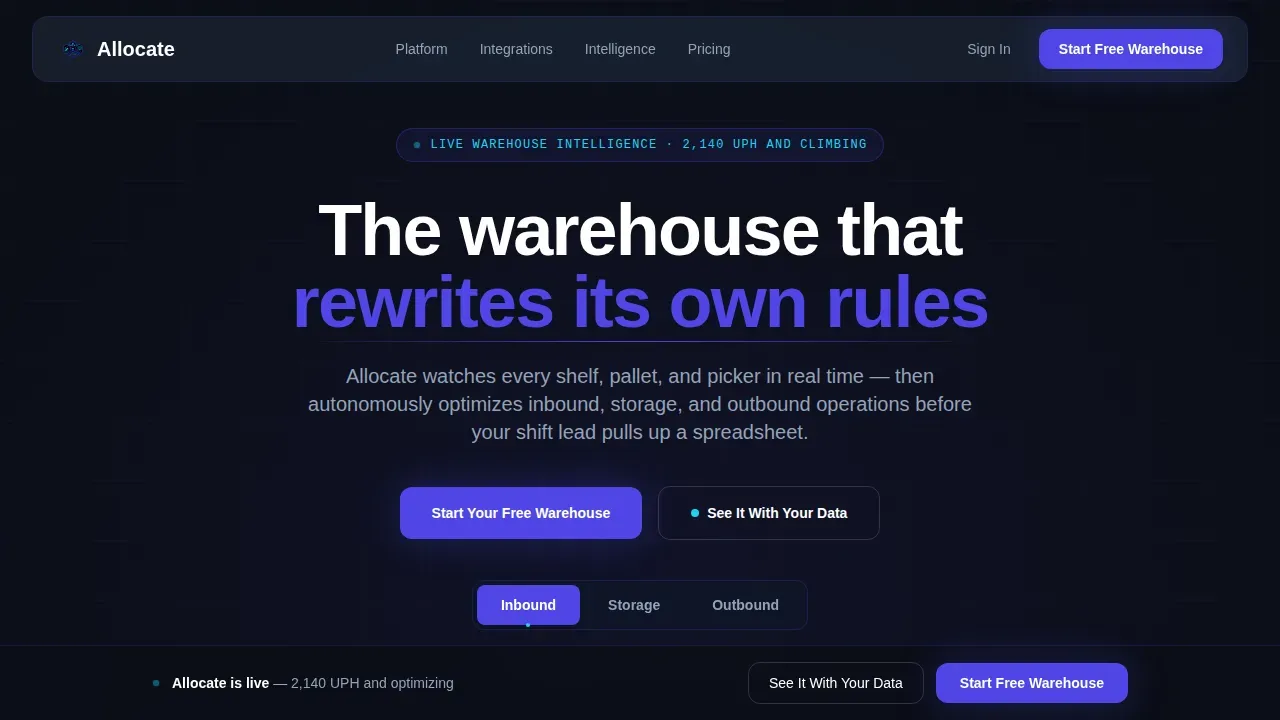
Allocate is a single-page, scroll-reveal landing page template designed for AI-powered warehouse management platforms. It combines a Feature Tab Switcher hero, four progressive spec cards, and a sticky call-to-action bar into one clinical, data-forward layout. Every section is built to stack evidence and move operations leaders toward a free trial signup.
Who this template is for
This template speaks directly to the people who feel every inefficiency in real time. It is designed for teams selling AI-driven warehouse management software to operators who measure their world in units per hour, fill rates, and labor costs per pick.
- Operations Directors at mid-market third-party logistics providers running 200,000 square feet or more, who need to prove throughput gains without adding headcount
- E-commerce fulfillment leads facing SKU proliferation during peak season and relying on better inventory control to survive it
- Supply chain Vice Presidents at consumer packaged goods brands who need to recover fill-rate performance and build confidence with retail customers
What problem this template solves
Warehouse operations teams are drowning in data but starving for decisions. Spreadsheets cannot track inventory movements across thousands of SKUs in real time. Manual slotting ignores product affinity and seasonal trends. Labor costs rise while throughput stalls. Selling a sophisticated AI system to skeptical operations directors requires more than a brochure; it requires proof delivered at the speed they think.
- Buyers need to see hard outcomes, not feature lists, before they will begin a free trial
- Operations leaders are time-poor and will not scroll through vague marketing copy to find the metric they care about
- The AI system itself needs to demonstrate intelligence on the page before a prospect trusts it with their warehouse data
What you get with this template
This template gives product teams and designers a complete, production-ready layout built for high-stakes B2B conversion. Every section is pre-structured to communicate warehouse management capability with the urgency and precision that operations audiences expect.
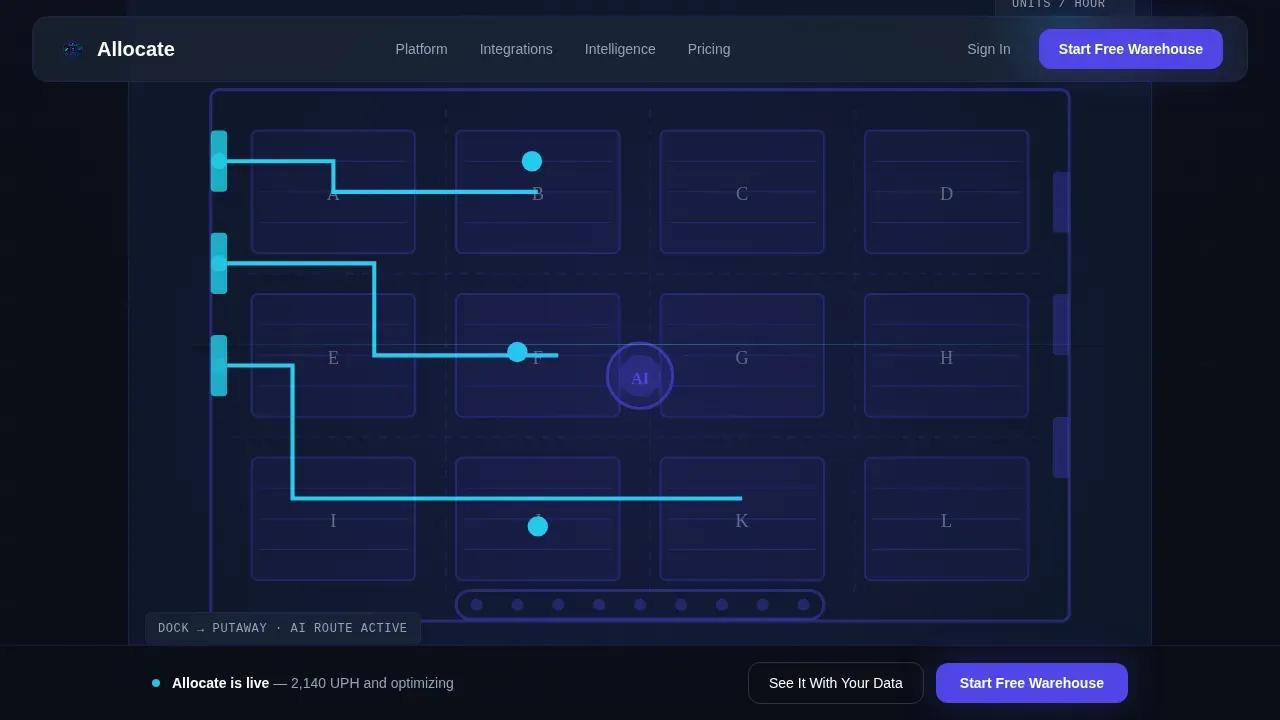
- A Feature Tab Switcher hero with an isometric warehouse floor visualization, three operational tabs (Inbound, Storage, Outbound), animated route overlays, and a live units-per-hour counter
- Four scroll-reveal spec cards covering demand forecasting, labor allocation, integration compatibility, and anomaly detection, each anchored by a large metric in display type
- A two-step conversion form (warehouse size and order volume first, work email second), a sticky bottom call-to-action bar, and a secondary "See It With Your Data" demo path for CSV upload
Feature list
This template packages several distinct interactive and structural components into one cohesive warehouse management landing page.
Isometric Warehouse Tab Switcher
The hero section displays a single isometric warehouse floor visualization that redraws itself across three tabs. Inbound shows dock-door assignment and putaway path optimization with animated route lines. Storage highlights dynamic slotting with heat-mapped zones that shift color by velocity. Outbound collapses wave-planned pick paths into optimal sequences. A live counter ticks simulated units per hour upward with each tab switch, letting the AI appear to learn in front of the viewer.
Progressive Spec Card Reveals
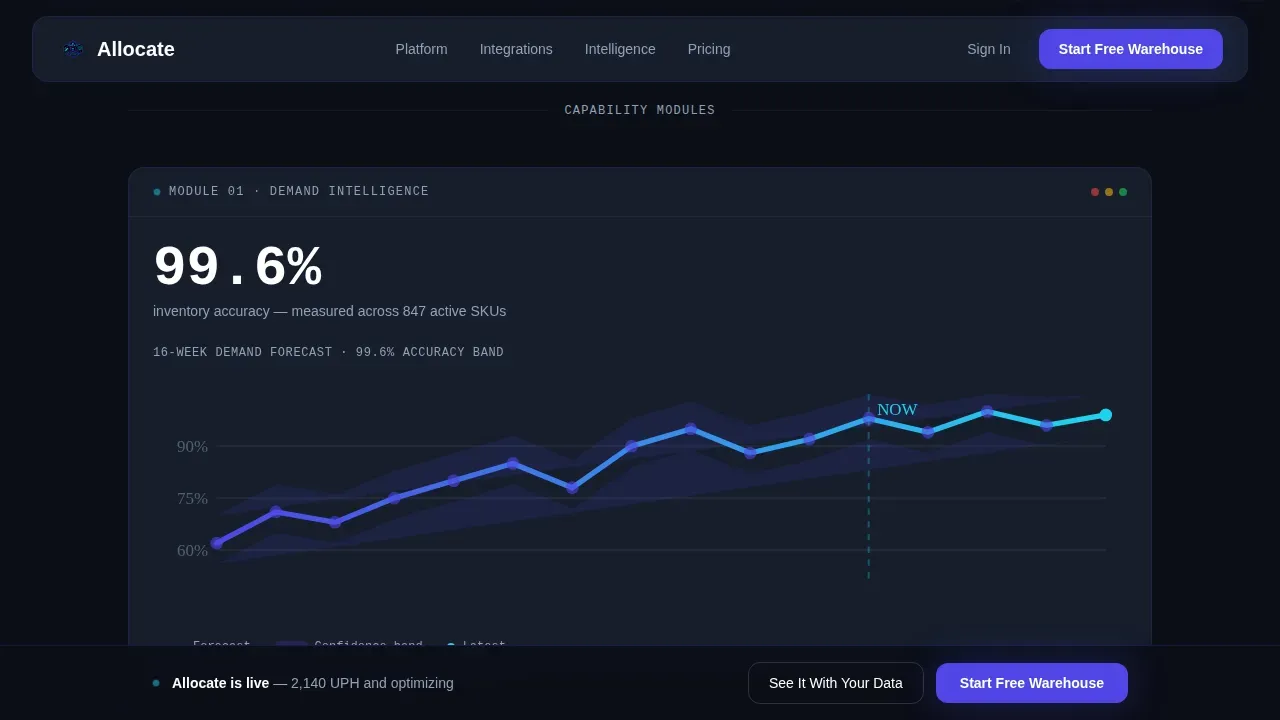
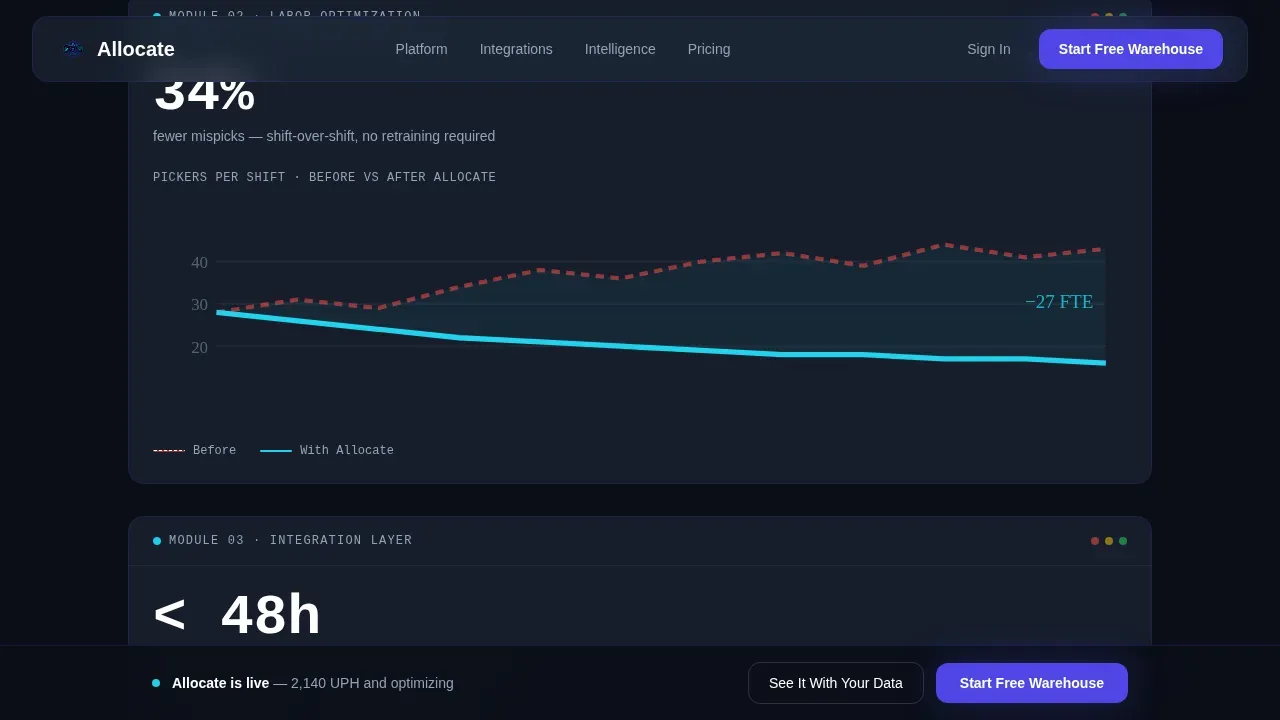
Four data cards animate onto the page via scroll-triggered upward shifts and opacity fades. Each card carries one hard metric in 48-pixel display type: 99.6% inventory accuracy, 34% fewer mispicks, and 2.1x faster cycle counts. This scroll-reveal structure uses GSAP ScrollTrigger so that each capability module lands with clinical weight, building evidence progressively rather than overwhelming visitors at once.
Integration Matrix with Live Status Indicators
The third spec card presents a grid of warehouse management system, enterprise resource planning, and transportation management system integration logos. Each logo carries a pulsing green status dot to communicate active connectivity. This layout directly addresses implementation concerns by showing integration breadth at a glance, without relying on a wall of text.
Two-Step Free Trial Form
The primary conversion path opens a two-step modal form. Step one captures warehouse square footage, average daily order volume, and current warehouse management system (with a dropdown that includes "spreadsheets / none"). Step two asks only for work email and company name. No credit card is required. Short forms reduce abandonment and keep prospects moving toward activation.
Sticky Call-to-Action Bar and Demo Path
After the second spec card enters the viewport, a sticky bottom bar activates with the primary call to action. A secondary path, "See It With Your Data," lets prospects upload a CSV of SKU velocity data and receive a simulated slotting optimization in their inbox. This demo path gives the AI a chance to prove its value before any account commitment.
Anomaly Detection Alert Feed
The fourth spec card displays a sample live alert feed showing how the system flags irregularities in inventory movements, pick rates, and dock activity. This section makes the AI's monitoring logic visible and tangible, helping operations teams picture what autonomous control looks like on a shift-by-shift basis.
Page sections overview
| Section | Purpose |
|---|---|
| Hero Tab Switcher | Showcase inbound, storage, and outbound AI logic with isometric warehouse visualization and live units-per-hour counter |
| Spec Card: Forecasting | Display demand forecasting accuracy with a confidence-interval chart and 99.6% inventory accuracy metric |
| Spec Card: Labor | Show headcount curves bending downward alongside a 34% fewer mispicks metric |
| Spec Card: Integrations | Present the warehouse management, enterprise resource planning, and transportation management system logo grid with pulsing status dots |
| Spec Card: Anomaly | Surface the sample alert feed and 2.1x faster cycle counts metric |
| Sticky call to action Bar | Activate after second spec card scroll to keep the free trial call to action visible at all times |
| Footer | Single-row linear footer with contact and navigation essentials |
Design & branding system
The visual system is built around a Data Command theme. Every color and type choice reinforces the feeling of a live monitoring environment running at full capacity.
- Color palette: terminal black (#0B0E17) for backgrounds, electric indigo (#4F46E5) for primary user interface elements and wireframe architecture, cool slate (#1E293B) for card surfaces and section dividers, and phosphor cyan (#22D3EE) reserved exclusively for live-data accents, success states, and metric highlights
- Typography: Plus Jakarta Sans handles all primary body and heading type for clean readability; JetBrains Mono is used for all data values, metric counters, and code-style labels to reinforce the synthetic precision of the system
- Motion and interactivity: GSAP ScrollTrigger drives spec card reveals; tab-switch SVG redraws use requestAnimationFrame for the live units-per-hour counter; integration status dots stagger their pulse animations independently
Mobile & speed optimization
The template is built desktop-first to serve operations directors at workstations during shift change, but it includes a responsive mobile fallback for logistics managers who access content on a phone or tablet.
- Server Components render the static shell for fast initial load; Client Components handle animated sections, the tab switcher, the sticky call-to-action bar, and the modal form independently
- The isometric warehouse visualization and tab-switch animations are scoped to Client Components so they do not block the initial page paint, keeping perceived load time low on any device
- Mobile layout stacks the spec cards vertically and simplifies the tab switcher interaction to remain thumb-friendly without removing any core content
How this template helps you convert
Every structural decision in this layout is designed to move skeptical operations professionals toward a free trial without friction.
- The hero tab switcher creates immediate engagement by letting visitors interact with the AI logic before reading a single line of body copy, making the warehouse management system feel real and operational from the first second
- The progressive spec card reveal stacks quantifiable proof in sequence, so by the time a visitor reaches the sticky call-to-action bar, the weight of evidence from multiple data points has already done the persuasion work
- The two-step form and "See It With Your Data" demo path offer two distinct entry points: one for buyers ready to begin a trial and one for buyers who need one more proof point before committing
Other information about this template
This template is part of a broader ecosystem of AI-powered enterprise software layouts built for teams selling complex technology to operations-focused buyers. A few additional details are worth noting for designers, developers, and product teams evaluating this layout.
- The layout is designed so that designers can customize color tokens, swap integration logos, and update metric values without touching animation logic or restructuring the component hierarchy
- No-code AI tools and no-code platforms can benefit from this template's structure: the rapid-configuration framing of the spec cards mirrors how no-code warehouse management implementations reduce relying on long development cycles, enabling teams to deploy new processes in weeks instead of months
- The template accounts for the real challenges of transitioning to AI-powered warehouse management, including the need for high-quality data quality practices and gradual implementation that lets teams learn and refine processes before full-scale rollout
- IoT sensors, robotics integrations, and predictive analytics capabilities are natural fit topics for the integration matrix card, where additional logo slots and connection-status dots can be added to reflect the full technology stack
- AI algorithms that analyze product affinity, track inventory movements across zones, and identify anomalies are the core capabilities this template is designed to communicate; the spec card layout gives each AI model its own dedicated visual moment
- The Allocate AI powered warehouse management system landing page template is classified under the Technology and AI-Powered Enterprise Software categories, making it a strong starting point for any warehouse management platform seeking to communicate future-forward automation to operations customers
- Designers building for robotics-enabled warehouses can position the anomaly detection and labor allocation cards to reflect how the system works alongside robotic picking infrastructure rather than replacing it
- Sales and marketing teams can use the CSV demo path as a lead qualification tool, since prospects who upload SKU velocity data signal higher purchase intent than those who only search the site and leave
Theme
Data Command
Creative direction
Spec Sheet
Color system
Electric Indigo
Style
Scroll Reveal (Progressive)
Direction
Freemium/Trial
Page Sections
Isometric Warehouse Tab Switcher Hero
Scroll-reveal Spec Card System
Integration Matrix with Pulse Indicators
Two-step Free Trial Conversion Form
Sticky Call to Action Bar and CSV Demo Path
Anomaly Detection Alert Feed Card
Related questions
Can I update the metrics and integration logos without changing the animation code?
Does the two-step form connect to a backend or email platform out of the box?
Is this template suitable for a warehouse robotics or autonomous mobile robot software product?
How difficult is it to adapt the isometric warehouse visualization for a different facility type?
What happens after a prospect submits the 'See It With Your Data' CSV upload?



