Decentralized Enterprise Software Professional Website Template
Orchestrate is a hub-and-spoke landing page template built for a decentralized business process management protocol. It guides DAO operations leads and Web3 startup operators through a dim, cockpit-style interface, covering workflow building, on-chain deployment, live monitoring, and governance, with a freemium trial signup as the conversion goal.
by Rocket studio
Quick summary
Orchestrate is a single-page, anchor-nav template for a decentralized workflow protocol. It uses a Tech Glass visual identity, a four-spoke content structure (Build, Deploy, Monitor, Govern), and a two-step onboarding modal to convert technical evaluators into free-tier users, no credit card, no token gate required.
Who this template is for
This template is designed for teams launching or marketing an on-chain business process tool. It speaks directly to operators who have outgrown manual coordination and want self-executing process flows.
- DAO operations leads who manage proposal-to-execution pipelines
- Web3 startup COOs replacing spreadsheet and document-based back offices
- Enterprise innovation lab directors piloting trustless procurement processes
What problem this template solves
Distributed teams running complex operations often rely on disconnected tools, shared documents, manual approval threads, and fragile spreadsheet logic. There is no single page that can communicate a decentralized workflow protocol clearly to a technical audience while also moving them toward signup.
- No purpose-built template exists for on-chain business process management products
- Generic SaaS templates lack the dark, high-fidelity visual language that Web3 operators expect
- Most landing pages cannot convey the concept of self-executing approval chains without strong animation and structured content flow
What you get with this template
You get a fully structured, single-page layout with anchor navigation, cinematic dark styling, and a conversion-focused modal. Every section is built around a specific stage of the workflow protocol story.
- A hero section with animated network topology, a typewriter headline, and a wallet-or-email signup modal
- Four spoke sections (Build, Deploy, Monitor, Govern) each with its own visual interaction concept
- A sticky bottom call-to-action bar, secondary doc-link buttons, and a minimal horizontal-flow footer
Feature list
This section covers the core capabilities built into the Orchestrate landing page template.
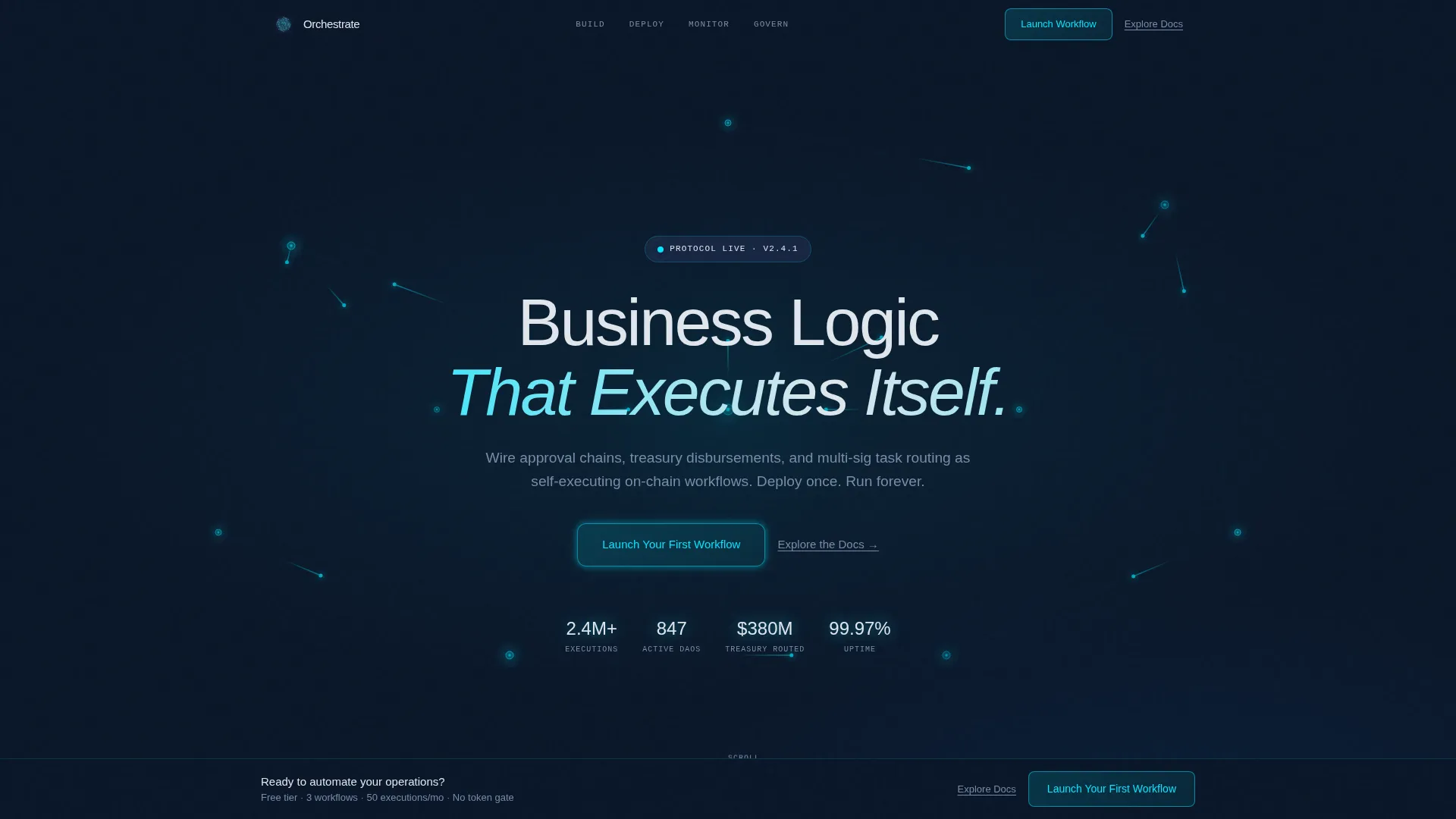
Animated Network Topology Hero
The hero fills the full viewport with a void-navy background. A living SVG diagram of glowing cyan nodes and luminous connecting lines animates continuously, with tokens travelling the paths like data packets. A mouse-movement parallax shimmer adds a three-dimensional glass-refraction effect.
Typewriter Headline Effect
The headline "Business Logic That Executes Itself." types itself into view on page load. This technique signals technical craft immediately and sets the control-room tone before the visitor reads a single body sentence.
Hub-and-Spoke Anchor Navigation
A persistent anchor navigation bar links directly to Build, Deploy, Monitor, and Govern. Visitors can jump to the section most relevant to their role. Each jump triggers a horizontal light-sweep pulse animation, reinforcing the sense of a system powering up module by module.
Two-Step Onboarding Modal
Clicking the primary call-to-action opens a two-step modal. Step one offers a toggle between wallet connect and email entry, supporting both Web3-native and Web2 onboarding paths. Step two lets the user select a starter template: treasury payout, proposal pipeline, or a custom blank canvas.
Spoke Section Visual Interactions
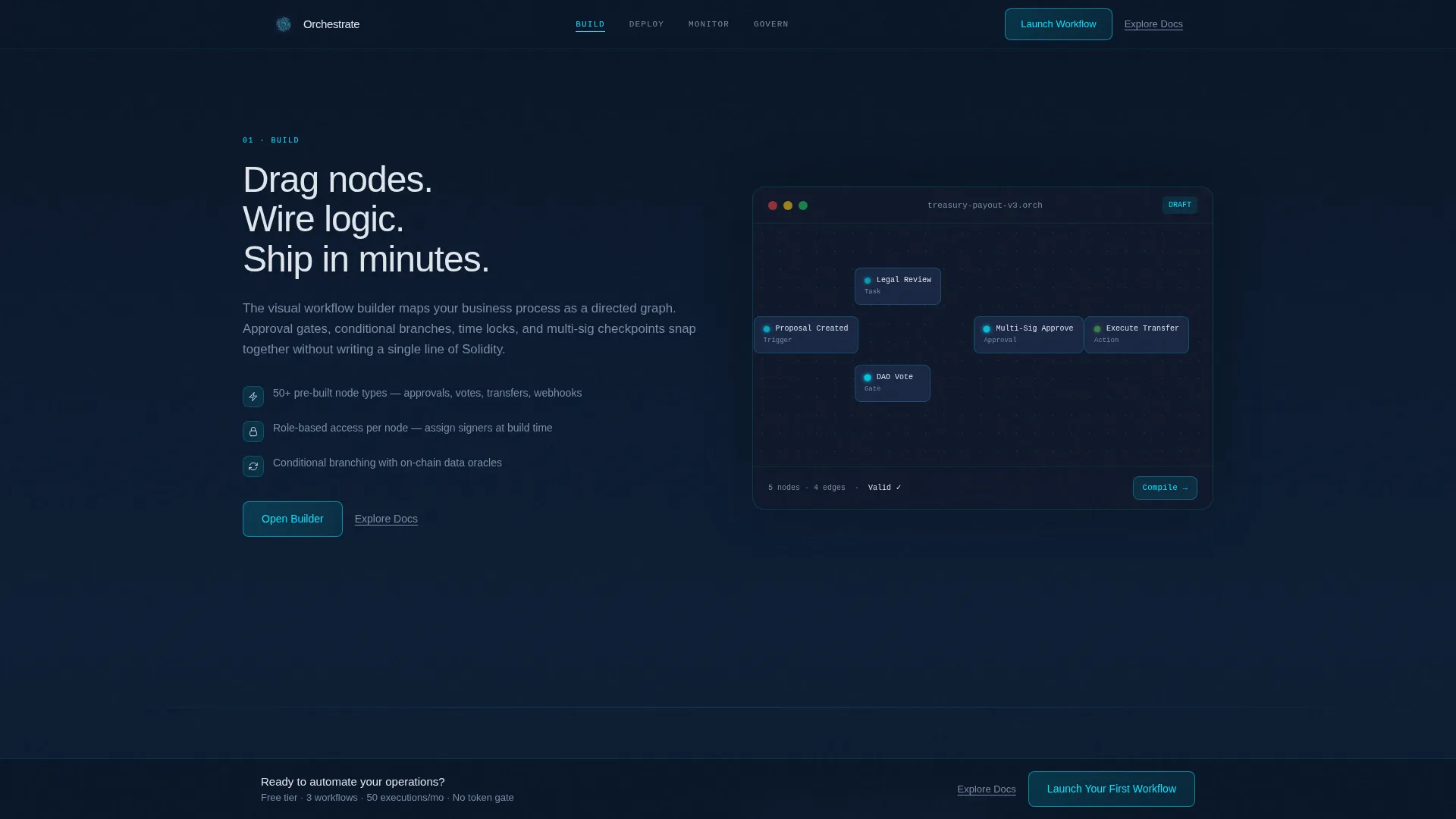
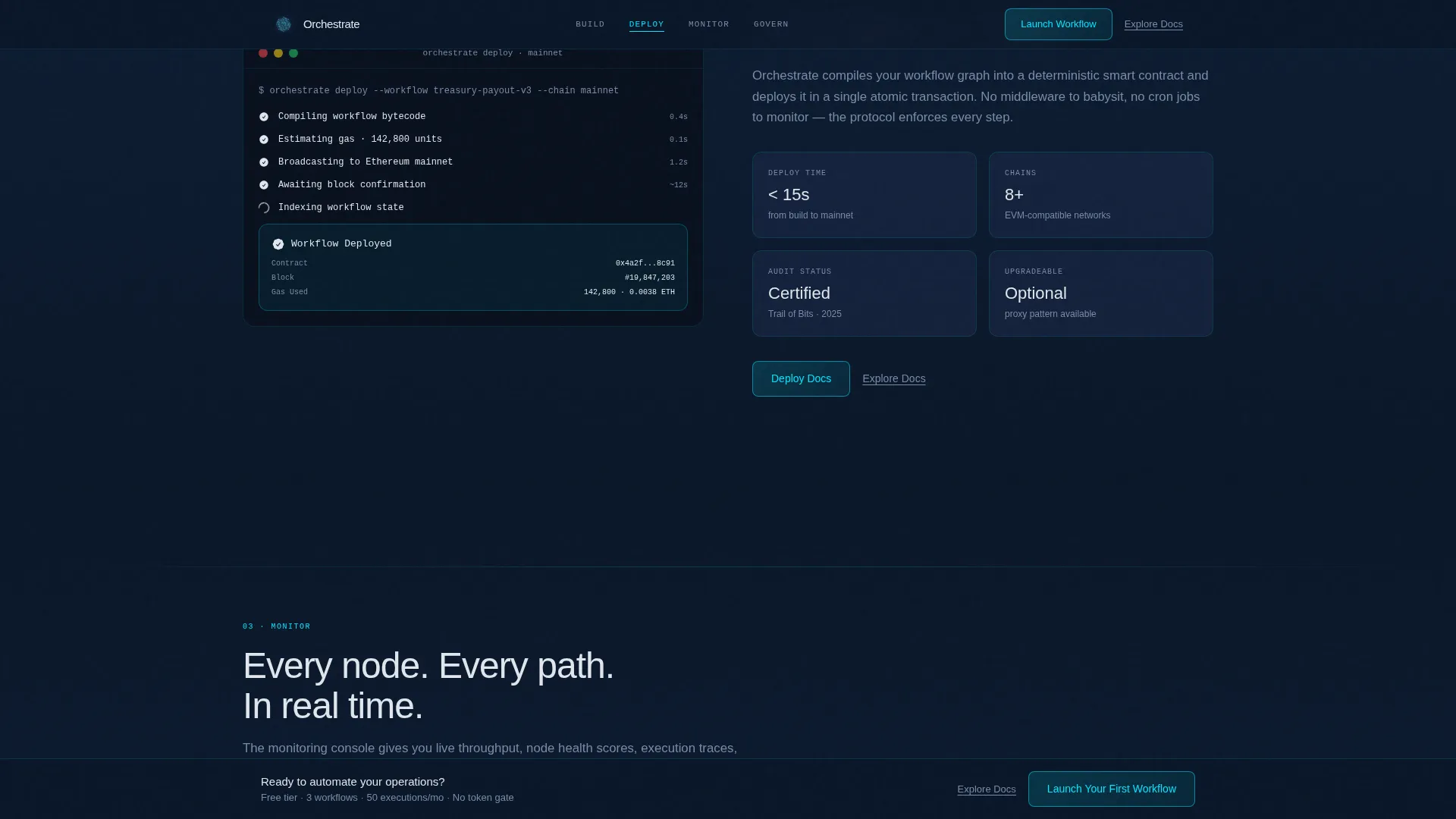
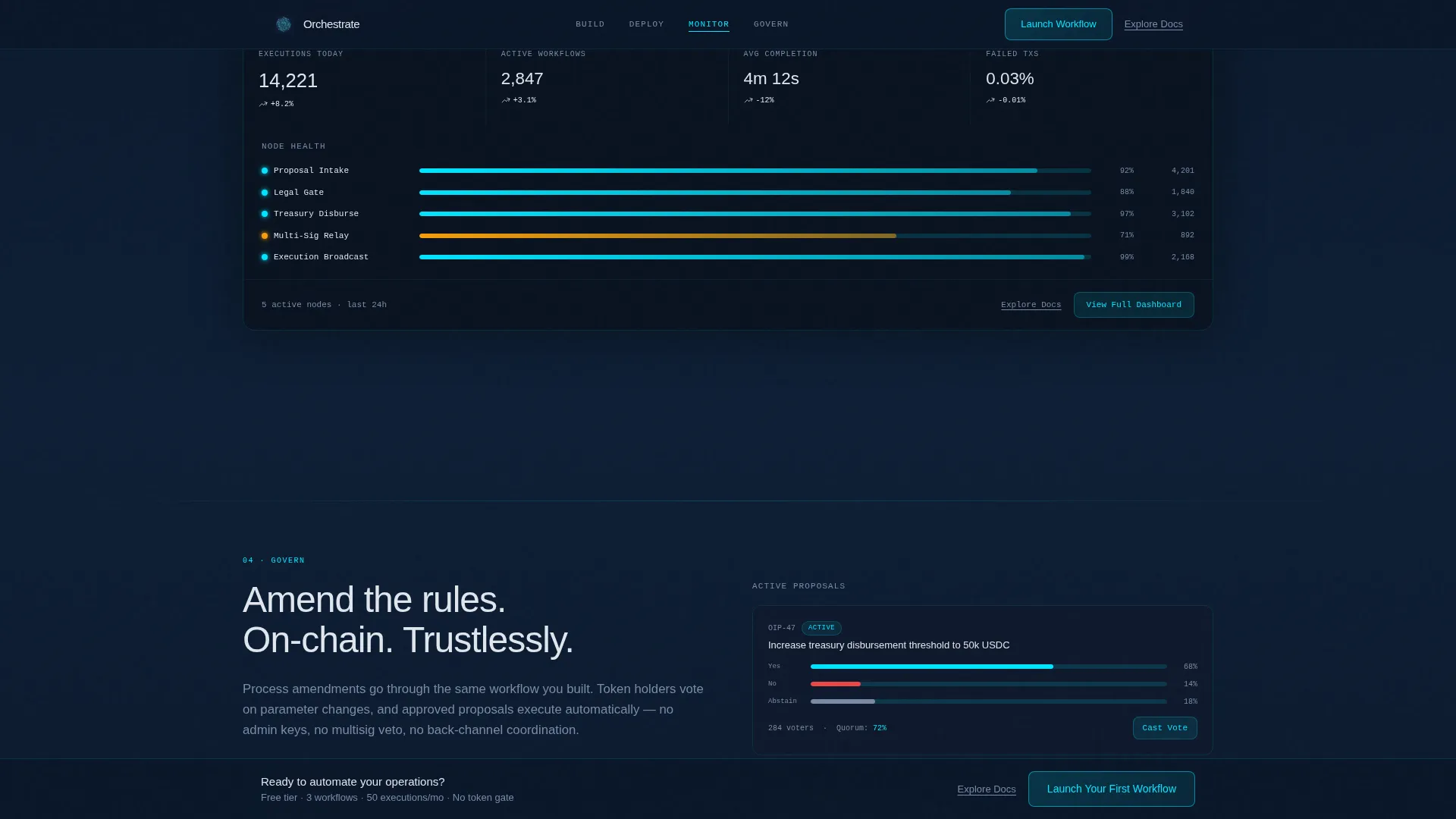
Each of the four spoke sections carries its own signature interaction. Build shows a drag-and-drop workflow editor screenshot with glowing connection points. Deploy animates a simulated on-chain transaction confirmation. Monitor displays a real-time-style dashboard with throughput metrics and node health indicators. Govern presents a voting interface for process amendments.
Sticky Conversion Bar and Secondary calls to action
After the visitor scrolls past the second spoke, a sticky bottom bar appears with the primary call-to-action "Launch Your First Workflow." Every primary button is paired with an "Explore the Docs" underlined text link, catching technical evaluators who need to read the specification before committing.
Page sections overview
| Section | Purpose |
|---|---|
| Hero, Full Viewport | Introduces the protocol with animated node topology, typewriter headline, and the primary signup call-to-action |
| Build Spoke | Shows the drag-and-drop workflow editor with glowing node connection points |
| Deploy Spoke | Animates a simulated on-chain transaction confirmation sequence |
| Monitor Spoke | Displays a real-time dashboard with throughput metrics and node health |
| Govern Spoke | Presents the voting interface for on-chain process amendments |
| Sticky call to action Bar | Persists after spoke two with the primary conversion action |
| Minimal Footer | Horizontal-flow footer with essential links and no visual clutter |
Design & branding system
The template uses a Tech Glass aesthetic that feels like a cockpit heads-up display reflected in tinted glass. Every color either recedes into depth or pulses forward with intent.
- Color palette: void-deep navy (#0A1628) as the primary canvas, frosted glass panel blue (#1B2A4A) for card surfaces and dividers, electric node cyan (#00E5FF) for active states and glow accents, and pale signal white (#E0E6ED) for body text
- Typography: Manrope for bold headings, DM Sans for body copy, and JetBrains Mono for code snippets and metric readouts
- Interactive states: cyan glow halo on hover for all interactive elements, radial gradient backgrounds that simulate light sources behind panels
Mobile & speed optimization
The template is designed desktop-first, reflecting the reality that DAO operations leads typically work at a fixed console. Mobile responsiveness is included for evaluators reviewing on secondary devices.
- CSS animations are used throughout, keeping the visual richness lightweight and avoiding heavy JavaScript rendering
- Intersection Observer triggers section reveal animations only when each spoke enters the viewport, reducing unnecessary processing before the user scrolls
- The anchor navigation and sticky call-to-action bar adapt gracefully for smaller screen widths
How this template helps you convert
The entire page is structured as a progressive commitment sequence. Each section escalates stakes and reduces friction before the visitor reaches the signup modal.
- The hero presents the core value proposition immediately and places the primary call-to-action above the fold, giving decisive visitors a direct path to signup with no unnecessary scrolling.
- The four spoke sections move the visitor from curiosity to confidence by demonstrating Build, Deploy, Monitor, and Govern in sequence, ending each spoke with a micro-interaction reward that maintains momentum toward the final conversion action.
Other information about this template
This section covers additional details about the template's scope, free-tier offer, and practical setup context.
- The free tier described in the template covers three active workflows and fifty executions per month, with no credit card and no token gate required at signup
- Throughput metrics, execution counts, and workflow statistics are used as inline social proof signals throughout the spoke sections
- The footer follows a minimal horizontal-flow pattern, keeping the end of the page clean and focused rather than overwhelming the visitor with links
- Typography is set in US English with USD currency formatting and US date format conventions throughout
- The template is built for a B2B audience, meaning copy and layout decisions prioritize clarity for technical operators over broad consumer appeal
Theme
Tech Glass
Creative direction
Launch Energy
Color system
Midnight Blue
Style
Hub & Spoke (Anchor Nav)
Direction
Freemium/Trial
Page Sections
Animated Network Topology Hero
Typewriter Headline on Load
Hub-and-spoke Anchor Navigation
Two-step Onboarding Modal
Spoke Section Visual Interactions
Sticky Conversion Bar and Paired Ctas
Related questions
Who is this landing page template designed for?
Does the template support both crypto wallet and email signups?
What are the four spoke sections and how do they work?
What does the free tier include?
Can I customize the starter templates shown in the onboarding modal?



