Precision Floor Scheduling Landing Page Template
Dispatch is a hub-and-spoke landing page template built for a manufacturing shop floor scheduling app. It replaces whiteboards and spreadsheets with a drag-and-drop scheduling interface, live production metrics, a feature comparison matrix, ERP integration badges, and an interactive ROI calculator, all inside a clinical monochrome steel visual system engineered for industrial SaaS buyers.
by Rocket studio
Quick summary
Dispatch is a single-page landing page template designed to sell a precision manufacturing scheduling app. The layout moves production supervisors, plant managers, and operations directors from problem awareness to install decision through an anchor-nav hub-and-spoke structure, live dashboard hero, feature matrices, and a real-time ROI calculator.
Who this template is for
This template is built for manufacturing software teams that need to convert industrial buyers quickly. It speaks directly to the people who feel scheduling pain every shift.
- Production supervisors managing changeovers across multiple shifts who need accurate, real-time data at a glance
- Plant managers chasing utilization targets who want to see how the software improves their numbers before they install it
- Operations directors responsible for procurement who need to see integration support, a sound business case, and a clear path to enterprise sign-off
What problem this template solves
Shop floor scheduling is still broken for dozens of manufacturers. Static whiteboards, shared spreadsheets, and legacy systems leave teams without real time visibility into job progress or technician availability. This template solves the conversion problem: how do you turn a complex industrial software product into a page that immediately earns trust and drives installs?
- Scheduling conflicts, missed dates, and production delays caused by manual processes that cannot respond to real-time demand
- No clear way to show buyers how dispatching software slots into their existing stack without replacing everything
- A lack of credible proof that the app can manage resources, track jobs accurately, and improve revenue outcomes
What you get with this template
You get a fully structured, long-form landing page ready to deploy for a manufacturing scheduling app. Every section is built to serve a specific stage of the buyer's decision journey.
- A live stats hero dashboard, five anchor-nav spoke sections (Scheduling, Machines, Teams, Integrations, ROI), and a sticky mobile call-to-action bar
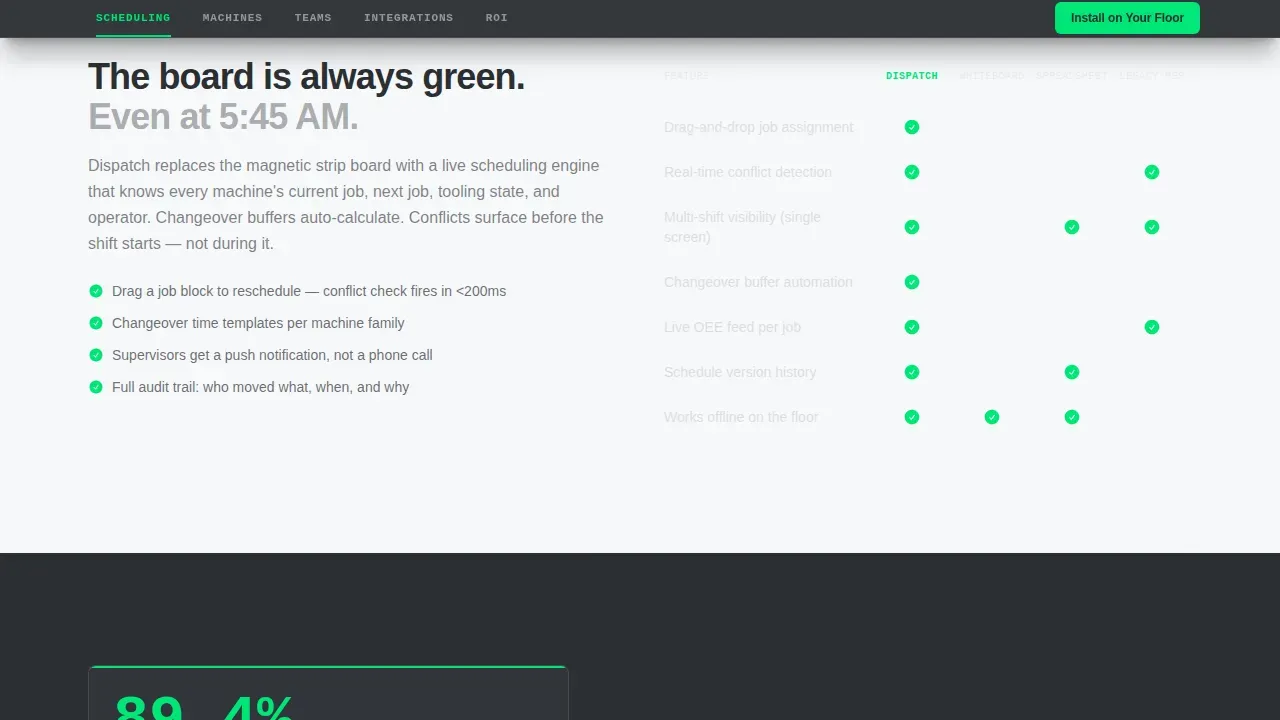
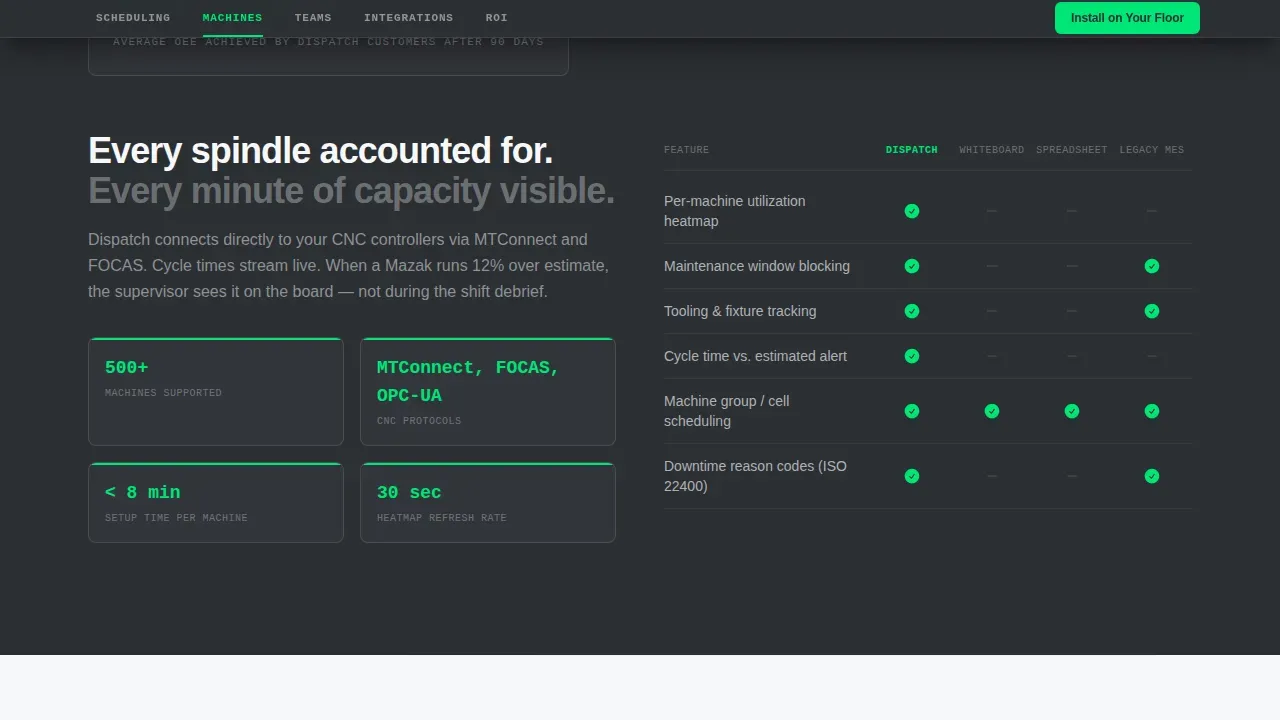
- Feature comparison matrices that let buyers see how the software performs against whiteboards and spreadsheets across dozens of criteria
- An interactive ROI calculator where users input machine count, shifts, and average job length to estimate projected production efficiency gains
Feature list
This template ships with purpose-built components that reflect real industrial buyer needs. Each feature is grounded in the dispatching and scheduling workflow the app is designed to replace.
Live HMI-Style Scheduling Dashboard
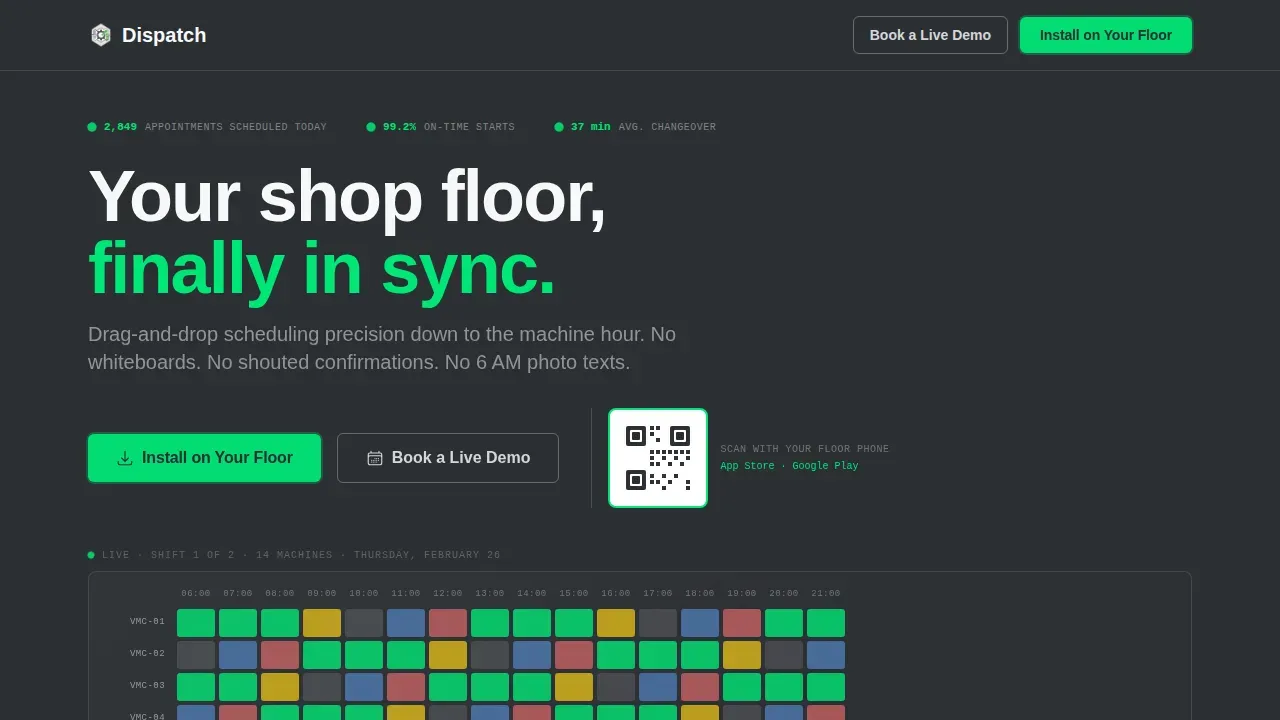
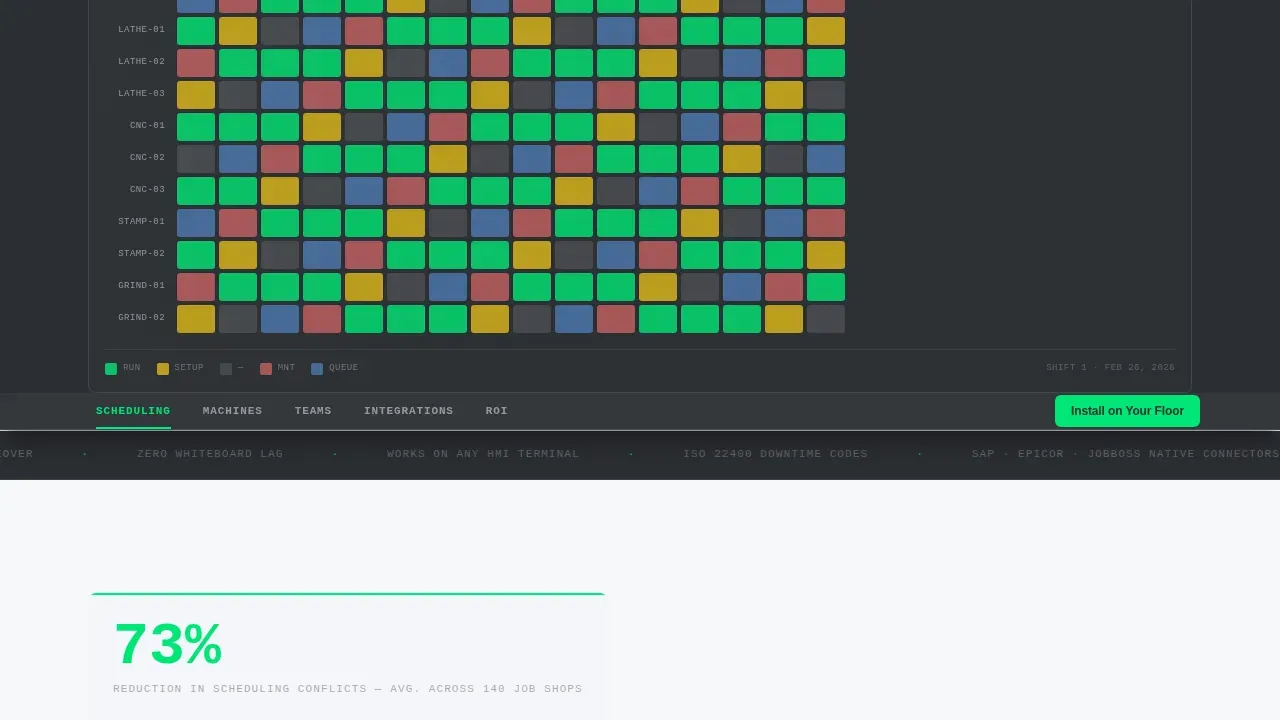
The hero section renders a high-contrast scheduling grid showing 14 machines across two shifts, color-coded by job status. Real time data counters tick live: appointments scheduled, on-time start rate, and average changeover time. The product is the hero, no stock imagery, no illustrations.
Anchor Navigation with Five Spoke Sections
A sticky anchor nav pins to the top on scroll, linking five spoke sections in shop-floor language: Scheduling, Machines, Teams, Integrations, and ROI. Each spoke opens with a KPI card, then fans into a feature matrix. The scroll compresses as evidence builds, making the case feel inevitable.
Drag and Drop Calendar Interface Showcase
The Scheduling spoke highlights the drag and drop calendar that lets supervisors schedule jobs, reassign job assignments, and resolve conflicts without leaving the view. A visual walkthrough shows how to drag and re-sequence a job instantly, making technician availability and machine load visible at every step.
ERP Integration Badges Section
The Integrations spoke displays real service logos with one-click connection badges. It communicates that the app connects to existing manufacturing systems without requiring a full platform replacement, a critical trust signal for operations directors and procurement teams.
Interactive ROI Calculator
The ROI spoke runs a live calculator. Buyers input machine count, number of shifts, and average job length. The calculator returns projected utilization improvements and helps sales conversations by giving each customer a personalized estimate before they ever speak to a representative.
Sticky Mobile Call-to-Action Bar
The primary call-to-action reads "Install on Your Floor" and repeats as a sticky bottom bar on mobile. Desktop visitors see an inline QR code to download the app while walking the floor. No form fields gate the download, the app handles onboarding directly.
Page sections overview
| Section | Purpose |
|---|---|
| Hero Dashboard | Show live scheduling metrics and drive installs |
| Scheduling Spoke | Feature matrix versus. whiteboards and spreadsheets |
| Machines Spoke | Machine utilization KPIs and capacity features |
| Teams Spoke | Shift assignment and operator coordination tools |
| Integrations Spoke | ERP connection badges and stack compatibility |
| ROI Calculator | Interactive utilization and efficiency estimator |
| Footer | Single-row linear link and brand close |
Design & branding system
The visual system channels Startup Velocity through a Monochrome Steel palette. Every color has a defined job, nothing decorative enters the layout.
- Four-color palette: coolant-mist white (#F7F8FA), machined graphite (#2C2F33), mill-finish aluminum (#D4D7DC), and signal green (#00E676) reserved exclusively for calls-to-action, active states, and live-data pulses
- Typography pairs JetBrains Mono for data labels and counters with DM Sans for headlines and body copy, monospaced where precision matters, geometric sans where clarity leads
- Backgrounds alternate between coolant-mist white and machined graphite to create section contrast without introducing color noise into the production-focused layout
Mobile & speed optimization
The template is structured desktop-first to match how production supervisors use it at HMI terminals, while ensuring the mobile experience is fully functional for floor walks.
- Server Components power static sections for fast initial loads; Client Components handle the ROI calculator and live counters to keep interactivity smooth
- Sticky mobile call-to-action bar keeps the install prompt visible at all times on smaller screens without interrupting content flow
- High-contrast data visualizations and real-time dashboards are built to remain readable on tablets and mobile devices used directly on the production floor
How this template helps you convert
This template is engineered to reduce the distance between a buyer's first scroll and their decision to install. A proactive approach in the layout stops objections before they surface.
- The hero dashboard delivers real time data and live scheduling proof before the buyer reads a single line of copy, the interface itself becomes the argument for the software
- The feature matrix lets buyers plan their evaluation efficiently, comparing dispatching capabilities against tools they already use, so they can see the gap clearly and estimate the business impact
- The ROI calculator gives each customer a personalized projection, turning abstract efficiency claims into accurate numbers tied to their specific machine count and shift structure, capturing intent at the exact moment it peaks
Other information about this template
This is the Dispatch precision shop floor scheduling app landing page template, built for industrial SaaS teams in manufacturing and related industries. It sits in the Technology category under Manufacturing Software and is designed for the Manufacturing Appointment Scheduling niche.
- The template style is Hub and Spoke with Anchor Navigation, using a Stats and Metrics header concept and an App Download conversion direction
- Manufacturers across job shop, stamping, and CNC industries can use this template to connect complex production scheduling software with buyers at every level, from technician to vice president
- The template supports the full dispatching workflow: helping service organizations plan, assign, and track field service jobs with clarity, while giving customers accurate lead time estimates and keeping employees in the loop through real-time notifications
- A dispatch scheduling template serves as a control hub for back office operations and field technicians, and this template reflects that structure visually and functionally
- The template is well suited for builders exploring Industrial SaaS categories who want a sound, conversion-focused starting point that does not excel at decoration but does excel at closing deals
Theme
Startup Velocity
Creative direction
Feature Matrix
Color system
Monochrome Steel
Direction
App Download
Page Sections
Live Hmi-style Scheduling Dashboard
Anchor Navigation with Spoke Sections
Drag and Drop Calendar Showcase
ERP Integration Badges Section
Interactive ROI Calculator
Sticky Mobile Call-to-action Bar
Related questions
Who is this landing page template designed for?
Does this template support showing ERP integrations?
Can I use the ROI calculator section for my own metrics?
Is this template suitable for driving app downloads rather than form fills?
How does the feature matrix section work?



