Decentralized RPA Landing Page Template
Orchestrate is a decentralized robotic process automation (RPA) landing page template built for platforms that run software bots across distributed nodes with no central server and no single point of failure. Designed around a Data Command aesthetic, it speaks directly to DevOps leads, IT directors, and operations architects who need resilient, compliance-aware automation without vendor lock-in.
by Rocket studio
Quick summary
Orchestrate is a hub and spoke landing page template for a decentralized RPA platform. It deploys software bots across distributed nodes so automations keep running even when infrastructure fails. The design uses a Glassmorphic Data Command visual system and is built to convert technical buyers through evidence-dense feature sections and a progressive lead capture form.
Who this template is for
This template is built for technical buyers who evaluate enterprise automation platforms on substance, not style. It speaks the language of infrastructure resilience and compliance-first design.
- DevOps leads at mid-market fintech companies tired of licensing sprawl and centralized bot dependencies
- IT directors at healthcare networks who need process automation that keeps sensitive data off vendor cloud infrastructure
- Operations architects at logistics firms connecting legacy enterprise resource planning (ERP) systems that don't communicate natively
What problem this template solves
Most automation platforms rely on a central orchestration server. That means one failure point can take down every running workflow. The Orchestrate template addresses this problem head-on for buyers who have experienced that failure firsthand.
- Centralized RPA architectures create fragile pipelines that fail when a single server goes down
- Vendor-hosted routing forces compliance-sensitive data through third-party cloud environments
- Scaling automation across distributed infrastructure is costly and complex with legacy platform licensing
What you get with this template
You get a fully structured, single-page hub and spoke layout with an anchor navigation system that stays pinned on the left side of the viewport. Every section is built around technical evidence, not marketing language.
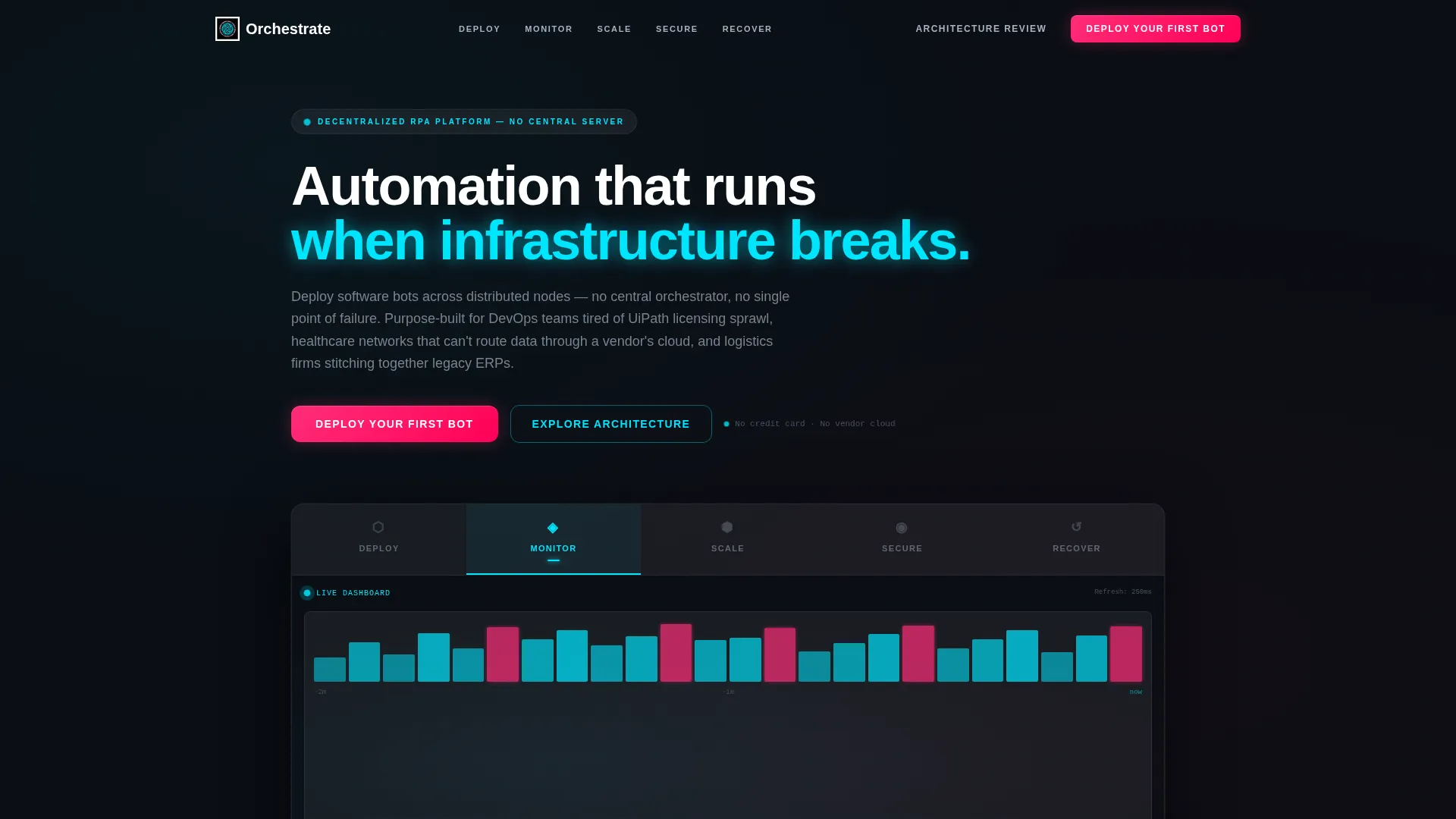
- A Feature Tab Switcher header with five capability tabs: Deploy, Monitor, Scale, Secure, and Recover
- Five deep-dive spoke sections below the header, each with comparison tables, architecture diagrams, and metric callouts
- A three-step progressive lead capture form and a secondary whitepaper download conversion path
Feature list
This section breaks down the core built-in components and structural capabilities delivered with the Orchestrate template.
Five-Tab Capability Header
The header houses five frosted-glass tabs labeled Deploy, Monitor, Scale, Secure, and Recover. Each tab swap triggers a glassmorphic dissolve transition. The active tab displays a distinct visual: an animated node topology map, a live-style dashboard, a world map with scaling nodes, encryption policy layers, or a failover replay sequence.
Anchor Navigation System
A sticky left-rail anchor navigation bar lets visitors jump between spoke sections without losing their position on the page. The nav glows softly in the background, staying visible at all scroll depths. This keeps technical buyers oriented inside a dense, evidence-rich page.
Feature Comparison Tables
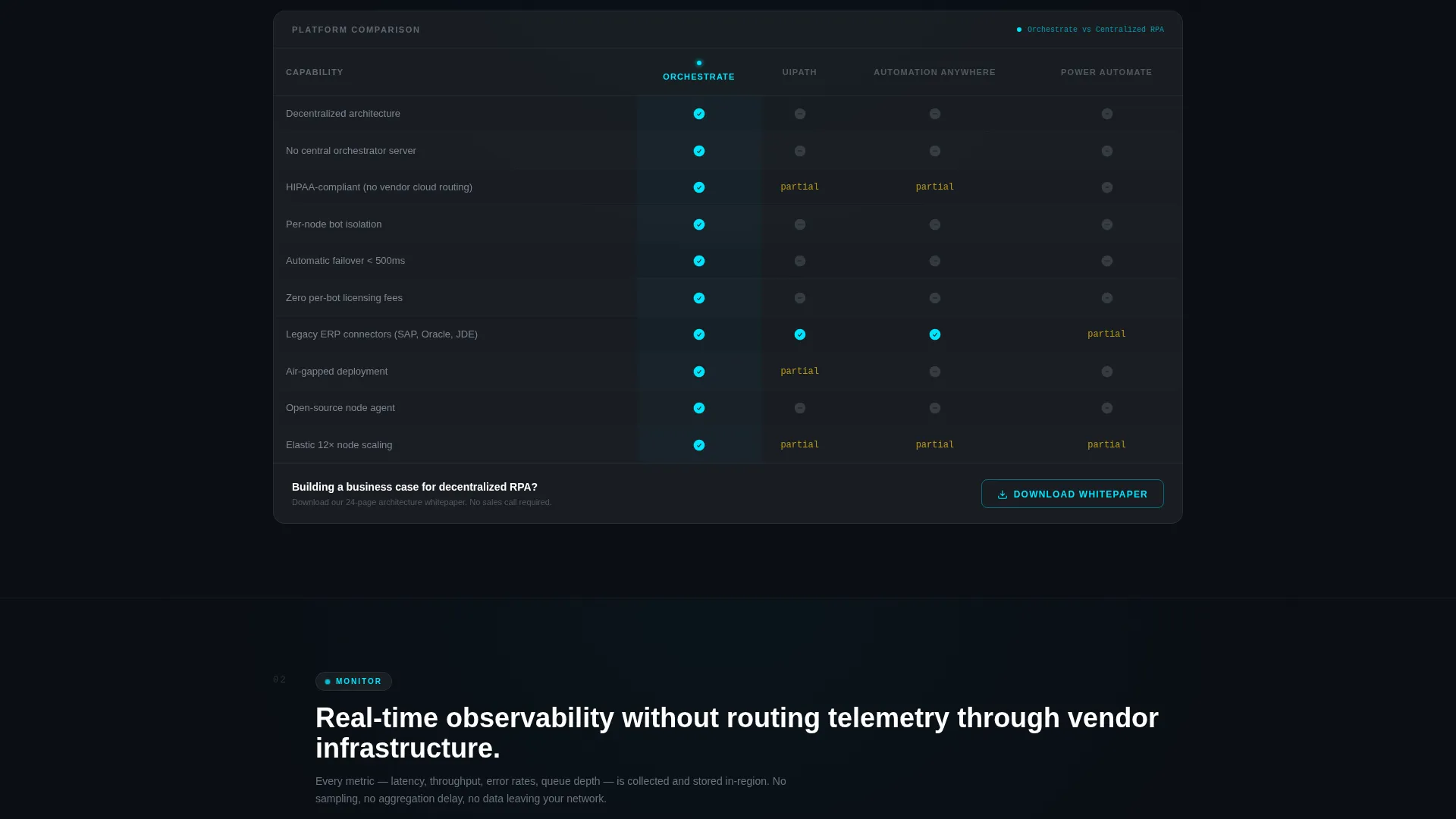
Each spoke section includes a comparison table with four columns: UiPath, Automation Anywhere, Power Automate, and Orchestrate. These tables are rendered in frosted glass panels and give technical evaluators a side-by-side capability reference without leaving the page.
Oversized Metric Callouts
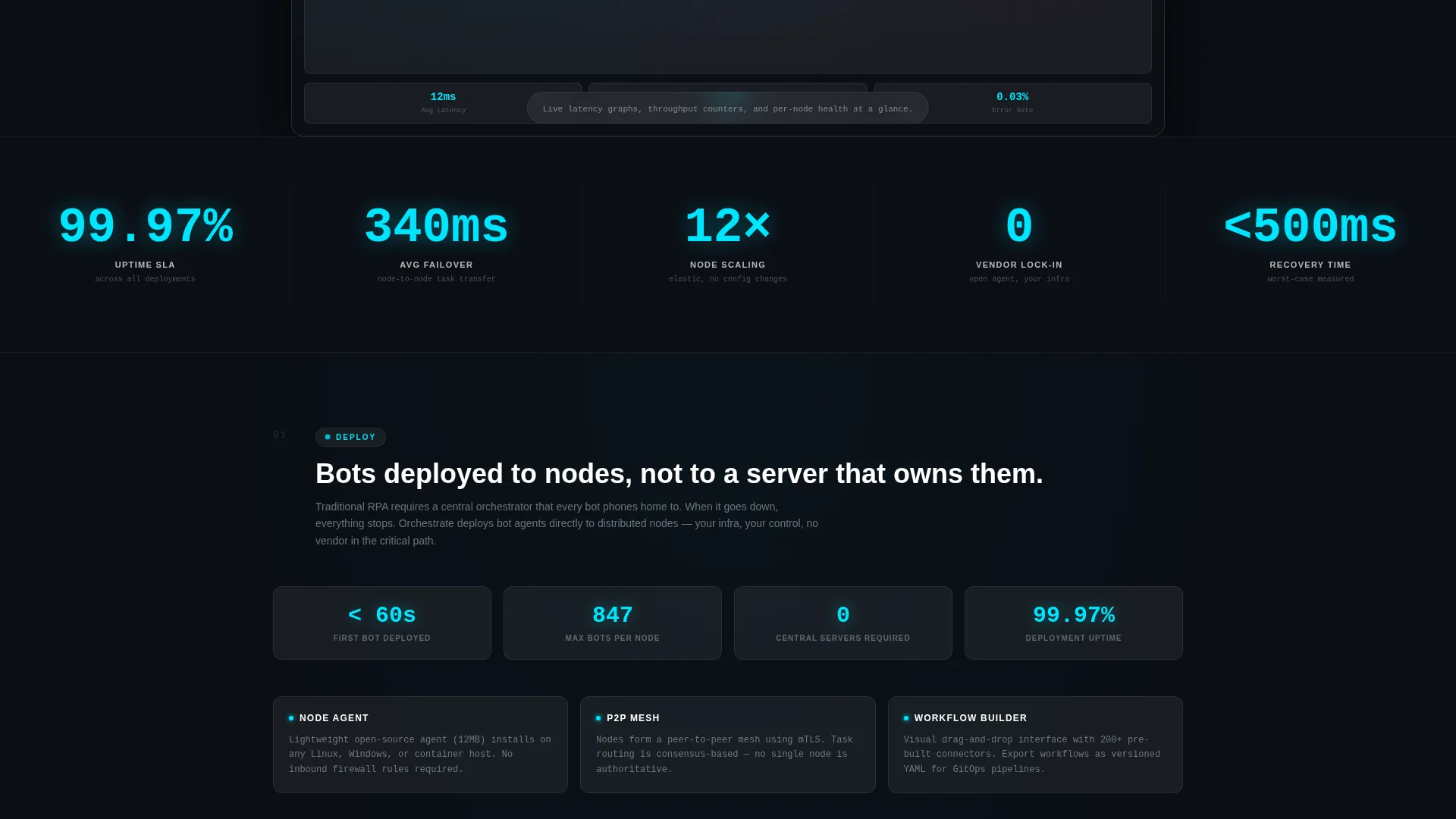
Key performance figures appear in oversized electric cyan typography throughout the spoke sections. Highlighted metrics include 99.97% uptime, 340ms average failover time, and 12x node scaling. These callouts reward the technical buyer who scrolls deeper into the page.
Three-Step Lead Capture Form
The primary conversion form uses progressive disclosure across three steps. Step one collects work email and company name. Step two presents a checkbox grid of automation pain points. Step three offers a choice between a live architecture review or a self-serve sandbox environment.
Floating Call-to-Action Button
A persistent floating "Deploy Your First Bot" button in signal magenta appears after the visitor reaches 40% scroll depth. It stays visible without blocking content, keeping the primary conversion action accessible throughout the deep-scroll experience.
Page sections overview
| Section | Purpose |
|---|---|
| Feature Tab Switcher | Introduces five core capabilities with animated visuals per tab |
| Deploy Spoke | Deep-dive into bot deployment with workflow builder visual and comparison table |
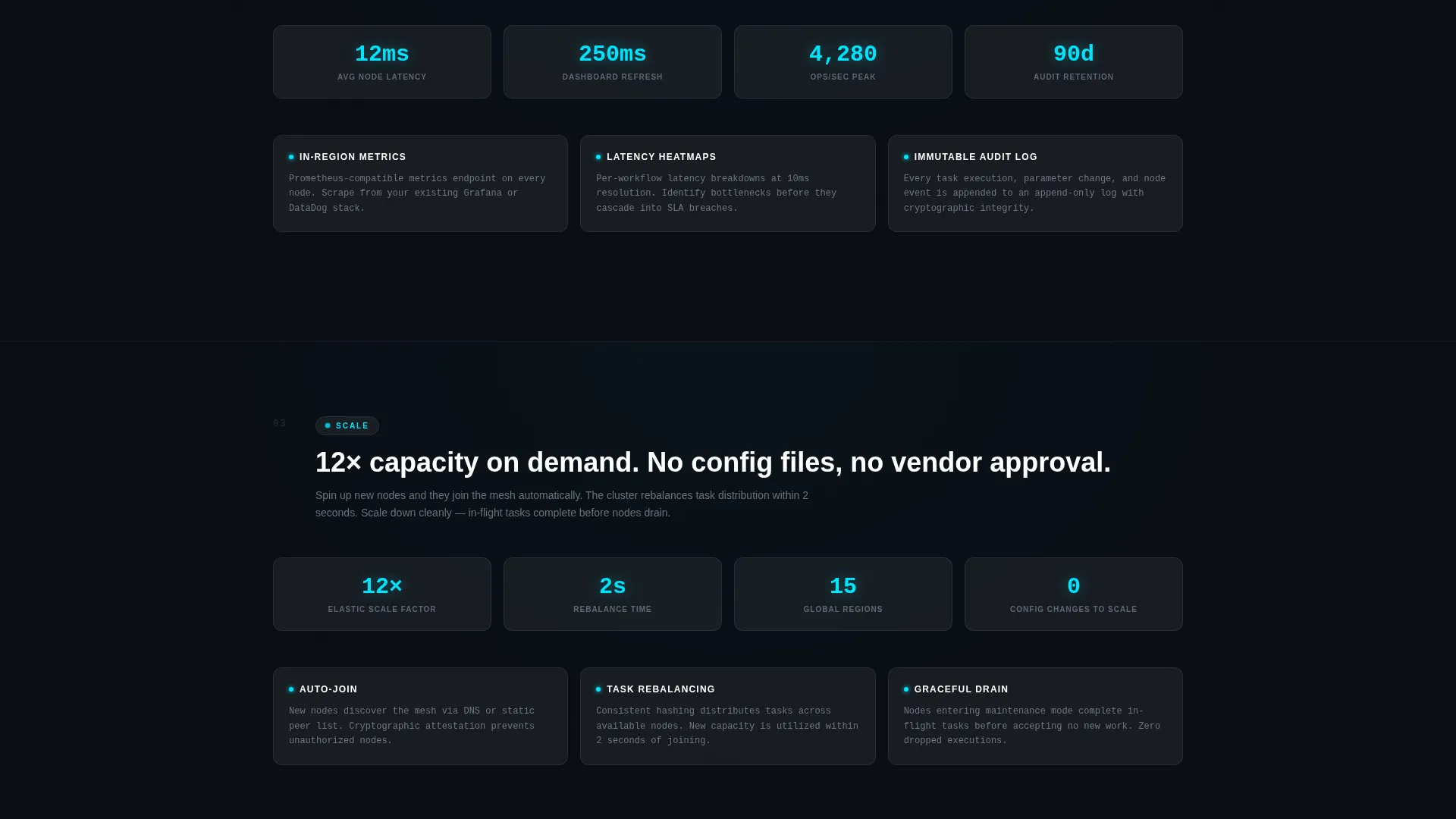
| Monitor Spoke | Live-style dashboard visuals, latency graphs, and throughput metrics |
| Scale Spoke | World map node animation and scaling cost comparison |
| Secure Spoke | Encryption handshake diagrams and zero-trust policy layer display |
| Recover Spoke | Failover replay sequence and uptime metric callouts |
| Lead Capture Form | Three-step progressive disclosure form for qualified lead generation |
| Whitepaper Download | Email-gated secondary conversion for researchers building a business case |
Design & branding system
The visual system follows a Data Command theme rendered entirely in Glassmorphic style. The palette is cold and precise, with hot pulses of color reserved for moments that matter.
- Background is deep void black (#0B0E14) with frosted translucent panels at 12% white opacity layered over gradient meshes; electric cyan (#00E5FF) marks active states and running-process indicators
- Muted silver (#A8B2C1) handles secondary text and idle interface elements throughout the page
- Signal magenta (#FF2D78) is used exclusively for alerts and primary call-to-action elements, including the floating button and the "Deploy Your First Bot" label
Mobile & speed optimization
The template is structured with a single-page scroll architecture and anchor-based navigation. This keeps the page performant in design intent without requiring heavy multi-page routing.
- Anchor navigation and frosted-glass panel layout are designed to remain usable at smaller viewport widths
- The progressive disclosure form reduces initial load complexity by revealing form steps one at a time rather than all at once
How this template helps you convert
The Orchestrate template is structured around two distinct conversion paths that serve buyers at different stages of their evaluation process.
- The primary path captures sales-ready leads through the "Deploy Your First Bot" call-to-action, which appears inside the Deploy tab and as a persistent floating button after 40% scroll depth, routing visitors into the three-step progressive form.
- The secondary path captures researchers through the "Download the Decentralized RPA Whitepaper" prompt at the bottom of the comparison tables, gated by email only, so buyers building a business case have a low-commitment entry point.
Other information about this template
This template sits at the intersection of decentralized enterprise software and the broader robotic process automation (RPA) category. It is specifically designed for platforms positioning against established centralized vendors in competitive evaluation cycles.
- The comparison table columns reference UiPath, Automation Anywhere, and Power Automate by name, giving the template immediate relevance for buyers mid-evaluation
- The template style is Hub and Spoke with Anchor Nav, meaning each capability spoke functions as a self-contained evidence module that can be navigated independently
- The intersection match score for this template's niche and category alignment is 13 out of a possible range, indicating a tightly focused use case
- The Data Command theme and Glassmorphic color system are specifically suited for platforms in the decentralized RPA, enterprise DevOps, and infrastructure automation space
Theme
Data Command
Creative direction
Feature Matrix
Color system
Glassmorphic
Style
Hub & Spoke (Anchor Nav)
Direction
Lead Generation
Page Sections
Five-tab Capability Header with Animated Visuals
Pinned Anchor Navigation Bar
Side-by-side Comparison Tables
Three-step Progressive Lead Form
Oversized Metric Callouts in Cyan Typography
Email-gated Whitepaper Download
Related questions
Who is the ideal buyer for this template?
Can I customize the comparison table columns?
How does the three-step lead form work?
When does the floating call-to-action button appear?
Does the template include a secondary conversion path?



