Geography Education Professional Website Template
Atlas is a sidebar companion landing page template built for interactive geography quiz apps. It opens with a live in-browser demo, lets visitors answer three free questions before any sign-up prompt appears, and guides them through a timeline progression from first pin to semester mastery. The design feels like a warm schoolroom with chalkboard depth and tall-window light.
by Rocket studio
Quick summary
Atlas is a ready-to-use landing page template for geography quiz apps. Visitors arrive to a fully populated sidebar layout with a live map challenge already running. They drag a pin, watch the countdown, and see their score tally before reading a single line of copy. The template is built around one idea: prove value before asking for a commitment.
Who this template is for
This template fits any team building a geography practice or quiz app that needs to convert a skeptical audience quickly. It speaks equally well to students preparing for exams and to casual learners who just want fun, low-pressure map challenges.
- Tenth-graders and AP Human Geography students who need fast, focused exam prep
- Homeschool parents who build weekly lesson plans and want curriculum-aligned quiz resources
- Pub quiz regulars and adult geography enthusiasts ready to explore beyond the basics
What problem this template solves
Most app landing pages describe features. This one demonstrates them. Visitors often leave before they understand what an app actually does. Atlas removes that friction by making the demo the hero, so the app sells itself through experience rather than copy.
- Students and parents cannot tell from copy alone whether a quiz app matches their school curriculum
- Casual learners need to feel the fun before they commit to creating an account
- App teams struggle to share the interactive character of their product through static screenshots alone
What you get with this template
You get a fully structured single-page layout designed to showcase your geography quiz app at its most engaging. Every section has a defined role, and the design system is ready to edit and personalize without writing a line of code.
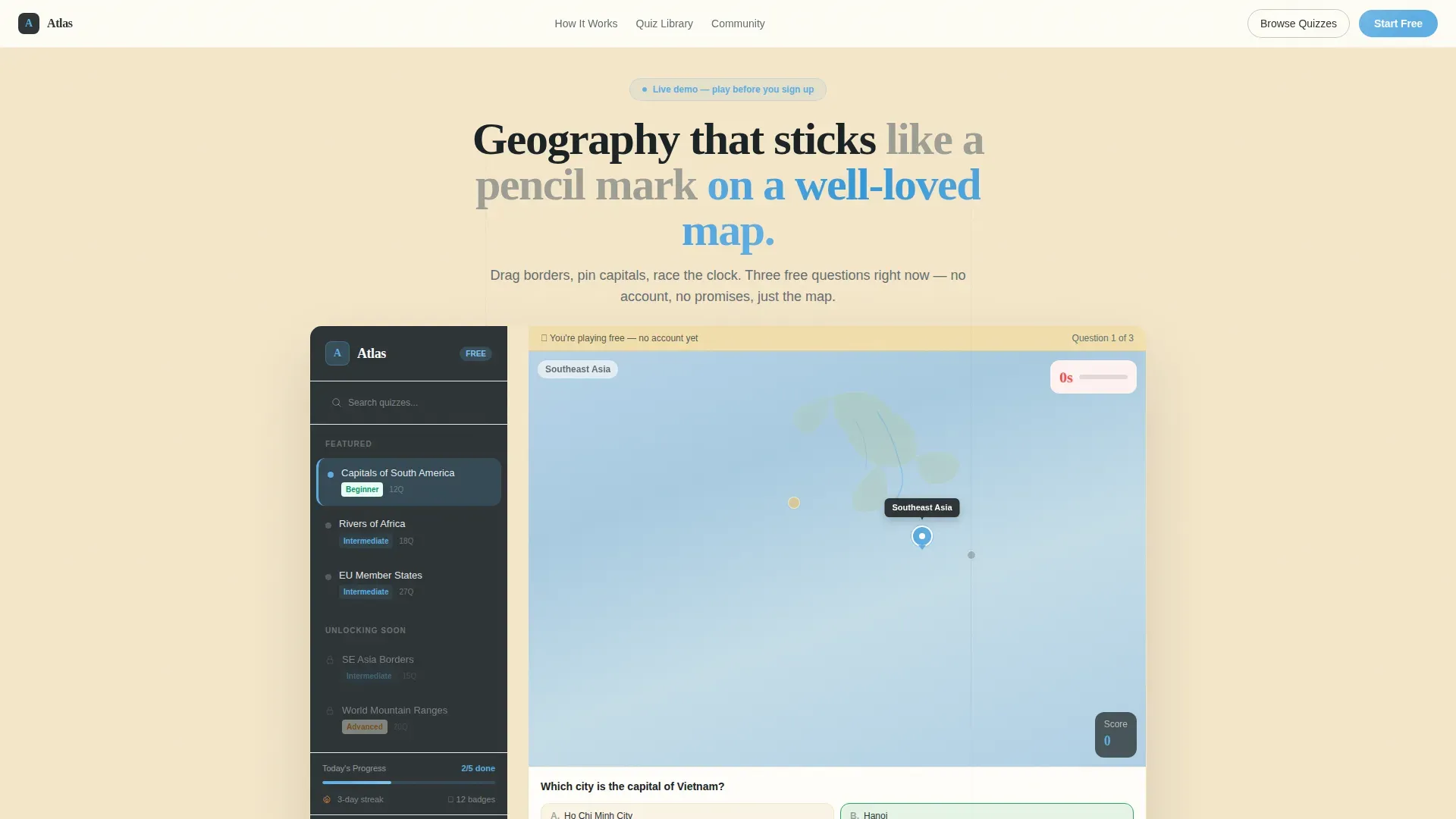
- A sidebar companion hero with a live map demo, countdown timer, score tally, and a "You're playing free" banner
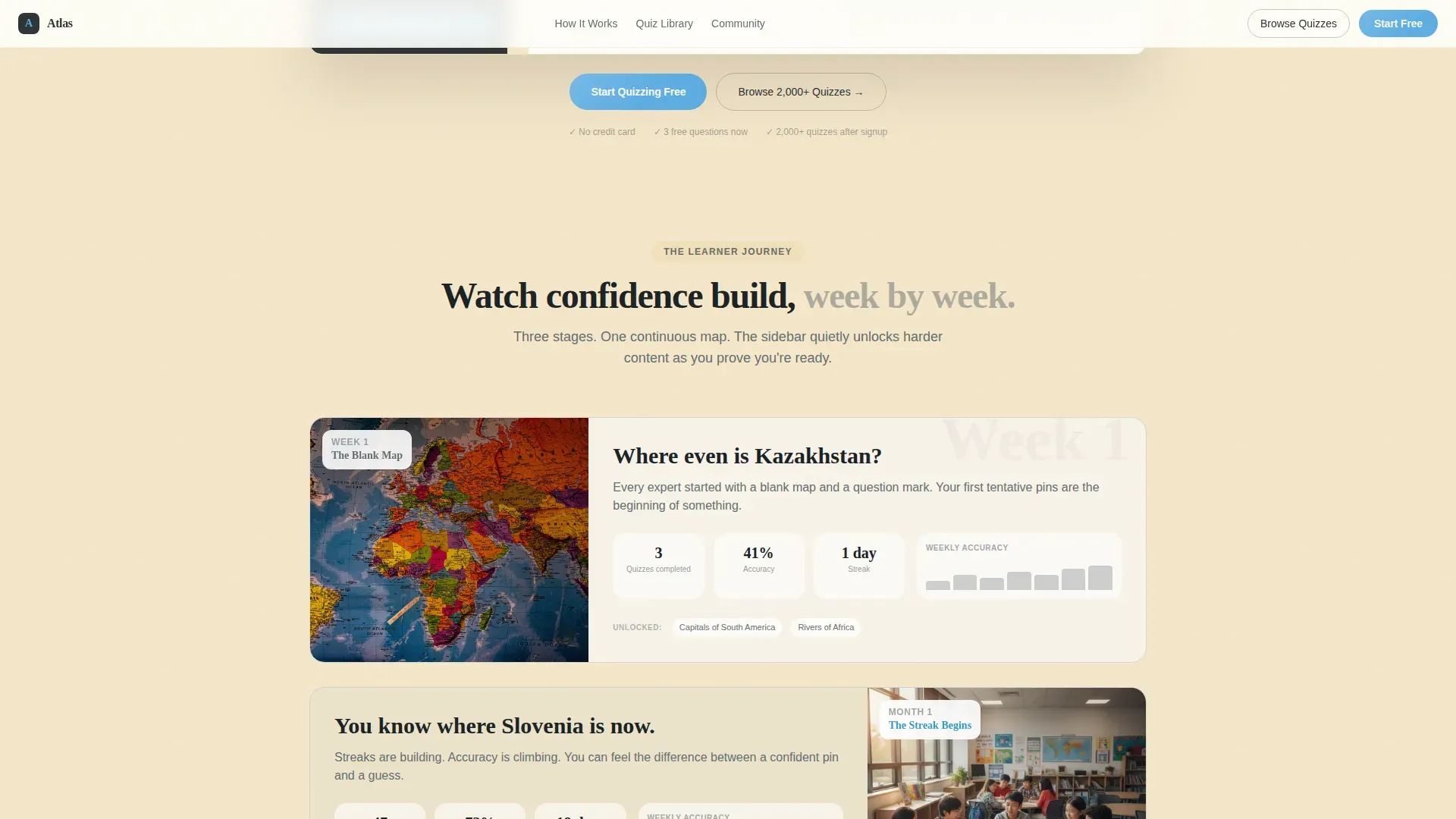
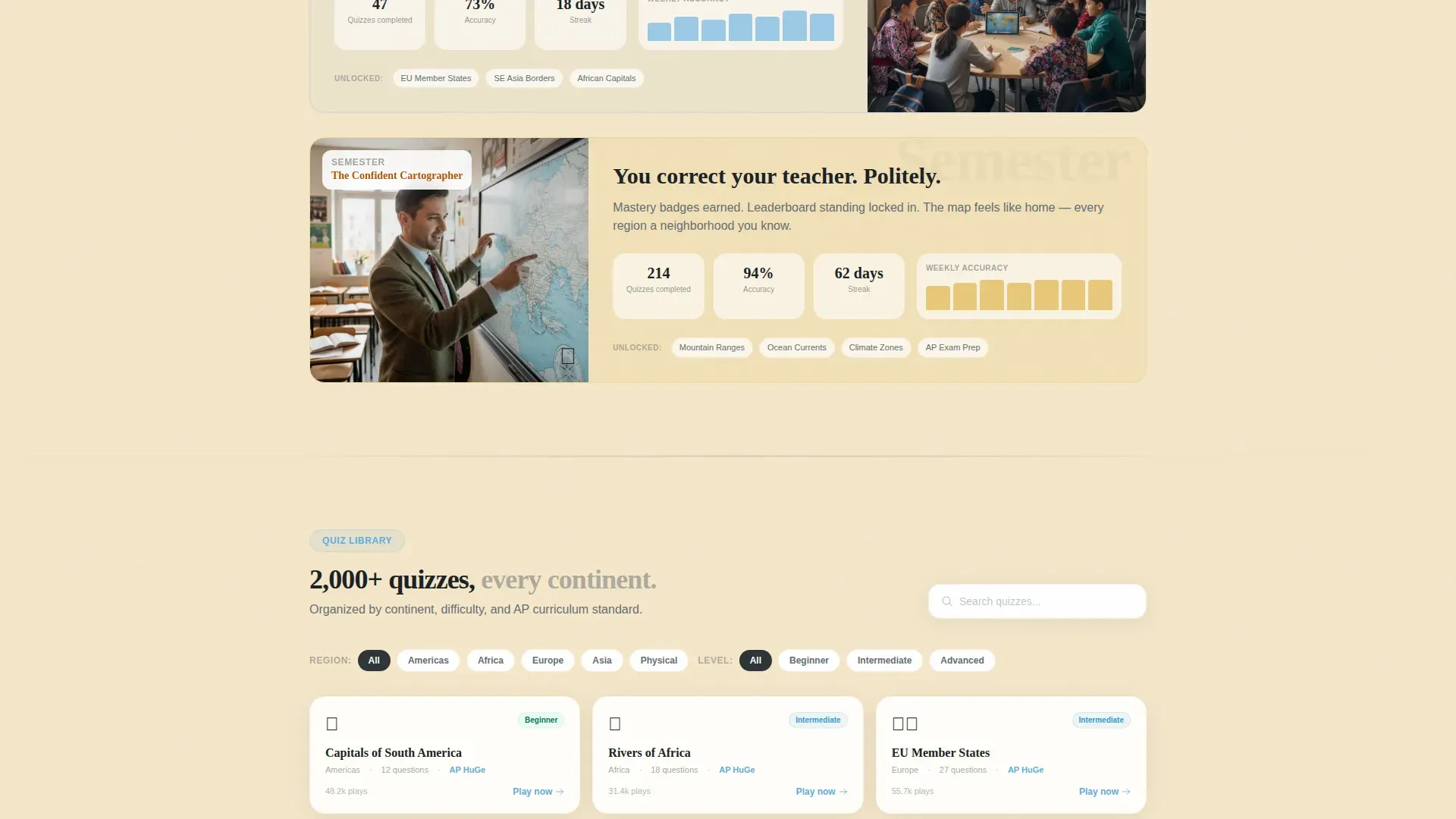
- A timeline progression section showing Week One through Semester growth, complete with accuracy charts, streak counters, and mastery badges
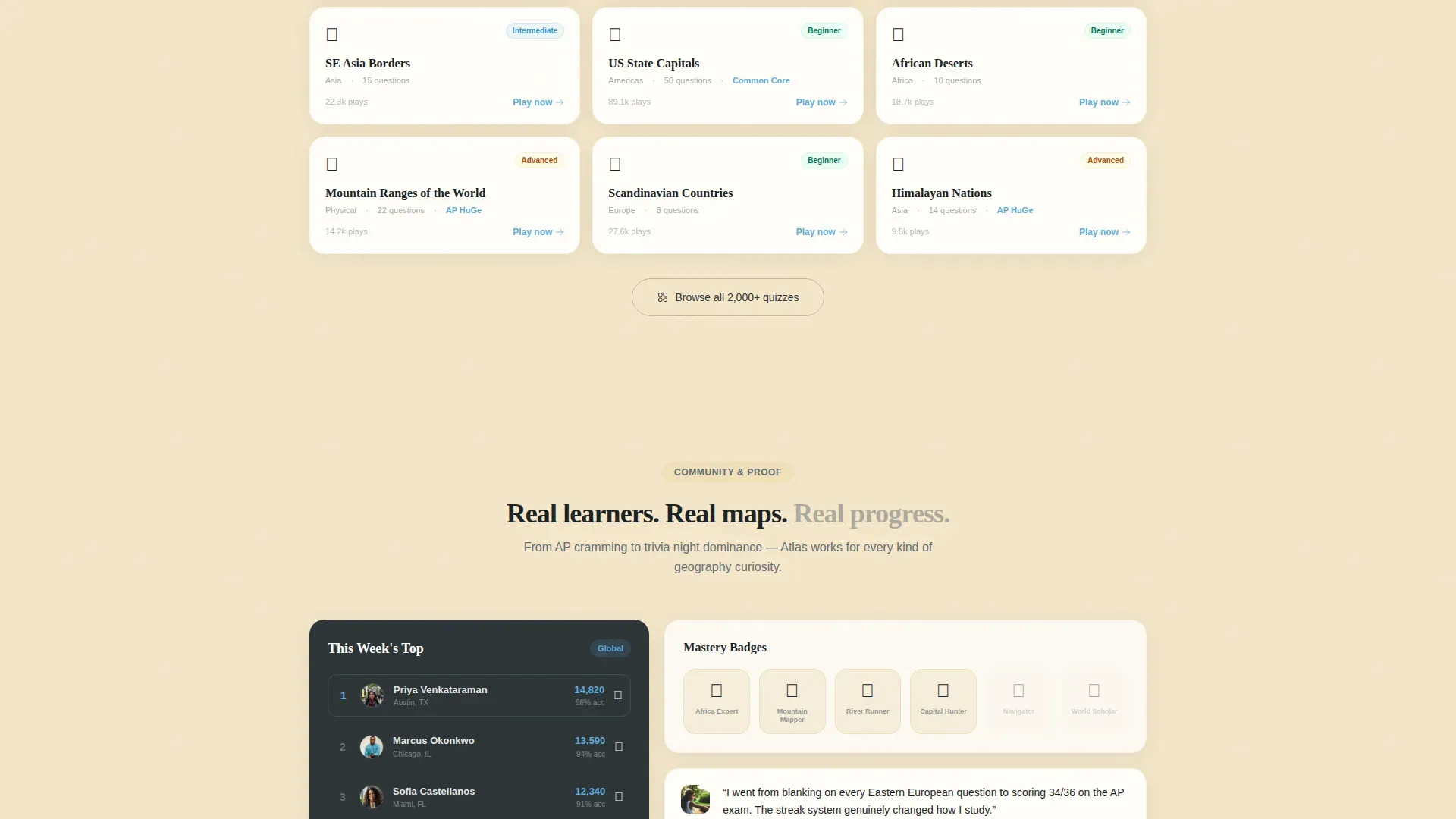
- A quiz library block displaying 2,000-plus quizzes organized by continent, difficulty, and curriculum standard, plus dual call-to-action paths and a minimal horizontal footer
Feature list
This template ships with purpose-built sections and design components that support every stage of the visitor journey. Each feature listed below maps directly to a prompt-specified element.
Live In-Browser Quiz Demo
The header section places visitors inside an active quiz before they scroll. A pin hovers over Southeast Asia, a countdown sits at fourteen seconds, and a score counter updates in real time. A small banner reads "You're playing free, no account yet," removing sign-up pressure instantly.
Timeline Progression Scroll
Below the demo, three scroll-linked stages show a learner's journey. Week One surfaces blank-map anxiety and first tentative pins. Month One reveals streaks and accuracy charts climbing. Semester view shows mastery badges and community leaderboard standings. Each stage feels warmer and more populated than the last.
Quiz Library Section
A dedicated section lets visitors browse and explore more than 2,000 quizzes. Content is organized by continent, difficulty level, and curriculum standard. Two clear paths appear: "Start Quizzing Free" launches the app instantly, while "Browse 2,000+ Quizzes" links to a searchable resource library.
Sidebar Companion Layout
The persistent left rail acts as a quiz menu, pre-populated with sample categories like Capitals of South America, Rivers of Africa, and EU Member States. This sidebar quietly updates to reflect deeper content unlocking as visitors scroll through each progression stage.
Community and Social Proof Block
Leaderboard standings, accuracy percentages, streak badges, and testimonials from all three audience types appear in a dedicated section. User reviews and testimonials build credibility and help potential customers connect with real learner outcomes across different use cases.
Dual Call-to-Action Design
No forms appear on the first click. The primary action, "Start Quizzing Free," launches the app in-browser. A secondary path, "Browse 2,000+ Quizzes," opens the library. Both calls to action appear inside the hero and pinned at the sidebar bottom, giving visitors two clear ways to continue.
Page sections overview
| Section | Purpose |
|---|---|
| Sidebar Hero Demo | Live quiz, timer, score, and free-play banner |
| Timeline Progression | Week One to Semester learner journey |
| Quiz Library Browse | 2,000-plus quizzes by continent and difficulty |
| Community Leaderboard | Badges, streaks, and ICP testimonials |
| Dual Call to Action | Two no-form paths to start or explore |
| Minimal Footer | Horizontal flow, clean and uncluttered |
Design & branding system
The visual style follows a Community Hearth theme built on the Slate and Sky color system. It feels like a schoolroom with tall windows: serious enough to study in, bright enough to want to stay. Typography pairs Fraunces for display headings with DM Sans for body text and interface elements, giving the app a grounded, readable character.
- Colors: deep chalkboard slate (#2D3436) for the sidebar, open-sky blue (#5DADE2) for active states and progress indicators, warm hearthstone (#F5E6CA) for content backgrounds, and soft graphite (#636E72) for body text
- Fonts and icons are chosen for legibility at all sizes; photos and map images carry a paper-map texture that reinforces the schoolroom style
Mobile & speed optimization
The layout is desktop-first because the sidebar companion design requires a wide viewport to show the quiz panel and sidebar simultaneously. A responsive stack is built in for smaller screens, so the same content reflows cleanly on any device.
- The sidebar collapses gracefully on mobile, keeping the quiz demo front and center for every visitor
- Images and code are structured so the interactive demo loads without blocking the above-the-fold content
How this template helps you convert
A successful landing page for an interactive geography quiz app earns trust through immediate engagement rather than promises. This template is built around that principle at every stage.
- Visitors answer three free questions before any sign-up modal appears, building muscle-memory confidence in the app before they are asked to create an account
- The timeline progression gives students, parents, and casual learners a concrete picture of progress they can realistically expect, making the decision to sign up feel low-risk
Other information about this template
This template is part of a broader family of education-focused templates designed for EdTech teams, indie developers, and curriculum builders. It is built with no-code-friendly structure so teams can edit, upload new quiz data, and change colors or fonts without engineering support. You can add photos, swap icons, and fill in your own quiz categories using simple drag and drop actions.
- Geography presentation templates, including those available on platforms like Canva, show that learners respond well to visual layouts with photo placeholders and clear typography; this template follows the same principle with map-driven visuals
- The atlas interactive geography quiz app landing page template draws inspiration from community-driven map tools where users can share projects publicly for feedback and community engagement
- Post your own quiz files or upload data from spreadsheets to populate the library section; the template is designed to accept a wide range of content formats
- Use cases span AP Human Geography exam prep, homeschool lesson plans, school geography clubs, and casual pub quiz training; each audience segment has a matching testimonial slot built into the community section
- Track learner progress data through the timeline section; the design is reviewed to support insights at every scroll stage, from first-pin anxiety through semester-level mastery badges
Theme
Community Hearth
Creative direction
Timeline Progression
Color system
Slate & Sky
Style
Sidebar Companion
Direction
Content/Resource
Page Sections
Live In-browser Quiz Hero
Timeline Progression Scroll
2,000-plus Quiz Library
Sidebar Companion Layout
Community and Social Proof Section
Dual No-form Call to Action
Related questions
Does a visitor need an account to try the quiz demo?
Can I customize the quiz categories shown in the sidebar?
Is this template suitable for school and curriculum-aligned use cases?
How do the two call-to-action paths work?
Can I keep the page private while building and share it later?



