Packaging & Shipping Directory Website Template
Packagingcore is a dashboard-style landing page template built for food and beverage contract packaging facilities. It pairs an interactive facility map header with a scrollable spec data grid, letting procurement directors and CPG founders configure a mental request for quotation as they browse. Six ISO-certified production lines, dual-spec display, and a pinned partnership form drive qualified lead capture from the first scroll.
by Rocket studio
Quick summary
Packagingcore is a single-page, data-dense landing page template for industrial food and beverage packaging operations. It opens with an interactive facility map showing three plant nodes, then flows through sortable capability tables, compliance badges, and a gated substrate library download. Every section is built to answer procurement questions before they are asked, earning the conversion through technical depth.
Who this template is for
This template is designed for operations that sell packaging services to other businesses. It speaks to buyers who arrive with specifications in hand and need proof before they pick up the phone.
- CPG procurement directors and co-packer operations managers who need substrate tolerances, minimum order quantities, and certification clarity at a glance
- Beverage startup founders validating a co-manufacturing partner before committing to a prototype run
- Contract packaging facilities running multiple certified lines that need to communicate full-spectrum capability to serious buyers
What problem this template solves
Most industrial packaging pages read like a brochure when buyers need a technical brief. A procurement director comparing suppliers does not want marketing language. They want fill speeds, print method comparisons, and compliance badges they can cite in an internal memo.
- Buyers cannot find the specific substrate, tolerance, or minimum order quantity they need without calling a sales rep
- Facilities with genuine technical depth lose leads to competitors whose pages are easier to scan
- Qualified prospects drop off before reaching the contact form because the page has not yet earned their trust
What you get with this template
You get a complete, single-page layout designed around industrial procurement behavior. The structure moves visitors from capability proof to conversion without a single unnecessary detour.
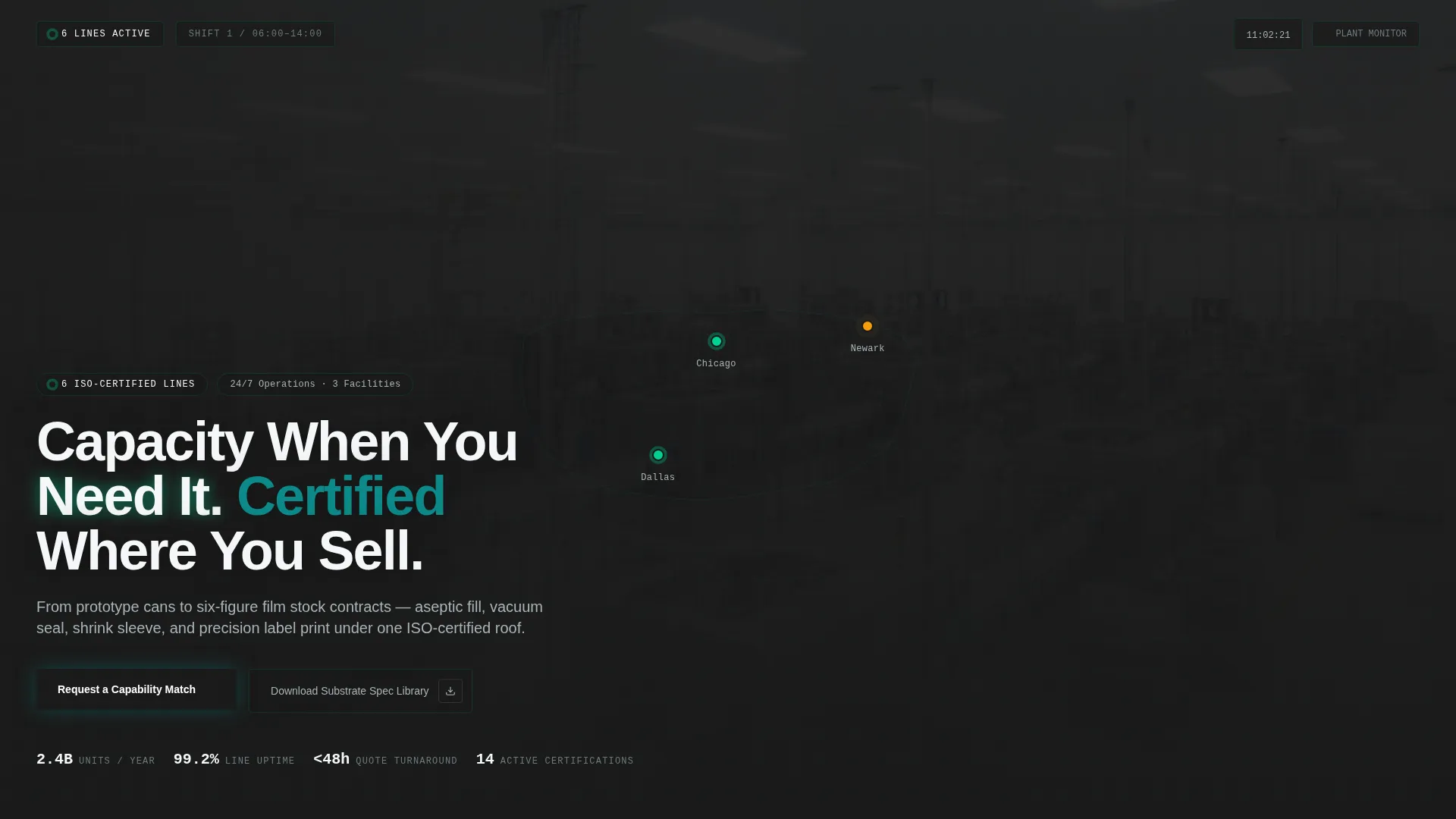
- An interactive facility map header with three pulsing plant location nodes, each expandable to show line availability, certifications, and nearest freight port
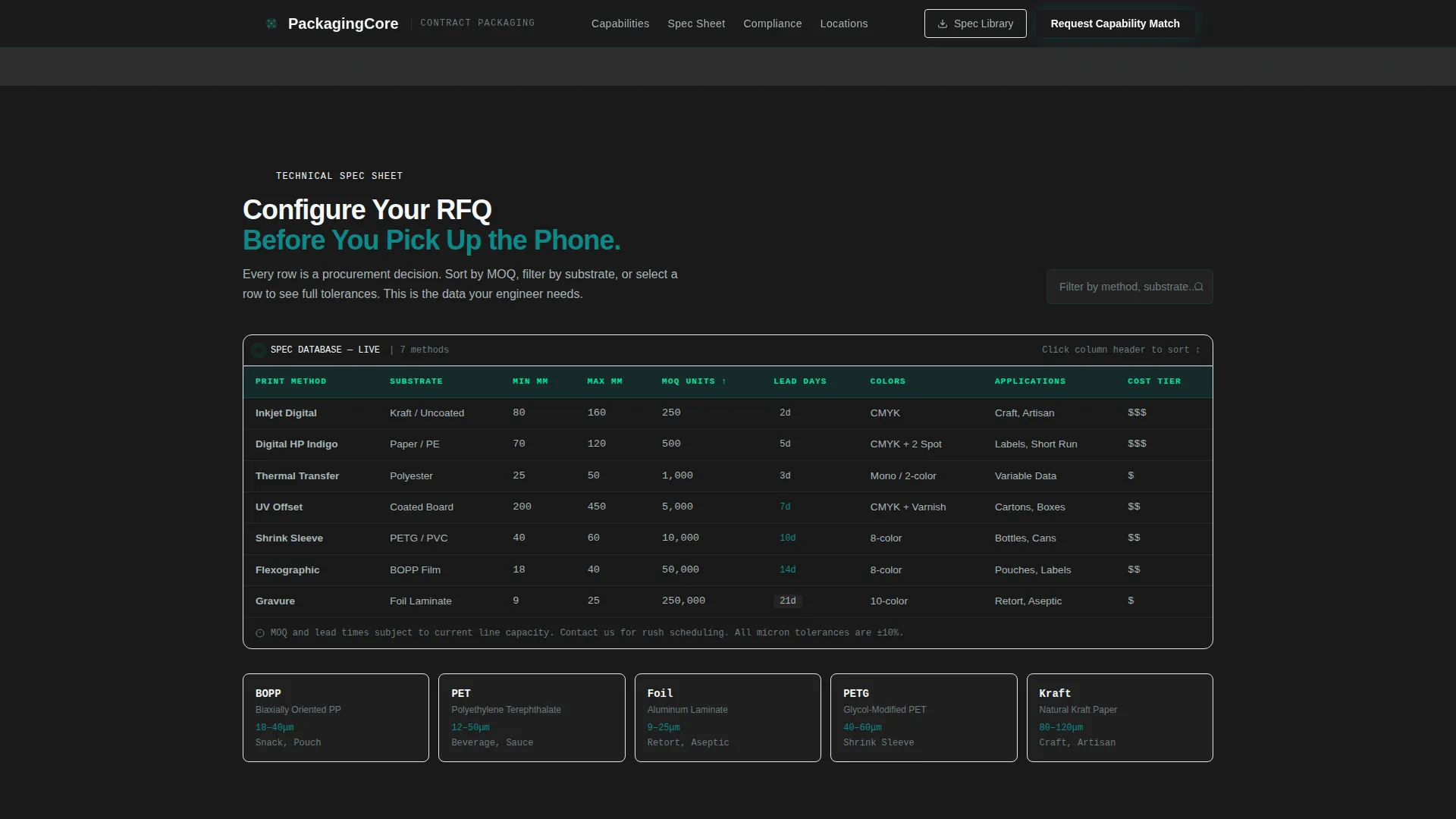
- A scrollable spec data grid with sortable columns covering print methods, substrate tolerances, and dynamic minimum order quantities by stock-keeping unit type
- A pinned partnership conversion bar with a "Request a Capability Match" form and a gated "Download Our Substrate Spec Library" secondary path
Feature list
This template includes six purpose-built components, each grounded in real procurement workflow and industrial data presentation.
Interactive Facility Map Header
Three plant location nodes pulse with production status indicators on a slight isometric view. Hovering a node expands a mini-card showing current line availability, certifications held, and the nearest port for freight routing. The headline "Capacity When You Need It. Certified Where You Sell." fades in over the map.
Scrollable Spec Data Grid
A sortable technical table lets visitors compare print methods, substrate tolerances measured in microns, and minimum order quantities that update dynamically by stock-keeping unit type. The grid is built with JetBrains Mono typography for number-dense readability and GSAP ScrollTrigger staggered data reveals.
Capabilities Bento Grid
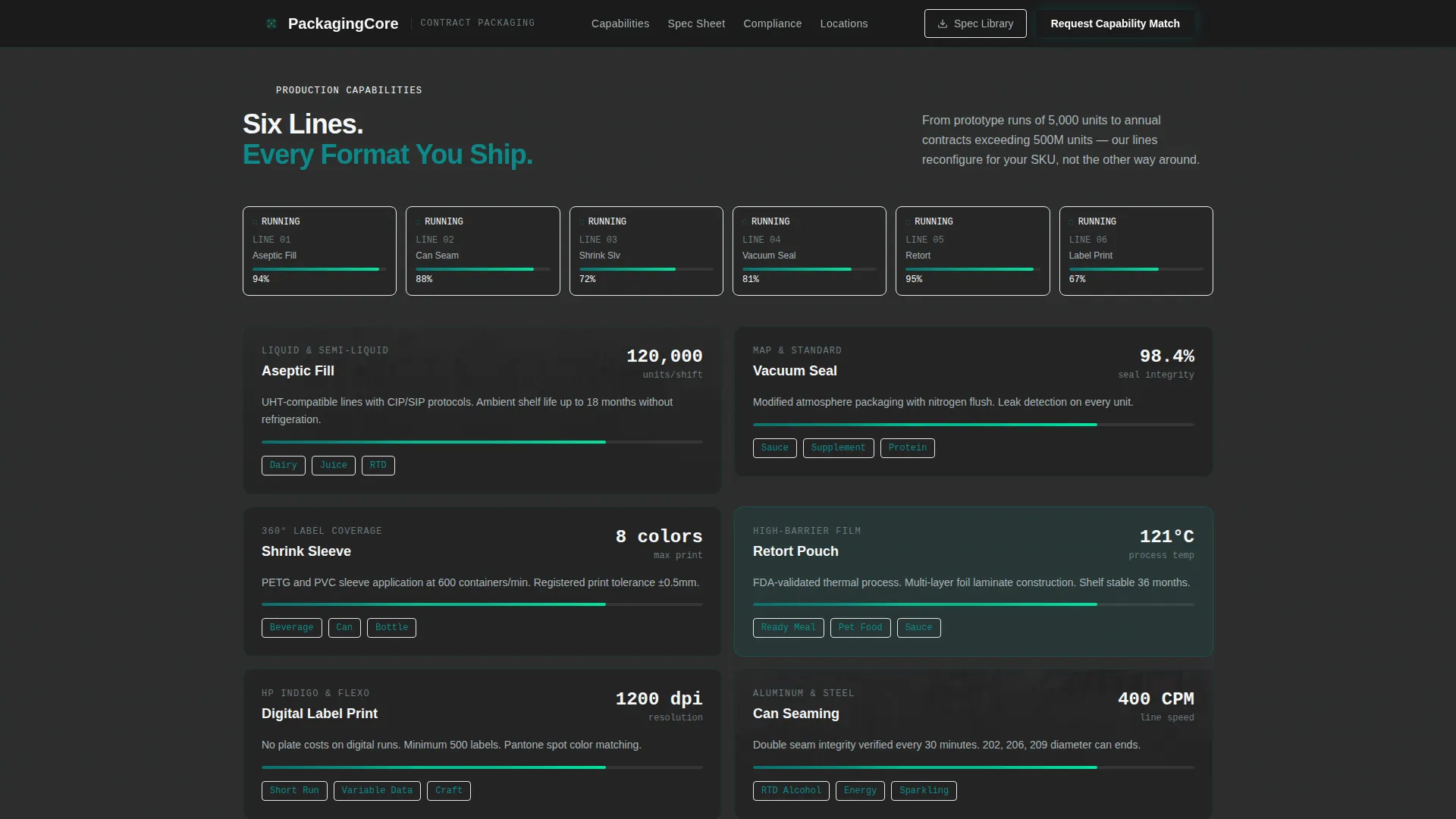
An asymmetric capabilities section presents substrate types, fill methods, line speeds, and certification indicators in a dense card layout. Each card is laid out on the data grid so visitors build a mental request for quotation row by row as they scroll.
Compliance and Certifications Panel
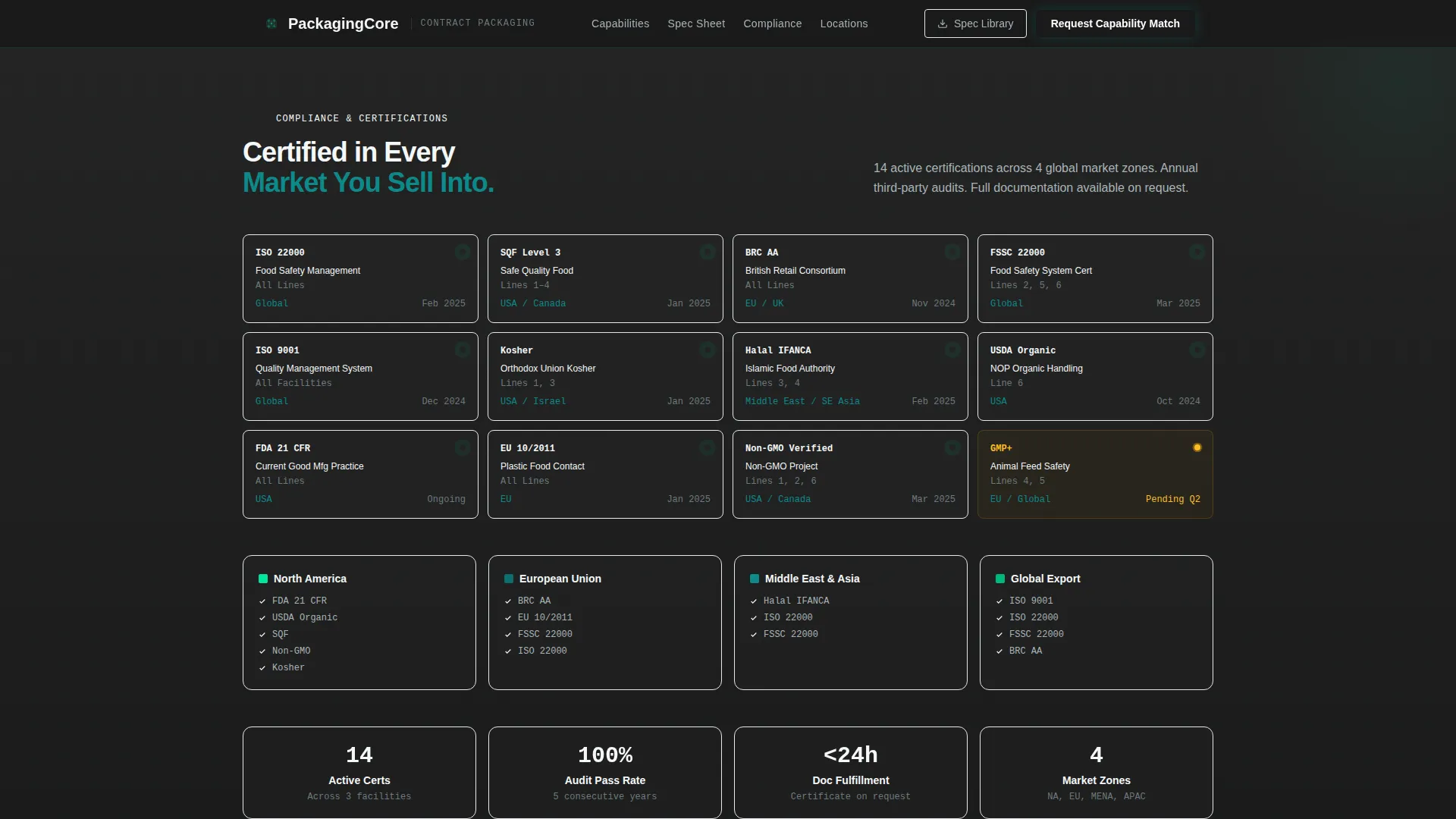
ISO certification badges, market coverage indicators, and audit trail signals are displayed in a dedicated compliance section. This gives procurement directors and co-packer operations managers the third-party validation they need to move a supplier evaluation forward internally.
Pinned Partnership Conversion Bar
After the first scroll, a slim utility bar pins to the viewport. It holds the primary call to action form capturing company name, product category, estimated annual units, and a free-text field for the visitor's biggest packaging challenge. A secondary path offers the gated substrate library download behind a business email.
Engineering Blueprint Visual System
The full color system, DM Sans for headers, JetBrains Mono for specifications, graphite backgrounds, deep teal panels, and catalyst green live indicators combine into a control-screen aesthetic. The result feels like a plant manager's dashboard at shift change, dark, information-dense, and alive with signals that the lines are running clean.
Page sections overview
| Section | Purpose |
|---|---|
| Hero Facility Map | Establish capability scale with three pulsing plant nodes and the primary headline |
| Capabilities Bento Grid | Present substrate types, fill methods, line speeds, and certifications in scannable cards |
| Spec Data Grid | Let visitors sort and compare print methods, tolerances, and minimum order quantities |
| Compliance Certifications Panel | Display ISO badges, market coverage, and audit trail signals for procurement validation |
| Partnership Conversion Form | Capture qualified leads via "Request a Capability Match" and the gated substrate library |
| Footer | Single-row linear footer with facility and contact essentials |
Design & branding system
The visual language is an Engineering Blueprint theme built on the Teal Catalyst color system. Every design decision reinforces a plant-floor command center feeling: dark backgrounds, bright status signals, and information-dense layouts that reward technical readers.
- Deep technical teal (#0B6E6E) anchors headers and data panels; graphite machine-floor gray (#2D2D2D) fills backgrounds; bright catalyst green (#00E5A0) activates hover states and live capacity indicators; clean substrate white (#F4F7F8) surfaces card faces and spec tables
- DM Sans handles headers and interface labels for clarity at any size; JetBrains Mono renders all specification numbers, tolerances, and data fields for precise, monospaced readability
Mobile & speed optimization
The template is built desktop-first to match the workstation habits of procurement directors, with a solid mobile fallback for founders reviewing options between meetings.
- Server Components handle all static sections to keep initial load lean; Client Components power the interactive facility map, sortable spec table, and dynamic partnership form
- High-motion GSAP ScrollTrigger animations, pulsing status dots, staggered data reveals, and node hover expansions are scoped to interactive components so they do not block the static content render
How this template helps you convert
The conversion strategy is built on earning trust before asking for a click. Visitors prove the facility's technical depth to themselves as they scroll, so the call to action feels like a logical next step, not an interruption.
- The interactive facility map and scrollable spec grid answer procurement questions progressively, so by the time the pinned conversion bar appears, visitors have already half-configured a request for quotation in their heads
- Two conversion paths serve two buyer readiness levels: the "Request a Capability Match" form captures visitors ready to talk, while the gated substrate library download nurtures leads who need more research time before committing
Other information about this template
This template sits at the intersection of the Logistics and Supply Chain category, the Packaging and Shipping subcategory, and the Food and Beverage Packaging niche. It carries a high intersection match score and is purpose-built for B2B partnership and lead generation use cases.
- The localization setup supports English (US) with United States dollar pricing and dual Imperial and Metric specification display, making it suitable for facilities serving both domestic and export markets
- Animation intensity is set to high, with GSAP ScrollTrigger driving scroll-based reveals, status dot pulses, and hover card expansions; teams with lower animation preferences can scope these down per component
- The footer follows a linear single-row pattern, keeping the page exit clean and focused without distracting the visitor from the primary conversion goal
Theme
Engineering Blueprint
Creative direction
Spec Sheet
Color system
Teal Catalyst
Style
Dashboard/Data Grid
Direction
Partnership/B2B
Page Sections
Interactive Facility Map Header
Sortable Spec Data Grid
Capabilities Bento Grid
Compliance and Certifications Panel
Pinned Partnership Conversion Bar
Engineering Blueprint Visual System
Related questions
Who is this landing page template built for?
Can I customize the product category dropdown in the partnership form?
Does the template support both desktop and mobile visitors?
How does the gated substrate library download work?
What makes the spec data grid different from a standard feature list?