Parking Booking System Landing Page Template
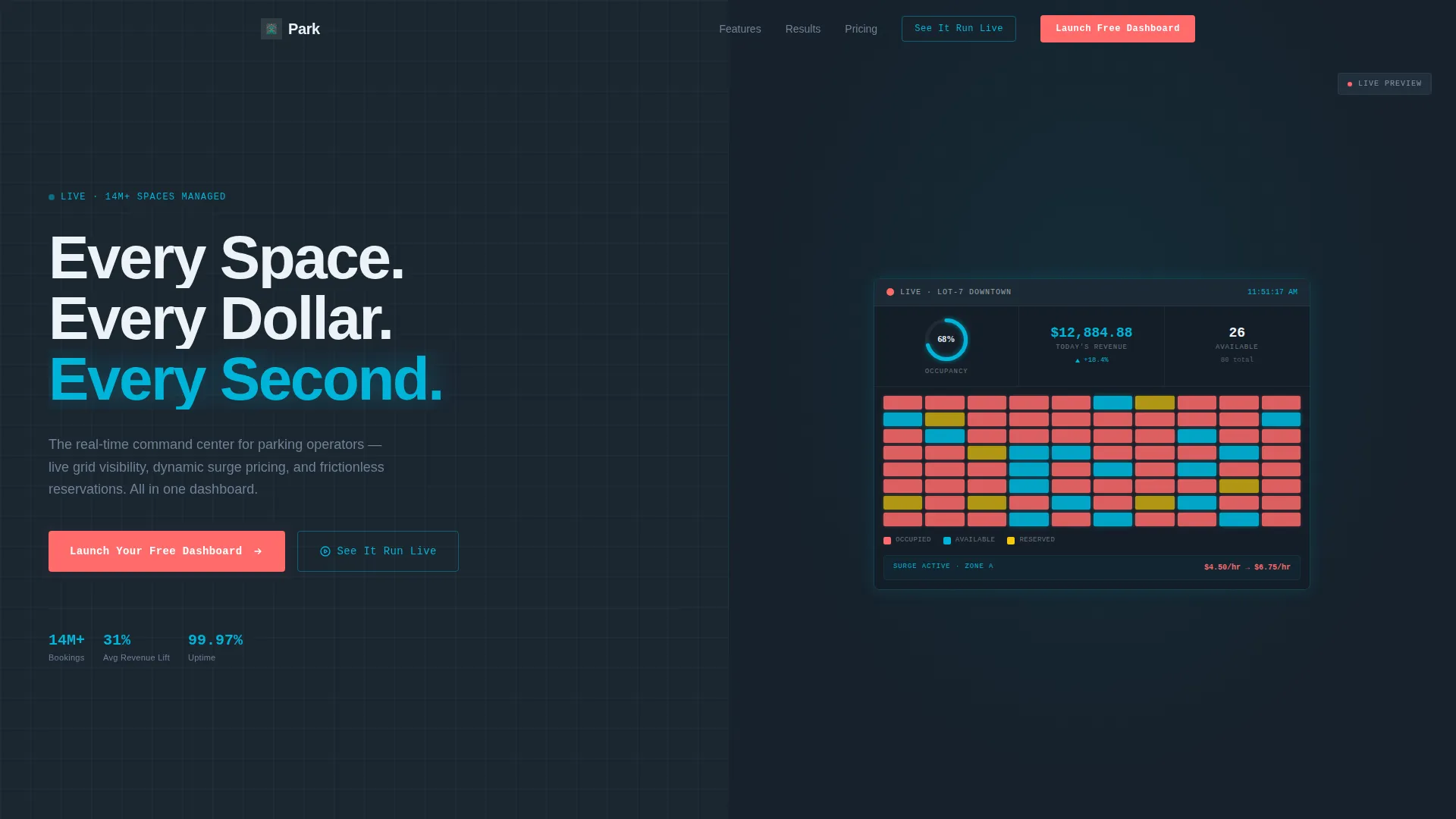
Park is a split-screen landing page template built for parking management software. It pairs a bold headline and conversion form on the left with a live, animated dashboard preview on the right. Designed for operators, airport managers, and municipal planners, it communicates real-time grid control, dynamic pricing, and frictionless reservations at a glance.
by Rocket studio
Quick summary
Park is a high-impact, single-page template for parking booking system platforms. It uses a 50/50 split-screen layout to place persuasive copy and a freemium sign-up form alongside an animated live dashboard preview. The design follows a Dashboard Pro theme with a Teal Catalyst color system, built to move parking operators from skeptical visitor to active trial user.
Who this template is for
This template speaks directly to the people who run parking operations at scale. They are not looking for a brochure. They want proof that the product works before they type a single character into a form.
- Parking garage operators managing large urban decks with hundreds of spaces
- Airport lot managers handling unpredictable surges and overnight demand
- University transportation directors and municipal planners managing permits and public lots
What problem this template solves
Most parking software landing pages bury the value proposition in marketing language. Visitors leave before they understand what the product does. This template solves that with visible product proof right in the header.
- Double-bookings, ghost occupancy, and revenue leakage go unaddressed on generic pages
- Operators need to see live grid behavior and pricing logic before committing to a trial
- The scroll sequence escalates capability in logical steps, so trust builds before the form appears
What you get with this template
You get a fully structured, single-page layout that carries a visitor from first impression to account creation. Every section is intentional. Nothing is decorative.
- A split-screen header with a bold headline and an interactive, animated parking grid dashboard on the right
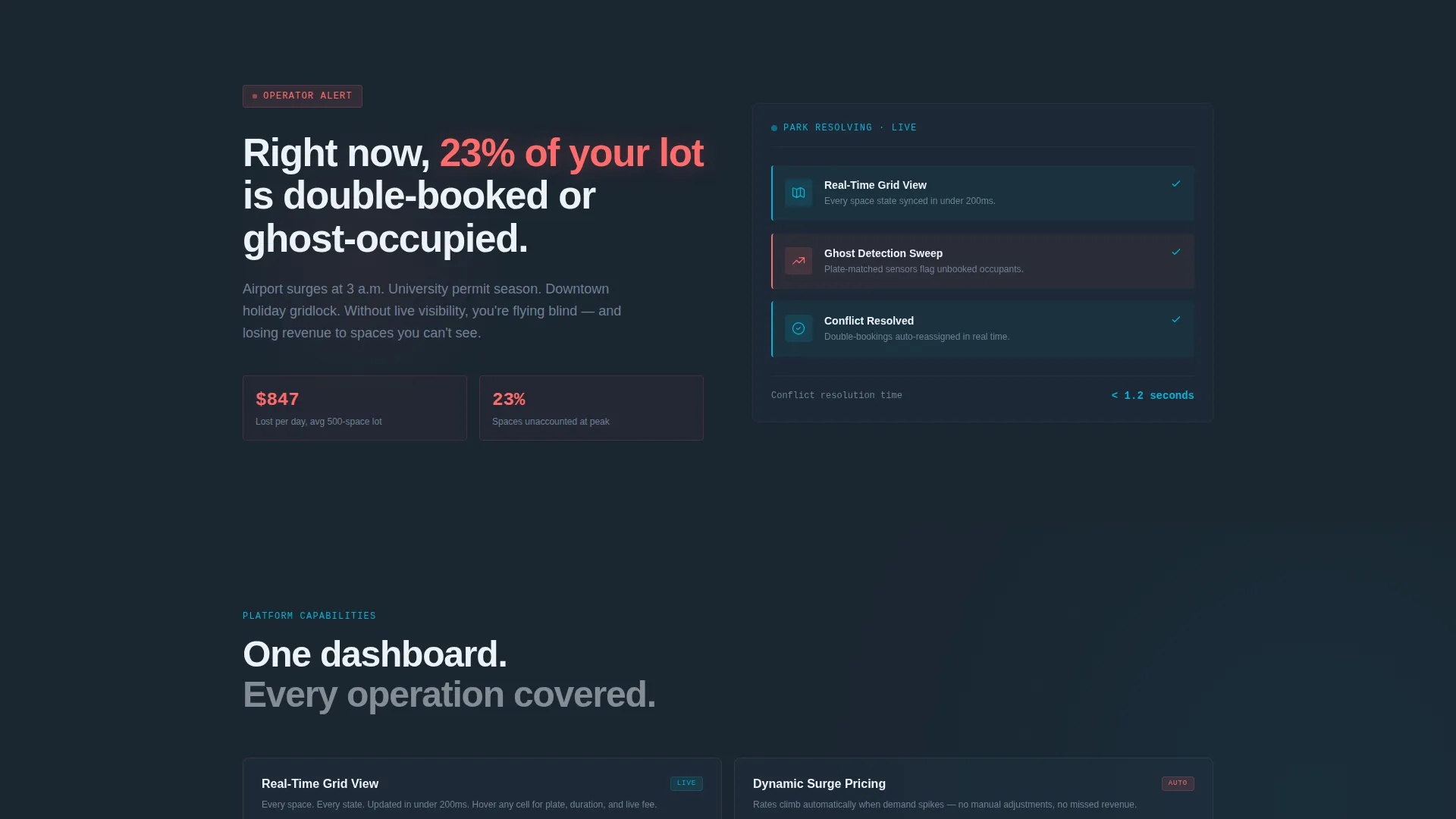
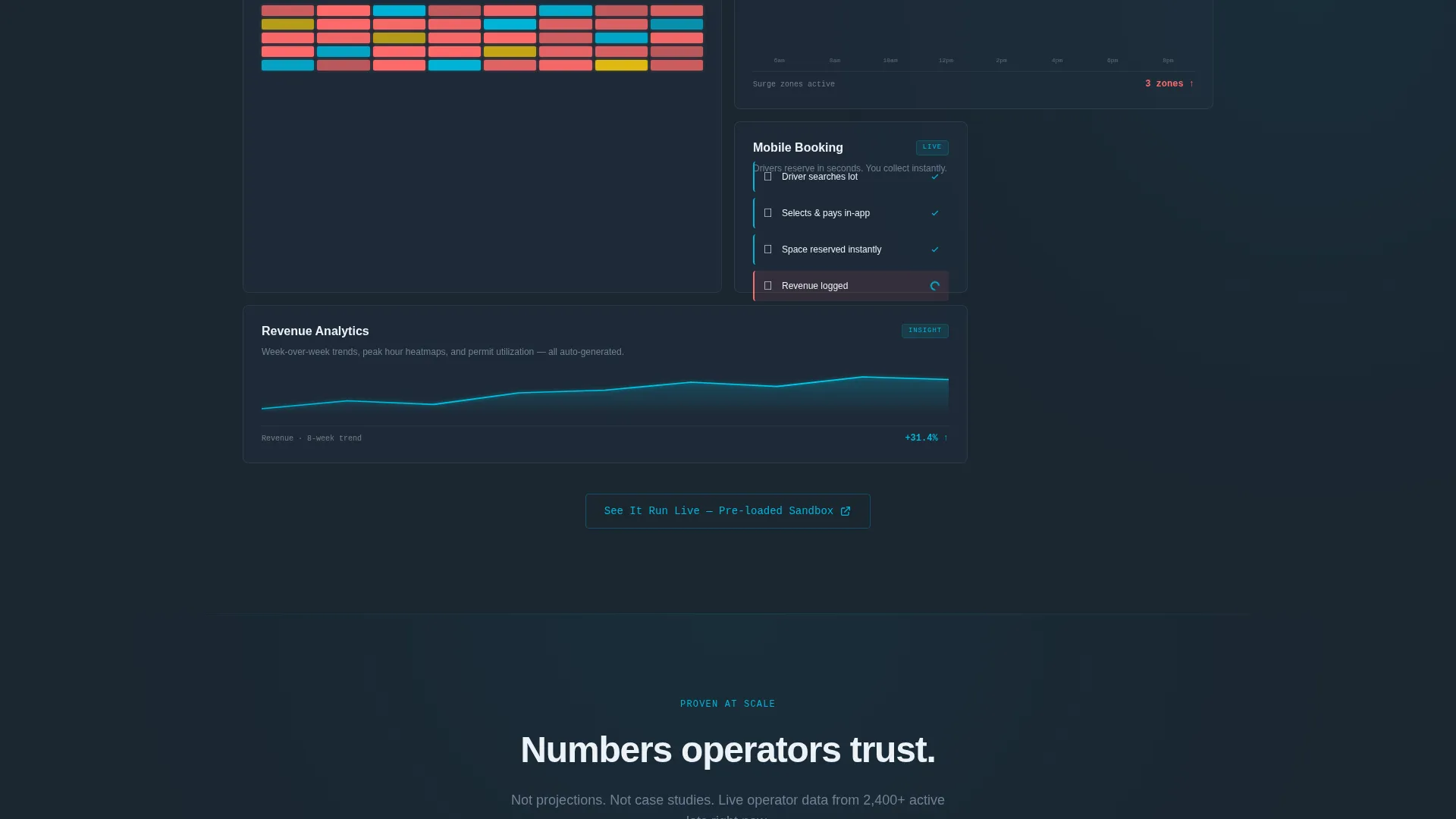
- A scroll-driven narrative that reveals real-time grid view, dynamic surge pricing, mobile booking confirmation, and a revenue analytics chart in sequence
- A freemium conversion path with a two-step sign-up form, a sticky mobile call to action bar, and a sandbox demo button
Feature list
The Park template ships with purpose-built components that reflect actual parking operations software. Each feature is designed to communicate product value without needing a sales call.
Interactive Animated Dashboard Preview
The right half of the header shows a live parking grid where spaces flicker between occupied and available states in real time. A revenue ticker climbs in the corner and an occupancy ring fills to 87%. Hovering a space reveals a tooltip with plate number, duration, and current fee. It behaves like the actual product, not a screenshot.
Scroll-Driven Feature Reveal
Each scroll section introduces one capability in sequence. Real-time grid view comes first, then dynamic surge pricing adjusting live, then mobile booking confirmation, then a weekly revenue analytics chart drawing itself. The pacing builds confidence with every stage, like a countdown that keeps delivering.
Two-Step Freemium Sign-Up Form
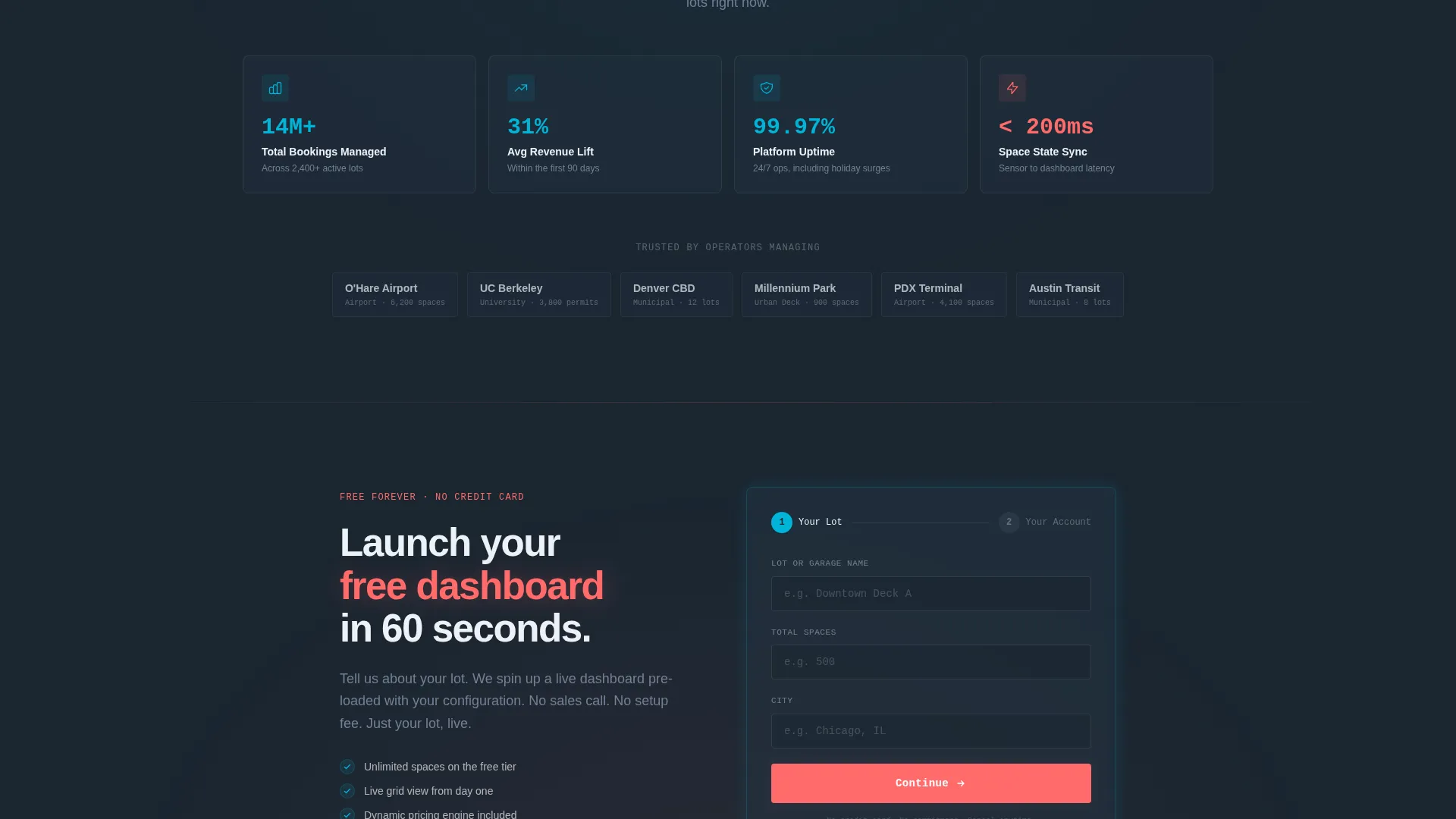
Step one collects lot name, total spaces, and city. Step two collects email and creates the account. No credit card is required. The form removes friction and matches the freemium trial model the product is built around.
Operator Metric Stat Cards
Social proof appears as dashboard-style stat cards, not written testimonials. Cards display figures such as "Managed 14M+ bookings" and "Average 31% revenue lift in 90 days." This format matches the data-forward tone of the rest of the page.
Sticky Mobile call to action Bar
On mobile, the primary call-to-action button anchors to the bottom of the screen throughout the scroll. Visitors always have one-tap access to the sign-up form regardless of where they are on the page.
Ghost-Outlined Sandbox Demo Button
A secondary button styled with a teal outline links to an interactive sandbox pre-loaded with simulated lot data. Visitors can operate the dashboard before committing to the form, which reduces hesitation and increases qualified sign-ups.
Page sections overview
| Section | Purpose |
|---|---|
| Split-Screen Header | Headline, subline, and call to action left; animated dashboard preview right |
| Pain-Point Narrative | Calls out double-booking and ghost-occupancy to create urgency |
| Real-Time Grid Section | Shows live space availability flickering between states |
| Dynamic Pricing Section | Demonstrates surge pricing logic adjusting in animated steps |
| Mobile Booking Section | Displays mobile booking confirmation flow in motion |
| Revenue Analytics Section | Chart draws itself week-over-week to show growth trajectory |
| Operator Stat Cards | Dashboard-style social proof with booking and revenue figures |
| Pricing and call to action Section | Repeats primary call to action after pricing engine reveal |
| Two-Step Sign-Up Form | Collects lot details then email to create a free account |
| Sticky Mobile Bar | Persistent bottom call to action for mobile visitors throughout scroll |
Design & branding system
The visual identity follows a Dashboard Pro theme using the Teal Catalyst color system. Every color carries a specific functional role. Nothing is chosen for decoration.
- Deep operational charcoal (#1B2631) anchors all backgrounds, keeping the focus on data
- Catalyst teal (#00B4D8) marks active states, data highlights, and the secondary ghost button outline
- Signal white (#EDF2F7) fills card surfaces and readout panels for contrast and clarity
- Ignition coral (#FF6B6B) is reserved for alerts, urgency badges, and all primary call to action buttons
Mobile & speed optimization
The template is structured to deliver a clean, functional experience on mobile devices without sacrificing the visual intensity of the desktop layout.
- The sticky bottom call to action bar keeps the sign-up action accessible at all times on smaller screens
- Scroll-driven sections reflow into a single column so the feature reveal sequence stays logical
- The animated dashboard preview scales to fit mobile viewports while keeping core interactions intact
How this template helps you convert
The conversion strategy is layered into the layout itself. By the time a visitor reaches the form, they have already interacted with the product in their mind.
- The interactive dashboard preview in the header lets visitors touch the product immediately, before reading a single feature bullet, which lowers the cost of curiosity.
- The scroll-driven escalation builds trust section by section, so the primary call to action appearing mid-scroll feels earned rather than premature.
- The two-step form with no credit card requirement removes the final barrier, and the sandbox demo button gives hesitant visitors a low-commitment alternative path.
Other information about this template
This template is built for the parking vertical SaaS category within the broader technology space. It is a strong fit for teams launching or repositioning a parking booking system product.
- The template style is Split Screen (50/50), which balances product storytelling with direct response conversion on a single page
- Creative direction follows a Launch Energy approach, meaning each scroll section lands with momentum and builds on the last
- The header concept is Interactive Preview, designed to show the product running rather than describing it
- The landing page direction is Freemium/Trial, optimized for no-credit-card sign-ups with a secondary sandbox demo path
- The Dashboard Pro theme and Teal Catalyst color system are consistent across every component, creating a unified visual identity that mirrors professional operations software
Theme
Dashboard Pro
Creative direction
Launch Energy
Color system
Teal Catalyst
Style
Split Screen (50/50)
Direction
Freemium/Trial
Page Sections
Interactive Animated Dashboard Preview
Scroll-driven Feature Reveal
Two-step Freemium Sign-up Form
Operator Metric Stat Cards
Sticky Mobile Call to Action Bar
Ghost-outlined Sandbox Demo Button
Related questions
Does this template require a credit card to use?
What makes the header different from a standard product screenshot?
Who is this template best suited for?
Can I customize the colors for my own brand?
Is the sandbox demo included in the template?



