Parking App Bento Grid Landing Page Template
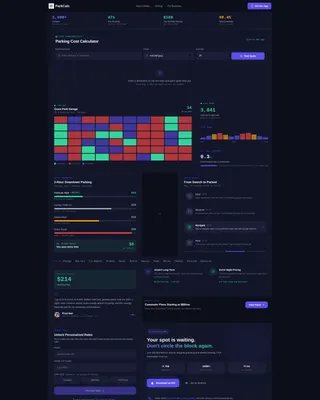
ParkCalc is a bento grid landing page template built for parking app products. It leads with an interactive Parking Cost Calculator above the fold, then unfolds a dashboard-style layout showing live availability data, cost comparisons, and a reservation flow. The template targets downtown commuters, event-goers, and airport travelers, and drives lead generation through a savings-first conversion path.
by Rocket studio
Quick summary
ParkCalc is a single-page, bento grid landing page template designed for parking app products. The page opens with a fully interactive Parking Cost Calculator as its hero element. Below it, a dashboard of data-rich tiles presents live availability, cost comparisons, and a step-by-step reservation flow. Every section earns trust before asking for anything.
Who this template is for
This template is built for teams launching or promoting a parking app. It suits both early-stage products looking to capture leads and established apps driving app downloads. The layout speaks directly to the frustrations real parking users face every day.
- Downtown commuters who lose time and fuel circling city blocks for open spots
- Event-goers who need a confirmed garage before tip-off, not after
- Airport travelers searching for affordable long-term parking before a flight
What problem this template solves
Finding parking in a busy city is stressful, expensive, and unpredictable. Most drivers have no visibility into nearby garage availability or real pricing before they arrive. This template frames your app as the solution the moment a visitor lands on the page.
- Visitors see live rates and open-spot counts before any sign-up is requested
- The cost comparison panel makes the app's value immediately obvious
- The lead capture prompt appears only after the visitor has already seen real savings
What you get with this template
You get a complete, single-page bento grid landing page that leads with your product's core tool. Every tile in the grid serves a specific conversion or trust-building purpose. The layout is built for parking app marketing from the first pixel to the final call to action.
- A fully interactive Parking Cost Calculator tile as the above-the-fold hero
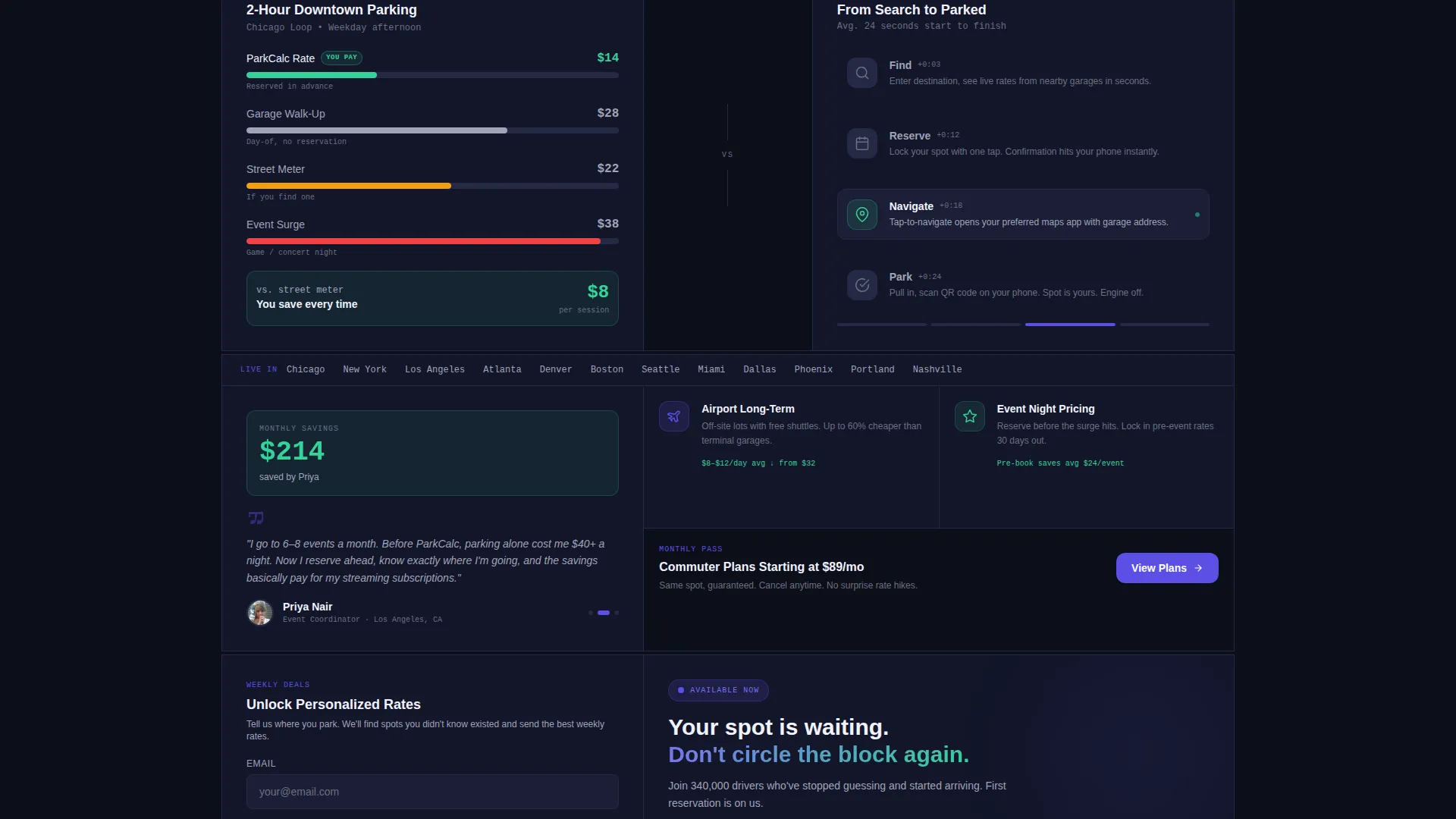
- A bento grid of feature tiles including a heat map, cost comparison, reservation flow animation, and a testimonial with a bold savings figure
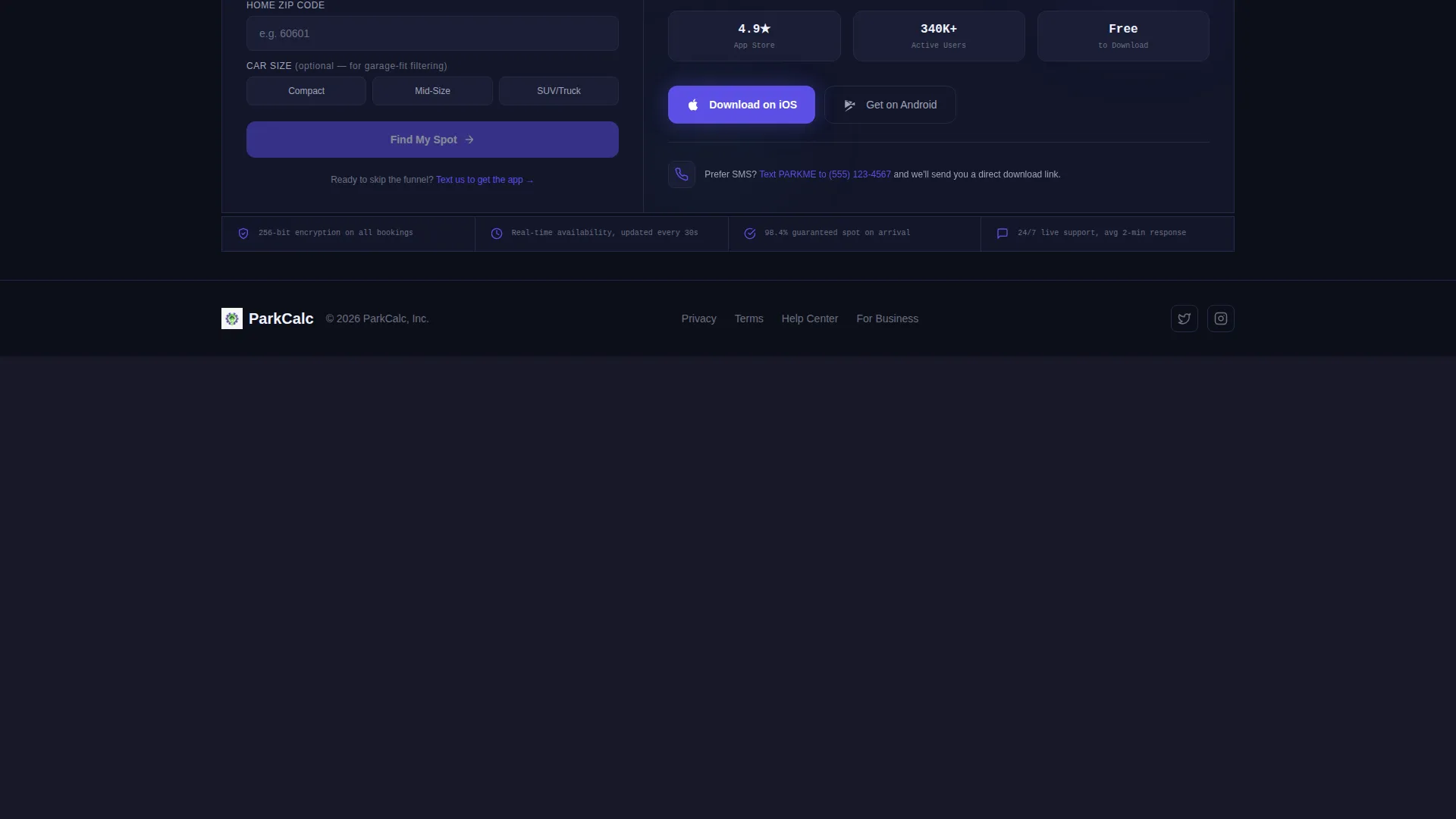
- A dual conversion path: an email and zip code lead form plus a direct SMS app download link
Feature list
This template includes a tightly scoped set of built-in components. Each one is grounded in the source brief and designed to carry a specific role in the page experience.
Interactive Parking Cost Calculator
The largest tile on the page sits above the fold and functions as the product itself. Visitors enter a destination address, choose a date and duration, and instantly see a ranked list of nearby garages with live rates, walking distance, and open-spot counts. The tool proves value before the page asks for anything.
Live Availability Heat Map
A dedicated bento tile renders a sample city block heat map showing which zones are open, filling, or full. It gives visitors an immediate visual sense of how real-time data works inside the app. The tile reinforces the live-data promise without requiring the visitor to search anything.
Side-by-Side Cost Comparison Panel
This tile displays three pricing columns: the app rate, the street meter rate, and the garage walk-up rate. The visual contrast makes the app's savings case instantly readable. No paragraph of copy can do what a clean three-column number comparison does in under two seconds.
Reservation Flow Micro-Animation
A four-step animation walks the visitor through the process from reservation to arrival. Each step is a discrete visual moment: search, select, confirm, park. The animation reduces friction by showing exactly how simple the booking experience is.
Testimonial Tile with Savings Highlight
A commuter testimonial tile leads with a bold monthly savings figure displayed in large type before the quote text appears. The dollar amount anchors the emotional benefit first. The quote that follows reinforces it with a real voice.
Dual-Path Lead Capture
After the calculator surfaces results, a slide-up prompt requests an email address and home zip code to unlock personalized weekly parking deals. An optional car size selector is included for garage-fit filtering. A secondary path offers a phone-number SMS link for visitors ready to skip the form entirely.
Page sections overview
| Section | Purpose |
|---|---|
| Calculator Hero Tile | Delivers instant parking cost results above the fold |
| Heat Map Tile | Visualizes live garage availability on a sample block |
| Cost Comparison Tile | Shows app price versus. meter versus. walk-up rate side by side |
| Reservation Flow Tile | Animates the four-step booking process visually |
| Testimonial Savings Tile | Displays a bold monthly savings figure with a commuter quote |
| Lead Capture Prompt | Collects email and zip code after savings are shown |
| SMS App Download call to action | Offers a direct phone-number link as a second conversion path |
Design & branding system
The visual identity follows a Dashboard Pro theme built on an Electric Indigo color system. The palette is inspired by a city seen from a parking garage rooftop at dusk: dark surfaces lit by neon dashboard glows, every color purposeful and functional.
- Deep asphalt black (#0D0F1A) covers primary backgrounds for a grounded, high-contrast base
- Electric indigo (#5B4FE5) drives all interactive elements, buttons, and live-data accents
- Cool concrete (#A0A4B8) handles secondary text and dividers, keeping the layout readable without competing with accent colors
- Signal green (#34D399) confirms availability states and successful booking moments throughout the grid
Mobile & speed optimization
The bento grid layout is structured to reflow cleanly for smaller screens. Tiles stack in a logical reading order so the calculator remains the first visible element on any device size. The lean component structure avoids unnecessary visual overhead.
- Large data tiles scale down to full-width cards on mobile without losing their content hierarchy
- The SMS app download path is especially useful for mobile visitors who prefer a direct link over a form
- Stat cards and tight grid cells remain readable at small sizes due to the high-contrast color system
How this template helps you convert
This template earns the conversion rather than demanding it. The page structure is designed so that every section builds confidence before any commitment is requested.
- The calculator delivers real parking data first, so visitors experience the app's value before seeing any sign-up prompt
- The cost comparison and testimonial tiles stack a financial and social proof case in two consecutive scroll moments
- The dual-path call to action gives visitors a choice between a low-friction lead form and a direct SMS link, meeting each visitor where they are
Other information about this template
This template is categorized under Technology and specifically targets the Mobile App and Parking App niches. It was designed with a Calculator-first creative direction, meaning the primary header concept is a live estimator tool rather than a static hero image. The template style is Bento Grid and the theme is Dashboard Pro with an Electric Indigo color system. The landing page direction is Lead Generation, making every design decision subordinate to showing value before capturing contact details.
- Template style: Bento Grid with a Dashboard Pro theme
- Creative direction: Calculator and estimator tool as the primary above-the-fold experience
- Landing page direction: Lead generation with a savings-first funnel structure
- Color system: Electric Indigo, built for high-contrast dark-mode dashboard aesthetics
- Niche fit: Optimized for parking app products targeting urban commuters and travelers

Theme
Dashboard Pro
Creative direction
Calculator/Tool First
Color system
Electric Indigo
Style
Bento Grid
Direction
Lead Generation
Page Sections
Interactive Parking Cost Calculator
Live Availability Heat Map Tile
Side-by-side Cost Comparison Panel
Four-step Reservation Flow Animation
Testimonial Tile with Bold Savings Figure
Dual-path Lead Capture System
Related questions
Who is this landing page template designed for?
Does the calculator tile require a live data connection to work as a design mockup?
Can I use this template to collect leads before my app launches?
What makes the bento grid layout a good fit for a parking app landing page?
Can visitors skip the lead form and go straight to the app?



