Parse - Intelligent Retail Landing Page Template
Parse is a split-screen landing page template built for retail AI document processing platforms. It combines a live ROI calculator header, a research-style scroll narrative, and a two-step call-to-action flow designed to convert operations directors, procurement leads, and CFOs into demo signups by delivering real savings numbers before asking for a commitment.
by Rocket studio
Quick summary
Parse is a single-page template designed for AI-powered retail document processing platforms. The layout uses a 50/50 split screen throughout, pairing interactive inputs with animated outputs. From a live savings estimator in the header to case study proof sections below the fold, every scroll builds toward a confident, evidence-backed click.
Who this template is for
This template is built for technology companies selling document automation to retail and fulfillment operations. It speaks directly to buyers who deal with high invoice volumes, multiple vendor formats, and costly manual data entry errors every day.
- Operations directors at mid-market retail chains managing paper-heavy back-office workflows
- Procurement leads at e-commerce fulfillment centers reconciling thousands of daily receipts
- CFOs at grocery and apparel brands tracking margin loss caused by manual keying errors
What problem this template solves
Back-office teams at retail companies spend enormous time manually processing invoices, purchase orders, and packing slips across dozens of vendor formats. The cost is not just time. It is also accuracy, with keying errors quietly eroding margin at scale. Most landing pages for this category bury the value proposition in generic feature lists. Parse fixes that by leading with personalized ROI numbers the visitor calculates themselves, then building an evidence wall of statistics and case studies before the first real ask.
- No clear way to show a buyer their specific savings before they commit to a demo
- Generic feature copy that fails to communicate the scale and precision of AI document processing
- Weak calls to action that ask for trust before delivering value
What you get with this template
Parse delivers a fully structured, single-page layout that guides visitors from curiosity to conversion. The design is production-ready and built around a clear content hierarchy that mirrors the buying journey for retail operations software.
- A live calculator header with pre-filled retail defaults, real-time results panels, and animated iridescent numerals
- Three core content sections covering the retail document crisis, the AI processing pipeline, and executive-style case studies
- A two-step call-to-action system plus a sticky bottom bar carrying the final conversion prompt
Feature list
Parse includes the following built-in sections and interaction patterns sourced directly from the template brief.
Live ROI Calculator Header
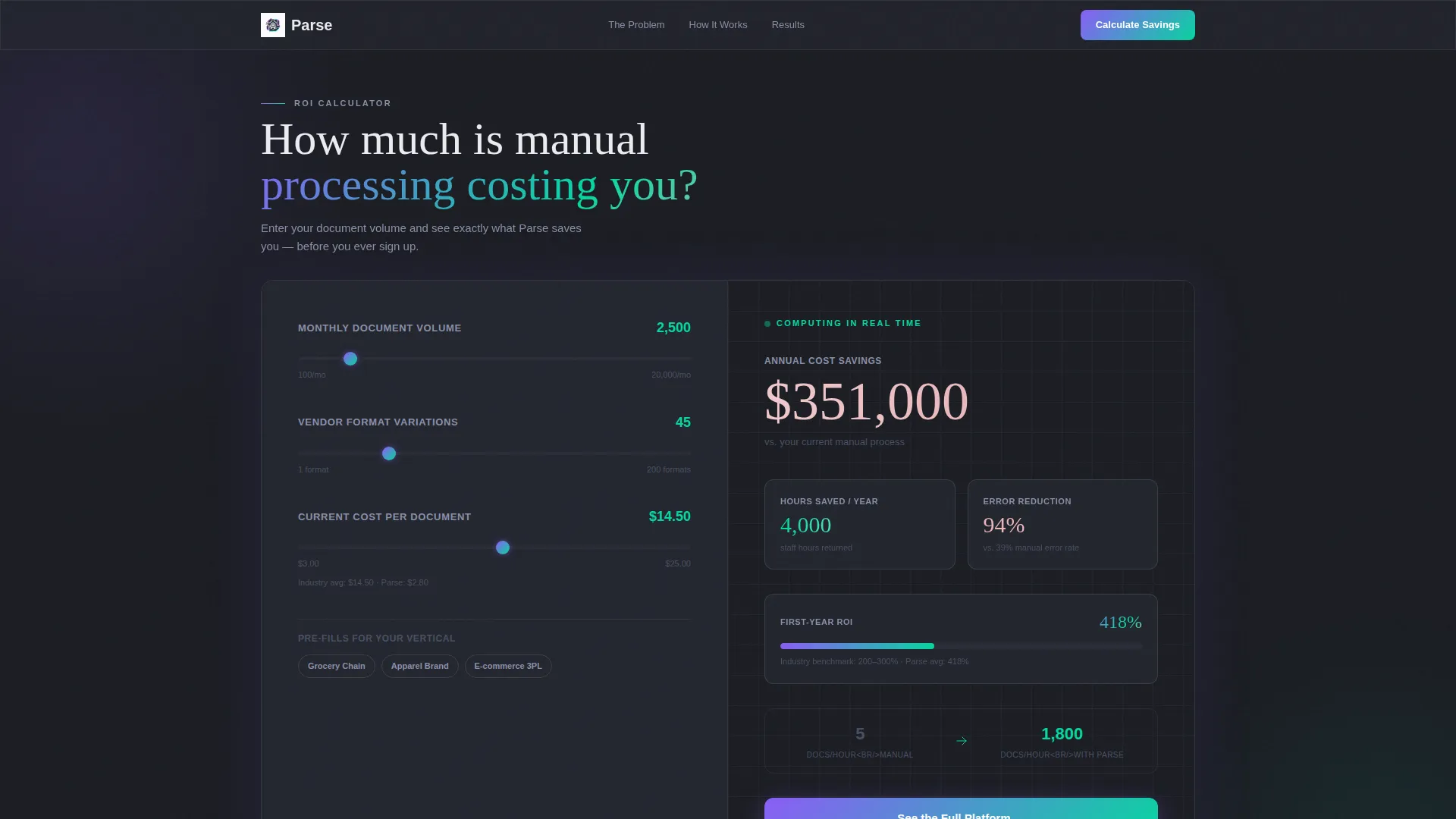
The header is a 50/50 split estimator. The left panel accepts monthly document volume, vendor format count, and current cost-per-document, with smart retail defaults pre-filled. The right panel renders projected hours saved, error reduction percentage, and annual cost savings in large, iridescent-highlighted numerals that animate upward as inputs change.
Retail Document Crisis Section
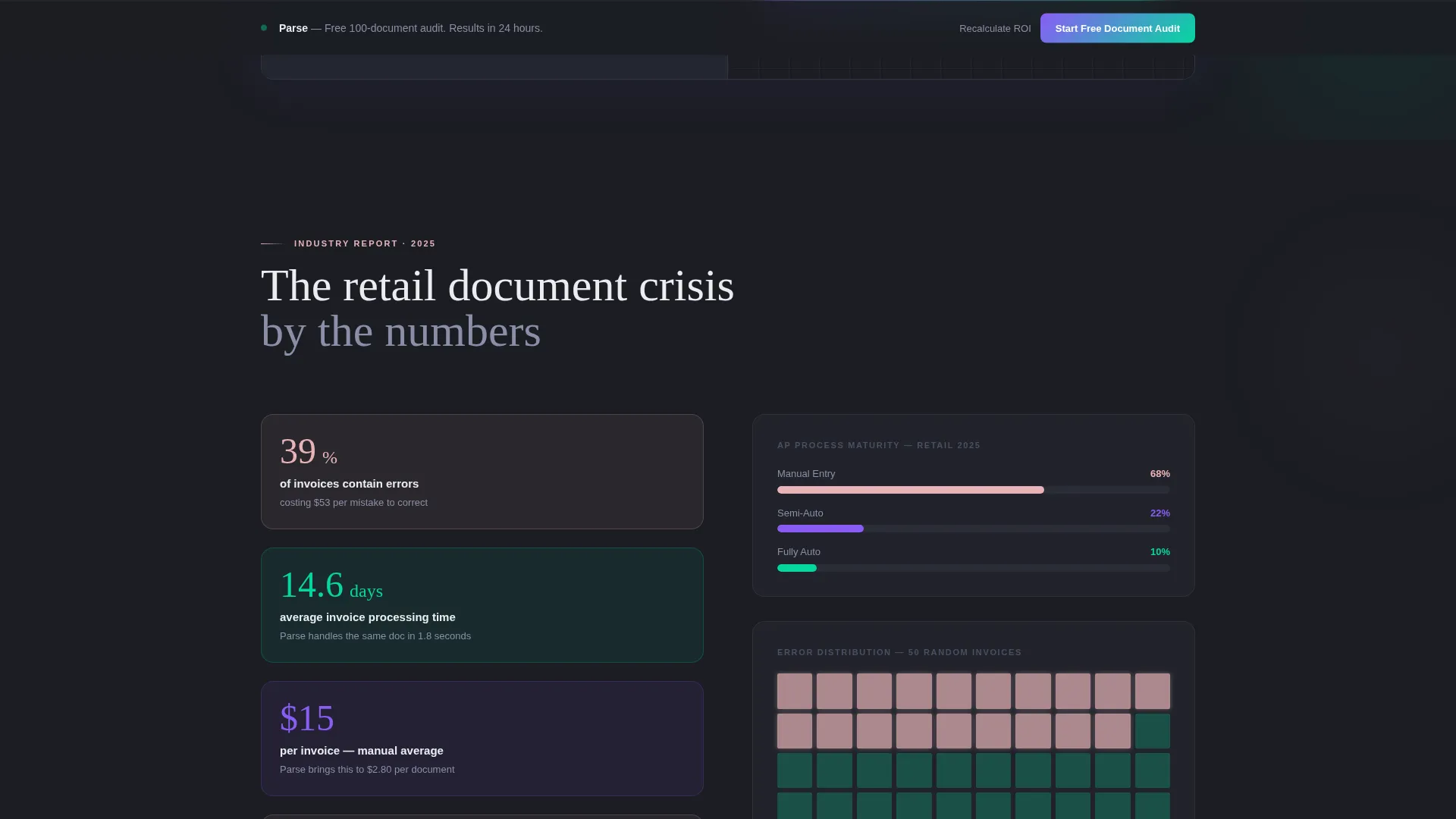
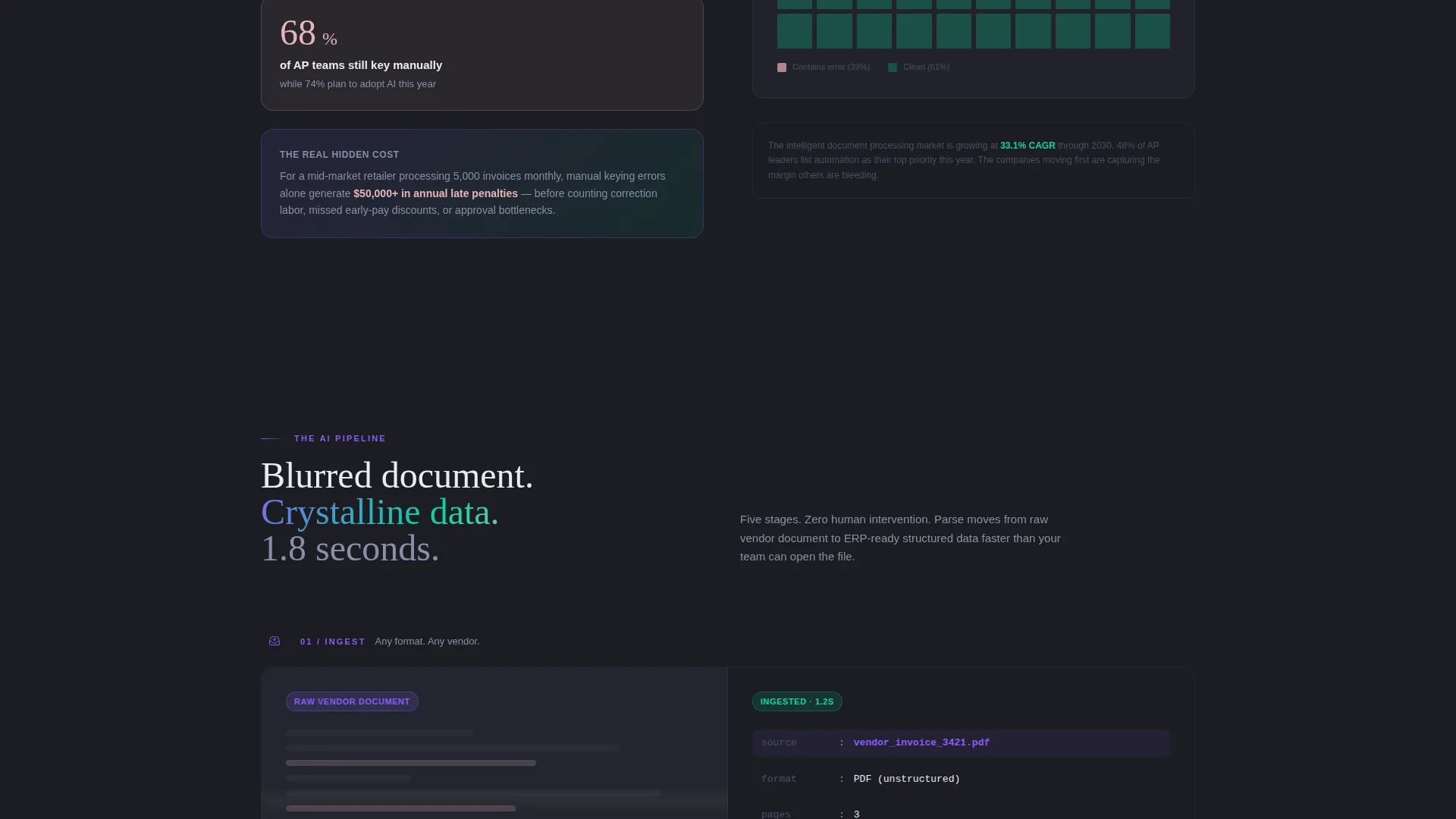
Section one presents the scale of the problem using hard statistics: billions of invoices processed across the industry, average error rates, and hidden margin costs. Bold typographic lockups anchor the left panel while animated data visualizations occupy the right, creating a dramatic and credible opening argument.
AI Pipeline Walkthrough Section
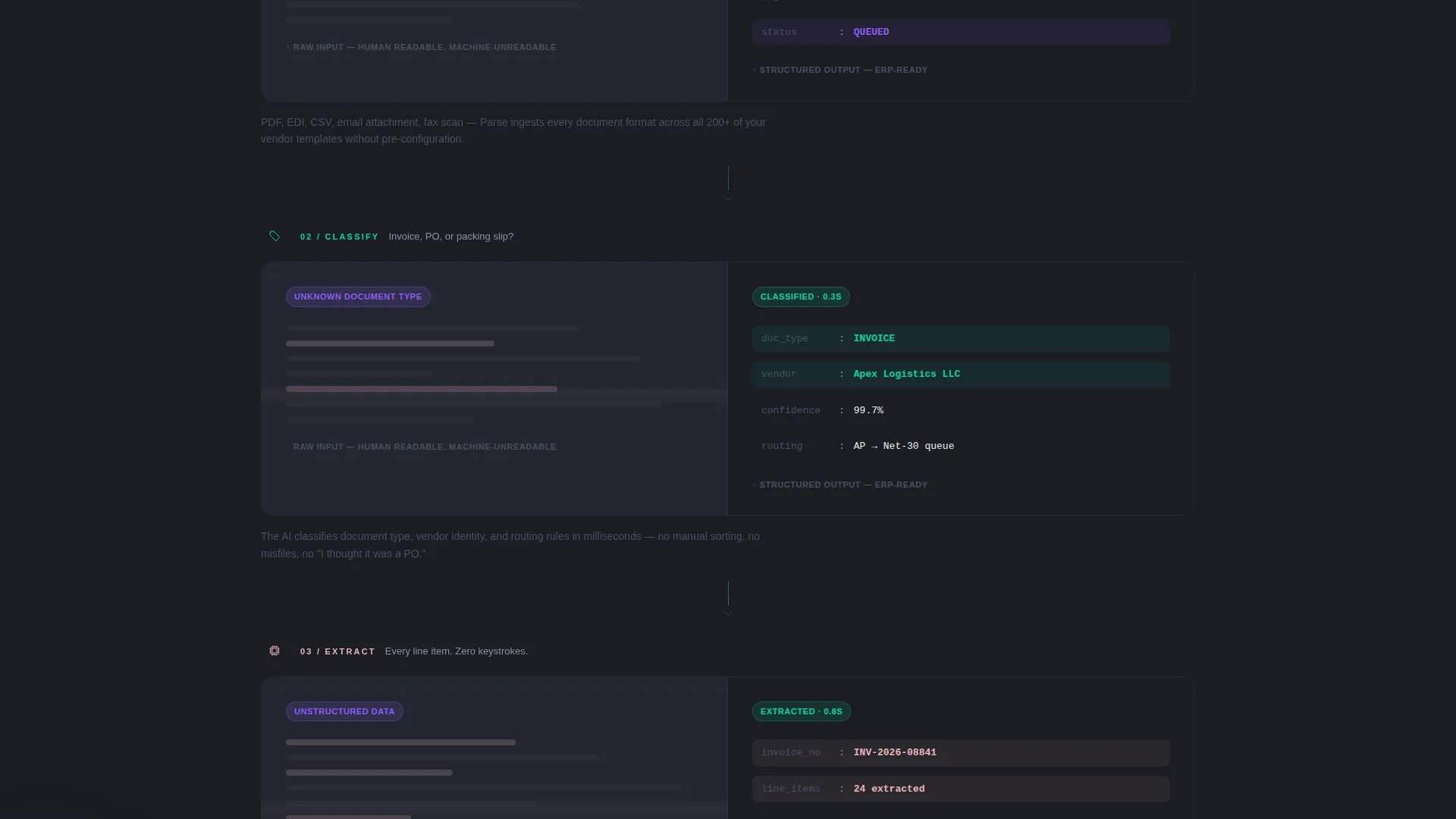
Section two breaks down the processing pipeline stage by stage: ingest, classify, extract, validate, and export. Each stage is shown as a split-screen pairing, with a messy source document on the left and its clean, structured output on the right, making the technology immediately tangible.
Executive Case Study Section
Section three presents customer proof in the format of executive summaries. Before-and-after key performance indicator comparisons give operations and finance buyers the peer-level evidence they need to justify a decision internally.
Two-Step Call-to-Action Flow
The primary call to action, "Calculate Your Savings," lives inside the header estimator. It transforms into "See the Full Platform" at mid-page after the visitor has already received personalized numbers. This staged commitment model earns the click rather than demanding it.
Sticky Conversion Bar
A persistent bottom bar carries the final prompt, "Start Your Free Document Audit," visible throughout the scroll. It links to a product demo signup flow and stays present without interrupting the reading experience.
Page sections overview
| Section | Purpose |
|---|---|
| Calculator Header | Deliver personalized ROI numbers immediately |
| Document Crisis Stats | Establish the scale and cost of the problem |
| AI Pipeline Walkthrough | Show exactly how the processing technology works |
| Case Study Proof | Provide peer-level before-and-after evidence |
| Mid-Page call to action | Bridge from value delivery to platform exploration |
| Sticky Bottom Bar | Maintain a persistent, low-pressure conversion prompt |
Design & branding system
The visual identity follows a Directory and Discovery theme using an AI Iridescent color system. The palette feels like light refracting through a prism on a matte black surface: technological in structure, organic in movement. Gradients shift subtly on hover states and scroll triggers, making the interface feel active and intelligent rather than static.
- Deep graphite (#1B1D23) primary background, cool mist white (#EAECF0) for body text and data fields, and soft rose-gold (#E8B4B8) reserved for metric highlights and savings callouts
- Holographic violet (#8B5CF6) and electric teal (#06D6A0) as gradient accents that shimmer across interactive surfaces
- Split-screen 50/50 layout maintained consistently across all sections for visual rhythm and content pairing
Mobile & speed optimization
The template is structured to translate its split-screen desktop layout into a clean single-column stack on smaller screens. Interactive elements like the calculator inputs and animated result panels are built to remain functional and readable at mobile viewport sizes.
- Calculator inputs and result panels reflow into a vertical sequence on mobile without losing context
- Animated gradient accents and scroll-triggered reveals are scoped to avoid layout disruption on touch devices
- Sticky bottom bar remains visible on mobile scrolls, keeping the final conversion prompt accessible throughout
How this template helps you convert
Parse is designed around a Click-Through conversion model that gives value before asking for anything in return. The page earns trust progressively, moving the visitor from curiosity to confidence before the first real commitment prompt appears.
- The calculator header delivers personalized savings estimates immediately, so the visitor's first experience is receiving value, not reading a pitch
- The Industry Report scroll narrative, covering crisis statistics, pipeline proof, and case studies, builds a dense evidence wall that makes the decision feel logical rather than risky
- The two-step call-to-action progression, from "Calculate Your Savings" to "See the Full Platform" to "Start Your Free Document Audit," guides the visitor through a natural, low-friction path to demo signup
Other information about this template
Parse is suited for retail technology companies at the stage where they need a high-trust landing page that can hold its own in a competitive, detail-oriented buying process. The template's Industry Report creative direction mirrors the research-backed content style that procurement and finance buyers already trust.
- The template style is Split Screen (50/50), maintained across all major sections for consistent visual pairing
- The creative direction follows an Industry Report cadence, well suited for platforms targeting analytical buyers in retail operations and finance
- The color system is AI Iridescent, with live gradient behavior on hover and scroll that communicates platform intelligence without requiring a product demo to feel real
- The template sits within the Technology category, specifically the AI for Retail subcategory, targeting the Retail AI Document Processing niche
Theme
Directory & Discovery
Creative direction
Industry Report
Color system
AI Iridescent
Style
Split Screen (50/50)
Direction
Click-Through
Page Sections
Live ROI Calculator Header
Retail Document Crisis Section
AI Pipeline Walkthrough
Executive Case Study Section
Two-step Call-to-action Flow
AI Iridescent Visual System
Related questions
Who is this landing page template designed for?
What does the calculator section actually do?
How does the two-step call-to-action flow work?
Can I update the pre-filled calculator defaults?
Is this template suitable for a product in early stages?



