Advanced Tech & AI Platforms Reviews Website Template
Patentscape is a dark-themed, dashboard-style landing page template built for a patent analytics platform. It features an interactive three-tab header mockup, a use-case-grouped feature matrix, coverage stats, social proof sections, and an OS-detecting app download flow. Designed for IP counsel, startup CTOs, and portfolio managers who need to see complex patent data at a glance.
by Rocket studio
Quick summary
Patentscape is a single-page, desktop-first landing page template for a patent intelligence platform. It combines an interactive tab-switching dashboard mockup with a structured feature matrix, testimonials, and a gated download form. The visual system pairs deep void black with iridescent violet and teal accents, making dense data feel navigable and alive.
Who this template is for
This template is built for teams launching or marketing a patent analytics product that serves serious IP professionals. If your platform processes patent filings and delivers structured intelligence, this page is designed to earn their trust before asking for a download.
- Intellectual property counsel at pharmaceutical companies running freedom-to-operate (FTO) searches
- Startup chief technology officers validating novelty before provisional patent filings
- Patent portfolio managers at large enterprises tracking competitor activity across technology classes
What problem this template solves
Patent analytics buyers are expert skeptics. They have seen generic SaaS landing pages before, and they will not download an unfamiliar tool on faith alone. They need to see the product working, understand its exact coverage, and confirm their specific workflow is supported before they act.
- Visitors leave when a page cannot demonstrate depth of capability fast enough
- Complex platforms lose credibility with vague claims and stock imagery instead of real data visuals
- High-intent buyers scroll past generic hero sections looking for proof that their use case is covered
What you get with this template
You get a fully structured, single-page layout that earns the download by proving the product before asking for anything. Every section is sequenced to move a cautious, analytical buyer forward step by step.
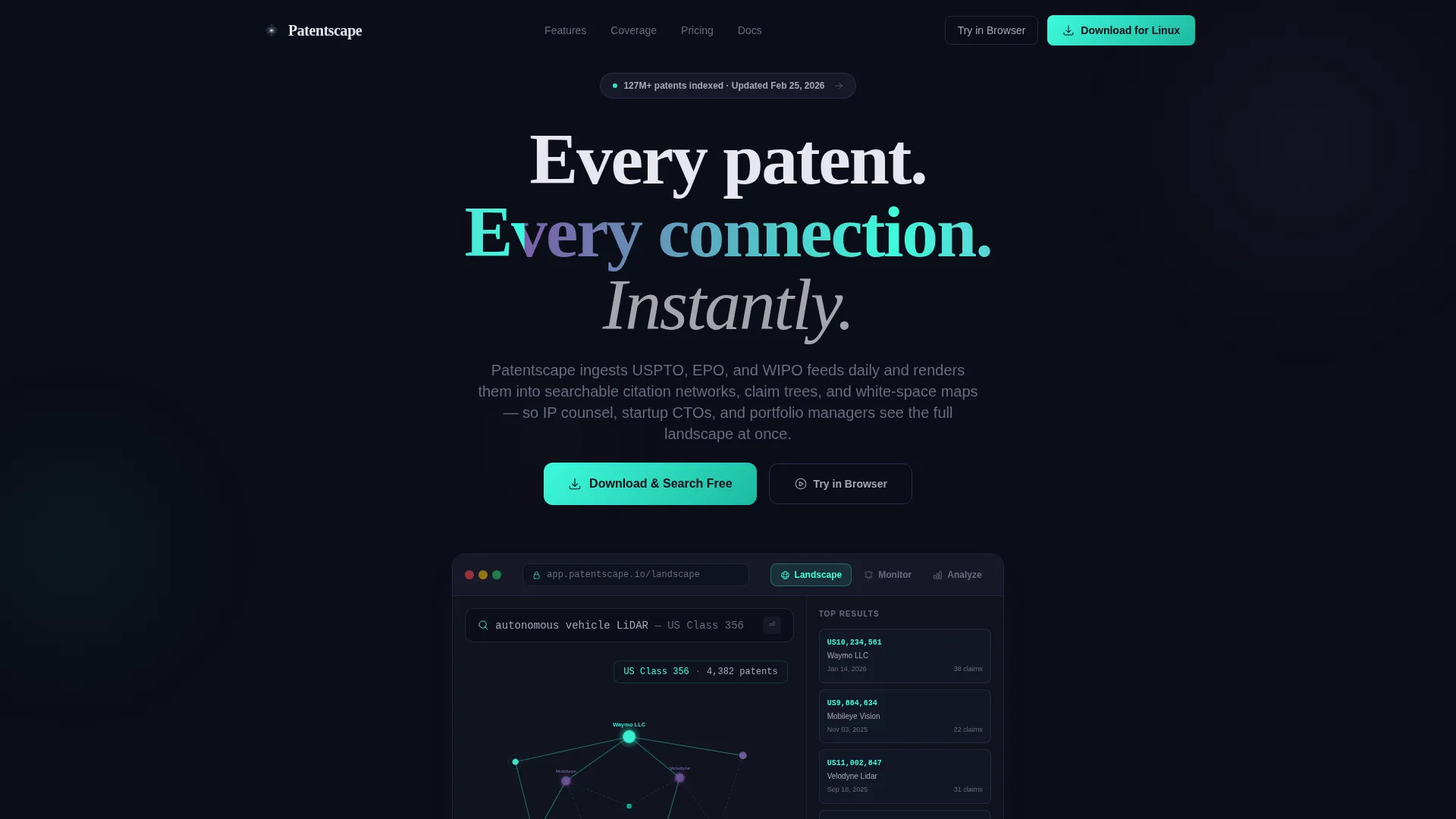
- An interactive three-tab dashboard mockup showing Landscape, Monitor, and Analyze views with crossfade transitions
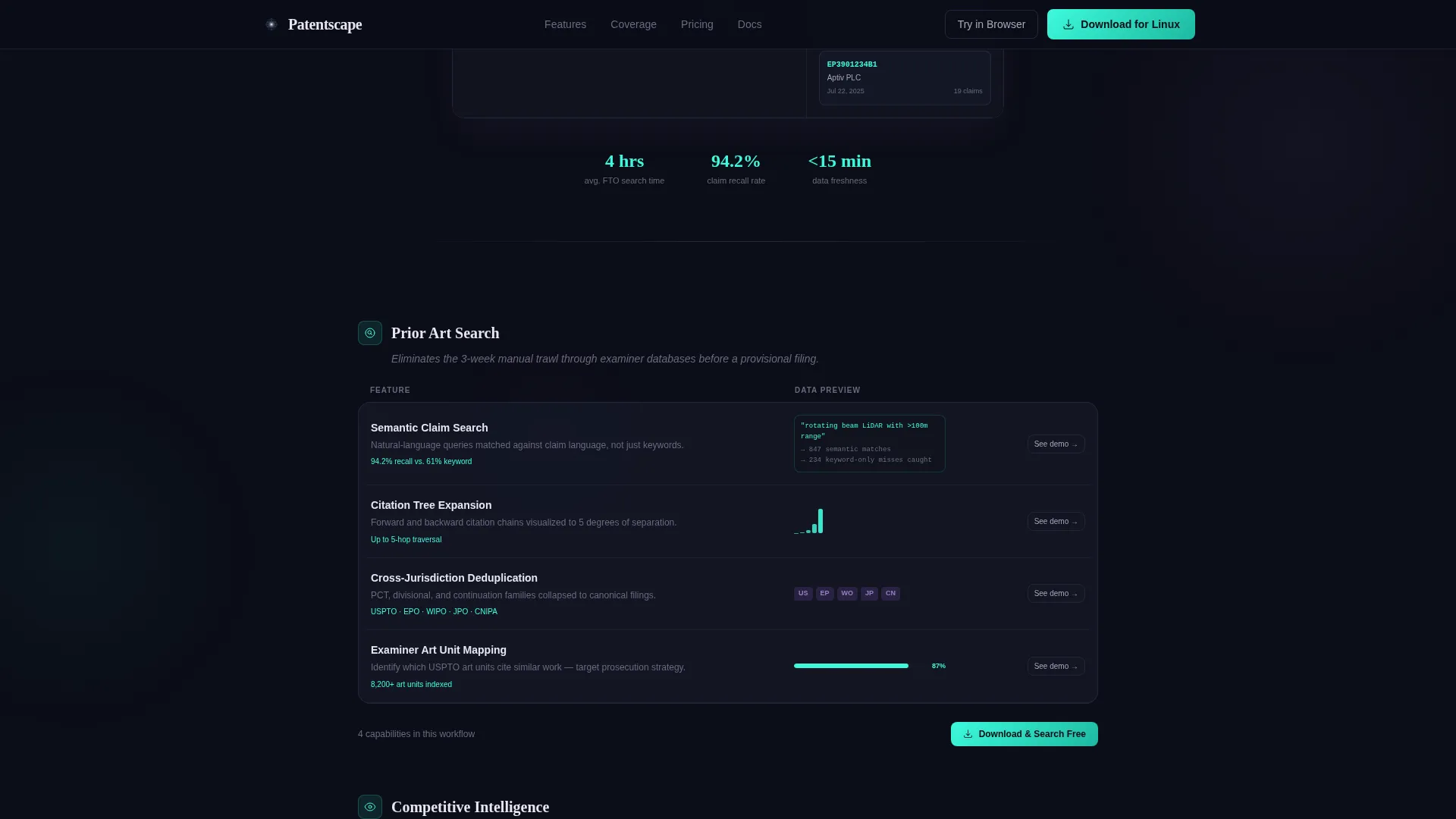
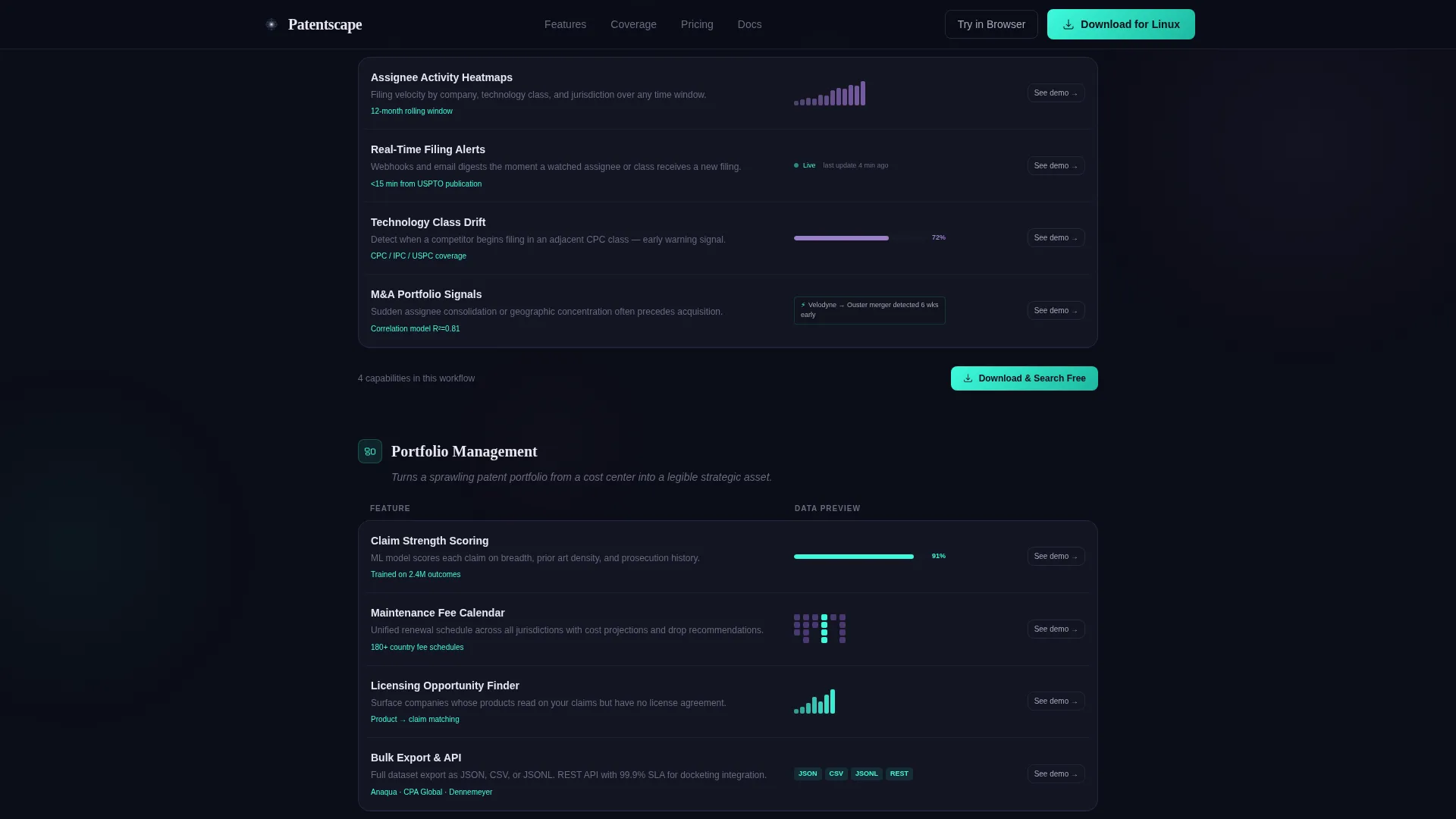
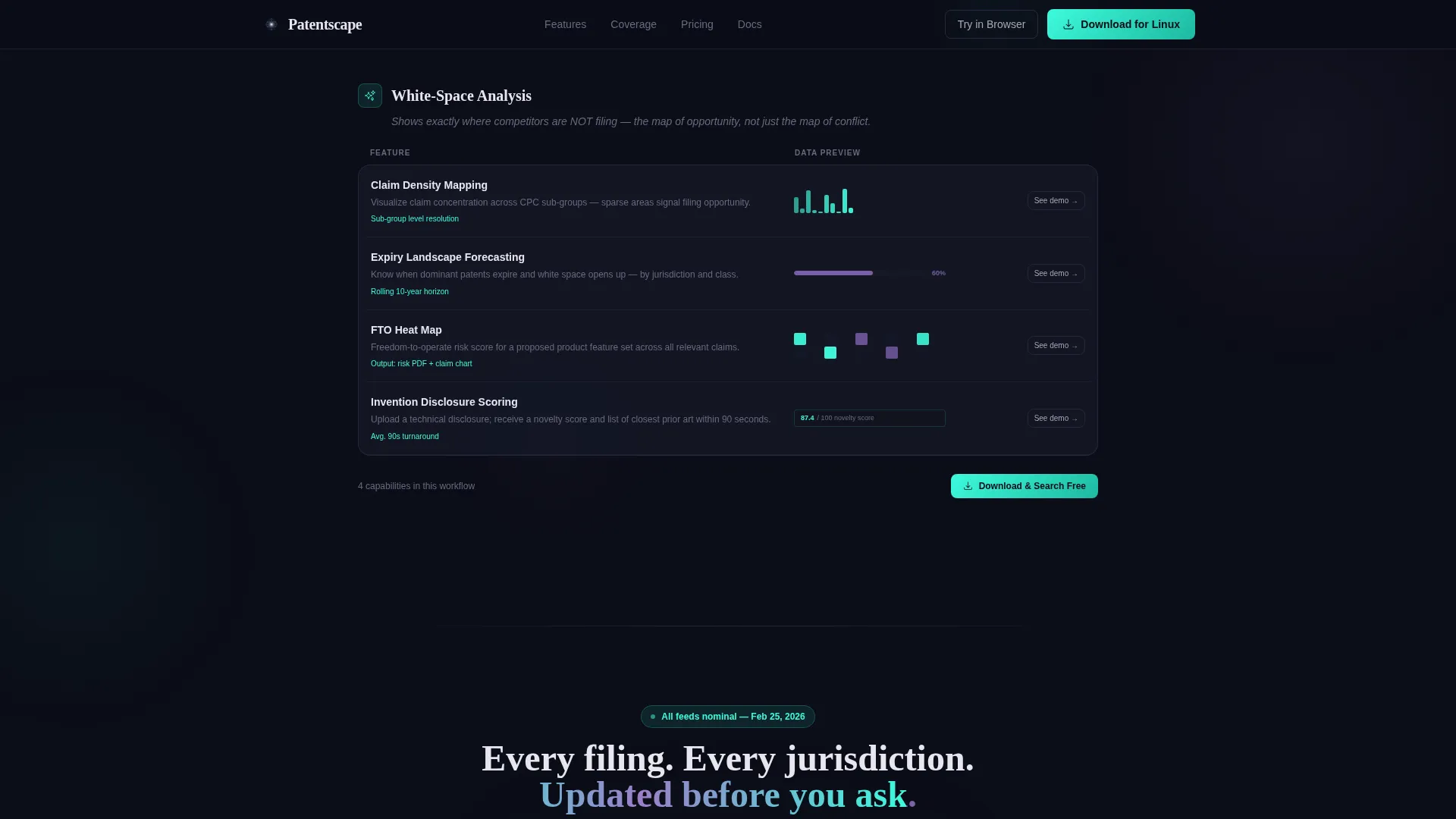
- A use-case-grouped feature matrix covering Prior Art Search, Competitive Intelligence, Portfolio Management, and White-Space Analysis
- A short gated form collecting work email and primary use case to unlock the full dataset, with an OS-detecting download button
Feature list
This template includes purpose-built components that reflect the real workflows of patent analytics buyers. Each element is designed to demonstrate platform depth rather than just describe it.
Interactive Three-Tab Dashboard Header
The header hosts a live-feeling dashboard mockup with three clickable tabs: Landscape, Monitor, and Analyze. Each tab swaps the entire dashboard view using a smooth crossfade. The default Landscape view displays a patent citation network graph, a pre-filled search bar, and a sidebar with filing dates, assignees, and claim counts.
Use-Case Feature Matrix
The feature grid groups capabilities by workflow: Prior Art Search, Competitive Intelligence, Portfolio Management, and White-Space Analysis. Each row pairs a feature name, a one-line description, and a miniature data visualization or user interface screenshot. The structure rewards detail-oriented buyers who scroll deep, ending with granular items like API access, bulk export formats, and jurisdictional coverage.
Coverage Stats Section
A dedicated section communicates data freshness and source breadth, referencing the United States Patent and Trademark Office (USPTO), the European Patent Office (EPO), and the World Intellectual Property Organization (WIPO) feeds. Filing volume figures and jurisdiction breadth give buyers a clear sense of the platform's scale.
Social Proof with Specific Outcomes
Testimonials from IP counsel, chief technology officers, and portfolio managers include role, company context, and concrete results. Examples reference specific time savings, such as reducing a freedom-to-operate search from three weeks to four hours, giving prospects a realistic benchmark for what the platform delivers.
OS-Detecting App Download Flow
The primary call to action, "Download and Search Free," appears pinned in the top navigation and repeats after each feature group. The button auto-detects the visitor's operating system and displays the appropriate icon. A secondary "Try in Browser" link serves visitors who are not ready to install.
Gated Lead Capture Form
Below the final feature grid, a short form asks only for a work email address and a primary use case, selected from a dropdown that includes FTO Search, Portfolio Monitoring, Competitive Mapping, and Academic Research. This minimal form reduces friction while qualifying the lead before unlocking the full dataset.
Page sections overview
| Section | Purpose |
|---|---|
| Hero Tab Dashboard | Proves product capability through interactive mockup before any ask |
| Feature Matrix Grid | Groups capabilities by use case for systematic buyer evaluation |
| Coverage Stats Bar | Communicates data source breadth and daily update freshness |
| Social Proof Strip | Builds trust with specific, role-attributed outcome testimonials |
| Download call to action Block | Drives app download with OS detection and repeated placement |
| Lead Capture Form | Qualifies intent and collects work email to unlock full dataset |
| Footer Row | Provides single-row navigation and legal link access |
Design & branding system
The visual identity follows a Directory and Discovery theme with an AI Iridescent color system. The palette is intentionally restrained: the void black background recedes so every iridescent accent reads as data, not decoration. Typography pairs DM Sans for body text with Fraunces for display headings, balancing technical precision with editorial weight.
- Color palette: deep void black (#0B0D17) background, holographic violet (#7B5EA7) for active states and graph nodes, spectral teal (#3DFADC) for data highlights and citation links, soft pearl (#E8E6F0) for body text
- Interactive accents: a shimmering gradient wash shifts between violet and teal on hover states and loading indicators, trained to guide the eye toward interactive and data-rich elements
- Animation system: GSAP ScrollTrigger drives scroll-based reveals, tab crossfades animate dashboard view changes, node pulse animations bring the citation graph to life, and a gradient shimmer runs on hover states across all data elements
Mobile & speed optimization
While the template is desktop-first to serve IP professionals working on large monitors with complex data layouts, the build approach still accounts for rendering efficiency across components.
- Static sections use server components to reduce initial load overhead, while interactive dashboard elements use client components scoped to the tab-switching area
- The citation network graph, tab crossfade transitions, and gradient shimmer effects are contained within defined interactive zones to avoid layout jank on lower-powered devices
- The pinned navigation with the download call to action remains accessible as visitors scroll through long feature matrix sections on any screen size
How this template helps you convert
This template is built around a single conversion insight: analytical buyers will not act until they believe the product works. Every layout decision serves that belief-building sequence.
- The interactive tab dashboard in the header lets visitors experience the platform's core views before reading a single feature description, creating immediate credibility with a skeptical audience.
- The feature matrix structure mirrors how IP professionals evaluate tools, systematically checking whether their specific workflow is covered, so the page matches their natural buying behavior rather than fighting it.
- The minimal lead capture form, asking only for work email and use case, reduces commitment friction at the final step while ensuring the platform team receives qualified, intent-tagged leads.
Other information about this template
This template is built as a single-page layout with a linear section flow, structured for clarity on large desktop monitors where patent professionals typically work. The footer follows a single-row linear pattern for a clean, uncluttered close.
- The template is categorized under Technology, specifically the Advanced Tech and AI Platforms subcategory, with a niche focus on patent analytics platforms
- Localization defaults are set to English, USD pricing format, and United States date format (MM/DD/YYYY)
- The dropdown form options, FTO Search, Portfolio Monitoring, Competitive Mapping, and Academic Research, are pre-configured to reflect the real range of buyer use cases described in the platform brief
- The design style is a dark data-visualization aesthetic, consistent with professional intelligence and analytics tools rather than consumer software
Theme
Directory & Discovery
Creative direction
Feature Matrix
Color system
AI Iridescent
Style
Dashboard/Data Grid
Direction
App Download
Page Sections
Interactive Three-tab Dashboard Header
Use-case Grouped Feature Matrix
Coverage Stats and Data Source Section
Role-attributed Social Proof Strip
Os-detecting Download Call to Action
Minimal Gated Lead Capture Form
Related questions
Who is this landing page template designed for?
Can I customize the dashboard mockup tabs and content?
Does the template include form logic for the lead capture section?
How does the OS-detecting download button work?
Is this template suitable for a browser-based SaaS product without a downloadable app?



