Pawcalc - Dynamic Veterinary Landing Page Template
Pawcalc is a single-page veterinary landing page built around an interactive Pet Care Cost Estimator. Visitors configure their pet's species, breed, and age, then instantly receive an animated annual cost breakdown. Comparison tables translate those personal numbers into a clear case for the companion app, ending with a frictionless download call to action.
by Rocket studio
Quick summary
Pawcalc puts a dynamic cost estimator front and center on a deep-navy veterinary landing page. Pet owners input their animal's details and immediately see animated cost breakdowns for vaccines, dental care, and more. Scrolling comparison tables then use those real numbers to make the app download feel like the obvious next step.
Who this template is for
This template is designed for veterinary clinics and pet health app teams that want to convert curious pet owners into engaged app users. It works especially well when your audience spans different experience levels and life stages with their pets.
- First-time puppy or kitten owners researching vaccine costs and care schedules
- Senior-pet owners comparing the financial weight of procedures like hip surgery
- Rescue fosters and new adopters who need quick, trustworthy cost guidance
What problem this template solves
Most veterinary landing pages ask visitors to trust a brand before they understand the value. Pawcalc flips that approach. It leads with the visitor's own pet data and lets the math do the persuading, so by the time the download button appears, the case is already made.
- Visitors arrive with vague cost anxiety and leave with a personalized annual estimate
- Generic clinic pages lose pet owners who need numbers, not just reassurance
- Traditional download calls to action feel like interruptions; this page makes the app feel like a natural conclusion
What you get with this template
You get a complete, single-page layout built around a tool-first design philosophy. Every section connects back to the estimator output, creating a coherent story from scroll start to app download.
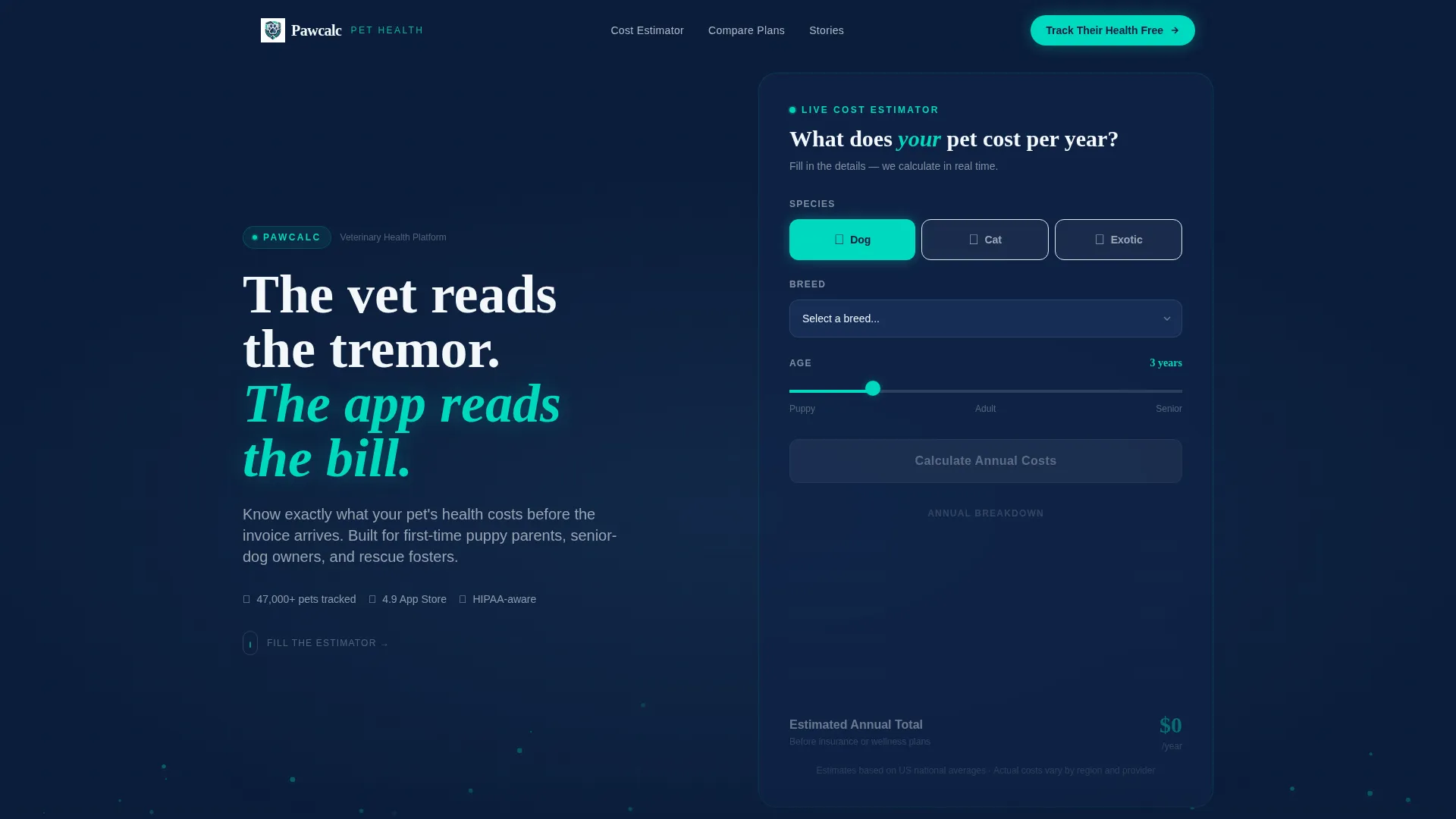
- A full-width Pet Care Cost Estimator hero with species toggle, breed dropdown, age slider, and animated results
- Animated comparison tables that populate with the visitor's own calculated figures
- A sticky download bar, a full-width call to action section with App Store and Google Play badges, and a QR code beside a phone mockup
Feature list
This section details the core built-in components that ship with the Pawcalc template.
Interactive Pet Care Cost Estimator
The hero section is the estimator itself. Visitors select species (dog, cat, or exotic), choose a breed from a dropdown that auto-populates a weight range, and drag an age slider. One teal button renders an instant annual cost breakdown covering vaccines, dental care, parasite prevention, and an emergency fund. Each line item animates upward like vitals on a monitor, pulsing once as it lands.
Animated Comparison Tables
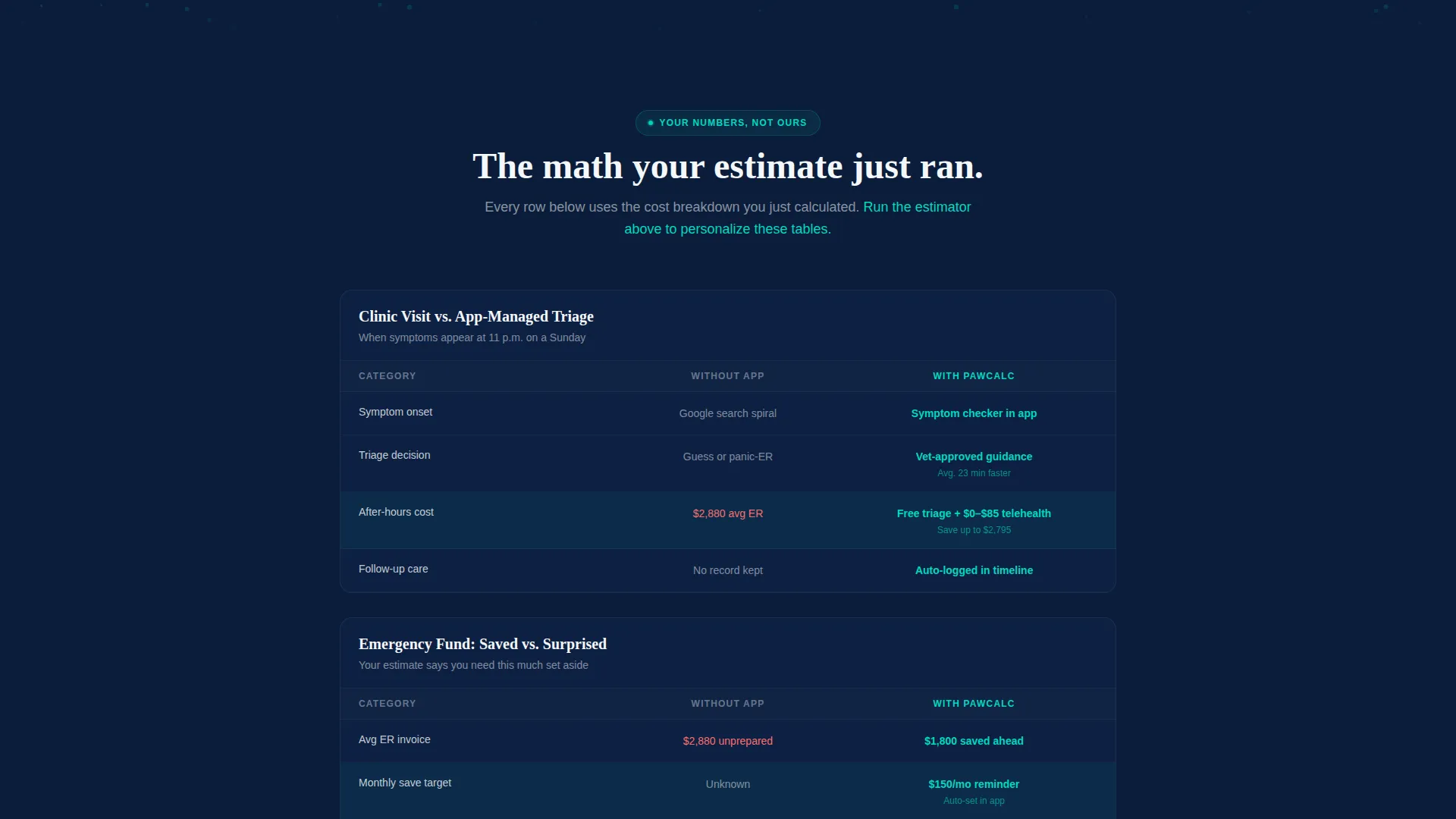
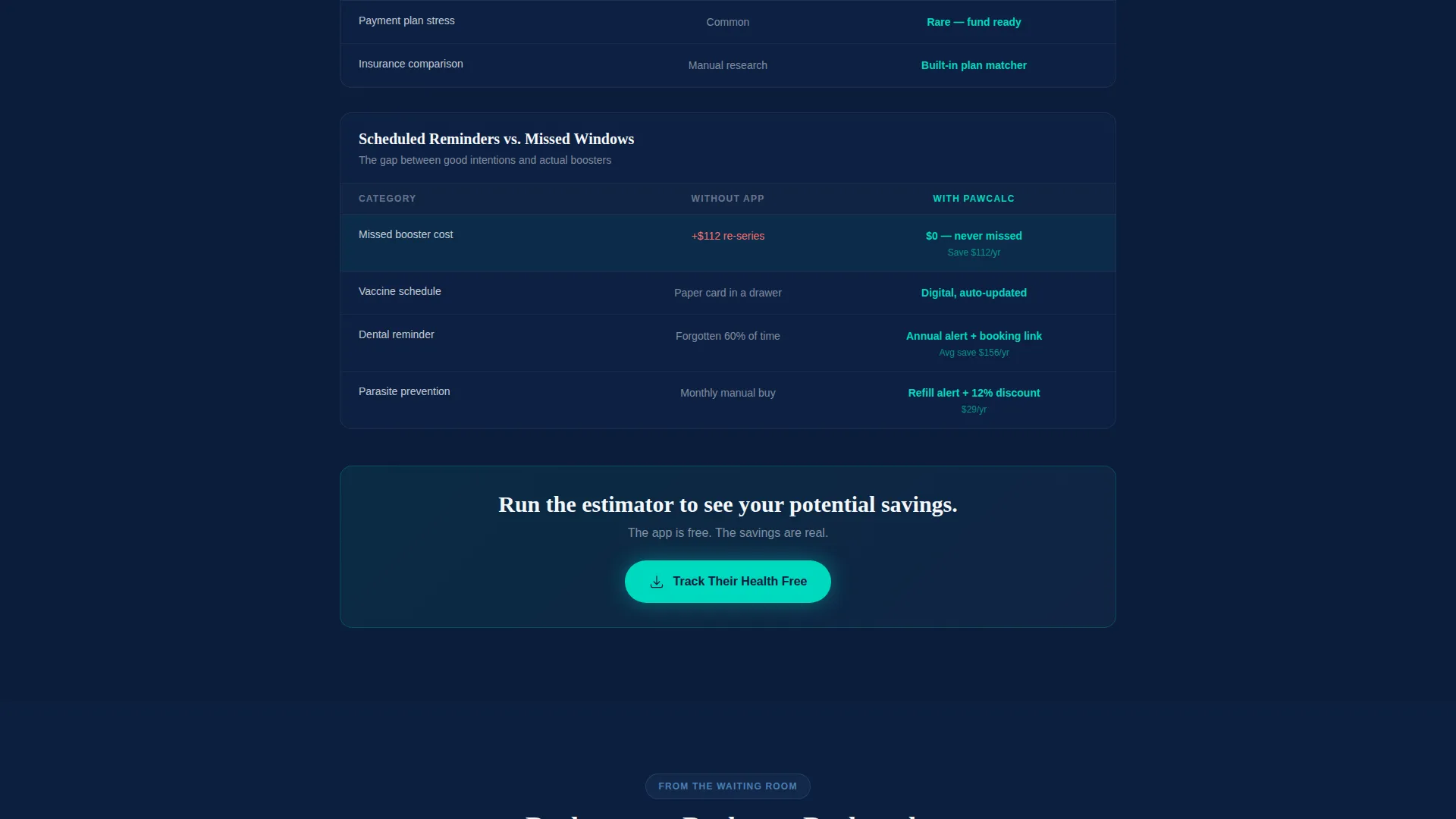
Below the estimator, each cost category expands into a side-by-side comparison table. Tables cover clinic visits versus telehealth triage, emergency fund savings versus average emergency room invoices, and scheduled reminders versus missed booster windows. Columns highlight in teal as the visitor's own numbers populate them, and each table slides in from alternating sides with spring-eased motion.
Deep-Link App Download Flow
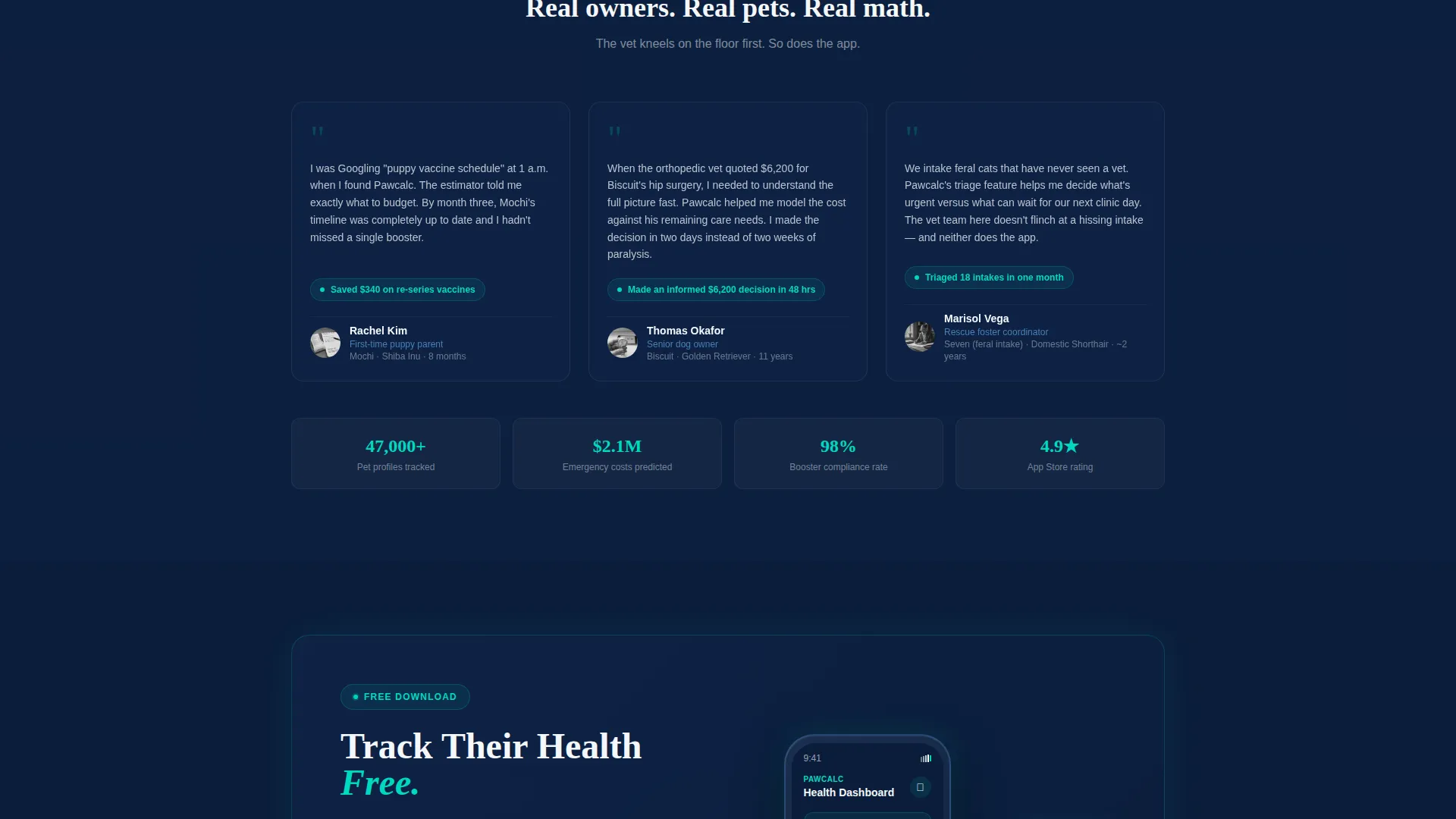
The primary call to action reads "Track Their Health Free." It first appears as a sticky bottom bar after the estimator interaction, then again as a full-width section after the comparison tables. Paired App Store and Google Play badges sit alongside a QR code and a phone mockup pre-loaded with the visitor's estimate. The deep link carries estimator results into the app's first session.
Dynamic Motion and Particle Background
The hero floats on deep navy with subtle particle motion drifting behind the estimator, evoking the visual of cells under a microscope. Number animations fire on estimator output, and table entrance animations use spring-eased transitions. Motion is purposeful and tied to user interaction rather than decorative.
Frictionless, Form-Free Download
No sign-up forms interrupt the path to download. The visitor's estimator results carry over via deep link, so their first in-app experience feels personally relevant from the moment the app opens.
Page sections overview
| Section | Purpose |
|---|---|
| Cost Estimator Hero | Captures pet details and renders an animated annual cost breakdown |
| Vaccine Cost Table | Compares clinic visit costs against app-managed triage options |
| Emergency Fund Table | Shows emergency fund savings versus average emergency room invoice amounts |
| Reminder Comparison Table | Highlights scheduled reminders versus missed booster windows |
| Sticky Download Bar | Appears after estimator interaction as a persistent, low-friction call to action |
| App Download Section | Full-width finale with badges, QR code, and phone mockup pre-loaded with estimate |
Design & branding system
The visual identity follows a Dynamic Motion theme built on a Midnight Blue color system. Every color choice reinforces the feeling of a calm, vigilant, and technologically capable care environment.
- Deep clinical navy (#0B1D3A) forms the primary background, soft scrub-blue (#4A7FB5) fills secondary panels, and antiseptic white (#F4F7FA) surfaces card elements
- Pulse-bright teal (#00D9C0) activates on every interactive element, from the estimator button to table column highlights, firing like a heart-rate blip on a monitor
- No stock photography is used; the estimator tool itself serves as the visual hero, anchored by particle motion that suggests a scientific, diagnostic environment
Mobile & speed optimization
The layout is designed to deliver a coherent estimator experience across screen sizes without requiring the visitor to resize or reformat manually.
- The species toggle, breed dropdown, and age slider are sized for touch interaction on smaller screens
- Sticky download bar and QR code section adapt to mobile viewports so the call to action remains visible throughout the scroll
- Animated elements are tied to interaction events rather than running on loop, keeping the visual experience controlled and purposeful on any device
How this template helps you convert
Pawcalc is engineered so that each scroll step increases the visitor's personal investment in the outcome. Conversion follows naturally from that momentum.
- The estimator creates a personalized output in the first interaction, giving the visitor a reason to keep reading and a stake in the results they just generated.
- Comparison tables use the visitor's own numbers to make each value point concrete and self-referential, removing the need for persuasive copy to do heavy lifting.
- The sticky download bar and deep-linked QR code remove every barrier between interest and action, so the moment a visitor decides they want the app, the path is already open.
Other information about this template
This template sits at the intersection of veterinary digital presence and technology-forward app marketing. It is built for teams that want to move beyond static clinic pages and offer something genuinely useful from the first visit.
- The template style is Comparison Table, meaning the scroll narrative is structured around data-driven side-by-side layouts rather than testimonial or feature-grid formats
- The creative direction is Calculator and Tool First, which means the estimator is not a secondary widget but the entire reason for the page's existence
- The landing page direction is App Download, so every design and copy decision supports a single outcome: getting the visitor to tap or scan their way to the app
- The theme is Dynamic Motion, which means animations are built into the template's structural logic, not added as decorative overlays
Theme
Dynamic Motion
Creative direction
Calculator/Tool First
Color system
Midnight Blue
Style
Comparison Table
Direction
App Download
Page Sections
Interactive Pet Care Cost Estimator
Animated Comparison Tables
Deep-link App Download Flow
Dynamic Motion and Particle Background
Form-free Conversion Path
Related questions
Does this template require a form fill to download the app?
Can I use this template for a cat-only or exotic-pet clinic?
What cost categories does the estimator cover?
Who is the primary audience this landing page is designed to reach?
Is this a single-page layout or a multi-page site?



