Complete School (K-12) Appointment Booking Website Template
The Encore Family First Arts School landing page template is a modular card-grid layout built for after-school arts schools serving ages 3 through 18. It combines a three-step enrollment form, instructor-led card grid, and a warm Electric Indigo color system to help families find the right class fast and book a free trial with confidence.
by Rocket studio
Quick summary
Encore is a single-page, card-grid template designed for arts and performing arts schools. It leads with a personalized multi-step form, introduces instructors through candid modular cards, and drives free-trial bookings with bold magenta calls to action. Every section is built to meet families where they are and move them toward their child's first class.
Who this template is for
This template fits arts schools that want to convert parent visitors into free trial bookings without a complicated process. It works especially well for multi-discipline schools covering music, dance, theater, and visual art under one roof.
- Dual-income parents searching for a single after-school destination for their children
- School directors and admissions teams who want real teacher faces to do the selling
- Arts program coordinators launching enrollment for a new school year
What problem this template solves
Most arts school pages list class names and prices. Parents still leave without booking because they never feel a connection. Encore flips that. It introduces the teacher first, then the class, turning a browsing visit into something closer to an open house.
- Parents cannot quickly find the right class by their child's age or preferred discipline
- Schools miss trial sign-ups because forms ask for too much information too soon
- Mobile visitors leave before scrolling to the call to action on dense, text-heavy pages
What you get with this template
You get a fully structured landing page ready to support free-trial conversion for an arts school program. Every section has a defined role, and the visual hierarchy guides each parent from curiosity to registration in a single scroll.
- A three-step casting-call form that segments visitors by age and discipline before asking for an email
- A filterable teacher card grid with parent and student quote overlays and per-card call-to-action buttons
- A secondary schedule download path for families not yet ready to book, capturing email with a softer ask
Feature list
The Encore template ships with purpose-built components that support every stage of the parent decision journey.
Three-Step Enrollment Form
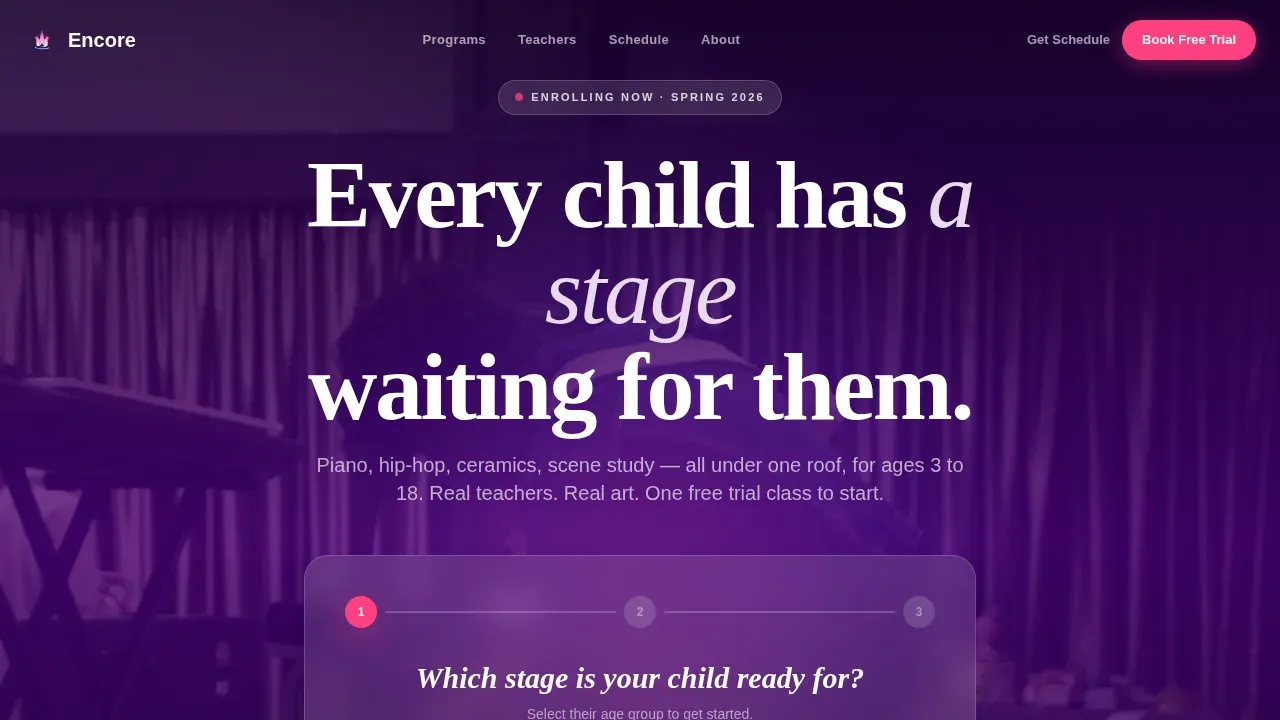
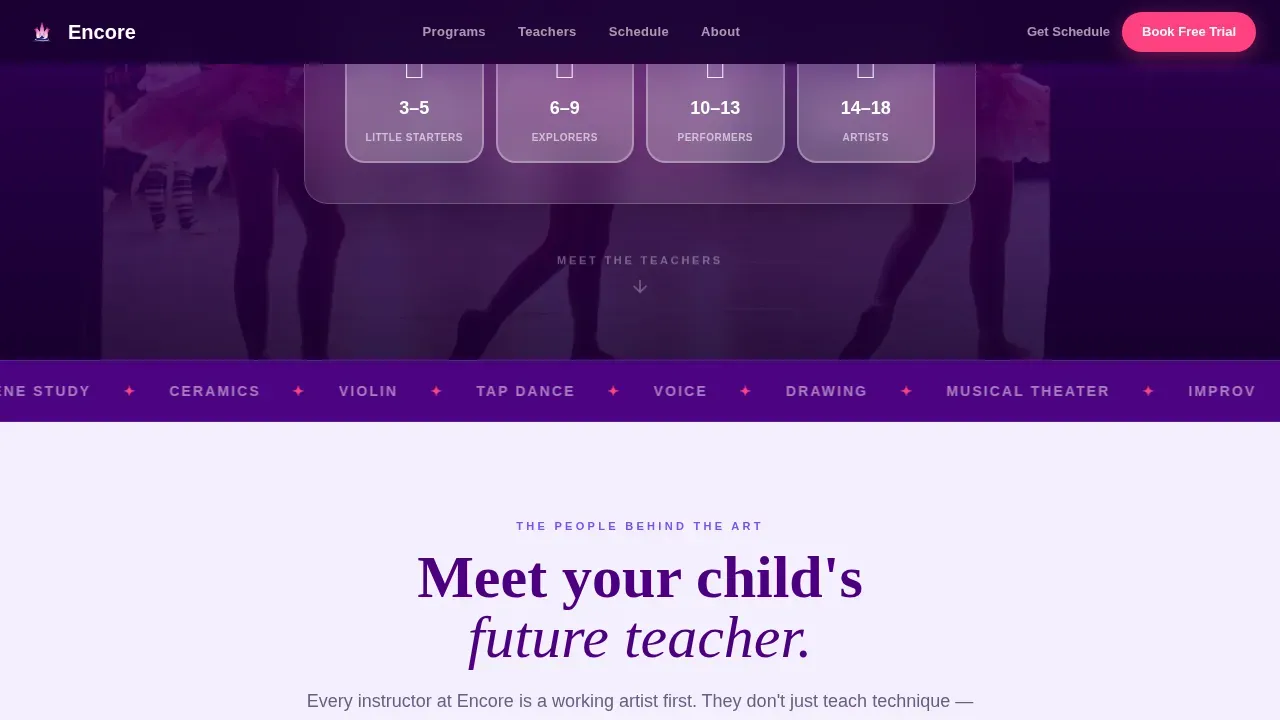
The header form walks families through three friendly steps. Step one selects the child's age bracket (3-5, 6-9, 10-13, 14-18). Step two presents discipline cards: Music, Dance, Theater, Visual Art, or Try Everything. Step three captures only the child's first name and a parent email to reserve a free trial class. The short field count keeps registration friction low and completion rates great.
Filterable Instructor Card Grid
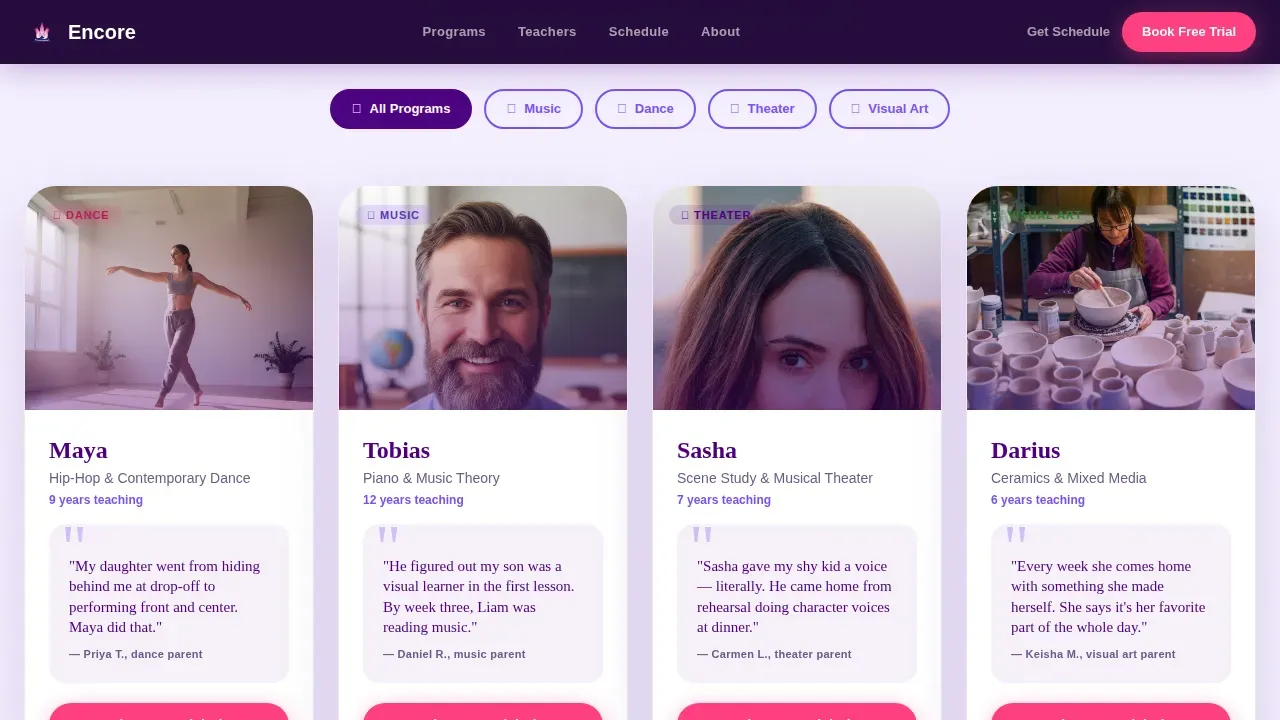
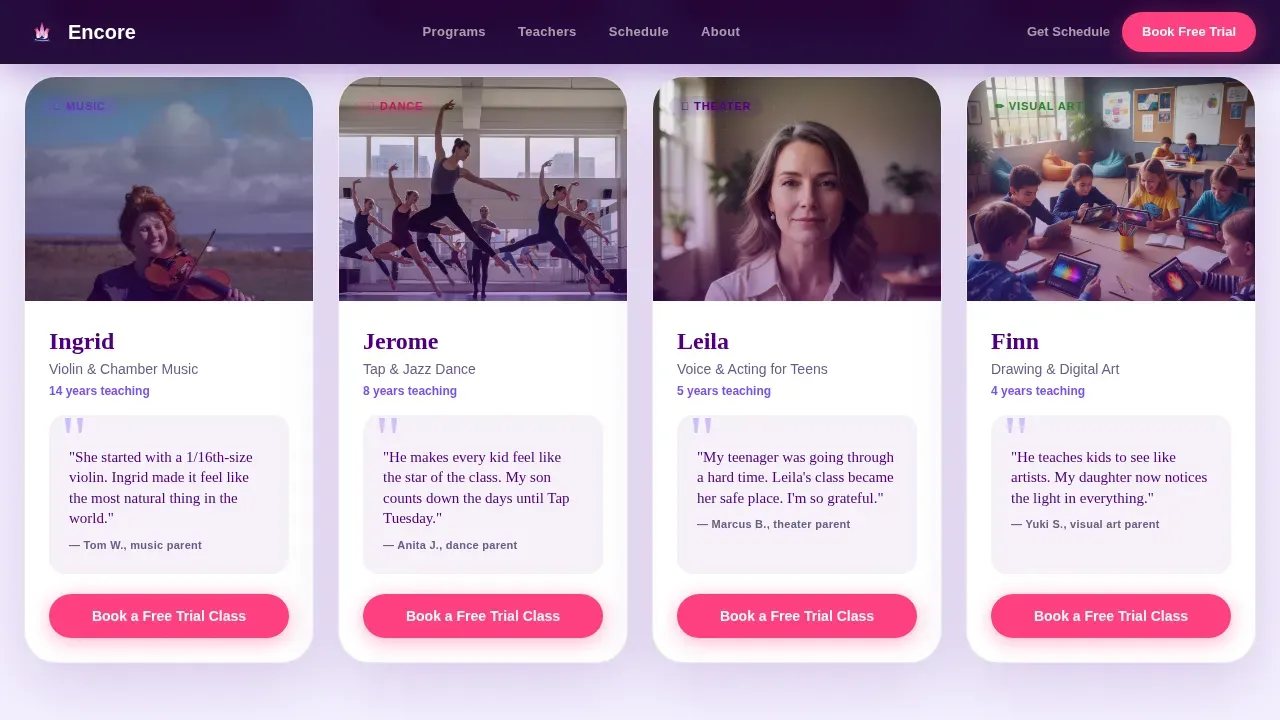
Each modular card shows a candid teacher photo, the instructor's first name, their art form, and a handwritten-style quote from a parent or student. Filter pills at the top let visitors sort by discipline, so a parent interested in piano or guitar sees only the relevant instructors and a targeted call-to-action button on every card.
Recital Video Break Card
A wider card interrupts the grid midway through with a short looping video of a live recital. Parents watch the audience, the applause, and a child taking a bow. This moment of social proof builds joy and confidence before the teacher cards resume.
Crossfading Portrait Mosaic
Behind the header form, a slow mosaic of candid portraits crossfades continuously. Images cycle through a girl mid-pirouette, a boy working with wet clay, a teen singing with closed eyes, and a teacher kneeling to tune a small guitar. The motion creates warmth without distracting from the form.
Sticky Mobile Call-to-Action Bar
On mobile, a persistent bottom bar keeps the "Book a Free Trial Class" button visible at all times. Parents browsing during school pickup do not need to scroll back to find the next step. The bar appears in magenta and disappears only when a form is open.
PDF Schedule Download Gate
A secondary conversion path offers a downloadable class schedule as a soft lead-capture tool. Parents who are not ready to book can still join the school's list. The gate form asks only for a name and email, keeping the ask lighter than full registration.
Page sections overview
| Section | Purpose |
|---|---|
| Hero Form | Three-step casting-call enrollment form over crossfading portrait mosaic |
| Instructor Card Grid | Filterable modular teacher cards with quotes and per-card trial buttons |
| Recital Video Card | Wide looping video card for live-performance social proof |
| Social Proof Strip | Enrollment metrics and named parent testimonials |
| Schedule Download | PDF lead-gate for families not yet ready to book |
| Page Footer | Linear single-row footer with navigation and contact links |
Design & branding system
The Electric Indigo color system gives Encore the feeling of a theater at tech rehearsal. The house lights are halfway down, the gels are beginning to glow, and everything sits between calm and excitement. Typography pairs Fraunces serif display headlines with DM Sans for body text and interface labels.
- Deep stage indigo (#4B0082) anchors backgrounds and navigation; warm spotlight violet (#7C4DFF) marks section transitions; soft rehearsal lilac (#E8DAEF) softens card surfaces and body containers
- Bright curtain-call magenta (#FF4081) is reserved exclusively for buttons, badges, and the sticky mobile bar, so every tap target is instantly recognizable
- Fraunces handles expressive headlines while DM Sans keeps body copy and form labels clean and easy to read across all screen sizes
Mobile & speed optimization
This template is built mobile-first because most parents learn about after-school programs on their phones, often right after school pickup. The layout reflows cleanly from wide desktop grids to single-column card stacks without losing hierarchy.
- Lazy-loaded images and GPU-accelerated transforms keep the page feeling fast as parents scroll through instructor cards
- The sticky bottom call-to-action bar ensures the trial booking button is always one tap away on smaller screens
- GSAP-powered entrance animations, crossfading mosaic transitions, and scroll-reveal effects are scoped to avoid layout shifts on mobile
How this template helps you convert
Every design decision in Encore supports one outcome: a parent who feels ready to book a free trial class for their child.
- The three-step form personalizes the experience before asking for contact details, making families more likely to complete registration and less likely to abandon the page.
- Instructor cards with real faces and real parent quotes build the kind of trust that a class listing table alone cannot create, turning browsing time into decision time.
- The magenta call-to-action button and the secondary schedule download work together to capture visitors at different stages of readiness, so no family leaves the page empty-handed.
Other information about this template
This template is a strong starting point for any performing arts school that wants to grow enrollment across an entire school year. The sections and components described here reflect what the Encore Family First Arts School landing page template delivers out of the box.
- Encore music academy programs typically span multiple sessions per week, with classes offered from august through the spring, and summer camps running additional themed afternoon activities alongside core music units
- Registration for Encore programs generally involves a per-class fee structure; the template's short form keeps the registration process approachable by limiting fields to name, email, child's age, and preferred discipline
- The curriculum shown through teacher cards can bring together piano, voice, drums, bass, trumpet, guitar, and visual disciplines, giving families a clear selection of paths before they ever meet an instructor
- Encore members receive invitations to private receptions, pre-show gatherings, exclusive adults-in-the-arts classes, and family game nights that include conservatory performances, helping the broader community stay connected throughout the year
- The page sections support a schedule table view for dates, times, grades, age requirements, and fees, which families can access as a downloadable PDF or review on-screen during their visit
- Because this template is designed for schools serving students across all grades and ages, including students who need tailored support, instructors can use the card grid to highlight adaptive teaching approaches and inclusive classroom tools
- From february enrollment windows to april performance deadlines and august session launches, the event-aware structure can note key dates without requiring a separate calendar page
- Proceeds and membership gifts raised through Encore school initiatives go directly toward schoolwide programs, giving families an added reason to join and support the community they discover through this page
Theme
Family First
Creative direction
Team & People
Color system
Electric Indigo
Style
Card Grid (Modular)
Direction
Freemium/Trial
Page Sections
Three-step Casting Call Form
Filterable Instructor Card Grid
Recital Video Break Card
Crossfading Portrait Mosaic
Sticky Mobile Trial Button
PDF Schedule Download Gate
Related questions
What disciplines and class types does this template support?
Does the enrollment form require a credit card or commitment?
Can parents who are not ready to book still get value from the page?
Is this template suitable for schools serving a wide range of ages and grades?
How does the instructor card grid build trust before a parent books?



