Healthcare Digital Presence Professional Website Template
Pharmapi is a split-screen healthcare landing page template built for teams shipping medical supplies through developer-first fulfillment pipelines. It pairs a syntax-highlighted API request on the left with a live-response tracking card on the right. The design speaks directly to telehealth founders, hospital innovation officers, and clinic operators who need credibility before they hand over a work email.
by Rocket studio
Quick summary
Pharmapi is a single-page, split-screen landing page template designed for healthcare API platforms and online pharmacy fulfillment services. It opens with a code snippet header, escalates through spec-driven content sections, and closes with a lead-capture form. The entire layout is built to earn developer and operator trust before asking for anything.
Who this template is for
This template is made for technical and operational teams building healthcare supply infrastructure. It speaks the language of people who evaluate software by reading documentation, not marketing copy.
- Telehealth founders wiring up their first order fulfillment pipeline
- Hospital innovation officers replacing legacy procurement portals
- Solo-practice physicians wanting a white-label pharmacy shop live fast
What problem this template solves
Most healthcare software landing pages look like brochures. They describe capabilities in vague terms and bury the technical proof. Buyers with real procurement authority move on quickly when they cannot see the product working.
- No visible proof of API capability or order workflow
- Generic design that fails to establish technical credibility
- Missing a clear path for developers versus decision-makers
What you get with this template
You get a complete, single-page layout built around one idea: show the product working before you ask for anything. Every section is structured to remove a layer of buyer skepticism.
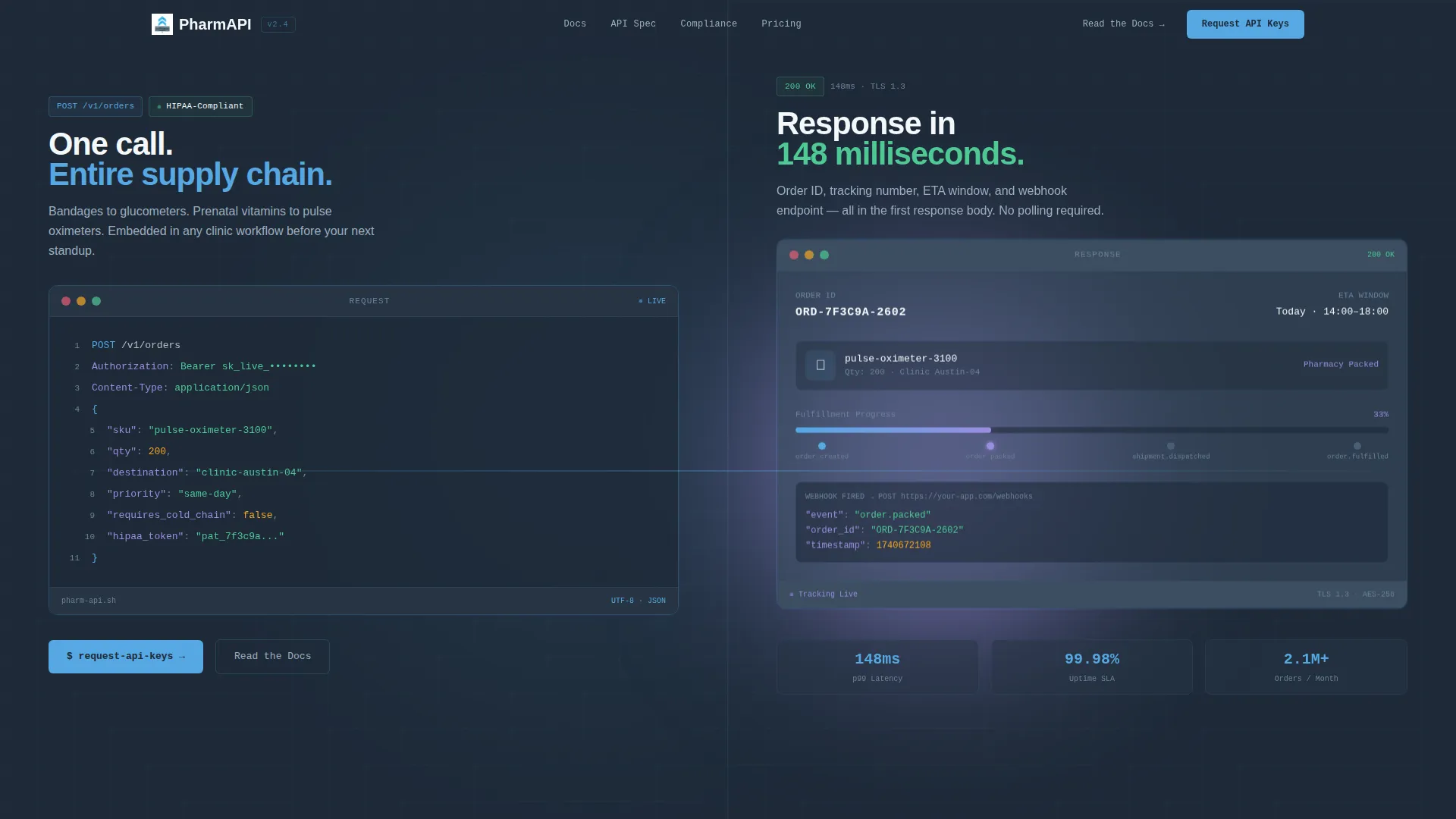
- A full-viewport split-screen header with a syntax-highlighted POST request and animated tracking response
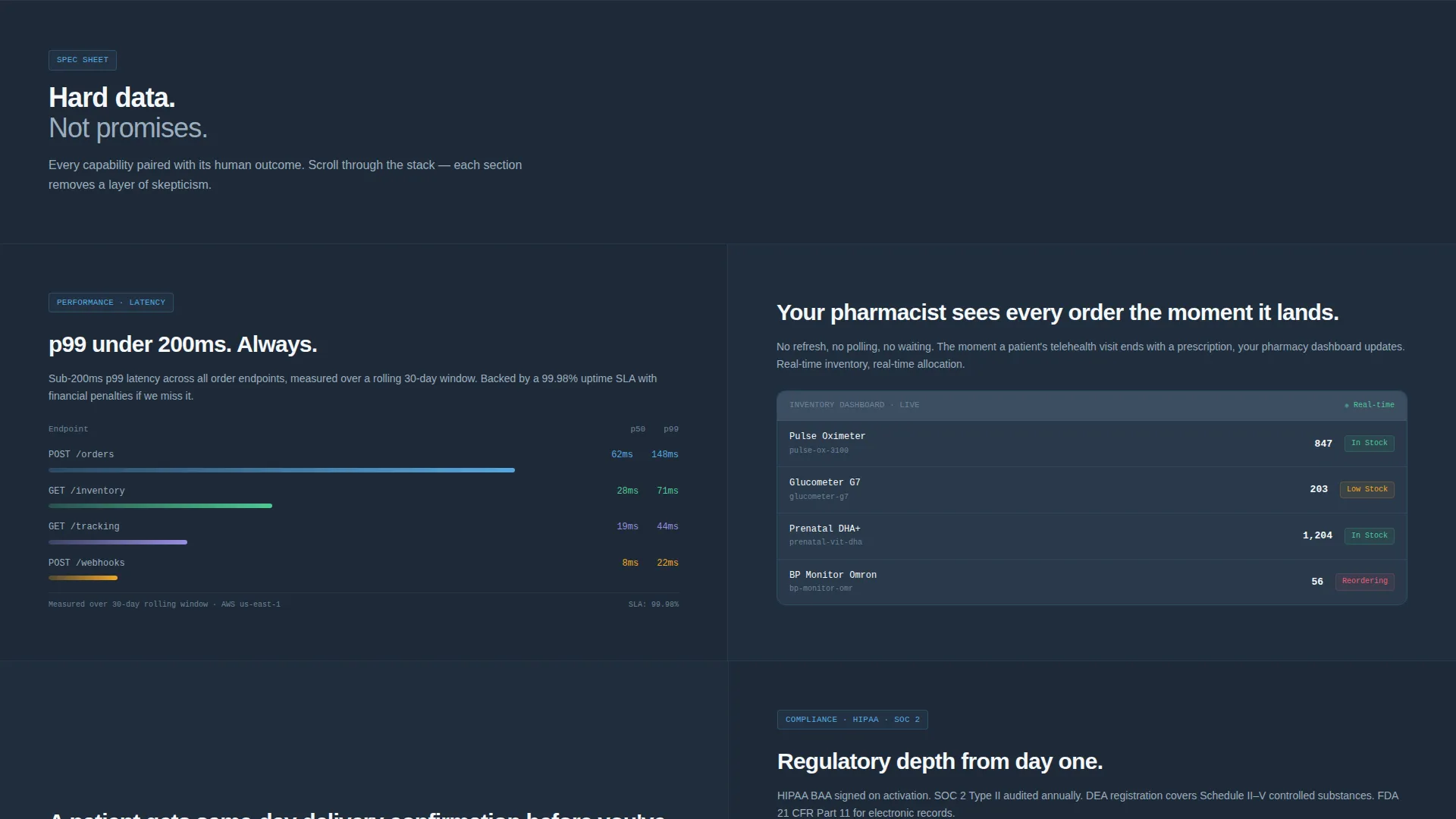
- Spec sheet content sections pairing technical data with real human outcomes
- A lead-capture form with a primary "Request API Keys" call to action and a secondary "Read the Docs" path
Feature list
This template includes purpose-built components designed specifically for developer-facing healthcare platforms. Each section earns attention through specificity rather than promises.
Split-Screen Code Snippet Header
The header divides the viewport 50/50. The left side shows a beautifully formatted JSON payload with fields like "sku", "qty", and "destination". The right side renders the live API response as a tracking dashboard card with an animated status bar moving from Packed to In Transit.
Spec Sheet Content Sections
Each scrollable section pairs a technical capability on the left with its human outcome on the right. Coverage escalates from integration speed to regulatory depth to scale proof, peeling back skepticism at each scroll step.
Sticky Navigation with Primary Call to Action
The sticky header keeps the "Request API Keys" button visible at all times. Visitors never lose their entry point, whether they are skimming the header or reading deep into the compliance section.
Lead Capture Form with Segmentation Slider
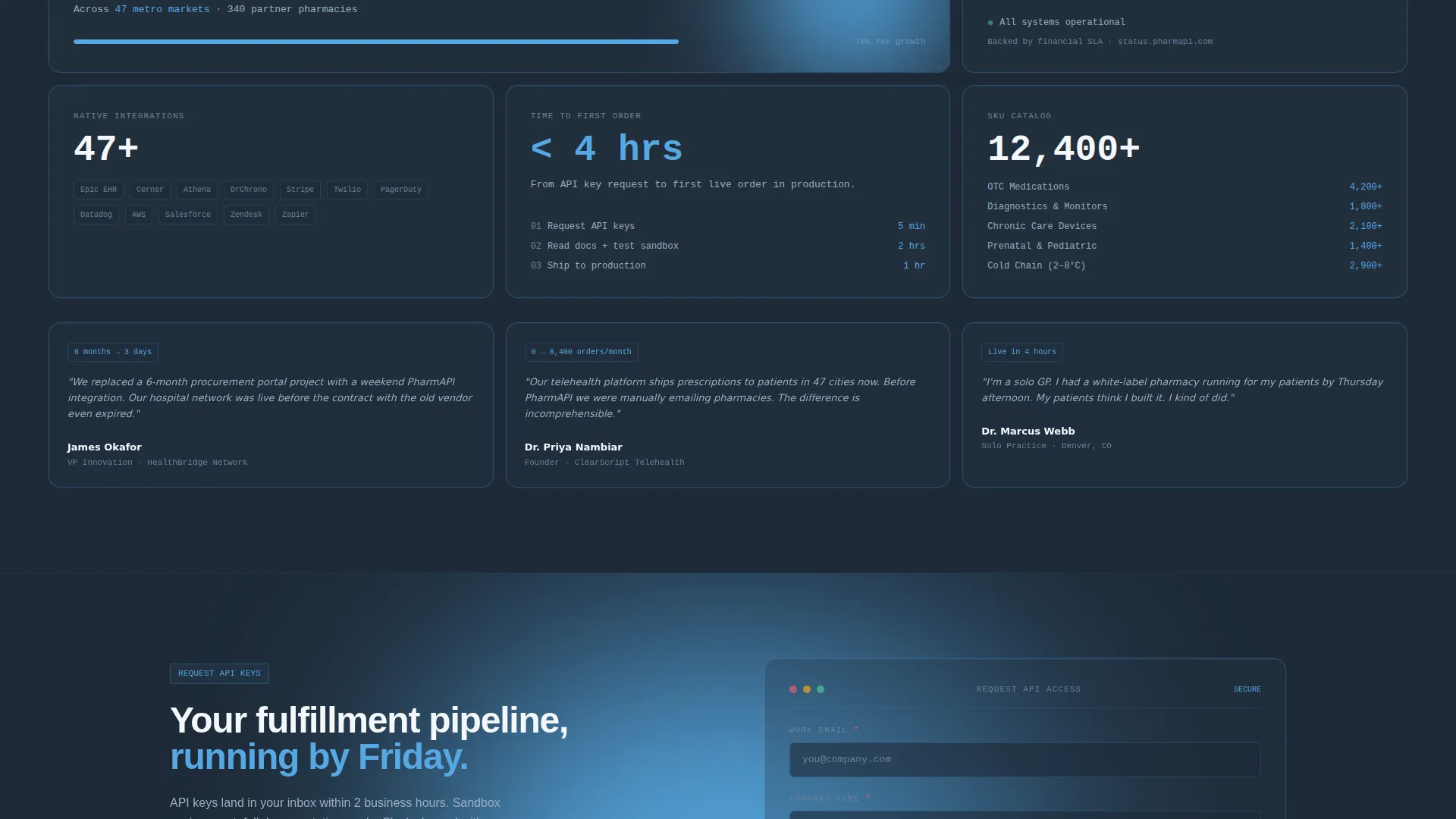
The form collects work email and company name, then asks for platform type (telehealth, clinic network, or hospital system) and estimated monthly order volume via a slider. This captures qualified intent without friction.
Secondary Developer Path
A "Read the Docs" link sits alongside the primary call to action. It routes developer visitors to a public spec sheet before they are ready to speak with sales, keeping them engaged in the funnel.
Monospaced Typography System
The template uses monospaced type throughout the header and code sections. There is no stock photography anywhere. The product communicates in its native language: clean, terminal-style syntax.
Page sections overview
| Section | Purpose |
|---|---|
| Code Snippet Header | Opens with a live POST request and animated tracking response |
| Sticky Navigation Bar | Keeps "Request API Keys" visible during full-page scroll |
| Integration Speed Section | Demonstrates API latency benchmarks with a real human outcome |
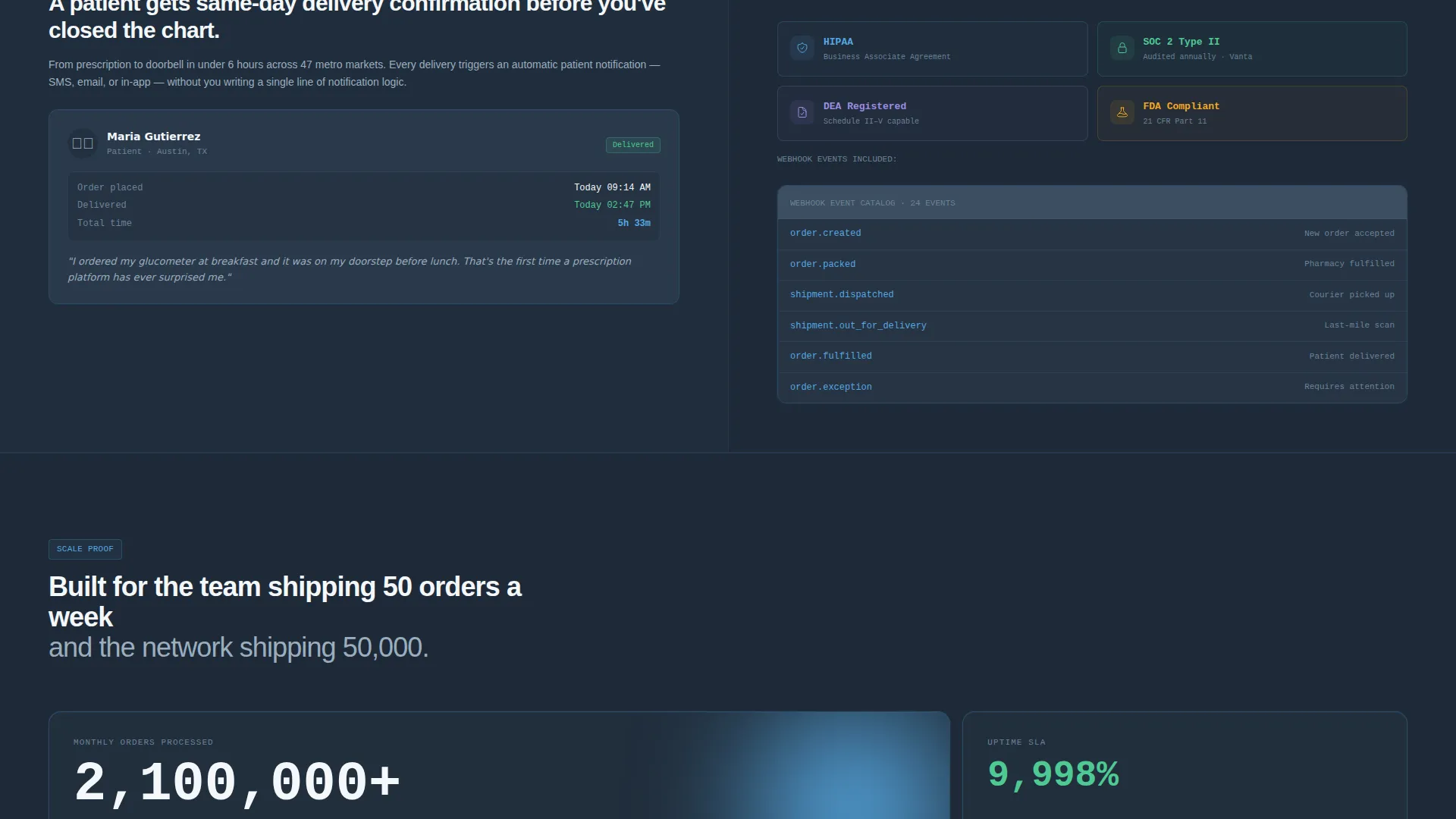
| Compliance Credentials Section | Displays regulatory cert badges alongside a pharmacist use case |
| Scale Proof Section | Shows uptime data and webhook event catalog at volume |
| Lead Capture Form | Collects qualified buyer data with platform type and order slider |
| Secondary Docs Path | Offers "Read the Docs" for developer visitors not yet sales-ready |
Design & branding system
The visual identity runs on a Slate and Sky color system that feels like a well-lit server room at dawn. Every surface is cool, precise, and intentionally clinical without being cold.
- Deep charcoal slate (#1E2A38) for primary backgrounds, mid-tone graphite (#3B4D61) for card surfaces, clinical sky blue (#56A8E2) on all interactive elements and highlighted syntax tokens, and antiseptic white (#F4F7FA) for text and negative space
- Monospaced typefaces throughout the code and header sections reinforce a developer-native aesthetic
- No stock photography anywhere; all visual content is generated from the product interface itself
Mobile & speed optimization
The split-screen layout is structured to reflow gracefully from widescreen to narrower viewports. The stacked mobile view preserves the code-first visual hierarchy.
- The 50/50 desktop split collapses into a single-column stacked layout on smaller screens
- Sticky navigation and primary call-to-action button remain accessible at all scroll depths on mobile
- Monospaced code blocks and status animations are styled to render cleanly across modern screen sizes
How this template helps you convert
The page earns the click by proving competence in code before ever asking for credentials. Every structural choice is designed to reduce friction and build trust progressively.
- The code snippet header demonstrates the product working in its first frame, so technically skilled visitors feel immediately understood and stay on the page.
- Spec sheet sections escalate from speed to compliance to scale, matching how a procurement decision actually unfolds and removing each objection in sequence.
- The dual call-to-action system captures two distinct buyer types at the same time: sales-ready operators through "Request API Keys" and research-mode developers through "Read the Docs".
Other information about this template
This template is part of the Startup Velocity theme family, which prioritizes directness, technical confidence, and forward motion in layout and copy. It sits within the Healthcare Digital Presence subcategory inside the Technology category.
- The template style is a fixed Split Screen (50/50) layout applied across the header and all spec sheet sections
- The header concept is a Code Snippet, meaning the hero section uses real formatted code rather than illustrations or photography
- The creative direction follows a Spec Sheet approach, grounding every scroll section in hard data before revealing the human benefit
- The lead generation direction is structured around a two-path conversion model: a primary sales form and a secondary documentation link
- This template is suitable for healthcare online store platforms, pharmacy fulfillment API providers, and clinical supply software products
Theme
Startup Velocity
Creative direction
Spec Sheet
Color system
Slate & Sky
Style
Split Screen (50/50)
Direction
Lead Generation
Page Sections
Split-screen Code Snippet Header
Escalating Spec Sheet Sections
Sticky Navigation with Call to Action
Segmented Lead Capture Form
Secondary Developer Path
Monospaced Terminal Typography
Related questions
Who is this landing page template designed for?
Does the template include a working lead capture form?
What makes the header different from a standard hero section?
Where does the primary call to action appear on the page?
Can this template support a two-audience conversion strategy?



