Photonic Computing Landing Page Template
Photon is a comparison-table landing page template built for photonic computing managed services. It opens with a Feature Tab Switcher showing real benchmark numbers at display scale, then walks visitors through a full head-to-head comparison across latency, cost, power, and uptime. The design uses a Monochrome Steel palette with cold laser blue reserved for every photonic win.
by Rocket studio
Quick summary
Photon is a single-page, stats-first landing page template for a photonic computing managed service. It leads with a live-updating benchmark tab switcher, drops into a detailed comparison table, and closes with two conversion paths. The Monochrome Steel visual identity keeps the focus exactly where it belongs: on the numbers.
Who this template is for
This template is built for technical and executive audiences who need hard evidence before they commit. It speaks directly to people who understand infrastructure costs and care about inference speed.
- Machine learning platform engineers frustrated by long GPU procurement cycles
- Chief technology officers tracking six-figure monthly cloud compute bills
- Artificial intelligence startup teams whose model workloads have already outgrown available silicon
What problem this template solves
Most managed infrastructure services hide their performance data behind sales calls. Visitors with technical buying authority leave the moment they cannot find a real benchmark. Photon solves this by putting the numbers first and building trust through visible evidence.
- Removes the gap between marketing claims and technical proof by centering a live comparison table
- Gives procurement-ready visitors two clear next steps instead of a single vague call to action
- Replaces abstract visuals with data rendered at display scale, so the performance story is impossible to miss
What you get with this template
You get a fully structured, single-page layout designed specifically for a comparison and versus conversion flow. Every section is sequenced to escalate from claims to evidence to proof as the visitor scrolls.
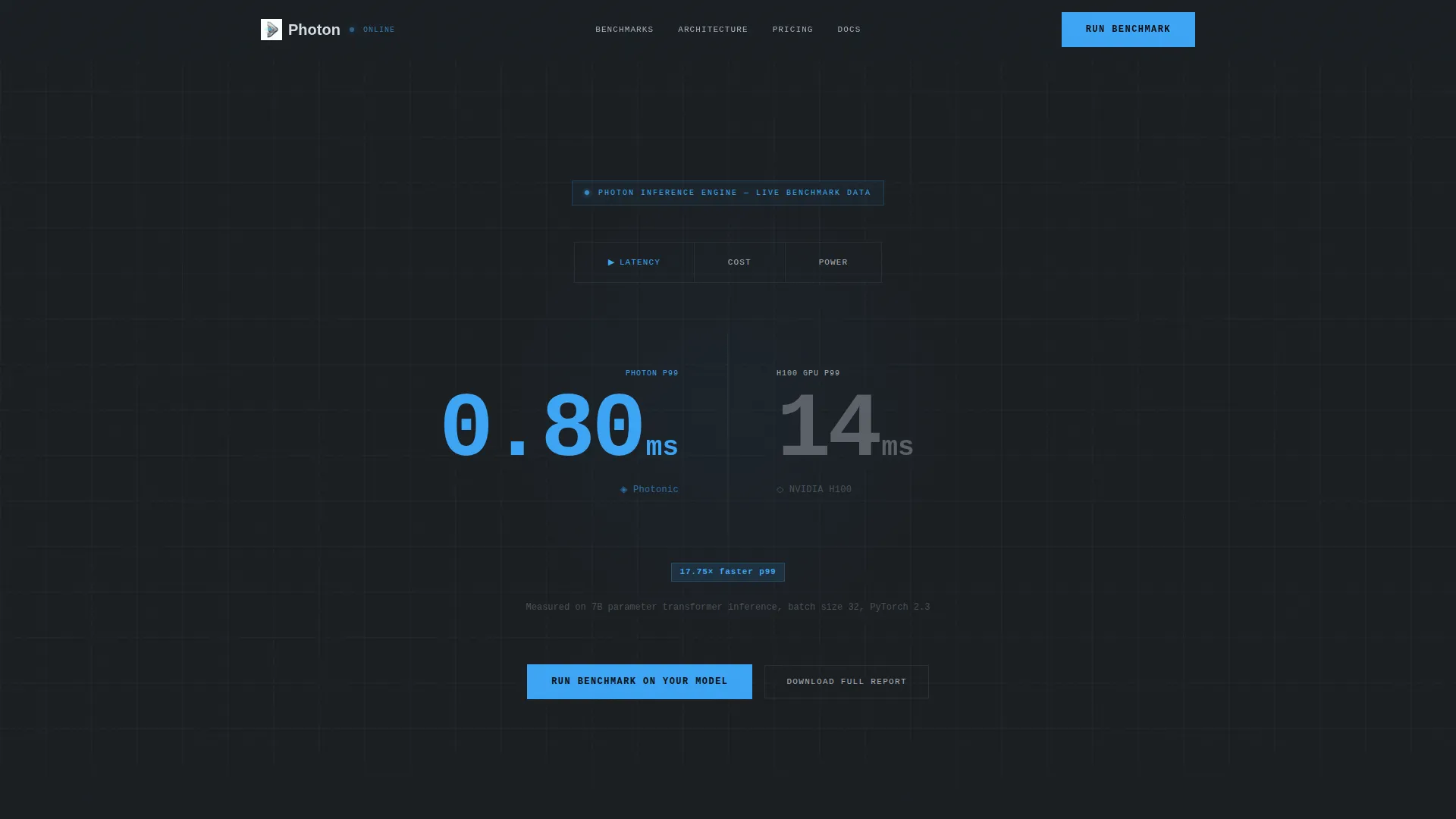
- A Feature Tab Switcher header with three tabs: Latency, Cost, and Power, each triggering a counter animation
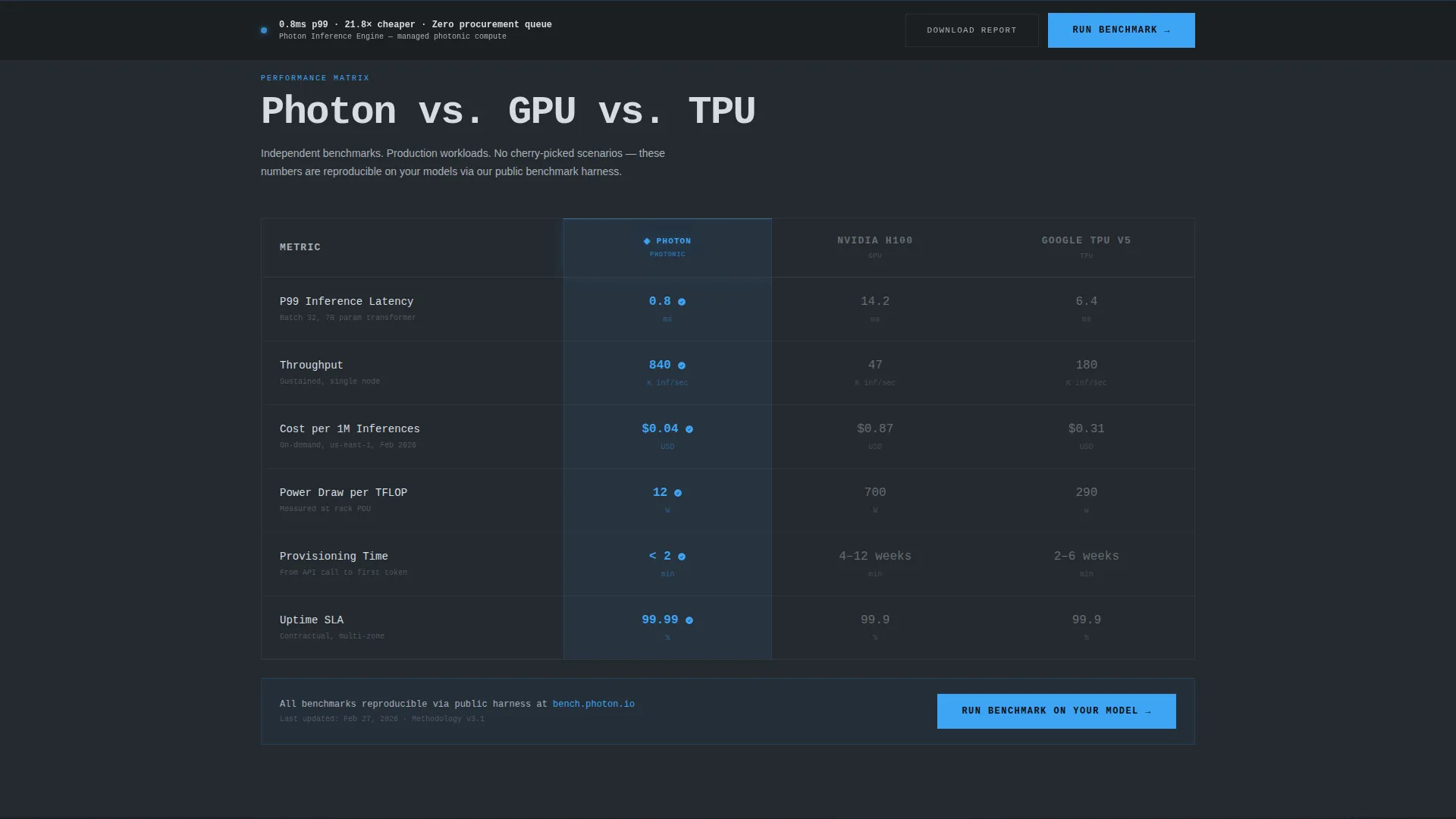
- A full comparison table covering throughput, p99 latency, cost per million inferences, power draw per TFLOP, provisioning time, and uptime SLA
- Two conversion components: a primary benchmark request form at the table footer and a sticky call-to-action bar that appears after 60 percent scroll depth
Feature list
This section covers the functional components included in the Photon template.
Feature Tab Switcher Header
Three tabs labeled Latency, Cost, and Power sit above a live-updating comparison panel. The default view shows photonic inference at 0.8ms versus GPU at 14.2ms, typeset at enormous display-font scale. Switching tabs triggers a smooth counter animation that recalculates each metric in view.
Full Head-to-Head Comparison Table
The comparison table includes rows for throughput, p99 latency, cost per million inferences, power draw per TFLOP, provisioning time, and uptime SLA. The photonic column glows faintly in laser blue. Every photonic cell that wins its row carries a subtle check icon to signal the advantage clearly.
Escalating Evidence Scroll Flow
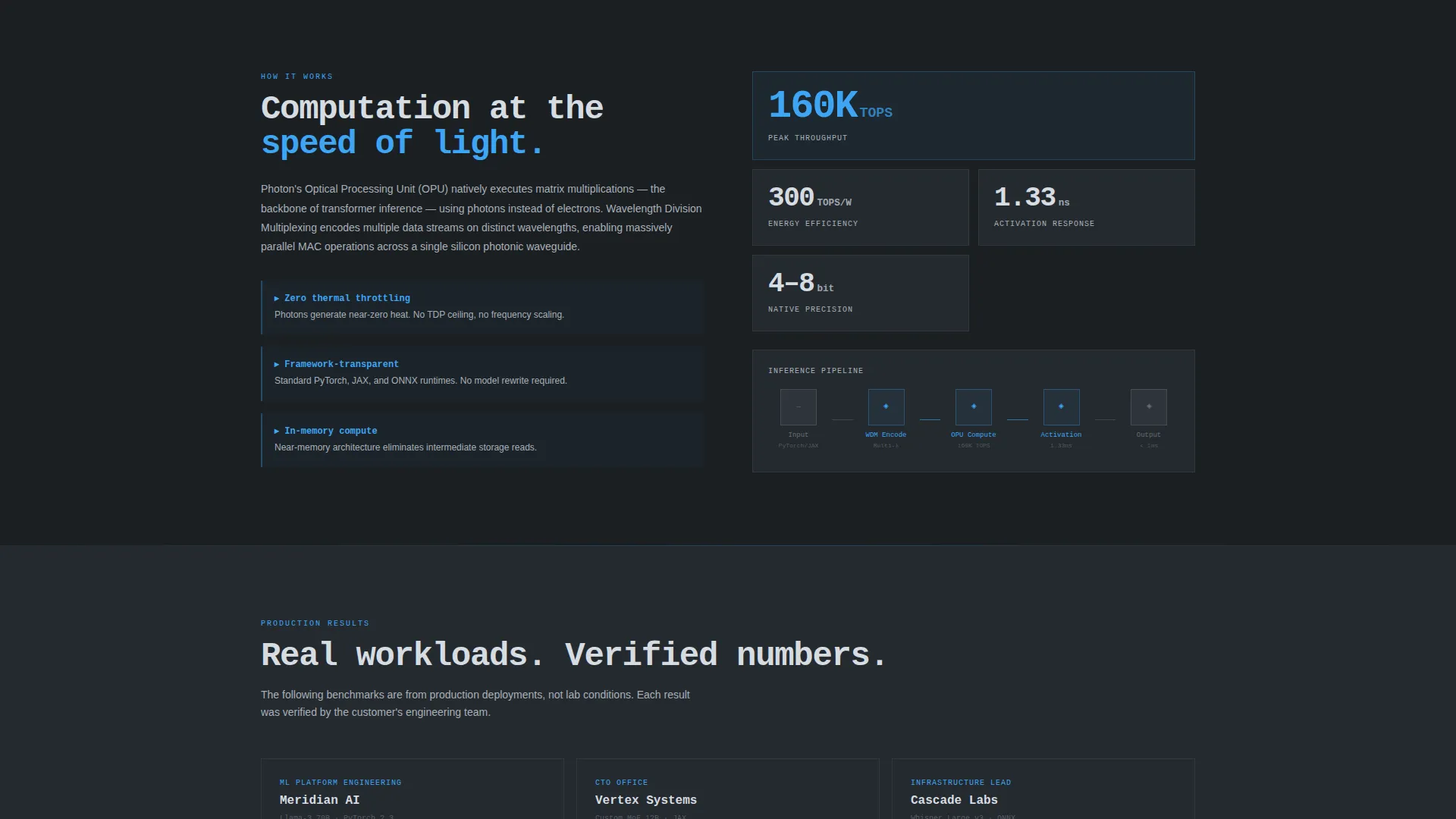
Below the main table, each scroll section raises the bar on proof. Architecture diagrams follow the numbers. Customer benchmarks follow the diagrams. The page moves from claims to evidence to verified results without asking the visitor to jump between pages.
Benchmark Request Form
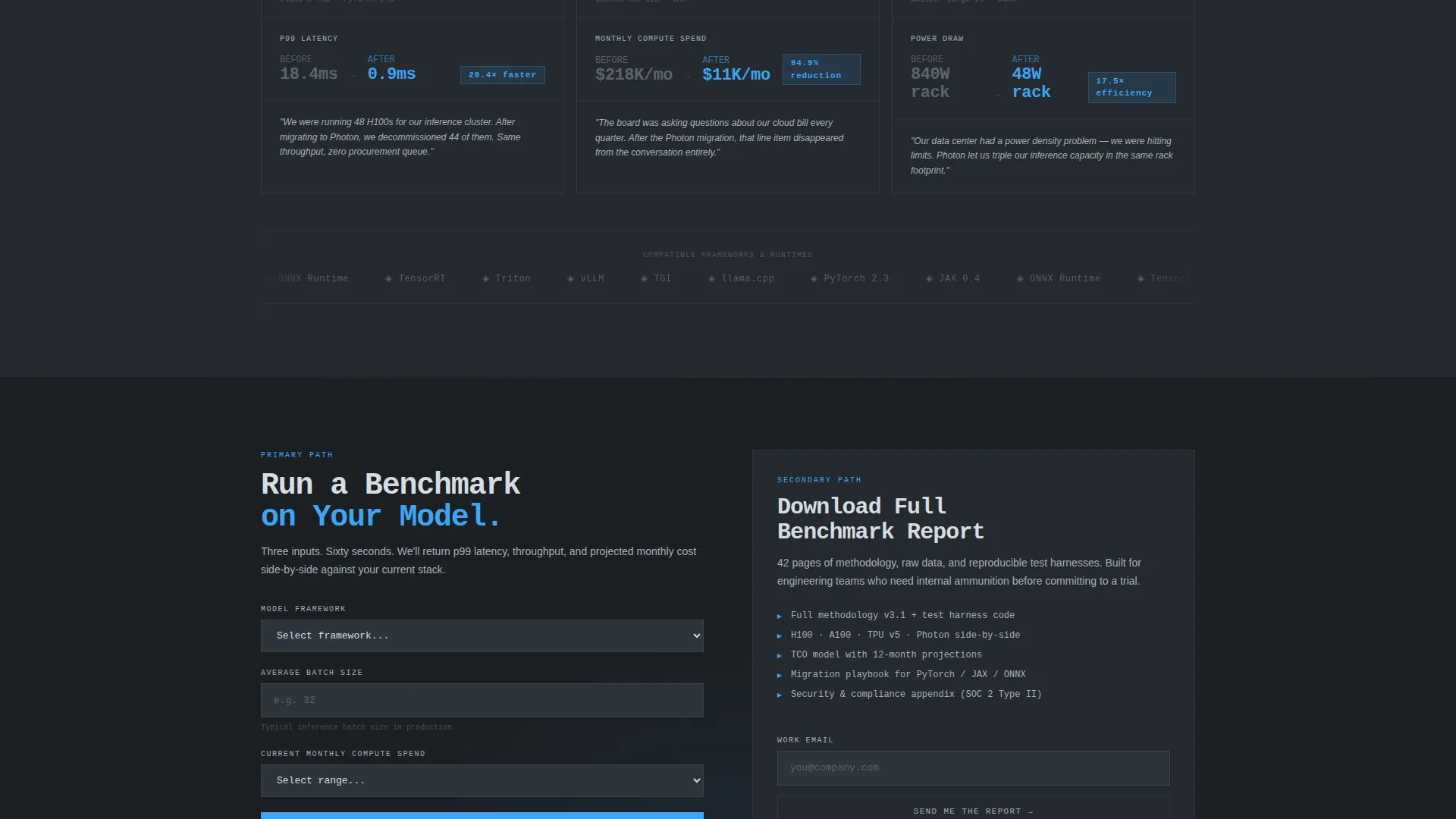
The primary call to action is "Run a Benchmark on Your Model," placed at the table footer. The form collects three fields: model framework (PyTorch, JAX, or ONNX dropdown), average batch size, and current monthly compute spend. Each field qualifies visitor intent while feeling like the opening of a technical consultation.
Sticky Conversion Bar
After the visitor has scrolled past 60 percent of the page, a sticky bar appears and repeats the primary call to action. This keeps the conversion path visible without interrupting the reading experience in the upper sections.
Gated Benchmark Report Download
A secondary conversion path offers a downloadable full benchmark report. Access is gated behind a work email address. This path is designed for visitors who need internal documentation before they can approve a trial.
Page sections overview
| Section | Purpose |
|---|---|
| Tab Switcher Header | Displays live latency, cost, and power benchmarks across three switchable tabs |
| Main Comparison Table | Compares photonic, GPU, and TPU columns row by row across six performance metrics |
| Architecture Diagram Block | Replaces raw numbers with a visual explanation of the photonic processing approach |
| Customer Benchmark Section | Presents real-world performance evidence to move visitors from interest to trust |
| Benchmark Request Form | Primary conversion component collecting model framework, batch size, and spend data |
| Sticky call to action Bar | Persistent call-to-action element appearing after 60 percent scroll depth |
| Report Download Gate | Secondary conversion path offering a full benchmark report in exchange for a work email |
Design & branding system
The template uses a Tech Glass theme built on a Monochrome Steel color system. The palette is deliberately cold and precision-focused, built to feel like machined titanium rather than a consumer product.
- Base backgrounds sit in deep gunmetal (#1B1F23), with body text rendered in brushed aluminum (#A8B0B8) through polished chrome (#D6DCE1)
- Cold laser blue (#3DA5F5) appears exclusively on interactive states and winning-column indicators, so every blue element signals a photonic advantage
- Typography uses display-scale fonts for benchmark numbers to make the performance data the visual centerpiece of the page
Mobile & speed optimization
The layout is designed to keep the comparison table readable and the conversion components accessible at any screen width. The stats-first structure means the most important content loads at the top, visible immediately.
- The tab switcher and benchmark numbers are structured to remain legible at mobile viewport widths without horizontal scrolling
- The sticky conversion bar is sized for thumb-friendly interaction on smaller screens
- The escalating scroll sections are stacked vertically so the evidence flow reads naturally on a single-column mobile layout
How this template helps you convert
Photon is built around a comparison and versus conversion strategy. Every layout decision moves a skeptical, technical visitor toward one of two commitment actions.
- The benchmark request form qualifies intent through three targeted fields, making the visitor feel like they are starting a real technical conversation rather than submitting a generic lead form.
- The sticky call-to-action bar keeps the primary conversion path visible through the deeper, evidence-heavy sections of the page, reducing the chance a convinced visitor has to scroll back up to act.
Other information about this template
This template is categorized under Photonic Computing Technology within the broader Technology category. It is best suited for teams marketing a photonic computing managed service to a technically literate audience.
- The template style is a Comparison Table, making it directly applicable to photonic versus GPU versus TPU positioning pages
- The creative direction is Stats-First Impact, meaning the hardest performance claims appear above the fold rather than being buried in body copy
- The landing page direction is Comparison and Versus, aligning with buying journeys where the visitor already knows the problem and needs proof that this solution wins
- The header concept is a Feature Tab Switcher, a component pattern that works well when a service has multiple distinct performance advantages to communicate
Theme
Tech Glass
Creative direction
Stats-First Impact
Color system
Monochrome Steel
Style
Comparison Table
Direction
Comparison/Versus
Page Sections
Feature Tab Switcher with Counter Animation
Six-row Head-to-head Comparison Table
Escalating Scroll Evidence Flow
Three-field Benchmark Request Form
Sticky Call-to-action Bar
Gated Benchmark Report Download
Related questions
Who is the Photon template designed for?
Can I change the benchmark numbers shown in the comparison table?
What are the two conversion paths included in this template?
Does the template include both a sticky bar and a footer form?
Is this template suitable for a single-page launch or a multi-page site?



