Photonic Computing Research Lab Landing Page Template
Photon is a bento grid landing page template built for photonic computing research labs. It leads with a live latency calculator that benchmarks inference across GPU clusters, TPU pods, and photonic accelerators. The monochrome steel palette and comparison-driven layout help ML infrastructure engineers and datacenter architects understand the silicon performance story before they ever reach a form.
by Rocket studio
Quick summary
Photon is a single-page bento grid template designed for a photonic computing research lab. The page opens with an interactive latency simulator and unfolds into a structured comparison layout. Each card isolates one performance axis. The design channels engineered precision through a forge-black and brushed-aluminum palette with a single coherent-blue accent.
Who this template is for
This template is built for teams working at the frontier of silicon-photonic computing. It speaks directly to technically literate visitors who want data before conversation.
- ML infrastructure engineers benchmarking inference latency across hardware stacks
- Datacenter architects evaluating watts-per-teraflop efficiency and thermal envelope tradeoffs
- Venture partners and researchers assessing post-Moore's-Law silicon bets
What problem this template solves
Most deep-tech lab pages lead with founder quotes and mission statements. Visitors with a technical background skip straight past those. By the time the actual performance data appears, they have already left.
- The page has no manifesto and no marketing preamble
- Visitors interact with real inputs before reading a single claim
- The layout forces the visitor to prove the thesis to themselves before the gated form appears
What you get with this template
You get a fully structured bento grid landing page organized around a Calculator/Tool First creative direction. Every section is designed to deliver one clear idea, one data point, or one interactive moment.
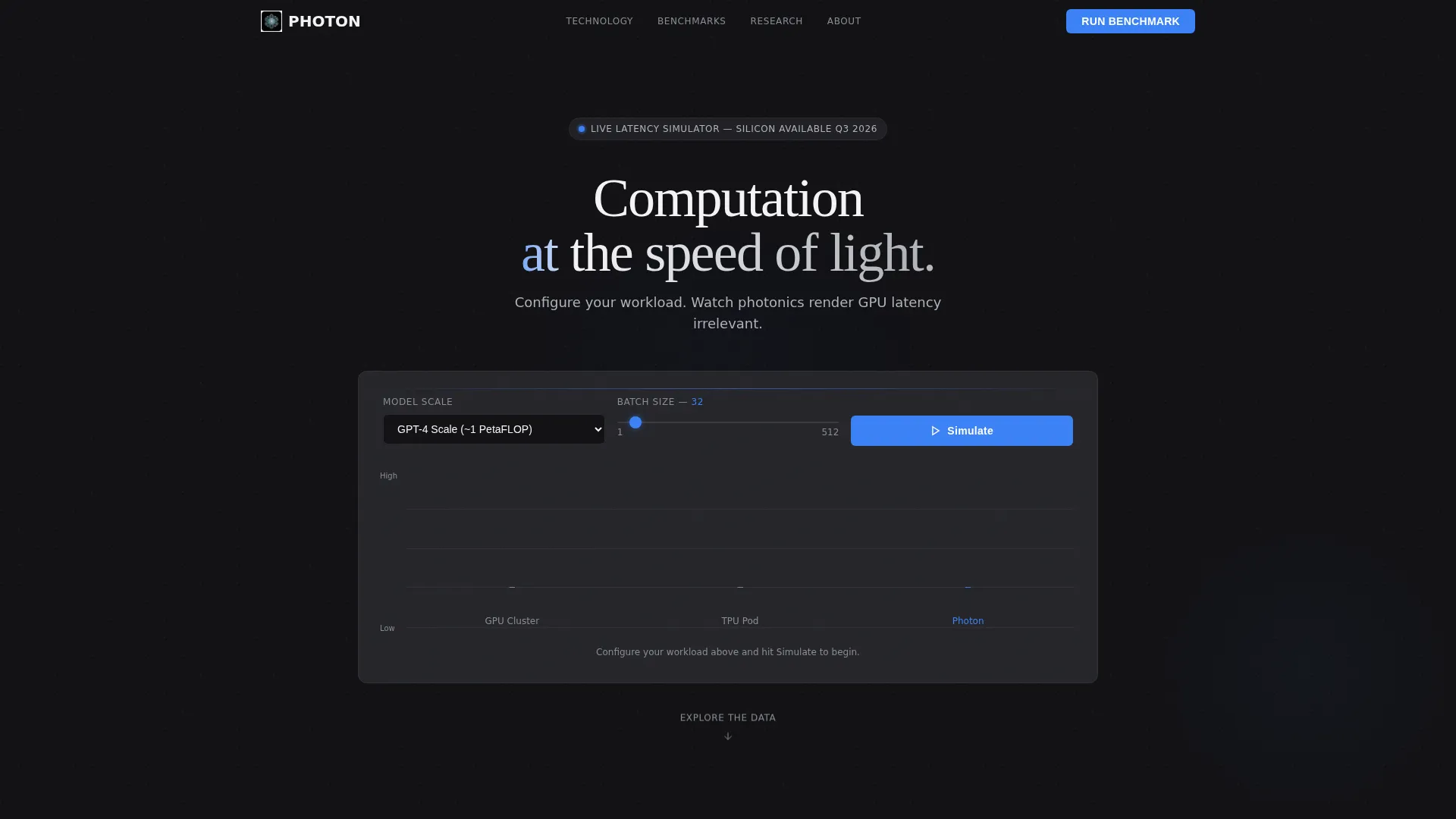
- A live latency calculator embedded in the header viewport with dropdown model selection and batch volume input
- An animated bar chart race comparing GPU cluster, TPU pod, and photonic accelerator performance
- A sticky bottom bar call to action that reappears after the visitor scrolls past the header calculator
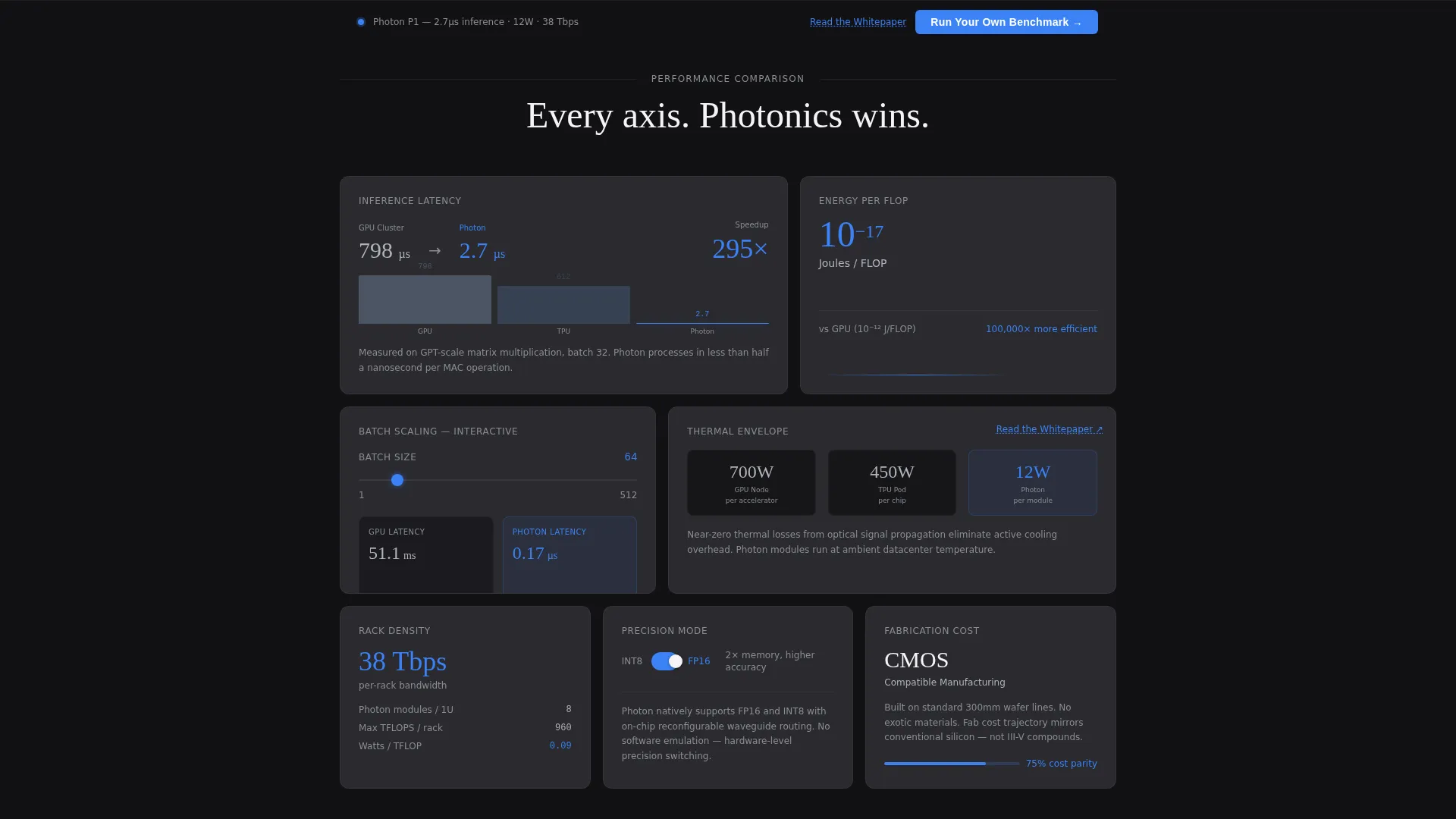
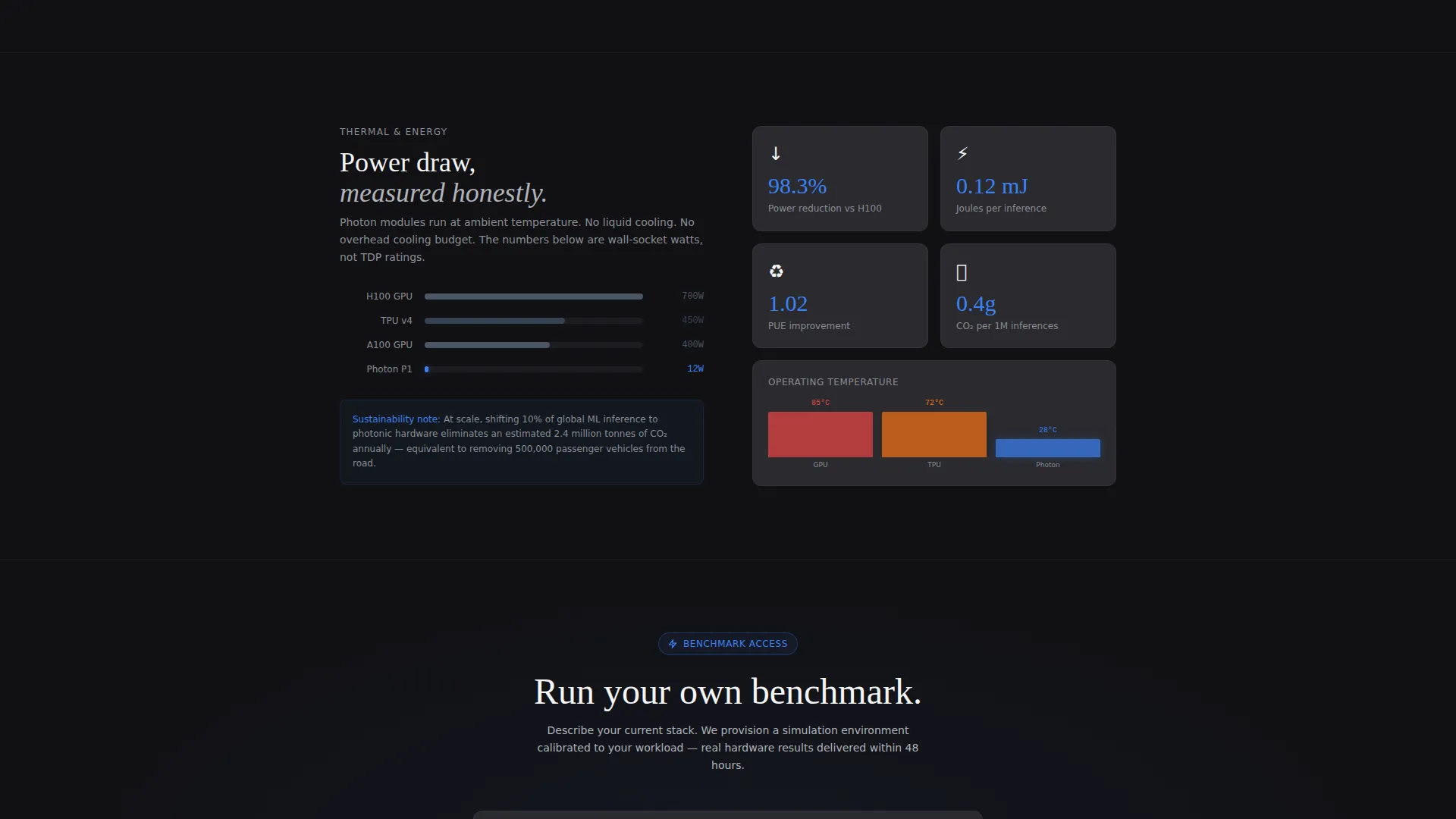
- Bento grid cards covering latency per inference, joules per operation, thermal envelope, rack density, and fabrication cost trajectory
- Inline interactive elements including a drag slider for batch size scaling and a precision toggle between FP16 and INT8
Feature list
This template packages several purposeful components into a single cohesive layout.
Live Latency Calculator Header
The header is an interactive simulator, not a hero image. Visitors select a model size from a dropdown (GPT-scale, Stable Diffusion, or custom FLOP count) and enter a batch volume. Hitting "Simulate" triggers an animated bar chart race with millisecond counters ticking at different speeds for each architecture.
Comparison-Driven Bento Grid
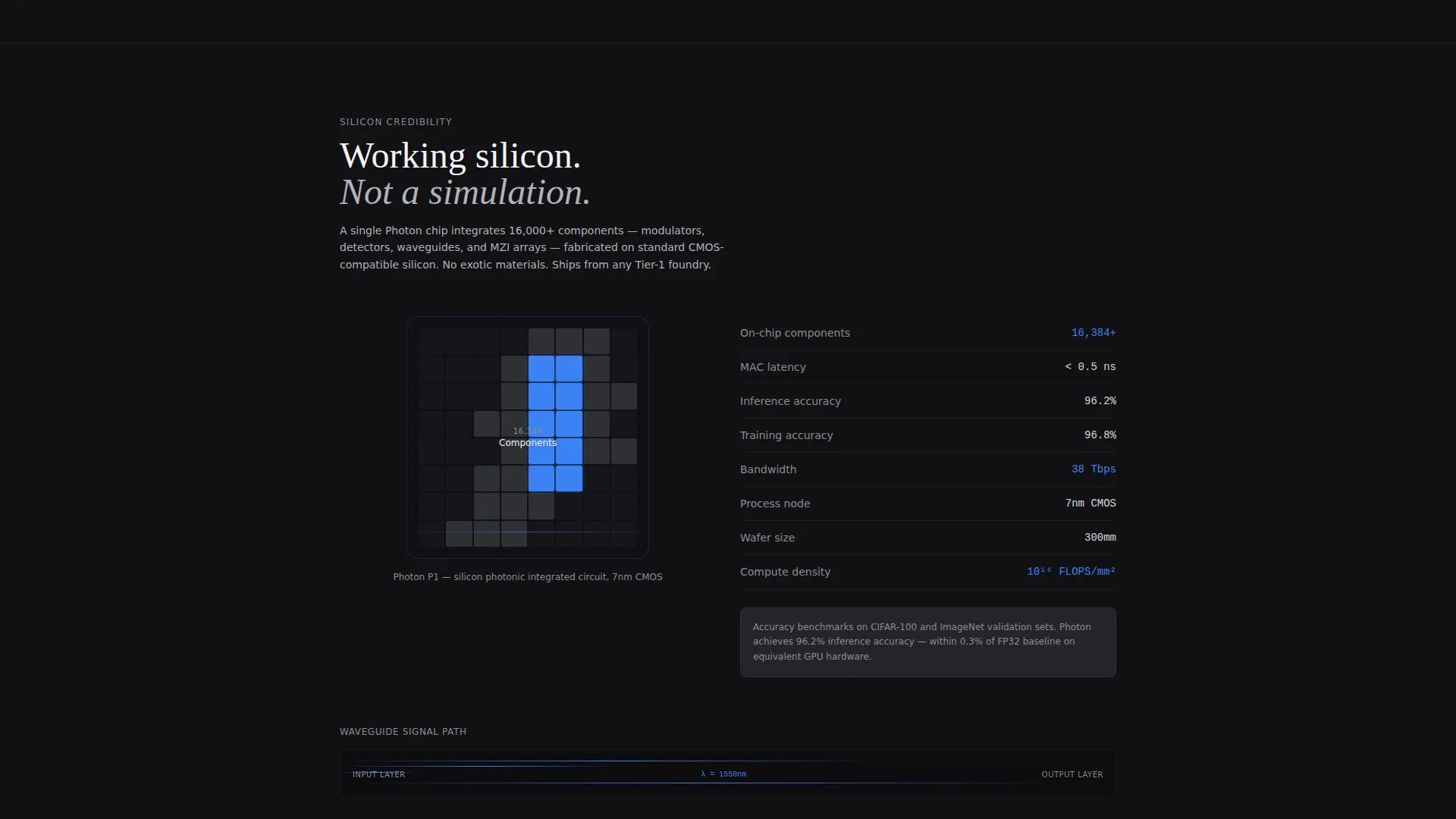
Below the fold, bento grid tiles arrange into a structured versus narrative. Each card covers one comparison axis: latency per inference, joules per operation, thermal envelope, rack density, or fabrication cost trajectory. Cards alternate between data visualizations and single-sentence explanations.
Recurring Interactive Elements
Every third row reintroduces an interactive component. A drag slider lets visitors scale batch size in real time. A toggle switches between FP16 and INT8 precision modes. These elements prevent passive reading for more than two consecutive scrolls.
Sticky Benchmark call to action Bar
After the visitor scrolls past the header calculator, a sticky bottom bar reappears with the primary call to action: "Run Your Own Benchmark." This anchors to a gated form collecting work email, workload type (training, inference, or fine-tuning), and current hardware stack.
Secondary Whitepaper Path
Inside the thermal-efficiency bento card, an underlined text link reads "Read the Whitepaper." This secondary path captures researchers who need formal documentation before entering a conversation.
Coherent Blue Interaction System
The single accent color, coherent blue (#3B82F6), fires only on interactive states, live data outputs, and the primary call to action. Every hover, toggle result, and calculation output uses this color exclusively, making active elements unmistakable.
Page sections overview
| Section | Purpose |
|---|---|
| Header Calculator | Live latency simulation with model and batch inputs |
| Bar Chart Race | Animated architecture comparison with millisecond counters |
| Latency Comparison Card | Inference latency per architecture, side by side |
| Joules Per Operation | Energy efficiency comparison across hardware types |
| Thermal Envelope Card | Heat output and cooling load comparison |
| Rack Density Card | Physical footprint and density tradeoff visualization |
| Fabrication Cost Card | Cost trajectory data for photonic versus legacy silicon |
| Batch Size Slider | Drag-interactive scaling tool embedded mid-grid |
| Precision Toggle | FP16 versus INT8 mode switch with live output |
| Thermal Whitepaper Link | Secondary call to action for researchers seeking formal proof |
| Sticky Benchmark Bar | Persistent bottom-bar call to action reappearing after header scroll |
| Gated Benchmark Form | Work email, workload type, and hardware stack fields |
Design & branding system
The visual identity is built around a Monochrome Steel color system with a Startup Velocity theme. The palette feels like a milled aluminum chassis before it ships: no decoration, just material confidence.
- Backgrounds use forge black (#111114) and machined graphite (#2A2A2F); text sits in brushed aluminum (#B0B3BA) and near-white
- Coherent blue (#3B82F6) appears exclusively on interactive states, live data outputs, and the primary call to action
- Typography and layout channel engineered precision, with breathing room between tiles keeping the grid from feeling dense
Mobile & speed optimization
The bento grid layout is structured to reflow cleanly across screen sizes. Interactive elements are designed with touch input in mind so mobile visitors can use the calculator and sliders without friction.
- Bento tiles stack vertically on smaller screens while preserving the single-axis-per-card information hierarchy
- The sticky bottom bar and gated form remain accessible throughout the mobile scroll experience
- Interactive components including the batch size slider and precision toggle are built to respond to touch gestures
How this template helps you convert
This template earns the click by letting the visitor reach their own conclusion before a form appears. The conversion architecture follows a deliberate sequence.
- The header calculator delivers immediate hands-on value, so the visitor's first experience is the product working, not a pitch about the product
- The bento grid deepens confidence across six performance axes, with recurring interactive moments preventing disengagement before the visitor reaches the call to action
- The sticky benchmark bar and the secondary whitepaper link offer two distinct conversion paths, capturing both action-ready engineers and research-first evaluators at the moment each is most persuaded
Other information about this template
Photon is built on the Bento Grid template style, making it straightforward to adapt tile sizing, card order, and grid density to match a specific lab's data story. The template is categorized under Technology and the Photonic Computing Technology subcategory.
- The template uses a single-page landing page structure with a section-led scroll flow
- Color tokens are clearly defined and easy to remap if a lab uses a different accent color
- The Calculator/Tool First creative direction and Interactive Preview header concept are core to the layout logic and should be preserved when customizing
Theme
Startup Velocity
Creative direction
Calculator/Tool First
Color system
Monochrome Steel
Style
Bento Grid
Direction
Comparison/Versus
Page Sections
Live Latency Calculator in Header
Comparison Bento Grid Layout
Recurring Interactive Scroll Elements
Sticky Benchmark Call to Action Bar
Dual Conversion Path Design
Coherent Blue Interaction System
Related questions
Who is this template designed for?
Can I change the model options in the latency calculator?
What does the gated benchmark form collect?
Is this template suitable for a multi-page site?
How does the secondary whitepaper link work?



