Silicon Photonics Training & Certification Landing Page
Photon is a dark-field, card-grid landing page template built for a silicon photonics training and certification program. It opens with a full-viewport code terminal, organizes course modules into an interactive flippable card grid, and drives two conversion paths: a qualification form and a free cheat-sheet download. Built on a Dashboard Pro theme with an Electric Indigo color system.
by Rocket studio
Quick summary
Photon is a single-page, lead-generation landing page template designed for a photonic computing training and certification program. It pairs a live-code header with a modular, interactive card grid that walks engineers through course modules from foundational photonics to advanced neural-optical architectures. Two built-in conversion paths capture both committed and early-stage leads.
Who this template is for
This template is built for programs that train technical specialists in an emerging, highly specific engineering discipline. It speaks directly to professionals who already think in simulations and respect precision.
- Semiconductor process engineers retooling from conventional chip design to photonic integrated circuit workflows
- Machine learning researchers pursuing inference-per-watt improvements through optical computing methods
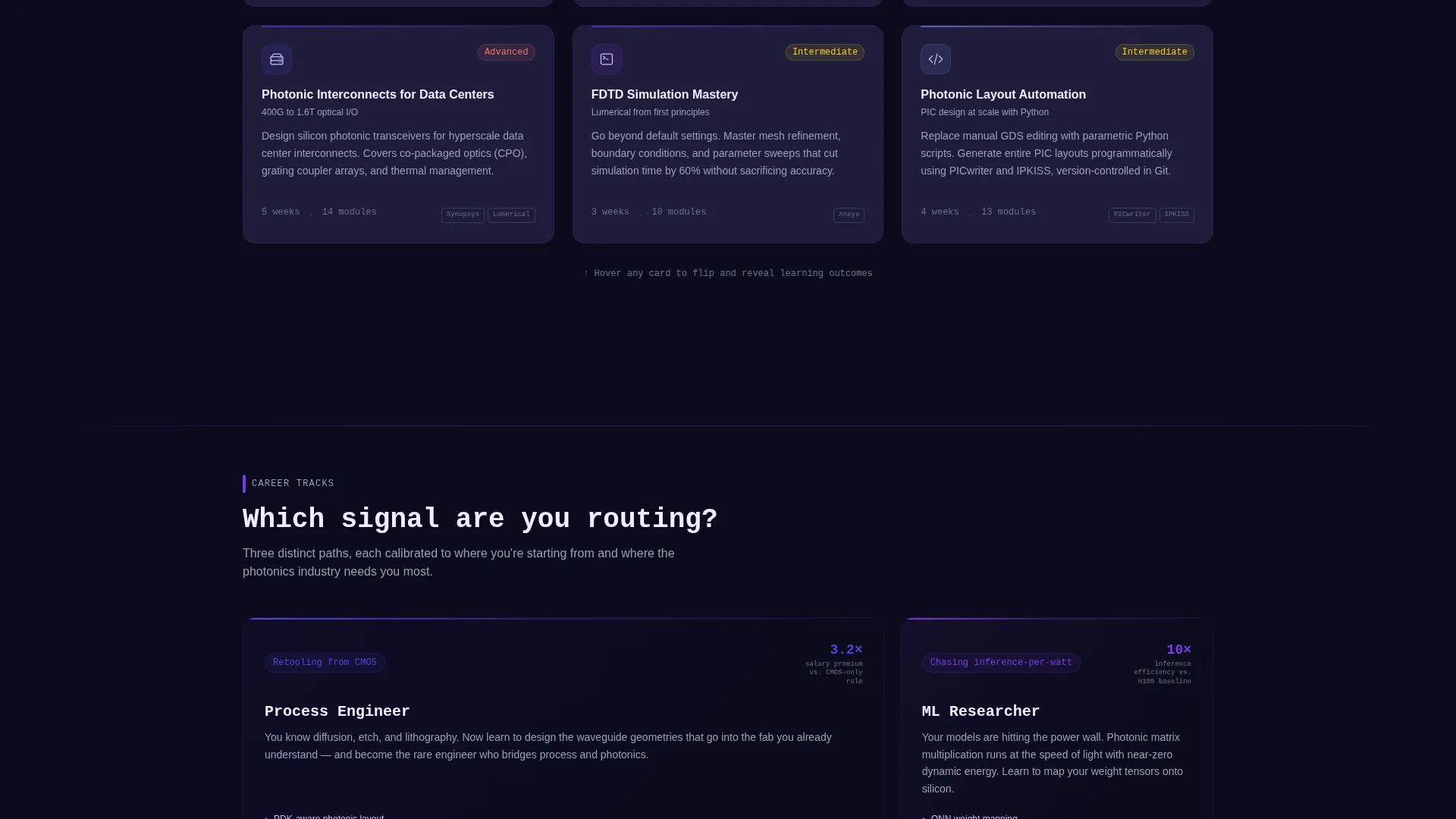
- Telecom and systems architects designing next-generation data center interconnects who need a recognized credential
What problem this template solves
Photonic computing training programs face a credibility gap. Sophisticated engineers will not enroll based on generic marketing copy. They need to see the actual toolchain, understand the curriculum depth, and trust that the credential means something to a hiring manager.
- Generic course templates lack the technical visual language that photonics engineers immediately recognize and trust
- Single-call to action pages miss the segment of visitors who are curious but not yet ready to commit to enrollment
- Flat, static layouts cannot communicate the iterative, layered complexity of a photonic design curriculum
What you get with this template
The template delivers a complete, single-page layout structured around two goals: communicating technical depth and capturing qualified leads. Every section serves a specific role in that journey.
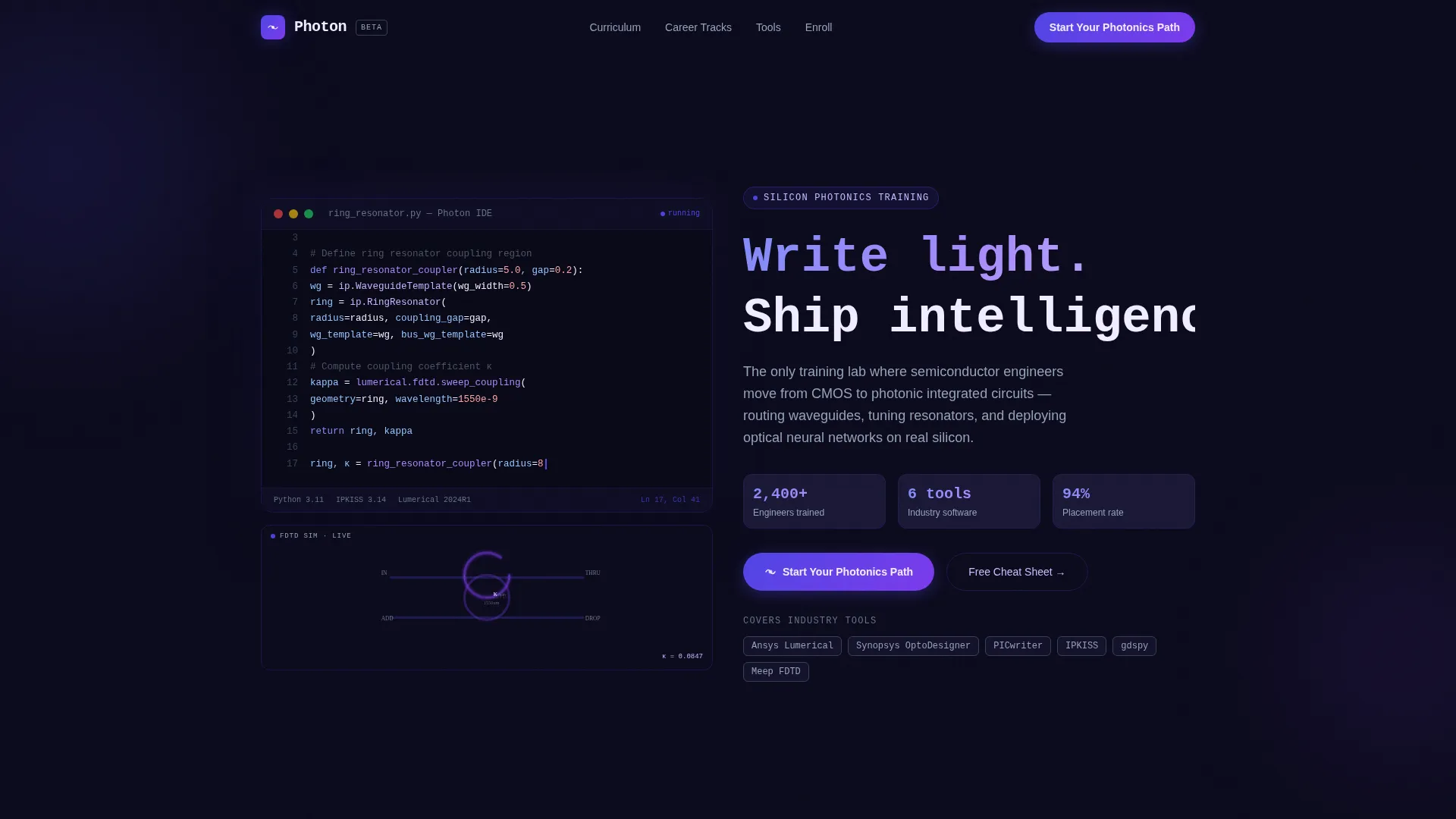
- A full-viewport dark terminal header with syntax-highlighted photonic design code, a blinking cursor, and an inline simulation preview
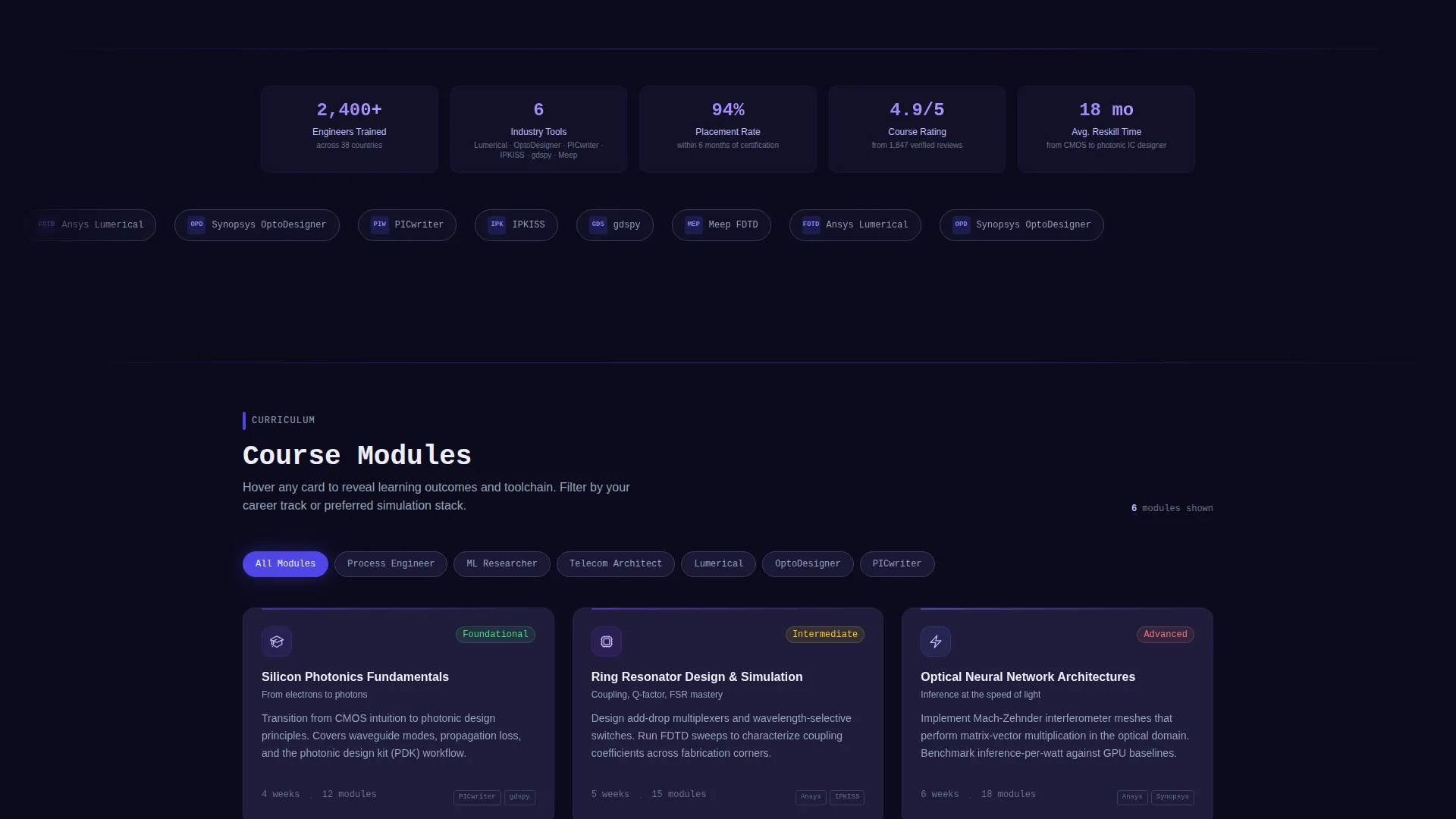
- A modular, filterable card grid where each course module card flips on hover to reveal learning outcomes, tool stack, and a difficulty badge
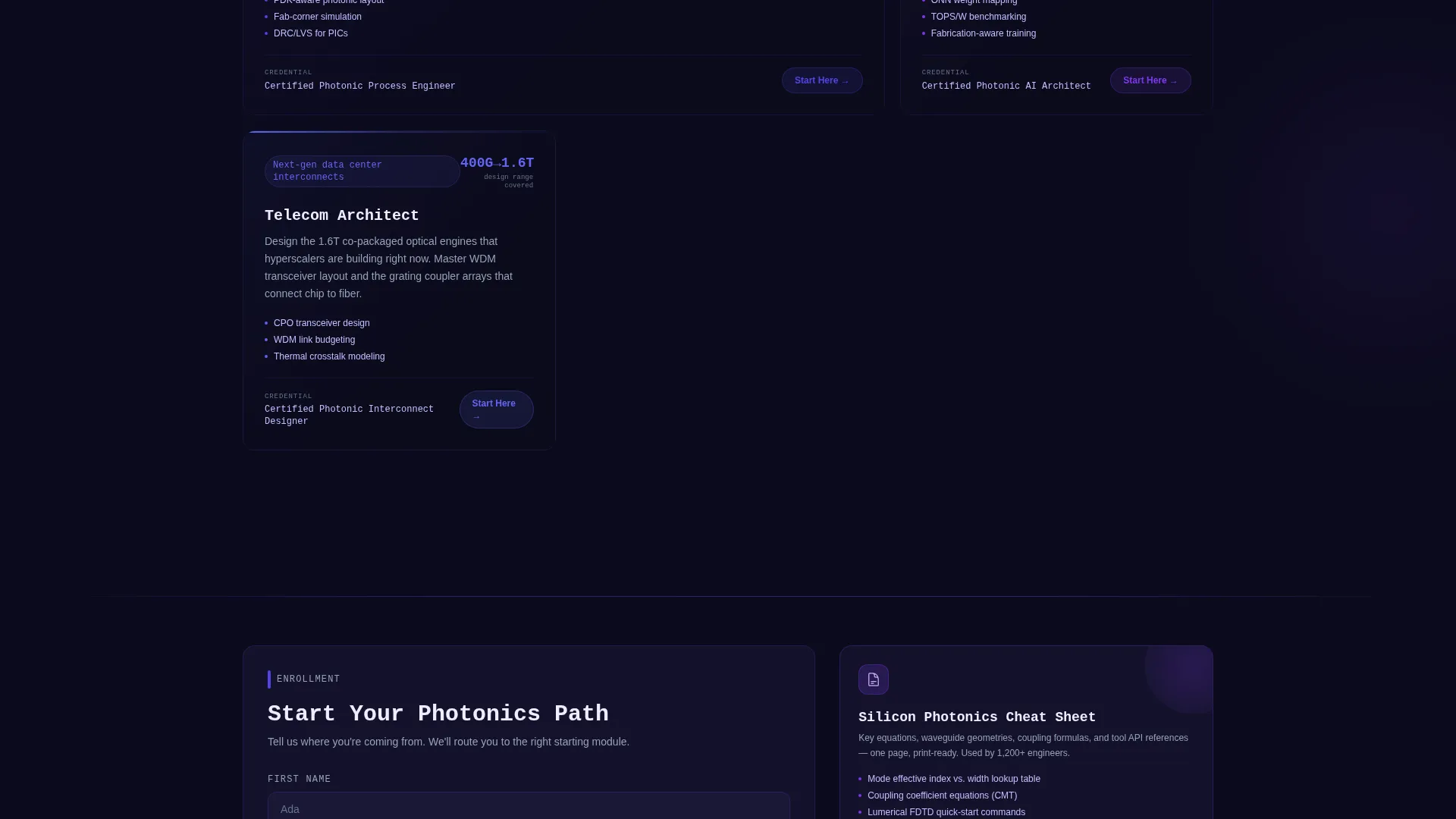
- Two conversion paths: a lightweight qualification form with role, experience, and cohort fields, and a secondary email-only download for a free silicon photonics cheat sheet
Feature list
This section describes the core functional and design components built into this template.
Full-Viewport Code Terminal Header
The header opens with a dark terminal displaying real-looking photonic design code, syntax-highlighted in indigo and violet. A blinking cursor sits mid-line as if writing a ring resonator coupling function. An inline simulation preview renders the waveguide structure beside the code, with light pulsing through the structure in real time. The typed headline "Write light. Ship intelligence." appears below it.
Flippable Course Module Card Grid
Each card in the grid represents one course module. Hovering a card triggers a flip animation that reveals learning outcomes, the relevant tool stack, and a color-coded difficulty badge on the reverse side. The grid is filterable by skill level, toolchain, and career track, rewarding the kind of iterative exploration that photonics engineers already practice in their daily simulation workflows.
Dynamic Grid Reorganization on Scroll
As the visitor scrolls deeper, the grid visually reorganizes itself. Modules progress from foundational photonics concepts through to advanced neural-optical architectures. This scroll-driven progression mirrors the logical sequence of the curriculum and keeps the visitor oriented without requiring separate navigation pages.
Qualification Lead Form
The primary call to action, labeled "Start Your Photonics Path," anchors to a lightweight qualification form. The form includes a role dropdown with five options, a yes or no toggle for photonic design tool experience, and a quarter selector for preferred cohort start date. It captures high-intent leads with minimal friction.
Free Cheat Sheet Secondary Conversion
A secondary conversion path offers a downloadable silicon photonics cheat sheet in exchange for just an email address. This captures earlier-stage visitors who are researching the field but are not yet ready to enroll, keeping them inside the program's lead funnel for future follow-up.
Electric Indigo Visual Identity System
The template uses a five-color palette centered on deep substrate black, electric indigo, phosphor violet, cool silicon gray, and bright emission white. Card surfaces and highlights use the lightest tone, while the dark background ensures all data and user interface elements come forward visually, matching the aesthetic of a photonic chip simulation environment.
Page sections overview
| Section | Purpose |
|---|---|
| Code Terminal Header | Opens with syntax-highlighted photonic code and an inline waveguide simulation preview |
| Typed Headline Block | Displays the animated headline "Write light. Ship intelligence." below the terminal |
| Filterable Course Grid | Interactive card grid organized by skill level, toolchain, and career track |
| Card Flip Panels | Reveal learning outcomes, tool stack, and difficulty badge on hover |
| Scroll Progression Layer | Reorganizes grid from foundational to advanced neural-optical content on scroll |
| Primary call to action Form | Qualification form capturing role, tool experience, and cohort preference |
| Cheat Sheet Download | Email-only secondary conversion for the silicon photonics reference download |
Design & branding system
The visual identity is built on a Dashboard Pro theme using an Electric Indigo color system. The palette was chosen to evoke the look of a photonic integrated circuit simulation running at night, where every glow is intentional and every surface recedes to let the data dominate.
- Five-color palette: deep substrate black (#0C0B1D), electric indigo (#4F46E5), phosphor violet (#7C3AED), cool silicon gray (#94A3B8), and bright emission white (#F0EDFF)
- Electric indigo serves as the primary signal color for active elements; phosphor violet activates on hover states and selected cards
- Card surfaces and highlights use bright emission white to create contrast against the dark field background
Mobile & speed optimization
The modular card grid and dark-field layout are structured to scale cleanly across screen sizes. The interactive layers are designed with a lightweight touch in mind, keeping the experience functional on devices where hover interactions translate to tap interactions.
- Card flip behavior adapts to tap on mobile, preserving the learning-outcome reveal without requiring a mouse
- The filterable grid collapses to a single-column view on smaller screens, keeping module cards readable and scannable
- The qualification form and cheat sheet download section stack vertically on mobile for a clear, uncluttered conversion flow
How this template helps you convert
This template is built for two distinct audience segments: engineers ready to enroll and researchers still exploring the field. Both groups are handled with purpose.
- The primary "Start Your Photonics Path" call to action uses a short qualification form to convert high-intent visitors. Role, tool experience, and cohort preference give the program team usable lead data from the first submission.
- The secondary cheat sheet download requires only an email address, lowering the barrier for early-stage visitors. This path keeps curious leads inside the funnel before they are ready to commit to enrollment.
Other information about this template
This template is specifically suited to programs operating at the intersection of photonic chip design, optical neural network research, and next-generation interconnect engineering. It is designed to feel credible to the engineers it is recruiting.
- The code terminal header is styled to reflect the visual language of tools like Ansys Lumerical, Synopsys OptoDesigner, and PICwriter, making the first impression technically authentic
- The difficulty badge system on card backs supports programs that offer tiered learning tracks across beginner, intermediate, and advanced levels
- The template is built on the Dashboard Pro theme, making it a strong starting point for technology and training programs that need a data-forward visual presentation
- The Electric Indigo color system is immediately customizable; teams can swap accent colors while keeping the dark substrate base for any photonics or deep-tech brand context
Theme
Dashboard Pro
Creative direction
Interactive Explorer
Color system
Electric Indigo
Style
Card Grid (Modular)
Direction
Lead Generation
Page Sections
Full-viewport Code Terminal Header
Flippable Course Module Cards
Filterable, Scroll-driven Grid Layout
Qualification Lead Capture Form
Secondary Cheat Sheet Download Path
Electric Indigo Dark-field Design System
Related questions
Can I customize the course module cards for my own curriculum?
Does the code terminal header use real photonic design code?
How does the secondary conversion path work?
Is this template suitable for a program with multiple career tracks?
What happens to the interactive card grid on mobile devices?



