Ping - Automated Travel Landing Page Template
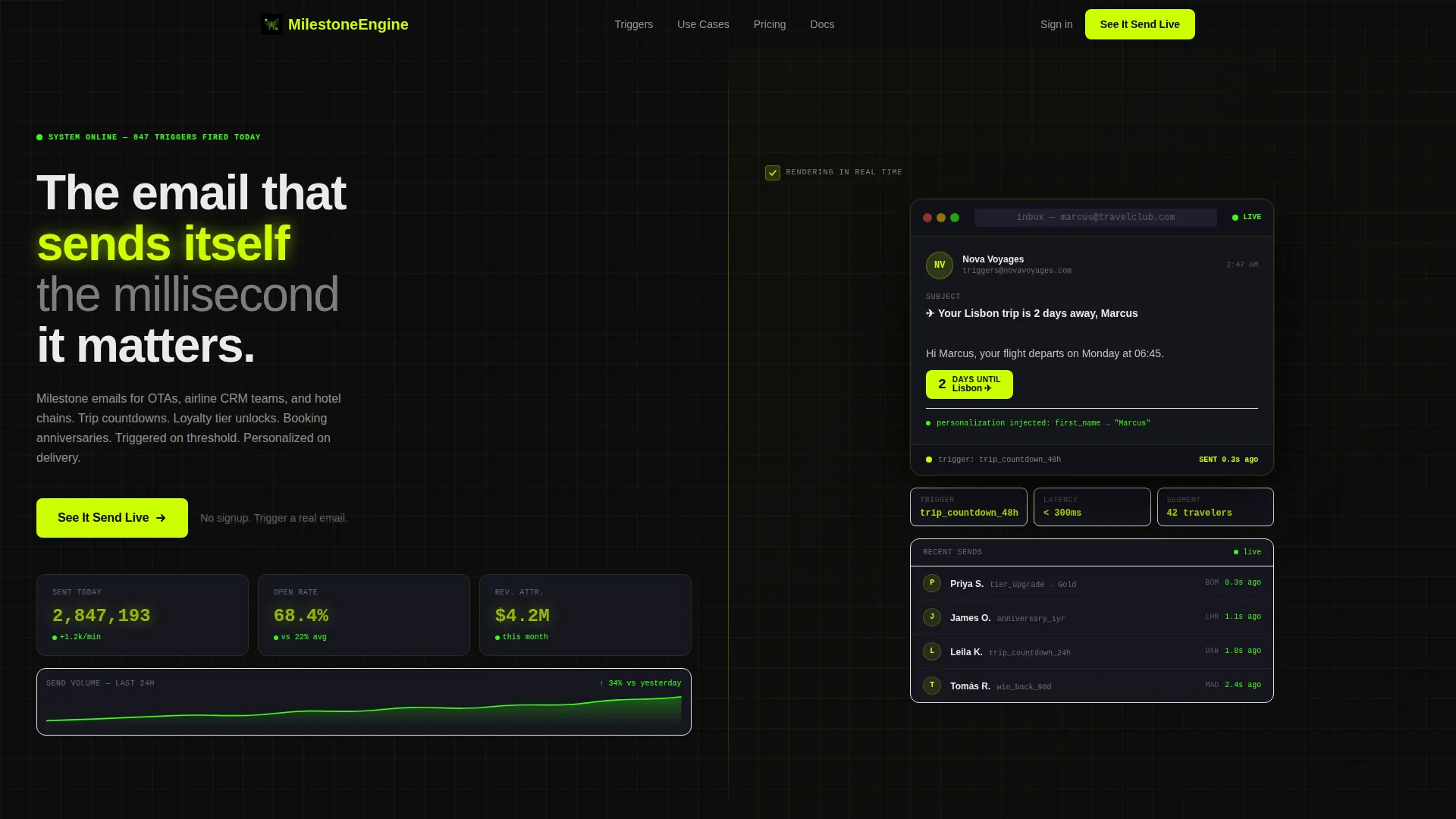
Ping is a split-screen landing page template built for travel milestone email platforms. It pairs a live-style stats dashboard with a real-time inbox preview to show an automated email engine in action. Designed for growth marketers, airline CRM teams, and boutique hotel brands, it turns scroll momentum into demo intent with one clear call to action.
by Rocket studio
Quick summary
Ping is a 50/50 split-screen landing page template for a travel milestone email platform. It visualizes an automated engine that fires personalized messages the moment traveler data hits a threshold. The design runs on a dark, neon-accented Dashboard Pro palette, and the page ends with a single click-through call to action that leads to a live product demo.
Who this template is for
This template is built for teams who send triggered, personalized travel emails at scale. The layout and messaging speak directly to the people managing complex CRM workflows in the travel industry.
- Growth marketers at online travel agencies (OTAs) who need to demonstrate automated email ROI
- Airline CRM leads managing multiple audience segments and timed behavioral triggers
- Boutique hotel marketing teams replacing generic welcome-back messages with personalized milestone sends
What problem this template solves
Most email platform landing pages describe features in static copy. Ping shows the product working. The challenge it addresses is that sophisticated travel email buyers need to see timing, personalization, and attribution in motion before they trust the tool.
- Static screenshots fail to convey how a real-time trigger engine feels in production
- Generic landing pages lose CRM leads who need proof of segmentation depth and send accuracy
- Vague value propositions waste the attention of data-driven marketers who already know what they want
What you get with this template
You get a complete, single-page click-through layout designed around showing, not telling. Every section is built to escalate the buyer's understanding of the platform, from the first animated counter to the final revenue chart.
- A split-screen header with an animated stats cockpit on the left and a live inbox preview rendering on the right
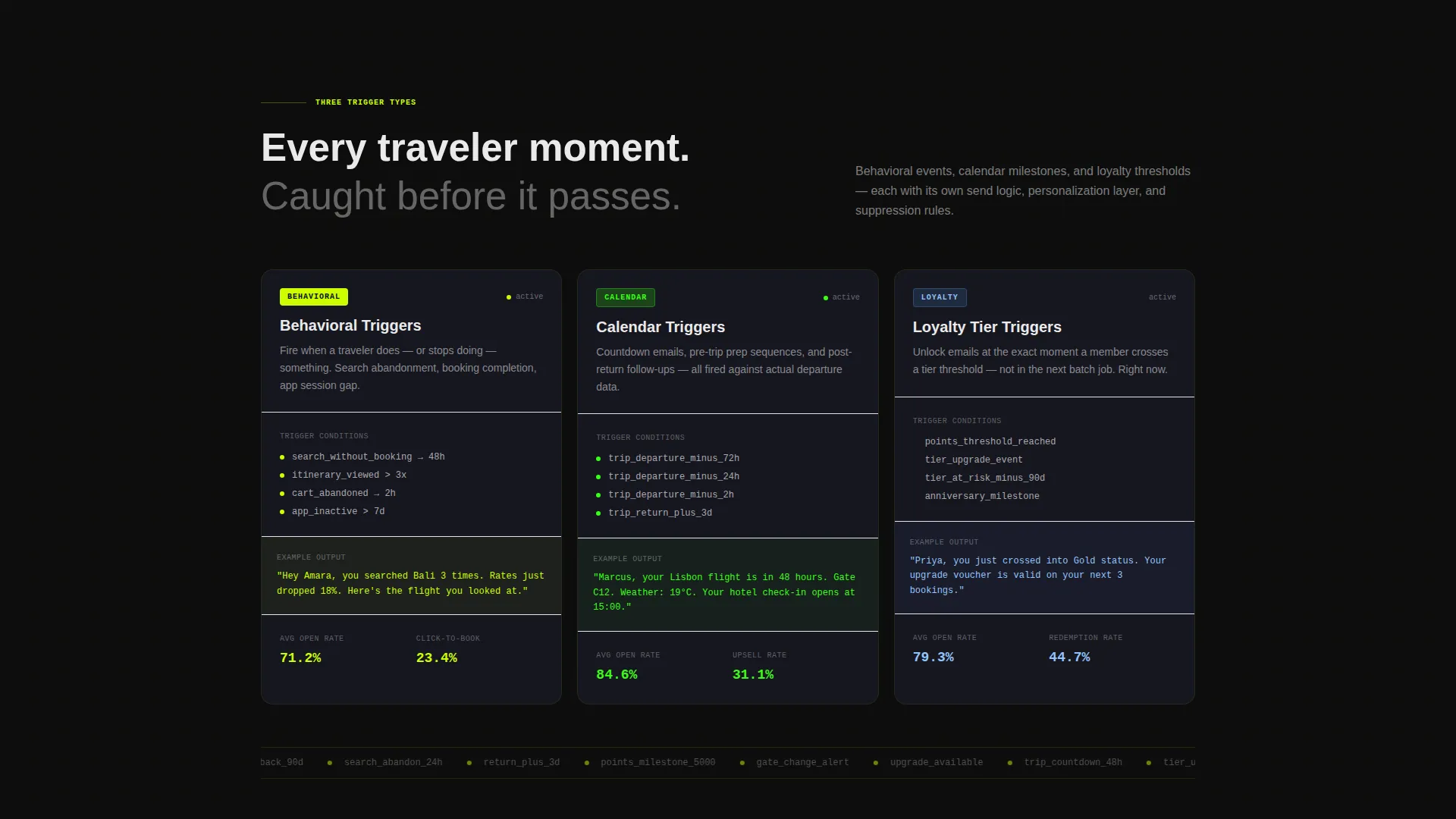
- Three trigger-type demo sections (behavioral, calendar, loyalty) with split-screen breakdowns and escalating complexity
- A revenue attribution proof section followed by two instances of the primary call-to-action and one secondary evidence link
Feature list
This section covers the core built-in components and layout capabilities delivered inside the Ping template.
Animated Stats Cockpit Header
The left panel of the header displays animated counters that tick upward in real time, showing emails sent, open rate percentage, and revenue attributed. The right panel renders a milestone email live, injecting a traveler's first name and snapping a countdown badge to a specific destination. Together they make the platform feel active rather than advertised.
Three Trigger-Type Demo Sections
The page breaks the product into three distinct trigger categories: behavioral, calendar, and loyalty. Each trigger type gets its own split-screen demo layout. The sections escalate in sophistication so the reader's understanding of the platform deepens with every scroll.
Re-engagement Flow Visualization
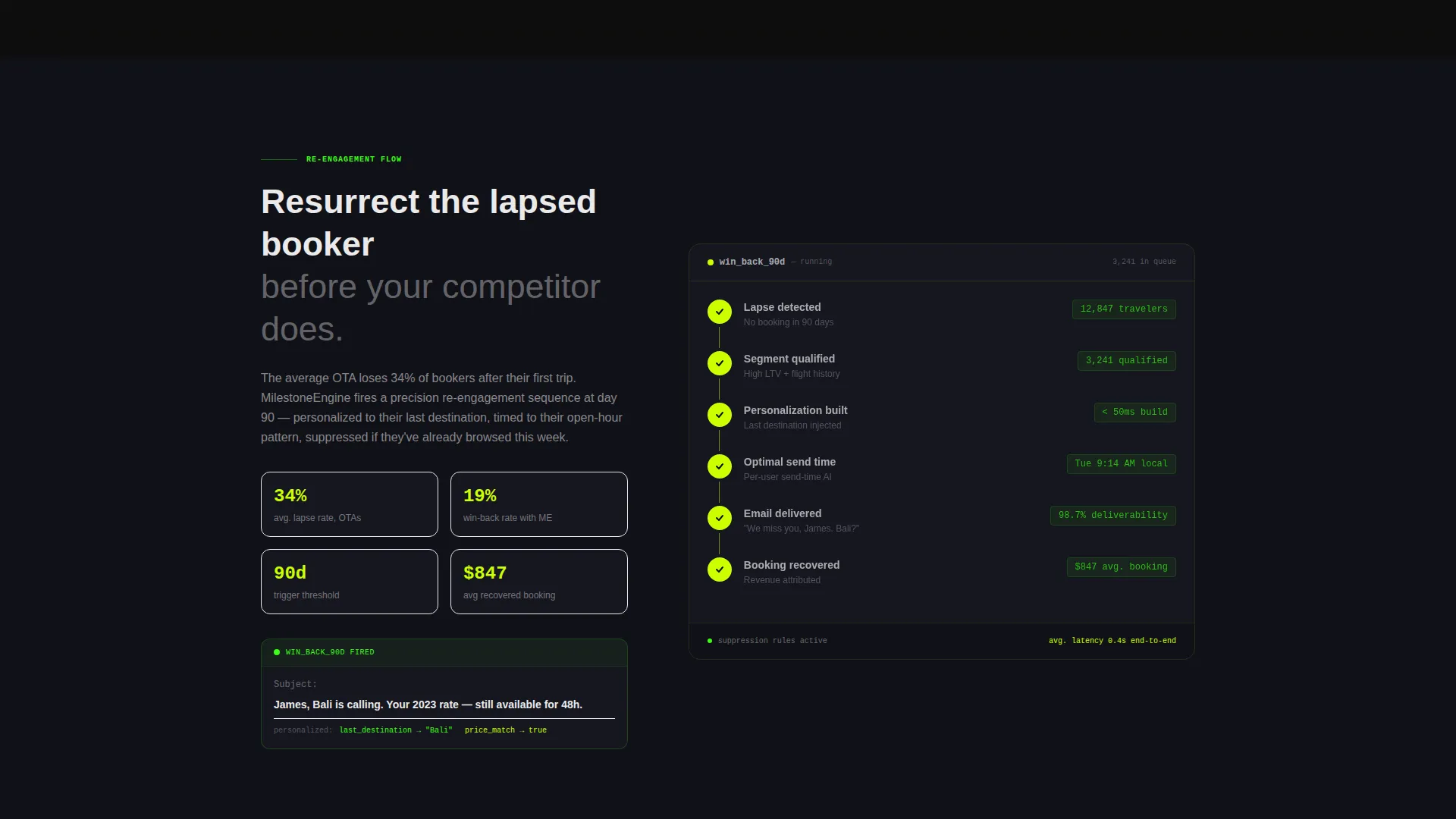
Mid-page, the template includes a section that shows a lapsed-booker re-engagement sequence in motion. This section is designed to resonate with CRM teams who manage dormant traveler lists. It demonstrates a concrete use case rather than an abstract capability.
Revenue Attribution Proof Section
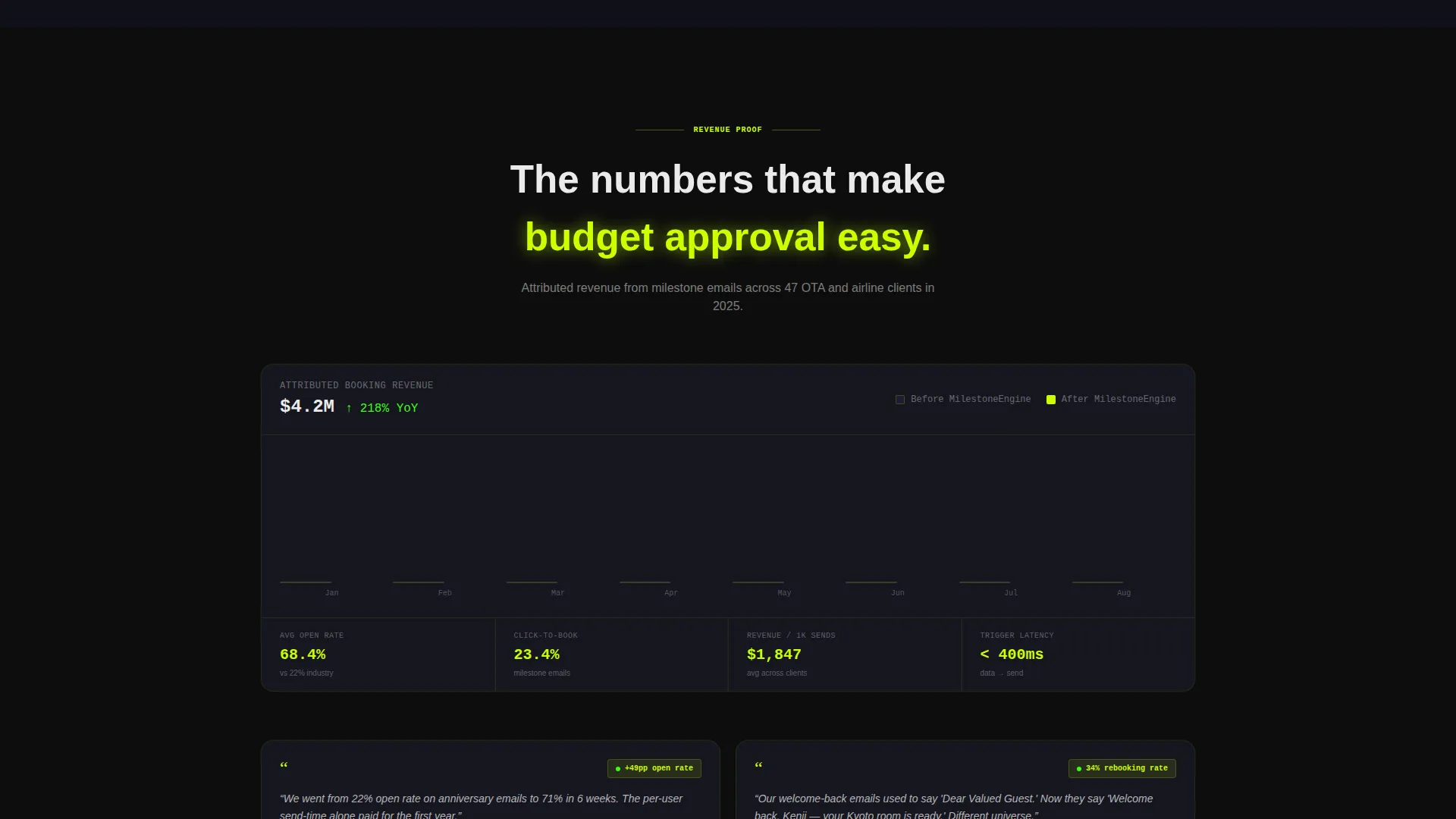
Near the bottom, an attributed revenue chart makes the return on investment visible and specific. This section is positioned directly before the second call-to-action placement so momentum from the data carries into the conversion moment.
Dual call to action Placement with Evidence Link
The primary call to action, "See It Send Live," appears twice: once inside the header dashboard panel and once after the revenue proof section. A secondary text link for case study evidence sits below the final call to action for visitors who need more proof before clicking through.
Launch Energy Scroll Sequencing
The page is structured as a rocket-stage scroll sequence. Each section is designed to increase intensity and specificity, starting with curiosity in the header and ending with undeniable attribution data. The scroll pacing is intentional and built into the section order.
Page sections overview
| Section | Purpose |
|---|---|
| Split-screen header | Animate live stats and inbox preview side by side |
| Primary call to action panel | Place first "See It Send Live" button inside dashboard |
| Behavioral trigger demo | Show event-based email firing with split layout |
| Calendar trigger demo | Demonstrate timed sends like trip countdowns |
| Loyalty trigger demo | Visualize tier-unlock and anniversary messages |
| Re-engagement flow | Show lapsed-booker reactivation sequence in motion |
| Revenue attribution chart | Prove ROI with attributed revenue visualization |
| Final call to action section | Repeat primary button after revenue proof moment |
| Secondary evidence link | Offer case study link below final call to action |
Design & branding system
The visual identity follows a Dashboard Pro theme using the Acid Digital color system. The palette is built to feel like a mission control screen: dark everywhere except where data pulses neon.
- Core colors are void black (#0D0D0D), electric chartreuse (#CCFF00), terminal phosphor green (#39FF14), cool interface gray (#1A1A2E), and data-white (#EAEAEA) for body type
- Electric chartreuse owns every button, toggle, and live counter; phosphor green traces sparklines and progress rings throughout
- The black background recedes so data elements appear to float, making every neon accent feel like a live signal rather than decoration
Mobile & speed optimization
The Ping template is structured with a responsive split-screen layout that adapts its 50/50 panels for smaller viewports. The animated elements and dark palette are designed to maintain visual clarity across screen sizes.
- Split-screen panels stack vertically on mobile so dashboard and inbox preview remain fully readable
- Neon accent colors retain strong contrast against the void black background at all screen sizes
- Animated counters and inline email previews are scoped to the layout sections where they appear, keeping the page structure clean
How this template helps you convert
Ping is a click-through template, meaning its only job is to earn one action: a click to the live demo. Every design and copy decision supports that single outcome.
- The animated header makes the platform feel real and active before a word of body copy is read, reducing skepticism before it forms
- The escalating trigger-demo sequence builds product understanding section by section, so visitors arrive at the call to action already convinced of the depth
- The dual call to action placement with a supporting evidence link gives both confident visitors and skeptical ones a clear next step without friction
Other information about this template
Ping is built specifically for travel email marketing platforms that rely on threshold-based automation. The template's content and layout assumptions align tightly with that niche.
- The page type is a landing page using a 50/50 split-screen template style throughout
- The creative direction is Launch Energy, meaning section pacing and visual intensity are intentionally sequenced to escalate
- The header concept is a Stats/Metrics cockpit, making live data the first thing a visitor perceives
- This template is suited for showcasing platforms whose selling point is timing accuracy and personalization depth, such as those used by OTAs and airline CRM teams
Theme
Dashboard Pro
Creative direction
Launch Energy
Color system
Acid Digital
Style
Split Screen (50/50)
Direction
Click-Through
Page Sections
Animated Stats Cockpit Header
Three Trigger-type Demo Sections
Re-engagement Flow Section
Revenue Attribution Chart
Dual Call to Action with Evidence Link
Launch Energy Scroll Sequencing
Related questions
What is the Ping template designed to do?
Does this template include a lead capture form?
Who is this template most relevant for?
How many times does the primary call to action appear on the page?
Can the color system be adjusted for a different brand palette?



