Restaurant Appointment Reminder Landing Page Template
Ping is a bento grid landing page template built for a restaurant reservation reminder service. It combines a neon-lit Dashboard Pro aesthetic with interactive feature cards, a live-counter header, and a dual lead-generation path. The template is designed to help restaurant operators visualize no-show costs and convert through play-first, form-later engagement.
by Rocket studio
Quick summary
Ping is a single-page bento grid template for a restaurant appointment reminder tool that sends SMS and email nudges to reduce no-show rates. Built on a void black and electric chartreuse palette, it pulls visitors into an interactive dashboard experience and converts them through a quantified revenue-loss hook before they ever touch a form field.
Who this template is for
This template is built for SaaS founders, product marketers, and growth teams launching or promoting a restaurant-focused appointment reminder service. It speaks directly to the frustrations of people managing reservations at scale.
- Independent restaurant owners running a busy host stand alongside a point-of-sale terminal
- Multi-unit general managers watching no-show rates drain revenue across multiple locations
- Reservation managers at fine-dining venues where a single empty four-top means significant lost covers
What problem this template solves
Restaurant no-shows are a silent revenue problem. A table that sits dark on a Friday night cannot be recovered, and most reminder tools fail to make that cost feel real to the visitor considering a sign-up.
- Visitors arrive without a clear sense of how much they are personally losing to no-shows
- Generic SaaS landing pages fail to communicate urgency for time-sensitive reservation windows
- Form-first flows push restaurant operators away before they feel the product's value
What you get with this template
You get a fully structured, single-page lead generation layout designed specifically for a restaurant reminder and notification service. Every section is purposeful, interactive, and tied to a conversion outcome.
- A bento grid dashboard with clickable, interactive feature cards that demonstrate product value
- A dual conversion path: a primary lead form and a secondary "Calculate Your Lost Revenue" calculator
- A persistent chartreuse call-to-action button anchored to the bottom-right corner throughout the scroll
Feature list
This template delivers a focused set of interactive and visual components rooted in the source brief. Each one is designed to move a skeptical restaurant operator from curiosity to conversion.
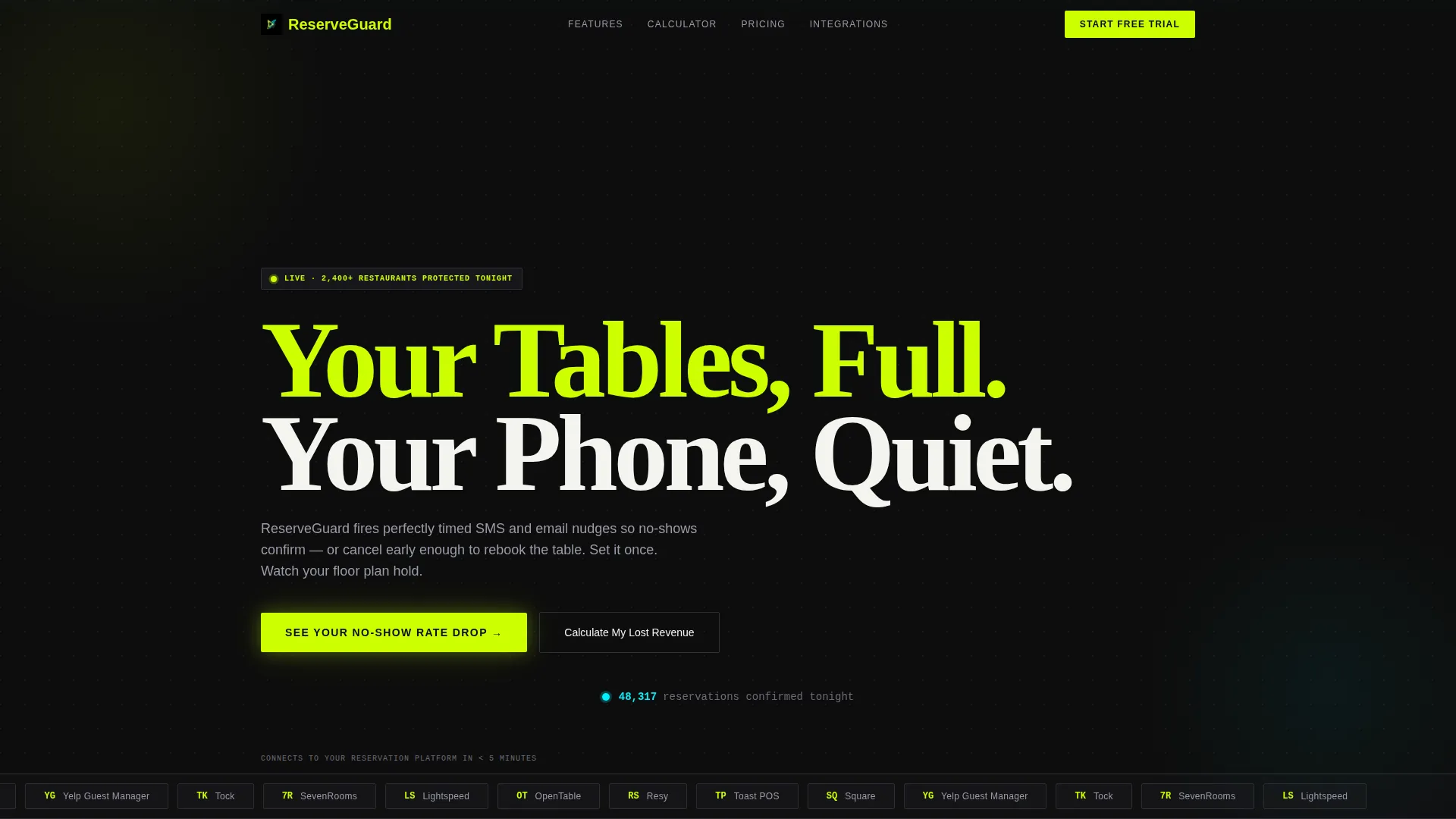
Scrolling Logo Ribbon Header
The page opens with a horizontal ribbon of reservation and restaurant platform logos scrolling in a slow, infinite loop against void black. This establishes integration credibility before the headline appears.
Live Reservation Counter Animation
Directly beneath the headline, a miniature counter ticks upward in real time to show confirmed reservations accumulating. It creates immediate proof of activity and anchors the "Your Tables, Full. Your Phone, Quiet." headline with a dynamic data signal.
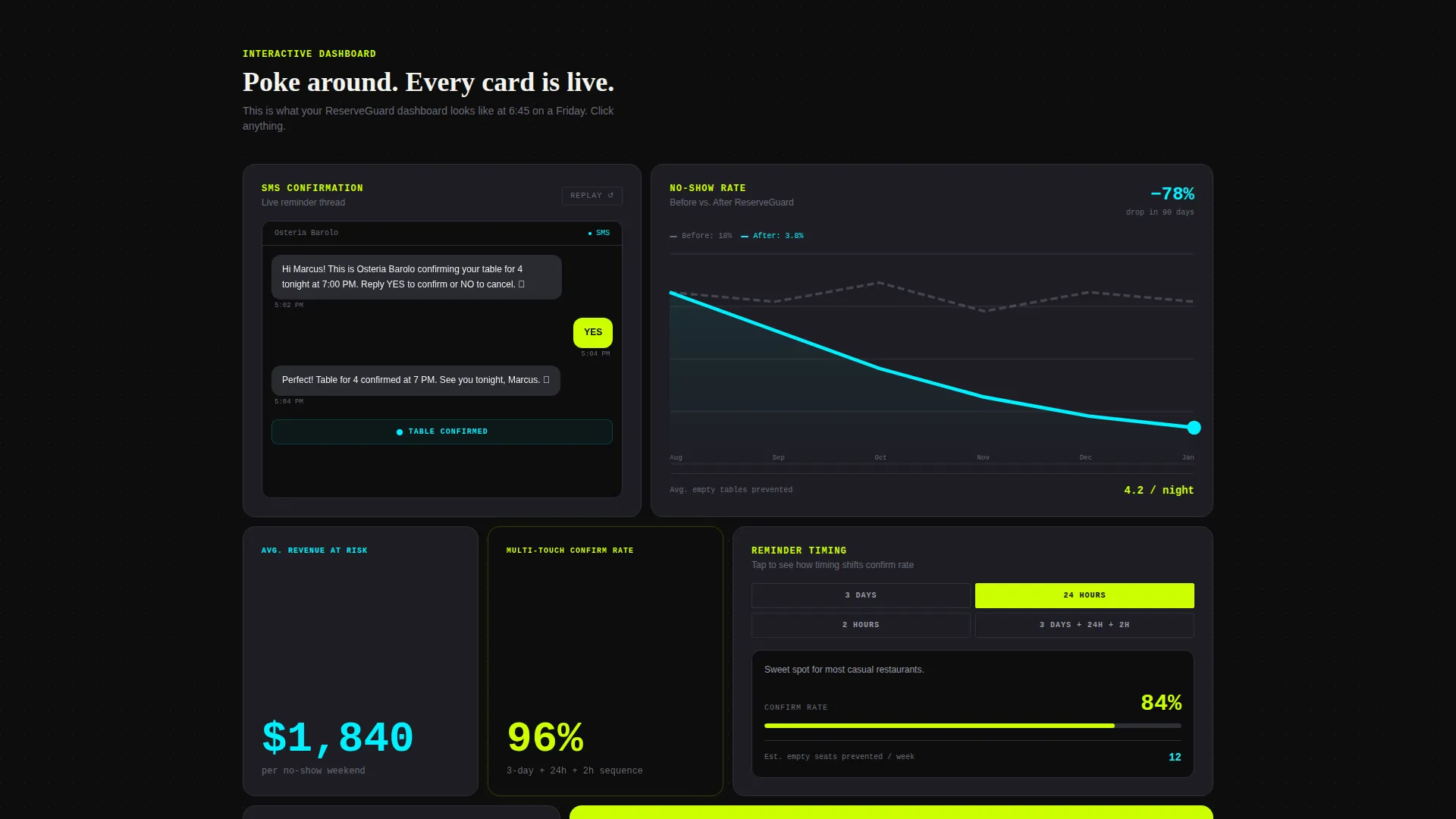
Interactive Bento Grid Dashboard
The core layout is a clickable bento grid where each card represents a feature visitors can explore. Cards include a simulated SMS confirmation thread, a no-show rate chart dropping from 18 percent to 4 percent, and a reminder-timing toggle showing how confirmation rates shift at 2 hours, 24 hours, and 3 days out.
Progressive Card Depth on Scroll
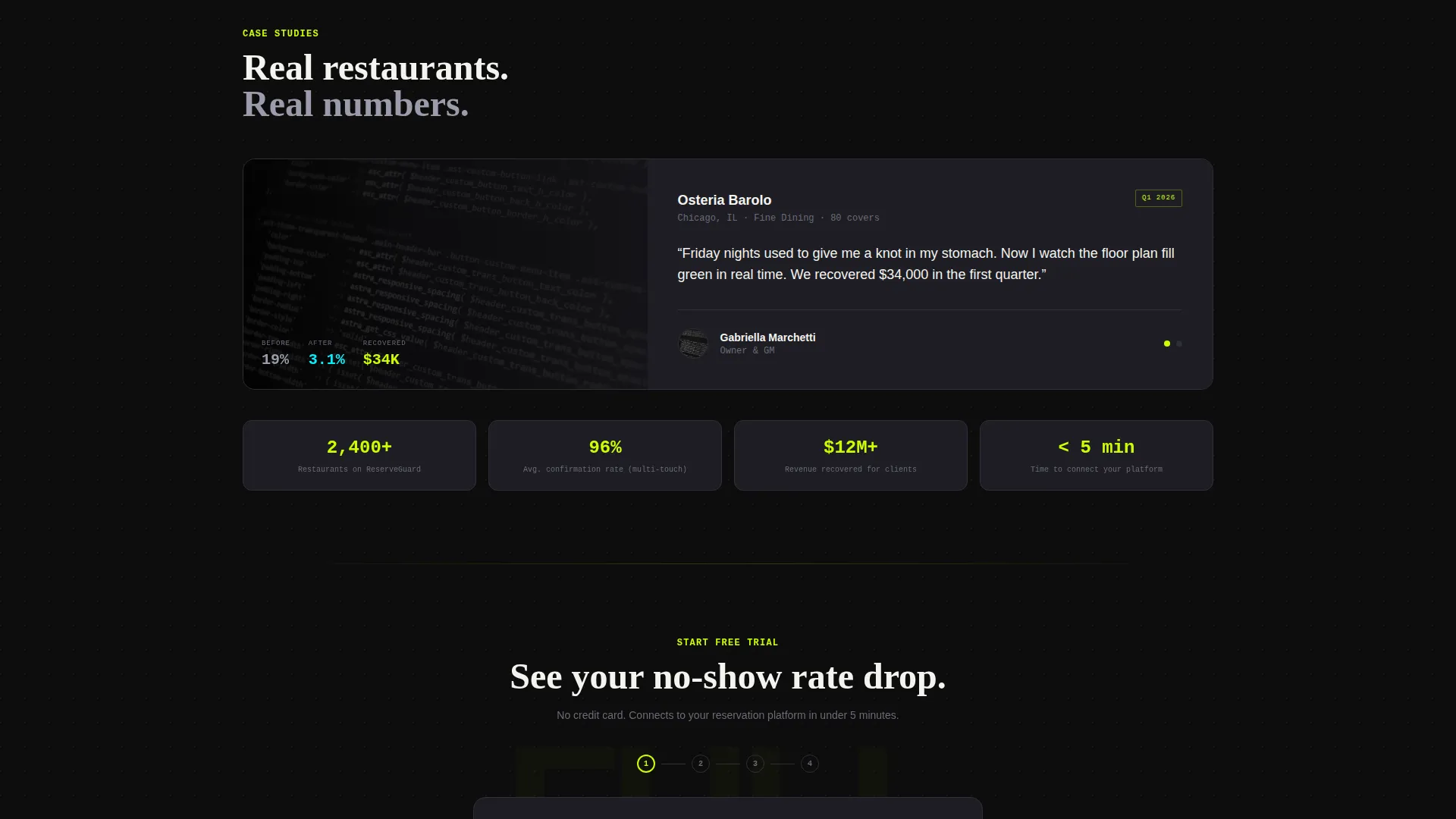
As visitors scroll, bento cards grow from single-stat tiles into full case-study panels. This teaches the product's value through interaction, so visitors arrive at the form already having seen their own problem quantified.
Dual Lead Generation Path
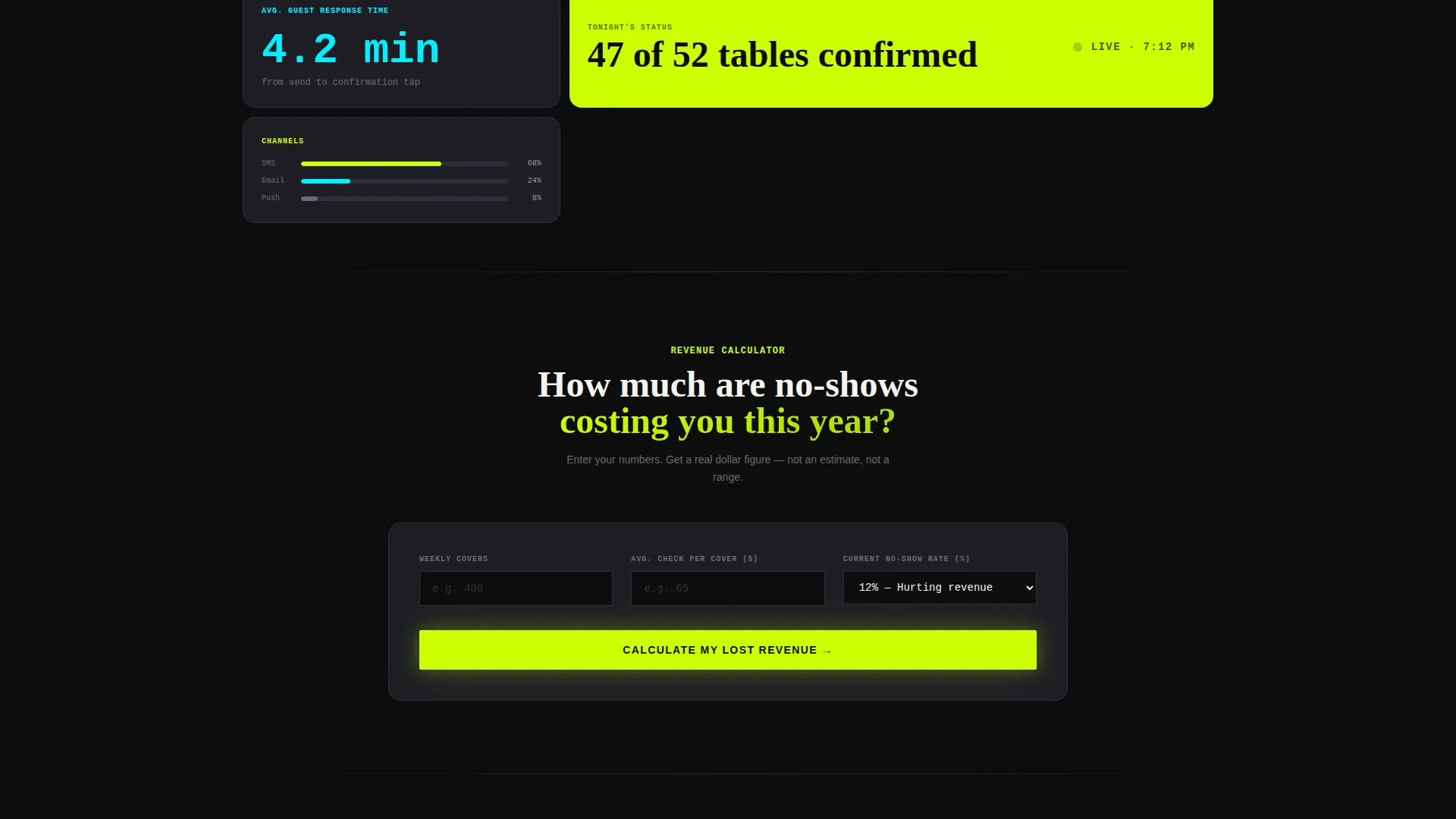
The primary path captures restaurant name, average weekly covers, current reservation platform, and email. The secondary path offers a lost-revenue calculator that outputs a personalized dollar figure and gates the full report behind an email capture.
Persistent Call-to-Action Button
A chartreuse "See Your No-Show Rate Drop" button sits fixed in the bottom-right corner and repeats inside the final bento card. Visitors cannot scroll past the conversion opportunity regardless of where they are on the page.
Page sections overview
| Section | Purpose |
|---|---|
| Logo Bar Ribbon | Establishes platform integration credibility instantly |
| Hero Headline Block | Anchors the core value promise with a live counter |
| Interactive Bento Grid | Lets visitors explore features through hands-on cards |
| SMS Simulation Card | Shows a guest confirming via a realistic SMS thread |
| No-Show Rate Chart | Visualizes the drop from 18% to 4% no-show rate |
| Reminder Timing Toggle | Demonstrates how reminder timing shifts confirmation rates |
| Progressive Case Study Cards | Deepens proof as visitors scroll deeper into the page |
| Lost Revenue Calculator | Quantifies personal cost to create lead-gen urgency |
| Primary Lead Capture Form | Collects restaurant name, covers, platform, and email |
| Persistent call to action Button | Keeps conversion accessible at every scroll position |
Design & branding system
The visual identity uses the Acid Digital color system built on four deliberate values. The overall feel is a kitchen ticket printer swapped for neon: urgent, data-forward, and impossible to ignore.
- Void black (#0D0D0D) bleeds behind every element so data and user interface components float forward like a heads-up display
- Electric chartreuse (#CCFF00) dominates calls-to-action and live-data accents; terminal cyan (#00F0FF) signals confirmation states and success metrics
- Soft graphite (#1E1E24) surfaces define individual bento card boundaries, separating each interactive cell with clean visual breathing room
Mobile & speed optimization
The template is structured for clarity at every viewport size. The bento grid layout adapts naturally to narrower screens without losing the interactive card logic that drives engagement.
- Card interactions and toggle states are designed to remain functional on touch devices
- The persistent call to action button is positioned to stay visible and tappable during mobile scroll sessions
- Progressive card depth and the live counter are laid out to render clearly on smaller display sizes
How this template helps you convert
The conversion strategy here is earned trust through interaction. Visitors are invited to play with the dashboard before they are ever asked for their email address.
- The interactive bento grid lets visitors simulate the product experience, so by the time they reach the form they have already seen their problem reflected back at them in data.
- The lost-revenue calculator outputs a personalized dollar figure tied to the visitor's own cover count, making the decision to sign up feel logical rather than speculative.
- The persistent chartreuse call to action button and the final bento card form together ensure no scroll path ends without a clear next step.
Other information about this template
This template is categorized under Technology with a focus on the restaurant appointment reminder niche. It is built on a Dashboard Pro theme using the Acid Digital color system, making it visually distinct in a category dominated by standard hospitality layouts.
- The template style is Bento Grid, and the creative direction is Interactive Explorer, meaning visitors learn the product by doing rather than by reading
- The header concept is a Logo Bar, designed to reference platforms such as OpenTable, Resy, Toast, Square, and Yelp Guest Manager to build immediate credibility
- The lead generation direction means every design decision, from card depth to calculator gating, serves a single outcome: capturing qualified restaurant operator leads
Theme
Dashboard Pro
Creative direction
Interactive Explorer
Color system
Acid Digital
Style
Bento Grid
Direction
Lead Generation
Page Sections
Interactive Bento Grid Dashboard
Live Reservation Counter Animation
Lost Revenue Calculator
Scrolling Integration Logo Bar
Persistent Chartreuse Call to Action Button
Progressive Card Depth on Scroll
Related questions
Who is this landing page template designed for?
Can I customize the bento grid card layout?
How does the lost-revenue calculator work in this template?
What does the interactive reminder timing toggle do?
Is the persistent call to action button included by default?



