Advanced Fleet & Transportation Management Cost Estimator Website Template
Pinpoint is a single-column GPS vehicle tracking landing page template built for fleet intelligence platforms. It opens with a live cost-savings calculator, flows through spec-sheet capability cards, and closes with a 22-line competitor comparison table and a free-trial lead form. The dark Data Command aesthetic makes every data point feel urgent and trustworthy.
by Rocket studio
Quick summary
Pinpoint is a precision-built landing page template for GPS vehicle tracking and fleet intelligence platforms. It pairs a live cost-savings estimator with spec-sheet capability cards and a side-by-side competitor comparison table. The result is a single, scrollable page that moves a logistics manager from "I have a problem" to "I'm starting my free trial" in one focused session.
Who this template is for
This template is built for B2B software-as-a-service products in the fleet management and GPS tracking space. It works best when the product sells on measurable return on investment and hard data rather than brand storytelling.
- Logistics managers overseeing multi-state truck fleets who need to justify a platform purchase to stakeholders
- Construction foremen and operations leads tracking equipment and vehicles across multiple job sites
- Small business owners running delivery fleets who want to cut unauthorized mileage and idle-time costs
What problem this template solves
Fleet operators often struggle to communicate the real cost of poor vehicle visibility. A vague value proposition sends decision-makers back to spreadsheets. This template solves that by leading with a calculator that makes the financial leak visible the moment a visitor arrives.
- Visitors cannot easily quantify fuel waste, unauthorized mileage, or overtime labor without a structured tool
- Generic landing pages fail to differentiate a platform against competitors on specific, verifiable metrics
- Decision-makers who cannot forward hard data to a manager or procurement team rarely convert on the first visit
What you get with this template
You get a complete single-column landing page layout with five distinct sections, all styled in the Data Command visual system. Every component is designed to build confidence through specificity rather than through claims.
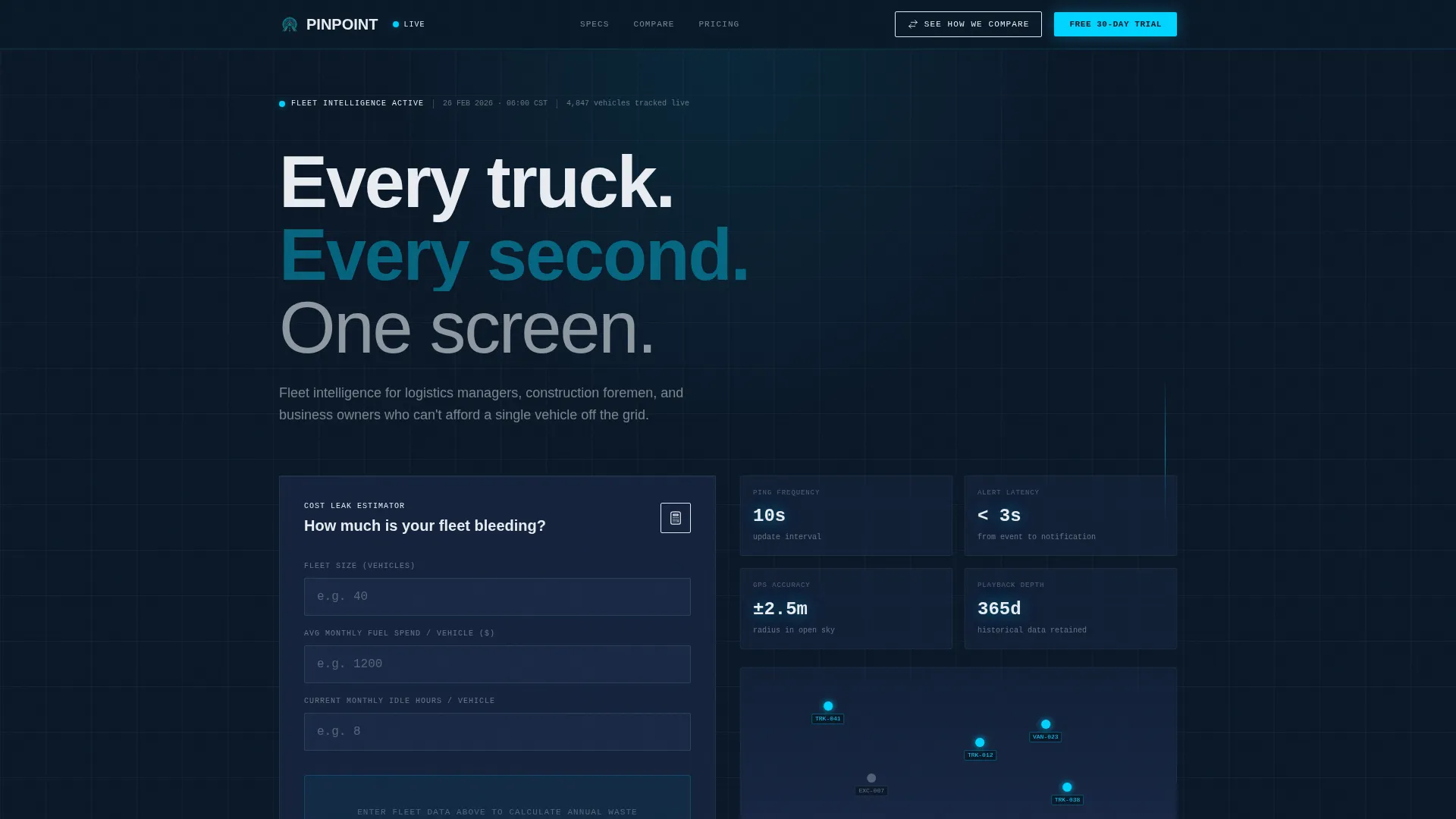
- A hero section with an interactive cost-savings calculator that animates projected annual savings in real time
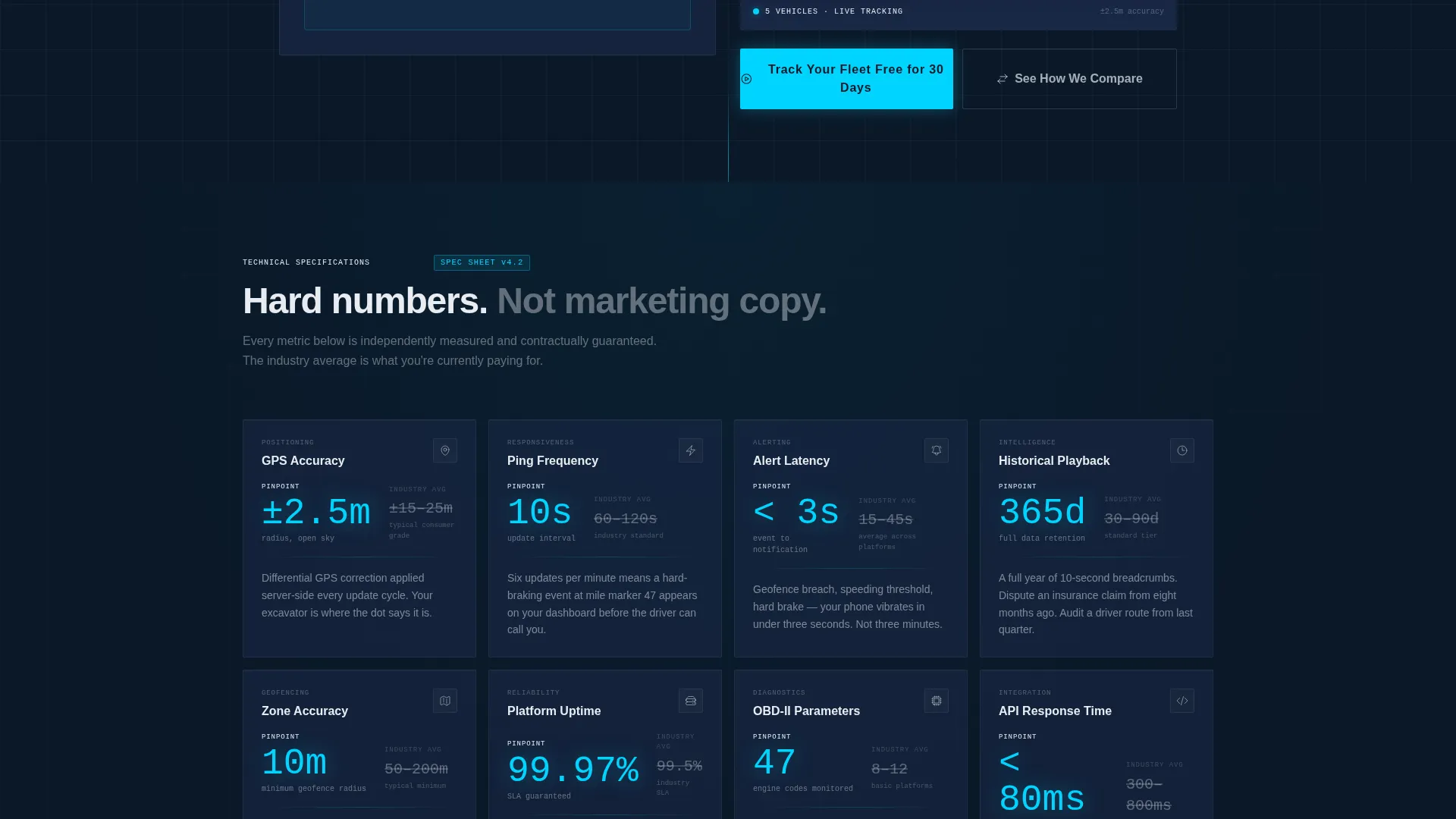
- A spec-sheet grid of hard-data capability cards showing platform metrics versus industry averages
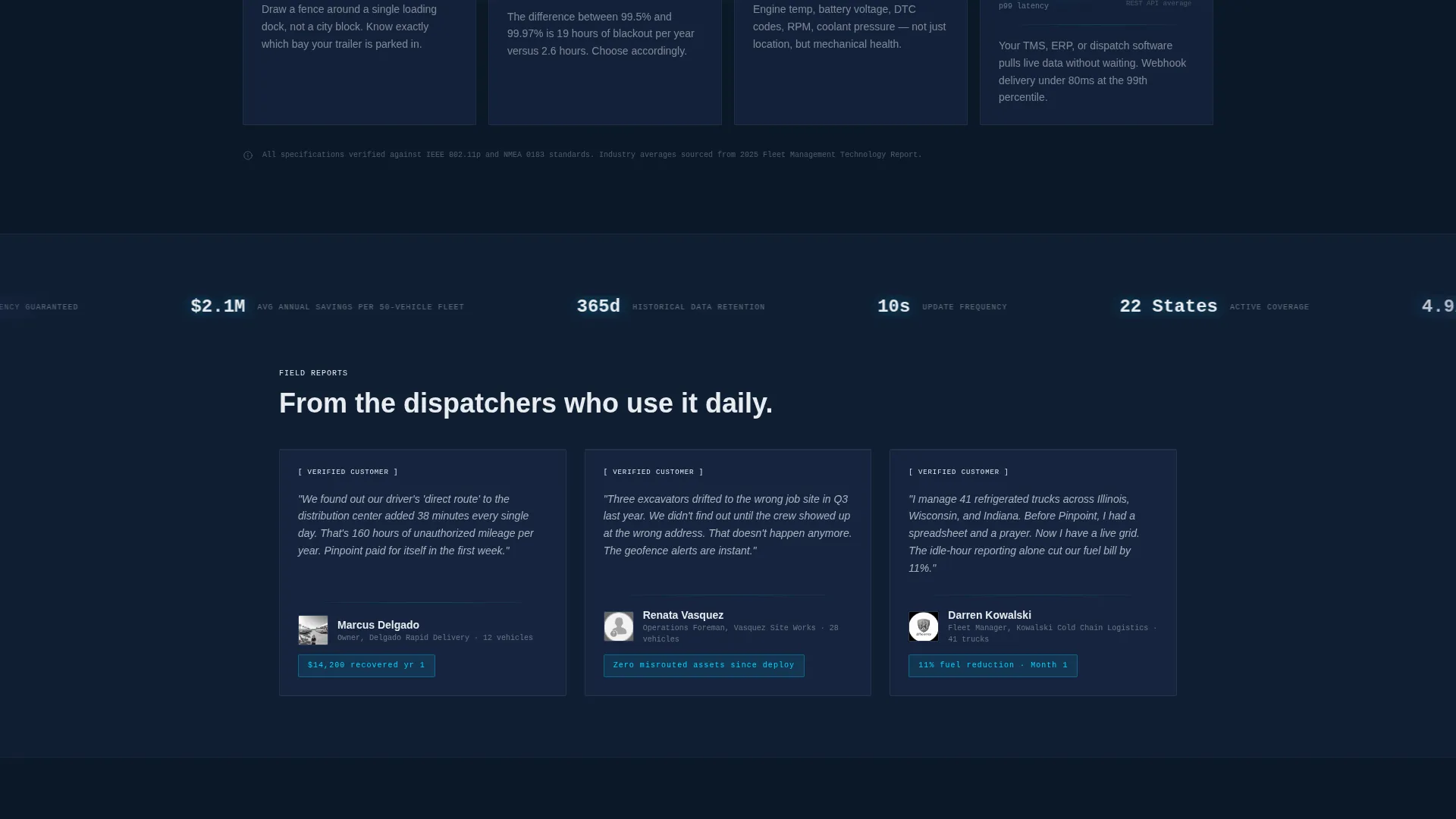
- A 22-line competitor comparison table, a three-field free-trial form, a secondary PDF lead capture path, and a social proof strip with metrics marquee and testimonials
Feature list
This template is built around five core functional blocks. Each one serves a distinct role in moving a fleet operator from awareness to conversion.
Live Cost-Savings Calculator
The hero opens with a three-input estimator: fleet size, average fuel spend, and current monthly idle hours. As the visitor types, animated counters project annual savings across fuel waste, unauthorized mileage, and overtime labor. The figures tick upward in live-pulse cyan against the dark terminal background. A single reveal line below reads: "Your fleet is leaking $____/year. Here's the spec sheet to stop it."
Spec-Sheet Capability Cards
Each scroll section presents one platform capability as a hard-data card. The platform's measured number appears on the left; the industry average appears on the right. Metrics covered include geofencing radius accuracy in meters, ping frequency in seconds, historical playback depth in days, and alert latency in milliseconds. The format reads like a technical manual, not a marketing brochure.
22-Line Competitor Comparison Table
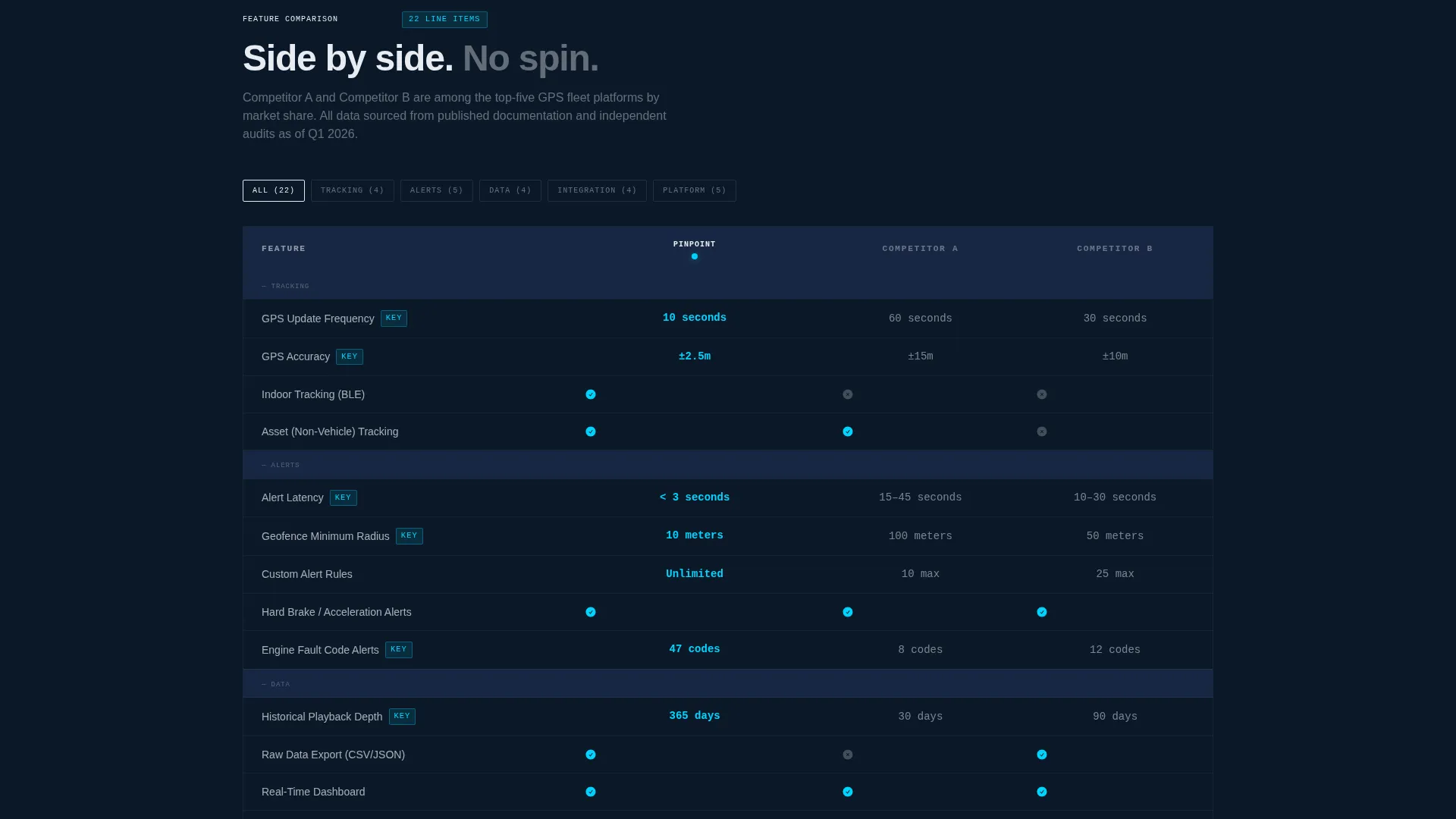
A persistent sticky bar labeled "See How We Compare" anchors to the top of the viewport throughout the scroll and jumps the visitor directly to a detailed feature-by-feature table. The table compares the platform against two anonymized competitors across twenty-two line items, giving procurement teams a ready-made evaluation document.
Free-Trial Lead Form
Placed directly below the comparison table, the primary call to action is "Track Your Fleet Free for 30 Days." The form collects three fields: fleet size, vehicle type mix, and work email. A secondary path, "Download Full Spec PDF," captures leads who need to share data with a decision-maker before committing.
Social Proof Strip
A metrics marquee scrolls key platform statistics such as vehicles tracked and uptime percentage. Below it, three testimonials represent distinct customer profiles: a logistics dispatcher, a construction foreman, and a small business owner. The section grounds the spec-heavy content in real operator experience.
Page sections overview
| Section | Purpose |
|---|---|
| Hero + Calculator | Quantify fleet cost leaks with a live animated savings estimator |
| Spec Sheet Grid | Present platform metrics versus industry averages as hard-data cards |
| Comparison Table | Compare features against two competitors across twenty-two line items |
| Call to Action Form | Capture free-trial signups with a focused three-field lead form |
| Secondary PDF Path | Convert researchers who need to forward specs to a decision-maker |
| Social Proof Strip | Reinforce credibility with platform metrics and three ICP testimonials |
| Footer | Deliver a clean single-row linear footer with essential links |
Design & branding system
The visual identity follows a Data Command theme inspired by a radar operations room. The palette is dark enough that data elements glow against the background, and cool enough for long dispatcher shift sessions without eye fatigue.
- Color system: deep terminal navy (#0B1929) for backgrounds, tactical slate (#1B2A4A) for cards, signal white (#E8ECF1) for body text, and live-pulse cyan (#00D4FF) reserved strictly for active states, map pings, and call-to-action buttons
- Typography stack: JetBrains Mono for all numerical data and metrics, Manrope for section headings, and DM Sans for body copy
Mobile & speed optimization
The template is built desktop-first, reflecting the reality that fleet dispatchers and logistics managers typically work from workstations during operational hours. Responsive breakpoints are included so the layout adapts cleanly on mobile screens for secondary use cases.
- Desktop layout prioritizes information density, allowing multiple data points to be visible simultaneously without scrolling fatigue
- Animated elements including counter ticking, beam and scan effects, staggered reveals, SVG path draws, and the metrics marquee are handled through a Client Component architecture for interactive sections while static sections use a Server Component pattern
How this template helps you convert
The conversion architecture is deliberate and sequential. Every section removes a specific objection before the visitor reaches the form.
- The calculator section converts an abstract cost problem into a personalized dollar figure, creating urgency before the visitor reads a single feature claim.
- The spec-sheet grid and comparison table together replace sales copy with verifiable numbers, giving procurement-minded buyers the evidence they need to make an internal case.
- The dual call-to-action structure captures both the buyer who is ready to start a trial today and the researcher who needs to share a spec document with a manager first.
Other information about this template
This template is designed specifically for the GPS vehicle tracking and fleet management software-as-a-service market in the United States. All units are imperial, all currency is in US dollars, and all time formats follow the 12-hour standard.
- The animation level is high, covering animated counters, beam and scan effects, staggered section reveals, SVG path draws, and a scrolling metrics marquee
- Interactivity is high, with a live real-time calculator, a sticky comparison navigation bar, and hover spotlight effects on data cards
- The footer follows a linear single-row pattern to keep the exit experience clean and uncluttered
- The template targets the logistics and supply chain category, specifically the fleet and transportation management subcategory and the GPS vehicle tracking niche
Theme
Data Command
Creative direction
Spec Sheet
Color system
Midnight Blue
Style
Single Column Flow
Direction
Comparison/Versus
Page Sections
Live Cost-savings Calculator
Spec-sheet Capability Cards
Line Competitor Comparison Table
Dual Call-to-action Lead Capture
Social Proof Strip with Metrics Marquee
Data Command Visual System
Related questions
Who is this template designed for?
Can I customize the calculator inputs and savings categories?
How does the competitor comparison table handle competitor names?
Is this a single-page layout or a multi-page site?
What form fields does the free-trial section collect?