Cloud & DevOps Advanced Professional Website Template
Pipeline is a high-performance CI/CD landing page template built on a bento grid layout with a Data Command visual theme. It targets platform engineering leads, DevOps teams, and startup CTOs who need to communicate deployment speed and reliability. The design uses bold stats, live-feel user interface components, and a sharp lead-generation flow to turn technical visitors into active sign-ups.
by Rocket studio
Quick summary
Pipeline is a single-page bento grid template for CI/CD platforms. It opens with oversized performance metrics, moves through interactive feature tabs, and closes with a focused lead capture form. The dark, phosphor-green visual system feels like a live terminal. Every section is designed to prove speed with visible data before asking for a single keystroke.
Who this template is for
This template speaks directly to technical buyers who evaluate infrastructure tools with sharp eyes and low patience for marketing fluff. It is built for teams who live inside deployment pipelines and need a landing page that matches their standards.
- Platform engineering leads managing complex, multi-tool CI/CD pipelines
- DevOps teams replacing fragile script-based workflows with something reliable
- Startup CTOs who need to communicate deployment confidence without a large infrastructure team
What problem this template solves
Most CI/CD platform pages bury the metrics that actually matter to engineers. They lead with feature lists instead of proof, and they lose the technical buyer before the first scroll. This template flips that structure entirely.
- Engineers leave pages that open with marketing copy instead of real performance numbers
- DevOps buyers need to see pipeline behavior visually, not read about it in paragraphs
- Lead forms that ask for information before earning trust produce lower conversion rates
What you get with this template
You get a fully structured, single-page bento grid landing page ready to represent a high-performance CI/CD platform. Every section is pre-designed with purpose and arranged to guide a technical audience from first impression to form submission.
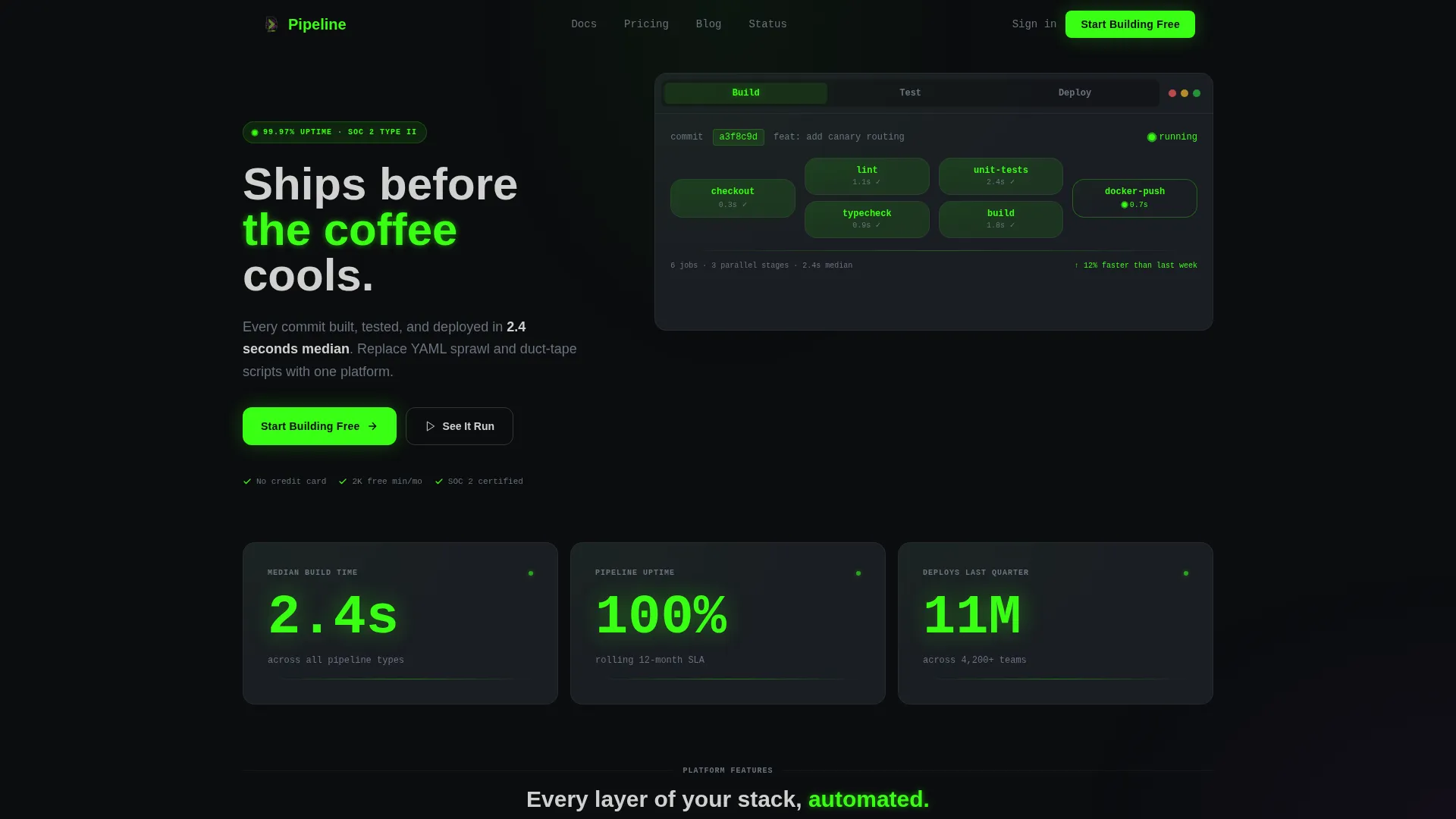
- A Feature Tab Switcher header with three tabs: Build, Test, and Deploy, each showing live-feel pipeline data
- Stats-first scroll sections with animated metric tiles showing build time, uptime, and deploy volume
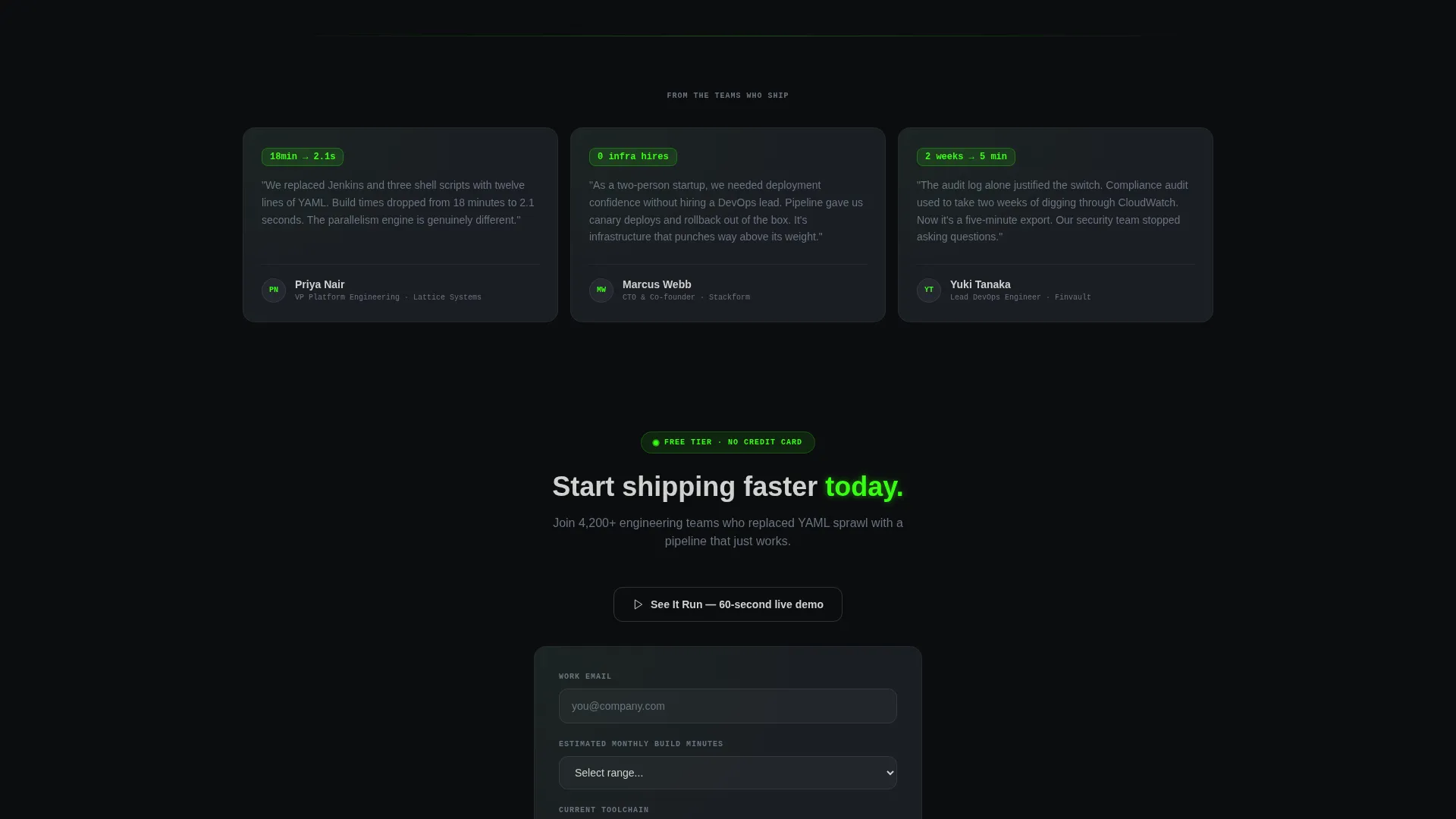
- An inline lead generation form with work email, build volume dropdown, and multi-select toolchain field
Feature list
This template includes a focused set of interactive and visual components built specifically for the CI/CD platform use case.
Feature Tab Switcher Header
The header contains three tabs labeled Build, Test, and Deploy. Each tab swaps the bento card content instantly, like a terminal clearing and rewriting. Build shows a parallel pipeline graph from a single commit hash. Test reveals a pass/fail badge matrix across twelve environments. Deploy shows a canary percentage bar climbing to 100% with latency and error-rate sparklines.
Animated Stats Tiles
Three oversized bento tiles sit immediately below the header. They display 2.4-second median build time, 99.97% pipeline uptime, and 11 million deploys last quarter. Each number animates from zero on scroll entry, making the proof feel earned rather than stated.
Bento Grid Data Sections
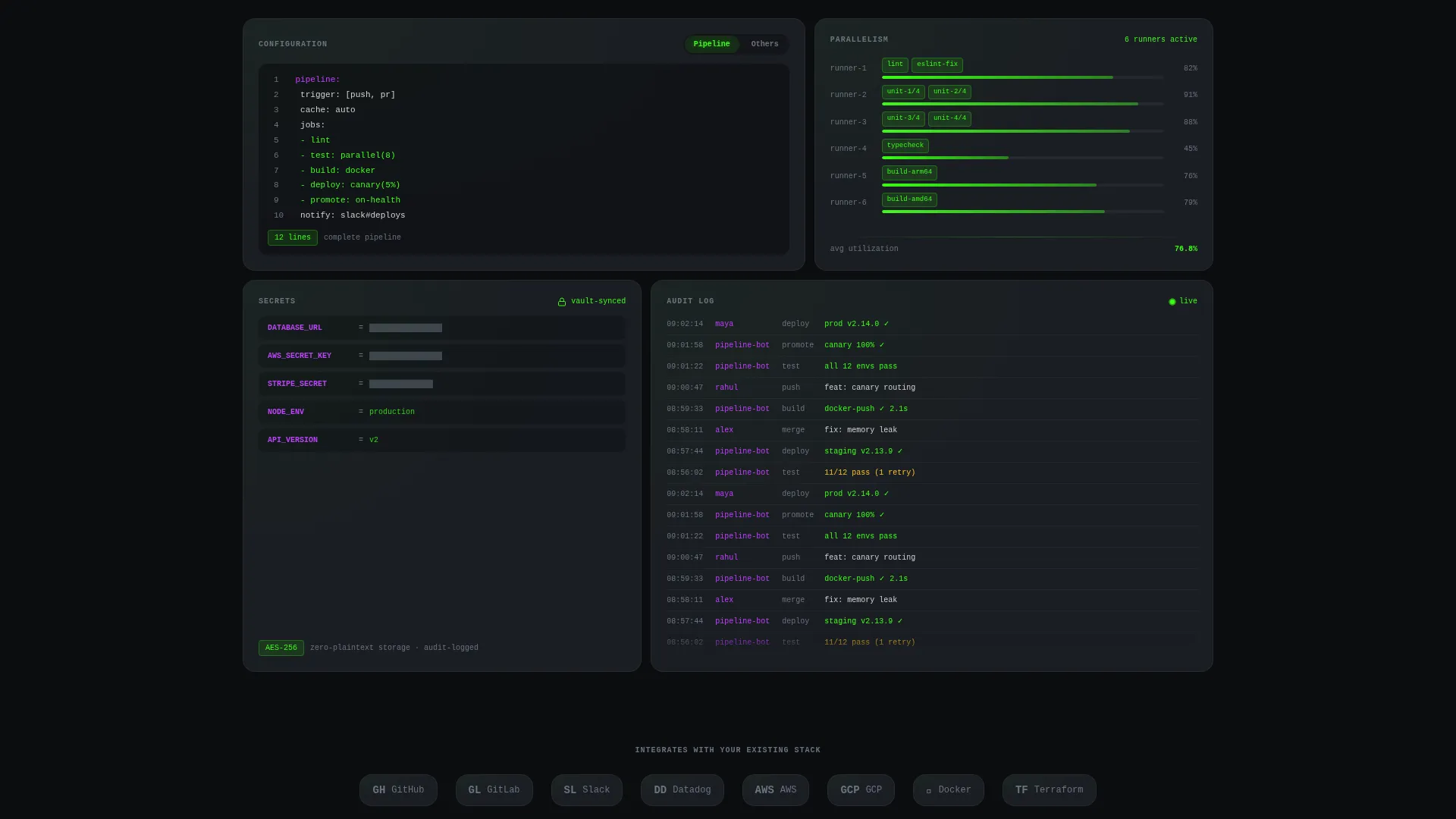
The middle grid rows unpack platform capabilities row by row. Included tiles show a twelve-line YAML configuration snippet compared against a sixty-line competitor example, a parallelism visualizer distributing jobs across runners, a redacted secrets manager tile with an environment file, and an audit log tile scrolling real timestamps. Wide tiles hold dashboards; smaller tiles hold single metrics.
Inline Lead Generation Form
The primary call to action, labeled "Start Building Free," appears in the header, after the stats row, and as a sticky bar on mobile. Clicking it opens an inline form collecting work email, estimated monthly build minutes via dropdown, and current toolchain via multi-select checkboxes.
Live Demo Trigger
A secondary call-to-action labeled "See It Run" launches a sixty-second embedded demo pipeline. It builds, tests, and deploys a sample application in real time. When the demo finishes, it resolves directly into the same lead capture form.
Sticky Mobile Call-to-Action Bar
On mobile viewports, the primary call to action persists as a fixed bottom bar throughout the scroll. This keeps the conversion path visible without interrupting the content reading experience.
Page sections overview
| Section | Purpose |
|---|---|
| Feature Tab Header | Showcases Build, Test, Deploy pipeline views interactively |
| Animated Stats Row | Leads with hard performance numbers before any narrative |
| YAML Config Tile | Visualizes configuration simplicity versus competitors |
| Parallelism Visualizer | Shows job distribution across runners in real time |
| Secrets Manager Tile | Demonstrates environment variable handling with a redacted file |
| Audit Log Tile | Scrolls real timestamps to reinforce operational transparency |
| Primary call to action Block | Places "Start Building Free" after the stats row |
| Inline Lead Form | Captures work email, build volume, and current toolchain |
| Demo Pipeline Trigger | Runs a sixty-second live build-test-deploy sample on demand |
| Mobile Sticky Bar | Keeps the primary call to action anchored at the bottom on mobile |
Design & branding system
The visual identity follows a Data Command theme built around the Acid Digital color system. The palette is designed to feel like a high-contrast monitor in a dark room, where the glow carries all the meaning.
- Background layers use void black (#0B0D0F) and terminal gray (#1A1D23); text renders in phosphor green (#39FF14) and desaturated white (#D0D0D0)
- Electric violet (#BF40FF) is reserved for hover states and active indicators, pulsing on every interactive surface like a keystroke registering
- Tab transitions animate as instant terminal replacements with no fade, reinforcing the real-time, command-line aesthetic throughout
Mobile & speed optimization
The template is structured to deliver a complete conversion path on smaller screens without sacrificing the data-dense bento grid experience that makes it compelling on desktop.
- The sticky bottom bar keeps "Start Building Free" visible throughout the entire mobile scroll
- Bento tiles reflow cleanly for narrow viewports, preserving the rhythm of wide dashboard tiles and compact metric tiles
- Animated scroll-entry effects on stats tiles are scoped to viewport entry, so they trigger correctly on both mobile and desktop
How this template helps you convert
This template is built around a core principle: prove performance with visible data before requesting any commitment from the visitor.
- The stats row appears before any narrative copy, so the first numbers a visitor sees are 2.4-second builds, 99.97% uptime, and 11 million deploys rather than a headline pitch.
- The "See It Run" demo path lets skeptical technical buyers watch a full build-test-deploy cycle in sixty seconds, and then routes them naturally into the lead form once trust is established.
- The inline form asks only three practical fields, work email, monthly build volume, and current toolchain, making the barrier to submission low for a developer audience that avoids long forms.
Other information about this template
This template is categorized under Technology, specifically Cloud and DevOps, with a niche focus on CI/CD platforms. It is a strong fit for any team building a marketing or product landing page in the continuous integration and continuous delivery space.
- The bento grid layout scales well for showcasing platform capabilities across multiple visual tile sizes
- The template style and theme are well-suited for developer tools, infrastructure platforms, and cloud-native product launches
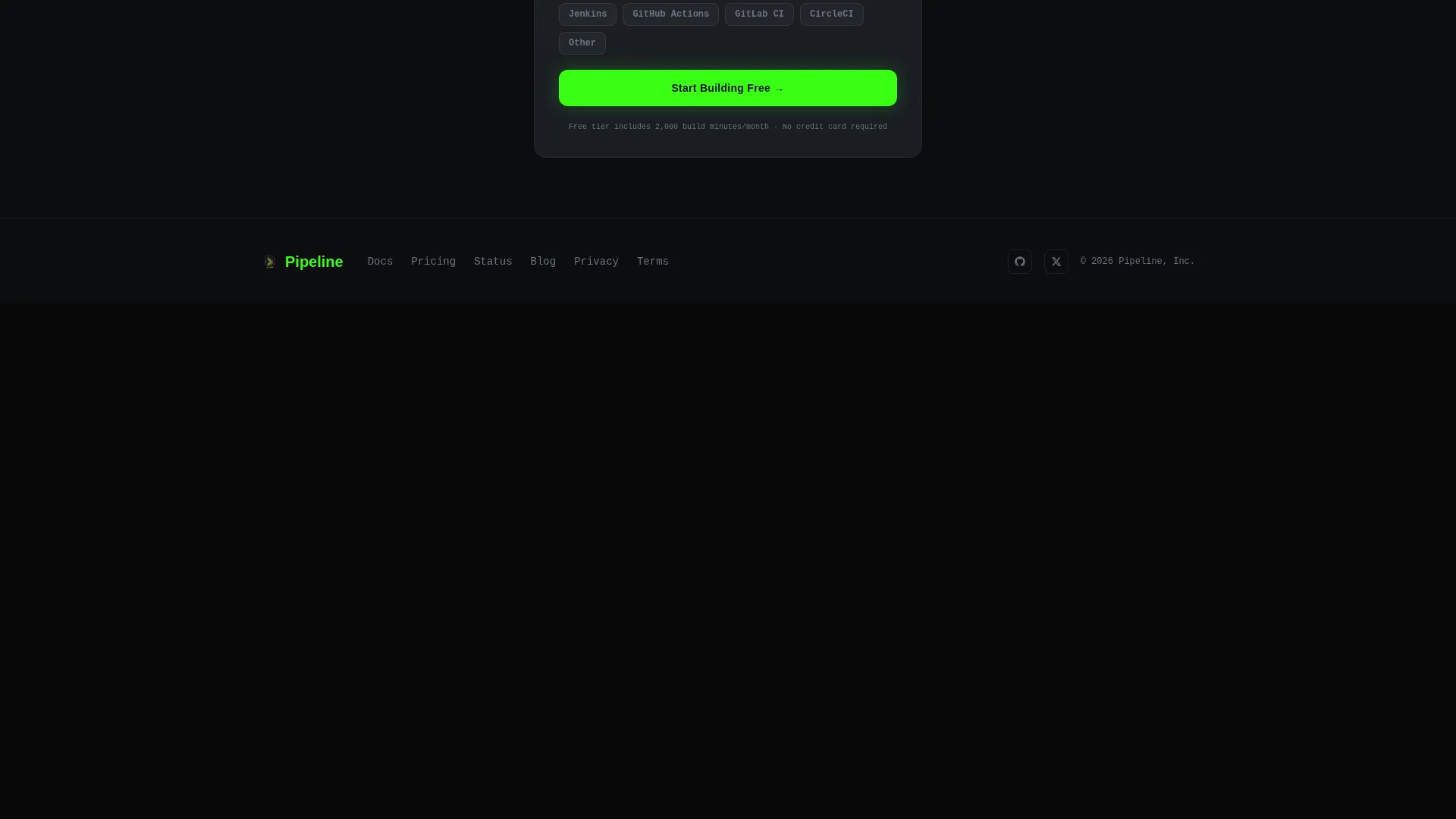
- Teams migrating from tools like Jenkins, GitHub Actions, GitLab CI, or CircleCI will find the multi-select toolchain field in the lead form directly relevant to their audience
Theme
Data Command
Creative direction
Stats-First Impact
Color system
Acid Digital
Style
Bento Grid
Direction
Lead Generation
Page Sections
Feature Tab Switcher Header
Animated Performance Stats Tiles
Data-dense Bento Grid Layout
Inline Lead Generation Form
Live Sixty-second Demo Pipeline
Related questions
What is included in this landing page template?
Can I customize the tab content in the header?
Who is the target audience for this template?
How does the 'See It Run' demo work?
How does the lead form work?



