Construction CRM Landing Page Template
Pipeline is a scroll-reveal construction CRM landing page template built for contractors who need one screen to manage every bid, change order, and punch list. It uses a Slate and Sky color system, a spec-sheet reveal structure, and a product screenshot header to show the platform in action before visitors ever click a button.
by Rocket studio
Quick summary
Pipeline is a single-page, scroll-reveal landing page template for a construction CRM platform. It replaces the scattered tools contractors rely on with one organized view of every active job. The design feels industrial and focused, the copy earns trust section by section, and the layout drives visitors toward a free trial with one low-friction click.
Who this template is for
This template is built for construction software teams who need a landing page that speaks directly to field-facing users. It works best when the product itself replaces multiple manual tools and the audience values clarity over flash.
- General contractors managing multiple active jobs at once
- Specialty subcontractors tracking payment cycles and change orders
- Estimating teams who lose time rebuilding takeoffs after late drawing revisions
What problem this template solves
Construction professionals juggle too many disconnected tools. Bids live in spreadsheets, schedules live on whiteboards, and punch lists live on someone's clipboard. When one thing changes, everything else falls behind. This template gives that audience a landing page that mirrors the problem they feel every day, then shows them the solution in a single organized view.
- Contractors lose money on missed change orders and poorly tracked RFIs (Requests for Information)
- Estimating teams waste weekend hours rebuilding work because drawing revisions arrive with no warning
- Project managers cannot get a real-time picture of budget burn, open tasks, and job status at a glance
What you get with this template
You get a fully structured, scroll-reveal landing page that introduces the platform capability by capability. Each section reveals one feature module, the way a product data sheet unveils specs one line at a time. The page builds confidence steadily and ends with a clear, low-risk call to action.
- A full-width product screenshot header showing a live-looking project dashboard
- Progressive section reveals for Bid Management, Job Scheduling, Change Order Tracking, and Financial Dashboards
- A floating bottom bar with a persistent call-to-action button that appears after the second scroll section
Feature list
This template is built around a set of purposeful design and structural decisions. Each one serves the construction audience and the platform it promotes.
Full-Width Product Screenshot Header
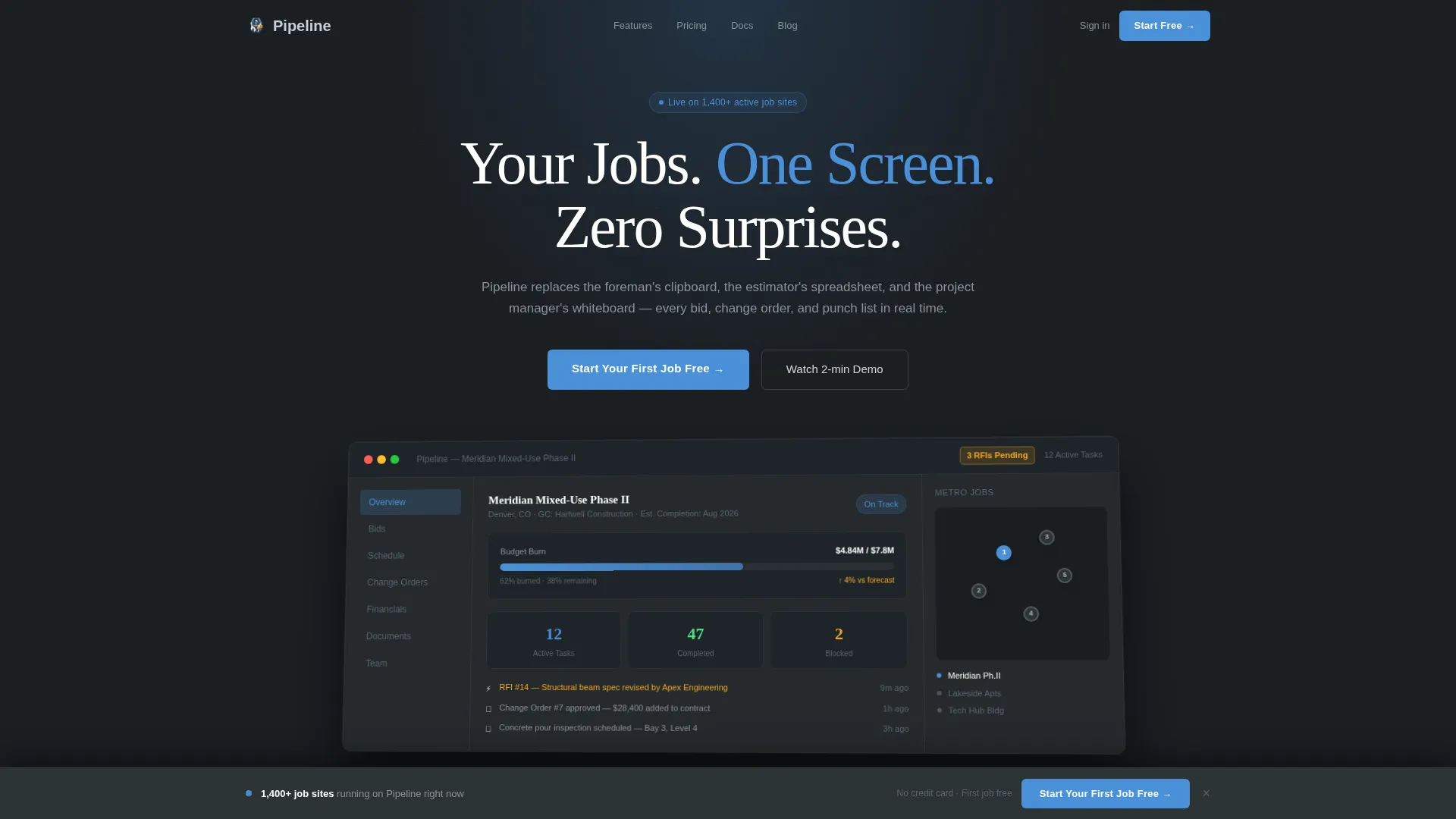
The header opens with a crisp, full-width dashboard screenshot showing a real-looking project called "Meridian Mixed-Use Phase II." It includes twelve active tasks, a budget burn-down chart at 62 percent, three pending RFIs flagged in amber, and a map pin cluster across a metro area. The screenshot floats on a slate background with a subtle perspective tilt and a soft shadow.
Scroll-Reveal Spec Sheet Structure
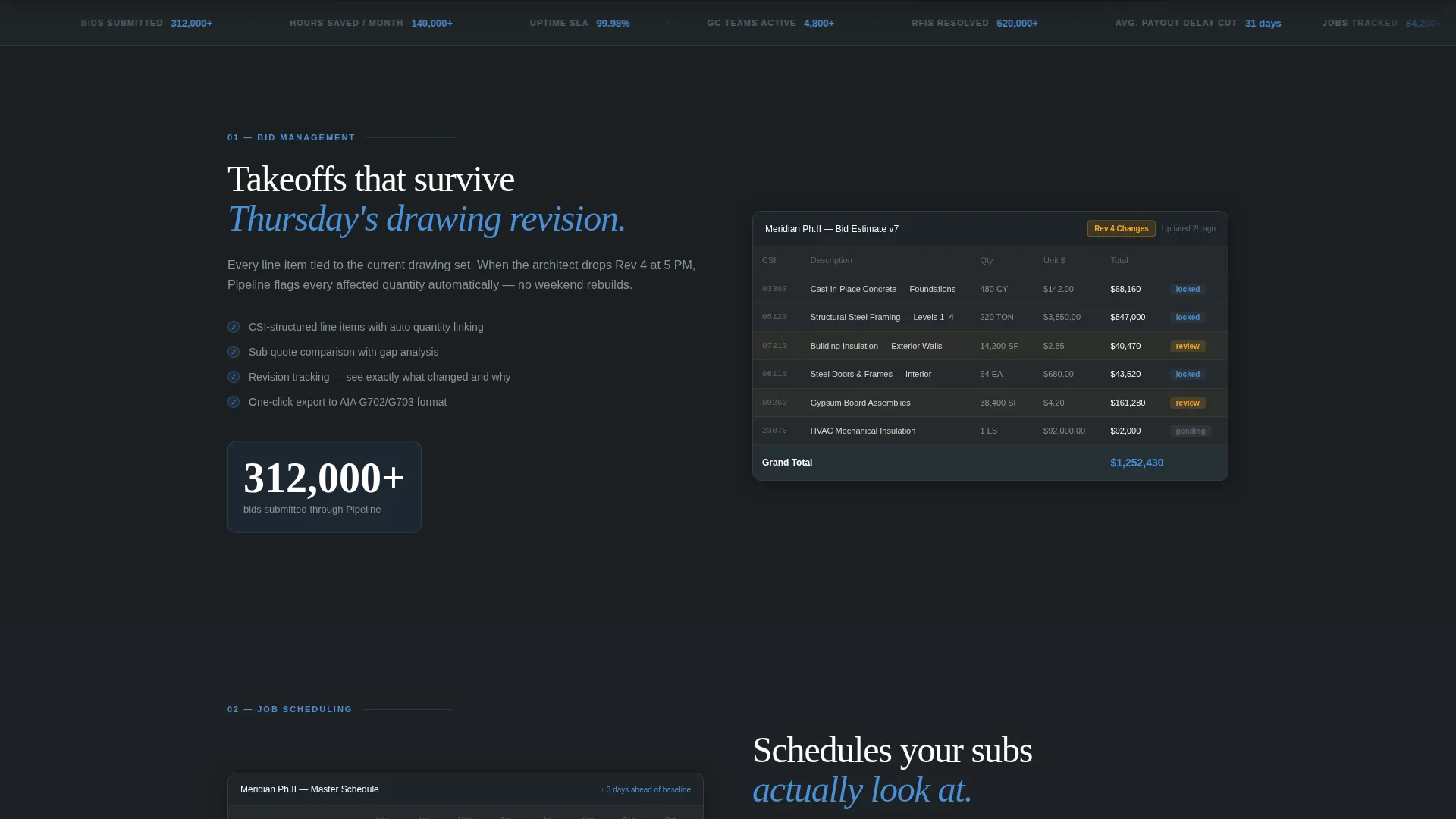
Each platform module scrolls into view one at a time, revealing a mini-screenshot and a live metric counter that ticks upward. The rhythm mirrors a product data sheet: jobs tracked, dollars estimated, hours saved. Every scroll earns the visitor a new answer to a capability question.
Module-by-Module Capability Sections
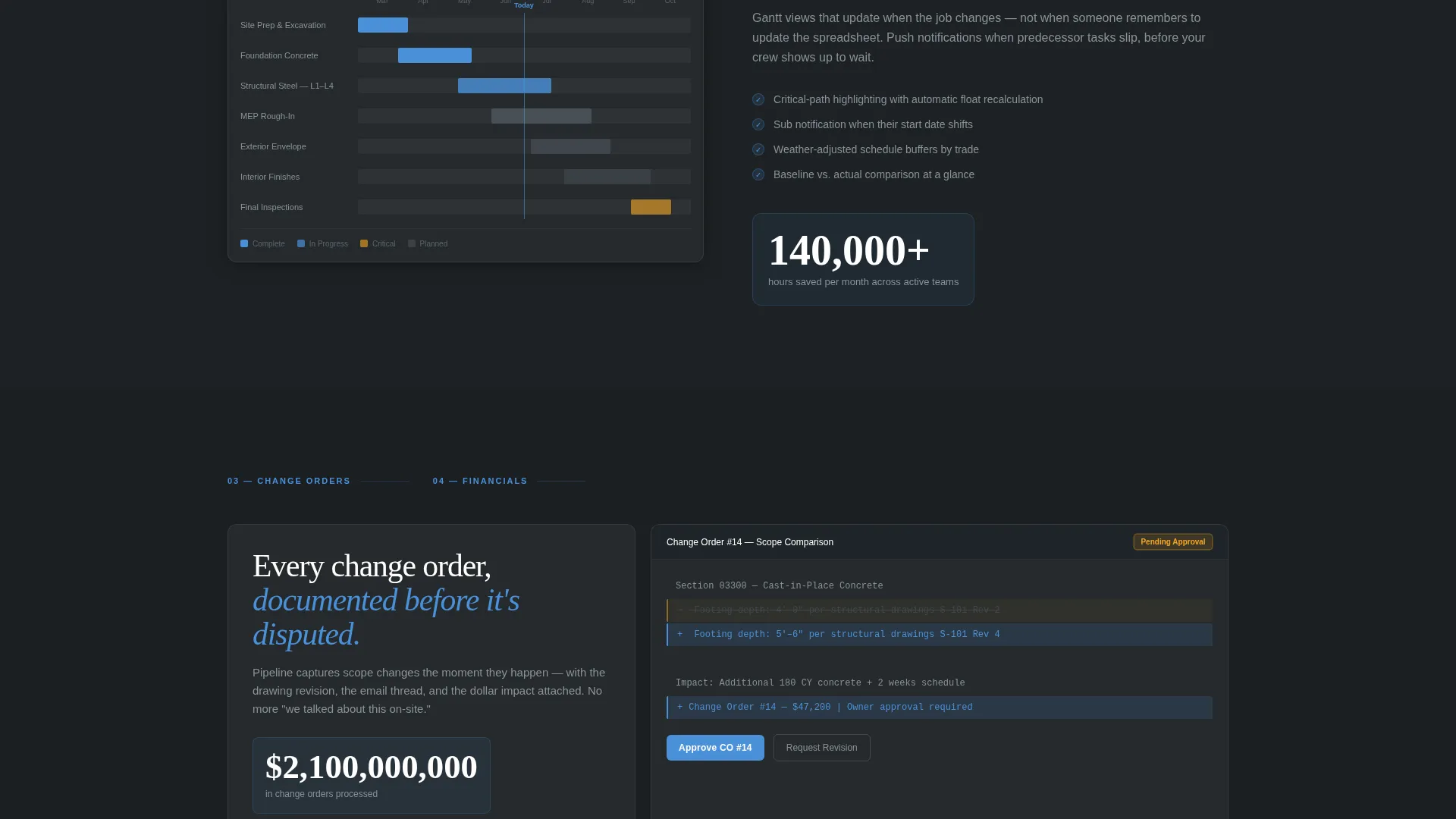
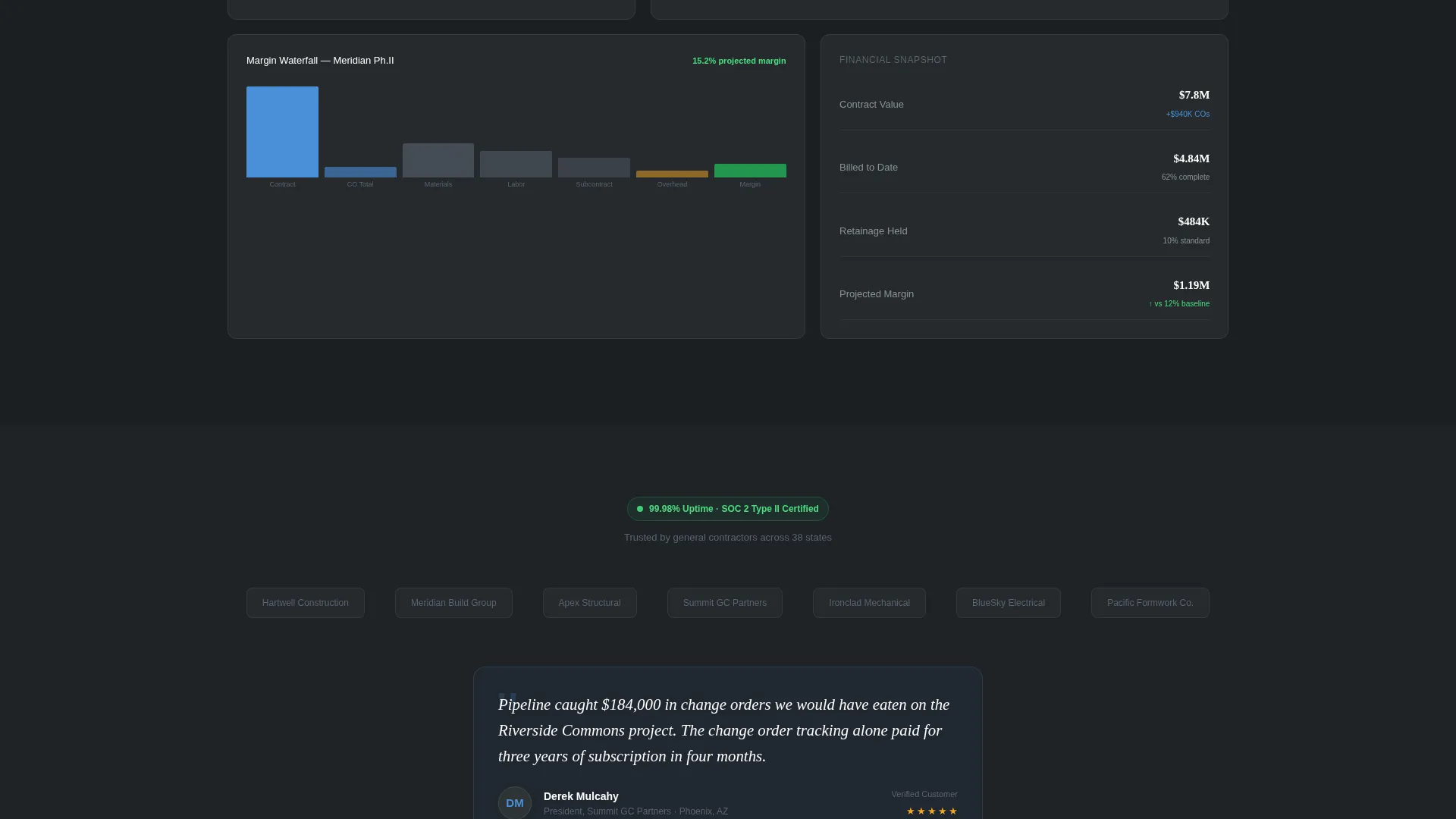
The page dedicates individual sections to Bid Management, Job Scheduling, Change Order Tracking, and Financial Dashboards. Each section pairs a focused visual, such as an estimating grid, a Gantt view, or a margin waterfall chart, with a concise capability explanation.
Floating Persistent Call-to-Action Bar
After the second section reveal, a bottom bar locks into place and stays visible as the visitor scrolls. It carries the primary call-to-action button: "Start Your First Job Free." This keeps the conversion step reachable without interrupting the reading flow.
Trust-Building Social Proof Row
A dedicated trust section includes a row of contractor logos, an uptime badge, and a single testimonial from a general contractor who names the exact dollar amount recovered from missed change orders. This section runs before the final call-to-action repeat to earn confidence before asking for the click.
Slate and Sky Visual Identity
The color system uses structural slate for primary backgrounds, rebar dark for typographic weight, open-sky blue for buttons and live-data highlights, and safety-vest amber for notification badges and urgent-state indicators. The palette feels grounded and industrial, then opens up with color exactly where the eye needs to go.
Page sections overview
| Section | Purpose |
|---|---|
| Hero Dashboard Header | Introduce the platform with a full-width product screenshot and the headline "Your Jobs. One Screen. Zero Surprises." |
| Bid Management Module | Reveal the estimating grid capability with a mini-screenshot and a ticking metric counter |
| Job Scheduling Module | Show the Gantt view and highlight real-time scheduling capability |
| Change Order Tracking | Present the diff-highlighted change order document and its role in recovering lost revenue |
| Financial Dashboards | Display the margin waterfall chart and budget burn-down visual |
| Social Proof Row | Build trust with contractor logos, an uptime badge, and a named testimonial |
| Final Call-to-Action | Repeat the "Start Your First Job Free" button at full width to close the page |
Design & branding system
The visual identity is built around the Startup Velocity theme using a Slate and Sky color palette. Every color choice has a functional role, not just a decorative one. The result feels like looking up from a concrete pour on a clear morning: grounded and structured, then suddenly bright where it counts.
- Structural slate (#2D3436) for primary backgrounds and section containers
- Open-sky blue (#4A90D9) for all primary buttons, live-data highlights, and interactive states
- Safety-vest amber (#F5A623) reserved exclusively for notification badges and urgent-state indicators
Mobile & speed optimization
The scroll-reveal template is structured for clean rendering across screen sizes. The progressive section layout means content loads and reveals in manageable segments rather than all at once. This keeps the page feeling responsive and deliberate on any device.
- Each module section is self-contained, making it straightforward to adapt for narrower viewports
- The floating call-to-action bar is designed to stay visible and usable on mobile screens
- Mini-screenshots and metric counters are laid out to reflow without breaking the visual hierarchy
How this template helps you convert
This template converts by building certainty before it asks for anything. The visitor earns each capability reveal through scrolling, which creates a natural sense of momentum and investment. By the time the final call-to-action appears, the visitor already understands the product and trusts the platform.
- The persistent floating bar keeps "Start Your First Job Free" visible from the second section onward, reducing the distance between intent and action at any point in the scroll.
- The social proof row, placed directly before the final call-to-action, answers the last remaining doubt with a real contractor name, a real dollar figure, and a visual uptime badge.
Other information about this template
This template is part of a construction vertical SaaS category and is designed for technology products targeting the construction industry. It fits naturally into a marketplace that includes project management and field operations software. The click-through landing page direction means no form appears on this page itself. The visitor clicks through to a signup screen that asks only for an email address and a company name, keeping friction as low as possible.
- The template style is Scroll Reveal (Progressive), meaning each section animates into view as the visitor scrolls down
- The creative direction follows a Spec Sheet approach, introducing capabilities one at a time rather than all at once
- The header concept is a Product Screenshot, grounding the page in a real-looking platform view from the first moment
Theme
Startup Velocity
Creative direction
Spec Sheet
Color system
Slate & Sky
Style
Scroll Reveal (Progressive)
Direction
Click-Through
Page Sections
Product Screenshot Hero Header
Scroll-reveal Spec Sheet Layout
Persistent Floating Call-to-action Bar
Trust Section with Social Proof
Four Capability Module Sections
Slate and Sky Color System
Related questions
Does this template include a signup form?
Who is this landing page template designed for?
What sections does this landing page include?
Can I update the colors and branding to match my product?
Is the scroll-reveal animation built into the template?



