Complete Software & SaaS Cost Estimator Website Template
Pipeline is a split-screen CRM landing page template built for sales teams who need clarity fast. It combines a live pipeline board hero, an interactive ROI calculator, and a progressive two-step signup flow into one focused page. The Data Command visual theme and Monochrome Steel palette keep the product front and center from the first scroll to the final call to action.
by Rocket studio
Quick summary
Pipeline is a single-page CRM landing page template designed around the "product is the hero" principle. It opens with a split-screen pipeline board, hands visitors an interactive ROI calculator before asking for anything, and drives freemium signups through contextual calls to action. The Monochrome Steel palette and Data Command theme make the data feel like the only thing in the room.
Who this template is for
This template is built for people who sell and the teams that support them. It speaks directly to professionals who already know the pain of scattered pipeline data and want a tool that proves its value before asking for a commitment.
- Sales managers who lose time switching between tabs and chasing deal status
- Founders running solo sales operations without a dedicated team
- Revenue Operations leads who are stitching together multiple disconnected tools
What problem this template solves
Most CRM landing pages lead with feature lists and ask for a credit card too early. Visitors leave before they understand the value. This template flips that sequence by leading with a personalized ROI calculation, so every visitor sees a number tied to their own business before they ever read a headline.
- Deal tracking that lives across scattered spreadsheets and forgotten follow-up threads
- Lack of a single revenue view that shows where every active deal stands right now
- High-friction signup flows that lose warm leads before they convert
What you get with this template
You get a complete, conversion-focused CRM landing page layout that is ready to customize. Every section has a clear job, and the visual system is consistent from the header all the way to the sticky call-to-action bar.
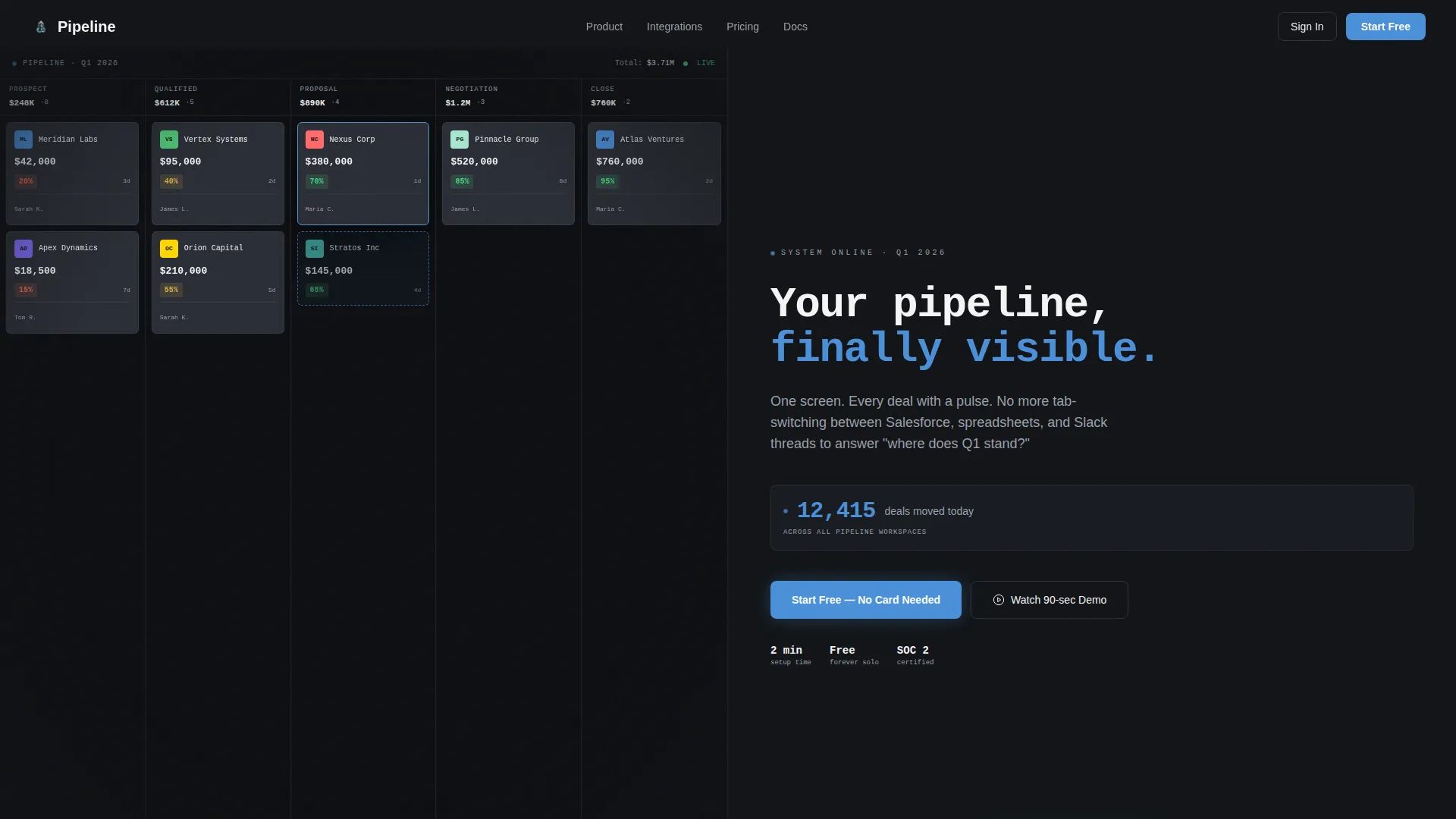
- A full-width split-screen hero showing a live pipeline board on the left and a bold headline on the right
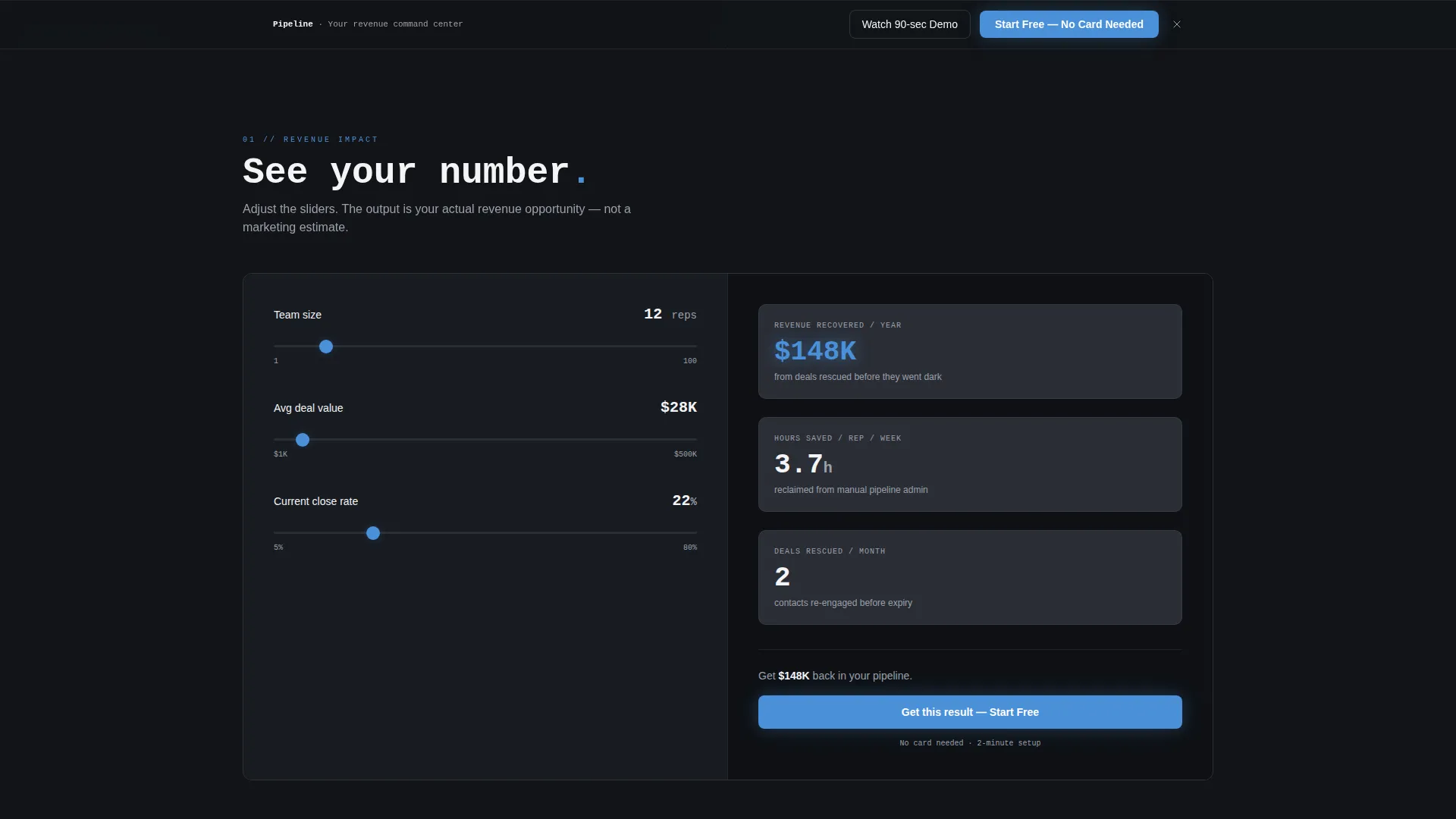
- An embedded interactive ROI calculator with three sliders and a real-time output panel
- A two-step progressive signup flow that asks only for work email on step one
Feature list
This template ships with a set of purpose-built components that guide visitors from first impression to signup. Each one is grounded in the brief and serves a specific role in the conversion flow.
Split-Screen Pipeline Hero
The header divides the viewport into two equal halves. The left side renders a live pipeline board mid-session, complete with deal stage columns, company logo cards, dollar amounts, probability badges, and a drag ghost that implies active use. The right side is forge black with a monospaced headline and a live-updating deal counter ticking upward in signal blue.
Interactive ROI Calculator
Placed directly below the fold, the calculator gives visitors a personalized output before they encounter any signup request. Three sliders on the left panel let users set team size, average deal value, and current close rate. The right panel updates in real time to show projected revenue recovered, hours saved per rep each week, and deals at risk of going dark.
Contextual Primary Call to Action
The main call to action, labeled "Start Free, No Card Needed," appears first inside the calculator output panel as a direct response to the visitor's own numbers. This placement ties the signup prompt to a concrete, personalized result rather than a generic invitation.
Sticky Conversion Bar
After a visitor scrolls past 40 percent of the page, a sticky bottom bar appears carrying the primary call to action. This keeps the signup option visible without interrupting the reading flow during the earlier trust-building sections.
Progressive Two-Step Signup
The signup flow uses progressive disclosure to reduce friction. Step one asks only for a work email address. Step two follows with company size and primary CRM pain point, collecting richer data only after the initial commitment is made.
Secondary Demo Path
A ghost-button alternative labeled "Watch the 90-Second Demo" gives hesitant visitors a lower-commitment option. The demo captures an email address on play, creating a second entry point for leads who are not ready to sign up immediately.
Page sections overview
| Section | Purpose |
|---|---|
| Split-Screen Hero | Establishes product credibility with a live pipeline board and live deal counter |
| ROI Calculator | Delivers personalized value before any signup request is made |
| Calculator Output Panel | Shows projected revenue, time saved, and deals rescued in real time |
| Metric-Dense Case Study | Layers social proof on top of the visitor's personalized calculator result |
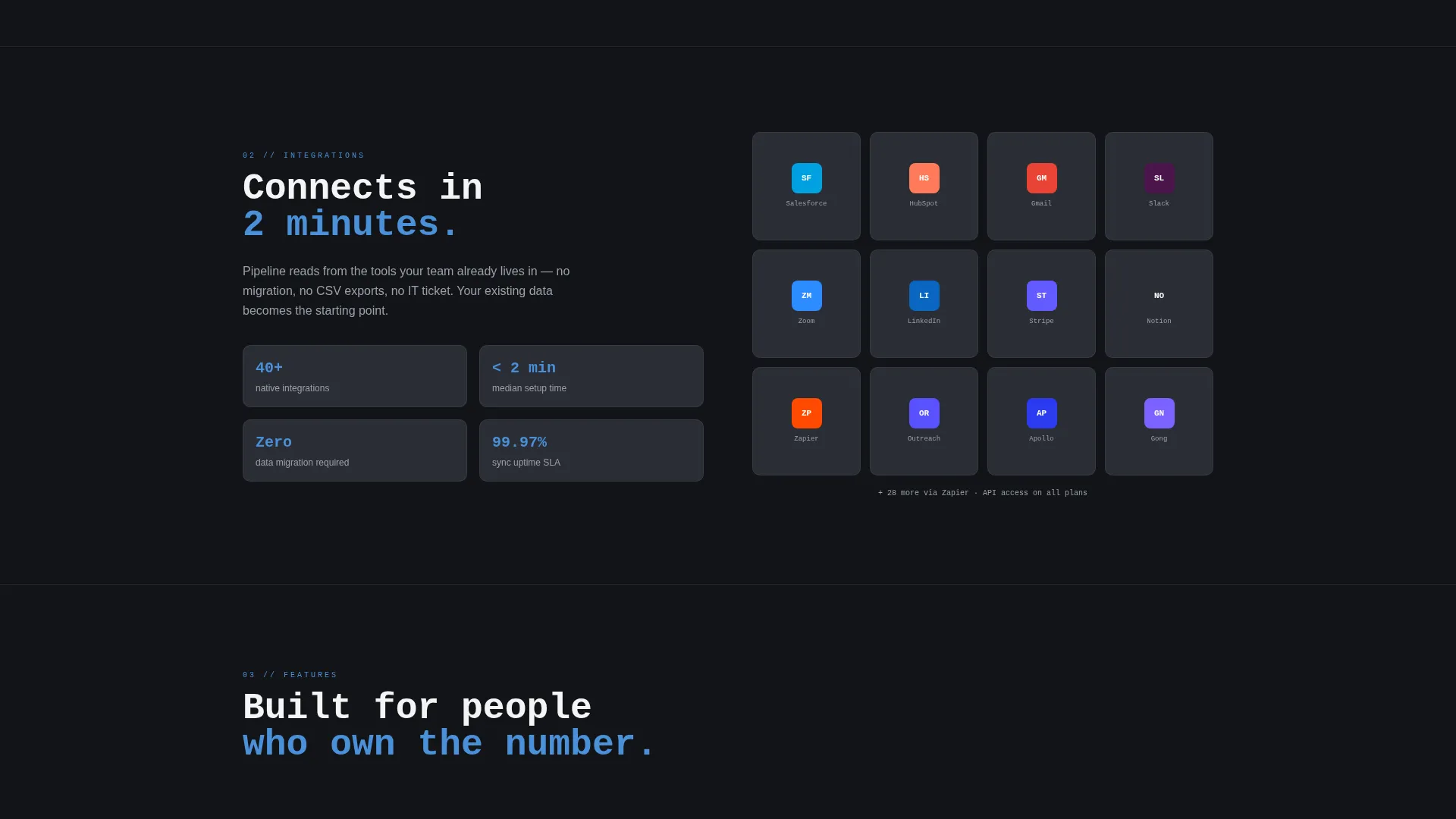
| Live Integration Map | Displays integration logos that pulse on hover to imply ecosystem depth |
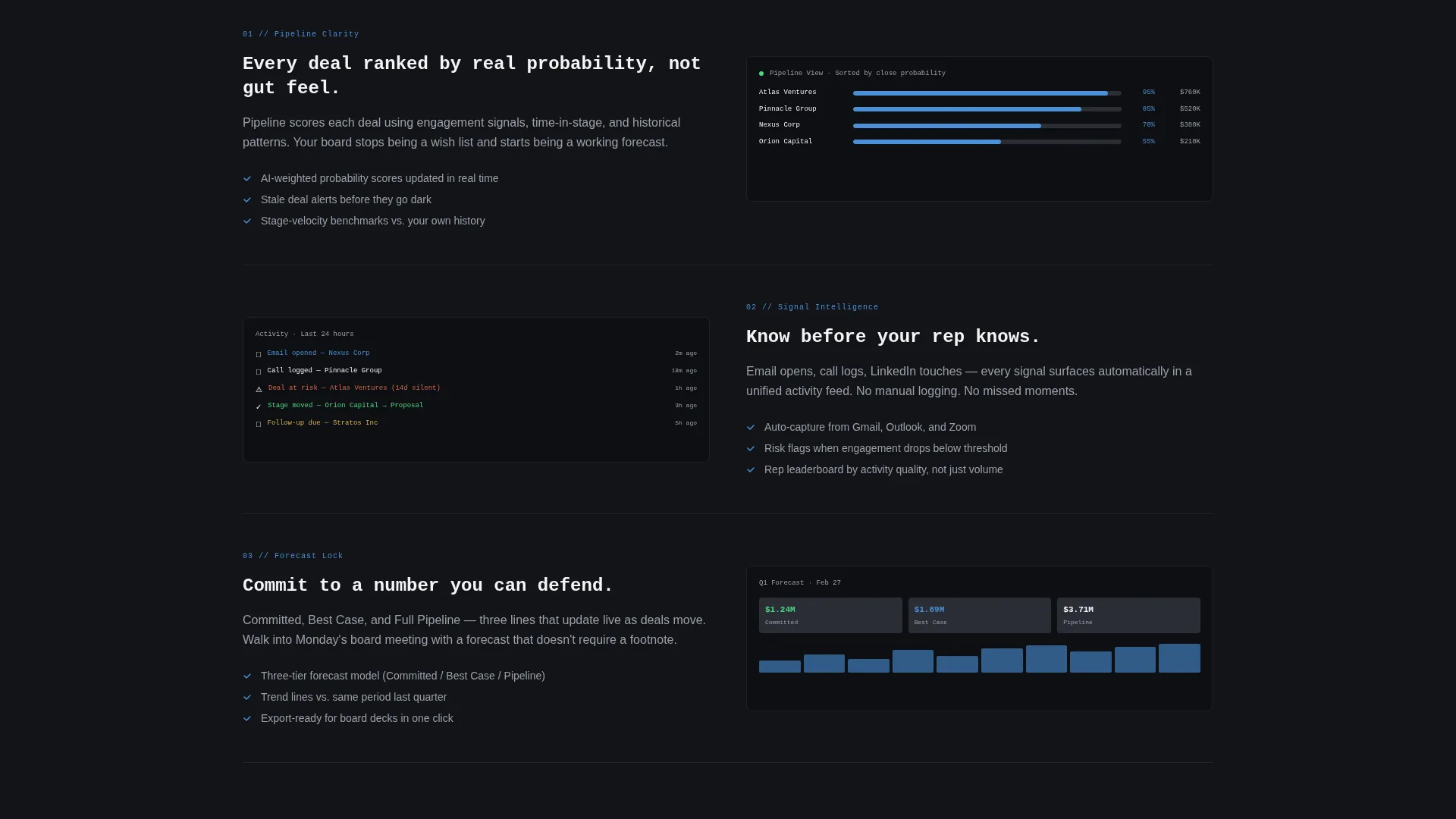
| Feature Grid | Pairs product screenshots on the left with benefit copy on the right, row by row |
| Sticky call to action Bar | Keeps the primary signup prompt visible after 40 percent scroll depth |
Design & branding system
The visual identity follows a Data Command theme built entirely on a Monochrome Steel color system. There is no warmth, no lifestyle imagery, and no decorative elements. The palette is engineered to make the product data feel like the only color on the screen.
- Core palette: forge black (#121417), brushed gunmetal (#2A2D35), cool interface gray (#9BA0AB), and polished chrome white (#F4F5F7)
- Signal blue (#4A90D9) is reserved exclusively for interactive elements, live data points, and primary calls to action
- Typography uses a monospaced typeface for headlines to reinforce the precision and command-center aesthetic
Mobile & speed optimization
The split-screen layout is structured to adapt across screen sizes without losing the visual impact of the pipeline board or the ROI calculator interaction. The design prioritizes a clean, fast-reading experience on any device.
- The 50/50 split-screen hero collapses gracefully for narrower viewports so the pipeline board remains readable
- The ROI calculator sliders are built for touch input as well as mouse interaction
- The sticky call-to-action bar is designed to remain unobtrusive on smaller screens while staying easy to tap
How this template helps you convert
This template is structured around a principle of earning trust before asking for anything. Every design and layout decision is oriented toward getting a qualified visitor to take one specific action: start a free account.
- The ROI calculator creates a personalized hook immediately after the hero, giving visitors a concrete reason to keep reading before any commitment is requested.
- The contextual call to action inside the calculator output panel ties the signup directly to the visitor's own projected numbers, making the offer feel relevant rather than generic.
- The two-step progressive signup flow lowers the barrier to entry by asking only for an email address first, reducing the perceived cost of getting started.
Other information about this template
This template is designed specifically for the CRM software category within the Software and SaaS segment of the technology market. It is built for teams evaluating a new pipeline management tool and landing pages that need to convert cold traffic into free trial signups.
- The template style is Split Screen (50/50) and the layout direction is Freemium/Trial conversion
- The creative direction is Calculator/Tool First, meaning the interactive element leads the page before any traditional feature copy
- The header concept is Product Screenshot, with no lifestyle photography or stock imagery anywhere on the page
- This template works well as a starting point for CRM software products that want to position around pipeline visibility and revenue clarity
Theme
Data Command
Creative direction
Calculator/Tool First
Color system
Monochrome Steel
Style
Split Screen (50/50)
Direction
Freemium/Trial
Page Sections
Split-screen Pipeline Board Hero
Interactive ROI Calculator
Contextual Freemium Call to Action
Progressive Two-step Signup
Sticky Bottom Conversion Bar
Secondary Demo Entry Point
Related questions
Can I change the ROI calculator values to match my own product metrics?
Does the template include the sticky call-to-action bar behavior out of the box?
Is this template suitable for a B2B SaaS product outside of CRM?
What does the two-step signup flow look like?



