Micro-SaaS & Developer Tools Comparison Website Template
Pipeline is a dark-mode landing page template built for data pipeline tools. It features a Feature Tab Switcher header, a side-by-side comparison table, a live deploy animation, and three strategically placed download calls to action. Designed for developer-tool products, it speaks directly to data engineers, analytics leads, and startup technical founders who need to show superiority fast.
by Rocket studio
Quick summary
Pipeline is a single-page landing page template for developer tools in the data infrastructure space. It opens with an interactive Feature Tab Switcher, builds momentum through a bold stat bar and comparison table, and closes with social proof and a friction-free app download flow. The layout is built to earn trust before asking for any commitment.
Who this template is for
This template is built for teams shipping data tooling products to a technical audience. It works best when the product needs to prove itself quickly against established alternatives.
- Data engineers and platform teams launching or marketing an extract, transform, and load tool
- Analytics leads and startup chief technology officers evaluating or showcasing pipeline infrastructure
- Developer-tool founders who need a production-ready landing page without starting from scratch
What problem this template solves
Technical buyers are skeptical. They have been burned by tools that overpromise and underdeliver. A generic landing page does not speak their language, and a wall of marketing copy sends them straight to the back button.
- There is no clear visual way to compare your tool against known alternatives without a purpose-built layout
- Most templates cannot carry the weight of a demo-heavy, evidence-first developer product story
- The standard call-to-action flow adds friction with forms and email gates that kill download momentum
What you get with this template
You get a complete, conversion-focused landing page layout designed specifically for a data pipeline tool. Every section is intentional, and the visual system reinforces credibility from the first scroll.
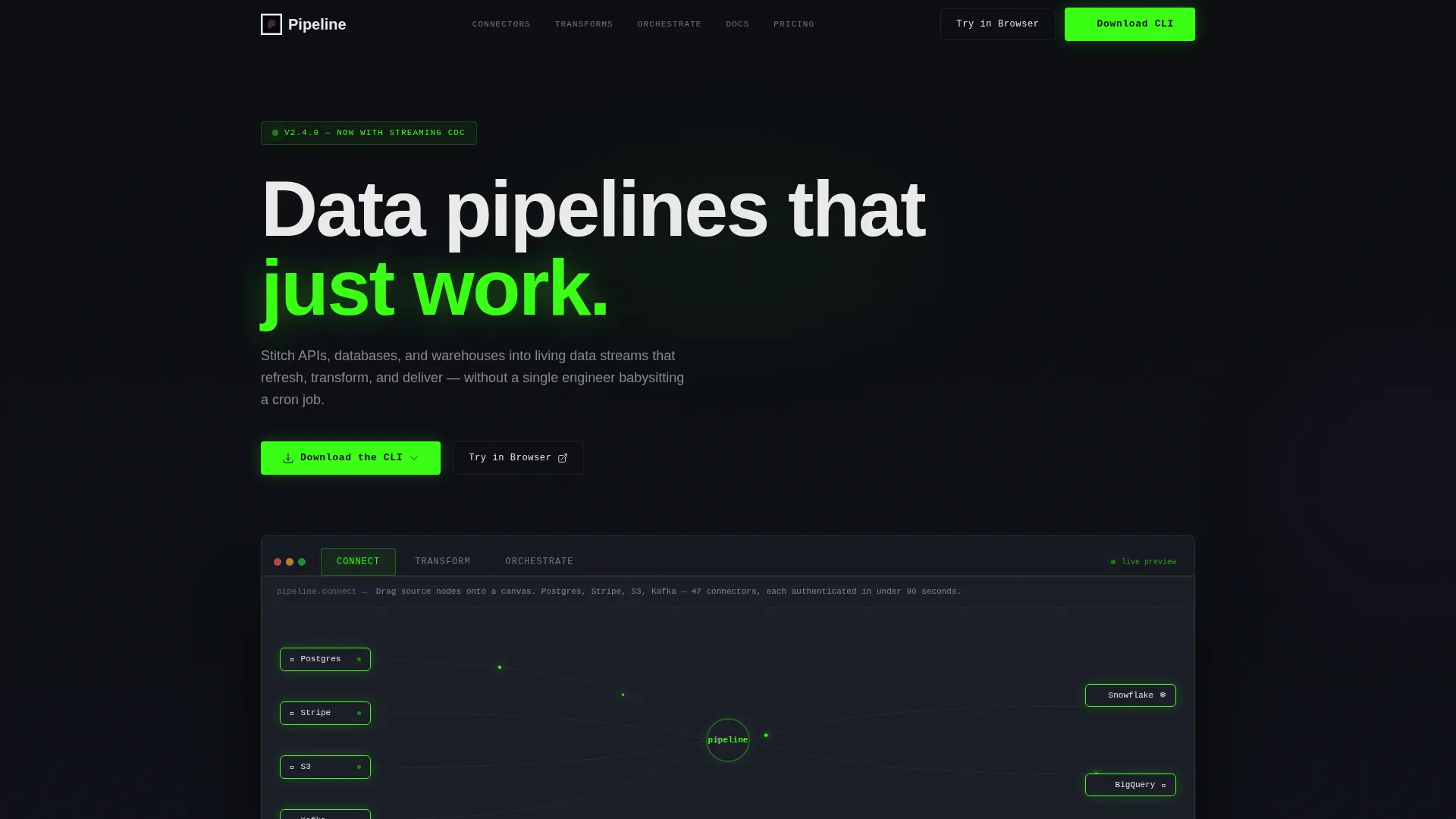
- A Feature Tab Switcher header with three tabs ("Connect," "Transform," "Orchestrate") each rendering a distinct product user interface frame
- A bold stat bar, a structured comparison table, a live deploy animation section, and testimonial cards with specific engineer quotes
- Three instances of the primary download call to action, each with an operating system detection dropdown and a one-line install command
Feature list
This template ships with six core layout and interaction features grounded in the source brief.
Interactive Feature Tab Switcher
Three clickable tabs sit above a live-rendered product user interface frame. Selecting "Connect" shows a canvas with source nodes and animated data particles. "Transform" reveals a SQL editor with column previews mid-query. "Orchestrate" displays a directed acyclic graph view with green completion badges. Each tab switch is a hard cut with no fade, matching the feel of switching terminal windows.
Side-by-Side Comparison Table
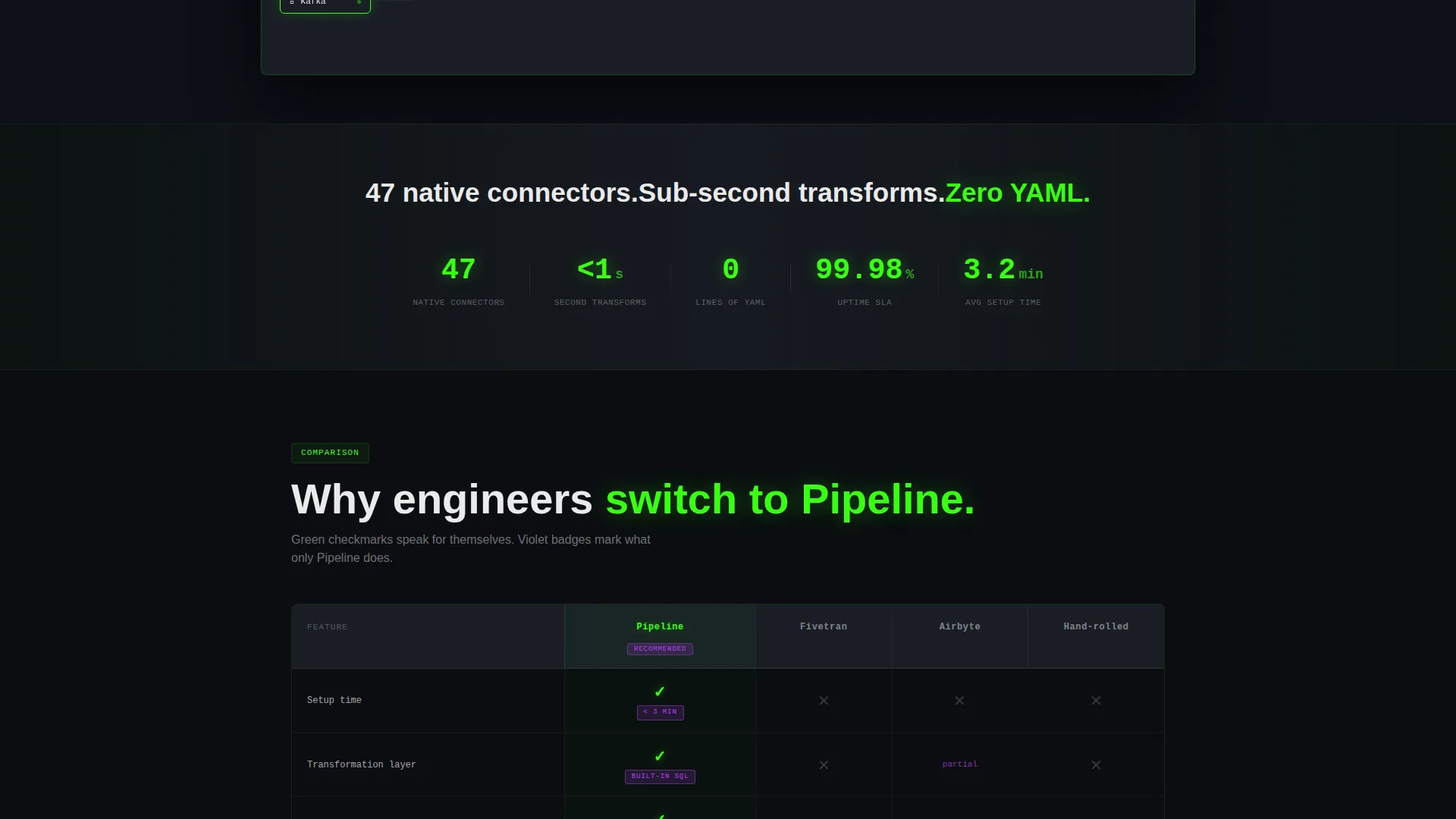
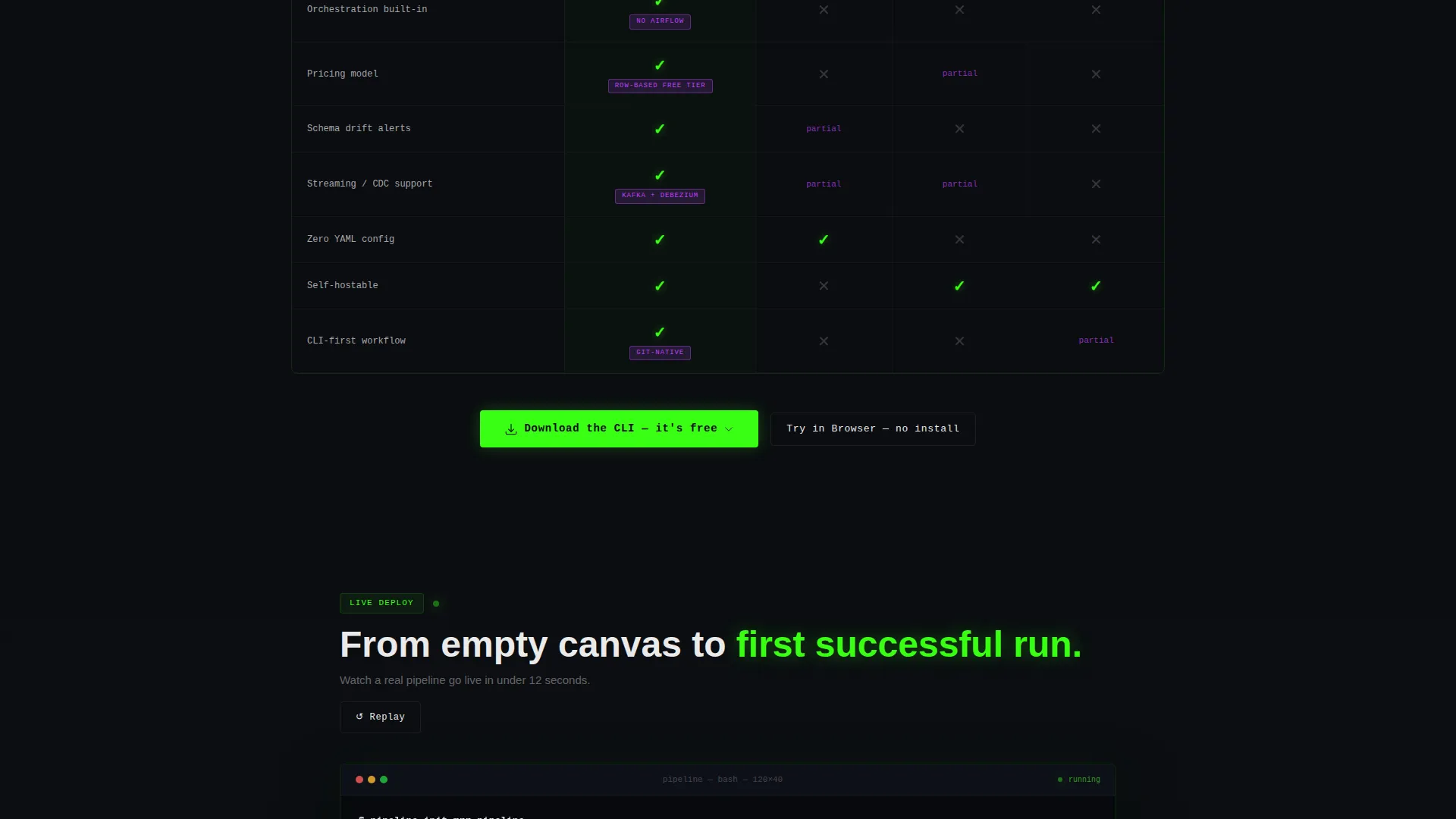
The comparison table stacks the product against three alternatives across rows covering setup time, pricing model, transformation layer, and built-in orchestration. Green checkmarks and violet "only us" badges make the winner clear at a glance, before a visitor reads a single word of body copy.
Live Deploy Animation
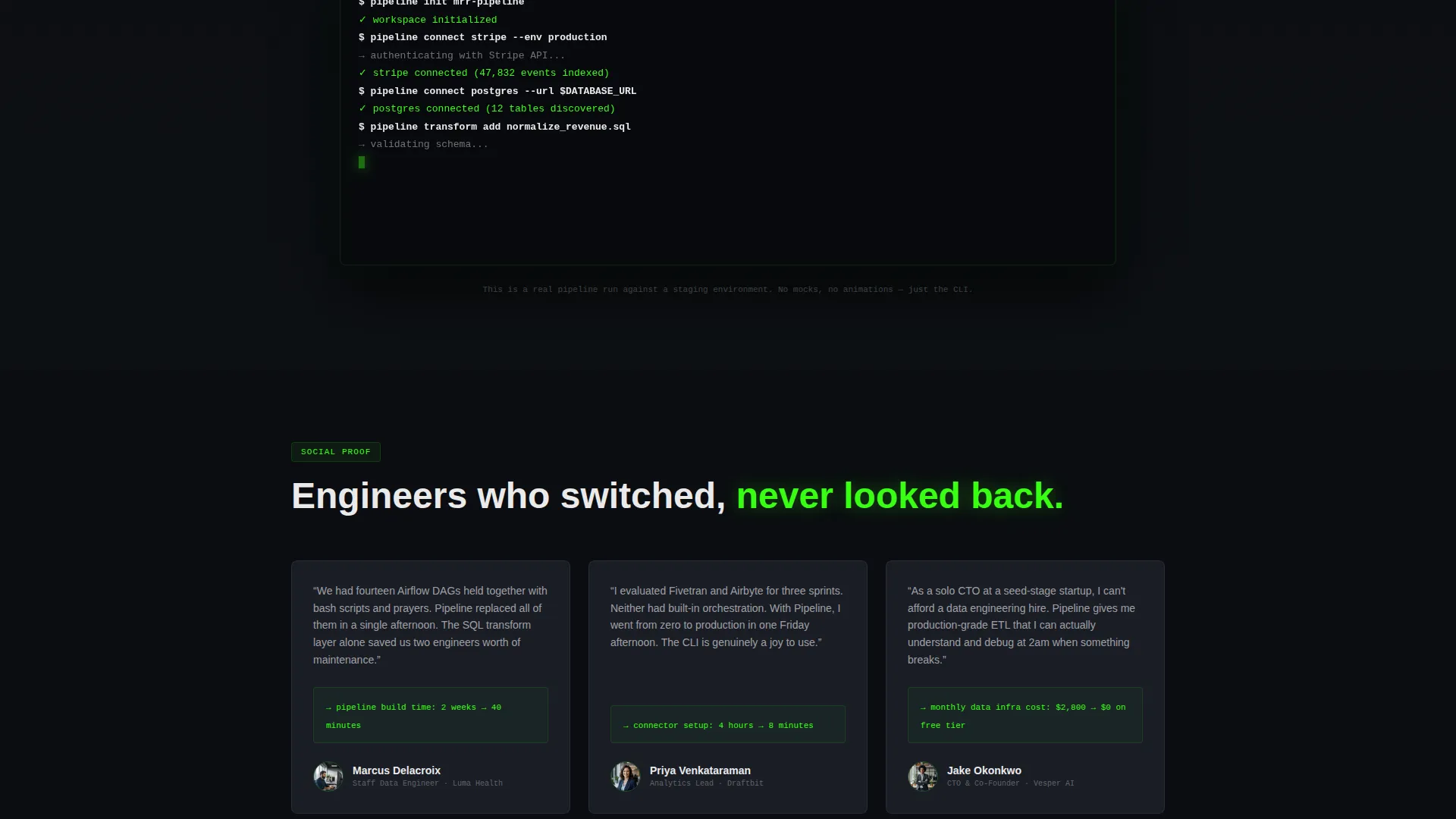
Below the comparison table, an auto-playing animation shows a pipeline moving from an empty canvas to a first successful run in twelve seconds. This section reinforces that the product is real and functional, not a concept deck with polished screenshots.
Three-Point Download Call to Action
The primary "Download the CLI" button appears in three places: pinned in the navigation bar, centered below the comparison table, and anchoring the final section after social proof. Each instance triggers an operating system detection dropdown with a copyable one-line install command for macOS, Linux, and Docker.
Stat Bar with Zero-YAML Headline
A bold stat bar immediately below the header punches three product facts in sequence: 47 native connectors, sub-second transforms, and zero YAML configuration. This block sets the competitive tone before the comparison table lands.
Social Proof Testimonial Cards
Named engineer quotes from recognizable startups close the evidence loop. Each card contains a specific, measurable metric rather than vague praise, for example cutting pipeline build time from two weeks to forty minutes.
Page sections overview
| Section | Purpose |
|---|---|
| Navigation Bar | Pins the download call to action and keeps it accessible at all times |
| Feature Tab Header | Demonstrates Connect, Transform, and Orchestrate product modes |
| Bold Stat Bar | Delivers three punchy product facts to set competitive context |
| Comparison Table | Stacks the product against alternatives row by row |
| Live Deploy Animation | Shows a full pipeline run completing in twelve seconds |
| Testimonial Cards | Provides engineer quotes with specific performance metrics |
| Final call to action Section | Anchors the page with the third download button and install prompt |
Design & branding system
The visual identity follows the Acid Digital color system applied to a Dashboard Pro theme. The result feels like a dark-mode integrated development environment at 2 AM, where every glowing element signals something is alive and running.
- Core palette: void black (#0B0D11) for backgrounds, terminal phosphor green (#39FF14) for status indicators and calls to action, electric violet (#BF40FF) for interactive hover and toggle states, interface slate (#1A1D26) for card surfaces, and crisp white (#EAEAEA) for body type
- A black-to-slate gradient creates depth across sections without entering gray territory, while green dominates all active and success states
Mobile & speed optimization
The template layout is structured with a mobile-first reading order so the key conversion elements remain visible and functional on smaller screens.
- The Feature Tab Switcher collapses cleanly so tab labels and the product user interface frame stack vertically without losing the interaction model
- The comparison table is designed to scroll horizontally on narrow viewports, keeping all competitor columns intact rather than hiding data
How this template helps you convert
The page is built around the idea that technical buyers convert only after they feel the product is real and superior. Every section earns the next click before asking for commitment.
- The comparison table delivers proof of superiority visually, using green checkmarks and violet badges, so skeptical engineers reach the download button already convinced rather than just curious.
- The no-form, no-email-gate download flow removes the final barrier. The operating system detection dropdown and one-line install command make the first step feel like something a developer would design for themselves.
Other information about this template
This template is categorized under Technology, specifically in the Micro-SaaS and Developer Tools subcategory, targeting the data pipeline tool niche. It pairs the Dashboard Pro theme with the Launch Energy creative direction, which structures the page like a countdown sequence building toward a decisive action.
- The template style is a Comparison Table layout, making it well suited for products competing against tools like Fivetran, Airbyte, or hand-rolled scripting workflows
- The landing page direction is App Download, meaning the entire layout is oriented toward getting a command-line interface installed rather than capturing a lead
- The header concept is a Feature Tab Switcher, a pattern common in developer-tool marketing that lets visitors self-select the product angle most relevant to their role
Theme
Dashboard Pro
Creative direction
Launch Energy
Color system
Acid Digital
Style
Comparison Table
Direction
App Download
Page Sections
Feature Tab Switcher Header
Competitor Comparison Table
Live Deploy Animation
Three-point CLI Download Flow
Stat Bar with Bold Product Claims
Metric-driven Testimonial Cards
Related questions
Who is this template designed for?
Does this template include a comparison table?
How does the CLI download call to action work?
Can I change the tab labels in the Feature Tab Switcher?
Is this template suited for a free-tier product launch?



