Pipeline - Powerful Streamprocessing Landing Page Template
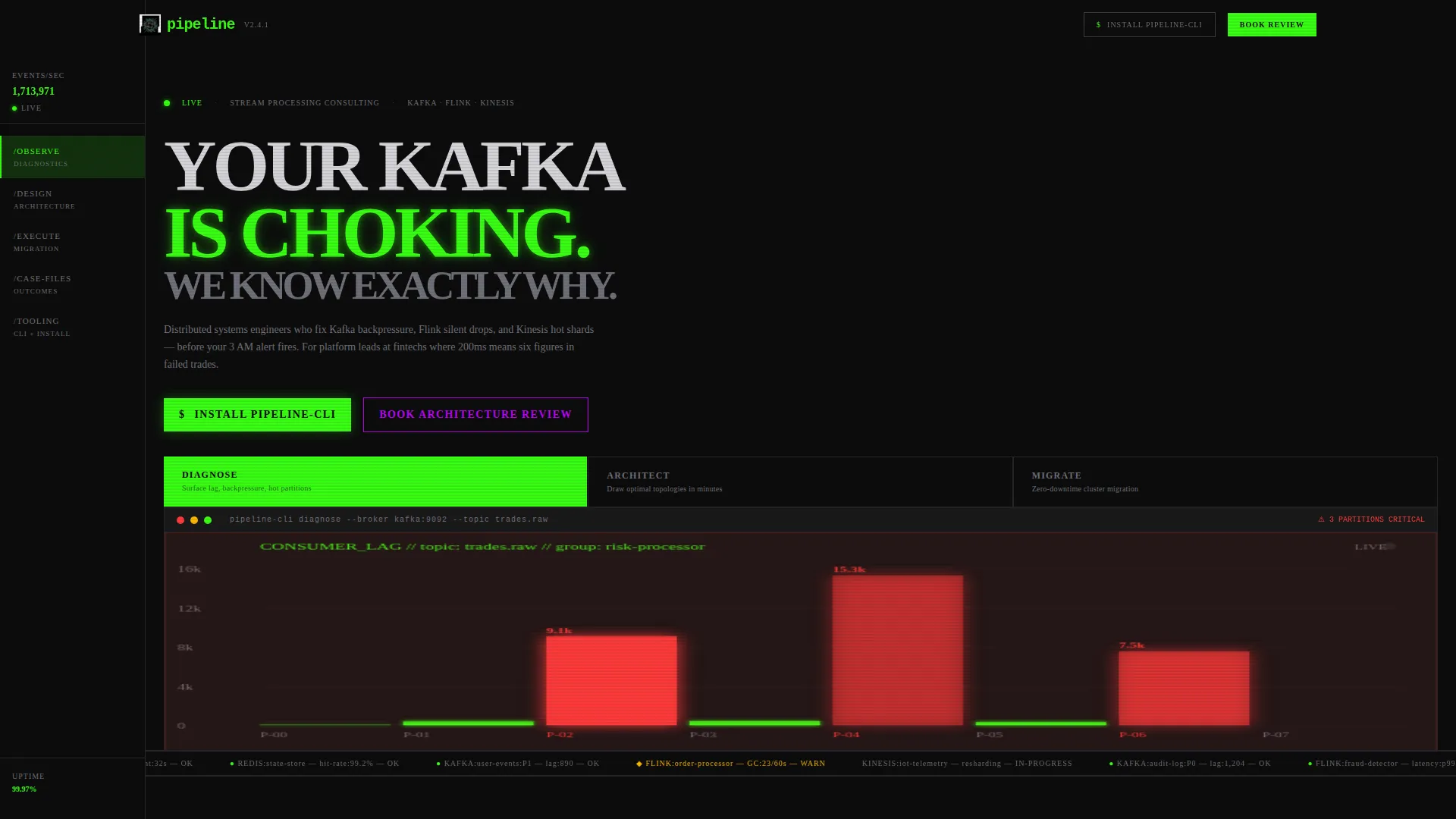
Pipeline is a bold brutalist landing page template built for stream processing consulting teams. It uses a hub-and-spoke anchor navigation, a three-tab feature header with live terminal animations, and a cli tool download as its primary call to action. The design runs on void black, toxic green, and electric violet, built to convert platform engineers, fintech staff engineers, and IoT-scale CTOs.
by Rocket studio
Quick summary
Pipeline is a single-page consulting landing page template for distributed systems engineers who work with real-time data infrastructure. It features an anchor-nav hub-and-spoke layout, three animated terminal tabs in the header, and a primary call to action centered on a downloadable open-source diagnostics tool. The design is bold brutalist with an acid digital color palette.
Who this template is for
This template is built for technically credible consulting teams who speak the language of their buyers. It works best when your audience is already deep in the stack and respects precision over polish.
- Platform engineering leads at growth-stage startups dealing with event-driven architecture complexity
- Staff engineers and technical leads at fintechs where latency directly affects revenue
- Chief Technology Officers at IoT companies managing high-volume sensor data ingestion
What problem this template solves
Generic agency templates do not work for infrastructure consulting. Engineers distrust vague claims and skip pages that look like marketing brochures. This template is designed to earn credibility the moment someone lands on the page.
- It shows, not tells, using simulated diagnostic outputs and interactive architecture diagrams
- It guides technical buyers from symptom recognition to solution, section by section
- It gives visitors something tangible to take away before they ever book a call
What you get with this template
You get a fully structured single-page layout that doubles as an interactive technical resource. Every section is designed to reward engineers who read carefully, while still converting the ones who only skim.
- A three-tab animated header with terminal-style views for DIAGNOSE, ARCHITECT, and MIGRATE states
- A persistent left-rail anchor navigation with five system-style section labels
- Expandable architecture diagrams, toggleable latency charts, and copyable code snippets throughout
- A primary download call to action with platform toggles and a one-line install command
- A secondary consulting call to action for teams who want a hands-on architecture review
Feature list
This section walks through the core built-in components that make Pipeline different from a standard consulting template.
Three-Tab Animated Header
The header uses a Feature Tab Switcher with three brutalist tabs: DIAGNOSE, ARCHITECT, and MIGRATE. Each tab reveals a different terminal animation. DIAGNOSE shows a live-simulated consumer lag graph with partitions turning red. ARCHITECT draws a topology diagram node by node in acid green. MIGRATE displays a running event replay counter with a progress bar. Tab transitions are hard cuts with no easing.
Hub-and-Spoke Anchor Navigation
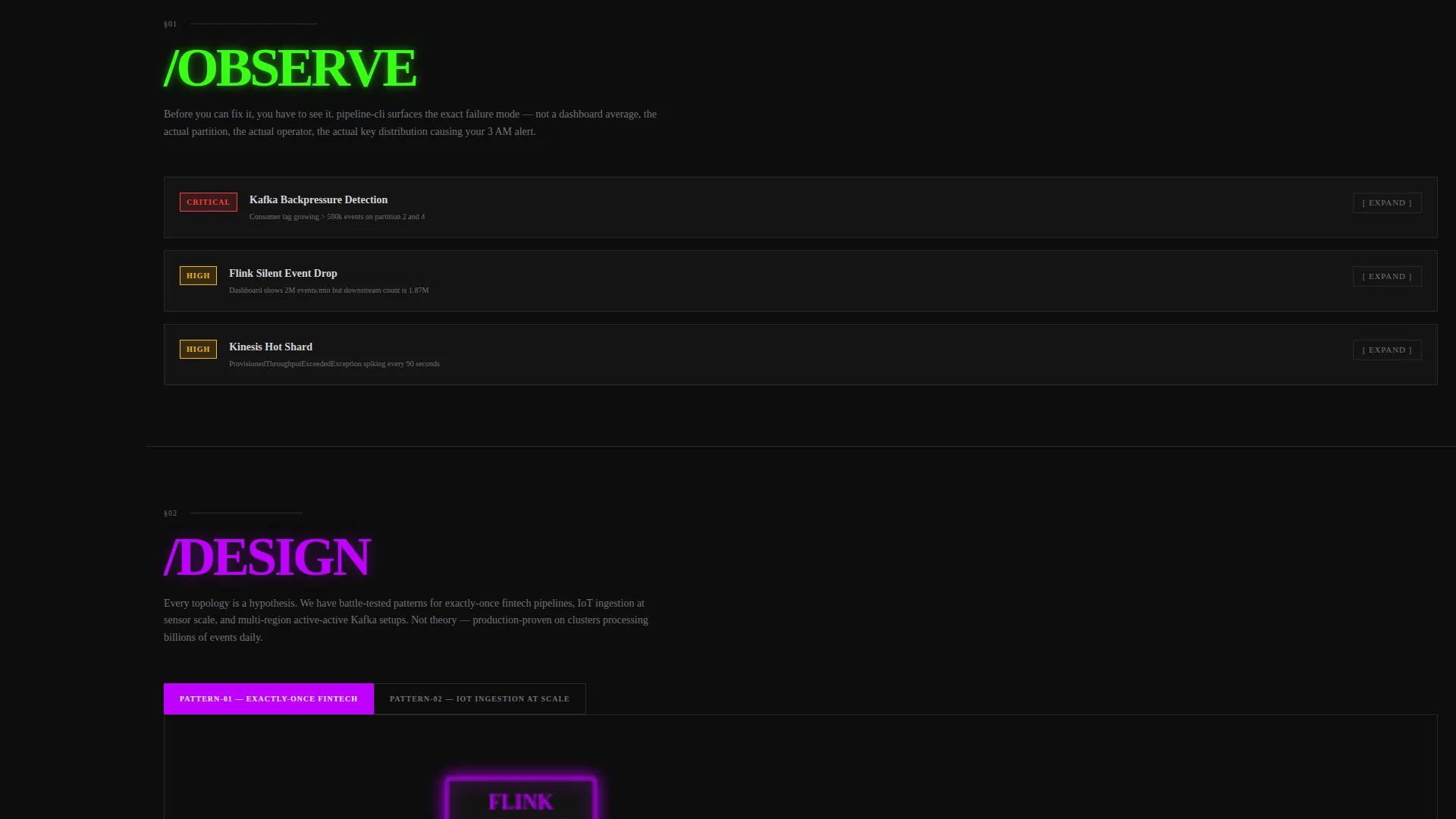
A persistent left-rail navigation acts as a control plane for the entire page. The five anchor links use system-style path labels: /observe, /design, /execute, /case-files, and /tooling. Clicking any label scrolls directly to its corresponding section without leaving the page.
Interactive Section Explorer
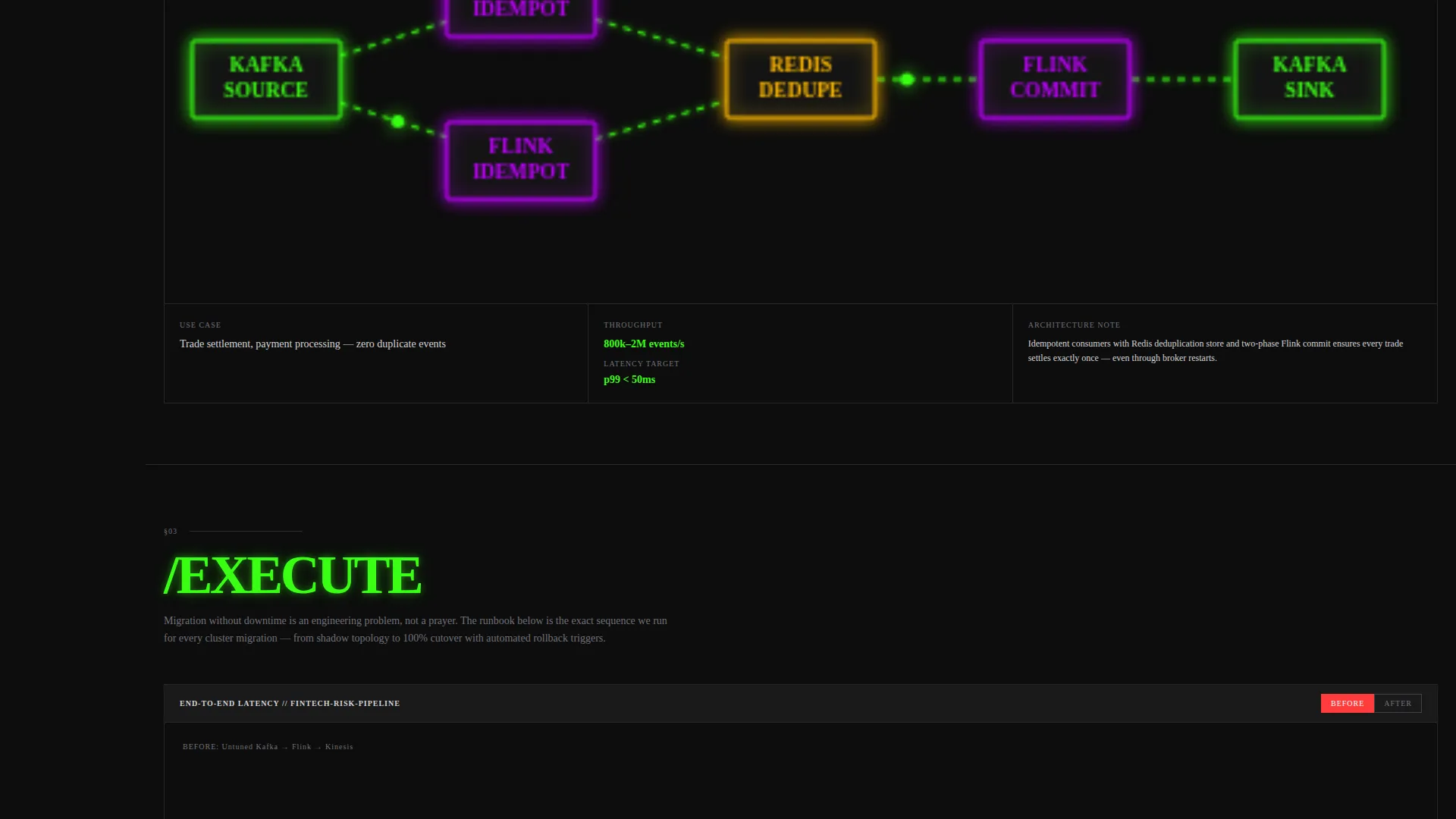
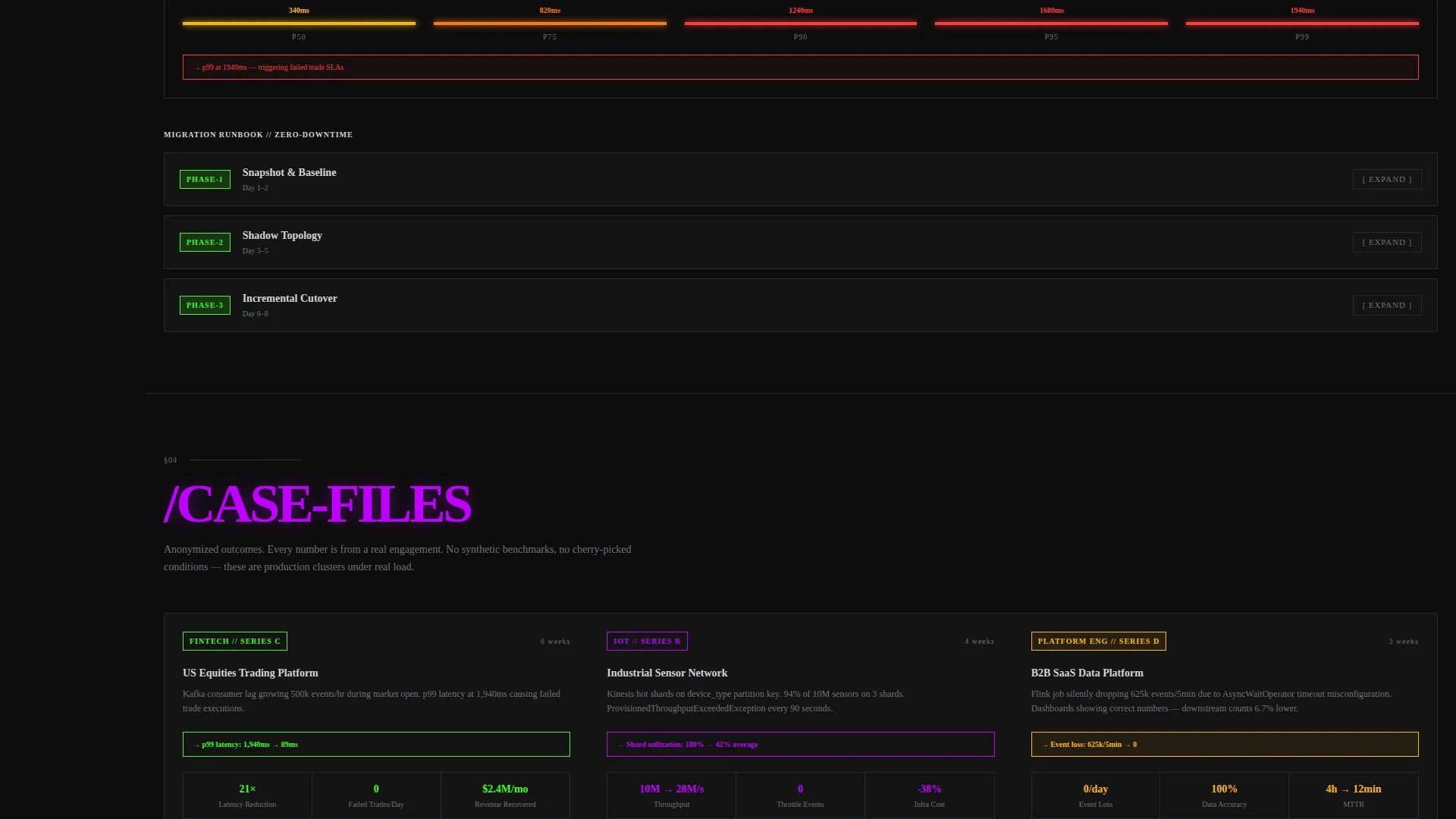
Each spoke section contains its own explorable components. Visitors can expand architecture diagrams, toggle between before-and-after latency charts, and copy code snippets directly from the page. The sections escalate in complexity, moving from symptom identification to topology patterns to migration runbooks.
CLI Tool Download Block
The primary call to action centers on installing an open-source stream diagnostics command-line interface tool. The block displays a one-line curl command in a copyable monospaced code block with platform toggles for macOS, Linux, and Docker. A secondary path offers a "Book an Architecture Review" option for consulting inquiries.
Sample Diagnostic Output Previews
Throughout the page, visitors interact with simulated diagnostic outputs. These previews show what the tool surfaces before the visitor ever installs it. By the time they reach the download block, they have already seen the tool's value in context.
Bold Brutalist Visual System
The layout uses oversized monospaced typography stamped in brutalist blocks, hard 1-pixel aluminum-colored borders, and pure black background slabs. Toxic green pulses on all interactive elements, suggesting live data throughput. Electric violet appears on hover states and secondary highlights.
Page sections overview
| Section | Purpose |
|---|---|
| DIAGNOSE Tab View | Simulate consumer lag and partition health |
| ARCHITECT Tab View | Draw topology diagrams in real time |
| MIGRATE Tab View | Show event replay progress with live count |
| /observe Section | Identify symptoms in live data pipelines |
| /design Section | Explore architecture patterns and diagrams |
| /execute Section | Review migration runbooks and execution steps |
| /case-files Section | Browse consulting case studies and outcomes |
| /tooling Section | Access CLI install block and platform toggles |
| Architecture Review call to action | Route consulting-ready visitors to booking |
Design & branding system
The visual identity is built around a CRT-monitor aesthetic. Every color and typographic choice reinforces the feeling of staring at a live terminal in a dark server room.
- Void black (#0D0D0D) as the dominant background, with raw aluminum (#D4D4D8) used for body text and structural borders
- Toxic green (#39FF14) for primary accents, interactive element pulses, and live data animations
- Electric violet (#BF00FF) for secondary highlights and hover states, with oversized monospaced type set in industrial brutalist blocks
Mobile & speed optimization
The template is structured to remain readable and functional on smaller screens. The anchor navigation and interactive components adapt to the layout constraints of mobile viewports.
- The left-rail anchor nav collapses appropriately for narrow screens while keeping section scroll intact
- Monospaced type and hard-ruled borders scale cleanly without relying on decorative assets
- The CLI download block and platform toggles remain accessible and usable on touch devices
How this template helps you convert
The page builds toward conversion gradually. Every interactive element earns trust before asking for anything.
- Visitors engage with simulated diagnostic outputs early in the page, giving them a concrete sense of the tool's value before reaching the download call to action
- The escalating section structure moves technically sophisticated buyers through a logical journey, from identifying their problem to exploring a solution, making the consulting call to action feel like a natural next step rather than a hard sell
Other information about this template
This template is a strong fit for consulting practices whose buyers already know what Kafka, Flink, and Kinesis are. It does not try to educate beginners. It speaks peer-to-peer, with the assumption that visitors have lived through the problems being described.
- The page structure supports a stream processing consulting service that offers both a self-serve tool and hands-on advisory services
- The template style is Hub and Spoke with Anchor Nav, making it straightforward to customize section content without restructuring the layout
- The Interactive Explorer creative direction means visitors can explore depth at their own pace, which suits engineers who research carefully before committing
- The App Download call-to-action direction is well suited for open-source-led growth models where a free tool creates a pipeline into paid consulting engagements
Theme
Bold Brutalist
Creative direction
Interactive Explorer
Color system
Acid Digital
Style
Hub & Spoke (Anchor Nav)
Direction
App Download
Page Sections
Three-tab Animated Terminal Header
Persistent Anchor Navigation Rail
Interactive Explorer Sections
CLI Tool Download Call to Action
Acid Digital Visual System
Sample Diagnostic Output Previews
Related questions
Who is this landing page template designed for?
What is the primary call to action in this template?
Can I customize the section content without changing the layout?
What makes this template different from a standard agency template?
Does this template work for a team that offers both a free tool and paid consulting?



