Advanced AI for Beauty & Salon Professional Website Template
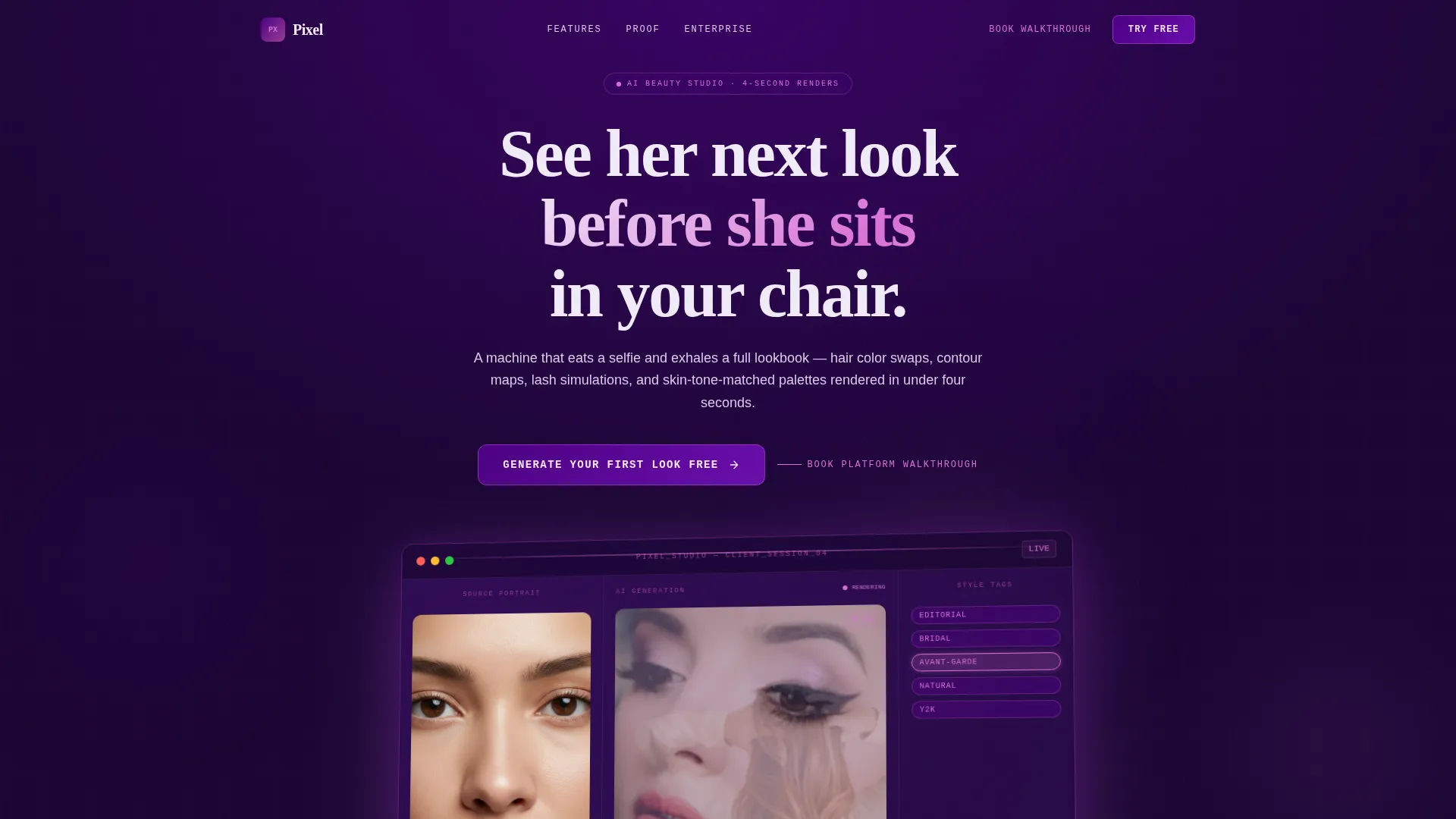
Pixel is a beauty and salon AI image generator landing page template built on a hub-and-spoke anchor navigation layout. It showcases hair color swaps, contour mapping, lash simulations, and skin-tone-matched palettes rendered in under four seconds. Designed for salon owners, beauty influencers, and cosmetics brands, the page drives leads through a free-generation conversion flow.
by Rocket studio
Quick summary
Pixel is a single-page template built for AI beauty image generation products. It uses a hub-and-spoke anchor navigation layout to guide visitors through five capability clusters. The Electric Indigo color system and Data Command theme make the experience feel precise and high-tech. The primary call to action drives free-look generation to convert visitors before asking for commitment.
Who this template is for
This template is designed for businesses and creators who need to demonstrate AI-powered beauty visualization to a specific audience. The product works best when the offer requires live proof before a signup decision.
- Salon owners building iPad-based client consultation flows
- Beauty influencers prototyping thumbnail looks before a shoot
- Cosmetics brand teams generating campaign imagery without booking a studio
What problem this template solves
Selling an AI image tool is difficult when visitors cannot immediately see the output. Generic landing pages describe features but rarely prove them. This template puts the product experience front and center so the visitor understands what the tool does before they are asked to commit.
- Visitors leave without converting because they cannot visualize the AI output
- Enterprise buyers need a secondary path that standard lead forms do not provide
- Beauty professionals need context-specific framing to trust a new AI product
What you get with this template
The template delivers a fully structured single-page layout with all components needed to launch a beauty AI product page. Every section is purpose-built to build conviction and drive action.
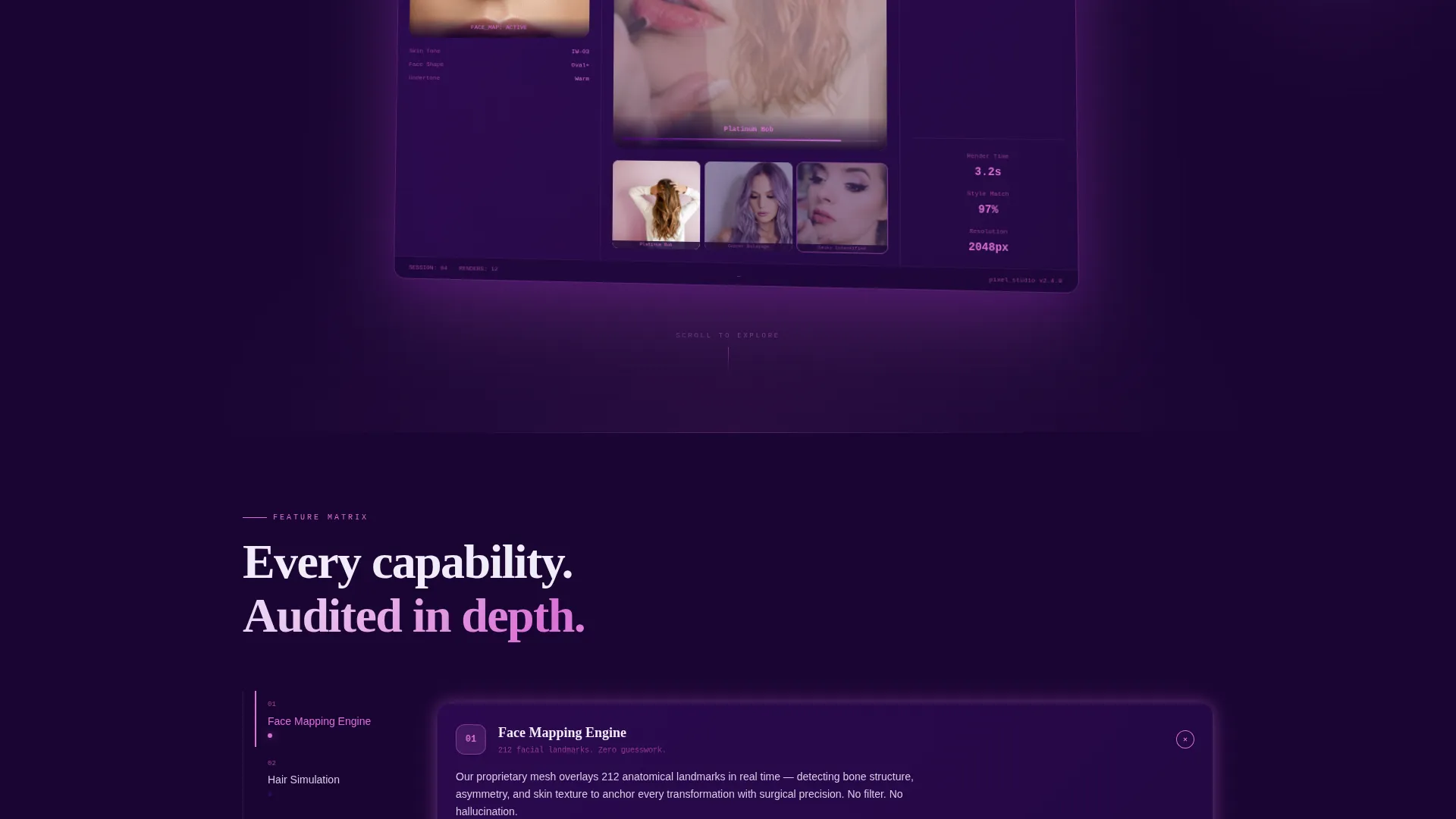
- A Dashboard Preview header with a floating user interface mockup showing portrait upload, real-time generation, and style-tag controls
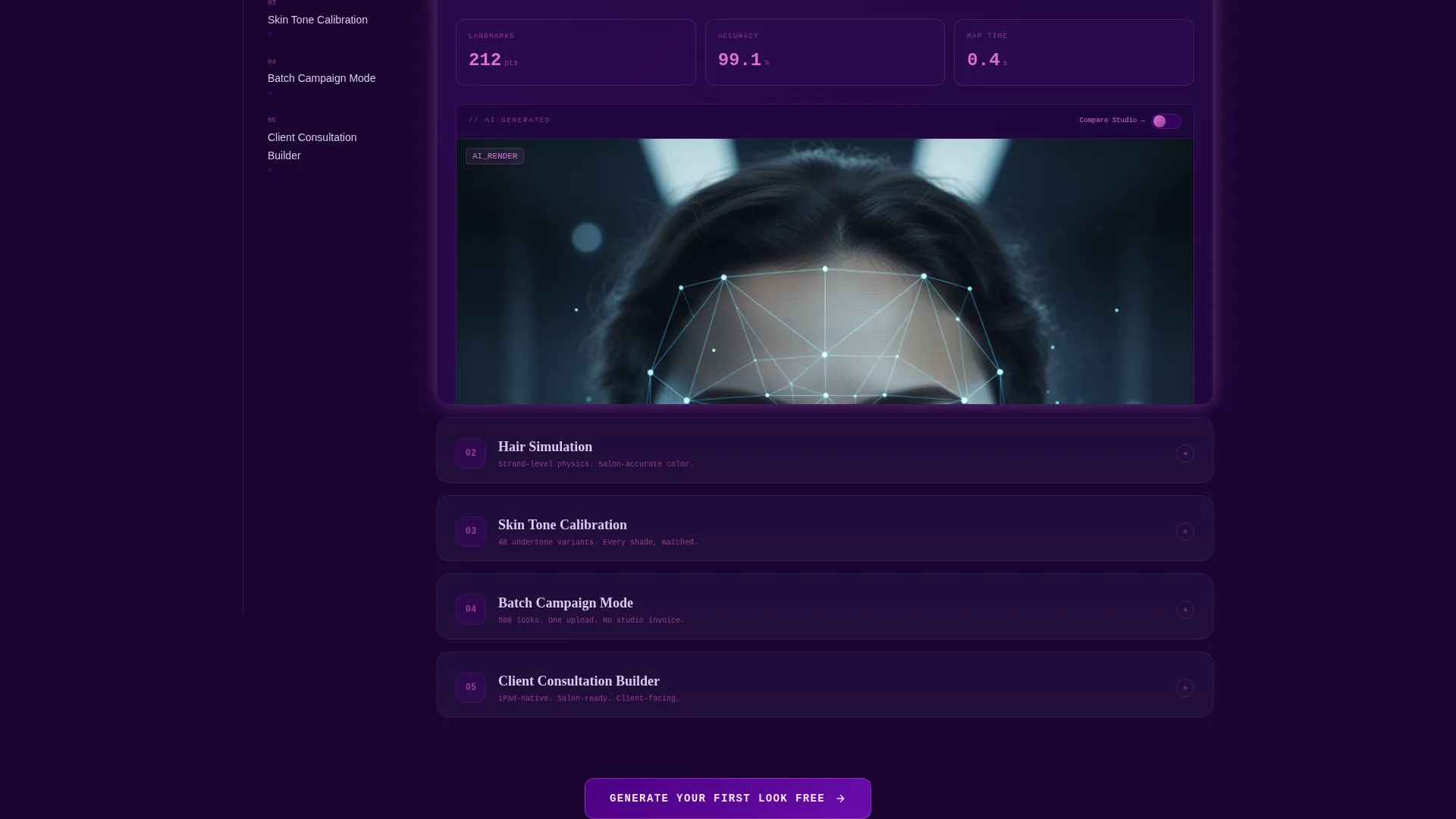
- A spoke-navigation rail with five clickable capability clusters, each containing a micro-demo area, stat callouts, and a comparison toggle
- A progressive two-step lead generation form and a secondary enterprise path labeled "Book a Platform Walkthrough"
Feature list
This template covers five core capability clusters across the spoke navigation and ties them together with a conversion-focused hub layout.
Face Mapping Engine Spoke
This spoke presents the contour mapping capability in a dedicated card. It includes space for a micro-demo display, three stat callouts, and a before-and-after comparison toggle that contrasts AI-generated output with a studio photograph.
Hair Simulation Spoke
The hair simulation spoke demonstrates color variations such as platinum bob and copper balayage renders. The card format mirrors the face mapping spoke so visitors develop a consistent mental model as they scroll through each capability.
Skin Tone Calibration Spoke
This spoke highlights the skin-tone-matched palette feature. It communicates the precision of the AI output and helps salon owners and brand teams understand how the tool adapts to individual complexion data.
Batch Campaign Mode Spoke
The batch campaign spoke targets cosmetics brand visitors. It frames the tool as a campaign production asset, communicating the value of generating multiple looks without studio overhead.
Client Consultation Builder Spoke
This spoke speaks directly to salon owners. It frames the template's AI visualization capability as a consultation workflow built for iPad use, making the tool feel immediately practical and client-ready.
Page sections overview
| Section | Purpose |
|---|---|
| Dashboard Preview Header | Introduces the product with a floating user interface mockup and a headline |
| Anchor Navigation Rail | Lets visitors jump directly to any capability spoke |
| Face Mapping Spoke | Demonstrates contour mapping with stats and comparison toggle |
| Hair Simulation Spoke | Shows hair color render variations with micro-demo area |
| Skin Tone Spoke | Presents skin-tone calibration and palette matching |
| Batch Campaign Spoke | Targets brand teams with multi-look generation framing |
| Consultation Builder Spoke | Addresses salon owner use case with iPad workflow context |
| Hub call to action Center | Houses the primary "Generate Your First Look Free" form |
| Progressive Lead Form | Captures email, role, photo upload, and transformation choice |
| Enterprise Booking Path | Offers "Book a Platform Walkthrough" for enterprise leads |
| Repeat call to action Blocks | Reinforces the free-generation offer after every third spoke |
Design & branding system
The Electric Indigo color system creates a precise and theatrical visual identity. The palette evokes a backstage makeup station lit by UV and ring lights, making the page feel unapologetically synthetic and high-performance.
- Deep terminal violet (#1A0533) for backgrounds and panel frames, charged indigo (#4B0082) for navigation rails, luminous orchid (#DA70D6) for hover states and active indicators, and clinical white (#F0EBF8) for card surfaces and body text
- The header mockup is angled slightly and casts a soft orchid glow-shadow against the deep violet field
- Interactive elements pulse in orchid, progress indicators follow the same system, and every panel edge is framed in violet like kohl liner
Mobile & speed optimization
The template is structured to remain scannable and functional on smaller screens. The hub-and-spoke layout translates well to touch navigation, which is important for the salon-owner audience accessing the page on an iPad.
- The anchor navigation rail is built for tap interaction, making spoke-to-spoke movement smooth on touch devices
- Card-based spoke sections stack cleanly on narrow viewports without losing the comparison toggle or stat callout structure
- The progressive form flow is split into two screens, keeping each step lightweight and easy to complete on mobile
How this template helps you convert
The conversion strategy is built around proving the product before asking for a signup. Every structural decision supports this goal.
- The free-generation call to action appears at the hub center and repeats after every third spoke, so visitors encounter the offer at natural decision points throughout the page
- The progressive form removes friction by splitting email capture and photo upload into two separate steps, lowering the perceived commitment at each stage
- The enterprise booking path runs as a secondary conversion track, ensuring high-value brand and agency visitors have a dedicated next step that matches their buying process
Other information about this template
This template is categorized under Technology with a specific focus on the AI for beauty and salon subcategory. It is designed to serve the beauty and salon AI image generator niche and carries a Data Command theme that positions the product as a serious, tested tool rather than a novelty concept.
- The template style is Hub and Spoke with Anchor Navigation, which is well-suited to feature-rich AI products that need structured capability exploration
- The header concept is Dashboard Preview, a design pattern that helps technical and professional buyers assess a product at a glance before scrolling further
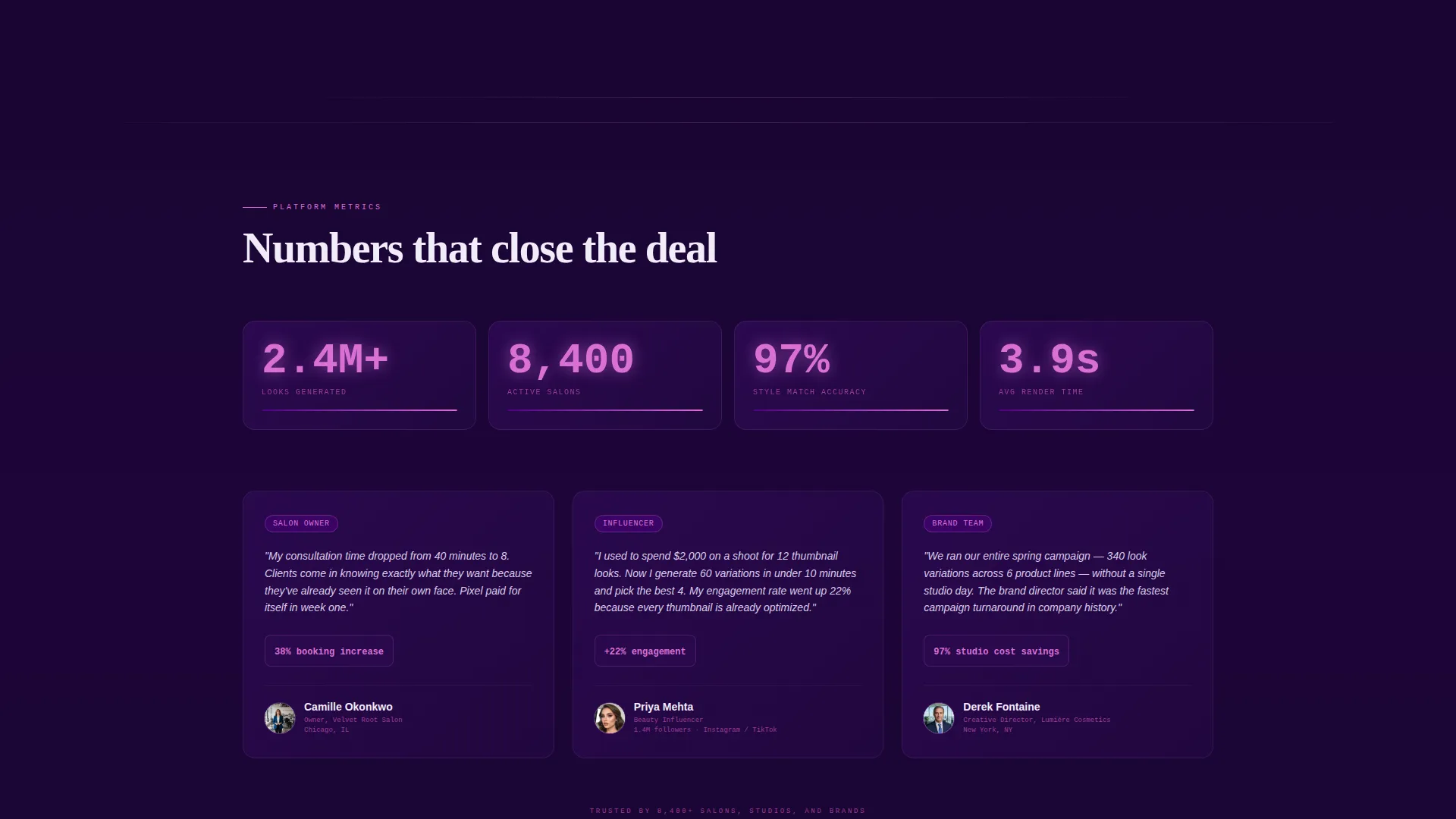
- The creative direction follows a Feature Matrix approach, where each spoke deepens visitor conviction by presenting real capability evidence rather than general marketing claims
Theme
Data Command
Creative direction
Feature Matrix
Color system
Electric Indigo
Style
Hub & Spoke (Anchor Nav)
Direction
Lead Generation
Page Sections
Hub-and-spoke Anchor Navigation
Dashboard Preview Header
Capability Spoke Cards
Progressive Two-step Lead Form
Repeating Call to Action Architecture
Enterprise Booking Path
Related questions
Who is this landing page template designed for?
What is the hub-and-spoke navigation layout?
Can I use this template to capture enterprise leads?
How does the progressive lead form work?
What transformation types does the template showcase?



