Construction Company Advanced Reviews Website Template
Blueprint is a bento grid landing page template built for construction companies that manage complex commercial projects. It pairs a Tech Glass visual identity with an Electric Indigo color system to deliver a dashboard-driven, app-download experience. The layout uses animated capability tiles, a floating app preview header, and a scroll-intensifying feature matrix to move visitors toward downloading a jobsite management app.
by Rocket studio
Quick summary
Blueprint is a single-page, bento grid landing page template designed for commercial construction firms. It opens with a floating isometric dashboard preview and guides visitors through an asymmetric feature matrix before delivering a clear app-download call to action. The dark Tech Glass aesthetic and Electric Indigo palette make every section feel sharp, data-rich, and built for the jobsite.
Who this template is for
This template is built for construction companies that want a landing page as capable as their projects. It speaks directly to the people managing those projects day to day.
- General contractors who track punch lists and need a portfolio page that reflects their technical credibility
- Project owners and site superintendents who want to see a tool handling real jobsite data before they commit to downloading it
- Construction technology teams launching or promoting a project management app to commercial, industrial, or infrastructure clients
What problem this template solves
Most construction company portfolio pages look like brochures. They list services, show a few project photos, and ask visitors to call. That approach fails the modern contractor who decides in seconds whether a tool is worth their time.
- The page lacks a sense of the product in action, leaving visitors with no proof that it works
- Generic layouts do not reflect the complexity or scale of commercial construction work
- There is no clear path from interest to action, so potential users drop off before downloading or booking a demo
What you get with this template
You get a fully designed, single-page bento grid layout that puts the construction app front and center from the first scroll. Every section is built to demonstrate capability, not just describe it.
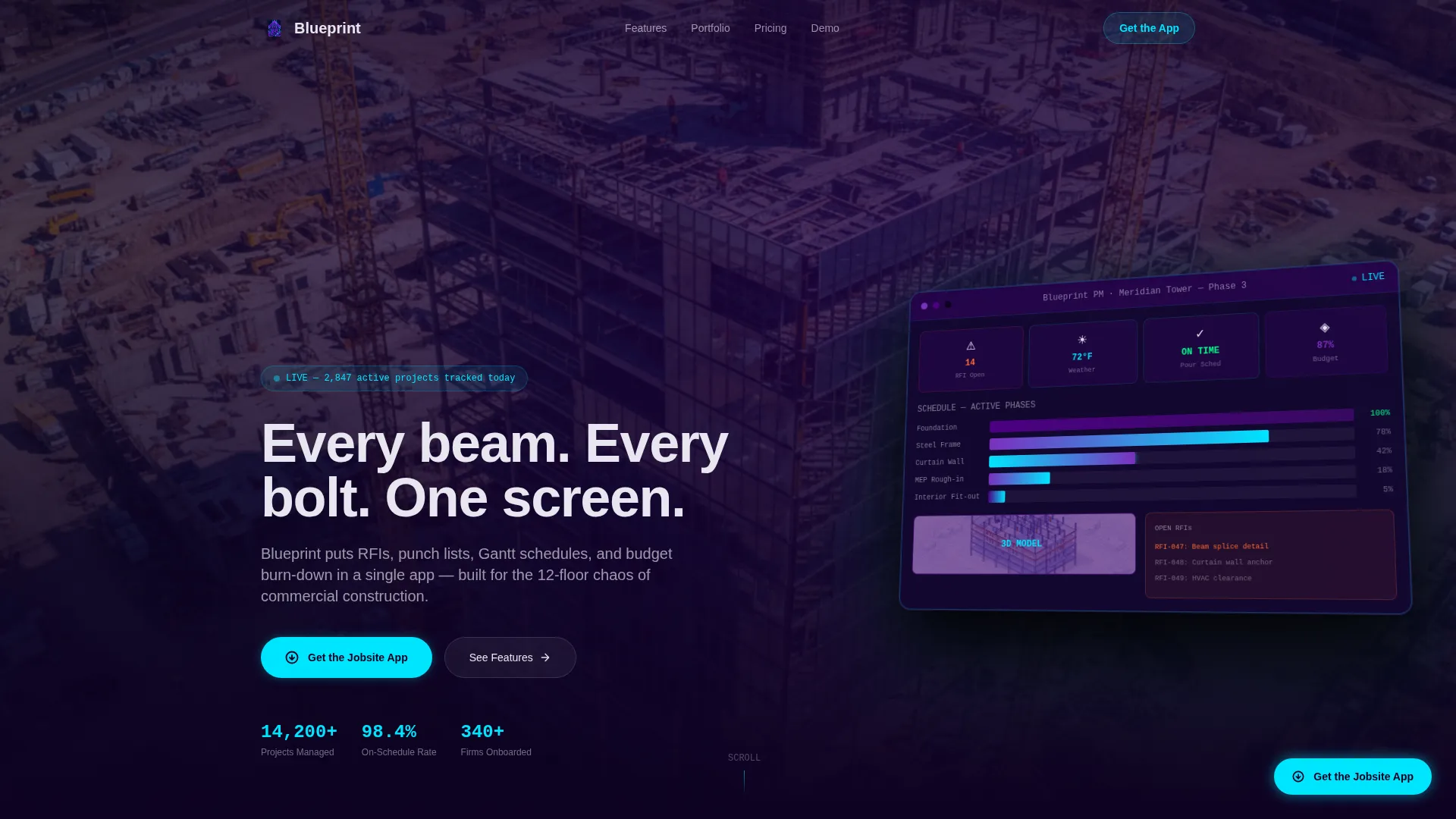
- A floating isometric dashboard header showing a live Gantt chart, a three-dimensional site model thumbnail, an open Request for Information counter, and a weather widget
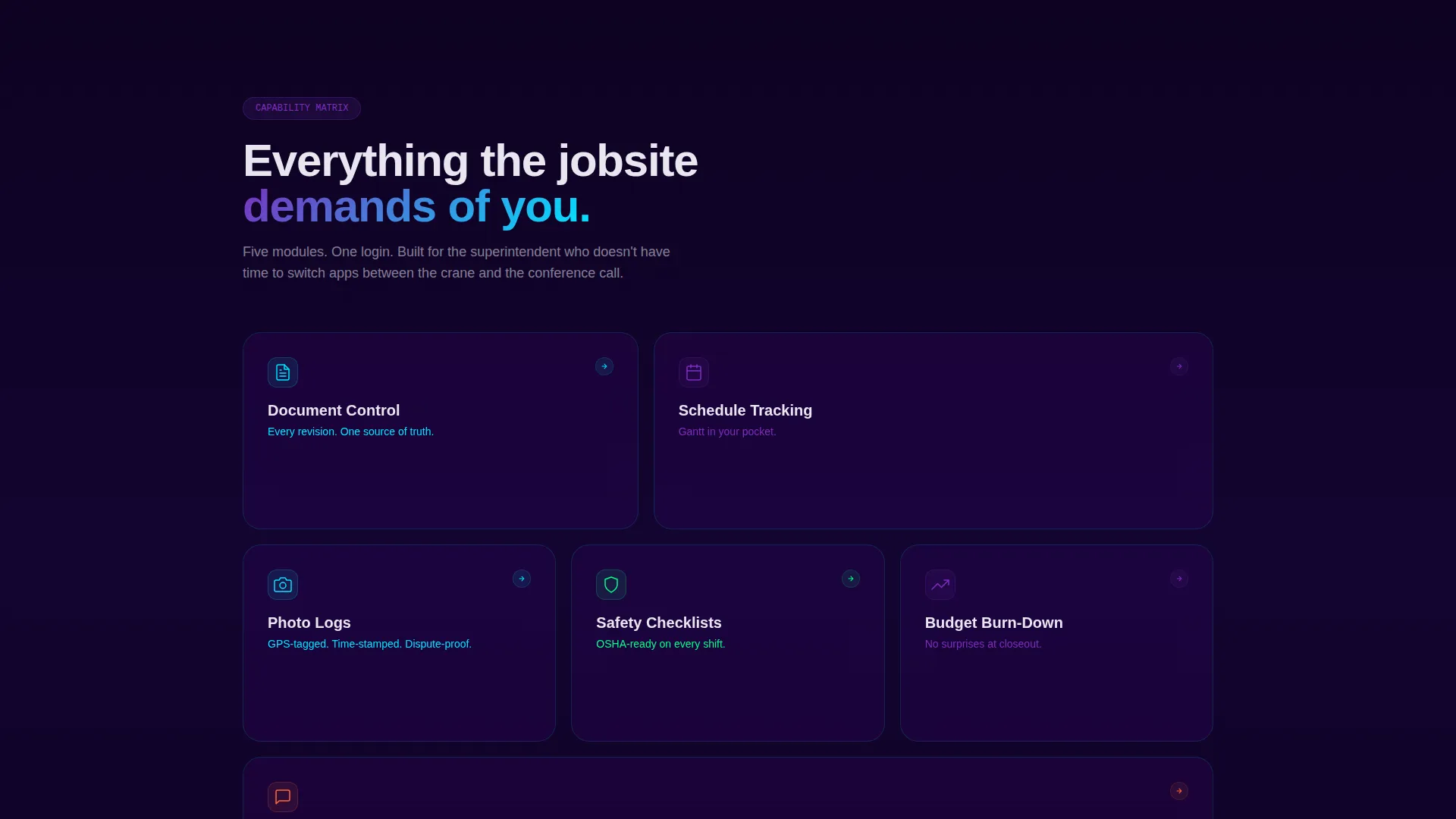
- An asymmetric feature matrix of expandable capability tiles covering document control, schedule tracking, photo logs, safety checklists, and budget burn-down
- A floating pill-style primary call-to-action button pinned to the scroll, plus a secondary demo booking tile in the final bento row
Feature list
The feature list below reflects the specific components and interactions built into this template as described in the source brief.
Isometric Dashboard Header
The header renders a floating, isometric view of the project management app mid-session. It displays a live Gantt chart with overlapping phase bars, a three-dimensional site model thumbnail, an open Request for Information counter showing 14 items, and a weather widget reading 72 degrees Fahrenheit and clear skies. The dashboard breathes for two seconds before the tagline types itself in.
Self-Typing Tagline Animation
After the dashboard loads, the headline animates into view character by character. The effect creates a moment of tension before the core message appears: "Every beam. Every bolt. One screen." It is a simple motion cue that signals the page is alive and interactive.
Asymmetric Bento Grid Layout
Tiles are arranged off-grid so the eye bounces between them rather than scanning in a straight line. As visitors scroll, the tiles grow larger, data density increases, and the cyan accent color appears more frequently. This progressive intensification creates a sense of zooming deeper into the product's capabilities.
Hover-Expand Capability Tiles
Each capability tile in the feature matrix expands on hover to reveal a micro-animation of that specific feature running inside the app interface. Document control, schedule tracking, photo logs, safety checklists, and budget burn-down each get their own animated reveal.
Floating Scroll-Pinned call to action Button
The primary call to action, labeled "Get the Jobsite App," is styled as a pill button in reactive cyan and stays pinned as visitors scroll through the entire page. It is always visible and never competes with the content sections for attention.
Demo Booking Tile with Project Qualifier
The final bento row includes a secondary call-to-action tile labeled "See It On Your Project." It links to a guided demo booking form that asks for project type, active project count, and current project management software. This qualifier step ensures the demo conversation starts with real context.
Page sections overview
| Section | Purpose |
|---|---|
| Dashboard Header | Opens with a floating isometric app preview and animated tagline |
| Feature Matrix Grid | Asymmetric bento tiles showing each app capability with hover micro-animations |
| Capability Tiles Row | Expands on hover to reveal document control, scheduling, and safety features |
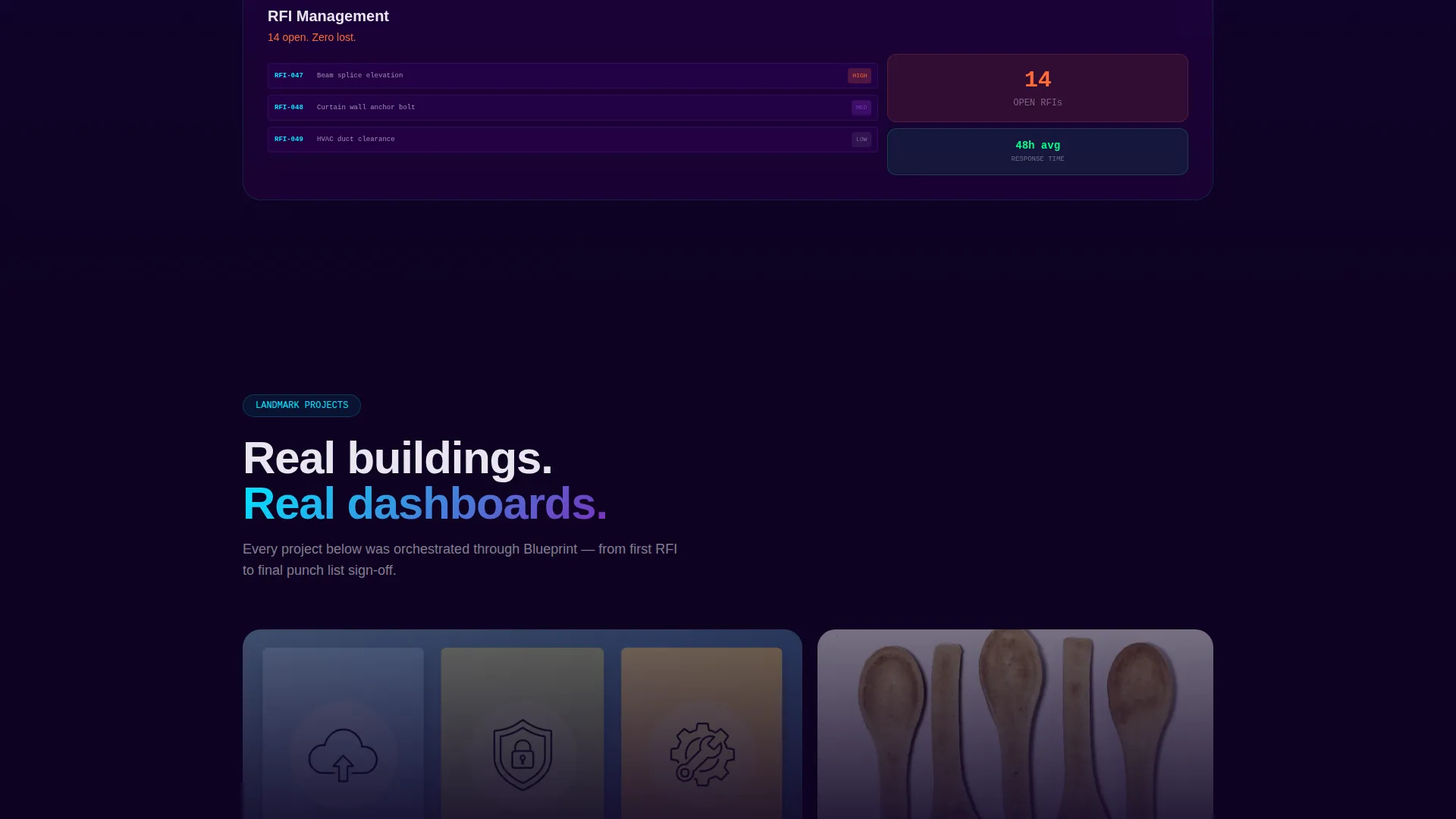
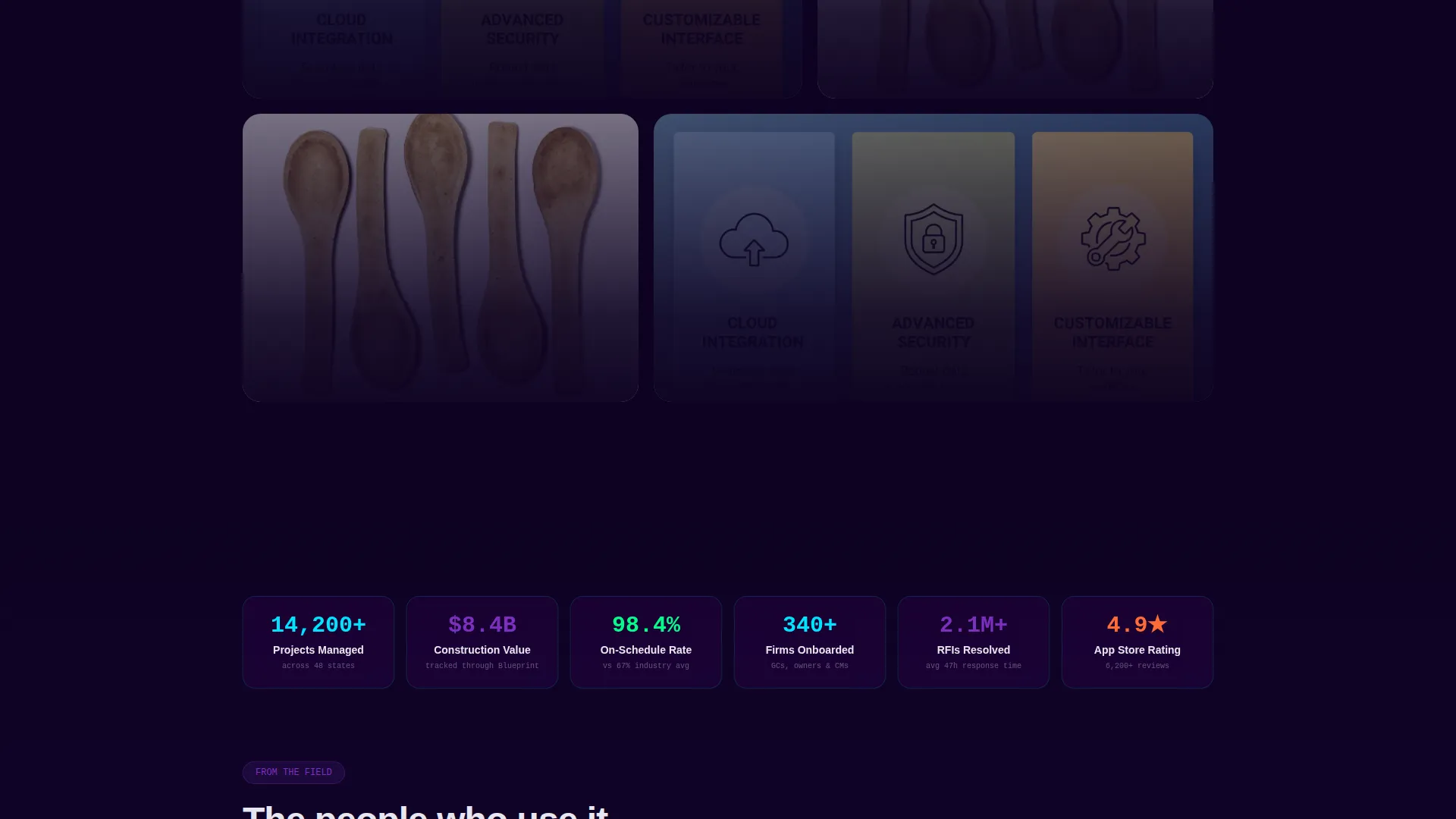
| Portfolio Gallery Row | Full-width row presenting completed projects as app-managed case studies |
| Demo Booking Tile | Secondary call to action tile with a project qualifier form for guided demo booking |
| Floating call to action Button | Scroll-pinned pill button prompting the app download throughout the page |
Design & branding system
The visual identity follows a Tech Glass theme built on an Electric Indigo color system. The palette is deliberately dark and controlled, with single points of reactive color that command attention exactly like an arc welder commands a darkened workspace.
- Core colors: deep jobsite midnight (#0D0221) for backgrounds, charged indigo (#4B0082) and live-wire violet (#7B2FBE) for structural elements, frosted white (#E8E6F0) for body text, and reactive cyan (#00E5FF) reserved for interactive states and data accents
- Each bento tile carries a subtle glass-morphism border that catches the cyan highlight, mimicking the way rebar catches floodlight on a night-shift pour
- The header background uses a blurred aerial photograph of an active construction site, a steel skeleton half-dressed in curtain wall, giving the dashboard a grounded, real-world context
Mobile & speed optimization
The bento grid layout is structured to remain clear and navigable at smaller screen sizes, where jobsite professionals are most likely browsing between site visits or on a tablet at golden hour.
- The floating call to action pill button retains its scroll-pinned position on mobile so the download action is never more than a thumb-tap away
- Tile sizing and spacing adapt across breakpoints to keep the asymmetric grid readable without horizontal scrolling
- The isometric dashboard header is designed to remain legible and visually striking even when rendered on a tablet or mid-size device screen
How this template helps you convert
Blueprint earns the app download by showing the product doing real work before the visitor reaches the bottom of the page. The conversion path is built into the scroll itself.
- The animated dashboard header establishes immediate credibility by presenting a live-looking project management interface. Visitors understand what the app does within the first two seconds of landing on the page.
- The hover-expand feature tiles let visitors interact with the product visually before downloading it. Each tile demonstrates a specific jobsite workflow, so by the time someone reaches the demo booking tile, they have already experienced the product with their eyes.
Other information about this template
Blueprint is categorized under construction company website templates and is specifically positioned for the construction company portfolio page niche. It sits at the intersection of technology and construction, making it a strong fit for teams promoting a project management app to commercial, industrial, or infrastructure clients.
- The template style is bento grid, a format well suited to showcasing multiple features without a linear scroll structure
- The landing page direction is app download, meaning every design decision from the pinned call to action to the capability tiles is oriented toward a single conversion goal
- The header concept is a dashboard preview, which is a proven approach for software and app landing pages where showing the interface early reduces hesitation
- The creative direction is a feature matrix, giving the construction company portfolio page a structure that doubles as a product demonstration
Theme
Tech Glass
Creative direction
Feature Matrix
Color system
Electric Indigo
Style
Bento Grid
Direction
App Download
Page Sections
Isometric Dashboard Header with Animation
Asymmetric Bento Grid Feature Matrix
Hover-expand Capability Tiles
Scroll-pinned Floating Call to Action Button
Demo Booking Tile with Project Qualifier
Full-width Portfolio Gallery Row
Related questions
Can I use this template without a real app to promote?
How does the bento grid layout work for a construction portfolio?
What does the demo booking form collect from visitors?
Is the floating call to action button visible throughout the whole page?
Can the Electric Indigo color system be adjusted for a different brand?



