Agriculture Vertical SaaS Booking Website Template
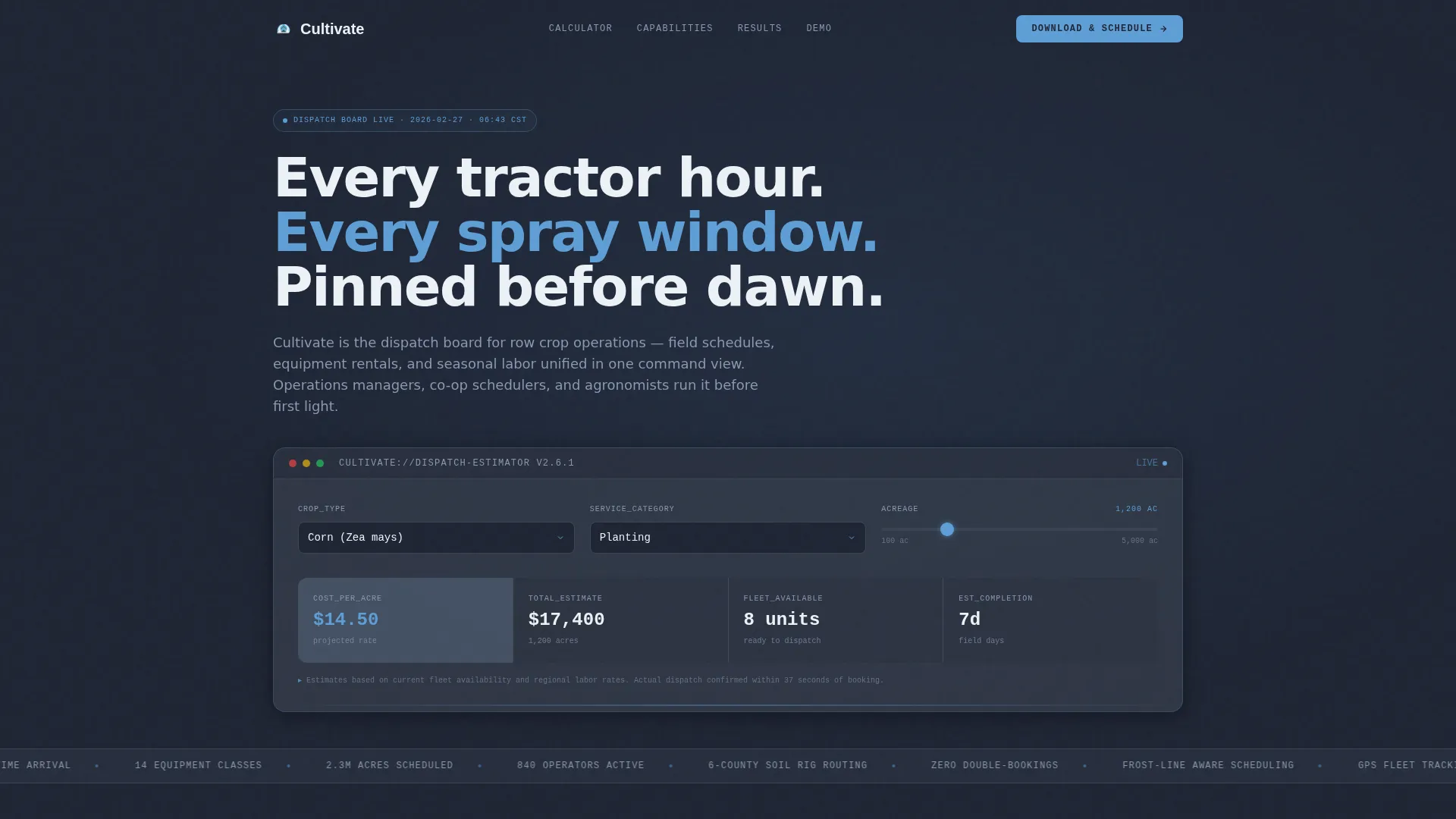
Cultivate is a modular card-grid landing page built for agriculture booking platforms. It features a live cost-estimator header, a spec-sheet card layout with bold operational metrics, and a smart app-download call to action that serves mobile and desktop visitors differently. The design uses a dark Slate & Sky palette that feels like a radar screen inside an equipment shed.
by Rocket studio
Quick summary
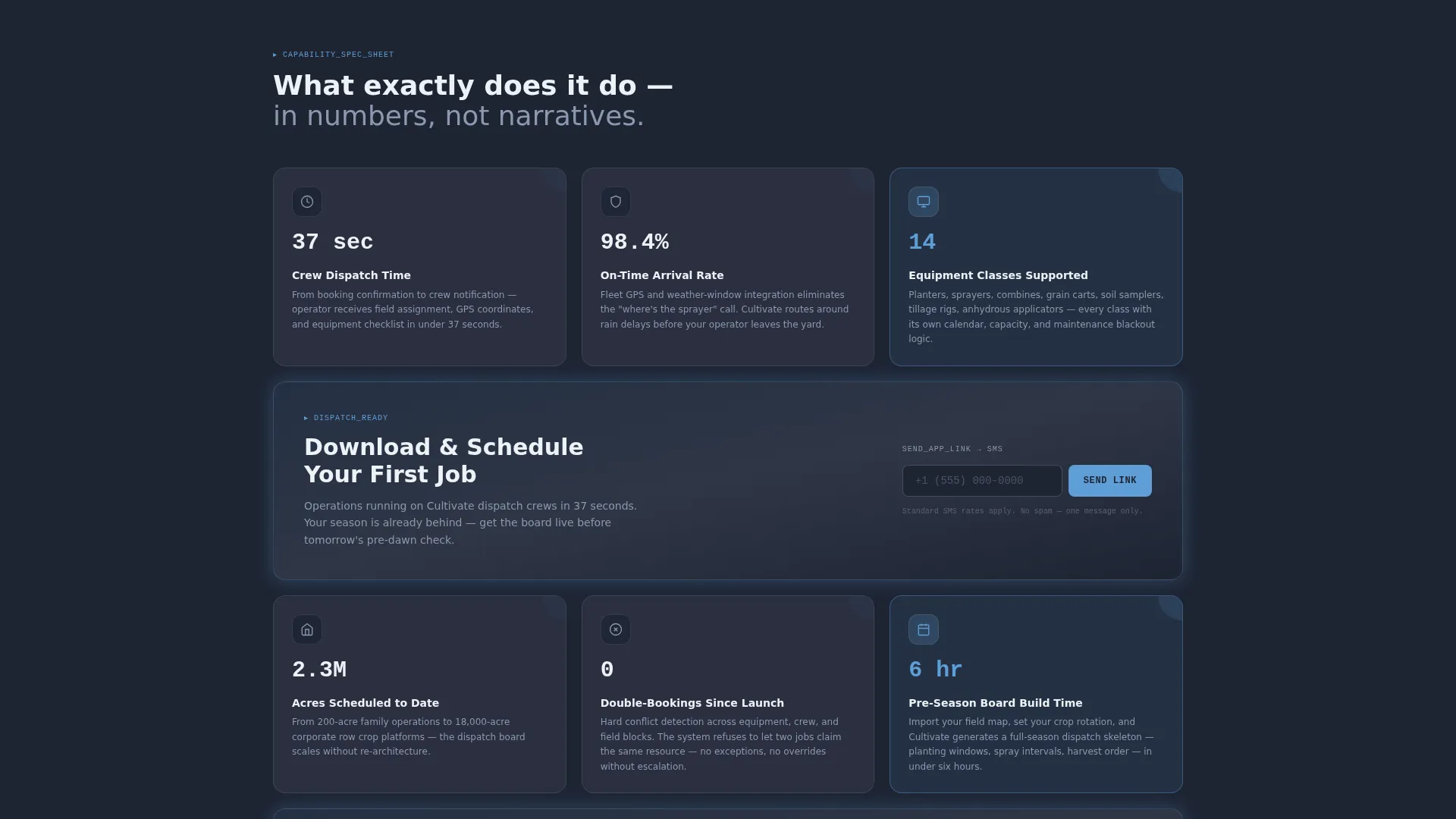
Cultivate is a single-page template designed for agriculture booking and dispatch platforms. The header opens with a working cost calculator. Below it, modular capability cards stack in a three-column grid, each card leading with a hard metric. The page closes with a device-aware app download call to action and a secondary demo booking path for cooperative managers.
Who this template is for
This template is built for teams that run field operations at scale and need a landing page that speaks the same language their users do.
- Operations managers running large row crop farms who need to communicate scheduling precision to new users
- Cooperative schedulers managing equipment availability across dozens of member farms
- Agronomists and service providers booking soil sampling or spray rigs across wide territories
What problem this template solves
Scheduling tools for agriculture often look like generic software products. They fail to earn trust from operations-minded buyers who need proof before they commit.
- Visitors leave before understanding what the platform actually does at a field level
- No clear cost signal in the first interaction forces prospects to guess at budget fit
- Demo request forms bury the app download path, losing mobile visitors who are ready to act
What you get with this template
You get a complete, ready-to-customize landing page built around one clear goal: turn a skeptical field manager into an app user in a single scroll.
- A live calculator header where visitors select crop type, drag an acreage slider, choose a service category, and watch projected cost-per-acre and fleet availability update in real time
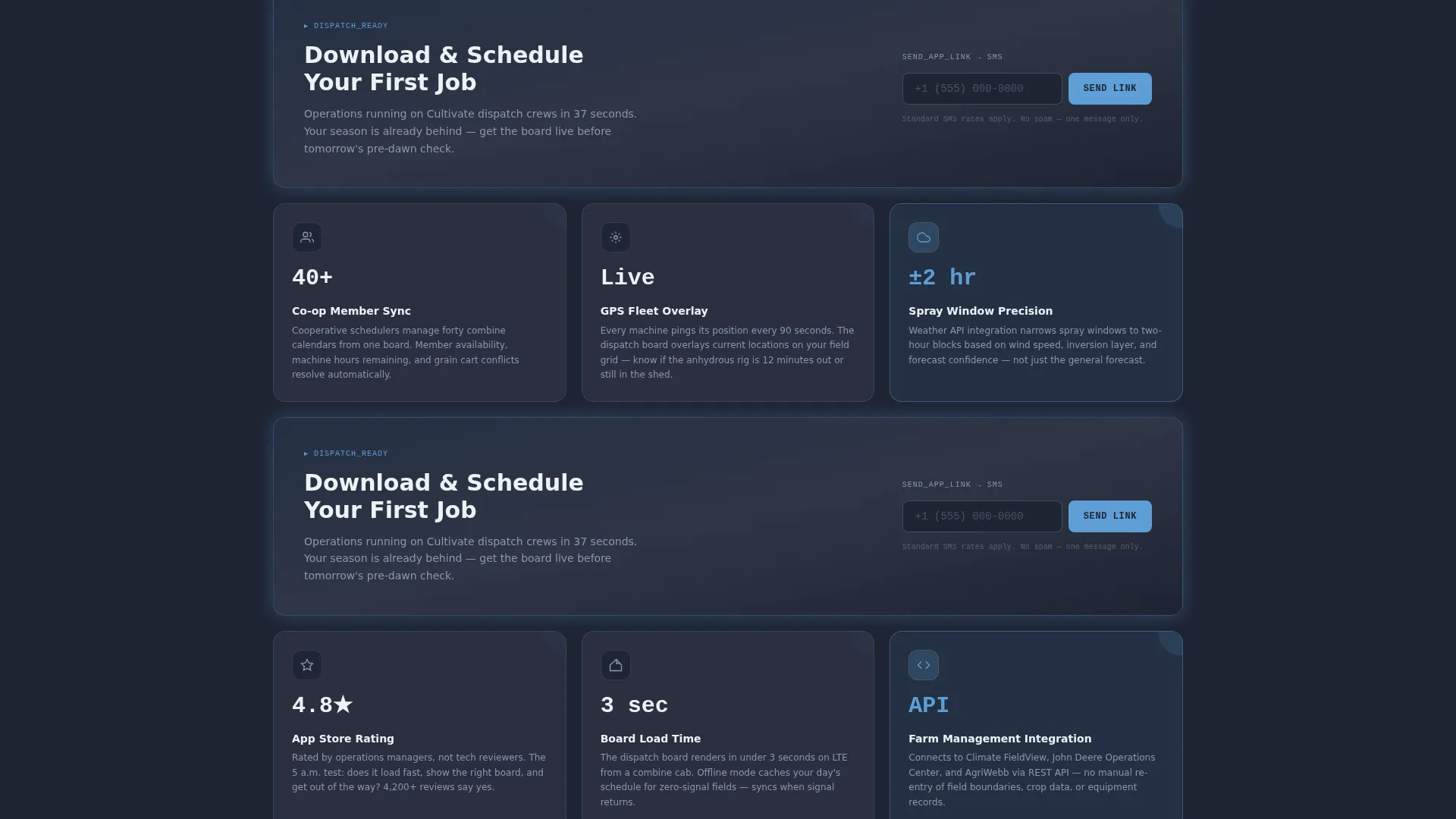
- A three-column modular card grid where every card leads with a bold operational metric, a two-sentence explanation, and a screenshot or icon
- A device-aware download flow that shows App Store and Google Play badges on mobile and an SMS link field on desktop, plus a secondary "Book a Live Demo" path
Feature list
This section covers the core interactive and structural capabilities built into the Cultivate template.
Live Booking Cost Calculator
The header is a fully functional estimator. Visitors choose a crop type from a dropdown, drag an acreage slider between 100 and 5,000 acres, and select a service category such as planting, spraying, harvesting, or hauling. Projected cost-per-acre and fleet availability figures update in real time, rendered in open-sky blue monospaced type against a charcoal background.
Modular Spec-Sheet Card Grid
Cards below the fold are arranged in a three-column grid. Each card opens with a bold metric header, for example "37-second crew dispatch" or "14 equipment classes supported," followed by a two-sentence capability description and a small icon or system screenshot. Rows escalate in depth from scheduling basics to fleet tracking to seasonal analytics.
Device-Aware App Download Flow
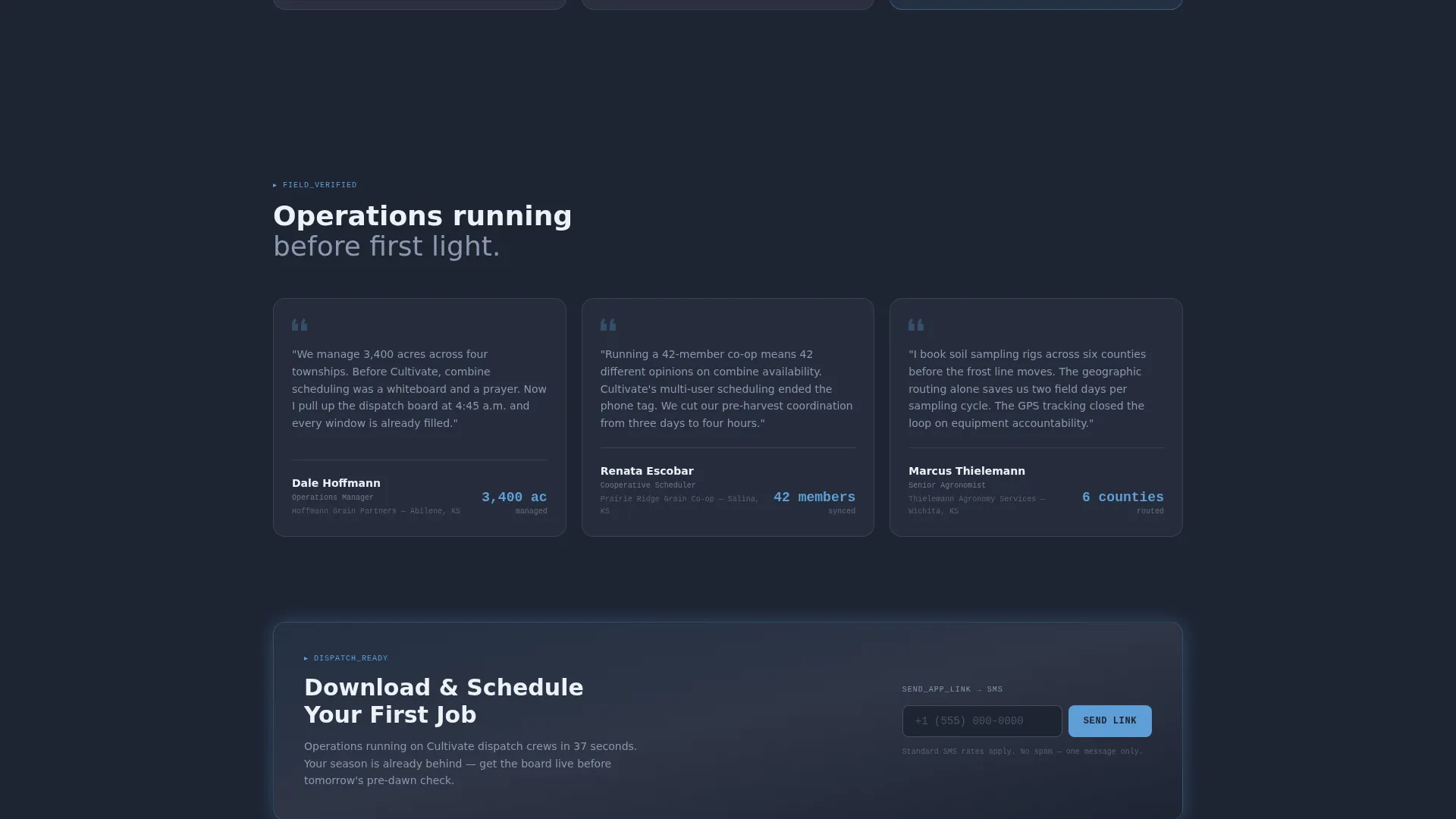
The primary call to action reads "Download & Schedule Your First Job." It appears fixed in the header bar and repeats after every third card row. Mobile visitors see App Store and Google Play badges directly. Desktop visitors enter a phone number to receive an SMS download link.
Secondary Demo Booking Path
A second conversion path labeled "Book a Live Demo" runs alongside the primary download flow. It targets cooperative schedulers and operations teams who need to see multi-user scheduling in action before committing to a full rollout.
Sticky Header Call to Action
The primary download button stays fixed in the header bar as the visitor scrolls. This means the conversion trigger is always visible, whether the visitor is reading the calculator results or reviewing a card three rows down the page.
Page sections overview
| Section | Purpose |
|---|---|
| Calculator Header | Live cost and availability estimator |
| Fixed Header Bar | Sticky download call to action |
| Capability Card Grid | Metric-led feature modules in three columns |
| Repeated call to action Rows | Download prompt after every third card row |
| Demo Booking Path | Secondary conversion for cooperative managers |
Design & branding system
The visual identity follows a Data Command theme built on a Slate & Sky color system. Every color choice is functional, not decorative, pulling from radar screens and pre-dawn equipment shed monitors.
- Weathered slate gray (#3B4252) on card backgrounds, deep furrow charcoal (#1E2433) on the page body, open-sky blue (#5E9ED6) on active states and primary buttons, and early-morning frost white (#EDF2F7) for text and divider lines
- Calculator figures and metric headers use a monospaced typeface that reads like terminal output, reinforcing the precision and data-authority tone
- No stock photography; the visual language is spec sheets, system data, and operational numbers rather than lifestyle imagery
Mobile & speed optimization
The template is structured to serve field professionals who often visit from a phone between tasks. The device-aware download flow is the clearest signal of that priority.
- Mobile visitors land on App Store and Google Play badges without an extra redirect or form step
- The sticky header ensures the download call to action stays within one tap at any scroll depth
- The card grid layout adapts to narrower viewports so metric headers and two-sentence descriptions remain readable without horizontal scrolling
How this template helps you convert
The Cultivate template layers conversion triggers at every stage of the scroll, from the first calculator interaction to the final card row.
- The live estimator at the top earns engagement immediately. By the time a visitor has set their acreage and seen a cost-per-acre figure, the app already feels calibrated to their operation, which lowers the barrier to downloading.
- Metric-led cards build proof progressively. Each row adds a layer of operational specificity, so a skeptical operations manager or cooperative scheduler sees answers to "what exactly does this do" with numbers, not vague feature names.
- Repeated calls to action with device detection remove friction at the moment of intent. Mobile visitors tap a store badge. Desktop visitors drop a phone number. Neither path asks for more than one step.
Other information about this template
Cultivate is categorized under Technology with a subcategory of Agriculture Vertical SaaS. The template is matched to the agriculture booking system niche and carries an intersection match score of 13, indicating strong alignment between the template design choices and the target use case.
- The template style is Card Grid (Modular), the theme is Data Command, the header concept is Calculator/Estimator, and the primary landing page direction is App Download
- The Slate & Sky color system and Spec Sheet creative direction are defined at the intersection level, meaning they are confirmed design targets and not decorative suggestions
- This template can support any agriculture booking platform that needs to communicate scheduling precision, fleet capacity, and cost clarity to operations-minded buyers before asking for a download or demo commitment
Theme
Data Command
Creative direction
Spec Sheet
Color system
Slate & Sky
Style
Card Grid (Modular)
Direction
App Download
Page Sections
Live Booking Cost Calculator
Metric-led Modular Card Grid
Device-aware App Download Flow
Sticky Header Download Button
Secondary Demo Booking Path
Related questions
Can I customize the crop types and service categories in the calculator?
Does the template work if I only want the app download path and not the demo booking option?
How does the card grid handle a different number of capability modules?
Is the calculator connected to live pricing or fleet data out of the box?
Who is the secondary demo booking path designed for?



