Micro-SaaS & Developer Tools Professional Website Template
Playback is a dark, dashboard-style landing page template built for session recording tools. It combines a cinematic full-bleed header, spec-sheet data panels, and inline micro-replay mockups to show exactly what your product captures. The design targets product managers, user experience researchers, and growth engineers who need to see real user behavior before they can fix it.
by Rocket studio
Quick summary
Playback is a single-page landing page template designed for session recording and user behavior tools. It uses a Tech Glass visual identity with void-black backgrounds, frosted-panel cards, and acid-lime metric highlights. The layout follows a Spec Sheet cadence, alternating clinical data panels with visceral micro-replay moments to pull visitors toward installation.
Who this template is for
This template is built for teams who ship software and need to understand how real users actually move through it. If your job is to find the drop-off, prove the redesign case, or stop the churn, this page speaks your language.
- Product managers debugging onboarding funnels and conversion bottlenecks
- user experience researchers building evidence for interface redesigns
- Growth engineers identifying the exact moment a trial user leaves before upgrading
What problem this template solves
Most tool landing pages describe features in abstract terms. Playback reverses that. It puts captured session behavior front and center so visitors feel the product's value before they read a single specification.
- Generic SaaS landing pages fail to show what the tool actually does in practice
- Visitors need to experience a replay moment, not just read about one
- Technical buyers require precise capability specs before they will install anything
What you get with this template
You get a complete, single-page landing page layout built around the session recording use case. Every section is purpose-built to earn the install, not just describe it.
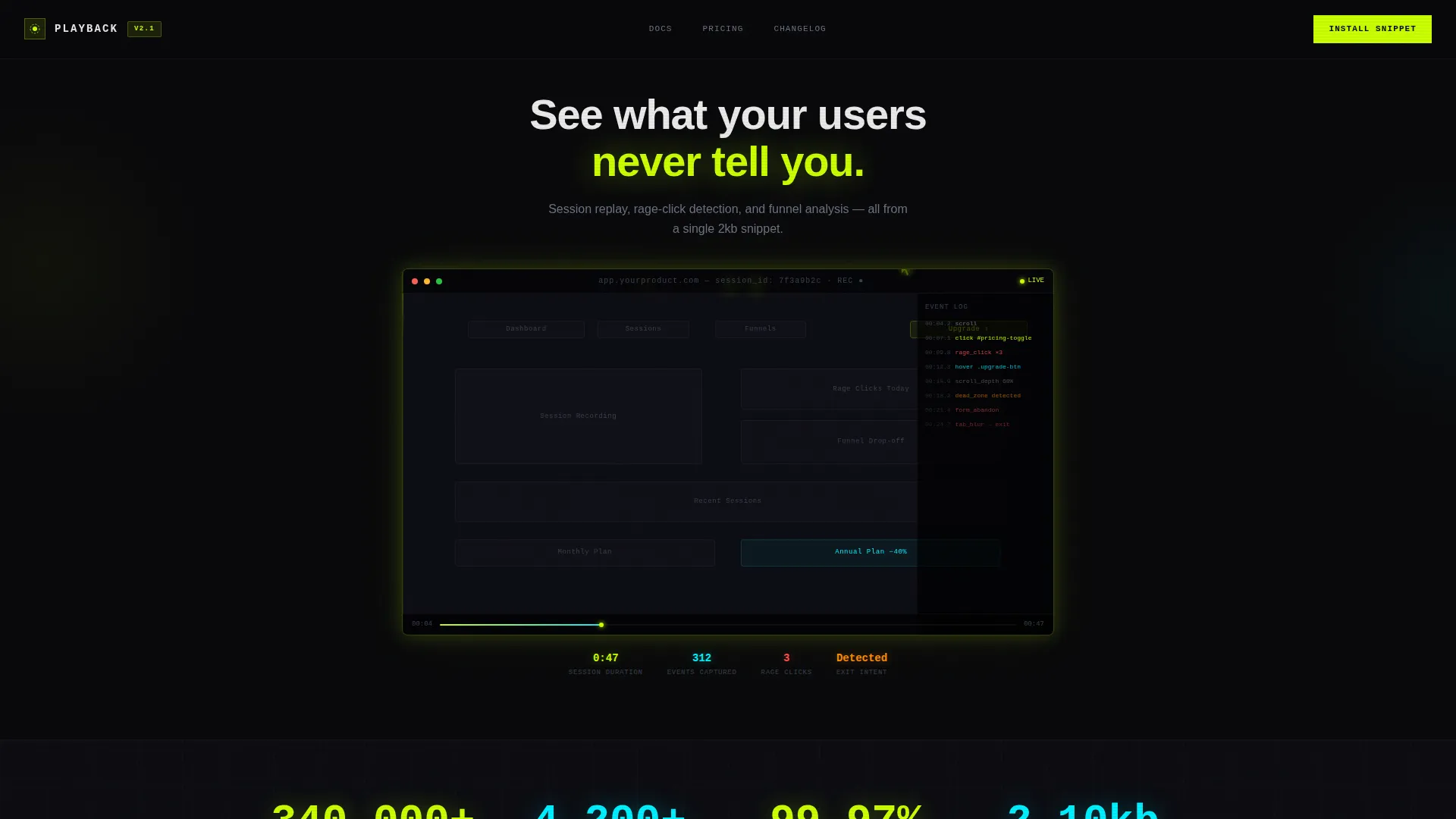
- A cinematic full-bleed header with an animated ghostly cursor replay and heatmap overlays
- Alternating spec panels and embedded micro-replay mockups across the scroll
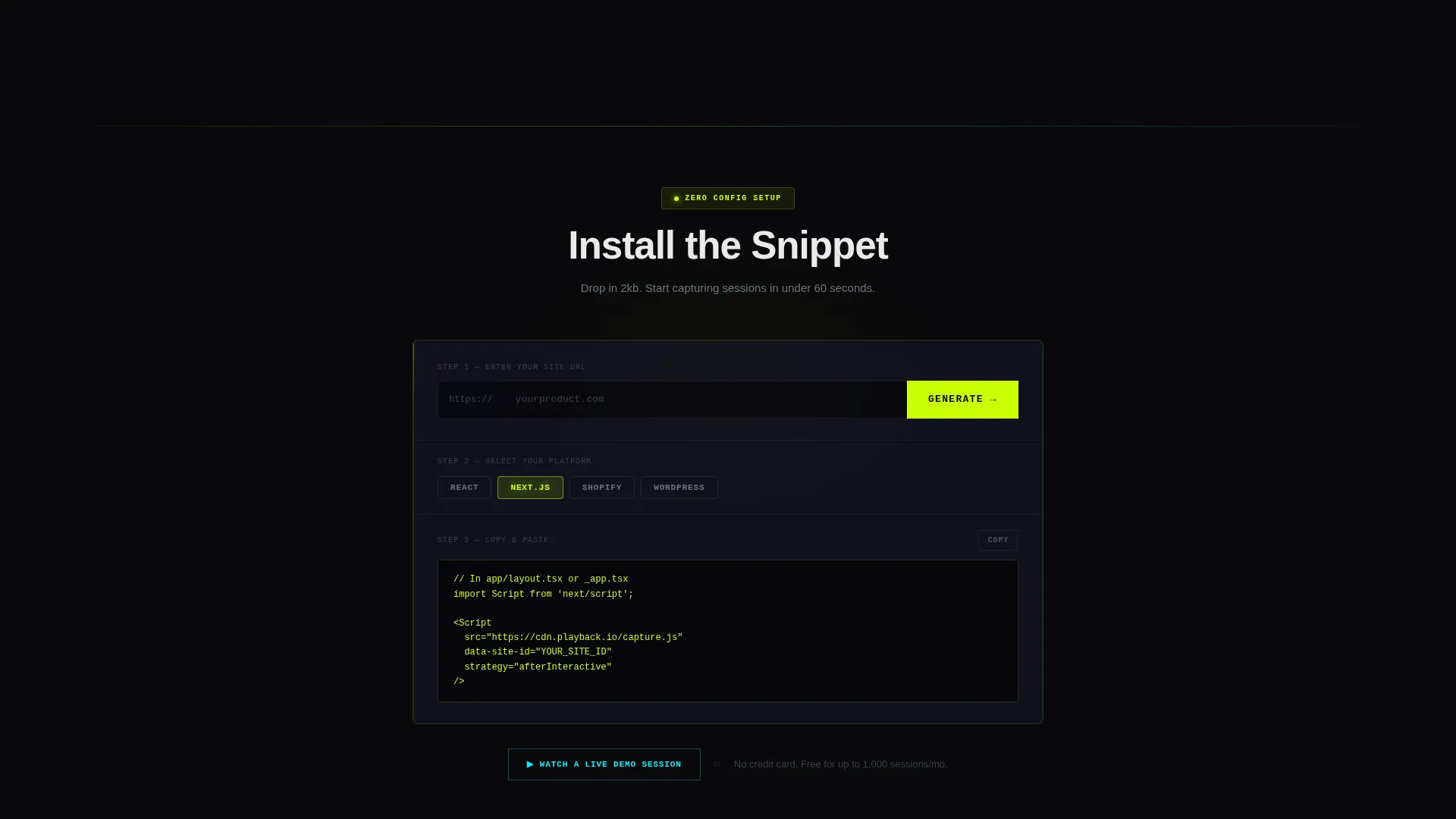
- A focused conversion section with a URL input field, script-tag generator concept, and platform toggle pills for React, Next.js, Shopify, and WordPress
Feature list
This template delivers a focused set of layout and visual components. Each one is grounded in the Spec Sheet creative direction and the App Download conversion goal.
Cinematic Full-Bleed Header
The header fills the entire viewport in absolute black. A glowing session replay interface floats at center, with lime and cyan light radiating from its edges. A ghostly cursor moves autonomously across a mock product user interface, hesitating over a pricing toggle before abandoning. The headline "See what your users never tell you" fades in after a short silent pause.
Spec Sheet Data Panels
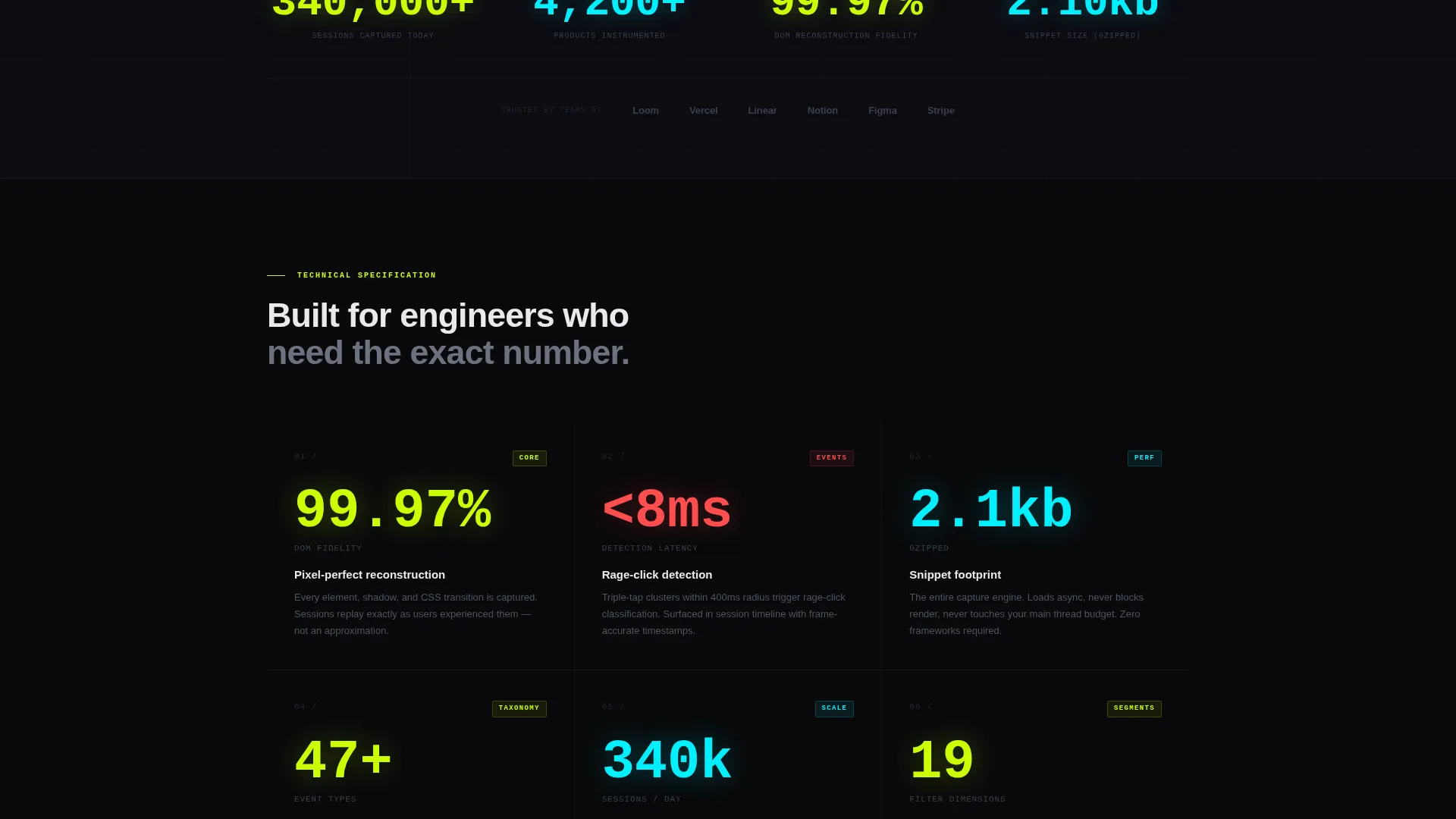
Each scroll section presents one capability as a technical specification card. Metrics such as session count throughput, pixel-perfect DOM reconstruction fidelity, and rage-click detection latency are displayed with oversized acid-lime numbers. Descriptions are terse and engineering-precise to match the technical buyer audience.
Embedded Micro-Replay Mockups
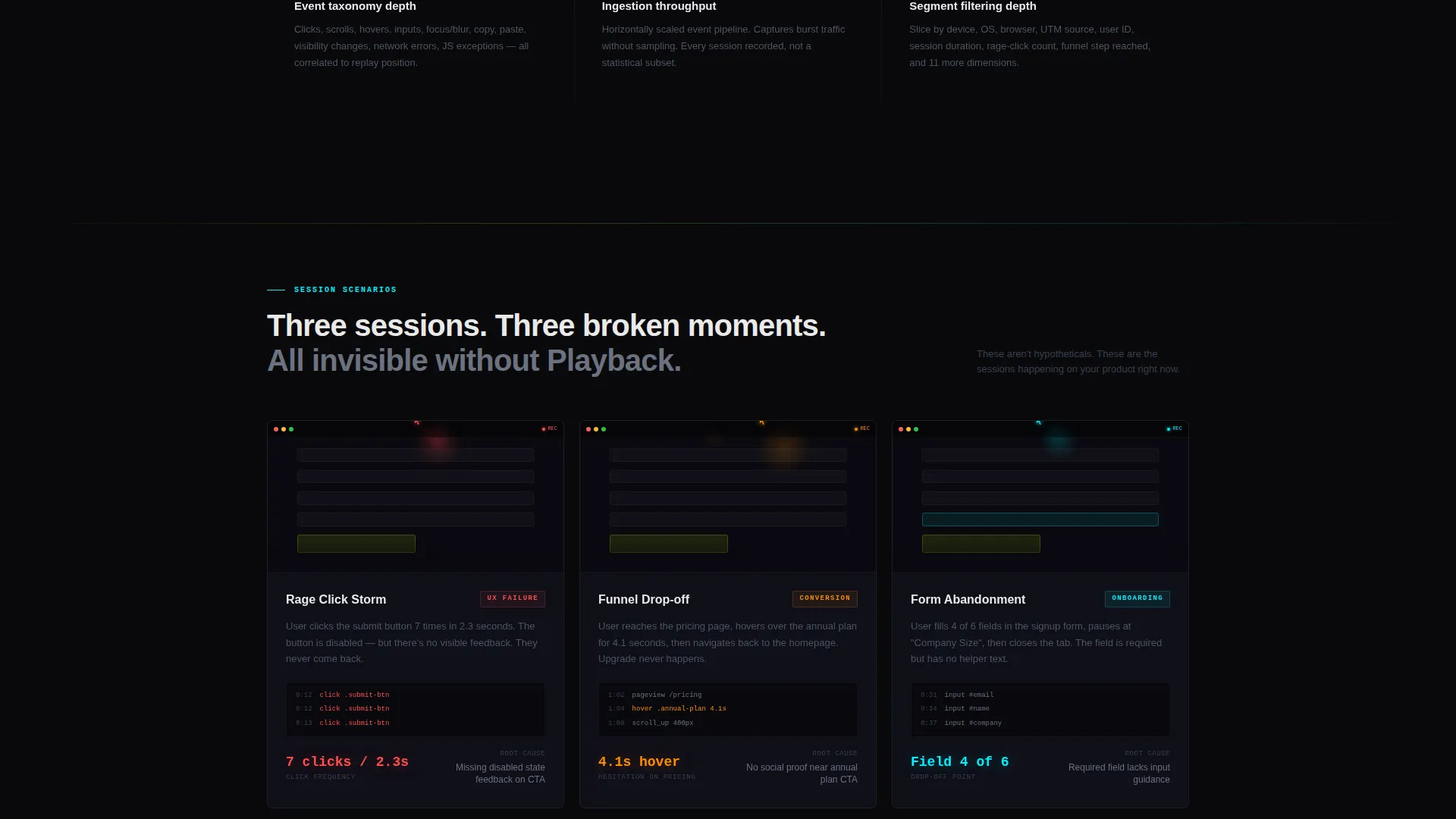
Between spec panels, silent micro-replays autoplay showing real friction scenarios: a funnel drop-off, a form abandonment, a confused circular scroll. These visceral moments break the clinical rhythm and reinforce why the tool matters without requiring any explanation.
Install-Focused Conversion Section
The primary call to action reads "Install the Snippet." It includes a one-field input for a site URL that generates a lightweight script tag concept. Platform toggle pills let visitors select their stack from React, Next.js, Shopify, or WordPress before copying the install code.
Live Demo Session Path
A secondary conversion path invites visitors to "Watch a Live Demo Session." This opens a real anonymized replay in-browser, letting the visitor experience the product directly before committing to installation.
Tech Glass Design System
Frosted-glass cards with 1-pixel luminous borders float over pure void backgrounds. Translucent panel gray at 60 percent opacity creates depth. Electric lime drives active states and data highlights while signal cyan handles chart lines and secondary accents.
Page sections overview
| Section | Purpose |
|---|---|
| Full-Bleed Header | Opens with silent cursor replay and delayed headline reveal |
| Session Replay Frame | Shows ghostly cursor moving through mock product user interface |
| Heatmap Overlay Panel | Visualizes lime-gradient cursor trails and click density |
| Spec Panel: Throughput | Presents session count throughput as an oversized metric |
| Micro-Replay: Drop-off | Autoplays a silent funnel abandonment scenario |
| Spec Panel: Fidelity | Details pixel-perfect DOM reconstruction specification |
| Micro-Replay: Form Abandon | Autoplays a silent form-abandonment scenario |
| Spec Panel: Event Taxonomy | Covers event classification depth and rage-click latency |
| Micro-Replay: Circular Scroll | Autoplays a confused navigation pattern scenario |
| Spec Panel: Segments | Presents filtering dimensions for user segment targeting |
| Install call to action Section | URL input, script-tag generator, and platform toggle pills |
| Live Demo Path | Secondary call to action to open anonymized replay in-browser |
Design & branding system
The visual language is built on the Acid Digital color system, which treats darkness as a design element rather than a background default. Every element floats in void space with controlled glow.
- Void black (#09090B) for all backgrounds, translucent panel gray (#1A1A2E at 60 percent opacity) for frosted cards, electric lime (#CAFF04) for metrics and active states, and signal cyan (#00F0FF) for chart lines and secondary accents
- Frosted-glass blur with 1-pixel luminous borders on every card and panel
- Anti-flash white (#EAEAEA) for all body text, with acid lime reserved strictly for metric values to make data burn through the dark
Mobile & speed optimization
The template is structured to remain readable and impactful at smaller viewport sizes. The dark canvas and glow-based design system scale without losing visual identity.
- Full-bleed header and floating card layouts adapt to narrow screens without losing the void-black atmosphere
- Oversized lime metric numbers maintain legibility at reduced sizes due to high contrast against the dark background
- Platform toggle pills and the URL input field in the conversion section are designed for touch-friendly interaction
How this template helps you convert
The entire page is engineered around a single behavioral insight: technical buyers will not install a tool they have not already experienced. Playback closes that gap before the call to action appears.
- The silent replay header creates an immediate emotional hook, showing the visitor what it feels like to watch their own users before a single word of copy loads
- Alternating spec panels and micro-replays build technical credibility and visceral urgency in a rhythm that keeps scrolling feel rewarding rather than obligatory
- The "Install the Snippet" section removes friction by combining a URL input, an instant script-tag concept, and platform-specific toggle pills so the path from decision to action takes seconds
Other information about this template
This template is part of the Micro-SaaS and Developer Tools subcategory under Technology. It is designed as a single landing page with a clear App Download conversion goal.
- The template style is Dashboard and Data Grid, reflecting the spec-panel and metric-card layout throughout
- The creative direction follows a Spec Sheet cadence, alternating between technical data and emotional replay moments
- The header concept is Dark Full-Bleed with Glow, using lime and cyan light to define focal points against absolute black
- The theme is Tech Glass, a heads-up display aesthetic where frosted panels and luminous borders create depth over void backgrounds
- The Intersection Match Score for this template is 13, indicating strong alignment across category, subcategory, niche, theme, and creative direction
Theme
Tech Glass
Creative direction
Spec Sheet
Color system
Acid Digital
Style
Dashboard/Data Grid
Direction
App Download
Page Sections
Cinematic Full-bleed Header
Spec Sheet Data Panels
Embedded Micro-replay Mockups
Install-focused Conversion Section
Live Demo Session Path
Tech Glass Visual System
Related questions
Who is this landing page template designed for?
Can I change the color system to match a different brand?
What platforms does the install toggle section support?
Does the template include real session replay functionality?
How does the secondary demo path work in the template?



