Preschool & Early Education Professional Website Template
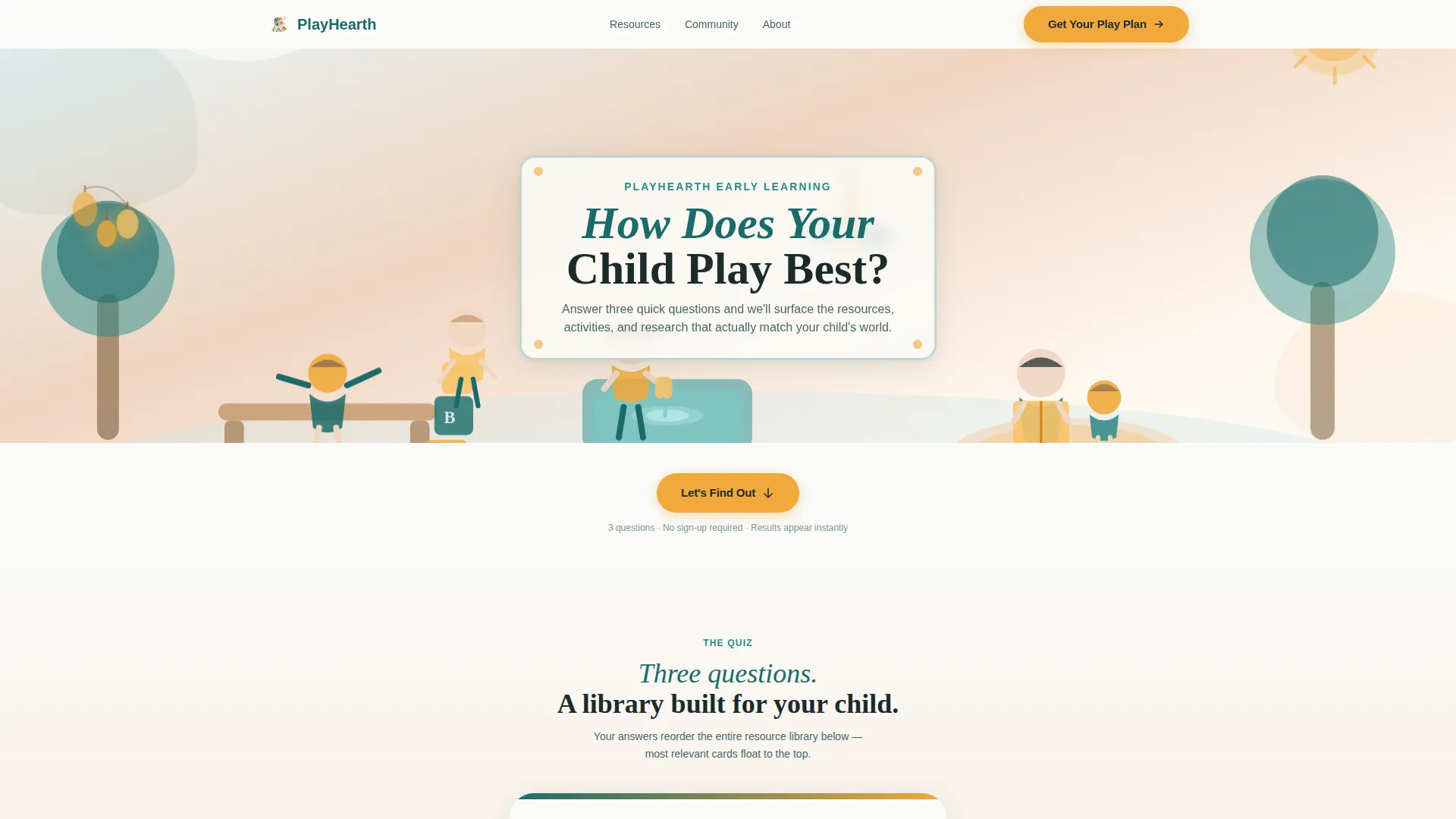
Playhearth is a play-based early learning landing page template built around a personalized quiz flow and a modular card grid. Families answer three illustrated questions, and the page instantly reorders its resource library to match their child's age, play style, and concerns. The design feels warm, hand-crafted, and genuinely child-centered.
by Rocket studio
Quick summary
Playhearth is a single-page, content-rich template for play-based early learning programs. A whimsical illustrated hero leads into a three-question quiz that dynamically reshuffles a modular card grid, surfacing the most relevant activity kits, milestone maps, and video demos for each family. The primary call to action, "Get Your Play Plan," delivers a personalized PDF bundle in exchange for a name and email.
Who this template is for
This template is built for educators, program directors, and early childhood advocates who want to offer families something more meaningful than a generic enrollment page. It works especially well when your audience is emotionally invested in doing right by a small child.
- Play-based preschool and early learning programs serving children ages zero to six
- Independent childhood educators publishing activity resources and developmental guides
- Community organizations supporting first-time parents, grandparents raising grandchildren, and dual-income households
What problem this template solves
Most early learning pages ask families to trust a program before showing them anything useful. Parents arrive overwhelmed by competing advice and leave without feeling understood. This template flips that order entirely.
- It leads with a personalized quiz that makes the page feel like a conversation, not a brochure
- It surfaces relevant resources immediately, so families see real value before any email is requested
- It removes the sense that the page is just a daycare enrollment form with a curriculum label on it
What you get with this template
The template is a fully structured, single-page layout with five distinct content zones, a quiz interaction, and a modular resource library. Every section has a clear job to do.
- A full-viewport custom illustration header with animated micro-details, including a spinning pinwheel and a drifting paper airplane
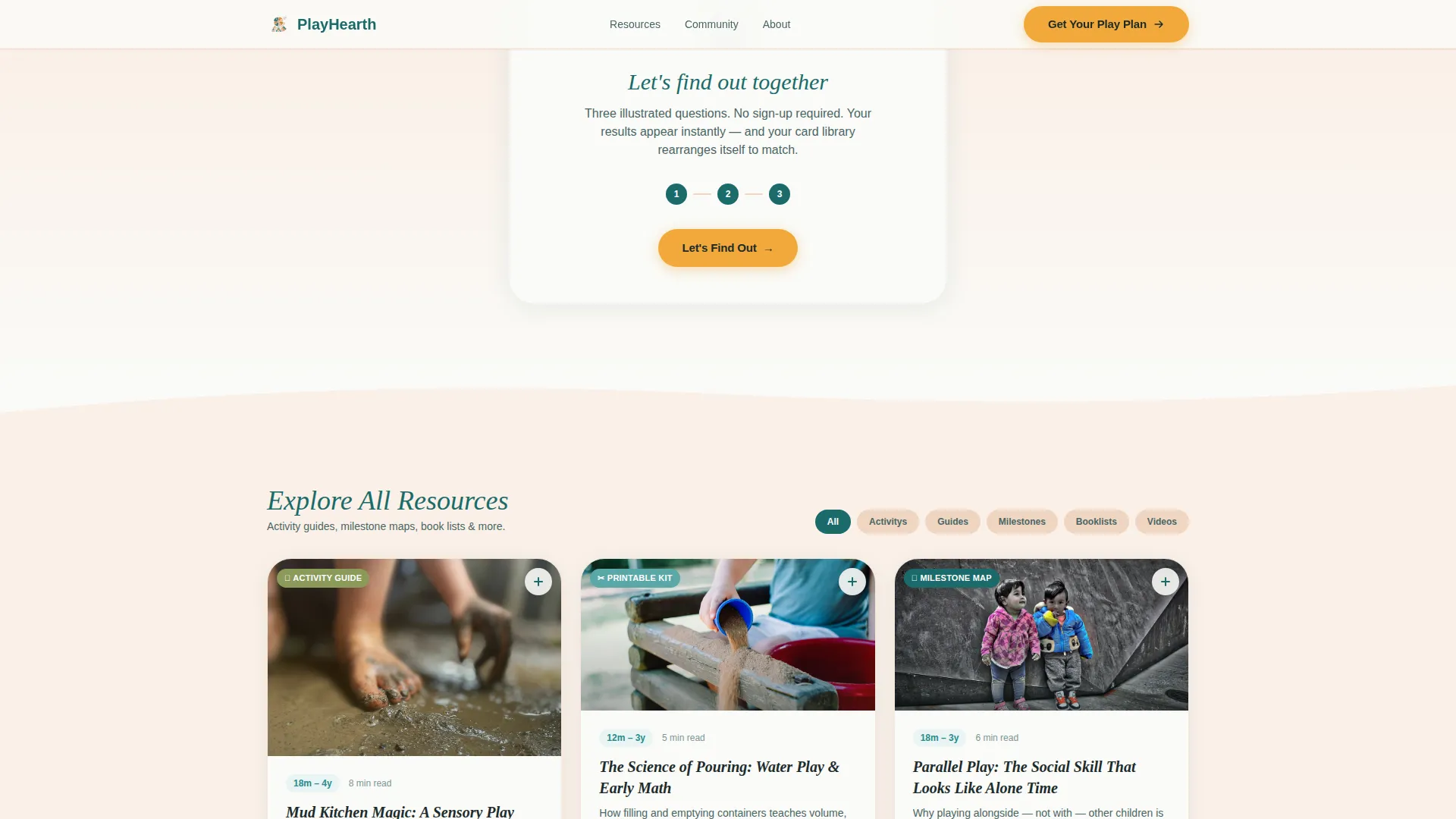
- A three-card flip quiz embedded in the page flow, with dynamic grid reordering based on answers
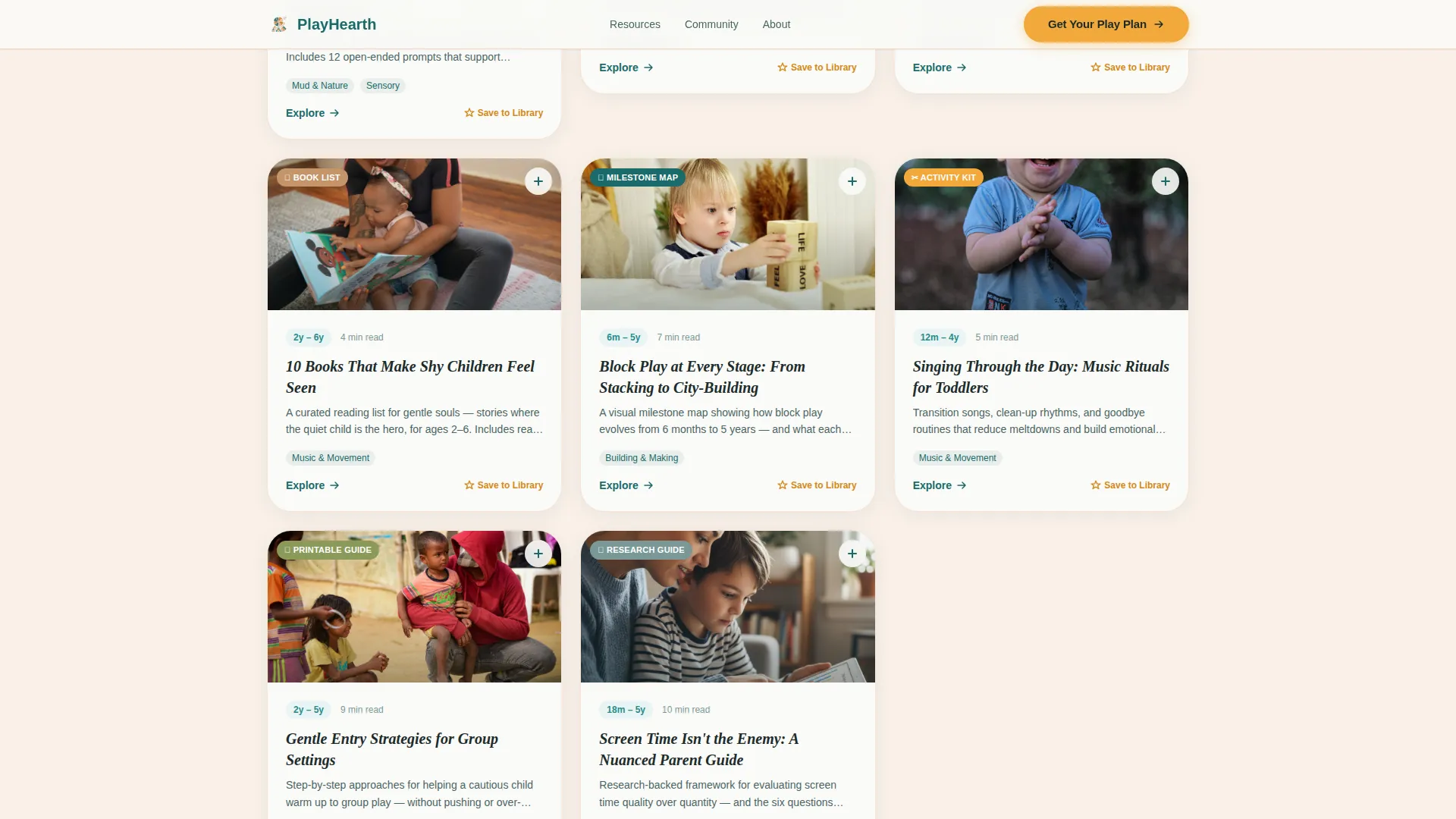
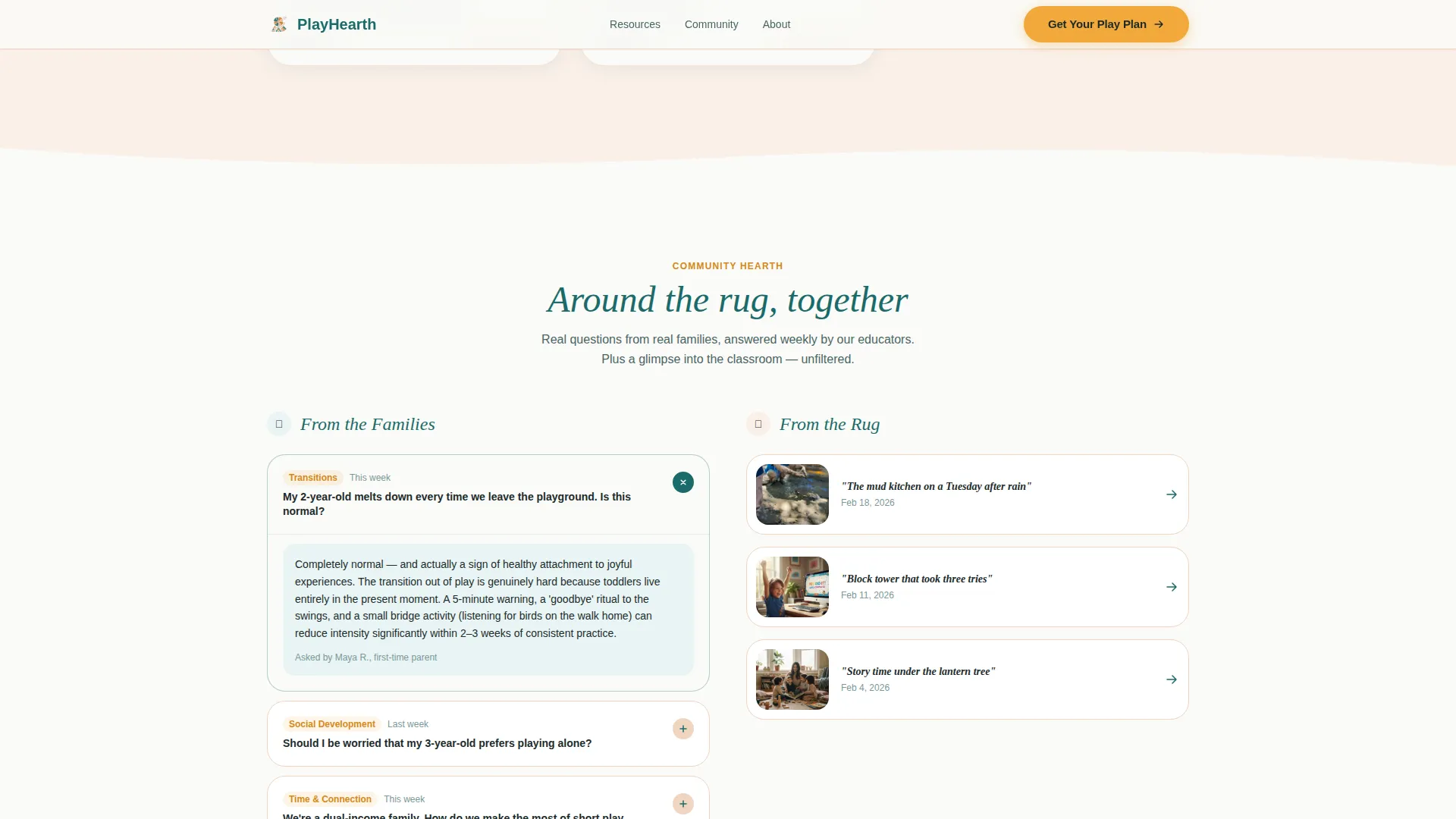
- A modular card grid library tagged by age, play type, and parental concern, plus a Community Hearth section with a parent Q&A, photo essay, and seasonal calendar
Feature list
This template includes the following built-in capabilities, drawn directly from its design brief.
Illustrated Full-Viewport Hero
The hero spans the full browser width with a hand-drawn neighborhood scene. A caregiver and toddler read under a paper-lantern tree, while another child pours water at a sensory table. Tiny CSS animations add life without requiring video.
Embedded Three-Question Quiz
Three illustrated cards flip in sequence inside the page flow. Families choose a play type, set an age with a playful slider, and name their biggest worry. No redirect, no pop-up, just a smooth in-page experience.
Dynamic Personalized Card Grid
Quiz answers reorder the resource library in real time. A parent of a sensory-seeking two-year-old sees mud kitchen guides first. A grandparent of a shy four-year-old sees gentle group-entry strategies. Every card is tagged by age, play type, and concern.
"Get Your Play Plan" Email Capture
The primary call to action appears only after the quiz delivers visible value on screen. Families receive a personalized PDF activity bundle in exchange for a first name and email address. The ask feels like a bookmark, not a barrier.
Per-Card Save Interaction
Each card in the resource grid carries a persistent amber "Save This to My Library" button. This secondary path collects email addresses one card at a time, letting visitors engage at their own pace without completing the quiz.
Community Hearth Section
Below the personalized grid, a dedicated section features real parent questions answered weekly, a rotating "From the Rug" classroom photo essay, and a seasonal play calendar that families can subscribe to.
Page sections overview
| Section | Purpose |
|---|---|
| Illustrated Hero | Sets warm, child-centered tone and launches quiz |
| Three-Question Quiz | Personalizes the experience through play type, age, and concern |
| Personalized Card Grid | Displays dynamically reordered activity and resource cards |
| Community Hearth | Builds trust with parent Q&A, photo essays, and a seasonal calendar |
| Play Plan Call to Action | Captures email after the quiz has already delivered value |
| Footer | Single-row linear layout with essential navigation links |
Design & branding system
The visual identity follows a Community Hearth theme using the Teal Catalyst color system. Every color has a specific role, and the overall effect feels like a hand-thrown ceramic mug filled with something warm and carefully made.
- Teal (#1A6B6A) anchors headlines and navigation; amber (#F2A93B) powers buttons and progress indicators; blush (#F0D5C1) softens section dividers; chalk-white (#FAFAF7) gives every card room to breathe
- Typography pairs Fraunces, a rounded serif display face, with Plus Jakarta Sans for body text, creating a tone that is both authoritative and approachable
- The illustration style uses loose, imperfect line work with soft teal and amber color washes, deliberately evoking hand-crafted rather than polished digital design
Mobile & speed optimization
The template is built mobile-first, recognizing that most parents browse during nap times on their phones. Layout and interaction choices reflect that reality throughout.
- The card grid stacks into a single column on small screens, keeping quiz cards and resource cards equally tappable and readable
- Hero animation relies on CSS and a static SVG illustration rather than video, keeping the initial load light on mobile connections
- Staggered grid reveals use Intersection Observer so cards animate into view only as the user scrolls, avoiding unnecessary rendering work
How this template helps you convert
The conversion strategy here is built on earned trust. The page gives before it asks, and every step is designed to make the email field feel like a natural next move rather than a forced one.
- The quiz creates immediate, visible personalization so families feel the page is genuinely about their child before any call to action appears
- "Get Your Play Plan" appears after the grid reorders, tying the email capture to something the visitor already finds useful
- The per-card "Save This to My Library" button offers a lower-commitment second path, collecting interest gently across the resource library
Other information about this template
This template is a strong fit for programs that want a content and resource hub rather than a traditional sign-up or enrollment page. A few additional details worth noting before you decide.
- The footer follows Pattern 1, a single-row linear layout, keeping navigation minimal and on-brand
- Animation intensity is high by design, covering card flips, pinwheel spin, paper airplane drift, and staggered grid reveal, all built with CSS
- The layout supports English content, United States date format, and USD pricing contexts out of the box
- Social proof is woven into the page through testimonials, weekly answered parent questions, and classroom photo essays rather than isolated review widgets
Theme
Community Hearth
Creative direction
Quiz & Personalize
Color system
Teal Catalyst
Style
Card Grid (Modular)
Direction
Content/Resource
Page Sections
Illustrated Full-viewport Hero
Embedded Three-question Quiz
Dynamic Personalized Card Grid
Play Plan Email Capture
Per-card Save Interaction
Community Hearth Section
Related questions
Can visitors browse resources without completing the quiz?
What types of content does the card grid support?
Is this template suitable for a single educator or a larger program?
How does the email capture fit into the page flow?
What animations are included in this template?



