Specialized Certification & Programs Portfolio Website Template
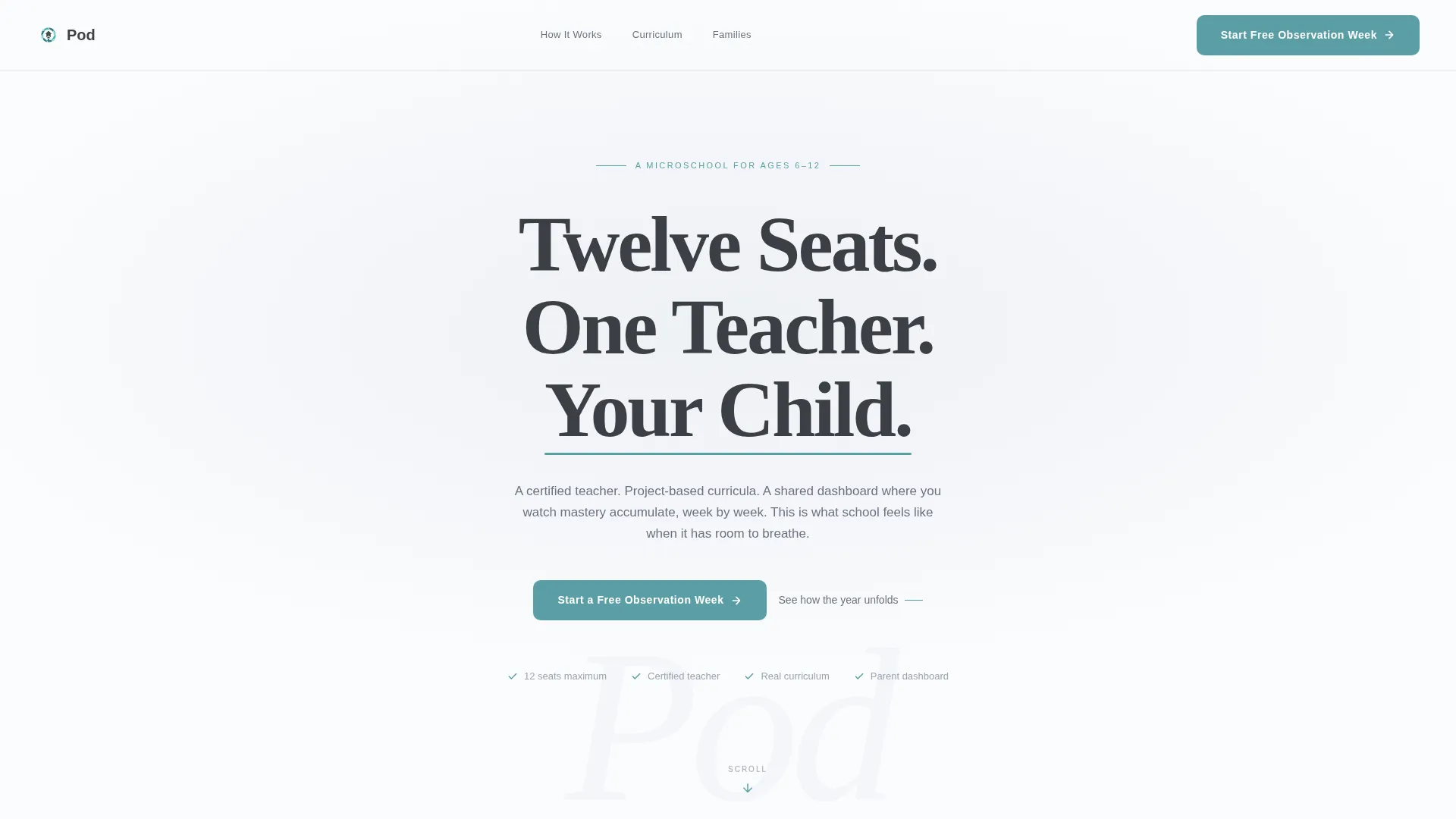
Pod is a sidebar companion landing page template built for intentional microschools and learning pods. It uses a scrolling timeline progression to walk parents through a full school year, from diagnostic week through spring portfolio. The design is calm and precise, with a teal accent palette and a giant centered headline that earns trust before the first call to action appears.
by Rocket studio
Quick summary
Pod is a single-page landing page template designed for microschool and learning pod programs. It guides parents through a visual school-year timeline, revealing milestones, real artifacts, and proof points as they scroll. The primary call to action, "Start a Free Observation Week," appears at the timeline's midpoint, once trust is already built.
Who this template is for
This template is built for educators and organizers running small, structured learning environments outside traditional district schools. It speaks directly to families making a deliberate choice about how their child learns.
- Certified teachers or small-group educators launching a learning pod for six-to-twelve-year-olds
- Homeschool co-op organizers who need a structured, professional web presence without extra complexity
- Remote-working or dual-income parents seeking a learning environment with a real schedule and visible progress tracking
What problem this template solves
Parents researching microschool options often encounter vague copy, stock photography, and no clear sense of what a school year actually looks like inside the program. That uncertainty stalls decisions.
- There is no clear proof of structure or sequence, making it hard for parents to trust the program
- Generic landing pages fail to show what day-to-day and milestone-to-milestone learning looks like for a child
- Most microschool pages offer a contact form before they have earned any trust from the visitor
What you get with this template
The template delivers a fully structured sidebar companion landing page with a persistent vertical timeline, a layered scroll experience, and two distinct conversion paths for parents at different stages of readiness.
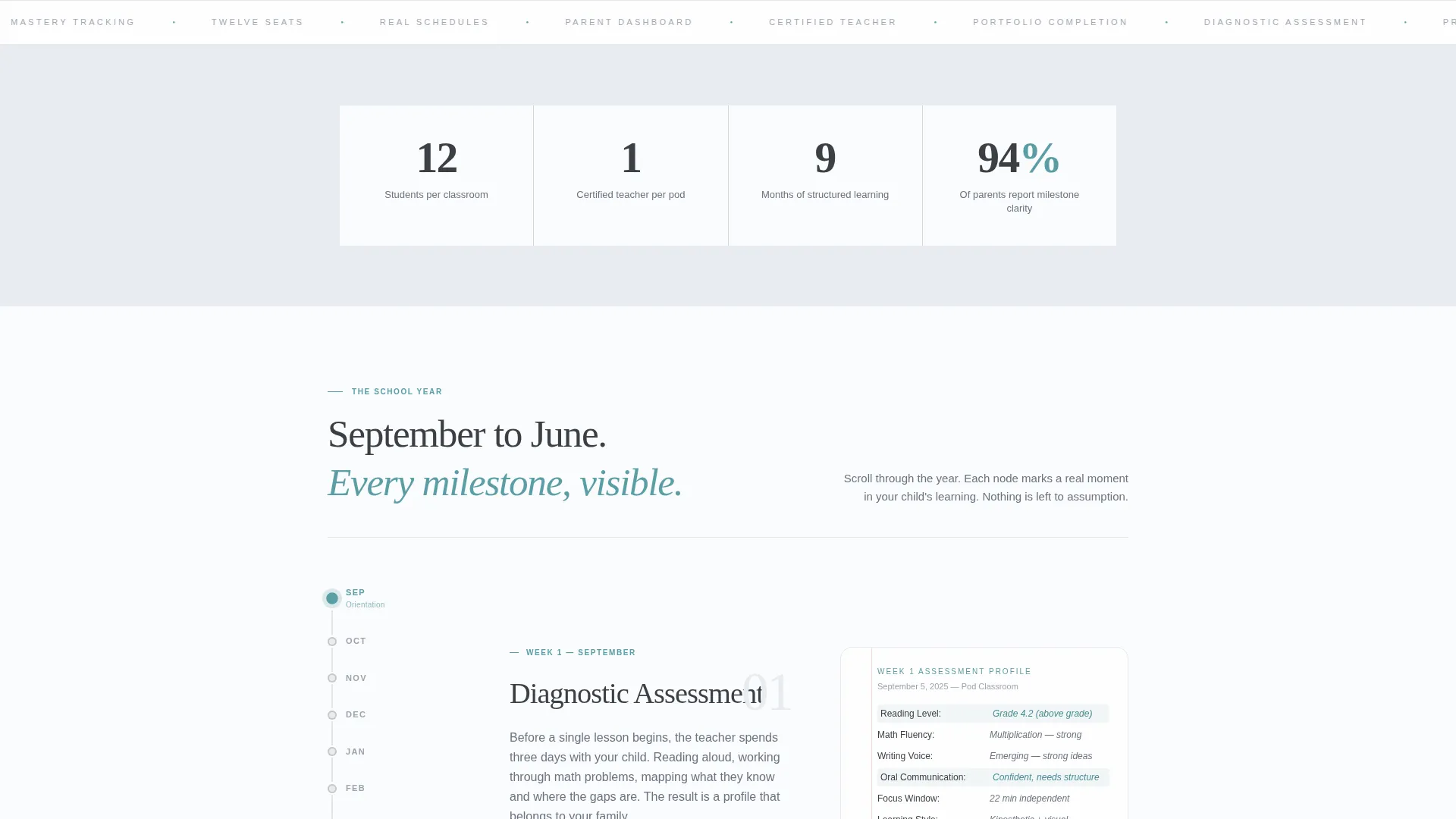
- A persistent sidebar timeline running from September to June, with illuminated nodes that track scroll position
- A main content panel that reveals milestone content, real artifacts, and phase summaries as the visitor scrolls
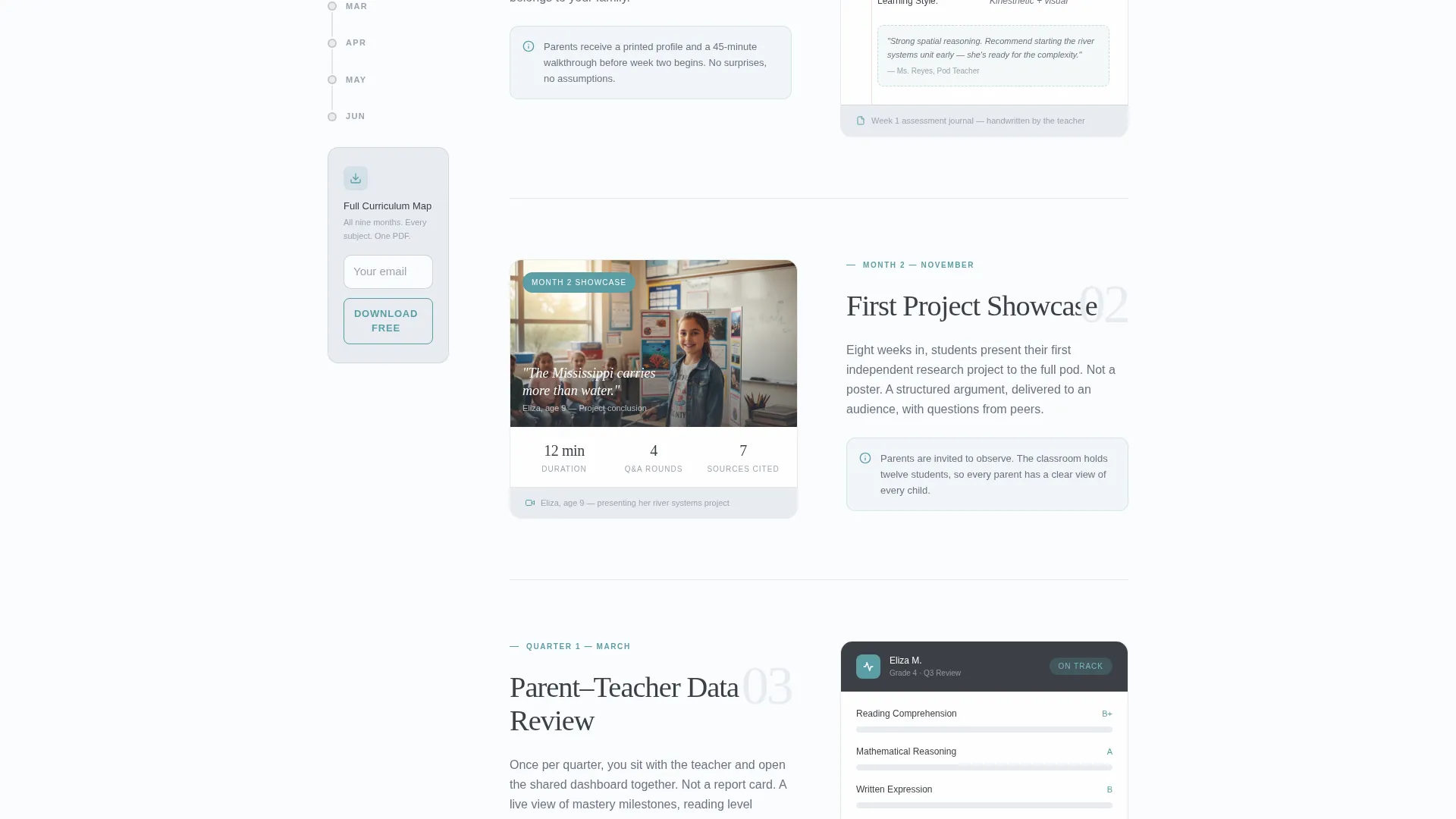
- Two built-in conversion paths: a free observation week sign-up form and a gated curriculum map download
Feature list
This template is built around a deliberate set of components that work together to earn the parent's confidence and move them toward action.
Vertical School-Year Timeline Sidebar
The persistent sidebar displays a vertical timeline from September through June. Each node represents a key milestone in the program. As the visitor scrolls, the active node illuminates, so the parent always knows where they are in the year and how much content remains.
Scroll-Activated Milestone Panels
Each phase of the school year unlocks in the main content panel as the visitor scrolls to it. Phases include diagnostic assessment in week one, the first project showcase in month two, a parent-teacher data review in quarter one, and portfolio completion by spring.
Real Artifact Showcase Areas
Each milestone panel includes space for a real artifact from that phase. This can be a handwritten journal page, a dashboard screenshot, or a short student presentation video. These elements give parents concrete proof of what learning looks like inside the pod.
Giant Centered Headline Header
The header section presents a single stark headline in refined serif type: "Twelve Seats. One Teacher. Your Child." Nothing else competes in the viewport. A teal underline animates slowly beneath "Your Child," drawing the eye downward into the timeline.
Two-Path Conversion System
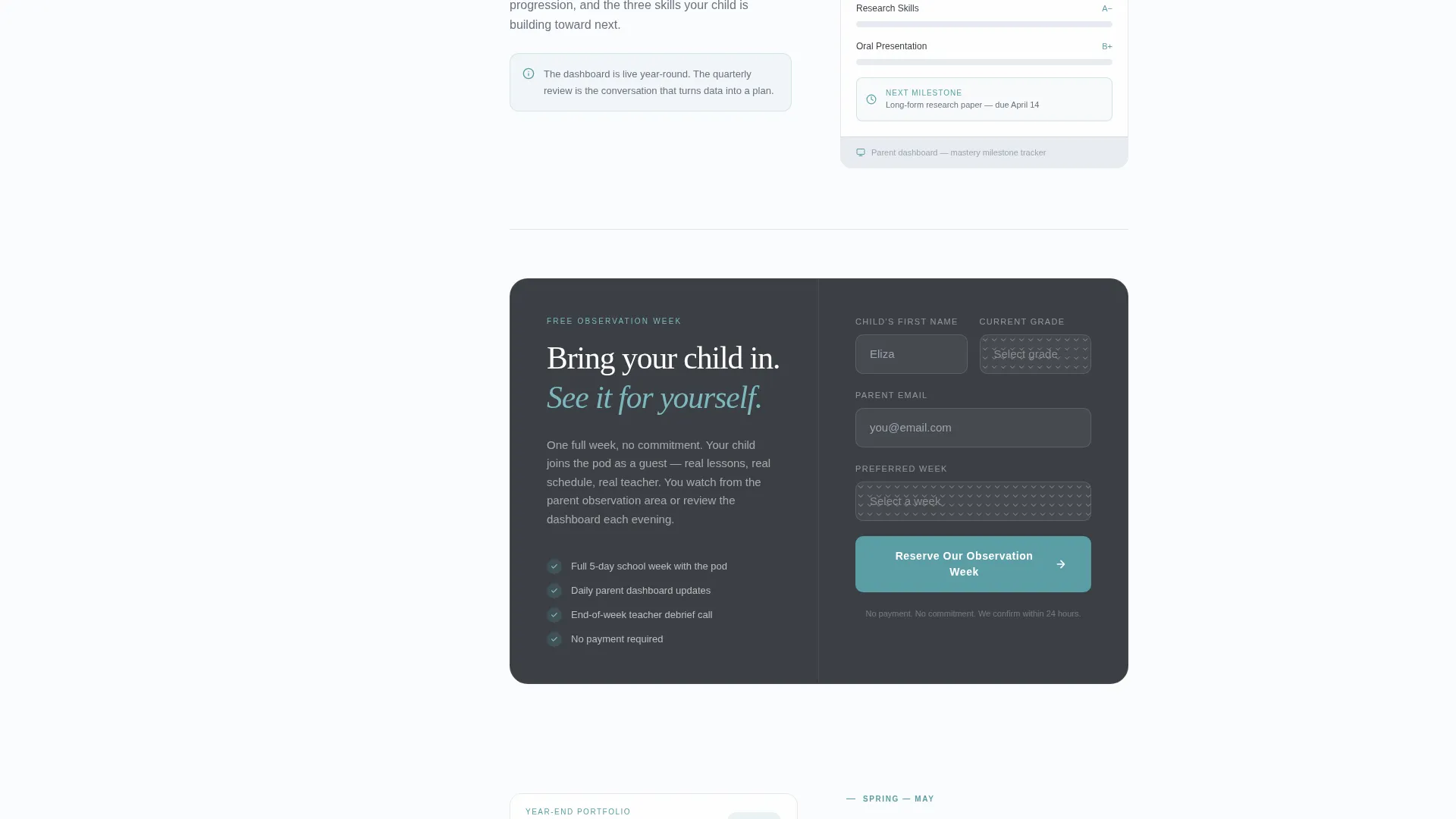
The primary call to action, "Start a Free Observation Week," appears at the timeline's midpoint with a three-field form asking for the child's first name, current grade, parent email, and preferred week. A secondary conversion in the sidebar offers a downloadable curriculum map gated behind email only, capturing parents still in the research stage.
Teal Accent Interactive Elements
Interactive components, including call-to-action buttons, progress indicators, and sidebar timeline nodes, use the quiet teal accent color. This keeps the page visually calm while giving every actionable element a clear, consistent signal.
Page sections overview
| Section | Purpose |
|---|---|
| Giant Headline Header | Anchors trust with a single, direct promise |
| Sidebar Timeline Navigation | Orients the parent throughout their scroll journey |
| Diagnostic Week Panel | Opens the school year with assessment context |
| First Project Showcase | Demonstrates early project-based learning outcomes |
| Quarter One Data Review | Shows parent-teacher milestone review format |
| Spring Portfolio Completion | Closes the timeline arc with a finished artifact |
| Midpoint Primary call to action | Presents the free observation week sign-up form |
| Sidebar Curriculum Download | Captures research-stage parents with a gated download |
Design & branding system
The visual identity follows a Corporate Precision theme using the Soft Mist color system. The result is a page that feels calm enough to trust with a child and structured enough to trust with a financial decision.
- Color palette: morning fog gray (#E8ECF1), pressed-linen white (#FAFBFD), pencil-graphite charcoal (#3B3F45), and quiet teal (#5B9EA6) reserved for interactive elements and progress indicators
- Typography: a refined serif at a large display scale for the headline, creating a considered and intentional first impression
- Visual tone: no competing images or illustrations in the header viewport; real artifacts and milestone content carry the visual weight below the fold
Mobile & speed optimization
The sidebar timeline layout is designed with a scrolling companion structure that adapts to different screen widths. The page keeps visual weight focused and deliberate across devices.
- Persistent sidebar and main content panel are structured to reflow cleanly for smaller viewports
- Scroll-activated milestone panels load content progressively, keeping the page experience focused rather than front-loaded
- Minimal decorative elements in the header reduce visual noise and keep load-relevant assets concentrated in content sections
How this template helps you convert
The template is built around the principle that a parent who has watched an entire school year unfold in a scroll is already mentally enrolled. The conversion system follows that logic precisely.
- The midpoint primary call to action appears only after the visitor has seen diagnostic week, early project work, and a parent-teacher data review, placing the sign-up form at the moment of highest confidence.
- The sidebar curriculum map download provides a lower-commitment second path, capturing parents who are still researching and not yet ready to schedule a visit, turning them into email leads for follow-up.
Other information about this template
This template is designed specifically for the microschool and learning pod niche inside the broader education and training category. It is a strong fit for programs serving six-to-twelve-year-olds in suburban settings where families have consciously left overcrowded district schools.
- Template style: Sidebar Companion, suited for programs that want a persistent navigational anchor alongside deep scroll content
- Creative direction: Timeline Progression, ideal for any educational program where sequence, structure, and milestone visibility are core selling points
- The three-field observation week form keeps friction low while collecting the minimum data needed to confirm a visit
- The gated curriculum map acts as a lead magnet for parents in earlier stages of their research journey
- This template sits within the Specialized Certification and Programs subcategory, making it a strong match for microschool founders who position their program as an intentional alternative to both traditional schooling and unstructured homeschooling
Theme
Corporate Precision
Creative direction
Timeline Progression
Color system
Soft Mist
Style
Sidebar Companion
Direction
Freemium/Trial
Page Sections
Vertical School-year Timeline Sidebar
Scroll-activated Milestone Panels
Real Artifact Showcase Areas
Giant Centered Headline Header
Two-path Conversion System
Teal Accent Interactive System
Related questions
Who is this landing page template designed for?
What does the sidebar timeline actually do?
Does this template support two different types of leads?
What information does the observation week form collect?
What kind of content goes into the milestone artifact areas?



