Political Science Education Expert Professional Website Template
Polity is a single-column landing page template built for political science practice and quiz apps. It opens with a live quiz interface to hook visitors instantly, then walks them through a Problem-to-Solution arc that ends in event registration. The Electric Indigo color system, adaptive quiz components, and dual call-to-action setup make it ready for UPSC aspirants, college students, and competitive exam repeaters.
by Rocket studio
Quick summary
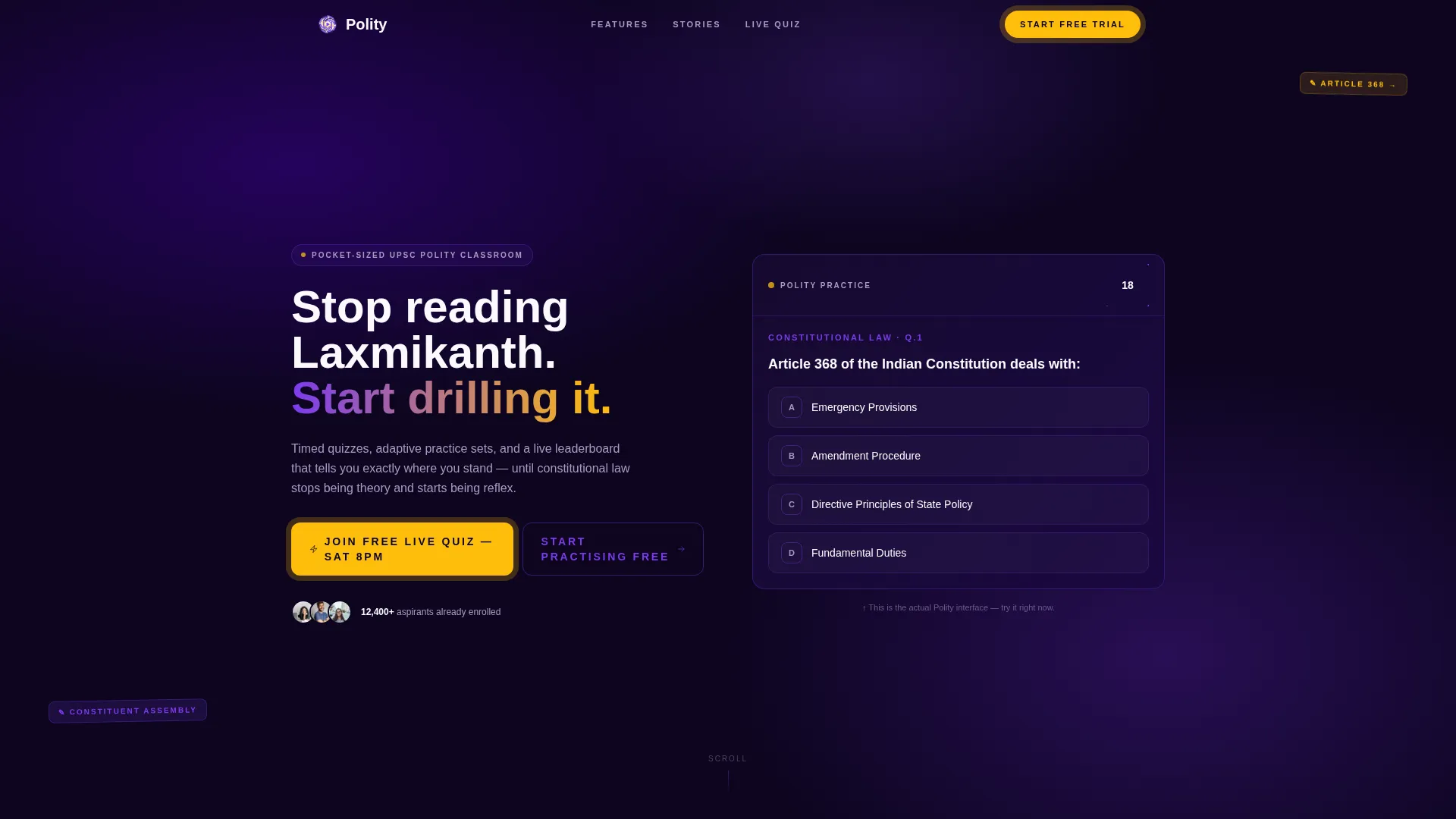
Polity is a focused, single-column landing page template for political science practice and quiz apps. It greets visitors with a ticking live quiz question, not a sales pitch. The scroll unfolds a structured Problem-to-Solution arc, builds trust through app feature reveals, and closes with an event registration form. The design feels like a well-annotated textbook brought to life in Electric Indigo.
Who this template is for
This template is designed for educators, indie developers, and ed-tech teams building political science study tools. It works especially well for apps targeting high-stakes exam audiences who need to feel the product before they sign up.
- UPSC aspirants and State PSC (Public Service Commission) candidates grinding through dense syllabi
- College students preparing for comparative government midterms or university exams
- Competitive exam coaches and ed-tech creators launching quiz or practice apps for UGC NET (University Grants Commission National Eligibility Test) and similar tests
What problem this template solves
Exam prep platforms often struggle to convey urgency and product value on a single page. Visitors arrive skeptical and leave before they scroll past the hero. This template is built to break that pattern by making the product demonstrable, not just describable.
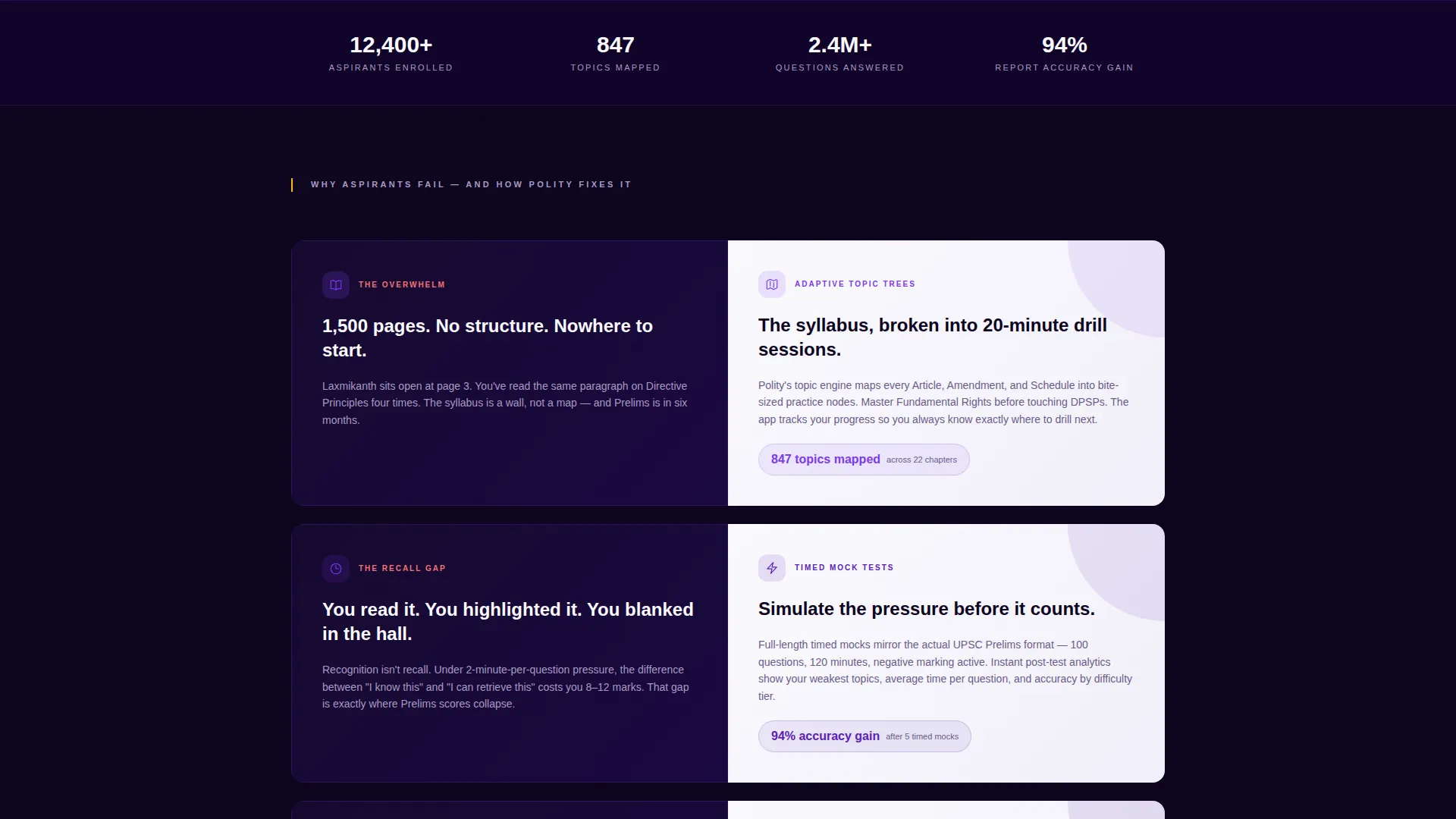
- A 1,500-page syllabus feels overwhelming with no visible structure or entry point
- Students score well during reading but lose marks under timed exam pressure due to poor recall practice
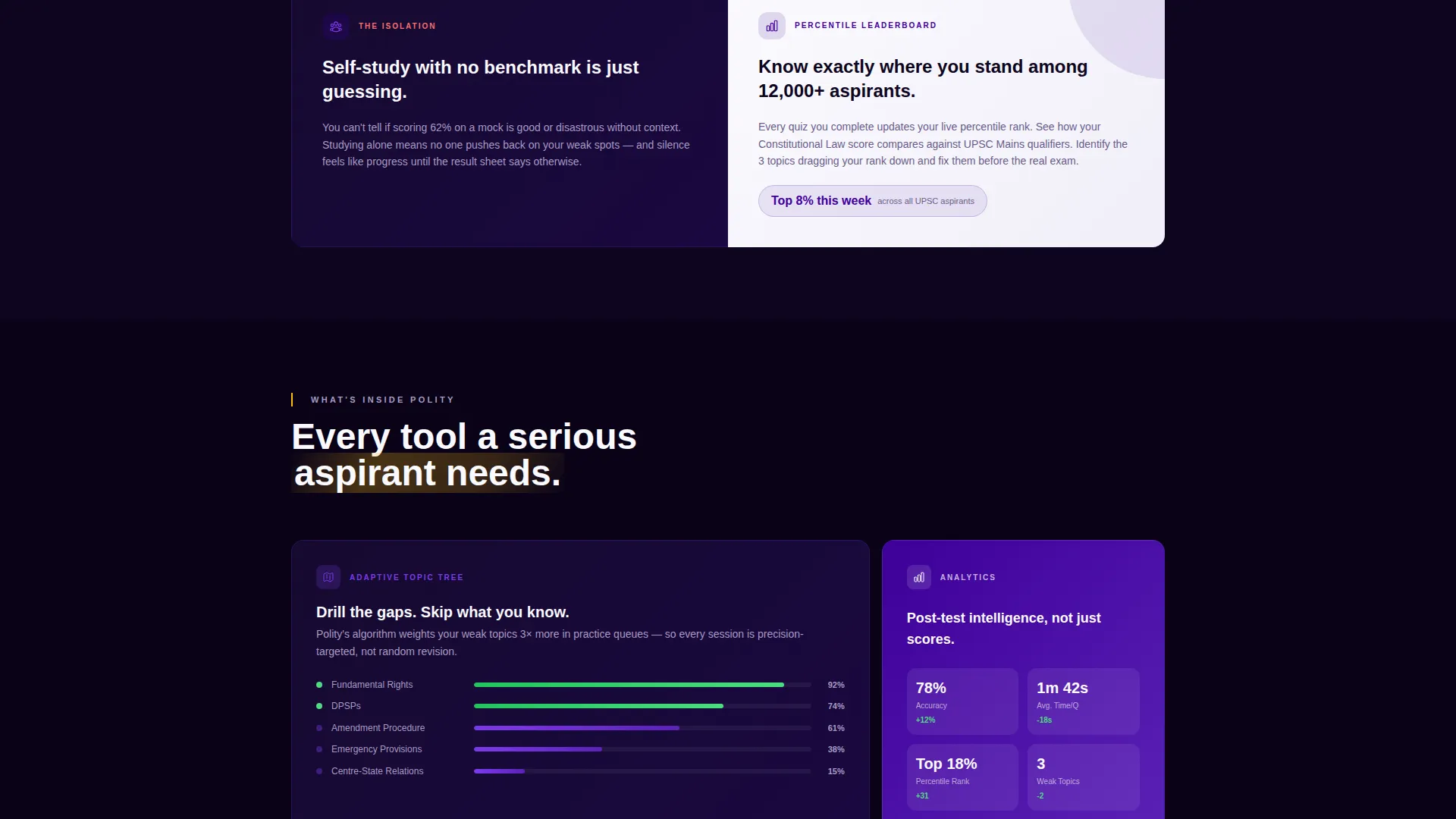
- Self-study feels isolating without performance feedback or a sense of where you stand against other candidates
What you get with this template
You get a complete single-column landing page layout that doubles as a product demo from the first scroll. Every section is purposefully sequenced to reduce friction and increase sign-ups.
- A live quiz hero header with a ticking countdown ring, a sample multiple-choice question, and a primary call-to-action button
- A Problem-to-Solution arc with paired dark-indigo problem panels and chalk-white solution panels
- An event registration form with name, email, and exam-target dropdown, plus a secondary sticky practice button
Feature list
This template ships with several purpose-built components. Each one serves a specific role in moving a visitor from curious to committed.
Live Quiz Hero Interface
The header displays a real multiple-choice question mid-screen with a 30-second countdown ring in deep indigo. Visitors experience the product before reading a single word of copy, which lowers hesitation and raises click intent immediately.
Problem-to-Solution Arc Layout
Three escalating pain-point panels in dark indigo dissolve into chalk-white solution panels. Each pairing shows the exact app feature that answers the problem, building a logical case for signing up rather than relying on generic benefit claims.
Adaptive Topic and Feature Reveal Panels
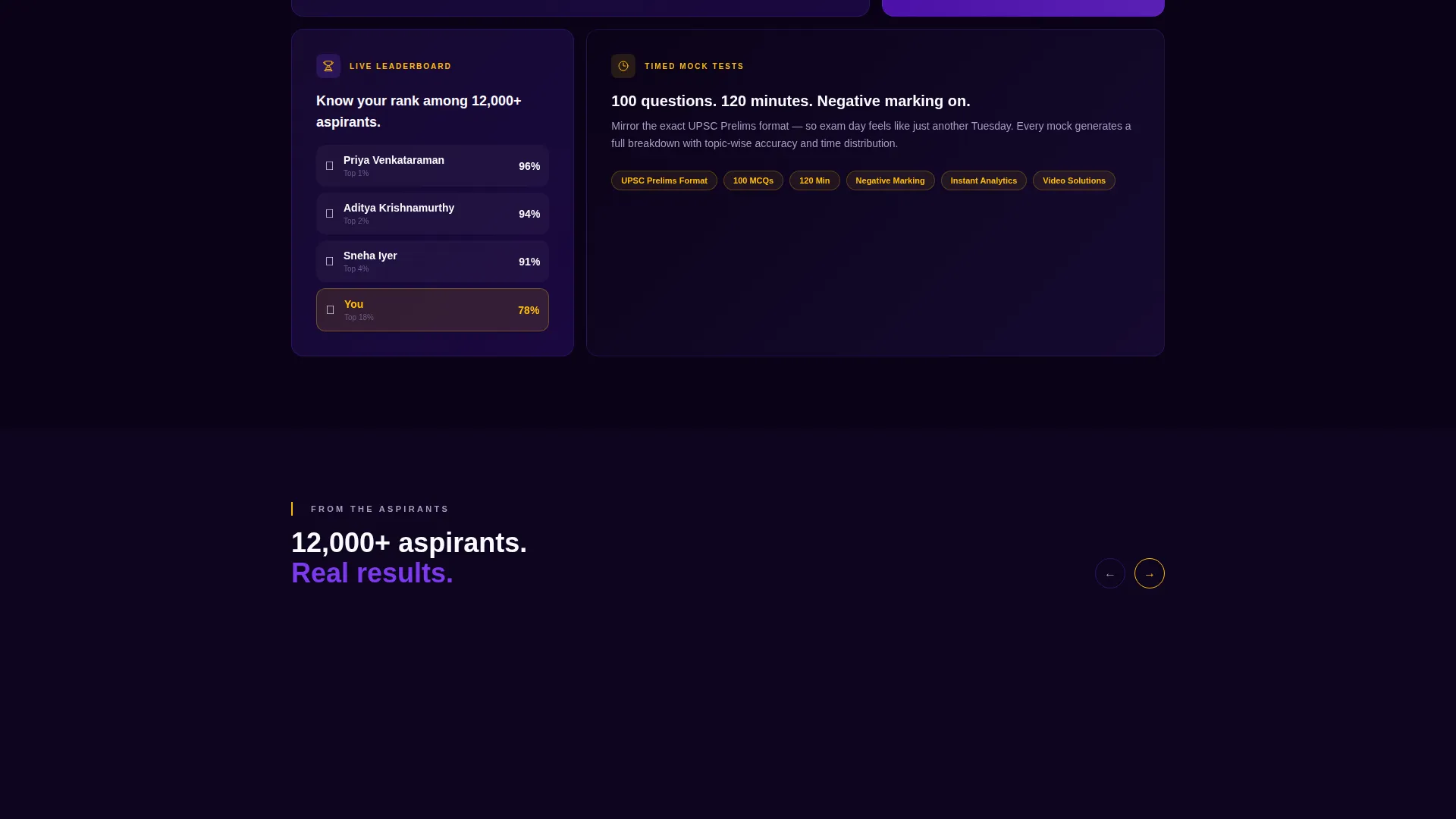
Solution panels highlight adaptive topic trees, timed mock tests with instant analytics, and a percentile leaderboard. These panels are laid out to feel like textbook chapters clicking into sequence, one concept at a time.
Event Registration Form Block
The primary conversion block includes a name field, an email field, and a single dropdown for exam target. The block is anchored to a live event deadline, which creates natural urgency without manufactured scarcity.
Dual Call-to-Action System
A prominent event registration button and a secondary sticky button work in parallel. The event call to action captures visitors ready to commit; the sticky free-trial button catches everyone who is not ready to wait for the Saturday session.
Electric Indigo Color-Coded Components
Score badges, progress indicators, and call to action buttons use highlighter amber against the indigo and violet palette. The contrast keeps tired eyes engaged and signals interactive elements clearly throughout the page.
Page sections overview
| Section | Purpose |
|---|---|
| Live Quiz Header | Hook visitors with a ticking sample question |
| Problem Panel One | Show the overwhelm of an unstructured syllabus |
| Solution Panel One | Introduce adaptive topic trees as the answer |
| Problem Panel Two | Address recall failure under timed exam pressure |
| Solution Panel Two | Present timed mock tests with instant analytics |
| Problem Panel Three | Highlight isolation and lack of performance feedback |
| Solution Panel Three | Reveal the percentile leaderboard feature |
| Event Registration Block | Capture sign-ups with a deadline-anchored form |
| Sticky Practice Button | Retain visitors who want immediate free access |
Design & branding system
The template uses an Educational Guide visual theme built on the Electric Indigo color system. The palette balances authority with energy, making it feel credible for serious exam prep while staying visually stimulating enough to hold attention through a long scroll.
- Deep parliamentary indigo (#3D0099) and bright civic violet (#7C3AED) form the primary background and surface colors
- Chalk-white (#FAFAFE) provides breathing room in solution panels and text-heavy blocks
- Highlighter amber (#FFBE0B) is reserved exclusively for call-to-action buttons, score badges, and progress indicators to preserve its signal strength
Mobile & speed optimization
The single-column flow is inherently mobile-friendly. Every section stacks cleanly on smaller screens, and the live quiz header translates well to touch interactions without layout complexity.
- The countdown ring and multiple-choice question display are centered and scaled for portrait-mode viewing on phones and tablets
- The sticky secondary button remains accessible at the bottom of the screen throughout the scroll on mobile devices
- The registration form uses a minimal three-field layout that reduces typing friction on mobile keyboards
How this template helps you convert
Every design and layout decision in this template points toward one outcome: getting a visitor to register or start practicing. The structure removes common drop-off triggers and replaces passive reading with active engagement.
- The live quiz header triggers immediate interaction, so visitors invest in the page before they have decided whether to sign up
- The Problem-to-Solution arc makes inaction feel costly, building urgency that carries the visitor to the registration form naturally
- The dual call-to-action system ensures no visitor leaves without a clear next step, whether that is the live event or the free trial
Other information about this template
This template is designed specifically for the political science education niche and maps closely to the study habits and decision patterns of exam-focused learners. It can support content updates for different exam cycles, topic categories, or live event schedules without restructuring the layout.
- The exam-target dropdown can be updated to reflect current offerings such as UPSC, State PSC, UGC NET, or university exams
- The sample quiz question in the header can be swapped to reflect current affairs, constitutional law, or any polity topic relevant to the current exam season
- The template style is single-column flow, making it straightforward to extend or rearrange sections as a campaign or product evolves
Theme
Educational Guide
Creative direction
Problem→Solution Arc
Color system
Electric Indigo
Style
Single Column Flow
Direction
Event Registration
Page Sections
Live Quiz Hero with Countdown
Problem-to-solution Arc Panels
Event Registration Form Block
Dual Call-to-action System
Percentile Leaderboard Feature Panel
Amber-highlighted Interactive Elements
Related questions
Can I change the quiz question shown in the header?
Does this template include the quiz engine or backend logic?
Is the event registration form connected to any email service?
Who is the primary audience this landing page is built for?
Can I update the exam targets listed in the registration dropdown?



