API-First Enterprise Software Cost Calculator Website Template
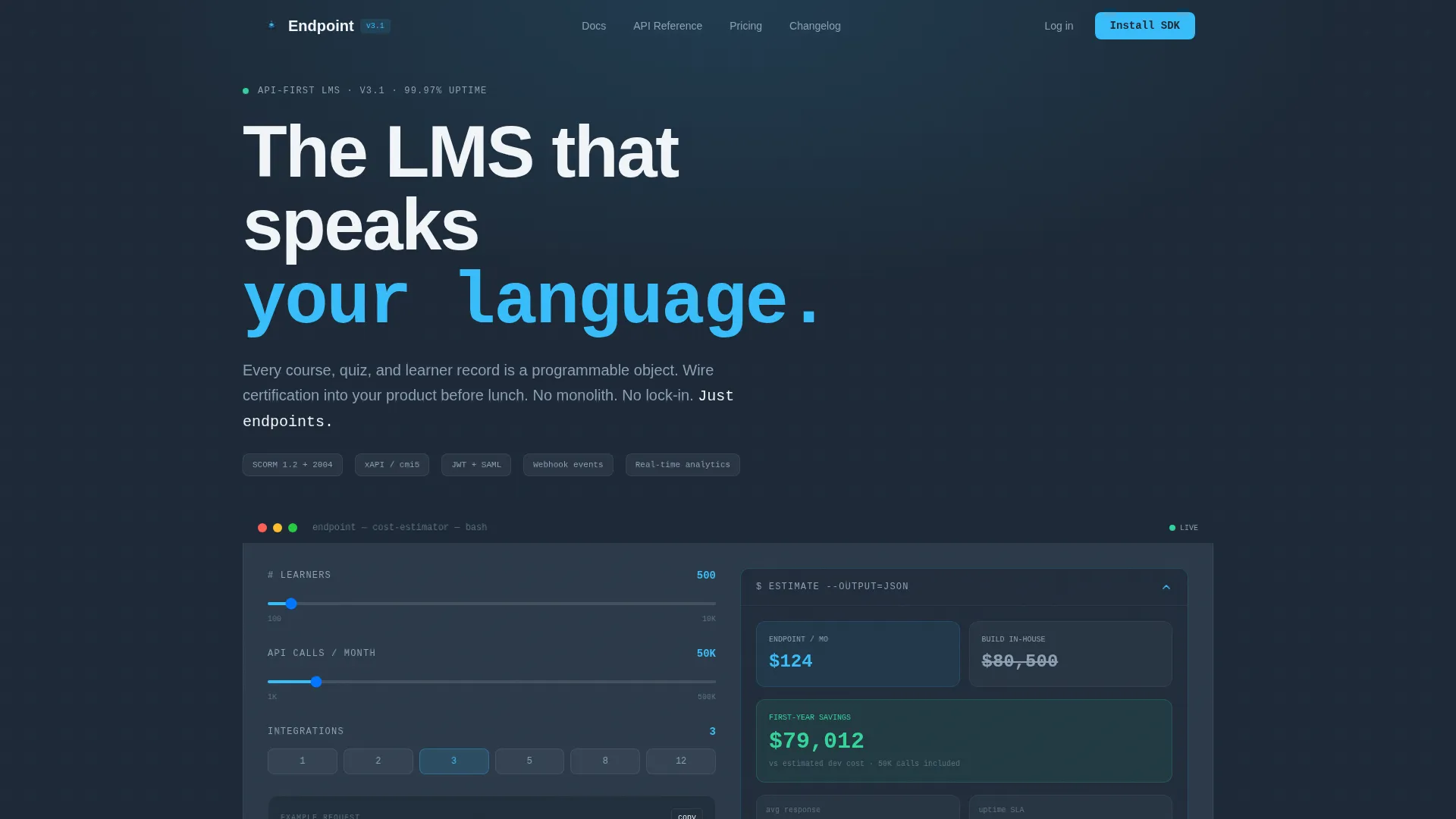
Endpoint is a bento grid landing page built for API-first learning management systems. It leads with an interactive API Cost Calculator embedded in the hero, then unfolds capabilities through staggered spring animations, live code snippets, and a unified system map. The design uses a Slate and Sky color system built for developer audiences who think in endpoints, not marketing decks.
by Rocket studio
Quick summary
Endpoint is a single-page bento grid template for API-first LMS products. The hero is a working cost estimator, not a banner image. Animated tiles reveal webhook events, SCORM ingestion, token-based auth, and real-time analytics as self-contained micro-demos. The entire layout moves like a countdown sequence, and every call to action earns its click before it asks for one.
Who this template is for
This template is built for technical product teams who need a landing page that speaks the same language as their product. It works for developers, architects, and founders who sell to buyers that open the inspector before they read the copy.
- EdTech CTOs connecting certification engines to existing SaaS platforms
- Startup founders shipping onboarding flows without building auth from scratch
- Enterprise architects replacing legacy LMS monoliths one microservice at a time
What problem this template solves
Most software landing pages rely on stock imagery and abstract promises. Developer-facing products need something different: a page that demonstrates capability rather than describing it. Buyers in this space evaluate tools before they trust them.
- Generic templates cannot show a live estimator or copy-ready code snippets out of the box
- Flat hero sections fail to communicate the composable, programmable nature of an API-first product
- Standard call to action flows ask for commitment before visitors have seen a single real number
What you get with this template
You get a fully structured bento grid landing page designed around interactive demonstration. Every section is built to show the product in motion rather than talk about it from a distance.
- An embedded API Cost Calculator in the hero with animating output cards
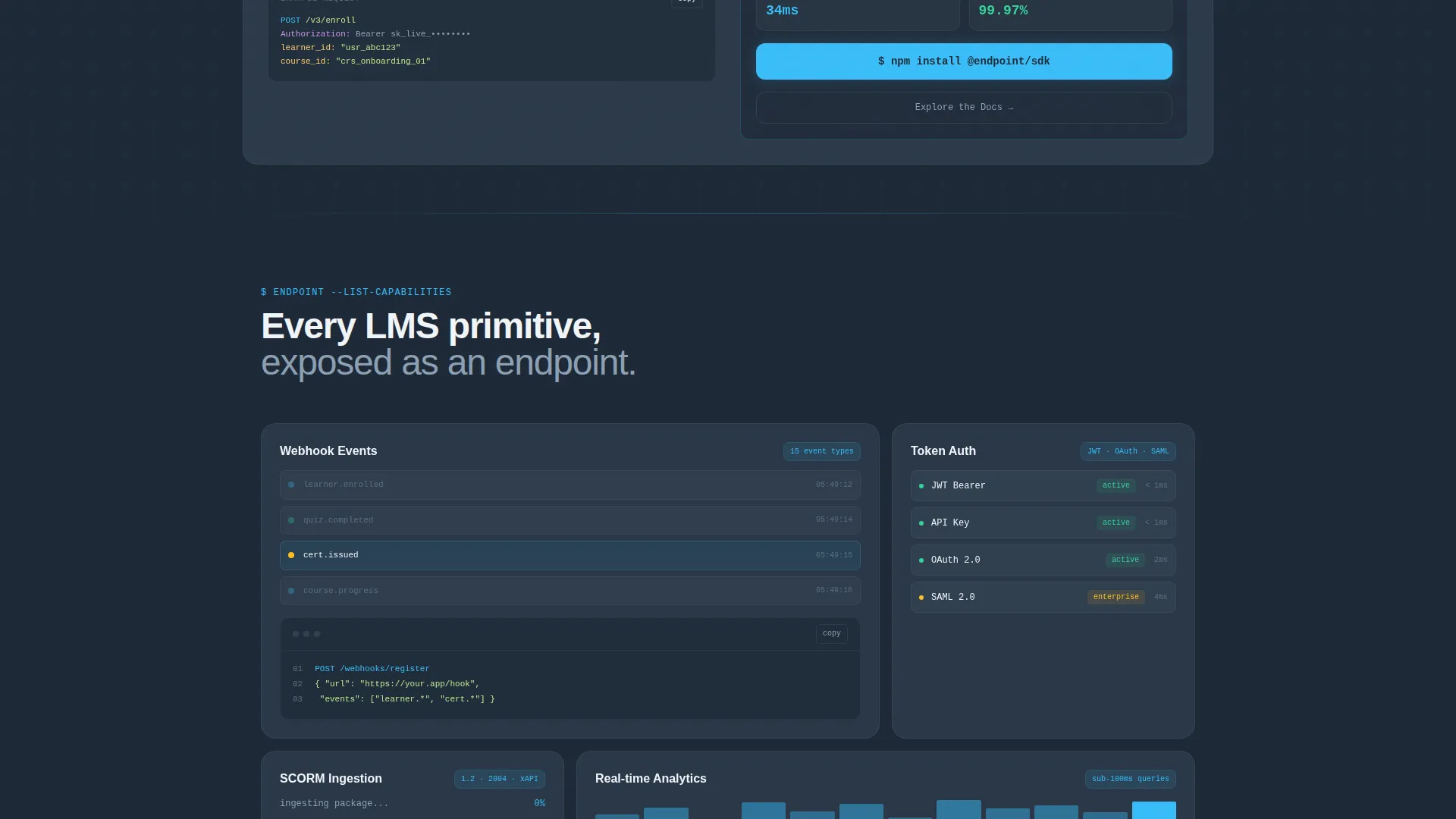
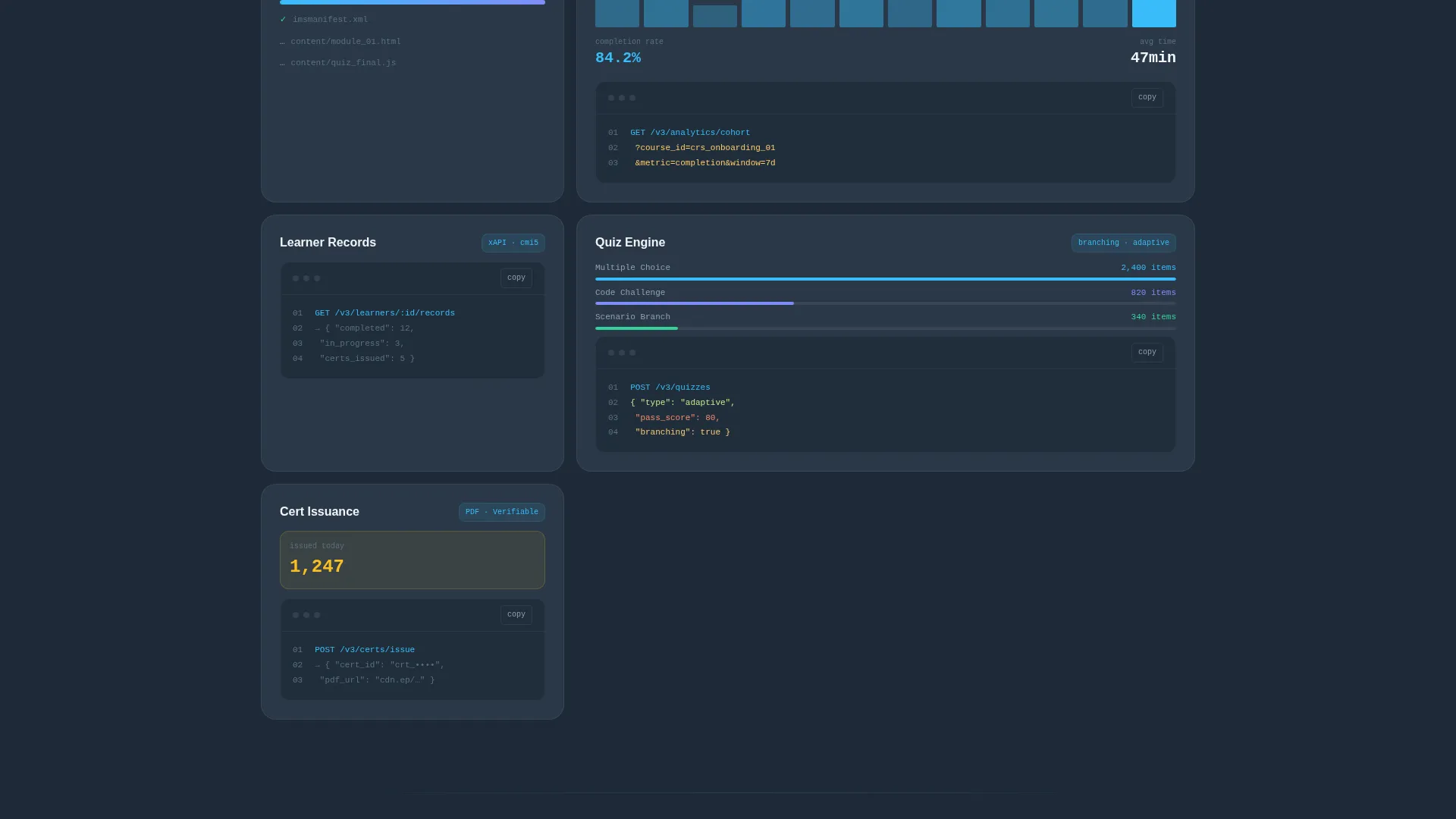
- Staggered bento tiles showcasing individual API capabilities with live code snippets
- A persistent mobile call to action bar and a dual-path conversion flow built into the layout
Feature list
This template includes six purpose-built components, each grounded in the brief and designed for a developer-first audience.
Interactive API Cost Calculator
The hero section contains a working estimator. Visitors input their number of learners, API calls per month, and integration count. Results animate open inside a bento card, displaying estimated response times, uptime indicators, and a cost comparison against building in-house. Sky-blue digits roll like a departures board as numbers resolve.
Staggered Bento Grid Layout
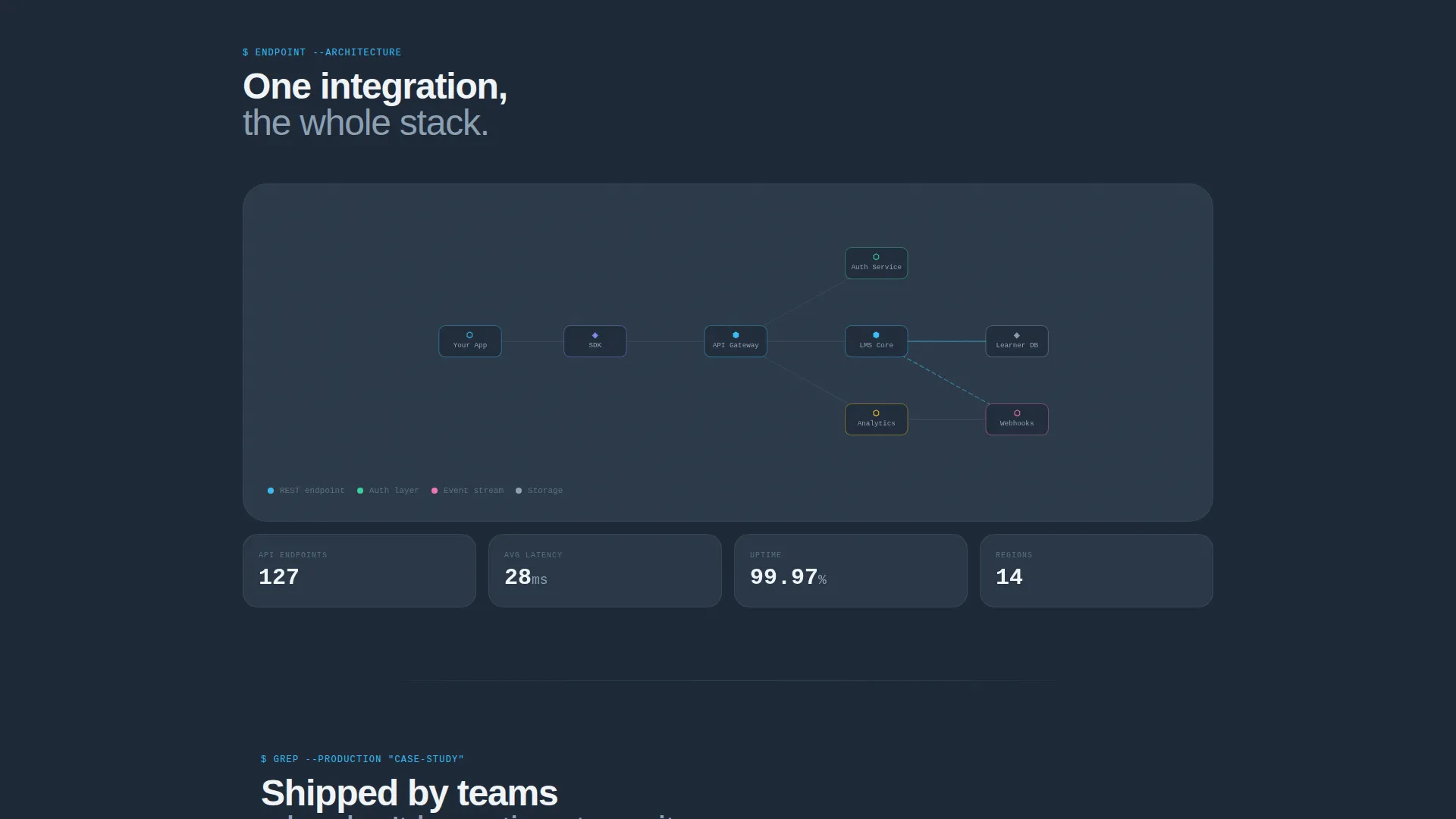
Below the calculator, bento tiles snap into view with spring animations on scroll. Each tile is a self-contained capability card covering webhooks, SCORM ingestion, token-based authentication, and real-time analytics. The grid grows in complexity from single endpoints to full architecture diagrams, resolving into a unified system map.
Live Code Snippet Blocks
Every capability tile includes a copyable code snippet. Visitors can grab the exact call syntax directly from the page without navigating to external documentation. This turns the landing page into a first-contact developer experience, not just a marketing surface.
Dual-Path Conversion Flow
The primary call to action reads "Install the SDK" and appears inside the calculator results card. A secondary path, "Explore the Docs," captures architects who need more context before committing. Both paths serve different buyer readiness levels without competing for attention.
Persistent Mobile call to action Bar
On mobile viewports, the "Install the SDK" button anchors to the bottom of the screen as a persistent bar. Visitors scrolling through capability tiles always have a clear next step within thumb reach, without interrupting the reading flow.
Dynamic Motion Scroll Sequencing
The page uses Launch Energy creative direction to drive scroll momentum. Each section arrives like a countdown beat, building from simple endpoints to a complete system map. The motion is purposeful and paced, giving visitors the feeling that they are already assembling the integration as they scroll.
Page sections overview
| Section | Purpose |
|---|---|
| Hero Calculator | Capture attention with a live API cost estimator embedded in the hero |
| Webhook Events Tile | Demonstrate real-time event-based communication as a standalone micro-demo |
| SCORM Ingestion Tile | Show how existing course content integrates through a dedicated API layer |
| Token Auth Tile | Explain token-based authentication with a copyable code example |
| Real-Time Analytics Tile | Surface live data capability as a self-contained animated tile |
| Architecture System Map | Resolve all tiles into a unified integration diagram at the bottom of the grid |
| SDK Install call to action | Drive the primary conversion action inside the calculator results and page footer |
| Docs Explorer Path | Offer a lower-commitment entry point for evaluation-stage visitors |
Design & branding system
The visual identity uses the Slate and Sky color system, built to feel like a cloudless morning through a tinted office window. The palette is cool, precise, and optimized for long focus sessions rather than short bursts of attention.
- Deep charcoal slate (#1E2A38) for primary backgrounds, mid-tone graphite (#3B4A5C) for card surfaces, and cirrus white (#F0F4F8) for all body typography
- Open-sky blue (#38BDF8) activates on hover states and live elements, acting as the kinetic accent across rolling digits and animated card edges
- No stock imagery and no illustration; the product interface and code blocks serve as the only visual content
Mobile & speed optimization
The template is structured for mobile visitors who may be evaluating the product from a phone during a commute or a conference. The layout adapts the bento grid for smaller viewports without stripping the interactive elements.
- Bento tiles reflow into a single-column stack on mobile while preserving animation sequencing
- The persistent bottom bar keeps the primary call to action visible throughout the entire scroll without covering content
- Code snippet blocks remain copyable on touch devices, maintaining the developer-first experience on any screen size
How this template helps you convert
The conversion logic is built into the page structure itself. Visitors are not asked to commit until the template has already demonstrated value specific to their own inputs.
- The API Cost Calculator personalizes the experience immediately. Visitors enter their own numbers and see results that reflect their stack, which creates investment before any call to action appears.
- Staggered capability tiles build progressive confidence. Each bento card adds a new proof point, moving visitors from curiosity to readiness across a single scroll session.
- The dual-path call to action respects different buyer stages. "Install the SDK" captures ready builders, while "Explore the Docs" keeps evaluation-stage architects inside the funnel without pressure.
Other information about this template
This template is categorized under Technology, specifically within the API-First Enterprise Software subcategory. It sits at the intersection of developer tooling and education technology, making it suitable for products that live between those two spaces.
- The bento grid layout style is a structured, modular arrangement of cards that allows each capability to breathe independently while reading as a cohesive system when viewed together
- The Dynamic Motion theme applies spring-based scroll animations throughout, giving the page a sense of physical responsiveness that static templates cannot replicate
- This template is a strong fit for teams building programmable learning infrastructure, including certification APIs, learner record stores, and quiz engine microservices
- The Launch Energy creative direction is designed to build narrative momentum from the first scroll event to the final call to action, making the page feel like a product demo rather than a brochure
Theme
Dynamic Motion
Creative direction
Launch Energy
Color system
Slate & Sky
Style
Bento Grid
Direction
App Download
Page Sections
Interactive API Cost Calculator Hero
Staggered Bento Grid with Spring Animations
Copyable Live Code Snippets
Dual-path Conversion Design
Persistent Mobile Bottom Bar
Launch Energy Scroll Sequencing
Related questions
Can I replace the calculator with my own pricing logic?
Does the template include the actual code snippets, or are those placeholders?
Is this template suitable for a product that is still in early access?
How does the bento grid adapt to different numbers of API features?
What makes this different from a standard SaaS landing page template?



