Portal - Elegant Wedding Landing Page Template
Portal is a scroll-reveal wedding client portal landing page built on a Tech Glass visual theme. It gives couples and planners a single, glass-paneled command center to track vendors, budgets, seating charts, and timelines. The page uses electric indigo accents, real-looking dashboard mockups, and a data-driven scroll cadence to move visitors straight toward a free trial signup.
by Rocket studio
Quick summary
Portal is a single-page, scroll-reveal landing page template designed for a wedding client portal product. It combines a glassmorphic Tech Glass aesthetic with an Industry Report creative direction, surfacing real wedding statistics before revealing each feature. The goal is simple: show couples and planners exactly what chaos looks like, then hand them the glass box that contains it.
Who this template is for
This template was built for anyone who needs to market a wedding management platform to a highly motivated, detail-driven audience. It speaks directly to the people who live inside spreadsheets and group chats.
- Newly engaged couples overwhelmed by vendor coordination and budget tracking
- Professional wedding planners managing multiple events at once
- Type-A partners who need every timeline, line item, and contract in one place
What problem this template solves
Wedding planning is fragmented. Couples juggle dozens of tools, hundreds of messages, and a budget that keeps shifting. This template frames that chaos with real statistics, then resolves it feature by feature.
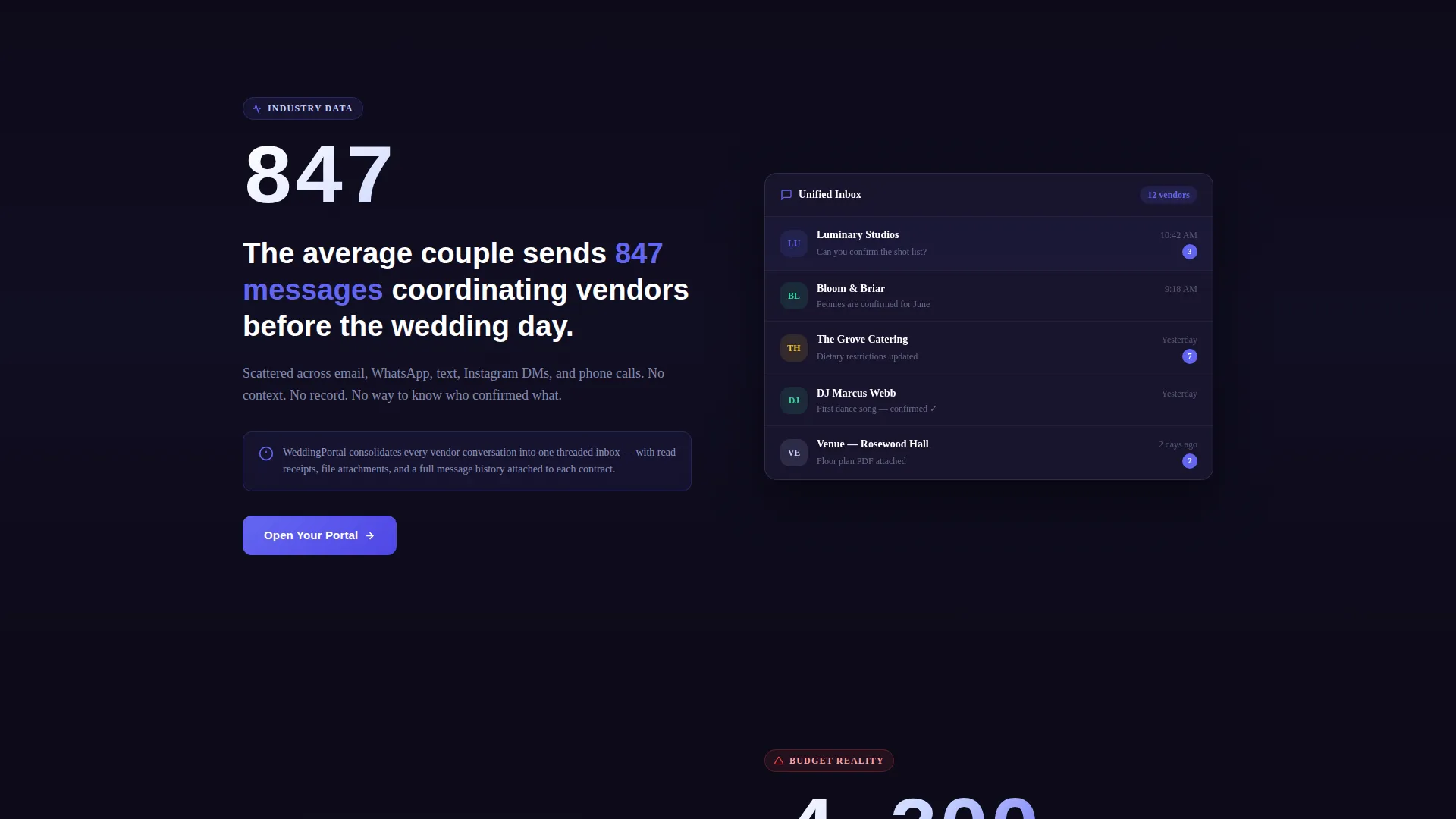
- The average couple sends 847 messages coordinating vendors, with no single thread to hold them
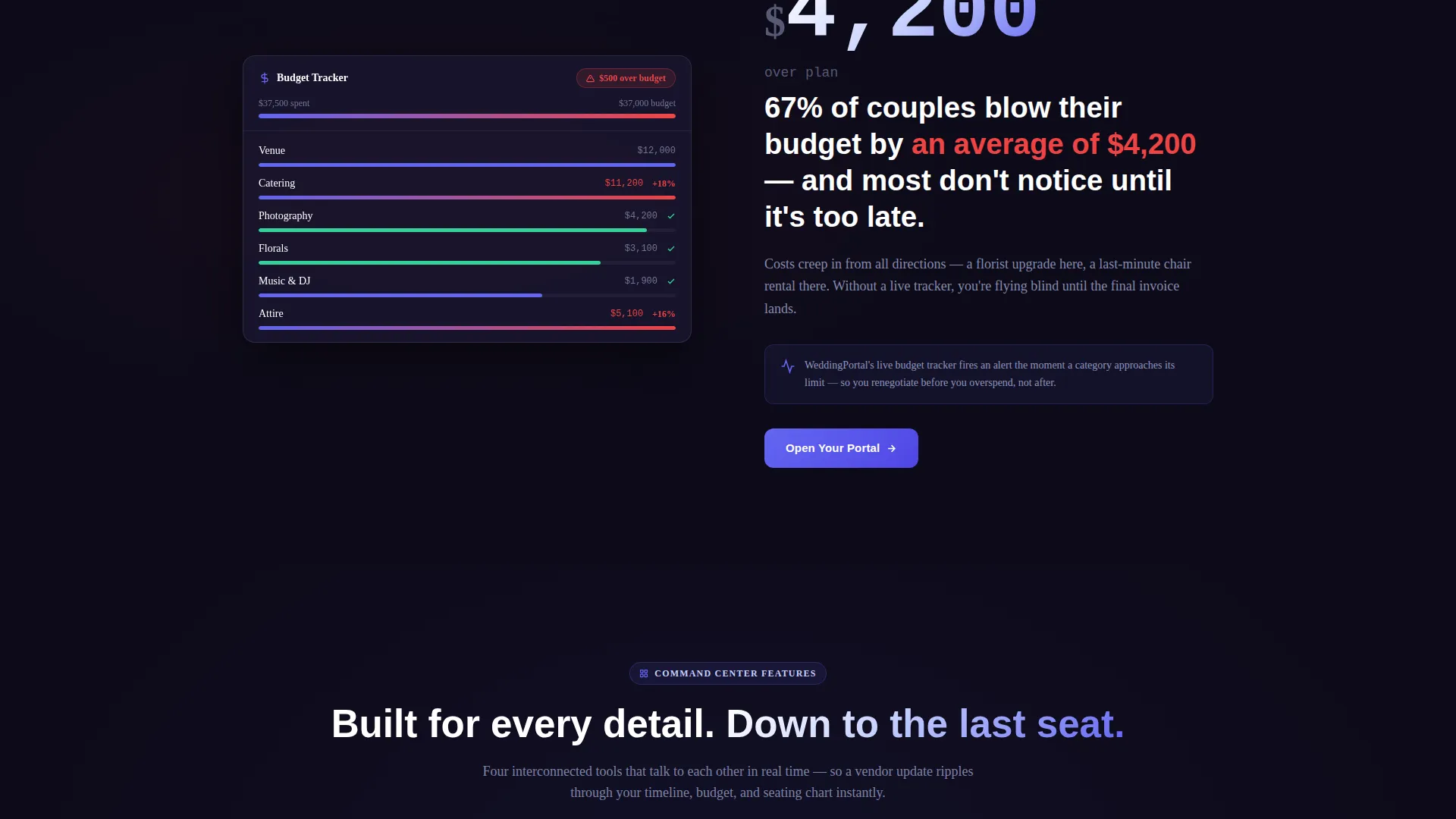
- 67% of wedding budgets exceed their original plan by $4,200, often because overspending goes unnoticed
- Planners handling multiple weddings have no centralized view across all their clients at once
What you get with this template
You get a fully structured, scroll-reveal landing page that walks visitors through the problem and the solution at the same time. Every section is designed to build trust and earn the click to a free trial.
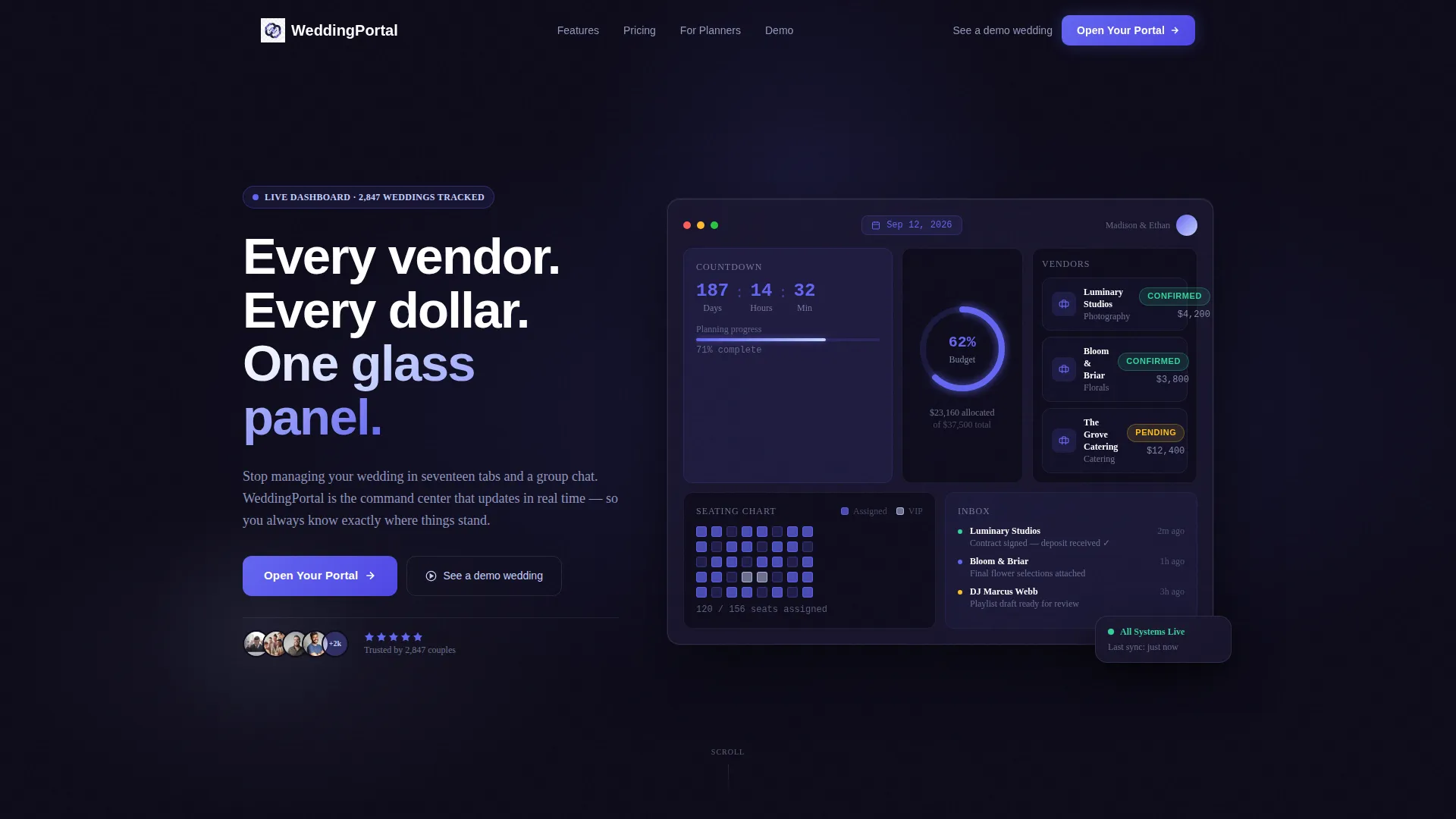
- A full-viewport dashboard header mockup with live-looking data panels, countdown clock, and vendor cards
- Stat-reveal sections that pair a wedding industry statistic with a matching glassmorphic feature demo
- A click-through call-to-action flow directing visitors to a two-step registration, with a secondary "See a demo wedding" option for hesitant visitors
Feature list
This template packages several carefully considered components that work together to move a visitor from curious to converted.
Living Dashboard Header
The header fills the entire viewport with a glassmorphic portal mockup. It displays a countdown clock reading "187 days," a budget ring chart at 62% allocated, three vendor cards with green confirmed badges, and a seating chart thumbnail with drag handles. A soft cursor-following parallax effect makes the panels feel alive.
Scroll-Reveal Stat Sections
Each scroll section opens with a striking wedding industry statistic. The stat creates a moment of recognition before a glass-panel feature demo slides into view as the answer. This Industry Report cadence keeps visitors reading through the entire page.
Budget Tracker Panel
A dedicated section surfaces the live budget tracker with overspend alerts as the direct response to the "$4,200 over budget" statistic. The panel design uses the electric indigo progress bar to show allocation in real time, making the feature feel immediately useful.
Unified Messaging Hub Panel
The vendor coordination problem is answered visually with a messaging hub demo panel. It pairs with the "847 messages" statistic to show how scattered conversations become one organized thread inside the portal interface.
Click-Through call to action System
The primary call-to-action button, labeled "Open Your Portal," appears first as a floating button after the header and then anchors at the bottom of each stat-reveal section. A secondary text link, "See a demo wedding," gives hesitant visitors a low-commitment path before they sign up.
Electric Indigo Interaction Design
Every interactive element pulses in electric indigo. Hover states, active toggles, and progress bars use the indigo glow system to make the interface feel like a premium product, not a static mockup.
Page sections overview
| Section | Purpose |
|---|---|
| Dashboard Header | Full-viewport portal mockup with parallax glass panels and live-data visuals |
| Vendor Chaos Stat | "847 messages" statistic paired with unified messaging hub feature reveal |
| Budget Overrun Stat | "$4,200 over budget" statistic paired with live budget tracker panel |
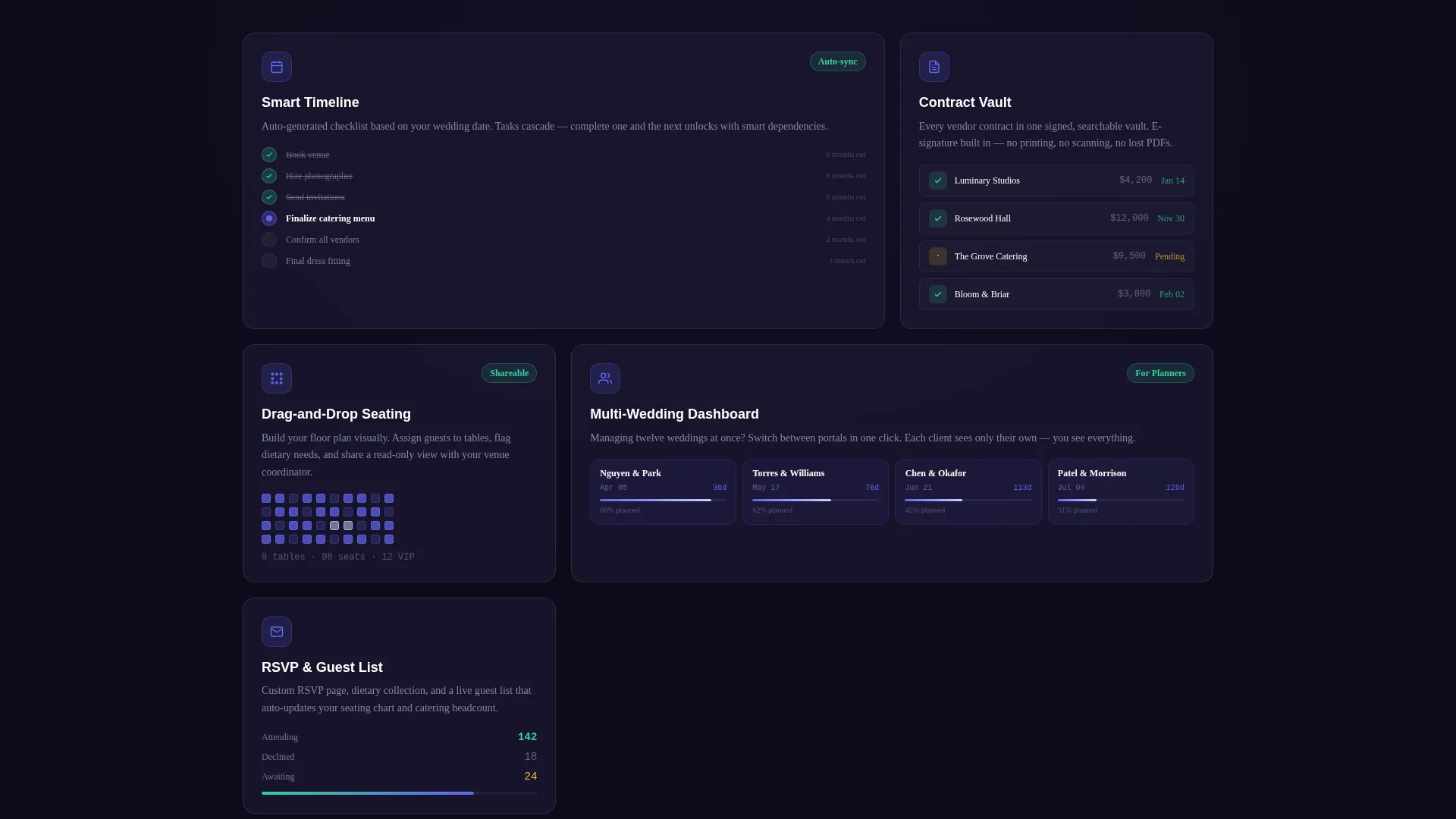
| Feature Demo Panels | Sequential glassmorphic demos for timeline, seating chart, and vendor contract views |
| Primary call to action Block | Floating "Open Your Portal" button and anchored call to action at each stat section |
| Demo Access Link | Secondary "See a demo wedding" text link for low-commitment portal exploration |
| Bottom call to action Anchor | Final conversion section reinforcing the portal value and repeating the signup prompt |
Design & branding system
The visual identity uses a Tech Glass theme built around an Electric Indigo color system. Every layer is intentional, from the near-black background to the frosted panel surfaces.
- Core palette: deep dashboard black (#0D0B1A) for backgrounds, frosted glass panel (#1A1730 at 80% opacity) for cards, electric indigo (#6366F1) for interactive highlights, soft lavender mist (#C7D2FE) for secondary text and dividers, and pure white (#FFFFFF) for primary type
- Layered translucent panels simulate depth-of-field, with indigo glows on hover states, active toggles, and progress bars
- Typography is crisp and high-contrast, designed to stay readable against dark, multi-layer glass backgrounds
Mobile & speed optimization
The scroll-reveal structure and layered glass panels are designed with progressive disclosure in mind. Each section loads its reveal as the visitor reaches it, keeping the experience smooth across devices.
- Scroll reveal animations surface content progressively so the page never feels heavy or front-loaded
- Glass panel layouts are structured to restack cleanly on smaller screens without losing the depth effect
- The floating call to action button remains accessible at every scroll depth, so the conversion path is always within reach
How this template helps you convert
Portal is built as a click-through landing page. It does not ask visitors for anything until it has already proven its value across several scroll-reveal moments.
- The dashboard header puts visitors inside the product experience immediately, before a single word of copy has been read, creating instant context and desire.
- Each stat-reveal pairing escalates the emotional stakes and then immediately resolves them, so by the time a visitor reaches the "Open Your Portal" button, the decision feels like a relief rather than a risk.
- The "See a demo wedding" secondary link captures hesitant visitors who are not ready to commit, keeping them inside the funnel rather than losing them to inaction.
Other information about this template
This template is part of a broader category of wedding digital presence tools built for technology-forward planning products. A few additional details worth knowing before you use it:
- The landing page is designed to connect to a two-step registration flow asking for first names, wedding date, and email
- The read-only demo portal link is included as a secondary conversion path and requires a sample portal environment to link to
- The Tech Glass theme and Electric Indigo color system are fully expressed through CSS variables, making color updates straightforward without redesigning individual components
- This template sits at the intersection of wedding client portal functionality and technology-category marketing, making it suitable for SaaS-style wedding planning products
Theme
Tech Glass
Creative direction
Industry Report
Color system
Electric Indigo
Style
Scroll Reveal (Progressive)
Direction
Click-Through
Page Sections
Living Dashboard Header with Parallax
Stat-to-feature Scroll Reveal Cadence
Budget Tracker Panel with Overspend Alerts
Unified Vendor Messaging Hub Panel
Click-through Call to Action System
Electric Indigo Interaction Design
Related questions
Who is the Portal template designed for?
Does the landing page include a signup form?
Can I update the dashboard mockup data shown in the header?
What is the scroll reveal style used in this template?
Is the Electric Indigo color system easy to change?



