Portal - Intelligent Seniorcare Landing Page Template
Portal is a senior care client portal landing page template built for families, care facilities, and home health agencies. It combines a dark Tech Glass visual identity with a live-data dashboard layout to communicate real-time care visibility. The design leads with operational confidence, and the freemium conversion flow guides visitors from first glance to signup in three personal steps.
by Rocket studio
Quick summary
Portal is a single-page dashboard landing page template designed for senior care client portals. It uses a dark Monochrome Steel color system, a data-grid layout, and a freemium conversion model to turn first-time visitors into active trial users. The page leads with live-feeling care data and ends with an interactive simulation that makes signing up feel natural.
Who this template is for
This template is built for organizations and individuals who need to communicate real-time senior care visibility to a digitally engaged audience. It speaks directly to people managing care from a distance and teams handling compliance at scale.
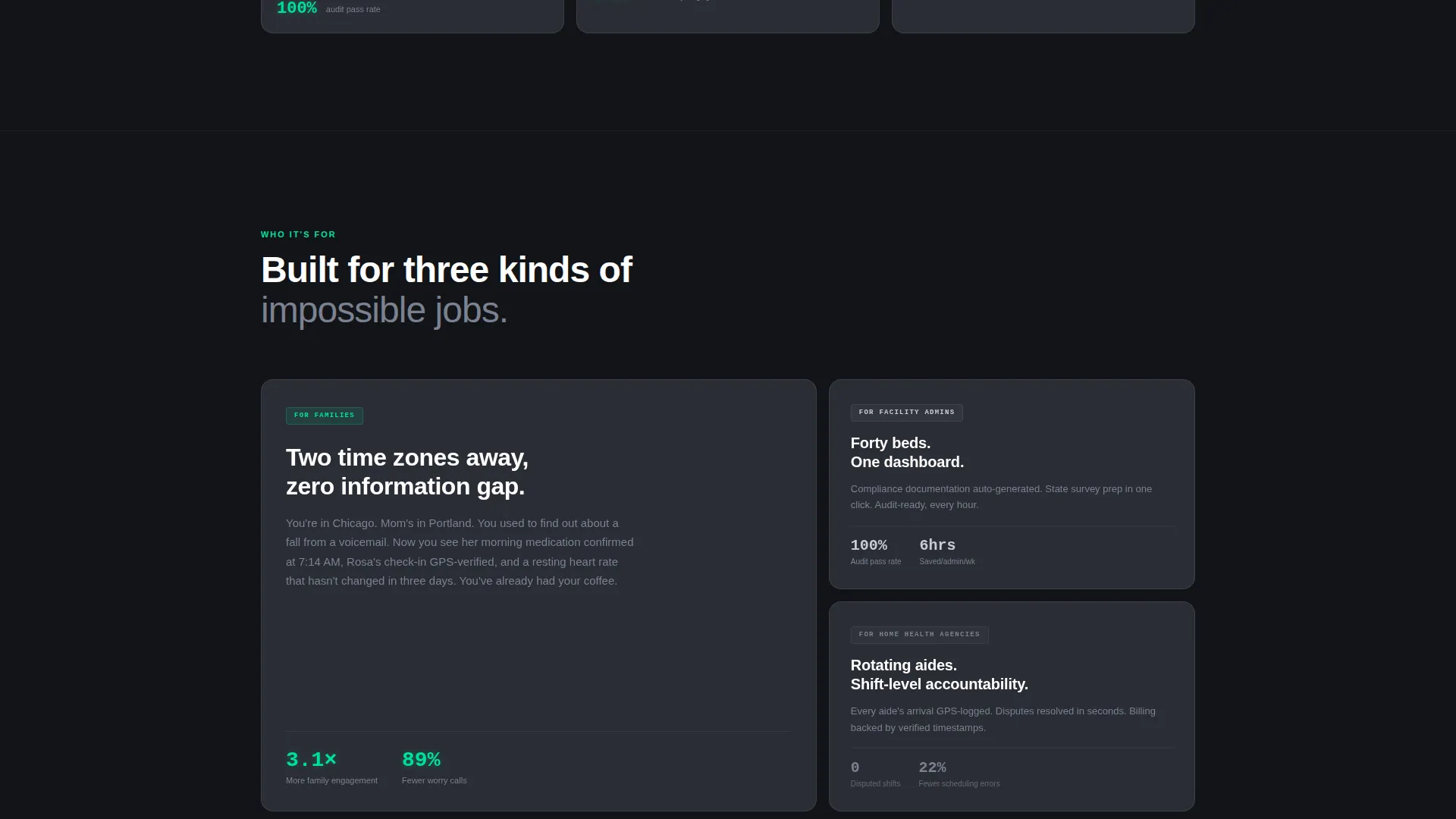
- Adult children monitoring an aging parent's care remotely, often across time zones
- Facility administrators managing compliance documentation across multiple residents
- Home health agencies coordinating rotating caregiving staff and shift-level accountability
What problem this template solves
Families and care professionals often lack a single, clear view of what is happening with a loved one or resident right now. That uncertainty creates anxiety, missed incidents, and reactive phone calls instead of proactive decisions.
- No central place to see medication adherence, caregiver check-ins, and incident alerts together
- Care updates arrive too late, buried in manual logs or scattered across staff messages
- Families feel disconnected from daily care routines despite being deeply invested
What you get with this template
You get a fully structured, single-page landing page that presents a senior care portal as a trusted, always-on command center. Every section is designed to move a visitor from curiosity to confidence to commitment.
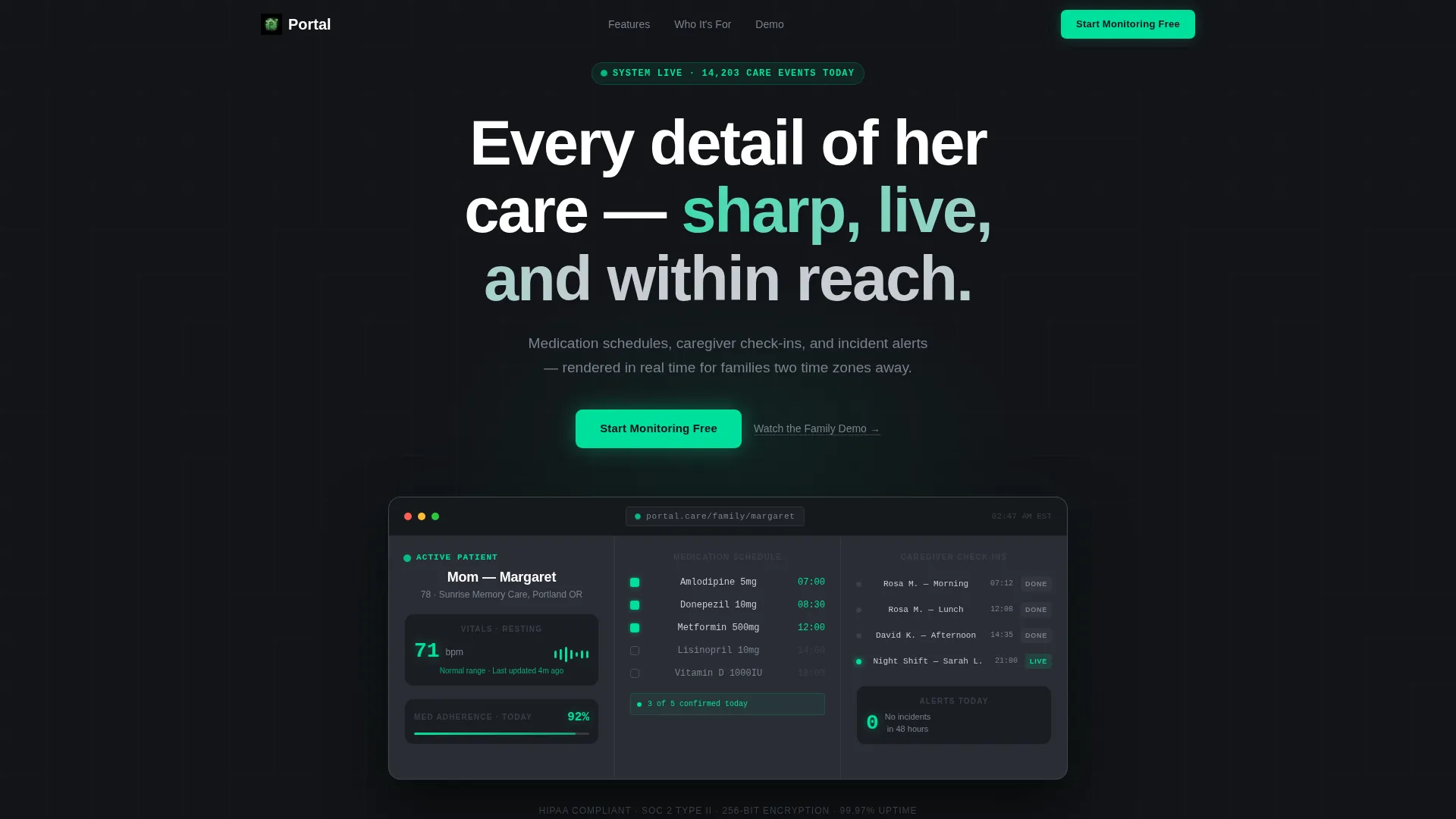
- A dark full-bleed hero section with a glowing dashboard preview showing live-style care data
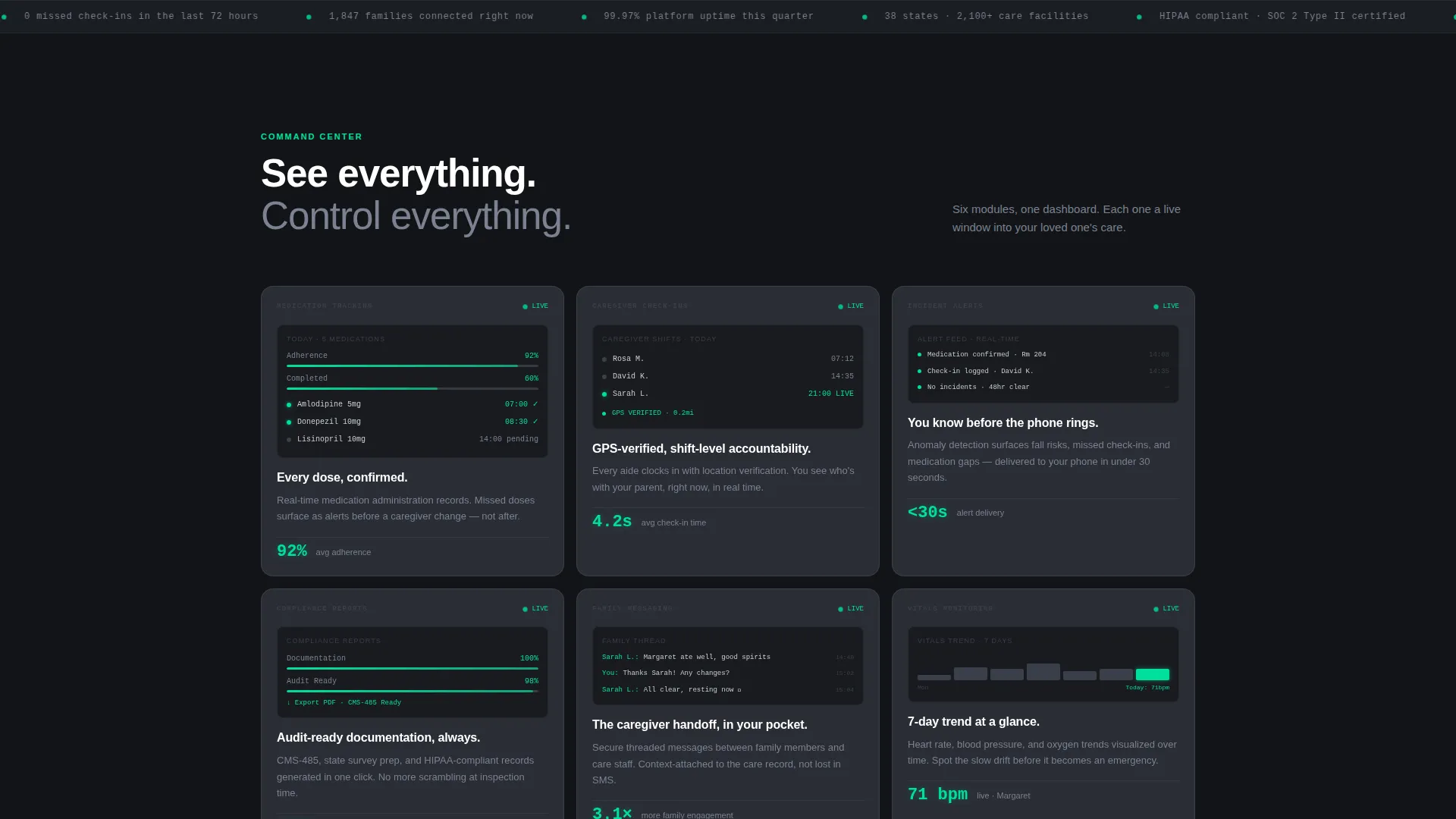
- A responsive feature card grid with hover micro-glow animations for each core capability
- A three-field freemium trial form and an interactive dashboard simulation widget near the bottom
Feature list
This template ships with a tightly sequenced set of sections and interactive components. Each one is designed to build trust and carry the visitor one step closer to starting a free trial.
Glowing Hero Dashboard Preview
The header fills the full viewport in deep carbon and surfaces a luminous dashboard interface from its center. A soft radial glow frames the preview, showing a family-view card for a fictional resident with medication adherence, caregiver timestamps, and a resting heart rate reading. Every live data point uses the status-green accent color.
Responsive Feature Card Grid
Below the hero, feature cards tile across the viewport in a data-grid layout. Each card shows a miniature dashboard screenshot representing a distinct capability: medication tracking, fall detection alerts, caregiver location check-ins, family messaging, and compliance report generation. Cards animate in with a micro-glow effect on hover.
Escalating Section Flow
The page content is sequenced with deliberate momentum. Sections progress from "see everything" to "control everything" to "never miss anything," building operational confidence with each scroll step rather than repeating the same promise.
Interactive Dashboard Simulation Widget
Near the bottom of the page, visitors can type a fictional name and watch a sample care timeline populate in real time. This hands-on moment is the final trust mechanism before the signup form, making the product feel tangible before any commitment is made.
Three-Field Freemium Trial Form
The conversion form asks only three questions in sequence: the visitor's first name, their loved one's first name, and their email address. The order is personal before transactional, reflecting that this product is about a relationship, not just a subscription.
Persistent Mobile Bottom Bar
On mobile viewports, the primary call-to-action appears as a fixed bottom bar in status-green against carbon. This keeps the "Start Monitoring Free" prompt visible throughout the entire scroll experience without interrupting the reading flow.
Page sections overview
| Section | Purpose |
|---|---|
| Dark Hero Header | Introduces the portal with a glowing full-bleed dashboard preview and primary call-to-action |
| Feature Card Grid | Showcases core capabilities through animated miniature dashboard cards |
| Escalating Content Sections | Builds confidence by progressing from visibility to control to real-time alerts |
| Dashboard Simulation Widget | Lets visitors interact with a sample care timeline before committing to signup |
| Freemium Trial Form | Captures leads with a three-field personal-first sequence |
| Persistent Mobile Bar | Keeps the primary call-to-action accessible throughout the mobile scroll |
Design & branding system
The visual identity uses a Tech Glass theme with a Monochrome Steel palette. The result feels clinical, trustworthy, and quietly alive, like a medical-grade interface running on a night-shift nurse's station.
- Deep carbon (#121418) dominates all backgrounds; brushed gunmetal (#2A2D35) defines card surfaces and grid borders; surgical instrument silver (#C8CDD3) carries all body typography
- Status-green (#00E09E) appears only on active data points: confirmed medications, live caregiver status, and real-time vitals readings
- No stock photography of people is used; the dashboard data itself is the visual hero throughout the page
Mobile & speed optimization
The template is structured for a smooth mobile experience from the hero section down to the persistent bottom bar. The layout adapts to smaller viewports without losing the data-grid clarity that defines the design.
- The feature card grid tiles responsively, maintaining readability on narrow screens
- The persistent bottom call-to-action bar replaces the inline hero button on mobile for uninterrupted access
- Micro-glow hover animations are scoped to elements where interaction is expected, keeping the motion purposeful
How this template helps you convert
The page is built around a freemium conversion path that removes friction at every stage. Visitors arrive at the hero with a clear value signal and leave through a form that feels like starting a relationship, not filling out paperwork.
- The hero dashboard preview delivers immediate proof of concept: a named resident, real-feeling data, and a green glow that says the system is already working before the visitor reads a single word
- The interactive simulation widget near the bottom personalizes the experience by letting visitors use a real name, making the transition to the actual signup form feel like a natural next step
Other information about this template
This template is designed specifically for the senior care digital presence space, sitting at the intersection of care technology and family-facing software products. It works equally well for new portal launches and for repositioning an existing care platform with a more modern, data-forward identity.
- The "Watch the Family Demo" secondary link appears beneath each primary call-to-action as a lower-commitment path for visitors who need more context before signing up
- The page tone is operationally confident rather than emotionally sentimental, which builds trust with both family users and care professionals simultaneously
- The template style is Dashboard and Data Grid, making it well suited for senior care software platforms looking to communicate live monitoring capabilities at a glance
Theme
Tech Glass
Creative direction
Launch Energy
Color system
Monochrome Steel
Style
Dashboard/Data Grid
Direction
Freemium/Trial
Page Sections
Glowing Hero Dashboard Preview
Responsive Feature Card Grid
Interactive Dashboard Simulation
Three-field Freemium Trial Form
Persistent Mobile Call-to-action Bar
Escalating Section Narrative Flow
Related questions
Who is this landing page template designed for?
What conversion model does this template use?
Can I customize the dashboard preview in the hero section?
What does the interactive simulation widget do?
Does this template include a mobile layout?



