Automotive Customer Portal Comparison Landing Page
Portal is an automotive customer portal landing page built around a live vehicle comparison table. Visitors filter inventory by make, model, year, mileage, and monthly payment, then compare up to three vehicles side by side with full specifications, a cost-of-ownership calculator, and a pinned "Build Your Shortlist" call to action that moves them toward a dealership conversation.
by Rocket studio
Quick summary
Portal is a single-page automotive customer portal designed for dealerships and inventory platforms. It loads three vehicles into a comparison module right at the header, lets visitors filter and swap any column, and deepens the experience as they scroll. Every interaction is comparative and instant, so visitors feel confident before they ever contact a dealer.
Who this template is for
This template fits automotive businesses that need to present large vehicle inventories in a clear, filterable format. It works equally well for single-location dealerships and multi-brand inventory platforms.
- Weekend car shoppers comparing two or three models on a phone before visiting a lot
- Fleet managers sourcing multiple identical vehicles before a quarterly budget deadline
- First-time buyers who need side-by-side data to feel confident walking into a dealership
What problem this template solves
Most inventory pages show one vehicle at a time. Visitors have to open five tabs, manually note specs, and guess at payment differences. That friction kills intent.
- Buyers leave before they find the right vehicle because comparison is too much effort
- Dealerships lose qualified leads who needed one more data point to commit
- Fleet buyers cannot evaluate total cost across multiple units without building their own spreadsheet
What you get with this template
You get a fully structured comparison table landing page with a live interactive header, scrollable specification sections, and a conversion path designed around the moment a visitor picks a winner.
- An interactive header module pre-loaded with three vehicles and editable columns
- Collapsible specification categories, a cost-of-ownership calculator, and a pinned shortlist call to action
- Two inquiry paths: a full shortlist form and a quick single-vehicle availability check
Feature list
This landing page ships with six purpose-built components. Each one is designed to move a visitor from browsing to a real dealership inquiry.
Live Vehicle Comparison Header
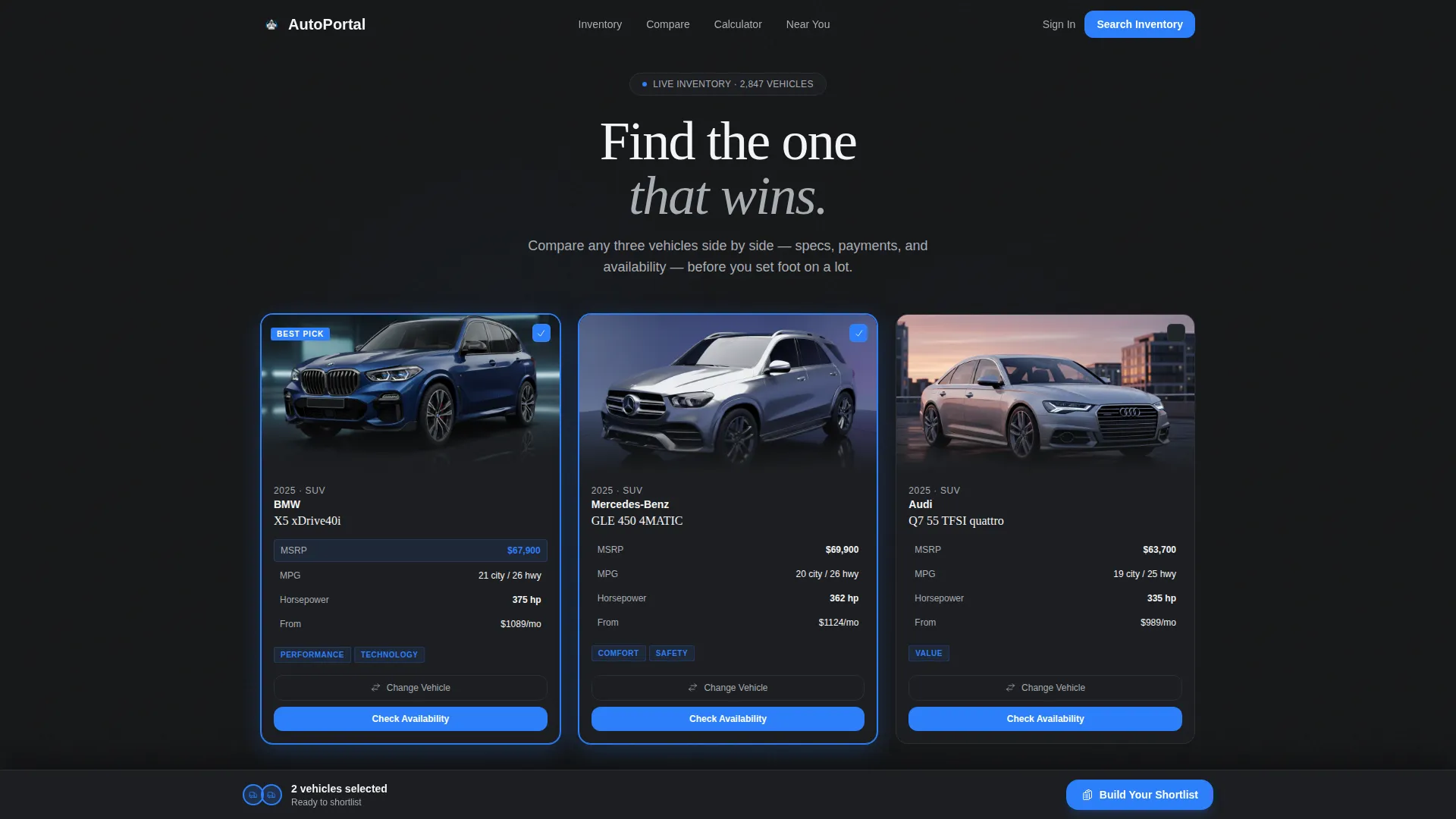
The header loads three vehicle silhouettes in a side-by-side column layout. Key figures like MSRP, miles per gallon, and horsepower are pre-populated below each image. One row is highlighted in indicator blue to show a clear winner before the visitor interacts at all.
Swappable Column Search Drawer
Each vehicle column has a "Change Vehicle" button. Clicking it opens a filtered search drawer where visitors can browse by make, model, year, mileage, or monthly payment. The column updates instantly with the selected vehicle's data.
Collapsible Specification Accordion
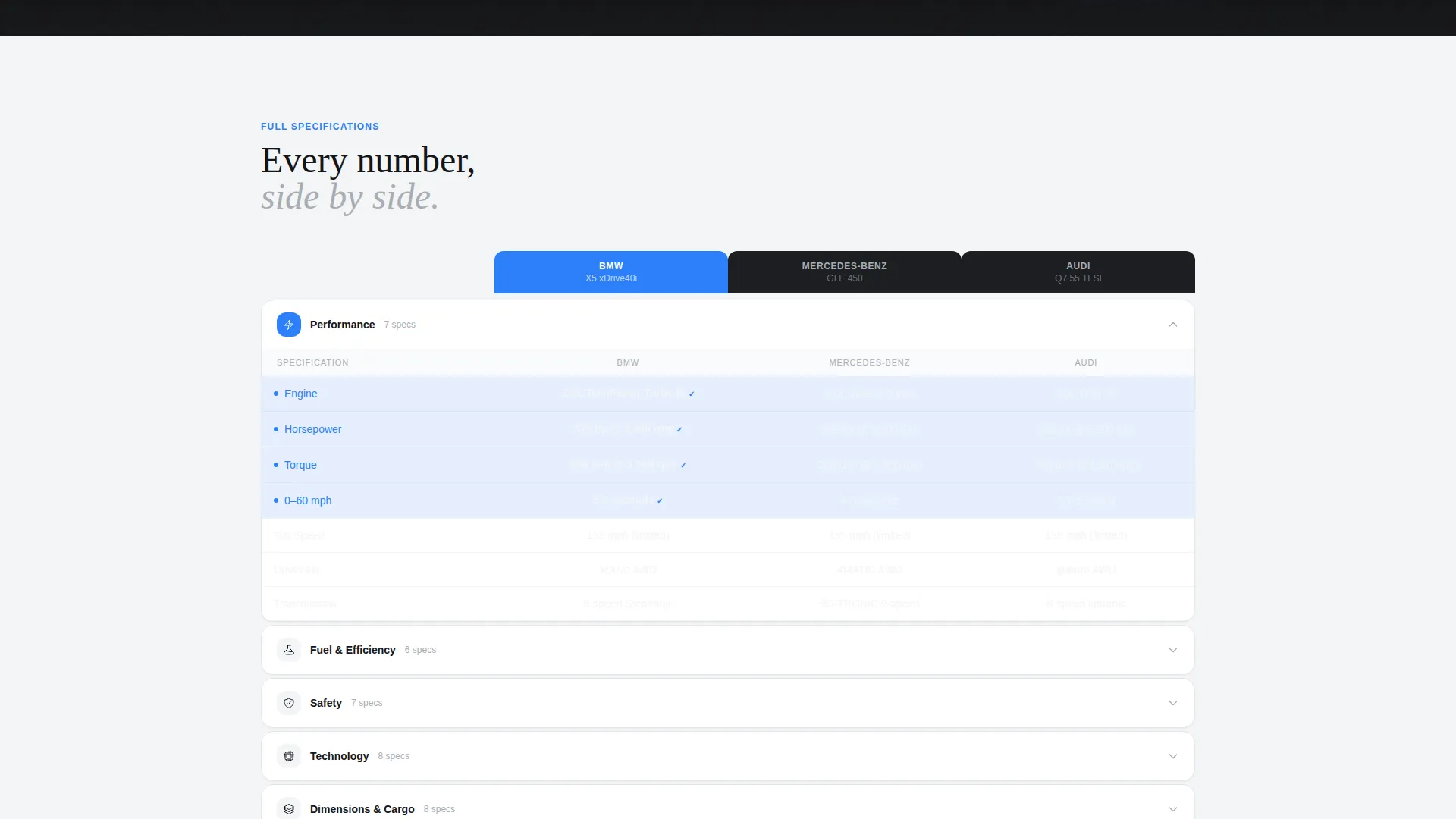
Below the header, a full specification table organizes details into collapsible categories: performance, safety, technology, and dimensions. Each category animates open like an accordion so visitors can dig into the data that matters most to them.
Cost-of-Ownership Calculator
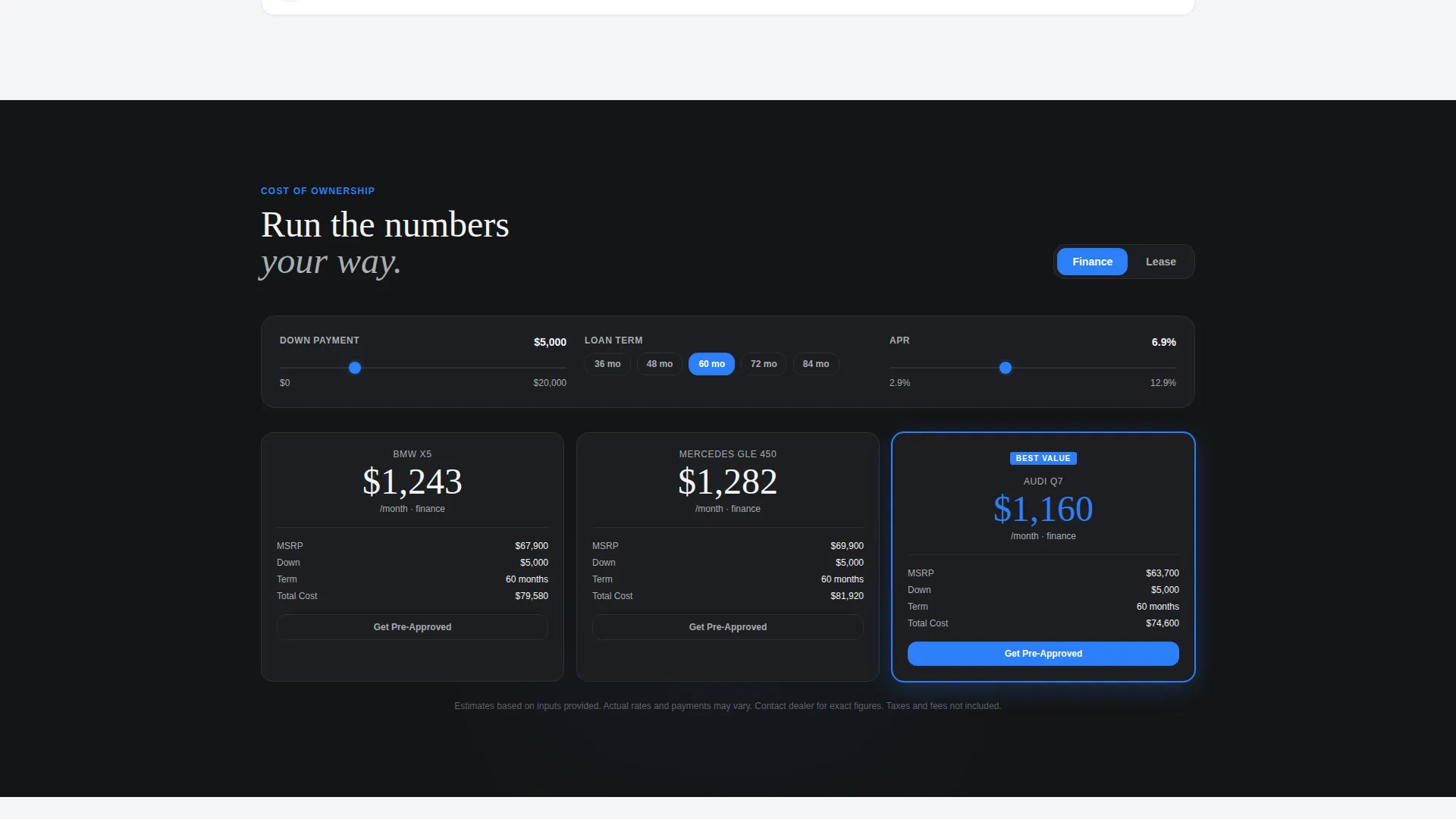
A finance and lease toggle lets visitors adjust down payment and term length. Monthly payment figures update in real time across all three vehicle columns simultaneously, so cost comparisons stay accurate as inputs change.
Pinned Shortlist Call to Action
Once a visitor selects two or more vehicles, a "Build Your Shortlist" button slides up from the bottom of the viewport with a subtle shadow. It persists as the visitor scrolls, staying visible until they are ready to act.
Dual Inquiry Forms
The primary shortlist form collects name, zip code, and a contact preference toggle between text and email. A lighter secondary form lets visitors tap "Check Availability" on any single vehicle column, pre-filling that vehicle and requiring only a phone number.
Page sections overview
| Section | Purpose |
|---|---|
| Interactive comparison header | Pre-loads three vehicles with key specs and one highlighted winner row |
| Column swap drawer | Lets visitors replace any vehicle using filtered search |
| Full specification table | Expands spec details into collapsible performance, safety, tech, and dimension categories |
| Cost-of-ownership calculator | Shows real-time finance and lease payment figures across all three columns |
| Peer ratings row | Surfaces crowd-sourced ratings alongside each vehicle as the visitor scrolls deeper |
| Color swatch renderer | Applies available color options visually onto each vehicle silhouette |
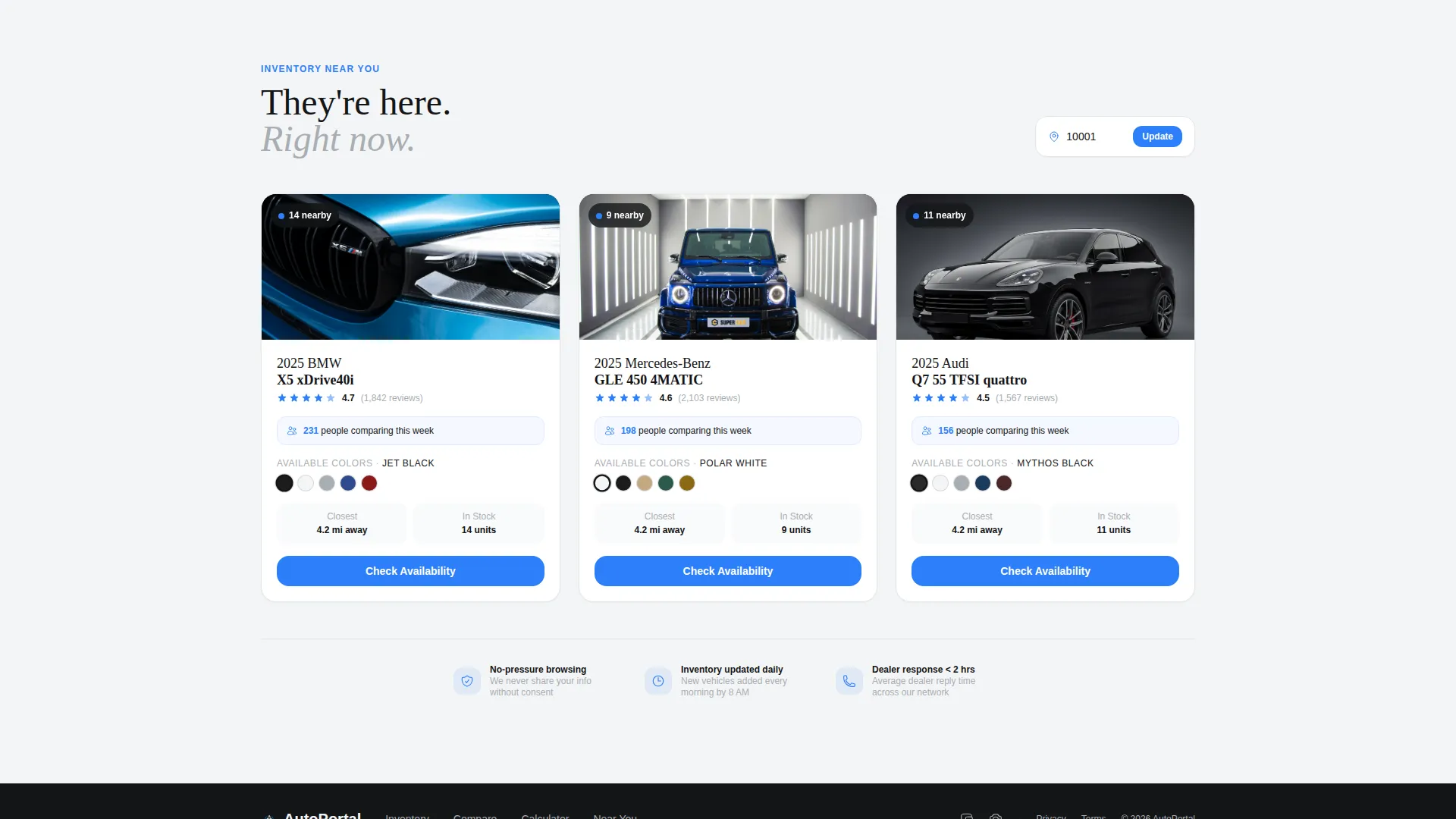
| Nearby inventory counter | Shows a live inventory count near each model for the visitor's area |
| Pinned shortlist call to action | Slides up once two vehicles are selected; anchors to the viewport bottom |
| Shortlist inquiry form | Collects name, zip, and contact preference in a single-step overlay |
| Single vehicle form | Quick availability check that pre-fills one vehicle and asks only for a phone number |
Design & branding system
The visual identity follows a Directory and Discovery theme built on a Monochrome Steel color system. Every color choice is deliberate: either it absorbs attention or it reflects it, with no warmth anywhere in the palette.
- Deep chassis black (#141517) for primary backgrounds, brushed aluminum (#A8ADB3) for secondary text and inactive borders, and showroom white (#F4F5F6) for alternating content tiers
- Indicator blue (#2D7FF9) is reserved exclusively for interactive states, active filters, highlighted spec rows, and the primary call to action button
- Backgrounds alternate between chassis black and showroom white to visually separate comparison tiers as the visitor scrolls
Mobile & speed optimization
The layout is built with mobile-first browsing in mind. A weekend shopper comparing SUVs on a phone at the kitchen table is one of the core audience profiles this template was designed around.
- The comparison columns reflow for smaller screens so key specs remain readable without horizontal scrolling
- The pinned shortlist call to action stays accessible at the bottom of the mobile viewport, matching the same behavior as desktop
How this template helps you convert
The conversion strategy is built into the scroll experience itself. By the time a visitor reaches the call to action, they have already done the work of comparing vehicles, running payments, and watching one model win multiple categories.
- The pre-loaded comparison header proves the tool works immediately, removing hesitation before a single click
- The real-time cost calculator gives visitors a personalized payment figure, replacing guesswork with a concrete number they are ready to act on
- Two inquiry forms lower the barrier to contact: a full shortlist form for decided buyers and a one-field availability check for visitors who are focused on a single vehicle
Other information about this template
This template is categorized under Technology, specifically Automotive Software and SaaS, and is built for the automotive customer portal niche. It fits platforms that need a polished digital showroom experience.
- Template style is Comparison Table, paired with a Comparison/Versus landing page direction for maximum conversion alignment
- The header concept is Interactive Preview, meaning the most powerful feature of the page is visible before any scroll occurs
- The creative direction is Interactive Explorer, rewarding scroll depth with progressively richer data at every stage
- The theme is Directory and Discovery, which makes filtering, browsing, and shortlisting the core interaction model throughout
Theme
Directory & Discovery
Creative direction
Interactive Explorer
Color system
Monochrome Steel
Style
Comparison Table
Direction
Comparison/Versus
Page Sections
Live Three-column Comparison Header
Filtered Search Drawer
Collapsible Specification Accordion
Real-time Cost Calculator
Pinned Shortlist Call to Action Button
Dual-path Inquiry Forms
Related questions
Can visitors compare more than three vehicles at once?
How does the cost-of-ownership calculator work?
What does the "Build Your Shortlist" button do?
Is the "Check Availability" inquiry form different from the shortlist form?
What type of businesses is this landing page template best suited for?



