Portal - Powerful IT Services Landing Page Template
Portal is a bento grid landing page template built for managed IT service providers who want to showcase their client portal with confidence. It features an animated live-metrics header, a side-by-side feature comparison matrix, and dual conversion paths. The dark electric indigo design system makes complex infrastructure data feel immediate, clear, and compelling.
by Rocket studio
Quick summary
Portal is a single-page bento grid landing page template designed for IT service providers. It opens with a live-stats header wall packed with animated counters, moves into a layered feature comparison matrix, and closes with two clear conversion paths. The dark dashboard aesthetic makes every metric feel urgent and trustworthy.
Who this template is for
This template speaks directly to managed IT service providers who need a client-facing landing page that earns trust before asking for a click. It works especially well when your audience already lives inside dashboards and needs to feel the product before reading a word of marketing copy.
- Office managers at small-to-mid-size professional firms who need reliable IT without the technical detail
- Chief Technology Officers at scaling startups who must demonstrate service-level agreement compliance to stakeholders
- Operations leads at multi-location organizations balancing compliance requirements with day-to-day IT issues
What problem this template solves
Most IT service landing pages look like brochures. They list features in plain text, use stock photography, and bury the proof. Potential clients cannot feel the difference between your managed service and what they already have. Portal solves that by replacing passive claims with visible, real-time evidence.
- Visitors cannot easily compare your service against traditional managed service providers or in-house IT without a structured side-by-side view
- Generic pages fail to communicate uptime, resolution speed, and endpoint coverage in a way that feels immediate and credible
- Researchers need a lower-commitment conversion path before they are ready to book a demo
What you get with this template
Portal delivers a complete, ready-to-customize bento grid landing page. Every section is purpose-built for the IT services client portal use case, from the opening metrics wall to the final call-to-action bar.
- An animated header section with four live counter metrics, a sticky conversion bar, and a short demo-request form
- A full feature comparison matrix that runs across monitoring, ticketing, reporting, onboarding, security, compliance, and scaling categories
- A secondary gated conversion path offering a downloadable comparison document captured behind a single email field
Feature list
Portal is built around a small set of high-impact structural features. Each one is drawn directly from the template brief and serves a specific purpose in the conversion flow.
Animated Live-Metrics Header
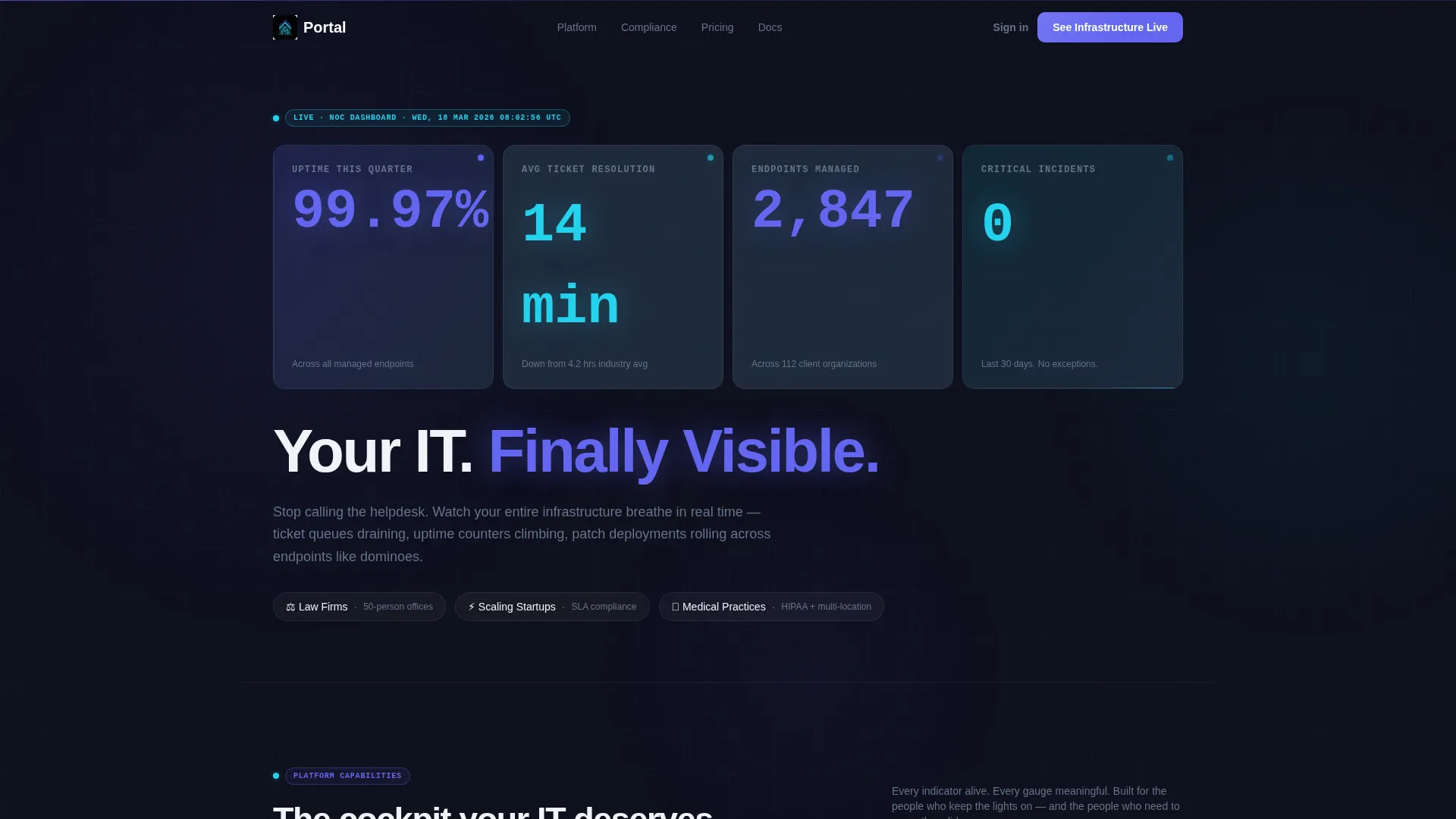
The header replaces a traditional hero image with a bento grid of four animated counters. Metrics such as uptime percentage, average ticket resolution time, endpoints managed, and critical incident count tick upward with easing animations. Oversized electric indigo numerals glow against near-black cards, making the data itself the visual centerpiece.
Bento Grid Feature Comparison Matrix
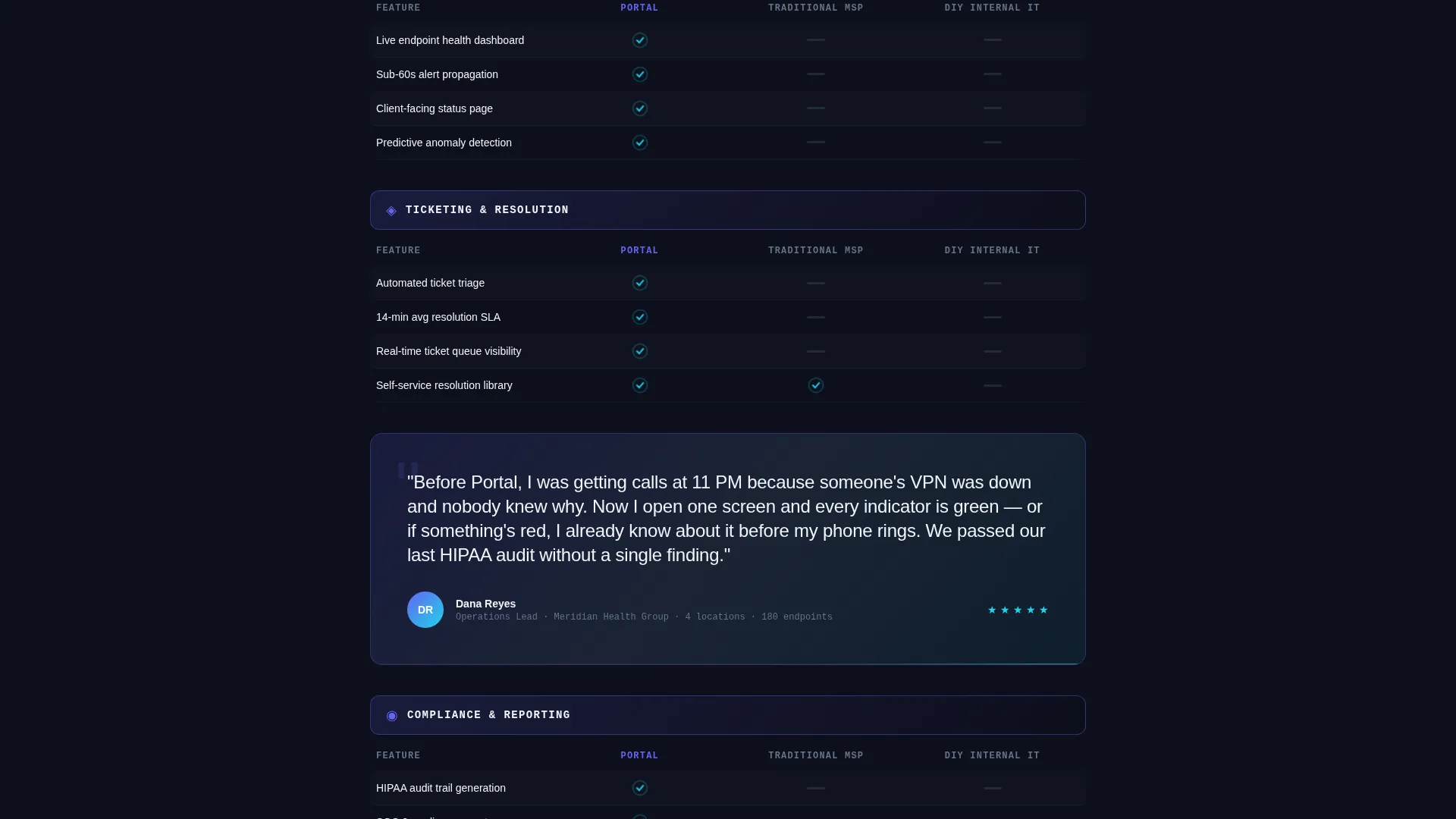
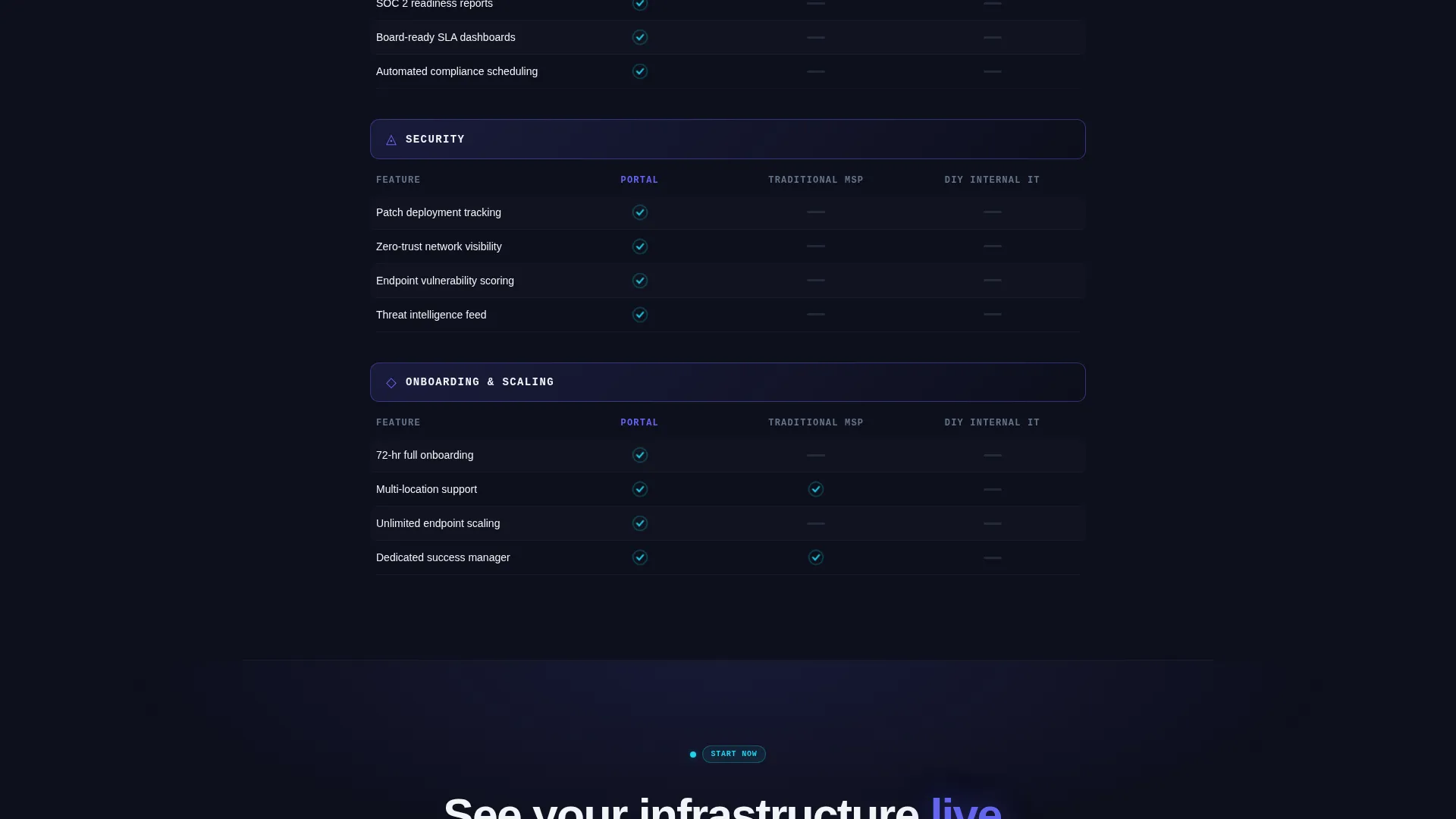
The comparison matrix is the template's core section. Each row covers a capability category. Your portal's card glows in electric indigo while competitor columns use grayed-out, redacted-style cards. Cyan checkmarks pulse for present features; a flat slate dash marks missing ones. The scroll reveals each gap row by row, with a full-width client quote card breaking the pattern midway.
Dual Conversion Path Design
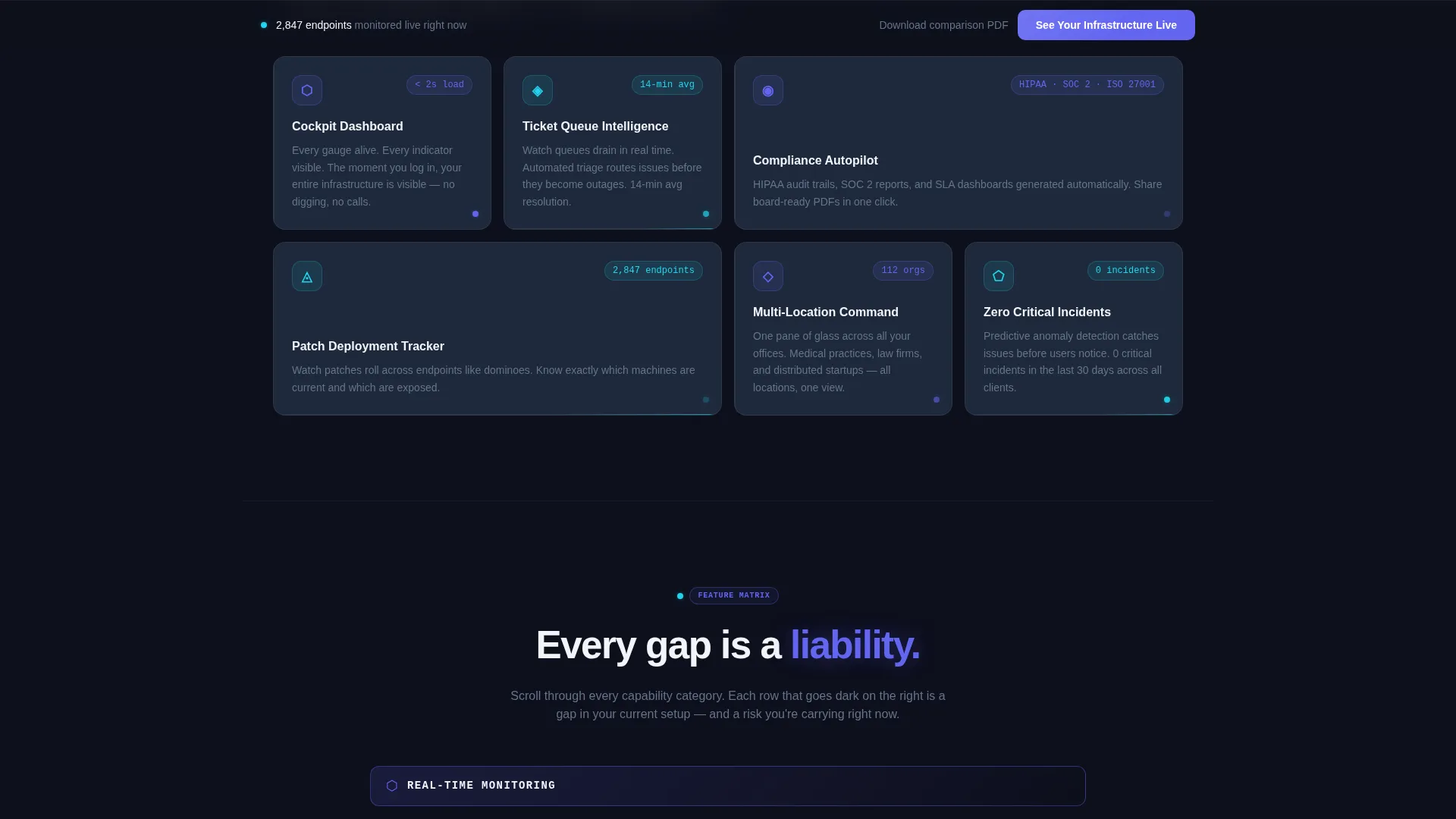
Two distinct calls to action run throughout the page. The primary path, "See Your Infrastructure Live," appears in a sticky bottom bar and after the final matrix row. It leads to a short form asking for company name, endpoint count, and current IT setup. The secondary path offers a downloadable comparison document gated behind just an email field.
Sticky Bottom Conversion Bar
A persistent bottom bar keeps the primary call to action visible at all times as the visitor scrolls through the comparison matrix. This ensures the next step is never more than one click away, regardless of how deep into the page the reader travels.
Mid-Matrix Social Proof Card
A full-width card interrupts the feature matrix at its midpoint with a quote from an operations lead. This placement is intentional. It arrives after the visitor has already absorbed several rows of comparison data and is primed to trust a peer validation before the matrix escalates into security and compliance categories.
Electric Indigo Dark Color System
The entire template is built on a four-tone dark palette. Deep dashboard black forms the page background. Cool slate surfaces the card layers. Electric indigo highlights active states, data points, and call-to-action elements. Reactive cyan is reserved for live-status indicators and hover interactions, creating a visual hierarchy that guides the eye without requiring a single word of instruction.
Page sections overview
| Section | Purpose |
|---|---|
| Live Metrics Header | Display animated uptime, resolution, and endpoint counters |
| Headline Block | Anchor the value proposition beneath the metrics wall |
| Feature Comparison Matrix | Compare portal capabilities against traditional and in-house IT |
| Mid-Matrix Quote Card | Deliver peer social proof at peak comparison engagement |
| Security and Compliance Rows | Widen the visible capability gap in high-stakes categories |
| Primary call to action Form | Capture demo-ready leads with a three-field request form |
| Sticky Conversion Bar | Keep the primary call to action visible throughout the scroll |
| Secondary Gated Download | Capture researcher emails with a low-commitment PDF offer |
Design & branding system
Portal uses an Electric Indigo color system built around four specific tones. The palette is designed to feel like a server room at 2 AM, where the only visible light comes from active indicators and terminal glow.
- Deep dashboard black (#0D0F1C) as the page background, cool slate (#1E293B) for card surfaces, electric indigo (#6366F1) for active states and data highlights, and reactive cyan (#22D3EE) reserved for live-status indicators and hover interactions
- Oversized indigo numerals in the header create immediate visual weight without relying on photography or illustration
- The Startup Velocity theme keeps the layout dense, data-forward, and high-contrast, signaling technical credibility to a professional audience
Mobile & speed optimization
The bento grid layout is structured to reflow cleanly across screen sizes. Metric cards and comparison rows are designed with stacking behavior in mind, so the visual hierarchy holds on smaller displays without losing the dark-dashboard feel.
- Bento grid cells are individually sized, making them natural candidates for single-column stacking on mobile without layout breakage
- The sticky conversion bar remains functional on mobile, keeping the primary call to action accessible during scroll without obstructing content
- The comparison matrix condenses gracefully, preserving the checkmark-versus-dash visual language even when columns are narrowed on smaller screens
How this template helps you convert
Portal is built around the principle that visitors need to feel the gap before they act. Every structural decision pushes toward one of two conversion outcomes: a demo request or an email capture.
- The animated metrics header establishes immediate credibility, giving visitors quantified proof of service quality before they read a single marketing claim, which lowers skepticism early.
- The scrolling comparison matrix makes missing features physically visible row by row, building a case that compounds with every scroll and peaks with the security and compliance categories where service gaps are most consequential.
- The dual conversion path ensures that visitors who are not yet ready to demo still have a low-friction option, capturing researcher intent with a single email field and a downloadable comparison document.
Other information about this template
Portal is a Bento Grid template built under the Startup Velocity theme. It is category-matched to the IT Services Digital Presence subcategory and the IT Services Client Portal niche. The template is delivered as a fully structured single landing page with no multi-page routing required.
- The template is designed for customization: colors, counter values, matrix row labels, and form fields can all be updated to match your specific service offering and brand
- The comparison matrix structure supports any number of capability categories and can be extended with additional rows as your service portfolio grows
- The secondary conversion path is intentionally low-commitment, making it suitable for reaching buyers who are still in a research phase before engaging with sales
Theme
Startup Velocity
Creative direction
Feature Matrix
Color system
Electric Indigo
Style
Bento Grid
Direction
Comparison/Versus
Page Sections
Animated Live-metrics Header Wall
Bento Grid Comparison Matrix
Mid-matrix Social Proof Card
Dual Conversion Path Structure
Sticky Bottom Conversion Bar
Electric Indigo Dark Design System
Related questions
Who is the Portal template designed for?
Can I change the metric values in the animated header?
What are the two conversion paths in this template?
Does the comparison matrix support more than three columns?
Is this template suitable for a dark-themed brand?



